









deskbird is one of the newer workplace management tools on the market. It launched during a time when new desk and room booking apps were popping up constantly, but it’s managed to stand out and keep growing. Today, it’s often shortlisted by teams that want a modern tool for managing desks, rooms, and office schedules.
But is it really the best option, or would you be better off with a deskbird alternative?
In this review, we’ll cover what deskbird does well, where it can fall short, and when it makes sense to look at deskbird alternatives.
💡 TL;DR:
deskbird is a good fit for small to mid-sized teams that want to get set up quickly. It covers the basics like desk and room booking, interactive floor plans, and lots of integrations (200+). That said, larger teams may find it less flexible to customize, and per-user pricing can get expensive as headcount grows. If you want more predictable pricing and deeper tools for complex offices, an alternative like Archie may be a better fit, especially if you value consistently strong user ratings.
deskbird vs alternatives
What is deskbird?
deskbird describes itself as Europe’s fastest-growing workplace management platform. It raised $23 million in Series B funding in September 2025, and plans to use that funding to build smarter workplace tools that “adapt, learn, and optimize in real time.”
With funding secured and a growing customer base, deskbird is quickly becoming one of the top contenders in workplace management. While its future is bright, let’s see where the platform stands today.
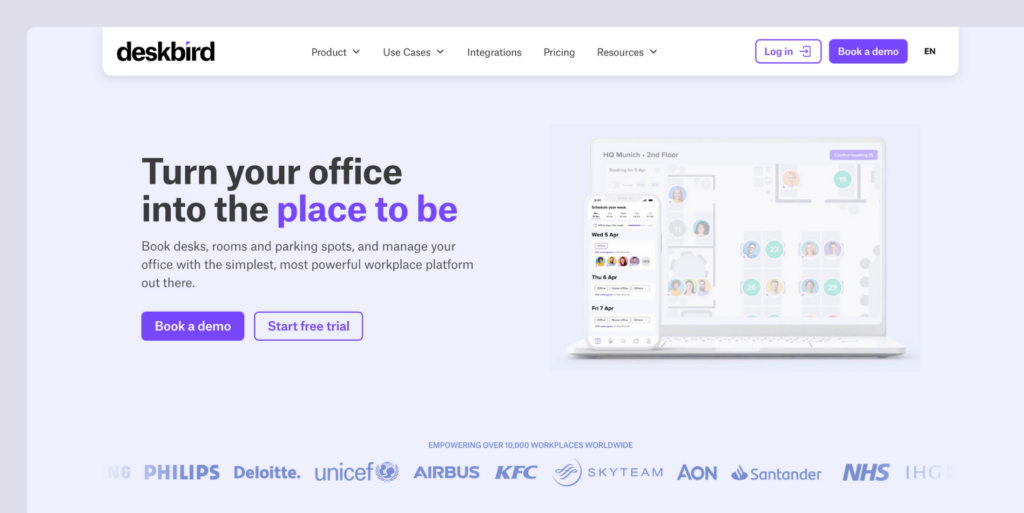
Key features of deskbird
- Desk reservations: Hot desking with smart filters for things like amenities and sitting near teammates.
- Room scheduling: Book meeting rooms with Outlook and Google Calendar sync.
- Resource booking: Reserve parking spaces and shared office equipment.
- Visitor management: Pre-register guests, enable self check-in, and notify hosts when visitors arrive.
- Hybrid scheduling: Plan who’s coming into the office and support hybrid work policies.
- Mobile app: iOS and Android apps for booking on the go.
- Interactive floor plans: Visual office maps with real-time availability.
- AI recommendations: Smart suggestions for desks and meeting times.
- 200+ integrations: Works with Microsoft Teams, Outlook, Slack, Google Workspace, BambooHR, and more.
deskbird pricing
deskbird has one free plan and three paid plans (prices below are when billed annually):
- Starter: Free forever, but it comes with two big limits: no customer support and a cap of 15 users and 1 office.
- Business: From $3.75 per user/month, it includes everyday essentials like mobile apps, Microsoft Teams integration, automated desk booking, and access to customer support.
- Professional: From $4.75 per user/month, adds more advanced needs, like access control integrations, a dedicated customer success manager, API access, and hybrid work approvals.
- Enterprise: Custom pricing, typically includes a Technical Account Manager, faster support response times, advanced SLAs, help with custom analytics, workplace NPS surveys, and support for custom integrations.

What’s great about deskbird (reviews)
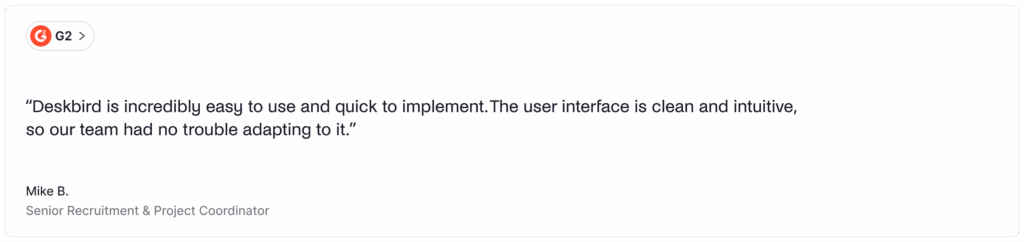
🟢 Very intuitive: Most of the reviews praise how clean deskbird’s UI is and how easy it is to navigate through it. One user said: “Clean, modern UI that’s easy to navigate for both employees and admins. Great for managing shared workspaces, booking desks, meeting rooms, and planning in-office schedules”.
🟢 Great customer support: Another thing most of the reviews mention is how great and responsive the customer support team is. One recent review mentioned: “Very easy to set up and intuitive to use. Easy to see what’s needed at a glance. Customer support has been great when there have been problems”.
🟢 Solid functionality: The features deskbird provides are also mentioned quite often amongst reviews. Some mention specific features, while others praise the platform’s complete feature set.
What could be improved
🔴 Customization limitations: Some reviews mention that the customization options available are limited, which can impact the functionality of the platform. One reviewer said: “The one thing that I found inconvenient was that it is a bit difficult to customize your settings. If there were more features, I wouldn’t have an issue”.
🔴 Pricing concerns: deskbird’s per-user pricing model has been one of the complaints we saw across reviews. For instance, one review mentioned: “The only real con is around the pricing model, while the service is great, the accessibility is limited to companies with a larger bottom line”.
🔴 Occasional glitches: A few reviews pointed out that the mobile app can have a few glitches at times. As one user said: “The mobile app could use a refresher as it glitches often”.
💡 Bottom line: deskbird is a good choice for companies that want an intuitive, feature-rich workplace management platform with advanced features and integrations. But, if you need extensive customization, have a larger employee base, or are budget-conscious, deskbird’s per-user pricing model might not be the most cost-effective option.
Luckily, there are several strong deskbird alternatives to consider.
What’s the best deskbird alternative?
For mid-sized and larger offices, Archie is the best deskbird alternative. While it may not match every feature or offer as many native integrations, it hits a great balance of strong workspace management capabilities and a pricing model that’s easier to manage.
With Archie, you get the core tools most offices need in one platform, like desk booking, interactive floor plans, and space analytics. And because Archie uses resource-based pricing, your costs are tied to the desks and rooms you manage, not your employee count. That often makes it more cost-effective than deskbird as your team grows, especially if you’re scaling quickly.
deskbird alternative #1: Archie
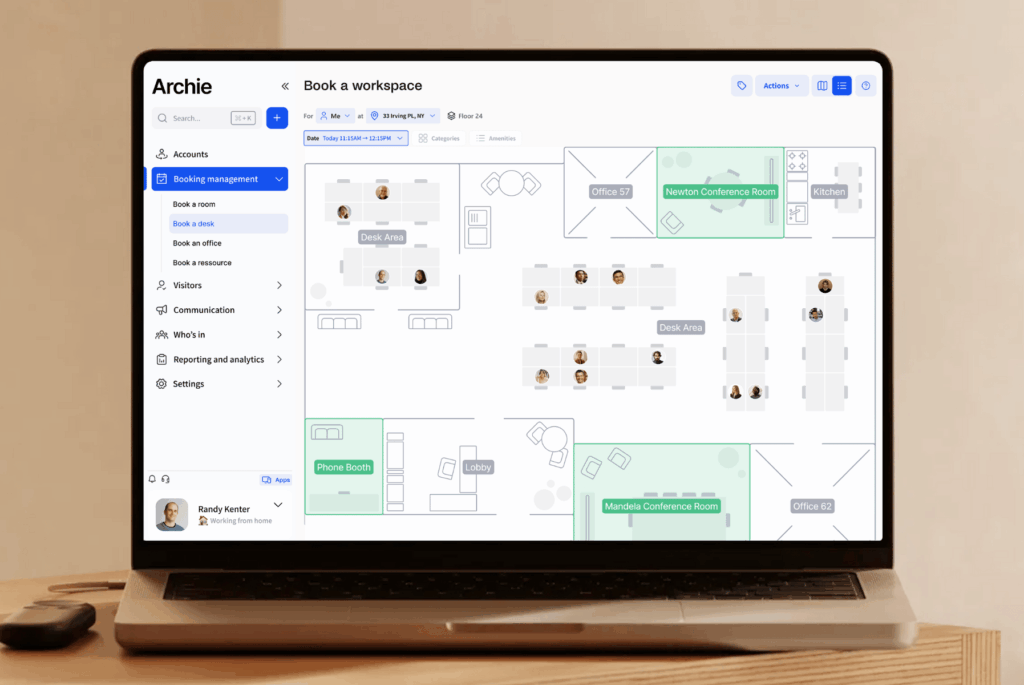
Archie is a smart workspace technology platform and a strong alternative to deskbird. It brings key office tools into one place, like desk booking, meeting room scheduling, and workplace analytics. And with resource-based pricing, you pay for the desks and rooms you manage, not the number of employees.
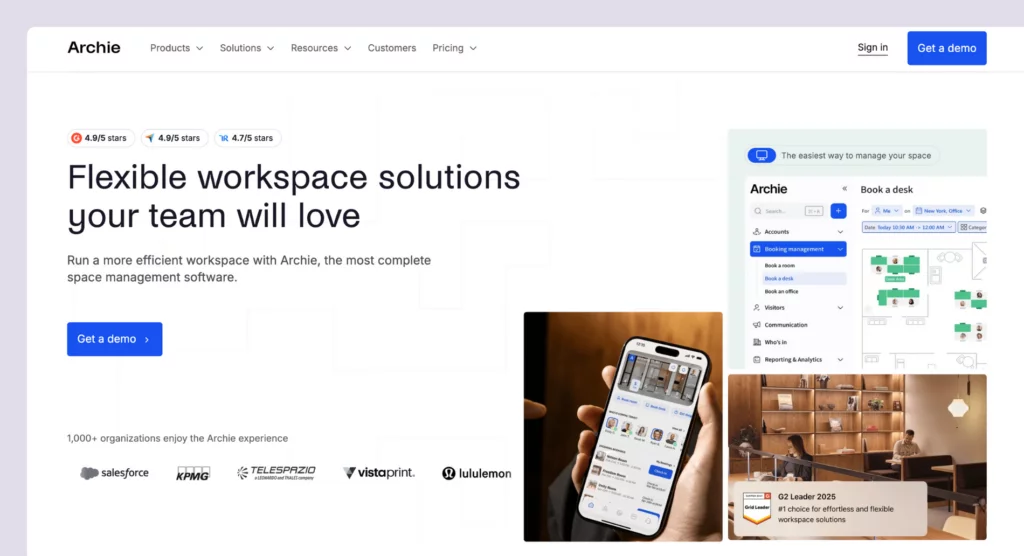
What you get with Archie
- Desk booking: Hot desking with interactive floor plans, assigned desks, and customizable zones.
- Meeting room scheduling: Book rooms with calendar sync and real-time availability.
- Neighborhood zoning: Set up team zones for collaboration while keeping seating flexible.
- Interactive floor plans: Visual maps that show who’s in and where they’re sitting.
- Employee lookup: See when teammates are coming in and where they’re seated.
- Visitor management: Pre-registration, QR code check-ins, kiosk app, badge printing, and host notifications.
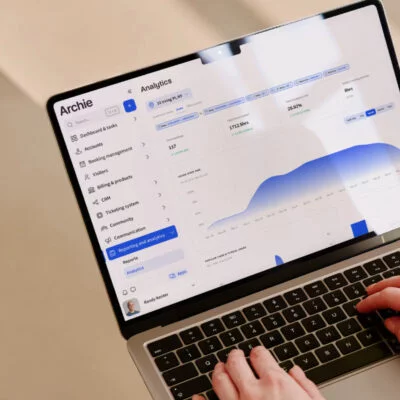
- Workplace analytics: Track occupancy, space usage, and workplace trends.
- Archie apps: Use Archie on mobile, desktop, or shared office screens like kiosks and room displays.
How much does Archie cost?
Archie uses resource-based pricing, so you pay for the desks and rooms you manage:
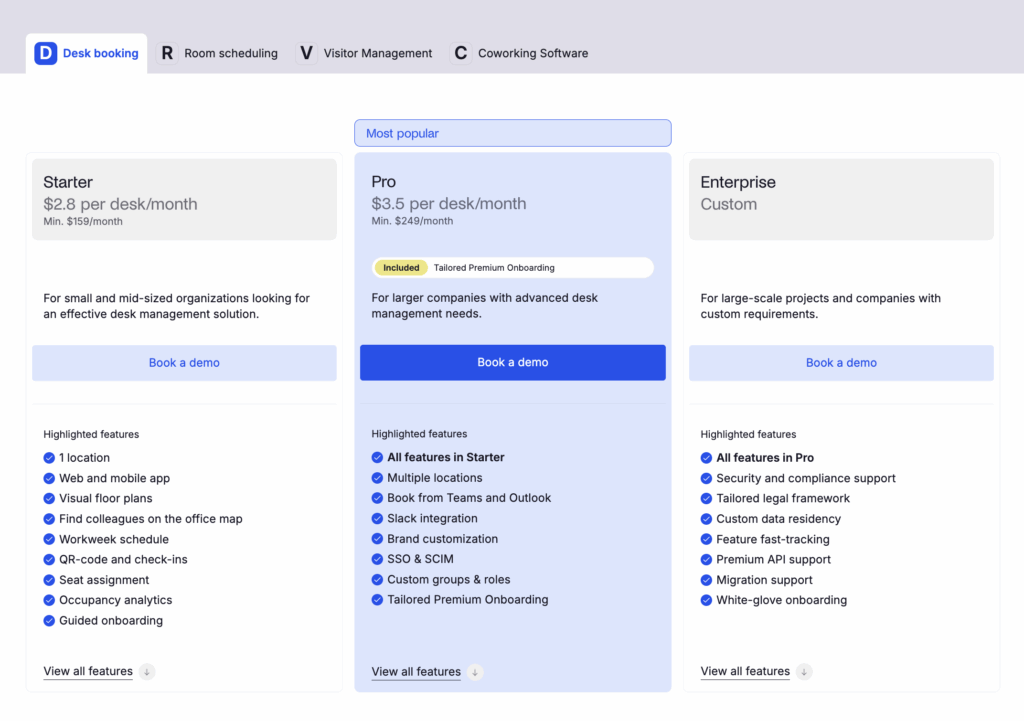
- Starter starts at $2.80 per desk/month and $8 per room/month, with a $159/month minimum.
- Pro starts at $3.50 per desk/month and $12 per room/month, with a $249/month minimum, and includes things like multi-location management, SSO/SCIM, calendar sync, and custom roles.
Visitor management is a different module priced separately.
Who’s Archie best for?
Archie is a strong fit for mid-sized and larger offices that want enterprise features at a fair price, without the heavy setup and complexity of bigger platforms. Compared to deskbird’s per-user pricing, Archie’s resource-based pricing is often more cost-effective for offices where more people share the same desks.
And if you need advanced features like SSO and SCIM, access control integrations, API access, and deeper analytics, Archie delivers strong value for the price.
Archie limitations
For very small teams, Archie can feel like more than you need, both in features and price. In those cases, deskbird may be the more cost-effective option, especially if you have more desks than users.
deskbird alternative #2: Officely
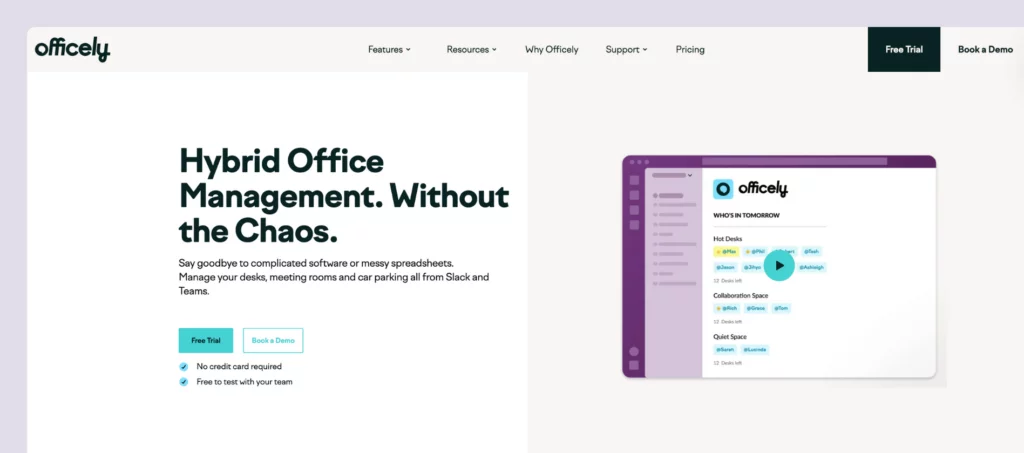
Officely takes a different approach to workplace management. Instead of building a standalone app, it works in Slack or Microsoft Teams, letting teams book desks and manage office days inside the tools they already use. That’s why it’s popular with smaller teams that want the basics without extra features like visitor management or interactive floor plans.
What you get with Officely
- Desk booking: Hot desking with neighborhoods and amenity filters.
- Meeting room reservations: Schedule conference rooms without leaving your chat tools.
- Office coordination: See who’s coming in each day before you leave home.
- Parking management: Reserve parking spots in advance.
- Check-in reminders: Automated prompts to confirm attendance.
- Office chat: Plan lunches, after-work drinks, and team events.
- Vacation status: Show out-of-office indicators.
How much does Officely cost?
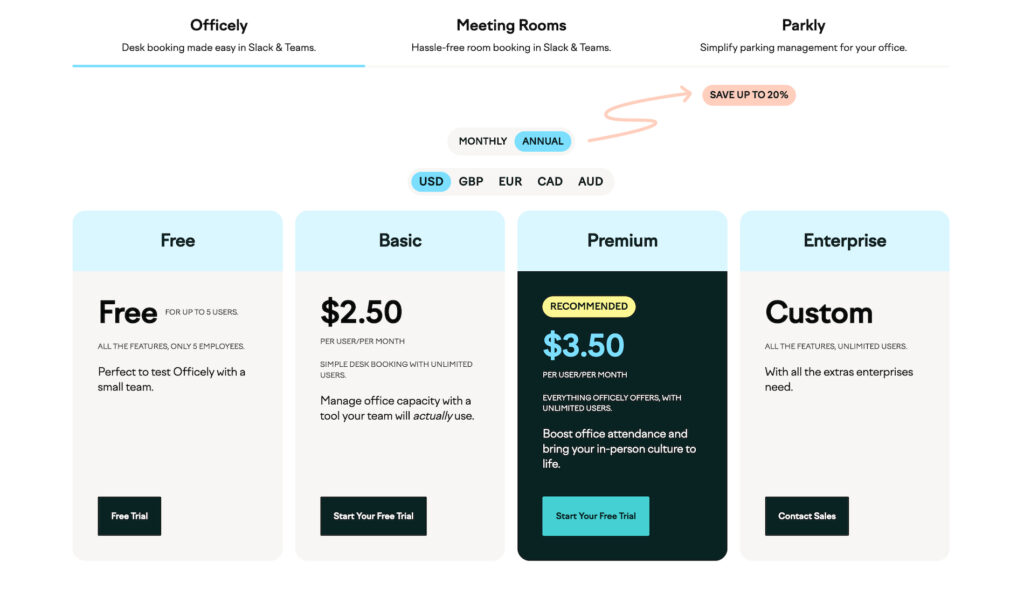
Officely has four plans (billed annually):
- Free: All features for up to 5 users
- Basic: $2.50 per user/month
- Premium: $3.50 per user/month
- Enterprise: Custom pricing
Basic covers most of the essentials. Free and Premium include the full Officely feature set, including things like attendance broadcasts, statuses, and coordination features. The main difference is that Free is capped at 5 users, while Premium supports unlimited users.
Meeting rooms are priced separately at $12 per meeting space per month (also billed annually).
Who’s Officely best for?
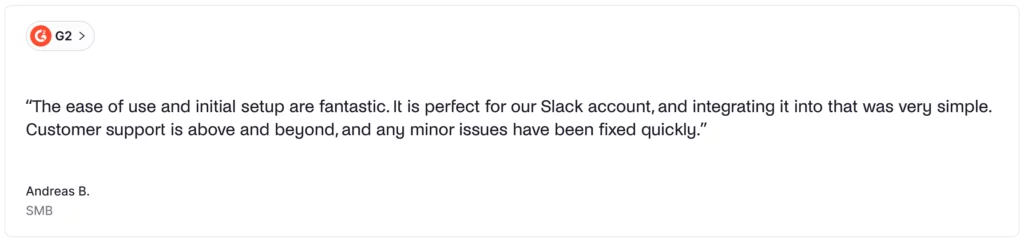
Officely is a great fit for small to mid-sized teams that use Slack or Microsoft Teams and want desk booking to feel effortless. There’s no new app to learn. Everything happens inside the chat tools your team already uses.
For very small teams (up to 5 users), Officely is completely free and includes all features. And because bookings happen directly in Slack or Teams, employees are far more likely to actually use it. If your goal is simple desk booking with fast adoption and minimal setup, Officely does that really well.
Officely limitations
Officely’s biggest strength is also its biggest limitation: it keeps things very simple. While it can be more affordable than deskbird, it doesn’t offer much customization, and it has a smaller feature set than more full “all-in-one” platforms. That’s not a dealbreaker for everyone, but larger teams may get more value from deskbird’s broader toolkit.
It’s also worth noting that Officely works better in Slack than in Microsoft Teams. The Teams version is more limited, so Teams users don’t get features like office chat, calendar integrations, or check-ins. If your company mainly uses Microsoft Teams and you need things like visitor management or deeper analytics, Officely may feel too limited.
deskbird alternative #3: Kadence
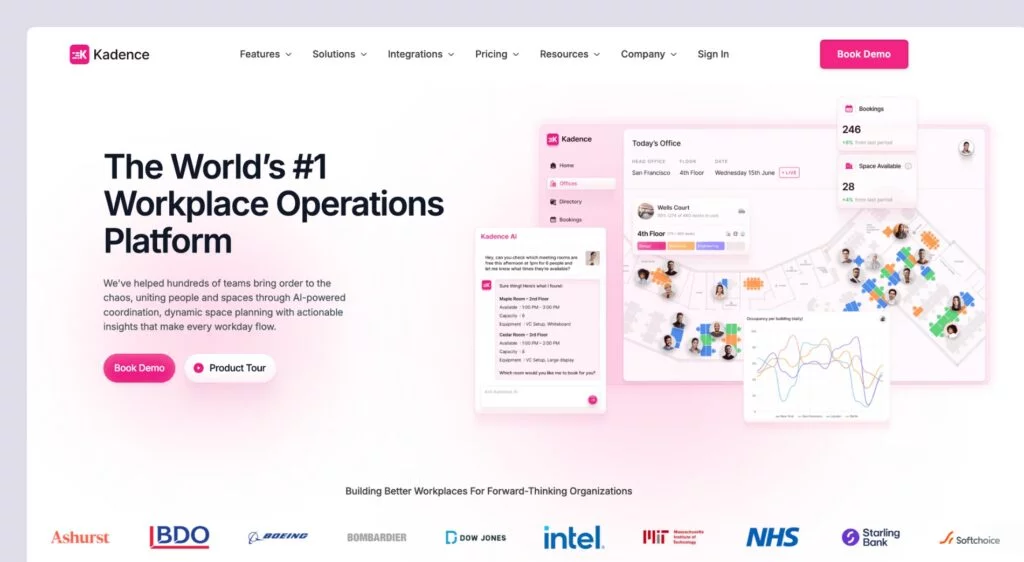
Kadence has been around for a similar amount of time as deskbird, and both platforms aim to be all-in-one workplace tools. Kadence says it supports 10,000+ teams across 40+ countries and is becoming a popular option for workplace management for both smaller teams and large enterprises.
What you get with Kadence
- Desk and meeting room booking: Reserve hot desks and meeting rooms with calendar integrations.
- Interactive floor plans: Real-time office maps that show desk and room availability, plus where coworkers are sitting.
- Kadence AI: AI suggestions to book spaces for teams in bulk and notify employees when teammates are in the office.
- Visitor management: Track and log guests entering your office.
- Mobile and desktop apps: Book from the web or mobile apps.
- Analytics and insights: See occupancy, space usage, and booking trends.
- Event management: Plan workplace events and send staff updates and notifications.
How much does Kadence cost?
Kadence uses custom, quote-based pricing. Based on past product research, plans previously started at around $4 per user per month and included visitor management. For the most accurate and current pricing, you’ll need to contact their team directly for a quote.
Who’s Kadence best for?
Kadence is a good fit for companies that want simple, visual desk booking with AI-powered features. Its interactive floor plans and AI tools make it easy for employees to see where teammates are sitting and plan their time in the office together.
Kadence limitations
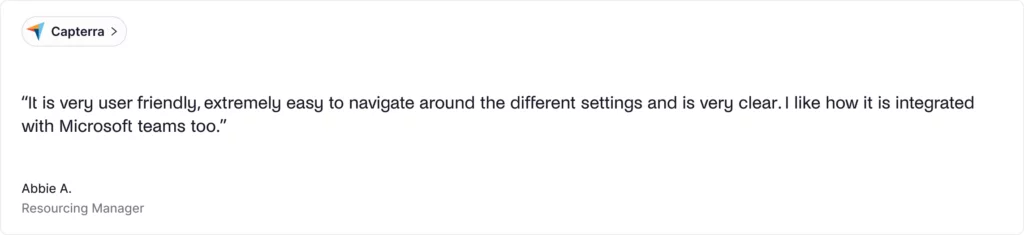
Because Kadence doesn’t list pricing publicly, some teams may prefer a more transparent option like deskbird. And while many users like the product, a few mention it can feel pricey for smaller teams, even if it pays off over time. Some users also report occasional booking glitches during busy times when lots of people try to book at once.
One more thing: many Kadence reviews aren’t very recent, so it can be harder to judge how the tool is performing today. If clear pricing and up-to-date user feedback matter to you, Kadence might not be the best fit.
deskbird alternative #4: Robin
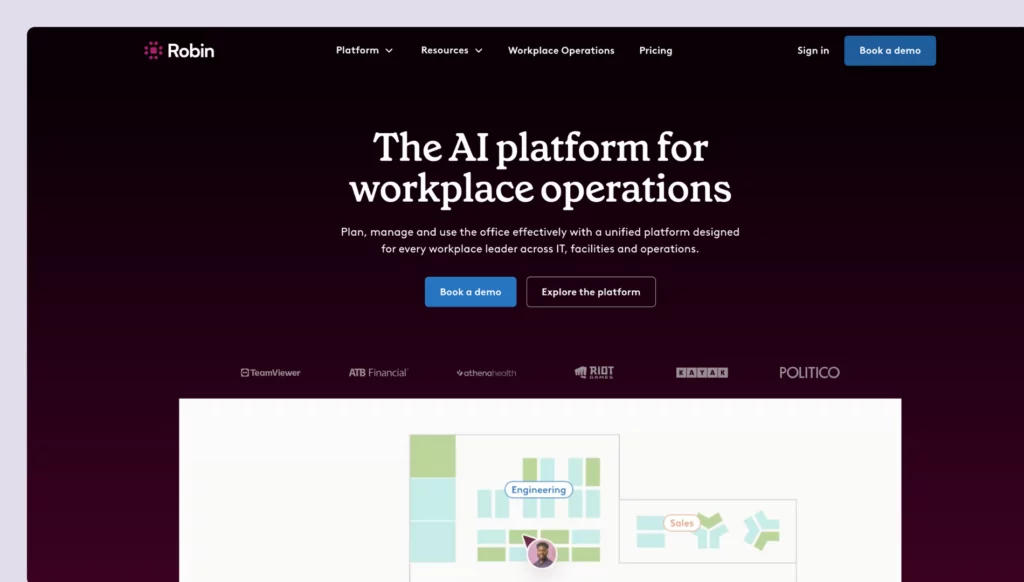
Robin is an enterprise workplace management platform built for large teams that want a full set of workplace tools in one place. It offers a broad feature set, including AI-powered capabilities, but it stands out most for its employee experience tools, like built-in surveys, feedback prompts, and satisfaction tracking, which can be especially useful for teams that want to measure and improve how the office is working for people.
What you get with Robin
- Desk and room booking: Reserve workspaces with AI-powered suggestions and automatic reservations.
- Employee experience tools: Built-in surveys, feedback prompts, and satisfaction tracking.
- Visitor management: Guest registration, check-in, and badge printing (iPad only).
- Advanced analytics: Comprehensive workplace data from bookings, access control, and occupancy tracking.
- Auto-cancel ghost meetings: Automatically free up underused rooms to improve space utilization.
- Wayfinding: Help employees navigate the office and find spaces.
- Mobile and web apps: Book and manage spaces across devices.
How much does Robin cost?
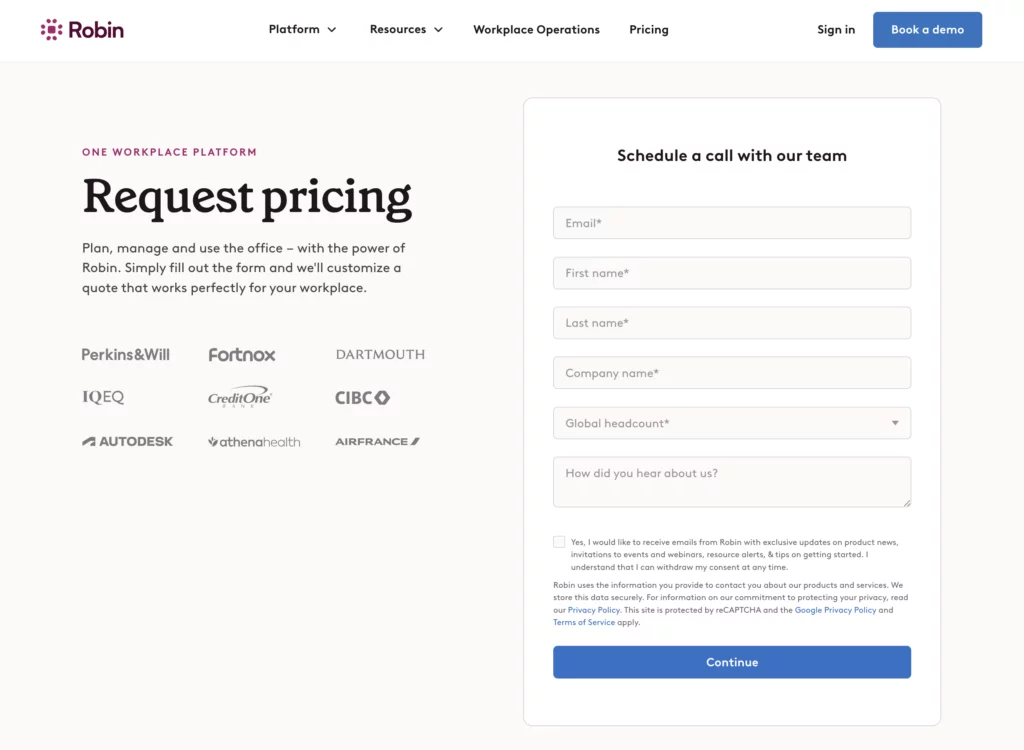
Robin uses custom, quote-based pricing, which fits its focus on large enterprise customers. It doesn’t publish pricing or plan details publicly, so you’ll need to contact their sales team to get an estimate.
Who’s Robin best for?
Robin is best for large-scale companies and organizations (typically 500+ employees) that need strategic workplace data along with comprehensive, complex toolsets. Much like deskbird, it brings a full set of features, alongside AI capabilities. But, it also stands out for its employee experience features, bringing managers a way to keep employee satisfaction high.
Robin limitations
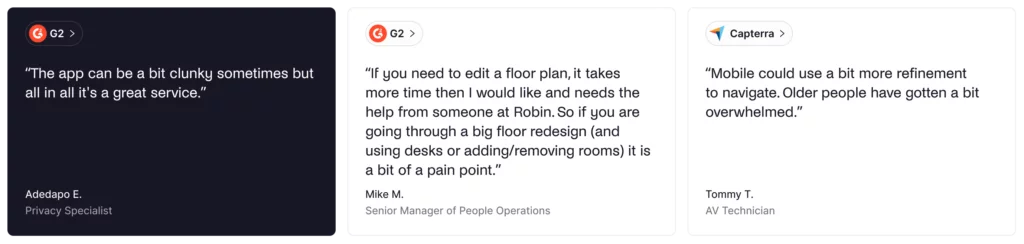
Robin uses quote-based pricing, so you’ll need to contact sales to get numbers. That can make it harder to budget and compare it with other tools.
Some teams also find floor plan management less flexible. Updates can require help from the Robin team, which may slow down seating changes or office renovations.
And for companies with fewer than 500 employees, or for teams with tighter budgets or lean IT support, Robin’s higher cost, longer rollout, and overall complexity may be reasons to consider Robin alternatives.
deskbird alternative #5: Skedda
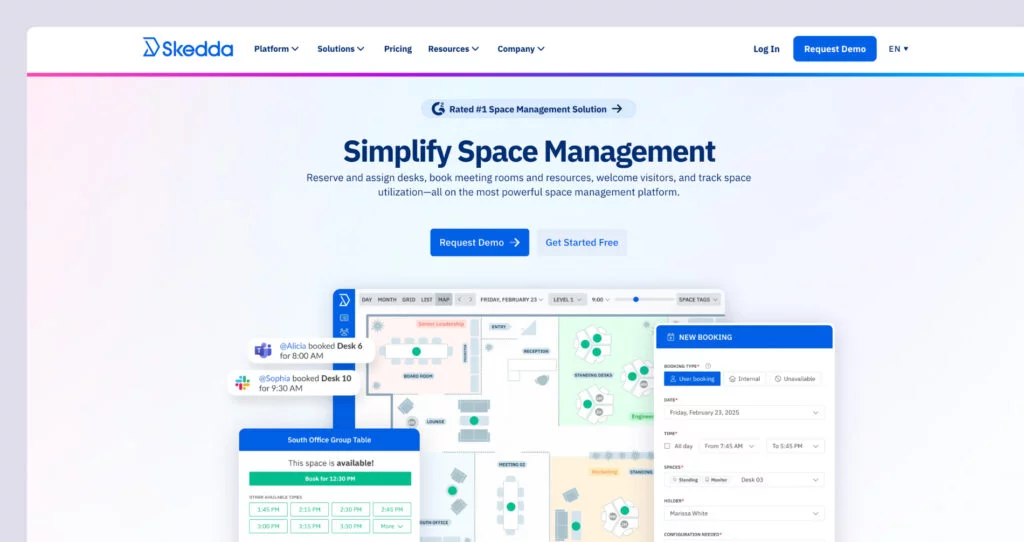
Skedda helps organizations manage shared spaces, like desks, meeting rooms, studios, sports facilities, and coworking areas. It started over a decade ago as a simple booking system, and over time, it’s grown into a more full-featured workplace scheduling platform.
What you get with Skedda
- Desk and room booking: Reserve desks, meeting rooms, and various shared spaces with interactive floor plans and calendars.
- Flexible booking rules: Set custom rules for who can book what spaces and when.
- Space usage analytics: Track utilization patterns and optimize space allocation.
- Calendar integration: Sync with Microsoft 365 and other calendar systems.
- Mobile access: Book and manage spaces on the go.
- Check-in features: Confirm attendance and release unused bookings.
How much does Skedda cost?
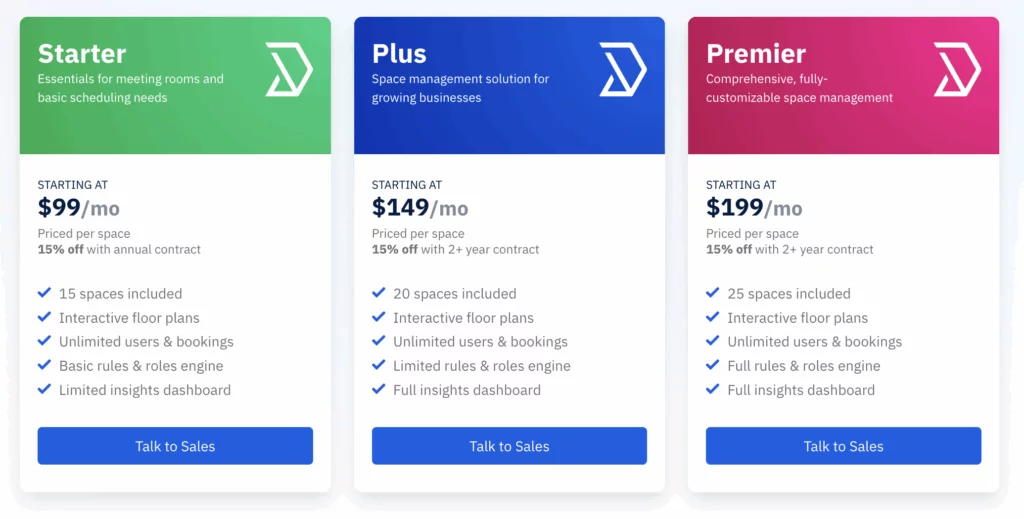
Skedda uses flat monthly tiers based on the number of “spaces” you manage. A space is anything people can book, like a desk, meeting room, locker, or parking spot. If you add more bookable items, you may need to move up to a higher plan:
- Starter: $99/month (up to 15 spaces), includes interactive floor plans, custom booking rules, and basic reporting. The rules/roles engine and insights are more limited.
- Plus: $149/month (up to 20 spaces), adds the full insights dashboard and basic branding options like your logo and colors.
- Premier: $199/month (25 spaces included), unlocks the full rules and roles engine, unlimited custom fields, a dedicated account manager, and custom billing options.
Visitor management is a paid add-on ($99/month) and is only available on higher tiers. Features like assigned desks, required check-ins, deeper branding, and data retention can also depend on the plan. And since every bookable item counts as a space, adding lockers or parking can push you into a higher tier sooner than you expect.
Who’s Skedda best for?
Skedda is a good fit for organizations that need strong, flexible booking rules and don’t mind pricing based on the number of spaces. It’s especially helpful when you want detailed control over who can book which desks or rooms, and when they can do it. It also tends to appeal to teams that value scheduling flexibility and responsive support.
If you want a reliable booking system with great rule settings and solid customer support, and the per-space pricing works for your setup as you grow, Skedda can be a strong choice.
Skedda limitations
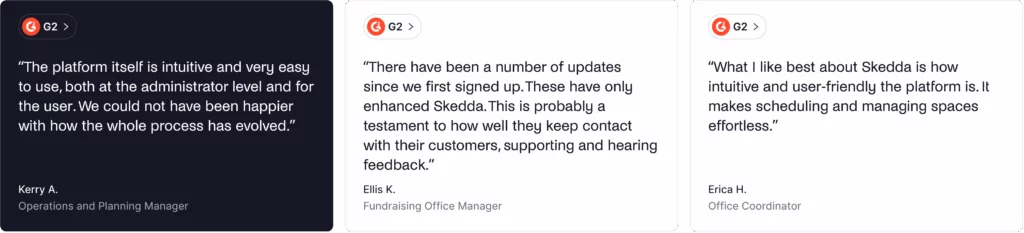
Skedda’s costs can rise quickly as you grow. The per-space pricing and tight plan limits often push teams into higher tiers sooner than expected. As one reviewer noted: “We aren’t renting out our desks to the team, unlike a workspace that would recoup costs for Skedda, so the costing for our specific use is pretty high.”
Organizations needing cost-effective scaling, seamless integrations, or extensive customization might want to consider Skedda alternatives.
Other alternatives to deskbird
- OfficeSpace: Enterprise-grade platform with advanced space planning, move management, and strategic real estate tools.
- Eden: Workplace platform with modular pricing for desk booking, rooms, and visitors.
- YAROOMS: Workplace management platform with strong Microsoft Teams integration and AI assistant.
Which deskbird alternative should you choose?
There are several solid deskbird alternatives to consider. To choose the best one for your office, think about:
✅ Pricing model. Decide whether per-user pricing (like Kadence, deskbird, or Robin) or resource-based pricing (like Archie or Skedda) fits your budget. Resource-based pricing is often more cost-effective for offices with more employees than desks.
✅ Pricing transparency. Check whether pricing is easy to see upfront. Archie shows clear rates, while Kadence and Robin require custom quotes.
✅ AI features. Think about whether AI-powered booking matters to you. Kadence AI, Robin’s AI capabilities, and deskbird’s smart suggestions all offer different forms of AI features.
✅ Implementation timeline. Consider how quickly you need to get up and running. Archie can be live in days, while enterprise platforms like Robin often take longer to deploy.
✅ Team size and scale. Match the tool to your team size. Officely and deskbird work well for smaller teams, Archie and Skedda are great for mid-sized offices, while Robin is geared toward large enterprises with deep analytics and employee experience needs.
Why Archie is usually the best alternative
- Transparent, resource-based pricing. Clear rates (starting at $2.80 per desk and $8 per room, with a $159/month minimum) make it easy to budget right from the start.
- Cost-effective for offices. Because pricing is based on desks and rooms instead of users, Archie often costs less than per-user tools when you have more employees than desks, which is common in many workplaces nowadays.
- Fast deployment. Most teams can be up and running in days, not weeks or months.
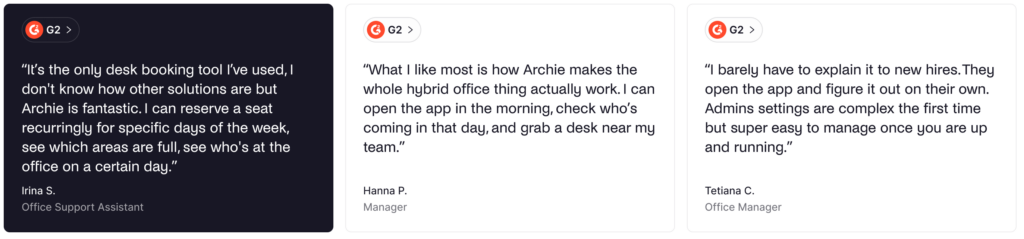
- Recent reviews you can trust. Archie consistently earns 4.9/5 ratings on G2 and Capterra, and the feedback is fresh.

Quick head-to-heads
- Archie vs deskbird: Archie uses resource-based pricing (pay for desks and rooms), while deskbird uses per-user pricing ($3.75–$4.75 per user). Both are feature-rich, but Archie’s plans are typically more “all-in,” while deskbird’s features depend more on the tier.
- Archie vs Officely: Officely is great for basic desk booking inside Slack or Teams ($2.50–$4 per user). Archie starts at $159/month and is better if you need a fuller workplace setup, like interactive floor plans, workplace analytics, and visitor management (as an add-on).
- Archie vs Kadence: Both are comprehensive workplace platforms, but Archie has transparent, resource-based pricing, while Kadence uses custom quotes.
- Archie vs Robin: Robin is built for large enterprises and stands out for employee experience tools like surveys and satisfaction tracking, with quote-based pricing. Archie is simpler, faster to roll out, and more budget-friendly with clear pricing plans.
- Archie vs Skedda: Skedda uses flat tiered pricing ($99–$199/month) where every bookable item counts as a “space,” which can push you into higher tiers as you add lockers or parking. Archie’s per-desk and per-room pricing tends to feel more predictable for offices that want clear cost drivers.
Sources
- Competitor feature & pricing pages
- Demo videos
- G2 & Capterra profiles
- Archie’s product research

Alexios Georgakopoulos
Archie’s Content Writer, coffee fiend, and resident Gen Zer who hates working in offices but loves writing about them. When he is not deep in hybrid work and coworking topics, he is obsessing over a new hobby that will probably last about a day.