




















Sign In App spent the last two years absorbing SwipedOn. The acquisition closed in April 2024, and by mid-2026 the two platforms are effectively one product (shared plans, shared pricing, one roadmap). Although many customers may still be happy with the service, it’s a reasonable moment for others to be curious about alternatives.
Sign In App itself is a straightforward visitor and employee sign-in platform, with reviewers praising the ease of use. Gripes tend to focus around customization.
Here, we’ll compare 5 alternatives:
- Archie, which brings visitor management into a robust platform;
- Envoy, for deep enterprise integrations;
- Eptura Visitor, for compliance-heavy environments;
- Greetly, for branded front-desk experience;
- Sine, for sites managing contractors and assets alongside visitors.
Caveat: I’m writing for Archie, but rest assured that I’ll bring external research into these reviews as much as possible. To help you choose, I compile review summaries, compare feature depth from real product research, and offer up-to-date pricing.
1. Archie
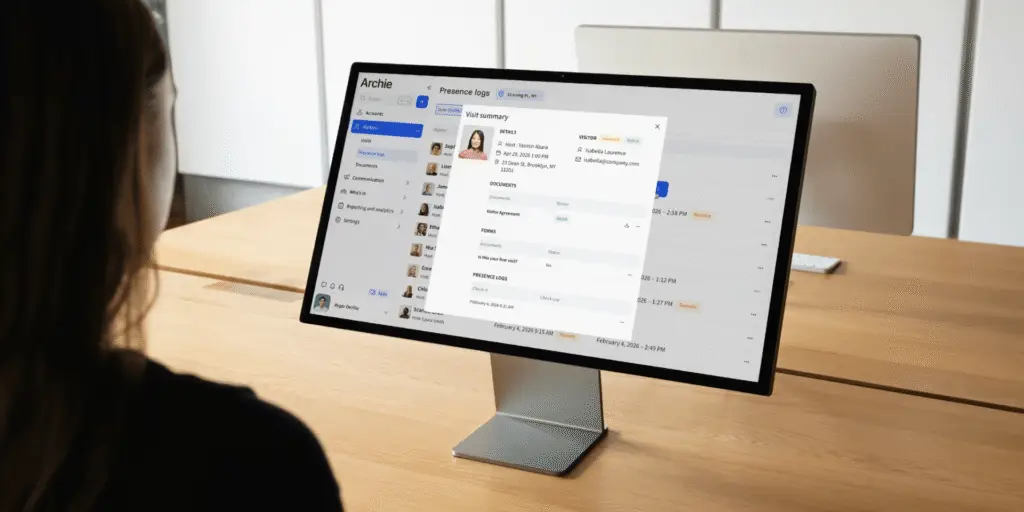
Archie Visitors is a visitor management system built by Archie, a workspace technology company used by over 1,000 organizations. It replaces manual front-desk check-in with self-serve registration, instant host notifications, and digital visitor logs.
Best for mid-sized and growing offices, Archie Visitors is for those that want a clean, modern guest experience. Think custom flows per visitor type, e-signatures, and evacuation tracking included out of the box. There’s no hardware lock-in or add-on pricing. It’s not built for the heaviest compliance environments, but for most offices replacing Sign In App, it covers more ground with less setup friction.
What are the key features of Archie?
With Archie Visitors, both guests and hosts get a VMS that’s thoughtfully designed around their needs.
- Custom visitor flows by type: create automated workflows around clients, contractors, interviewees, and deliveries for specific forms, documents, and badge system. Sign In App supports visitor categories too, but Archie’s flows carry more logic per type without needing a higher tier to unlock it.
- Built-in e-signatures: NDAs and safety policies are signed inside the check-in flow, with no separate tool required. Sign In App’s document handling is lighter on its entry-level Core plan.
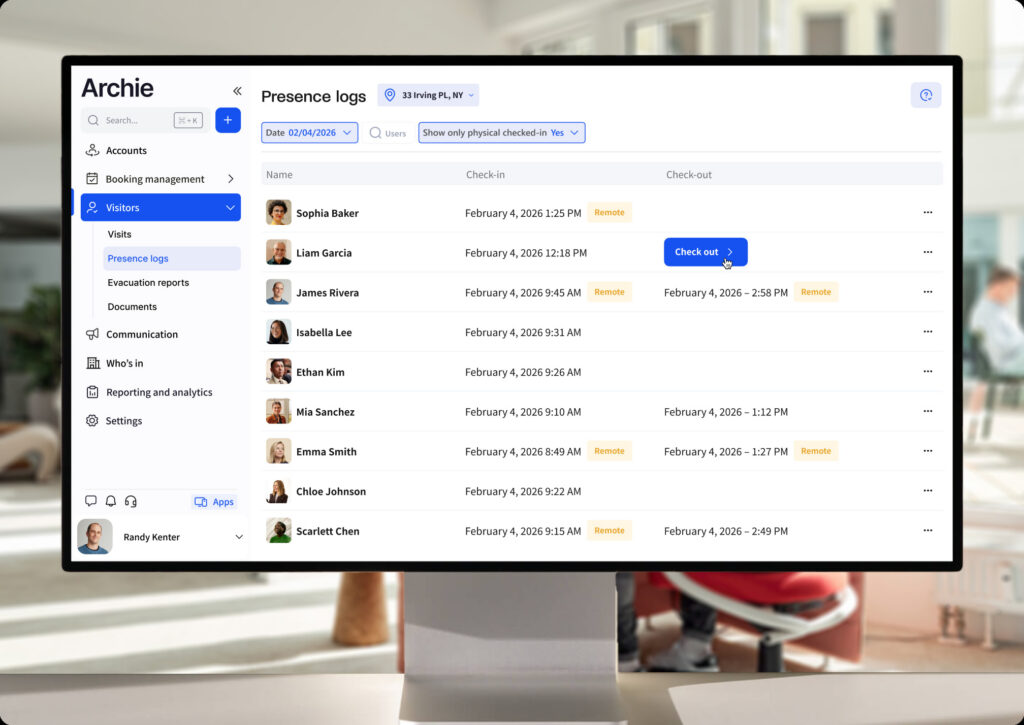
- Instant host notifications via email, SMS, Slack, or Teams and automatic digital visitor log for touchless visitor management.
- Emergency evacuation tracking on comparable ground to Sign In App’s evacuation reporting, with Archie emergency evacuation extended with real-time “who’s marked safe” status for every person on-site.
- iPad and Android kiosk support: Sign In App runs on iPad and its own companion app; Archie digital receptionist software doesn’t lock reception hardware into one ecosystem.
- Access control integrations (Kisi, Salto, Brivo, and more) included in the core platform rather than gated behind an enterprise conversation.
¿Cuánto cuesta Archie?
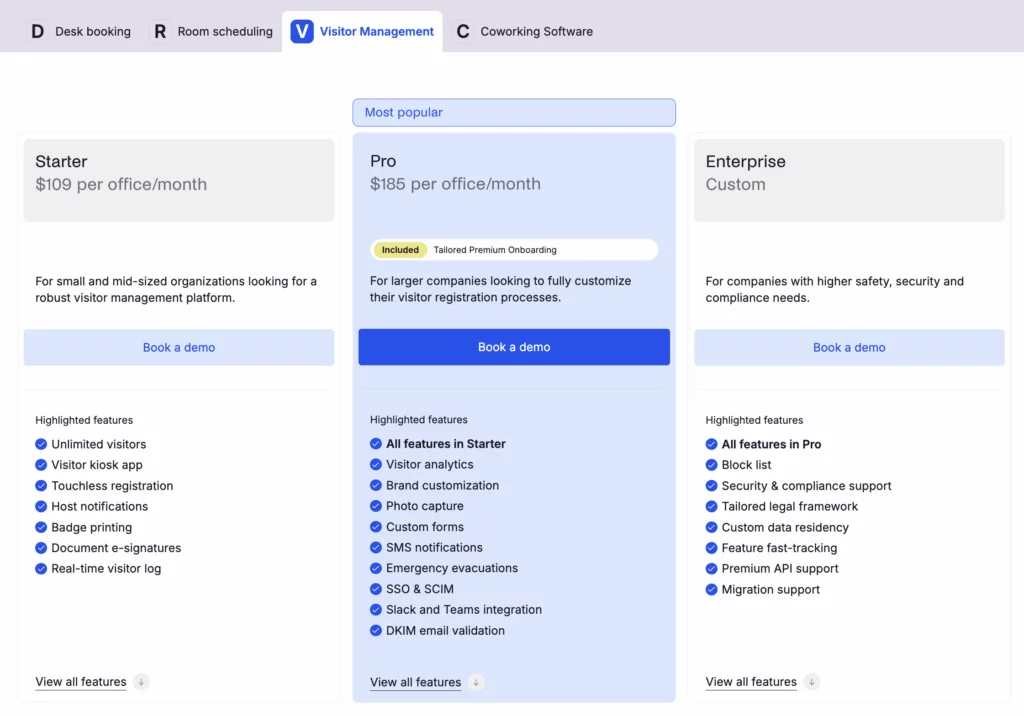
Archie Visitors uses per-location pricing with unlimited visitors, so cost doesn’t move with headcount or visit volume.
1️⃣ Starter — $109/location/month: unlimited visitors, kiosk app, touchless registration, badge printing, e-signatures, and a real-time visitor log.
2️⃣ Pro — $185/location/month: adds visitor analytics, brand customization, SSO, SCIM, and Slack/Teams integrations.
3️⃣ Enterprise — custom pricing: tailored security, compliance, and deployment support.
Against Sign In App’s four-tier structure, Archie covers more ground before hitting a custom quote, since branding and SSO and SCIM sit on Pro rather than requiring an Executive-level conversation.
What are the pros and cons of Archie?
Ventajas:
- Custom flows, e-signatures, and access control integrations included without add-on pricing
- Fully proficient on iPad and Android, unlike Sign In App’s iPad-first kiosk
- Per-location pricing keeps cost predictable regardless of visitor volume
- Emergency evacuation tracking with live, real-time visibility
Contras:
- No native facial recognition
- Not built for the heaviest compliance environments (regulated sites with strict audit and identity-verification requirements are better served by Eptura Visitor)
Archie has an excellent G2 rating of 4.9/5. The recurring theme across verified reviews is that check-in feels smooth for visitors and largely invisible for the team running it. Hosts are notified the moment someone arrives, and the front desk isn’t chasing anyone down. Reviewers also point to responsive support during setup.
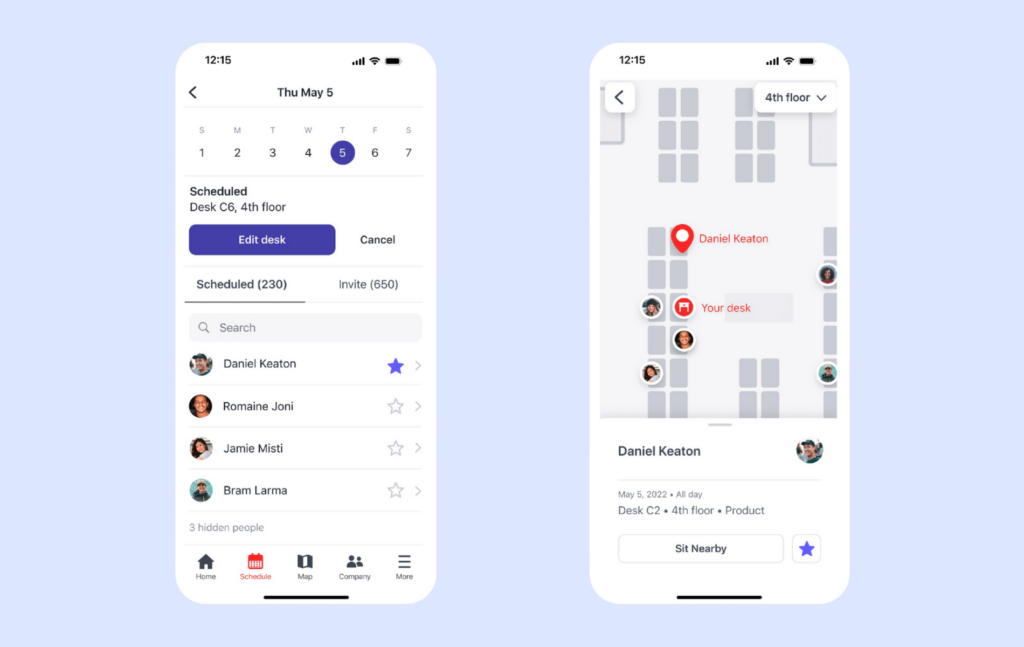
Worth noting if you’re comparing platforms more broadly: Archie Visitors is one part of a wider workspace management platform that also covers desk booking and meeting room scheduling. The two aren’t bundled by default, but if you’re already running (or planning to run) Archie for desks or rooms, Visitors sits on the same account and data model.
2. Envoy Visitors
Envoy is a long-established visitor management platform built by Envoy Inc. for companies that already run a mature workplace tech stack — Slack, Okta, Google Workspace, physical access control — and want a visitor tool that plugs into all of it without friction.
Envoy is best for larger organizations with dedicated IT and facilities teams, multiple locations, and integration requirements that go beyond what a simple sign-in tool covers.
Read the full Envoy review →
What are the key features of Envoy?
Broad native integrations across identity, calendar, and access control systems — Outlook, Google, Slack, Teams, HR and IT tools — deeper out of the box than Sign In App’s integration set, which leans more on sign-in and attendance than identity or access control.
Blocklists and watchlists, real-time presence, and NDA handling on higher plans, useful for teams with security screening or audit requirements — a layer of security screening Sign In App doesn’t offer at all, regardless of tier.
Contactless and QR check-in options, alongside its primary iPad kiosk, putting it roughly on par with Sign In App’s own companion-app check-in, though neither breaks from an iPad-first setup.
Guest Wi-Fi, door access control, emergency notifications, and scheduled reports, though these sit behind higher tiers or custom pricing — features Sign In App doesn’t offer at any tier, so even Envoy’s gated version is new ground, not a downgrade.
Mailroom and delivery handling with smart matching and notifications, a workplace-management extra Sign In App doesn’t offer.
¿Cuánto cuesta Envoy?
Envoy Visitors is billed per location, on a free-to-premium structure:
1️⃣ Free plan with basic functionality
2️⃣ Premium at $329 per location/month, which includes full visitor management tools.
3️⃣ Enterprise pricing is custom for companies with advanced security or compliance needs.
Envoy Workplace, its separate desk-and-room product, is priced per active user starting at $3/month, or $5/month with desk and room booking included.
Several genuinely useful items — guest Wi-Fi, door access control, emergency notifications, scheduled reports — sit in higher tiers or require custom pricing to unlock. One G2 reviewer put it plainly: emergency notifications felt like something that should already be included, making the added cost a hard sell internally for a tool they hoped never to need. That’s a fair contrast with Sign In App, where evacuation reporting is a headline feature rather than an upsell — and it’s worth weighing directly against Archie, where the same capability ships as standard.
What are the pros and cons of Envoy?
Ventajas:
- Polished, professional check-in experience with easy pre-registration and QR scanning
- Clean, simple web and mobile interface that non-technical teams can learn quickly
- Deep integrations across calendar, chat, access control, Wi-Fi, HR, and IT systems
- Strong security and compliance tooling — blocklists, NDAs, real-time presence, audit-ready reporting
Contras:
- Key features (guest Wi-Fi, door access, emergency notifications, scheduled reports) often sit behind higher tiers or custom pricing
- Pricing, therefore, adds up fast
- iPad-only lobby app — the same hardware constraint as Sign In App
- Some admins report a real learning curve during implementation, especially configuring advanced features for larger teams
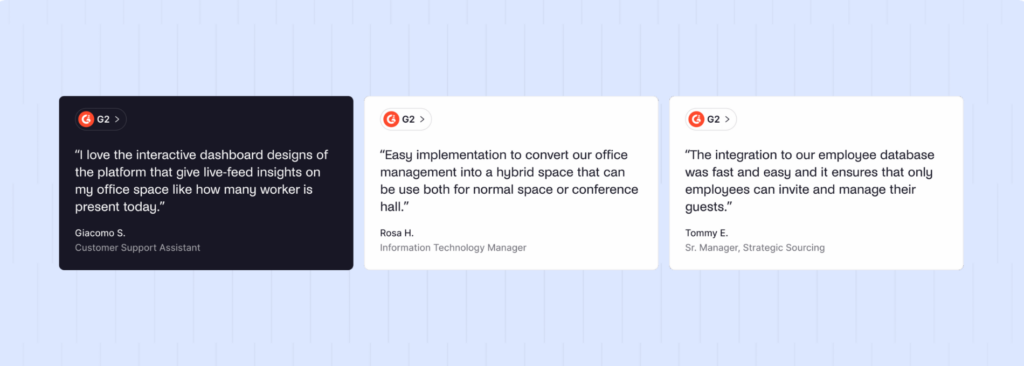
Envoy reviews are generally positive on polish and integration depth, with cost coming up consistently as the main drawback, particularly for companies that don’t need the full enterprise feature set.
3. Eptura Visitor
Formerly Proxyclick, Eptura Visitor is built by Eptura for organizations with real compliance obligations — healthcare, finance, regulated industries. If audit trails and identity verification matter as much (or more) than a professional check-in experience, this might be the one for you.
Eptura Visitor is best for large, multi-location enterprises that need approval workflows, identity verification, and audit-ready reporting that Sign In App’s evacuation-and-sign-in focus doesn’t cover.
What are the key features of Eptura Visitor?
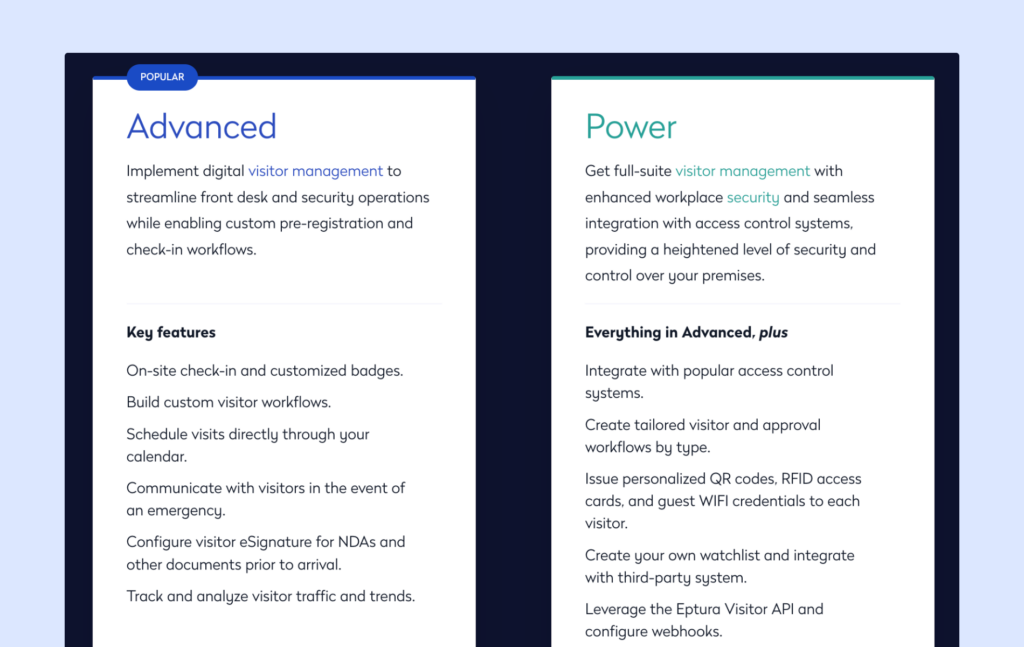
Eptura Visitor runs two plans, Advanced and Power, with features scaling meaningfully between them:
- ‘Advanced’ covers on-site check-in, custom badges, visitor workflows, visit scheduling from your calendar, emergency messages to visitors, and e-signatures for NDAs and other documents — already a step past Sign In App’s sign-in-and-notify model.
- ‘Power’ adds access control integrations, more detailed approval workflows, QR codes, RFID cards, guest Wi-Fi, custom watchlists, and API/webhook access — going considerably further than Sign In App offers at any tier, though at real cost and complexity.
Multi-entrance support, practical for corporate campuses with multiple buildings or lobbies — not something Sign In App is built around.
Delivery handling built in, logging and routing deliveries to the right recipient.
¿Cuánto cuesta Eptura Visitor?
Pricing isn’t published — both plans require a sales conversation — but based on available research and rough market estimates, Eptura Visitor runs around $7,500 per year for the base plan, plus a fairly high implementation fee that scales with setup complexity.
That puts it well above Sign In App’s published tiers, and firmly in enterprise-quote territory rather than self-serve signup.
What are the pros and cons of Eptura Visitor?
Ventajas:
- Flexible, enterprise-ready workflows with a visual workflow builder, approval gates
- Strong security and compliance features: watchlist screening, ID verification, emergency notifications, access control integrations, and audit logs
- Multi-entrance support for campuses and multi-building sites
- Delivery handling and centralized analytics/admin controls across locations
Contras:
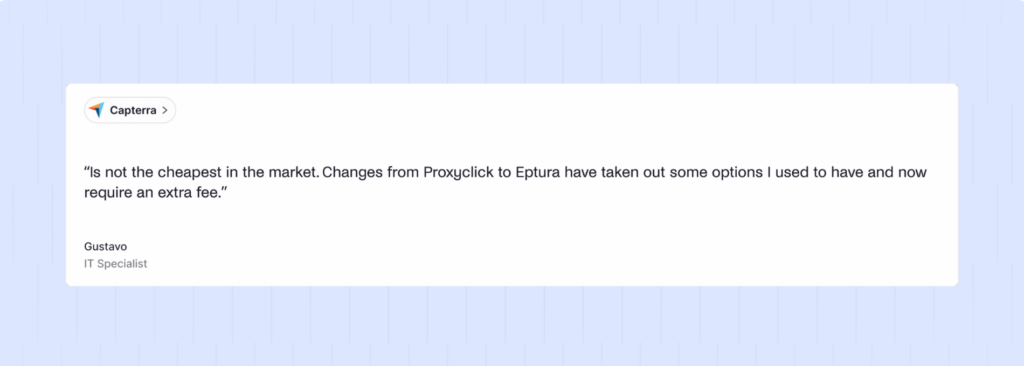
- Complex for smaller sites — the enterprise depth is more than most small or mid-sized offices need, with a steeper learning curve to match. One G2 reviewer noted a real learning curve just getting familiar with the interface after the Proxyclick-to-Eptura transition.
- Slower time to value as a result (typically 4 – 8 weeks)
- High cost with opaque pricing — roughly $7,500/year plus implementation fees, with no published numbers until you talk to sales
Reviews skew positive for compliance and security use cases specifically. However bugs, lack of customer support, and complicated functionality also emerge in reviews. What might put you off is that Eptura has also undergone an evolution not dissimilar to Sign In App’s, having previously been Proxyclick.
4. Greetly
Greetly is built around customization — its pitch is that the check-in screen should look and feel like your brand, not a generic kiosk interface. If a polished first impression matters more than deep security controls, Greetly leans into that directly.
Greetly is best for small and mid-sized teams that want visitor experience and branding to carry more weight than compliance or workplace-platform breadth. Think fashion houses, design agencies, and similar.
What are the key features of Greetly?
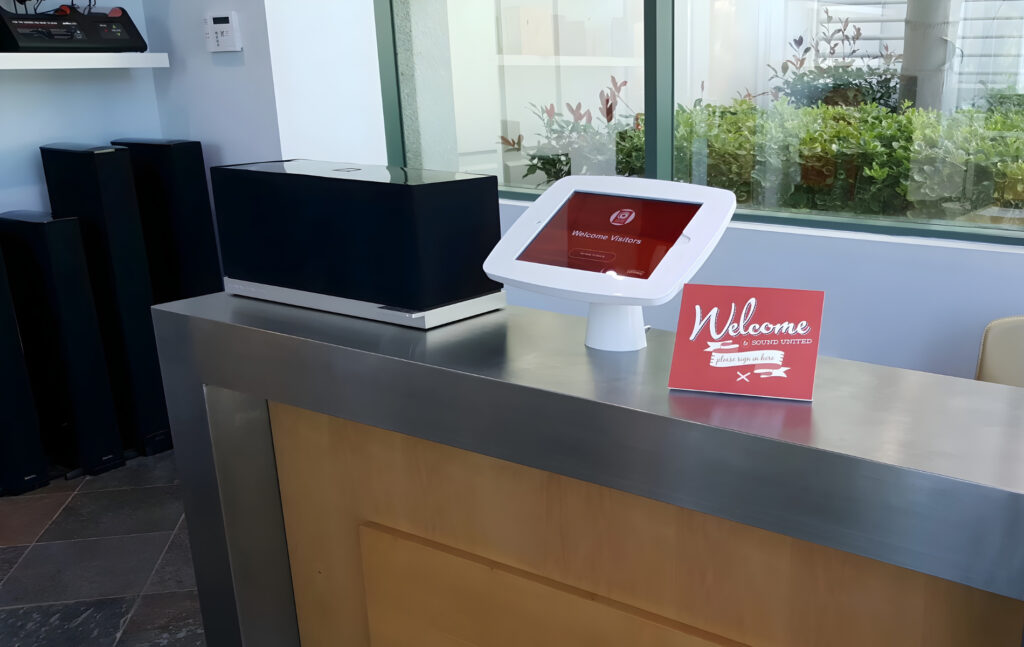
Greetly bills itself as a virtual receptionist iPad app and, as a whole, keeps its promise as that:
- Fully customizable kiosk interface and check-in flows, letting you brand the experience more heavily than Sign In App’s current branding controls, which reviewers flag as limited.
- Badge printing, two-way SMS texting, and ID scanning on the Pro plan — a step past Sign In App’s more basic notification setup.
- Multiple visitor types and workflows supported on both plans, usable across locations under a single account.
- Automated host notifications, relieving the front desk from duties the same way Sign In App’s notification system does.
¿Cuánto cuesta Greetly?
Greetly keeps pricing simple:
1️⃣ Essential at $99/month (billed annually) covers unlimited check-ins, unlimited hosts, notifications, and basic branding — plenty for most small offices.
2️⃣ Pro at $159/month (billed annually) adds visitor badge printing, two-way SMS texting, and ID scanning.
A free trial is available on either plan.
What are the pros and cons of Greetly?
Ventajas:
- Straightforward, transparent two-tier pricing
- Strong branding and customization — a direct answer to Sign In App’s customization complaints
- Well-rated onboarding support
Contras:
- Lighter on enterprise security and compliance tooling than Envoy or Eptura
- Weaker integrations – advanced setups could require custom development or third-party tools like Zapier.
- iPad-only kiosk
Reviewers consistently highlight branding flexibility and smooth onboarding, with far fewer mentions of the security-focused features that show up in Envoy or Eptura reviews.
5. Sine
Sine, by Honeywell, is a visitor and contractor management platform with a stronger industrial and facilities lean than most of the others on this list. It can be a more logical choice for sites managing contractors, deliveries, and equipment alongside standard visitor traffic, not just office guests.
Sine is best for warehouses, manufacturing sites, and multi-site facilities teams that need contractor and induction workflows on top of visitor sign-in.
What are the key features of Sine?
Sine offers a very complete package, with the caveat that for a lot of the enhanced features you will be paying for add-ons:
- Sine Workflows, sold as a separate add-on, let teams build custom processes for inductions, permits, inspections, qualification tracking, and document collection — and can block check-in entirely if a contractor hasn’t completed required steps. Sign In App has nothing comparable; it logs a visitor, it doesn’t gate their entry on compliance.
- Live on-site visibility, showing everyone currently checked in in real time, roughly on par with Sign In App’s own evacuation reporting.
- Core visitor management basics included even on lower tiers: self-serve iPad kiosks, visitor invitations, badge printing, host notifications, reporting, custom visitor types, and legal document signing for visitors, staff, and contractors alike.
- SSO, Entra ID sync, and API access on higher tiers — deeper identity and integration support than Sign In App offers at any level, though gated the same way Envoy and Eptura gate their advanced tiers.
¿Cuánto cuesta Sine?
Sine’s main pricing page shows everything as custom-quoted, but its visitor management page lists rough per-site monthly figures billed yearly:
1️⃣ Small at $69/site/month
2️⃣ Medium at $105/site/month
3️⃣ Large at $209/site/month
4️⃣ Enterprise on a custom quote
Sine Workflows (the compliance engine that makes Sine distinctive) is a separate add-on, not included automatically in the core plans.
What are the pros and cons of Sine?
Ventajas:
- Strongest fit of the group for contractor and compliance-heavy sites — Sine Workflows can require inductions, permits, and inspections be completed before check-in is even allowed.
- Responsive customer support, particularly during setup and rollout, according to reviewers.
Contras:
- Reviewers note a steep jump between tiers
- Badge printing and printer reliability are common complaints — the feature works, but Wi-Fi, printer model, and network setup have to be configured properly first
- Hardware-heavy setup that can be complicated without dedicated IT support
- Sine Workflows, access control, and some integrations are separate paid add-ons on top of the base plan
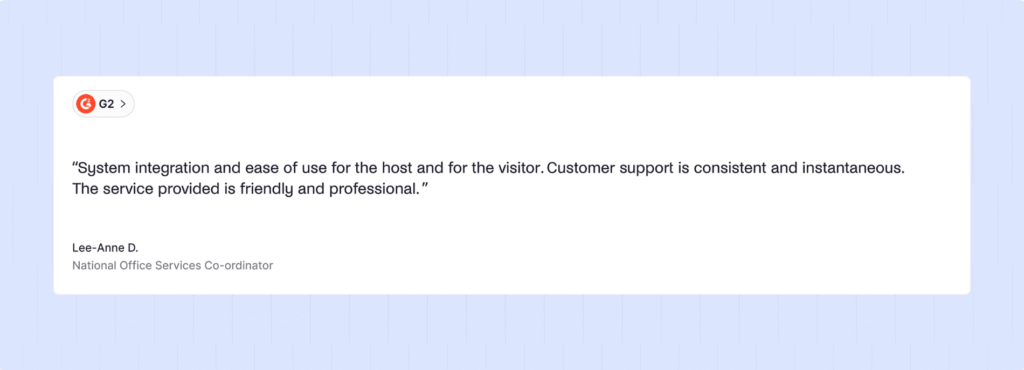
Reviews tend to cluster around facilities and safety teams, with the reliability of the induction/contractor workflow the most commonly praised feature.
What is Sign In App?
Sign In App is a cloud-based visitor and employee sign-in platform, part of the Sign In Solutions portfolio alongside SwipedOn and The Receptionist following its 2024 acquisition of SwipedOn.
Sign In App is designed to manage front-desk sign-in for visitors and, on higher tiers, employee time and attendance. It isn’t purely a visitor tool anymore; the same sign-in data now feeds attendance tracking as well as evacuation reporting.
It’s typically used by teams of under a few hundred people per site who don’t need deep compliance or workflow customization.
Sign In App’s core capabilities include:
- Visitor and employee sign-in via iPad kiosk or companion app
- Photo capture and ID badge printing
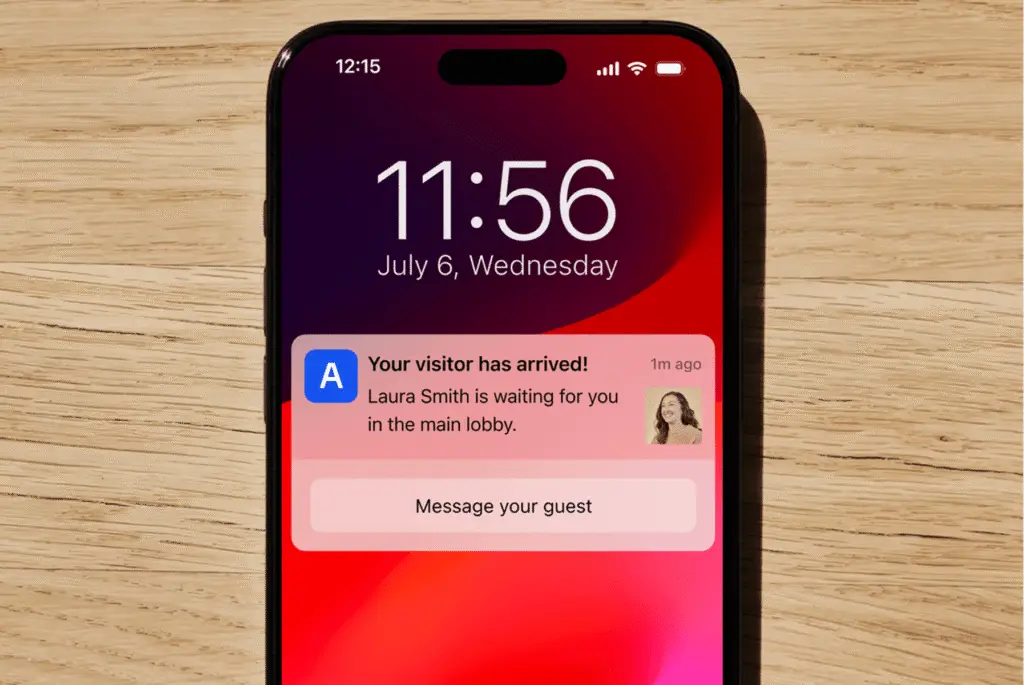
- Real-time host notifications when a visitor arrives
- Fire and emergency evacuation reporting
- Pre-visit registration and document/NDA signing on higher plans
- Time and attendance tracking layered on the same sign-in data
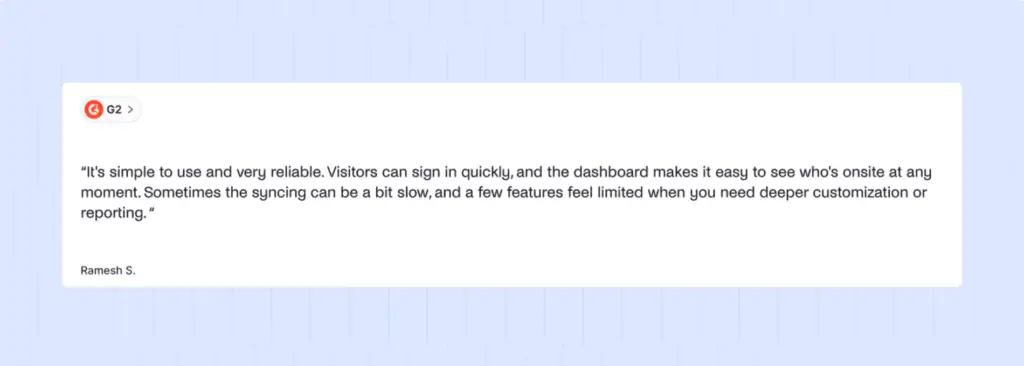
In the market, Sign In App is known as an easy, reliable choice for teams that want sign-in and evacuation tracking to just work, without a steep learning curve. G2 reviewers consistently point to ease of use and dependable day-to-day performance.
Why do companies look for Sign In App alternatives?
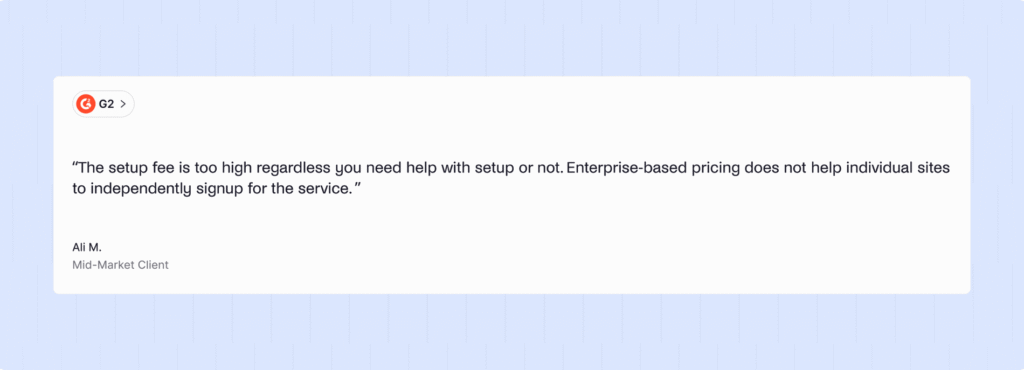
Most of the search for alternatives right now traces back to one thing: the SwipedOn merger changing what “Sign In App” means as a product and a price tag.
- Pricing has consolidated upward. Sign In App and SwipedOn now share the same three annual plans — Core, Enhanced, and Pro — rather than each offering a distinct price point. Teams that picked SwipedOn specifically for its lower cost no longer have that option inside the Sign In Solutions family, and are more likely to look outside it entirely.
- Customization is a recurring limitation. Reviewers flag that branding and interface customization feel restrictive, which matters more for teams that want the check-in screen to actually look like their office rather than a generic kiosk.
- It’s a sign-in tool first, not a workplace platform. Sign In App covers visitors and, increasingly, employee time and attendance, but it doesn’t extend into desk or room booking, so teams that want visitor management as part of a broader hybrid-office system need a second vendor or a different platform entirely.
Switching makes more sense than staying when you’re approaching a renewal, when the Core-tier price increase materially affects budget, or when branding and workflow flexibility have been a persistent internal complaint. If you’re mid-contract and the product is still doing its job without friction, there’s no urgency to move.
How do you choose the right Sign In App alternative?
If you’re outgrowing “just sign-in” entirely, prioritize platform breadth over any single feature. Measure your priorities alongside:
- Pricing model and predictability. (Tip: Per-location, unlimited-visitor pricing is easier to forecast than per-visit or tiered add-on structures.)
- Hardware flexibility.
- Depth beyond sign-in.
- Compliance and security depth.
- Branding and visitor experience.
The cheapest option won’t be the best, so your budget needs to somewhat align with your needs. Anchor the decision on whichever pain point is costing you the most right now.
Which is the best Sign In App alternative for a growing office?
Archie is the best Sign In App alternative for a growing office. It’s the best option on this list for those wishing to expand into desk and room booking, and this is particularly attractive for modern hybrid offices.
Archie fits best for:
- Offices already running, or planning to run, desk or room booking, where a shared platform beats a separate visitor tool
- Teams that want predictable, per-location pricing rather than usage-based costs that climb with growth
- Companies replacing an iPad-only setup and wanting Android flexibility across sites
- Mid-sized organizations that want SSO, SCIM, and brand customization without an Enterprise-tier conversation
The right answer still depends on your specific mix of compliance requirements, existing tech stack, and how many locations you’re coordinating. A single-site office with strict regulatory obligations and no desk-booking need may still be better served by Eptura Visitor. A design house may prefer Greetly’s customizability.
Why do companies choose Archie as a Sign In App alternative?
Companies choosing Archie over Sign In App are usually responding to one of three things: the post-merger price shift, the customization limits reviewers keep flagging, or the fact that Sign In App doesn’t extend into desk and room booking. Archie addresses all three directly, with predictable per-location pricing, brand controls on the Pro plan, and a platform that covers more of the workplace than sign-in alone.
Archie | Sign In App | |
|---|---|---|
Mesa y sala reserva | Native, same platform | Not offered |
SSO/SCIM | Included on Pro | Pro tier and above |
Integraciones de control de acceso | Included (Kisi, Salto, Brivo, and more) | Not a core feature |
Dispositivos | iPad + Android | iPad + companion ap |
Modelo de precios | Per location, unlimited visitors | Per site annual tiers (Core/Enhanced/Prop/Executive) |
Precio inicial | $109/location | 630 $ por sitio al año |
Branding/customization | Included on Pro | Reported as limited by reviewers |
Onboarding included on Pro; live support across tiers | Priority/phone support reserved for Pro and above | Reported as limited by reviewers |
Ideal customer | Growing offices wanting one workplace platform | Teams wanting a straightforward sign-in and evacuation tool |
Which Archie capabilities support Sign In App switchers specifically?
- Per-location, unlimited-visitor pricing answers
- Brand customization on Pro
- Native desk and room booking lets teams that outgrow “just visitor sign-in” add capacity without a second procurement process.
- iPad and Android kiosk support removes hardware lock-in
Beyond the feature list, the practical benefit is fewer moving parts: one login, one support relationship, and one data model across visitors and, if you use them, desks and rooms. For a facilities or ops team already stretched across multiple platforms, that consolidation is often worth more than any single feature comparison.
How do Archie and Sign In App compare in G2 customer reviews?
Archie | Sign In App | |
|---|---|---|
Calificación G2 | 4,9/5 | 4,6/5 |
Most-cited strength | Smooth check-in, responsive support | Ease of use, reliable performance |
Most-cited limitation | No native facial recognition | Opciones de personalización |
How do you migrate from Sign In App to Archie?
Migrating from Sign In App to Archie is a structured handoff that can have things live in a matter of hours:
- Audit your current setup.
- Configure Archie’s visitor flows.
- Set up hardware and kiosks.
- Train front-desk staff and hosts. (A short walkthrough covers most of what’s needed, since Archie’s day-to-day check-in flow is intentionally simple!)