




















- Lo que aprenderás
The benefits of a visitor management system include better security, compliance, and front-desk efficiency.
- Your guests also enjoy a more professional welcome.
- Custom visit flows automate the entire check-in process.
- A VMS connects with access systems and stores digital visit logs.
A visitor management system (VMS) is a digital replacement for manual visitor processes and paperwork. The right visitor management software can welcome visitors, register their presence, provide relevant information and documents, automatically alert hosts, and check them out once their visit is over, and more. This saves time for your front desk, with a more professional, secure way to welcome guests.
While there are myriad benefits to implementing a visitor management system, I’ve narrowed down 7 general benefits of a visitor management system that apply to any space:
- Improves workplace security: have no doubt who is present at all times and control where they can access.
- Supports regulatory compliance: no more paper trails but exact, exportable digital visitor logs that support your data requirements.
- Improves the visitor experience: offer self check-in, help them navigate your premises, sign documents from their phone, etc.
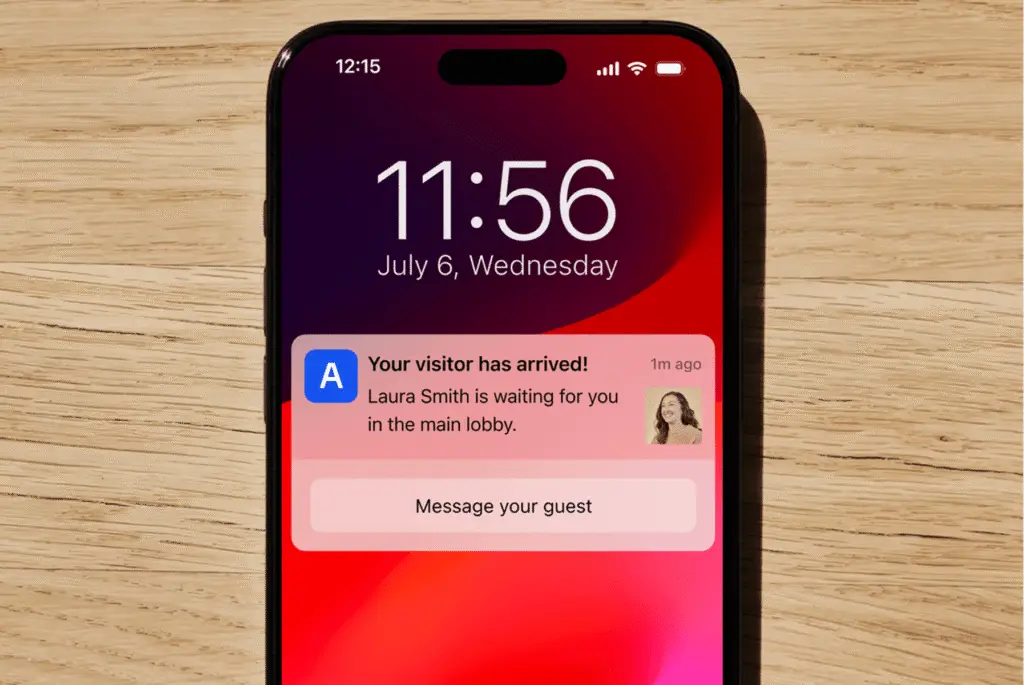
- Improves front-desk efficiency: your busy periods are solved by instant host notifications and touchless check-in.
- Provides real-time visitor data: easily view dashboards with presence logs and planned visitor appointments. The best software also helps emergency evacuations.
- Standardizes visitor management across multiple locations: A branded experience, consistency across all locations, and all data logs within one system.
- Integrates with access systems and workplace tools: from door access systems to SSO check-ins, and Slack or Microsoft integrations to connect with hosts.
Are you nodding along thinking, ‘yes, we’re definitely missing this’? You’ve come to the right place. If you find that your manual visitor system is leaving your company lacking in security or professionalism, setting up a better visitor management system can take a matter of days.
1. Improves workplace security
A visitor management system improves workplace security because you can control exactly where your guests can go (and when), and you have an automatic digital log of everyone present at all times.
A busy workplace will have different guest types arriving throughout the day. Maybe you have contractors coming for maintenance work, candidates arriving for interviews, and external guests arriving for meetings.
- Set up custom visitor types to adjust the sign-in (or pre arrival) workflow depending on your guest – including signing any required documents like NDAs, badge printing, and restricting access rights to certain areas.
- SSO and SCIM for fast, secure check-in and guest recognition.
- ID checks, centralized watchlist across locations, host approval requirements also possible to configure within your visitor management system for advanced security measures that automatically protect your offices at all times.
Integrates with door access systems
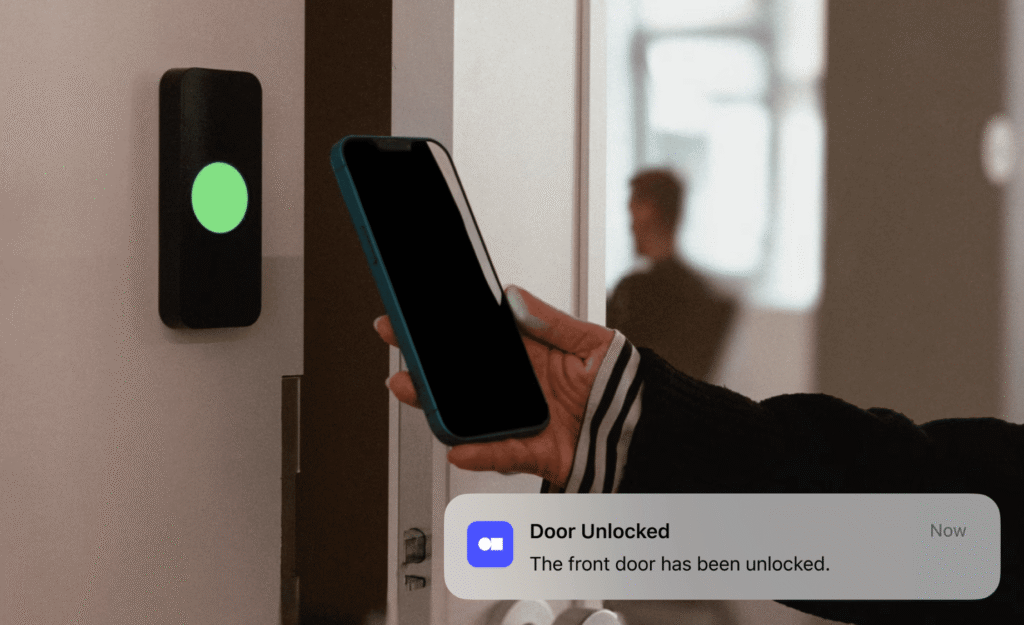
For a truly secure workplace, you need to be able to control, behind the scenes, who has access to specific rooms, floors, or buildings. The best visitor management systems like Archie integrate with physical access control systems to offer temporary credentials to visitors when they check-in.
How this works
- Automated security permissions by visitor type: Different guest profiles trigger customized access levels. Interviewees might only need access to the lobby and interviewers will take them from there, but an external contractor gets temporary access to relevant spaces after signing an NDA with no chaperoning required.
- Instant access revocation on check-out: Temporary is the operative word here. As soon as a visitor checks out or their appointment time is up, their permissions are revoked across all physical hardware.
If you operate a building with guests or flex members using meeting rooms or renting conference spaces, the right visitor management system helps you maximize your office without putting extra work on your front-desk team.
- Archie access integrations
Archie integrates with Kisi, Salto, Tapkey, Brivo, Welcomr, and DoorFlow. You can also set up custom door access with our strong API.
2. Supports regulatory compliance
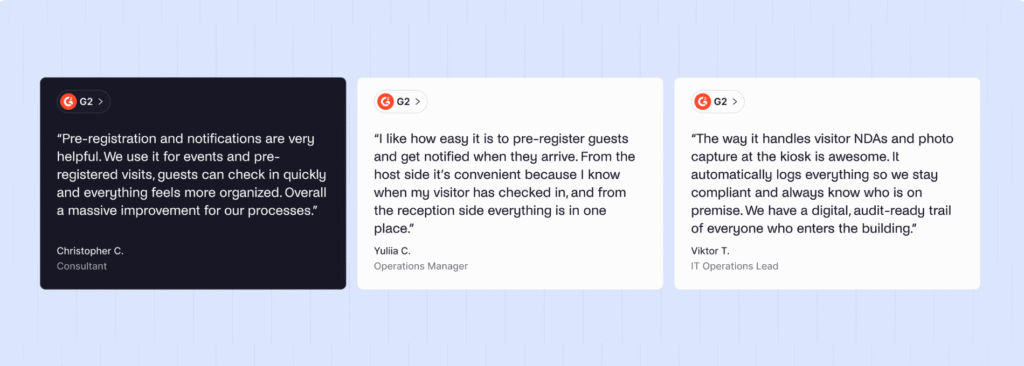
With the right visitor management system, digital visitor logs capture all data necessary for regulatory audits; you have complete control over visitor data; and required document signing reduces legal liability. In short, a VMS bakes compliance into every guest experience.
Digital logs are the much improved counterpart to paper. Paper sign-in books are unreliable: easy to alter, easy to lose, and time-consuming. A digital visitor log generates an unalterable, time-stamped audit trail that helps you comply with data standards you are required to uphold. With visitor management software like Archie, data captured includes:
- Guest contact information
- Exact check-in and check-out times
- Purpose of visit
- Host information
- Photos
- Badge details
Modern VMS platforms also protect visitor data privacy, as admins can restrict access to the information and set up automated data retention rules to auto-delete personal information after a certain period of time.
If you require guests to sign NDAs, safety waivers, or any other documentation, visitor management software can enforce compliance before entry. On Archie, simply upload your document to the custom visit flow or individual visitor record, and guests will be prompted to e-sign upon or prior to checking in.
3. Improves the visitor experience
A visitor management system gives your guests a fast, branded self-service check-in that makes the best first impression. Make your first-time guest feel welcomed and your returning one feel remembered.
It’s said that first impressions are set within 7 seconds. If your visitor arrives in a busy lobby and has to hover awkwardly while someone tracks down their host, or shuffles through papers to find the right documents to sign, the experience isn’t working in your favor.
A visitor management system flips that.
Guests are welcomed with a personalized check-in flow, which you can set up on a lobby kiosk, on a tablet, or visitors can simply check in by scanning a QR code and continuing the sign in steps on their own phone. Repeat visitors can be recognized by details from a previous visit, skipping unnecessary check-in steps.
Imagine you’re hosting an event and many people will arrive at once. Instead of queuing to complete forms on a single tablet or in front of a desk, touchless check-ins mean they can self-serve. Fifty people arriving within a ten-minute window no longer means a bottleneck.
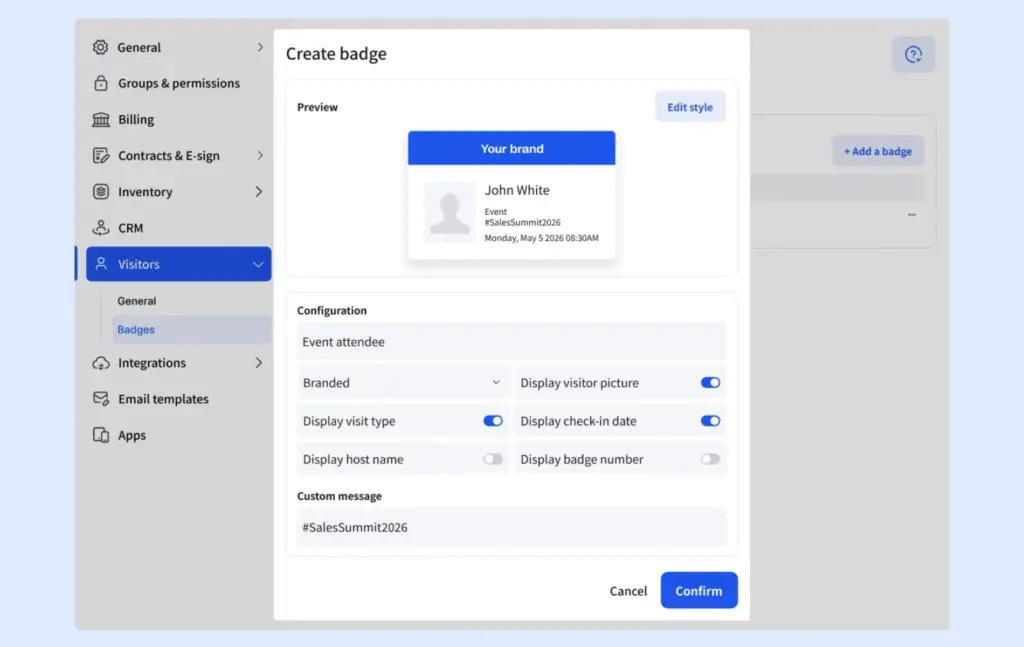
Now imagine you have investors coming in for a meeting – the priority here isn’t volume but polish. A VIP custom flow can give them a personalized message, with custom visitor badges already created bearing their name and company logo.
4. Improves front-desk efficiency
A visitor management system improves front-desk efficiency because it removes the repetitive, manual processes of receiving guests – reception staff spend less time on data entry and more time on personal interactions.
From writing down names and companies by hand, to calling or messaging hosts, to creating and printing temporary visitor badges: these are all repetitive administration work. It actually has little to do with true hospitality. A visitor management system automates these steps. Check-in forms can be filled out at a kiosk or on a guest’s own phone – or sent before they even set foot in the building as part of a pre-check-in flow.
A single receptionist can now manage large volumes of visitor traffic, and many smaller offices can operate unmanned front desks for much of (or all of) the day.
For those still using a paper sign-in book, digitizing the visitor process rids your system of errors. In a paper log, times can be inexact and names are misspelled or – if you’re anything like me – illegible. A digital system makes the record accurate, searchable, and exportable.
5. Provides real-time visitor data
Visitor management software provides real-time visitor data by keeping a live presence log of exactly who is in your building at any moment.
Your VMS dashboard will show who is signed in, how long they’ve been on the premises, and why. This serves two purposes.
Firstly, it feeds into reporting data. If you’re managing multiple locations, multi-tenant buildings, and/or would like to justify facility decisions with actual numbers, visitor systems can show:
- Visitor volume over time
- Exact check-in and check-out times
- Peak arrival times and length of stay
- Visit data per guest type and host
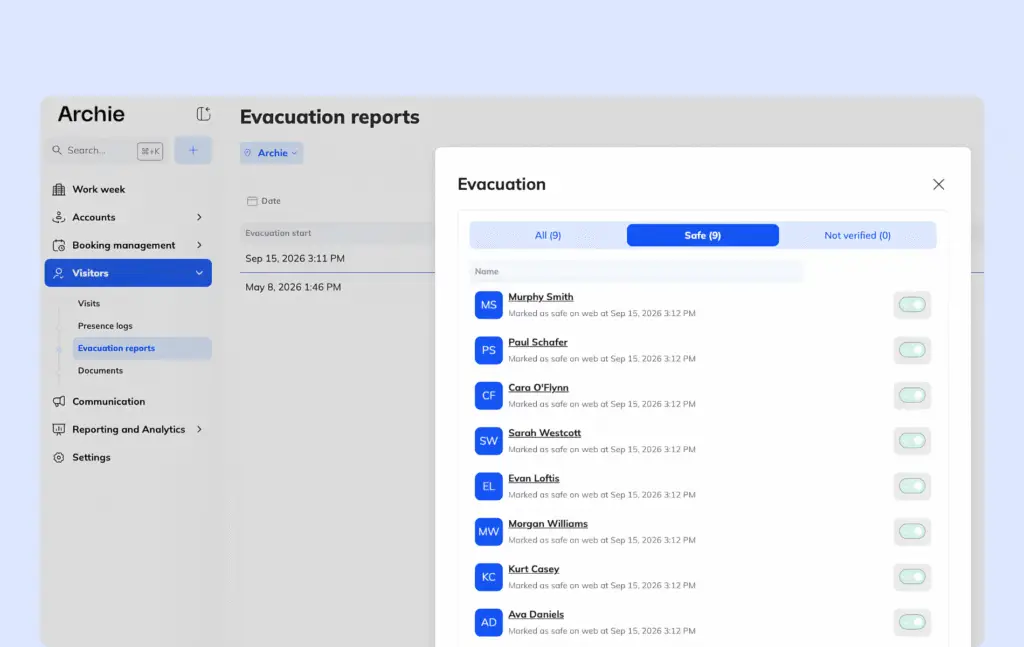
Secondly, real-time visitor data is crucial during an emergency situation. Archie Visitors has an emergency evacuation feature which helps office managers keep everyone alerted and safe during any circumstance.
How the emergency evacuation workflow works
- See a presence log with all visitors checked into the building.
- Send an instant alert to all present with evacuation instructions.
- Track who has left the building so individuals are marked as safe in real-time.
- Archie generates an emergency report once the evacuation is over, with a complete digital record of the event.
6. Standardizes visitor management across multiple locations
Visitor management software standardizes visitor handling across multiple locations by uniting all sites with the same rules, incorporating branding and check-in so guests receive a consistent experience whenever they visit. Any office manager, IT, or security team can manage multiple locations and tenants in one platform.
Without a shared enterprise visitor system, multi-site operators end up with different processes at each address. This is not just inconsistent for visitors but complicates security and compliance for overseeing officers.
Staying consistent across locations means:
- Branding and guest experience are the same across sites, so a visitor checking in at one office undergoes the same process elsewhere.
- Configured visits: custom visit types and access permissions can be set up centrally and applied company-wide, or varied by tenant.
- Unified database: visitor records live within one platform, giving management accurate reporting rather than having to reconcile information.
- Consistent compliance standards: document requirements and data retention rules should be company-wide – scaling across locations makes any audits far easier in the long run.
- Easier to scale in general: opening a new location doesn’t mean starting from scratch or training staff on new processes.
7. Integrates with your existing systems
The best visitor management software will integrate with your most commonly used workplace tools, e.g. access hardware, calendars, communication platforms. This makes the visitor process part of your ecosystem and (an often overlooked benefit) improves employee adoption.
The systems and integrations you can expect from digital receptionist software:
- Physical access control systems, like door readers, turnstiles, etc., so a visitor’s credential also gives them access to only the areas they’re approved for.
- Identity providers for SSO (single sign-on).
- Calendars, like Google Calendar, and Outlook, for invites and automatic scheduling.
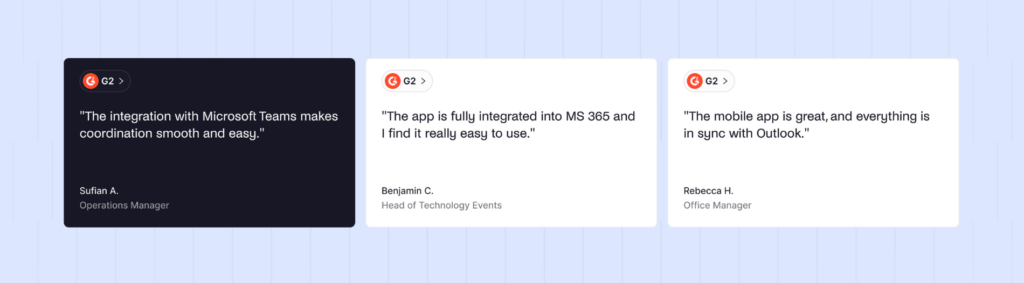
- Slack, Microsoft Teams, and SMS providers to send host notifications immediately upon guest arrival.
- Desk and room booking software to connect a visitor’s check-in with the space they have reserved – this is where Archie shines, as the booking and visitor management systems are within the same platform.
- ID verification providers if you have a high-security site that requires screening.
- Badge printing hardware to create physical credentials upon arrival.
- WiFi providers for automatic access to the internet for all visitors.
¿Qué es un sistema de gestión de visitantes?
A visitor management system is a digital solution that manages a guest’s arrival and tracks their visit. In its simplest form, it replaces a paper log maintained by front-desk staff. However, visitor management software can now handle much more sophisticated processes: upholding security and compliance measures, helping in the event of an emergency, and offering self-service check-ins to remove the need for additional reception staff.
A manual sign-in process – whether paper or spreadsheet – is typically less exact, slower for the visitor, and unable to tie in with access and communication tools.
How a standard guest process should look:
- Digital invite sent ahead of time with details and documents.
- Check-in possible via QR code, via kiosk, tablet, or phone.
- Document e-signing and badge creation with visitor details and access level.
- Instant host notification.
- Automatic check-out upon leaving.
What else should you know about visitor management systems?
If you’re a large modern office considering a visitor management system, there are obvious questions around budgeting and integrations, however I suggest asking two other questions:
- How long does it take to get up and running, and who do I need to involve?
- How do I make sure employees stick to the process?
For the first question, most cloud-based visitor management systems are very easy to deploy. If you loop in the right teams (IT, security, compliance) from the outset, your configuration will be simple because you’ll already have your needs in place. The software should not be complex – this means locations can go live within a matter of days.
As for improving employee adoption, this is a consideration particularly pertinent to hybrid and/or large organizations. Investing in software that is (a) easy to use and (b) connects to your existing tech – Outlook, Slack, etc. – is going to make things a lot simpler for employees to get onboard. When hosts aren’t in the office on a regular basis, or you’re receiving visitors who don’t know their way around the office, a robust system needs to fill in the gaps with the right features.
How do you know if your business needs a visitor management system?
Your business is ready to move to a more sophisticated visitor process if:
- You need to track visitor data and comply with regulations but cannot on your current system,
- Visitors are experiencing long check-ins and hosts have no clear visibility,
- Your office is fielding many guests and contractors, and reception is unable to keep up,
- There’s a need to know who is in the building at all times yet no single way of finding out,
- You’re opening another location and the lack of shared process is becoming a hindrance.
If any or all of the above apply, then you need to start searching for the right visitor management software. Before choosing, it’s important to analyze how you need this system to operate. Understand, first, your volume and typical visitor type – are you regularly running events? Do you receive a lot of contractors? Are external partners visiting regularly? Is it all of the above?
To determine your best options, take stock of:
- Your existing tech stack and what you need your visitor process to connect and speak with on a daily basis for smooth running.
- Your industry-specific needs, as regulated industries may require specific data rules – software like Archie gives you control over data residency, for example, but this isn’t standard across vendors.
- Your current budget and how this will match visitor software price and what it offers. Consider any new avenues of growth that a visitor management system can open up – does it allow you to open meeting room bookings after hours, for example.
Preguntas frecuentes
Is a visitor management system hard to set up?
The quick answer is no! The good news is that setting up a visitor management system is a relatively straightforward rollout, which comes down to three things. (i) Hardware – setups like Archie require nothing more than a tablet or kiosk. (ii) Configuration – assign an admin to set up the way you want your system to run, creating different visit types, applying company branding, etc. (iii) Get your employees onboard – training sessions are overkill, but just make sure there’s an easily accessible walkthrough.
Does Archie's visitor management system require special hardware?
Archie’s visitor management system is compatible with iPad and Android tablets.
How much does Archie's visitor management system cost?
Archie Visitors starts at $109 per location per month. All plans include unlimited visitors, touchless registration, host notifications, document e-signatures, and real-time visitor log.
Can I customize the check-in screen with my own branding?
Yes, with Archie Visitors you have the option to add your custom branding, so that from their email invite to the sign-in display, visitors have a complete customer journey.