




















- Summary
- ITAR visitor compliance requires organizations to screen and pre-approve foreign-person visitors, control access to technical data and controlled areas, maintain continuous escort, and retain auditable records.
- Archie visitor management software can support screening, badging, logging, and documentation.
ITAR (International Traffic in Arms Regulations) visitor requirements apply to many organizations in the US operating in the defense sector: managing defense articles, data, or services. Specifically, it applies to any foreign visitors, including contractors and vendor representatives.
ITAR visitor processes fail most often where a foreign visitor is handled with basic front-desk hospitality. Penalties can reach $1.27 million per violation. The 5 core controls include:
- Pre-visit authorization,
- Restricted-party screening,
- Documented controls,
- Complete logs,
- Restricted access to controlled spaces.
Archie Visitors, Archie’s visitor management system, supports ITAR visitor compliance by enforcing the workflow’s steps at check-in, capturing pre-registration and citizenship data, running restricted-party screening, issuing zone-based badges, and keeping a timestamped log. Setting up an ITAR visitor process within visitor management software (like Archie) establishes these check in steps within a digital framework.
What are ITAR visitor requirements?
ITAR visitor requirements are the controls a DDTC-registered site applies to a visit so a foreign person is not exposed to unauthorized articles or data. ITAR visitor requirements cover;
- Preinscripción
- Identity verification
- Restricted-party screening
- Authorization determination
- Controlled-area access limits
- Continuous escort
- Access-level badging
- Recordkeeping
These controls span the entire visit. The obligation comes from the ITAR export prohibition which treats releasing controlled technical data to a foreign person as an export.
ITAR visitor requirements are applicable to defense contractors, aerospace primes and suppliers, and federal contractors handling U.S. Munitions List items. It is not down to company size or sector, and nor is it applicable when the visitor is a US citizen, unless they are dual nationals or third-country nationals.

What Is ITAR?
ITAR is the International Traffic in Arms Regulations. ITAR controls export, reexport, retransfer, and temporary import of defense articles, defense services, and technical data. DDTC, a Department of State office, administers ITAR.
Technical data is information functionally required for the manufacture of defense articles, i.e. the tangible defense hardware, from design to maintenance. It’s legally defined as an export when it’s released to a foreign person – even when it’s seen or heard unintentionally. This is exactly why certain strict compliance measures are placed on visitors.
How do ITAR and EAR differ in their visitor management requirements?
ITAR and Export Administration Regulations (EAR) differ in their visitor management requirements by the controlled material each covers and the enforcing agency. EAR covers dual-use and commercial items, goods listed with civilian and military application.
ITAR gates a visit far more often than the EAR, and has more strict export attribution requirements, with controlled access and continuous escort also applied more strictly. The EAR clears many items under license exceptions and usually requires no authorization.

What is the ITAR visitor pre-approval process?
ITAR visitor pre-approval must establish several conditions before confirming a visit and granting physical access, including screening requirements. How this process looks:
- Visit request and pre-registration
Visit request and pre-registration is owned by the internal host (sponsoring employee), who submits the visitor’s identity, citizenship status, visit purpose, and needed areas.
- Determine nationality
The nationality determination establishes the visitor’s status, recording legal name, date and country of birth, citizenship status, and the finding basis.
- Restricted-party screening
Restricted-party screening verifies that no U.S. government prohibition bars dealing with the visitor. This screening should leave a dated record of the lists checked and no-match result.
- Export-authorization review
The export-authorization review establishes the business purpose, need-to-know, and whether a license, exemption, or agreement covers controlled-technical-data exposure.
- Written approval and escort assignment
Before any visit is confirmed, a program manager or export compliance officer has to sign off on the above and assign an escort.
This pre-approval process requires several weeks to complete – rushing it increases the chance of a compliance failure.

How to verify a visitor's US-person status for an ITAR visit
To verify a visitor’s US-person status, the host and reception collect identity and citizenship data at pre-registration and check government-issued photo identification against that data before the visit. There are several forms of identification that are accepted:
- U.S. passport or passport card
- Certified U.S. birth certificate
- Certificate of Naturalization or Certificate of Citizenship
- Consular Report of Birth Abroad
- Permanent Resident Card
- Foreign passport with a nonimmigrant visa (determines as non US-citizen)
ITAR sites should apply anti-discrimination guidance to visitors as best practice. This means not demanding more or different documents than needed.
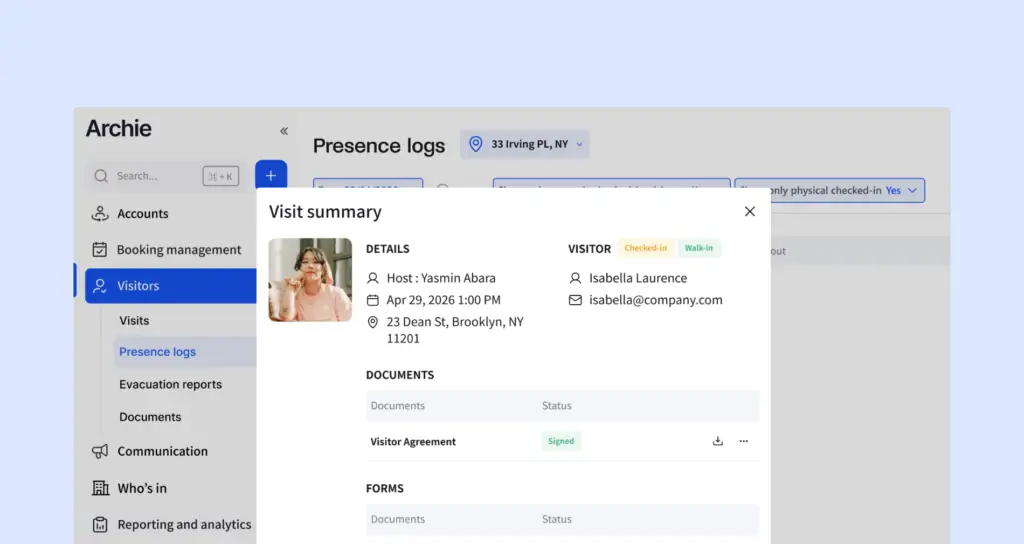
A digital visitor log captures the visitor’s identity data, the status determination and its basis, confirmation that photo identification was verified, and the resulting access grant.
How to run restricted-party screening on ITAR visitors
To run restricted-party screening, check an ITAR visitor’s name, employer, and nationality against restricted-party lists. If your potential guest is present on any of the following lists, it blocks their visit:
- DDTC Debarred List
- OFAC SDN List
- BIS Entity List
- BIS Denied Persons List
Cross check their full legal name, date of birth, country, employer, and address. If the visit is postponed for over 30 days, you must rescreen to catch any list change between booking and arrival.
If your visitor is a dual or third-country national, their second or third country must be screened. ITAR lists proscribed countries under a U.S. arms embargo or policy of denial, which applies to exports, under section 126.1.
What is the ITAR visitor check-in and access process?
The ITAR visitor check-in and access process is the fixed front-desk flow a registered site runs for approved visitors.
- Visitor presents at the front desk
Any restricted access areas they may pass must be clearly signed. - Identity verification
Front-desk staff verify that this matches the pre-screened record, usually a passport, driver’s license, or permanent resident card. - Logging check-in
Their visit must be recorded in an ITAR visitor log, producing an auditable record. - Briefing acknowledgment
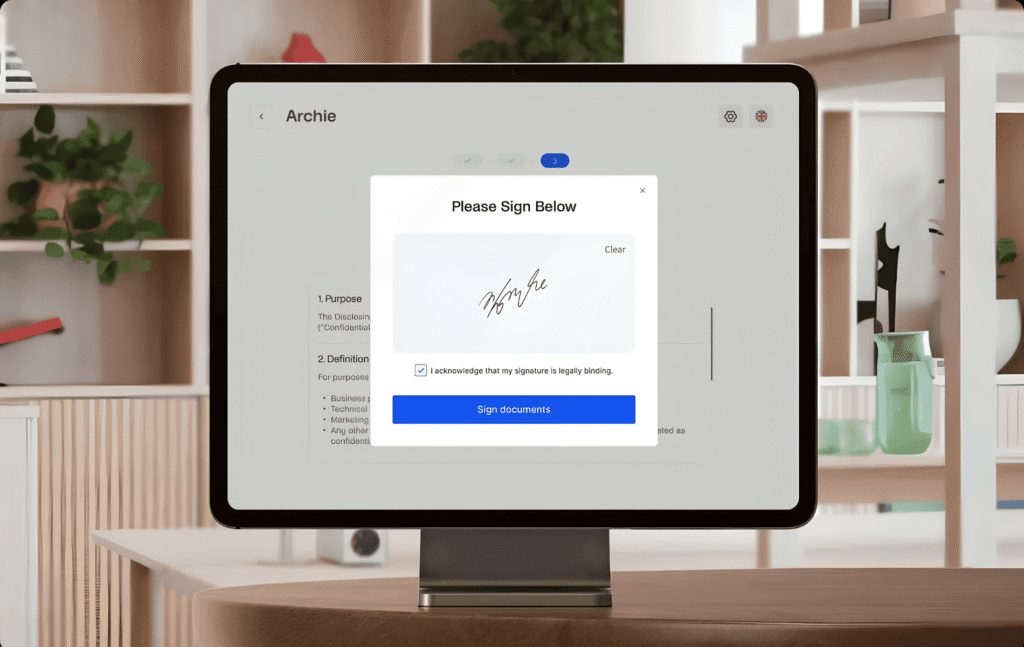
The visitor must sign an ITAR-briefing, producing the acknowledgment on the visit record. Archie visitor management system has an e-signature feature built in, so their legally-binding signature is stored in their visitor record. - Badge issuance
Badge issuance assigns the visitor a visibly worn access-level badge: a credential that signals access status to staff. If any part of the screening fails, no badge can be issued, of course. This must then be escalated by the front-desk staff to the compliance officer. The ITAR visitor badge should include visitor name, visit type, host, photo, and access level. - Escort handoff
A person-to-person handoff to the escort/host is required, so that the visitor is not unsupervised. This is safer if your VMS supports host notifications, so no front-desk agent has to leave the lobby. - Check-out
This includes collecting the badge and recording sign-out time to produce the closed record.
How to set up an ITAR visitor form
If you use Archie, you can set up an ITAR custom visit flow, to speed up the check-in process and support compliance. As part of check-in, create a form for the visitor to provide necessary information to the front desk staff. This also automatically logs the information within their visitor record – exportable and ready for audit.
Fields to capture at check-in:
- Full legal name
- Employing organization
- Citizenship or foreign-person status
- Purpose of visit
- Host of record
- Uploading signed documents
Remember, this still requires manual verification from the front desk, but the best visitor management software support the ITAR visitor process at every stage.
ITAR visitor escort and restricted access requirements
A foreign-person visitor stays under continuous escort whenever inside an ITAR-controlled area. Escort supervision should run unbroken from front-desk release to check-out in an uncontrolled area. Visitors should also be permitted from recording or copying, and conversations should be steered away from off-scope topics.
The visitor’s escort must be a US person trained on ITAR escort duties, so they’re authorized for the role – this training must be documented and refreshed at least annually.
Restricted areas should be segregated and controlled with entry points.
- Post check-in signage at the facility entrance and lobby, such as a “Restricted Access, All Visitors Must Check In at Front Desk” notice.
- Mark the controlled-area boundary with conspicuous signage flagging access restricted to authorized personnel and the space subject to ITAR controls, such as a “Restricted Area, Authorized Personnel Only” sign.
- Place these postings at all public entrances, including buildings, gates, and walkways
To protect technical data during an ITAR visit, all ITAR-controlled technical data outside the visit’s authorized scope is removed, locked, or covered before a foreign visitor enters. This includes computer screens, drawings, whiteboards, shop-floor parts. Network access should either be withheld or segregated from systems.
What are the ITAR visitor log requirements?
The following ITAR visitor log fields are typically required for every visit. A paper sign-in sheet alone tends to fail ITAR visitor-record requirements, as an auditable visitor log needs automatic timestamping of every action, searchability for a specific visit, and exportability for a DDTC or audit review.
- Full legal name
- Employer or sponsoring organization
- Citizenship and nationality
- Date and time in and time out
- Purpose of visit
- Host or program manager
- Escort identity
- Areas and zones accessed
- Signed documents
- Authorization or license reference.
A visitor management system supports ITAR digital logs with complete, secure, retainable records organized for review. For companies and sites that m must comply with ITAR visitor requirements, this visitor management feature helps with accurate, faster audits.
The access to this ITAR visitor log should be limited to authorized compliance and security personnel. It’s advised that ITAR visitor records be retained for at least 5 years.
To audit the ITAR visitor records, verify that every visit holds a complete, retrievable record and each control was executed and documented. This should be run annually either by your compliance team and/or by a third-party auditor.
How do you train front-desk staff to handle ITAR visitors?
To train front-desk staff to handle ITAR visitors, draw a firm line between routine check-in tasks and ITAR check-in protocols.
Front-desk staff independently complete the visitor log, verify identity against the pre-screened record, and issue the badge for the pre-determined access level. Front-desk staff also should be aware of how to escalate to the compliance officer any visitor mismatch against the pre-screened record, a restricted-party possible-match hit, an unresolved nationality or citizenship classification, and any visit needing a license or exemption determination.
Front-desk staff training should repeat at least annually. The record to keep is documentation of who was trained, on which topics, and when.
How does visitor management software support ITAR visitor compliance?
Visitor management software like Archie helps to systematize the ITAR visitor compliance workflow’s repeatable steps. If you’re considering using visitor management software, make sure it is one that supports the following capabilities:
- Pre-registration and pre-arrival screening
Pre-arrival screening helps ensure that authorization and screening finish before arrival, not at the desk. - Government-ID and passport check
Make ID number and type required fields in an ITAR visitor form, to help capture reliable identity records. The front-desk agent will still check the government ID manually. - Citizenship record
Make this also a required field in an ITAR visitor form, for an accurate digital log. - NDA and document signature capture
Capturing this information digitally ensures compliance with the required signed documents, tied to the visitor record. - Custom badge printing
With Archie, this can be automated and generated within the software. - Timestamped, exportable visitor log for audits
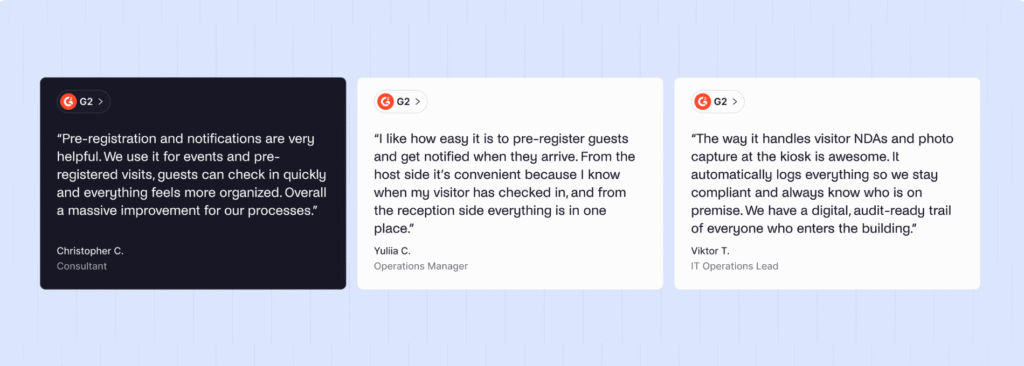
A timestamped, exportable audit log evidences the visitor recordkeeping DDTC can inspect and the registrant retains for 5 years.
- Pre-registration and pre-arrival screening
Archie Visitors supports these ITAR controls inside the check-in workflow – you can customize a specific ITAR visitor type, so these visits all have to follow the same protocol.
Archie’s pre-registration can capture identity details, citizenship, and purpose before arrival, so screening and host approval is organized prior to arrival.
Customizable sign-in steps collect required document and NDA signatures, tying both to the visitor record. Host notifications by email, SMS, Slack, or Teams alert the host on arrival, which triggers the human receipt and escort step.
Automatic badge printing issues the credential signaling visitor status and access level. Real-time visitor and presence logs record who is on site and each entry and exit. CSV export and scheduled reports retrieve that record for an audit. Check-out policies close the visit and reconcile the badge at departure. The 5-year retention obligation stays with the host organization.