



















- Lo que aprenderás
- Exactly what Archie Visitors offers organizations looking for visitor management software
- Why Archie has been so highly reviewed among users: its features and strengths
- How Archie stacks up to alternative softwares and who might be better served elsewhere
If your business is regularly welcoming visitors to your premises, a smooth experience is the best way to make a first impression. For the people managing it, though, a manual process means a lot of repetitive admin. This is where visitor management software (VMS) comes in, offering a professional starting point for your visitors and a way to automate everything for your front-desk staff.
With Archie Visitors, both visitors and office managers get a VMS that’s thoughtfully designed around their needs.
In this review, I’ll walk you through the key features, pricing, integrations, and more. Full disclosure: I work at Archie. But you don’t have to rely on me when I tell you it’s good. As you’ll see, there are hundreds of reviews that corroborate Archie VMS’s strengths, and this article includes a lot of user feedback as well as real product comparisons with alternative software.
What is Archie Visitors?
Companies use Archie to manage their office space, people, and resources. As a workspace management platform, it has several other products, including desk booking and meeting room scheduling. Archie has been operating since 2016 and is now used by over 1,000 organizations in 46 countries.
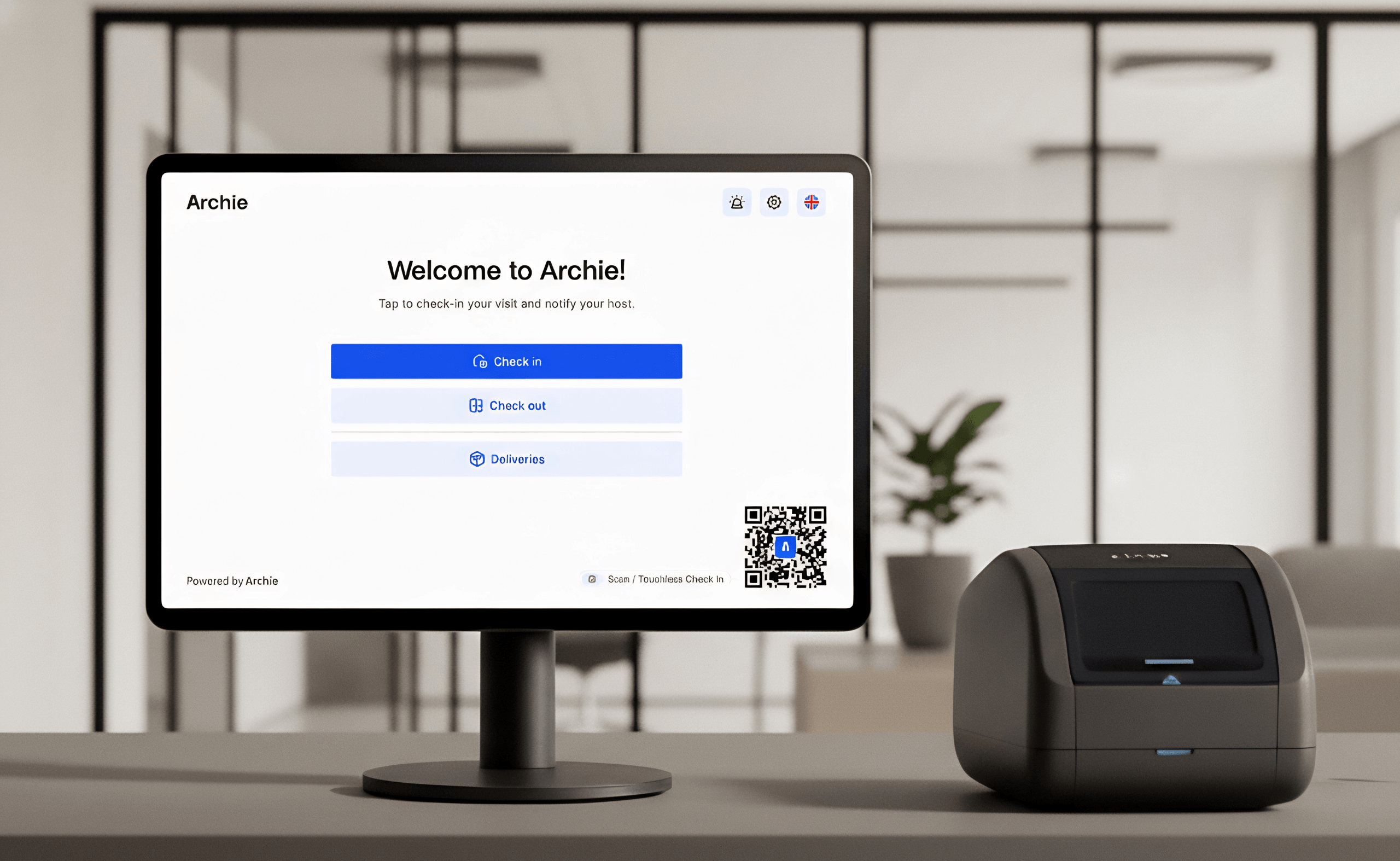
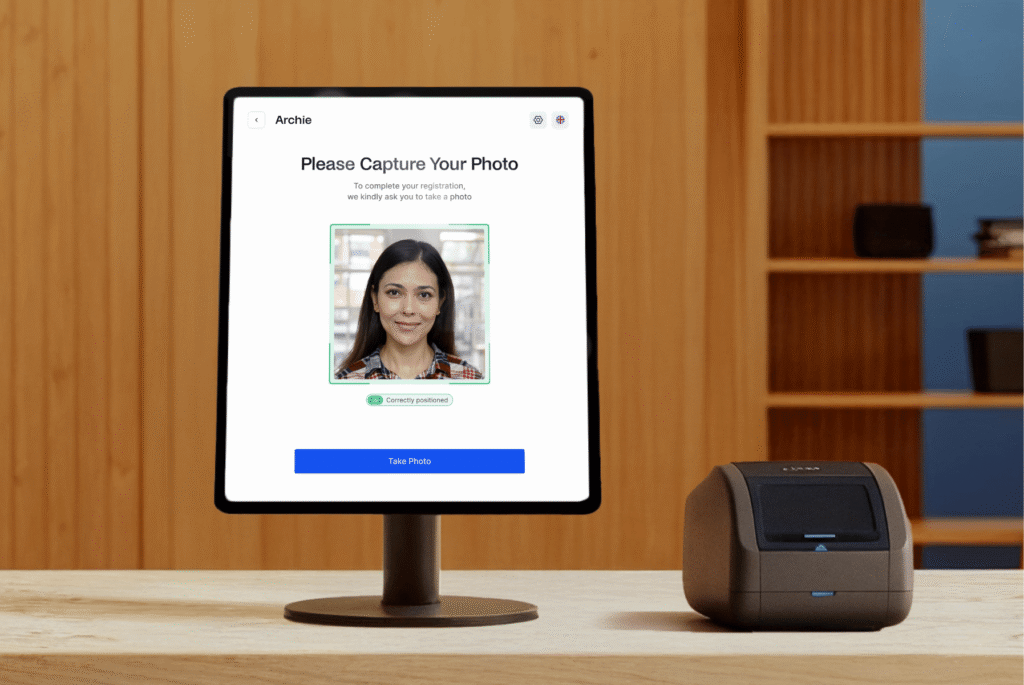
This review is focused specifically on Archie Visitors: a visitor management system designed for offices. In plain terms, it replaces a manual front-desk check-in/check-out visitor process with a digital, automated system. Visitors are able to check themselves in via phone, hosts can be instantly notified, documents can be signed directly through the app, etc.
- Recognition
In 2026, Archie Visitors earned what the team has been calling “triple recognition”: landing in G2’s Top 25 Visitor Management Software Products, appearing on Capterra’s Visitor Management Shortlist (scoring the highest overall at 95/100), and receiving the SoftwareReviews Emotional Footprint Award. These rankings are driven by verified user reviews.
Pros (based on user feedback)
- Check-in is fast, professional, and straightforward enough that visitors almost never need help and your visitor log is always up-to-date.
- Pre-registration is smooth: invite guests in advance with any information they need for their visit.
- You can customize visitor flows for different visitor types (clients, contractors, deliveries), so that the right documents/access, etc, are given to the right folks.
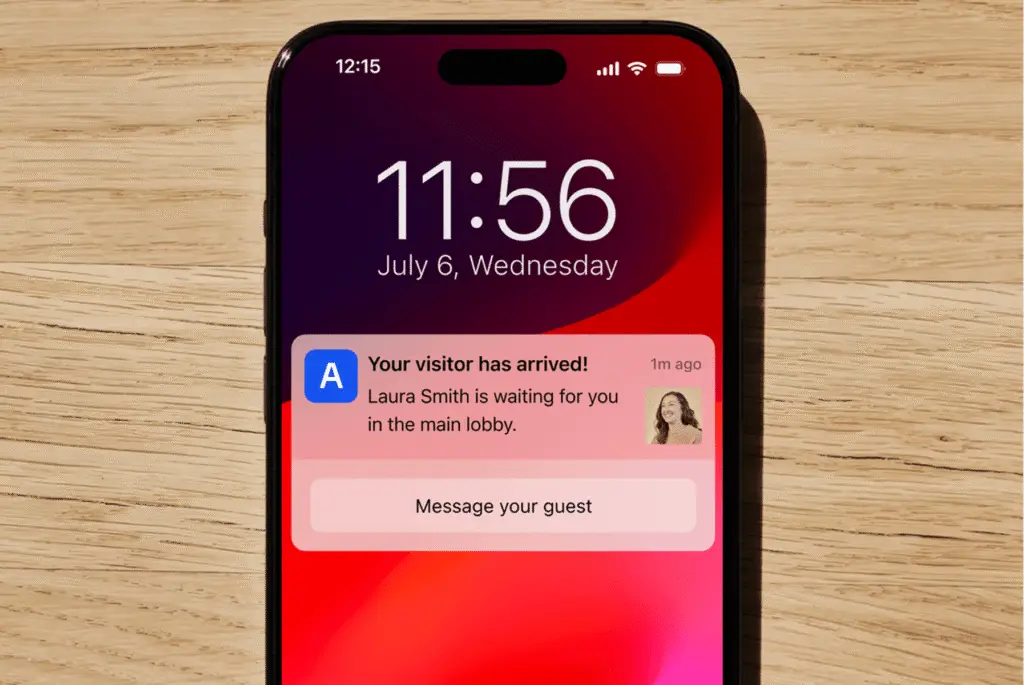
- Instant host notifications via email, SMS, Slack, or Teams mean there’s no need for the front desk to chase anyone down.
- Works on both iPad and Android tablets.
- Emergency evacuation support – a meaningful addition that some alternatives don’t cover out of the box.
Cons (based on user feedback)
- Initial configuration of custom visitor flows takes some time to get right, especially if you’re doing it yourself without onboarding support. This is why I’d recommend the Pro plan – it comes with an onboarding session to make sure you’re getting the best of Archie.
- This isn’t the right fit for high-security environments (sites with complex compliance requirements) that need more specialized access control and vetting.
Key features of Archie visitor management software
1. Flexible check-in
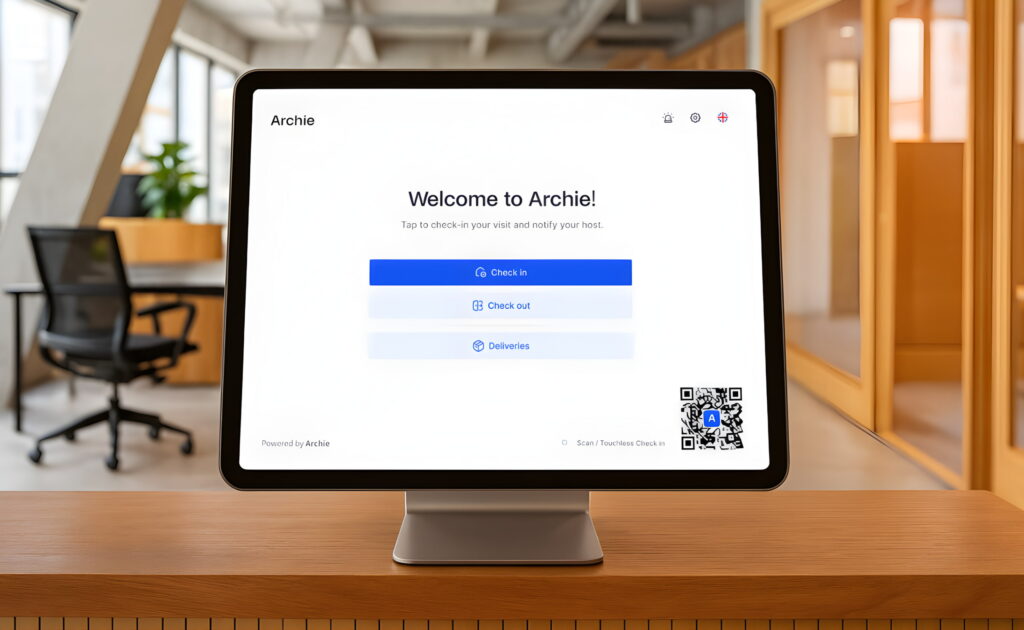
Benefits your visitors: Your guests can check in on a tablet or kiosk at the front desk or check themselves in via QR code on their phone. If a visitor was pre-registered in advance, the check-in on arrival is even faster, as they’ve already submitted their details and signed any documents ahead of time.
Benefits your office: When many people arrive at once, or when you cannot have someone at the front desk at all times, giving the visitors the ability to self check-in makes everything easier and faster.
If you’re hosting large meetings, group visits, or events, I think this is where the Archie VMS shines. Nobody likes standing in line for five minutes waiting for a staff member to put a checkmark next to their name on a sheet and find their visitor badge – it’s hardly enjoyable for the member of staff either!
2. Custom visitor flows for different visit types
You can set up distinct check-in flows for clients, interviewees, contractors, delivery people, and so on. What does this mean in practice? Certain documents will always be attached to certain invites, custom forms required for certain guests, and different badges depending on guest type.
Most front desks are dealing with a combination of visitor types, and keeping everything stored digitally in one place (i.e. Archie) means nothing gets lost in the mix.
Since this isn’t a one-size-fits-all, it can take time to configure – this is something several reviewers comment on. However, these reviews are generally positive and people bring it up more to set expectations. Once things are in place, the time saved on automations more than makes up for the onboarding process.
3. Pre-registration and host notifications
Step 1: Hosts invite visitors in advance through Archie.
Step 2: The visitor gets an email with all the information they need.
Step 3: They arrive, check in, and the host is immediately notified by their preferred channel (Teams, Slack, email, or SMS).
There’s no front desk involvement required. From user reviews, this is consistently one of the most appreciated parts of Archie Visitors.
4. Digital document signing
The Archie visitor management system uniquely hosts its own e-signature feature, you don’t need any integration or add-on to facilitate this through your VMS.
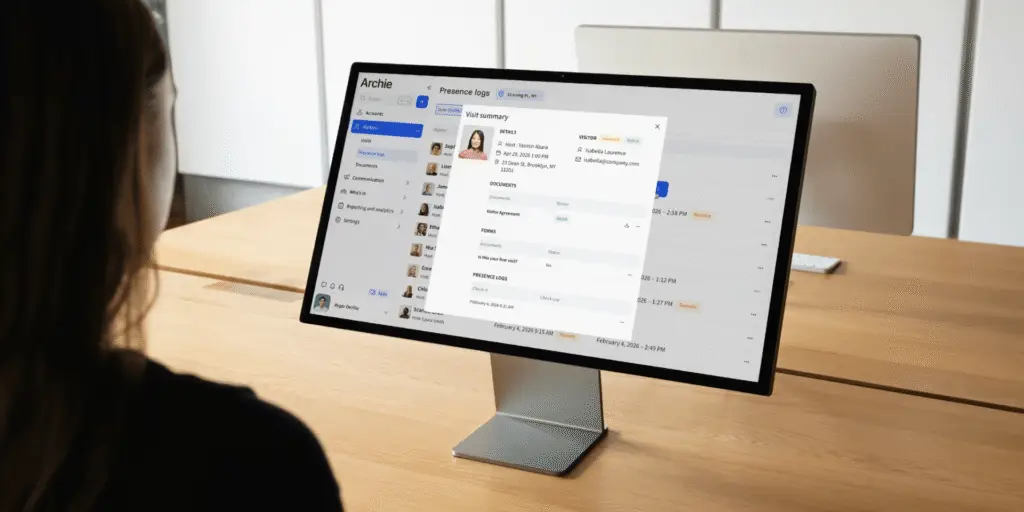
If visitors need to sign an NDA or a health and safety policy, for example, it happens digitally as part of the Archie flow. Documents are collected and stored automatically, so nothing gets lost on paper and you have a proper record.
5. Emergency evacuation reports
In an evacuation, you need to know who’s in the building. If you set up this VMS feature, once an emergency evacuation is triggered then any visitors present will get a notification or email informing them of the evacuation.
Archie gives you a live list of everyone currently present – employees and visitors – so you’re not in any doubt. Users can mark themselves as safe, so you can keep track of everyone, and your emergency evacuation report is compiled automatically.
This is one of those visitor management features that you don’t think about until you actually need it, and it’s a meaningful one for any office with compliance obligations or a genuine duty of care.
6. Device flexibility
Archie runs on both iPad and Android tablets. Not being locked in is a practical advantage that’s easy to overlook until you’re dealing with a visitor management hardware procurement decision, or are operating multiple locations and don’t want to update hardware across the board.
“I didn’t realize how much we needed to automate visitor processes until we did. The experience with Archie has been fantastic, very easy to use and new features are rolled out quite often.”
- Hailey W.
- G2 review
Archie Visitors plans, pricing, and onboarding
Archie Visitors uses per-location pricing with unlimited visitors. This means you’re not paying per guest, making it very predictable no matter how many people you’re welcoming to your premises and how much this is prone to fluctuation. If you manage multiple offices, you’re simply paying per site.
Plan | Price | Incluido | Ideal para |
|---|---|---|---|
Starter | 109 $/ubicación/mes | Unlimited visitors, Kiosk app, Touchless registration, and more | Small and mid-sized offices needing a clean, professional visitor experience |
Pro | $185/location/month | Visitor analytics, brand customization, SSO & SCIM, and more | Larger organizations with multi-location needs, advanced integrations, or compliance requirements |
Enterprise | Personalizado | Security and compliance support, tailored legal framework, and more | Large-scale deployments with specific security, compliance, or customization requirements |
Price is a strong Archie Visitors differentiator when you consider that it doesn’t limit you on hardware or require costly add-ons. Envoy, in comparison, is iPad only (which likely requires extra purchases for you) and charges extra for features like analytics and integrations. On the other side, VisitorOS (formerly iLobby) can match Archie on VMS features but comes at a higher price-point from the outset.
I recommend you calculate exactly your usage, based on past visitor data, for a best estimate of how much your visitor management system will cost with other vendors.
What else does Archie offer?
A quick mention of the broader platform, since it’s relevant:
Archie Desks: Desk booking software for hybrid offices, and those implementing RTO policies. This is compatible with Visitors, so you purchase both then your employee scheduling and visitor management software is in one place.
Archie Rooms: Meeting room booking with interactive floor plans, no-show protection, and calendar integrations. Commonly purchased together with Desks.
Archie Coworking: A separate product for coworking space operators – billing, CRM, member management.
If you already use Archie for desk booking or meeting rooms, Visitors fits into the same platform, which is worth factoring in.
What makes Archie Visitors stand out?
The visitor management category is a large one, so in this section I have compared Archie to the most common visitor management tools..
There are recurring themes that Archie visitor management reviews comment on: visitors find check-in smooth and professional, hosts appreciate being notified the moment someone arrives, and the people managing it all value that the process largely runs itself.
Where tools like Envoy and VisitorOS are very competitive when it comes to features, their advanced capabilities tend to sit behind higher pricing tiers, and both are limited to iOS devices. If you are a large, regulated organization in need of greater security and complexity, and are prepared for a lengthy rollout, these alternatives are for you. For most offices, that’s overkill.
Archie is a more accessible product out of the box, compatible with Android, and even non-enterprise plans include:
- Custom visitor flows
- Digital document and NDA signing,
- Access control integrations (Kisi, Brivo, Salto, and more).
On the other side of the coin, tools like SwipedOn, The Receptionist, and Lobbytrack offer a lighter, accessible experience that works well for smaller offices. But as needs grow, they can hit their limits and gaps start to show. Archie goes further with:
- Emergency evacuation lists with live on-site visibility,
- SSO, SCIM, and identity provider integrations,
- Multi-location management from a single dashboard.
- TLDR
Archie Visitors shines as a ‘goldilocks’ choice for offices that have outgrown the basics of visitor management but don’t need (or want to unnecessarily pay for) heavy enterprise complexity. You get the professional experience and depth a well-run office needs, without an alarming price tag.
What does Archie Visitors integrate with?
Archie Visitors likely integrates with much of your existing tech stack, including:
- Microsoft Teams: hosts get notified directly in Teams when a visitor arrives
- Slack: visitor notifications delivered where your team lives
- SSO / SAML: connects to whichever identity provider you’re already running
- SCIM: automatically keeps permissions current from directories like Entra ID
- Kisi, Salto, Brivo, Tapkey, DoorFlow, and Welcomr – so physical access can be tied to visitor check-in automatically, tagged to visitor type
- Open API: If something isn’t covered out of the box, the documented API gives your team the flexibility to close the gap.
My honest take: should you use Archie Visitors?
✅ If you’re a mid-to-large office that wants a clean, professional visitor experience without a complicated rollout or unpredictable pricing, Archie is a strong choice. The features you actually need – pre-registration, host notifications, custom flows, digital signing, evacuation reports – are there out of the box, and the per-location pricing is an excellent model.
💡 The setup takes a bit of time to get right, particularly if you want custom flows per visitor type. But the payoff is a process that mostly runs itself, which is what you actually want!
❌ If you’re operating a site with highly specific security or compliance requirements, Archie may not offer the complexities you require. In this case, it’s worth evaluating all visitor management tools.
Archie Visitors FAQs
Who is Archie Visitors best for?
Archie Visitors is best for offices and businesses that want to give visitors a professional, smooth check-in experience and eliminate manual front-desk processes. It’s also a natural fit for organizations already using Archie for desk or room booking. It’s less suited to high-security sites with complex compliance requirements.
How do visitors check in with Archie?
Visitors can check in on a tablet at the front desk or via QR code on their own phone. If they were pre-registered in advance, check-in on arrival is faster since their details and any required documents have already been submitted.
Can Archie VMS send automatic host notifications?
Yes. When a visitor checks in, their host is notified immediately via Teams, Slack, email, or SMS – whichever they prefer. No front-desk relay required.
Does Archie support touchless visitor registration?
Archie supports touchless visitor registration: Visitors can check in on their own phone via a QR code, without touching a shared tablet. Pre-registration also means visitors can complete the process ahead of time and simply confirm arrival when they get there.
Can visitors sign documents digitally during check-in?
Yes. Document signing is built into the Archie visitor management check-in flow. NDAs, health and safety policies, or any other documents can be signed digitally as part of the process, collected and stored automatically.
Can Archie Visitors help with workplace security and compliance?
Yes, within reason. Archie supports e-signatures, custom check-in flows, access control integrations, SSO, SCIM, and emergency evacuation lists. For most office environments, this covers the necessary bases. For highly regulated or security-heavy environments, it’s worth verifying whether the Archie visitor management system meets your specific requirements.
Can Archie track who is currently on-site?
Yes. Archie maintains a live log of everyone checked in, both employees and visitors, which can be accessed in real time from the admin dashboard.
Does Archie support emergency evacuation lists?
Yes. In an evacuation, you can access a current list of everyone present – employees and visitors – so you’re not relying on a paper logbook or trying to reconstruct the list after the fact.
Can Archie integrate with access control systems like Kisi or Brivo?
Yes. Archie integrates with Kisi, Salto, Brivo, Tapkey, DoorFlow, and Welcomr, so visitor check-in can connect to physical access control without separate configuration.
Can Archie customize visitor flows for different visitor types?
Yes, and this is one of my favorite features. You can set up distinct flows for clients, contractors, delivery drivers, job candidates, and so on. Each automatically has different form fields, required documents, and approval steps. Once configured, the right process is applied based on how the visit is categorized.