



















- Ce que vous apprendrez
- Archie's new Presence app accurately tracks attendance with no sensors and no employee action needed.
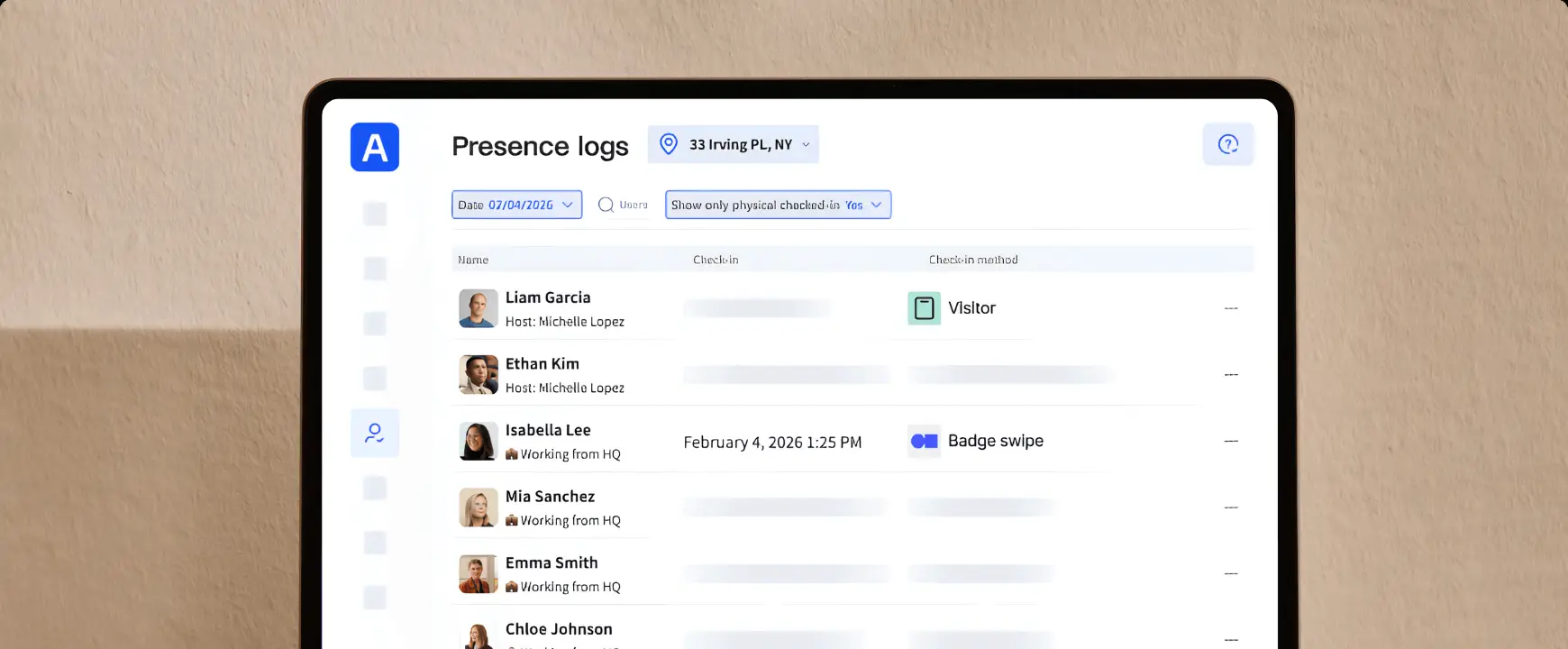
- Employee attendance is timestamped, with presence logs to understand occupancy across departments and locations.
You can now track employee attendance with Archie! Archie Presence is your new app to understand real employee presence, with no sensors or employee action required. Presence automatically checks every employee in when they arrive, and checks them out when they leave. It runs quietly on company laptops to detect presence through office IP addresses.
Its high accuracy is in contrast to other methods of attendance tracking, ones that rely on employee or device action to make them work. Presence’s strength lies on its lack of dependencies:
- No sensors
- No app to open
- No badge swipes
Your IT team deploys Presence once, and from then on Archie gives you a current headcount at all times.
Understanding employee presence is becoming an essential measure of office usage. If you’re operating a hybrid workplace, or have a hot desking system across teams and departments, or are implementing a RTO working policy, employee attendance data is vital. Yet many of the ways corporations track presence is flawed, or requires extra labor. Archie Presence fixes that.
- Start now
Archie Presence is now available for all Archie Desks and Rooms customers on the Pro plan. Attendance data feeds into your existing Reports and Analytics for an accurate real-time presence log.
How Archie Presence works
Archie Presence is a lightweight program that runs in the background on company laptops, using your office’s IP address/addresses to know when someone is in the office. You (or your IT department) set it up once, and then it runs on its own.
- Your IT team deploys Archie Presence to all company laptops at once through your MDM, the same channel used for security and OS updates. Employees don’t have to install or maintain anything.
- In Archie, add the public IP address of each office location.
- Employees are checked in automatically. When an employee connects to the internet at one of those locations, by Wi-Fi or a wired connection, Presence detects the office IP and Archie marks them as checked in.
Presence also automatically checks them into any corresponding desk or room booking in Archie for that time.
The app is continuously signaled for reliable employee presence detection. Once the employee leaves for the day, Archie checks them out automatically and their check-out is timed to the last minute they were online.
Why we built Archie Presence
Hybrid and RTO policies have changed how offices are used. Half of all organizations have downsized their real estate in the past five years, yet 89% of employers still require people in the office at least three days a week. The result is more desk sharing, more office zones, and more mixed schedules. But where does that leave you when you want to see how your office is truly being used?
The methods to track attendance that most large companies are using fail to capture how many people are truly in-office.
- Occupancy sensors are costly, with a slow rollout and ongoing maintenance. Crucially, though, they are also unreliable – with false positives that trigger readings when other workers pass by or false negatives when people are simply sitting still.
- Badge swipes only count the person who swipes. If several people arrive together, the rest go uncounted. It’s also not an accurate understanding of real-time employee presence. The term “coffee badging” was coined to describe those who only swipe in for the length of time it takes to make a coffee, to register themselves as ‘in-office’, but in reality they leave for the rest of the day.
For offices and sites that use door access systems for security, Archie supports and integrates with many vendors, however we recognize the discrepancies when used as a standalone attendance tracking method.
- Manual check-ins rely on people remembering to do it. Your desk booking data is a good forecast of office occupancy, but just like a weather forecast, it doesn’t tell you exactly what’s happening on the day. If your office runs a hot desking or hotel desking setup, reservations don’t translate to an accurate employee attendance count.
- WiFi tracking is a more reliable method of tracking attendance, where a mobile app records when an employee is connected to office WiFi. However, it still relies on continuous background refresh and depends on employees’ phones. This is recommended only if employees don’t have company laptops.
Attendance trackers break down when they rely on employees to act or on technology to stay up to date. We built Presence so it’s effortless for both employees and employers.
Other ways to track presence with Archie
Archie supports three presence tracking methods, and all of them feed the same workplace analytics. Archie Presence is the most accurate, however other methods also capture visitors and employees without laptops. Your attendance tracking method depends on your space, and you can combine methods.
Method | What the employee does | How often it checks | Idéal pour |
|---|---|---|---|
Archie Presence | Nothing | Continuously | Large offices who want an accurate reading of employee attendance |
Door access integration | Badges in | At the door | Secured entrances |
WiFi | Installs the Archie mobile app | Regularly if employees enable background refresh | Employees without company laptops |
Who is Archie Presence for?
- Hybrid offices with flexible days.
- Offices with a minimum-days RTO policy.
- Anchor-day offices.
- Hot-desking and desk-sharing offices.
- Multi-office companies.
Attendance data: See how your office is really used
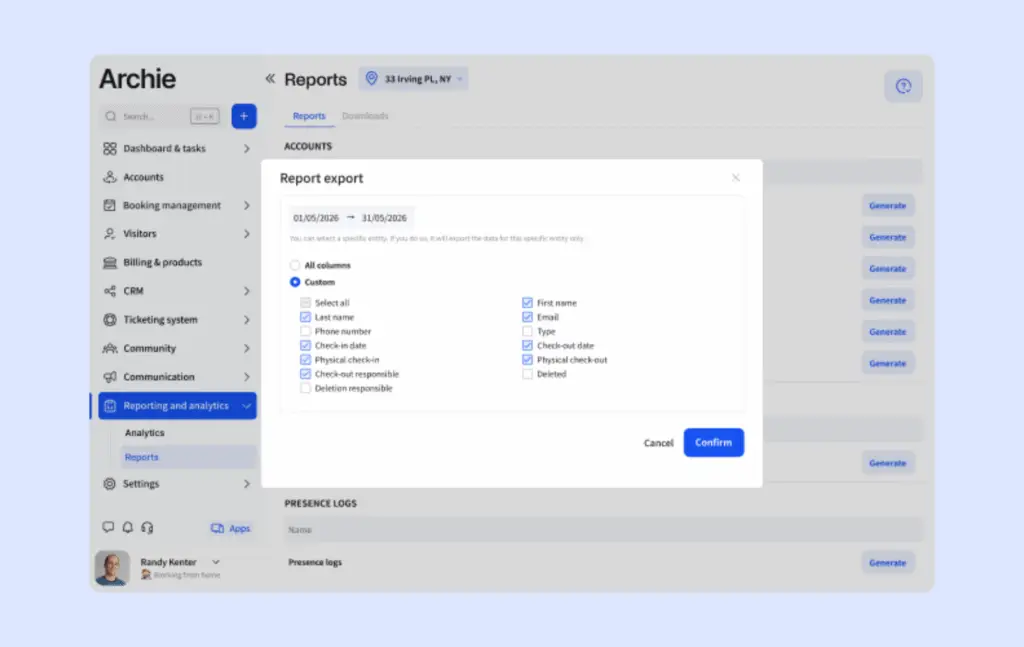
Tracking attendance accurately is only useful if you actually use the data you collect. It helps you understand occupancy at scale, but also on a team or individual level. There are several significant ways offices use this information. With Archie, trends are easy to capture and your analytics are easily converted into reports, exportable for any stakeholders.
Plan your office space
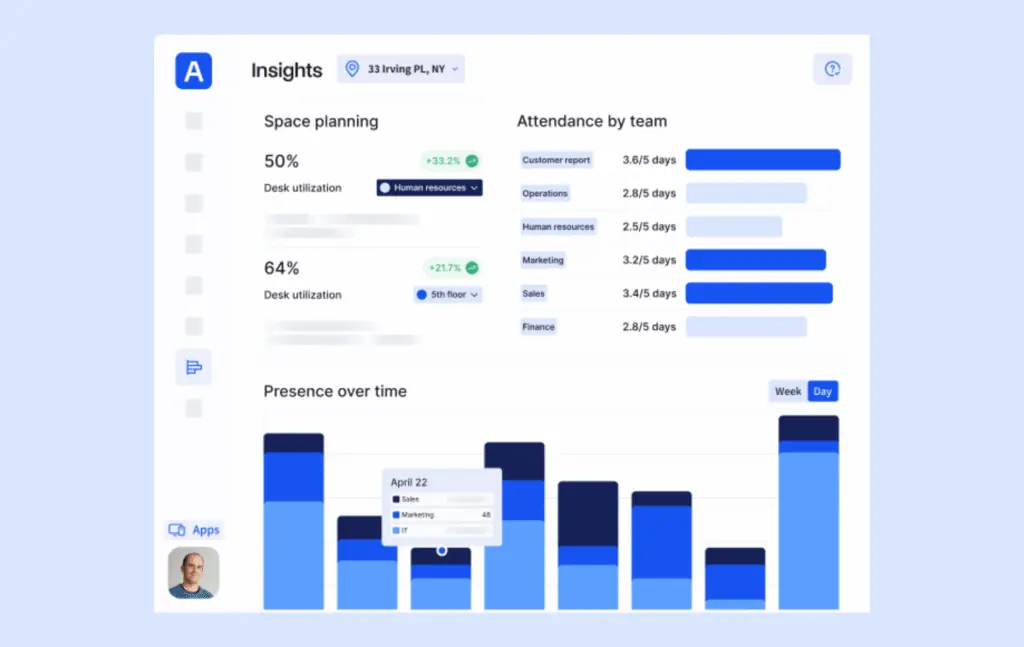
You can follow attendance trends by team, find your busiest days and see which zones are heavily used. Real estate and facilities teams find attendance data fundamental to right-sizing the office. If peak attendance is 50% of headcount, it can mean cutting space, reducing desks, or reallocating floors. If you operate on multiple locations, comparison helps you see where to consolidate or expand.
Measure the success of RTO or hybrid policies
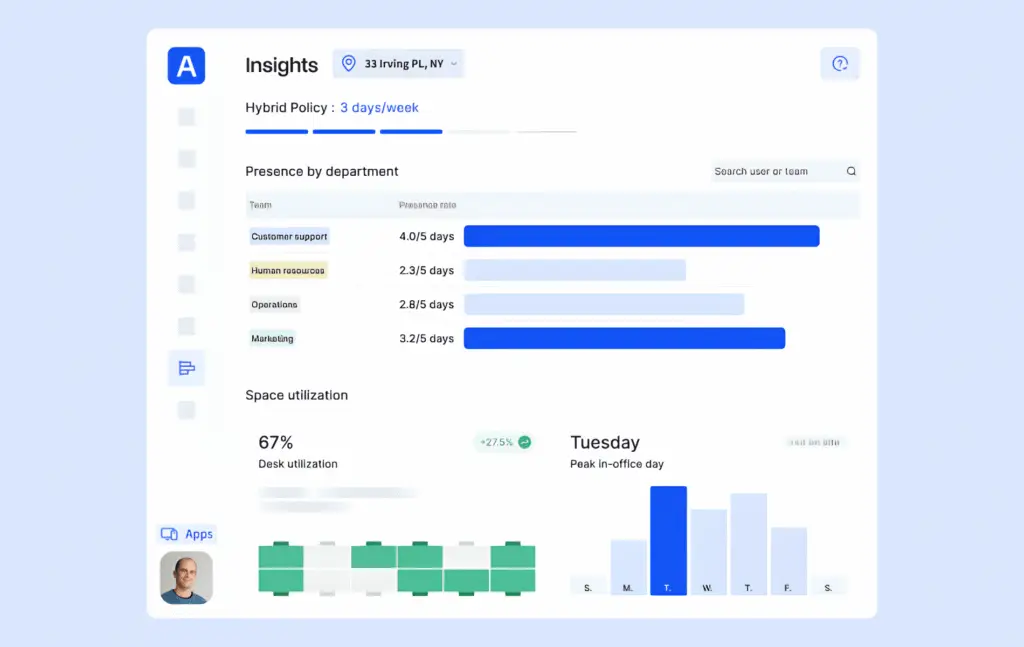
Compare real attendance with the days you expect people in the office. Whether you’ve just instated a return-to-office policy and want to test its success, or have had a set hybrid schedule of 3-days a week in-office and are unsure of adherence, attendance data has the easy answers. Change your policies with evidence – and find out whether it is actually shifting behavior on the floor.
Foire aux questions
How does Presence know someone is in the office?
IT adds the public IP address of each office in Archie. When an employee’s laptop connects at one of those locations, by Wi-Fi or a wired connection, Presence detects the office IP and Archie marks them as checked in.
Do employees need to install or do anything?
No. Your IT team deploys Presence to all company laptops at once through your MDM. Employees don’t have to install or maintain anything, and there is no app to open.
How is Presence different from badge swipes, sensors and Wi-Fi tracking?
Each of those are less accurate. A badge swipe only counts the person who swipes, and sensors can trigger when someone walks past or misses someone sitting still. Wi-Fi tracking depends on employees’ phones. Presence has none of those dependencies.
What happens when an employee leaves?
Archie checks them out automatically, timed to the last minute they were online.