



















- Lo que aprenderás
- What multi-tenant booking software is
- The difference between resource permissions and true multi-tenant management
- What to look for in a multi-tenant workplace platform
- Why Archie stands out for multi-tenant building management
Multi-tenancy isn’t just about controlling who can book a room. It’s about allowing multiple companies to operate independently while sharing the same workplace platform.
Some spaces might be shared, others need to stay private, and each company may have its own IT team, Microsoft setup, security rules, and employee management process. And that’s where many workplace platforms fall short.
In this guide, I’ll explain what multi-tenant booking software is, why many solutions don’t fully solve the problem, and what to watch out for if you’re managing workspaces across multiple companies.
What is multi-tenant booking software?
Multi-tenant booking software helps multiple companies use the same workplace management platform while keeping their users, resources, and settings separate.
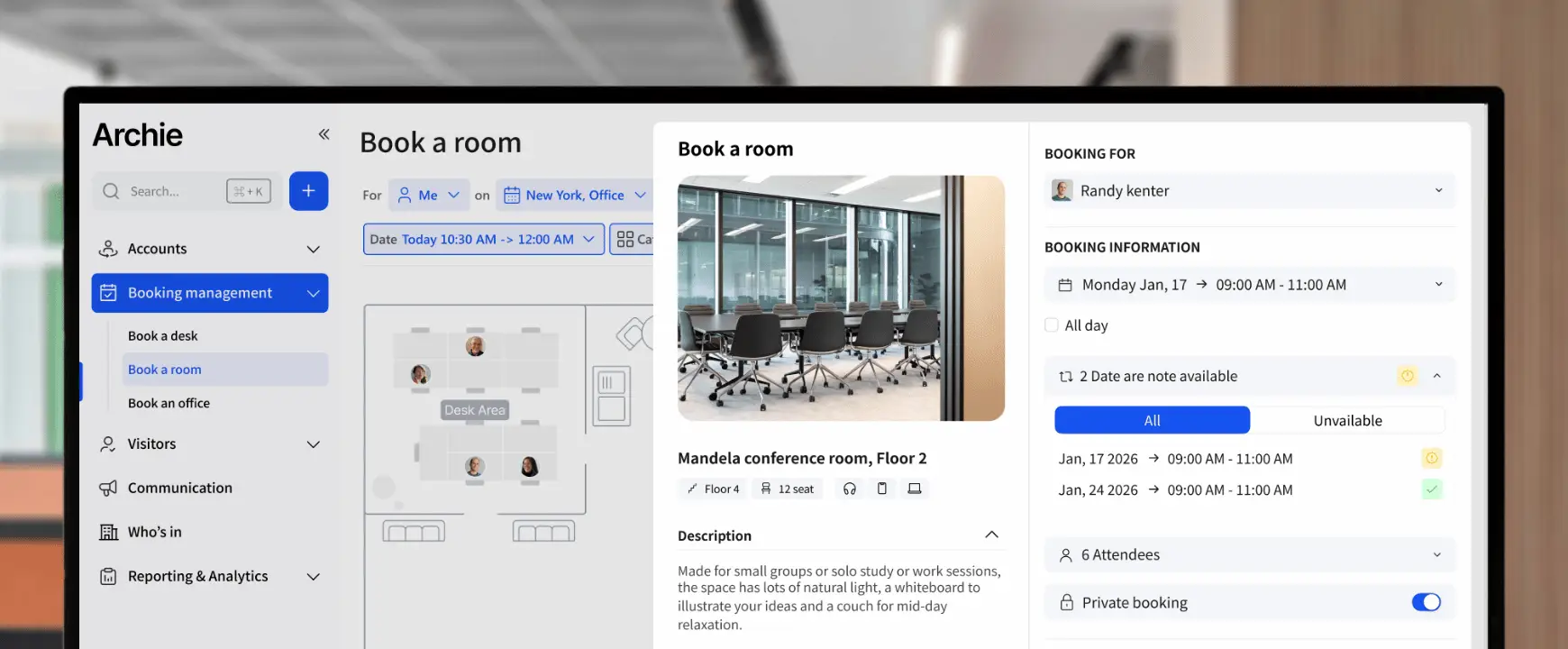
Employees can use it to book meeting rooms or desks, check in to their bookings, and see which spaces are available to them. Behind the scenes, administrators can control who has access to specific rooms, desks, floors, buildings, or other resources.
Multi-tenant workplace software is especially useful for:
- Holding companies
- Enterprise groups with multiple subsidiaries
- Business parks
- Shared office buildings
- Corporate campuses
- Property owners and operators
For example, a holding company might have several subsidiary businesses operating from the same building. Some meeting rooms and desks may be shared across all companies, while others may be reserved for specific teams, departments, or organizations.
The challenge most booking systems don't solve
Many workplace platforms advertise “multi-tenant booking software capabilities”. But often, this only means they let you create different permission groups.
Por ejemplo:
- Company A can book rooms on Floor 1
- Company B can book rooms on Floor 2
- Company C can access specific desks
- Shared conference rooms are available to everyone
That is helpful, of course. But it only solves part of the problem.
The bigger challenge is user and identity management. Let’s say a holding company has several subsidiaries in the same building. Each company may have its own Microsoft 365 tenant, IT team, or onboarding and offboarding process.
In many booking systems, everyone still has to be managed through one identity provider. So, while basic permissions help control who can book what, they do not always solve the deeper problem: letting each company manage its own users, logins, and access rights independently.
What true multi-tenant management looks like
A true multi-tenant workplace platform like Archie goes beyond room and desk permissions. It allows multiple companies to share the same platform while still keeping users, resources, permissions, and login settings separate.
Por ejemplo:
- Company A can connect its own Microsoft 365 tenant
- Company B can use a different Microsoft tenant
- Company C can log in through Okta
- Each IT team controls employee access independently
- Each company keeps its own security and compliance policies
- Employees only see the rooms, desks, floors, or buildings they are allowed to book
From the employee’s perspective, the experience is simple. They sign in with the company account they already use. Behind the scenes, each company can keep control over its own login setup, security rules, and employee access. This is much easier than forcing every company into one shared identity setup.
- En resumen
Unlike many workplace platforms, Archie supports multiple SSO connections, allowing different companies to use their own Microsoft, Google, or Okta login while managing shared rooms, desks, and workspaces from one platform.
Why multi-tenant identity management matters
Single Sign-On (SSO) lets employees log in to workplace software using the same account they already use for work, such as Microsoft 365, Google Workspace, or Okta.
For one company, this is usually simple. But when several companies share the same workplace platform, it gets more complex. One company may use Microsoft. Another may use Okta. Another may use Google. Or several companies may each have their own Microsoft account.
That’s where multiple SSO connections become important. They allow different companies to log in through their own authentication provider while still using the same Archie environment.
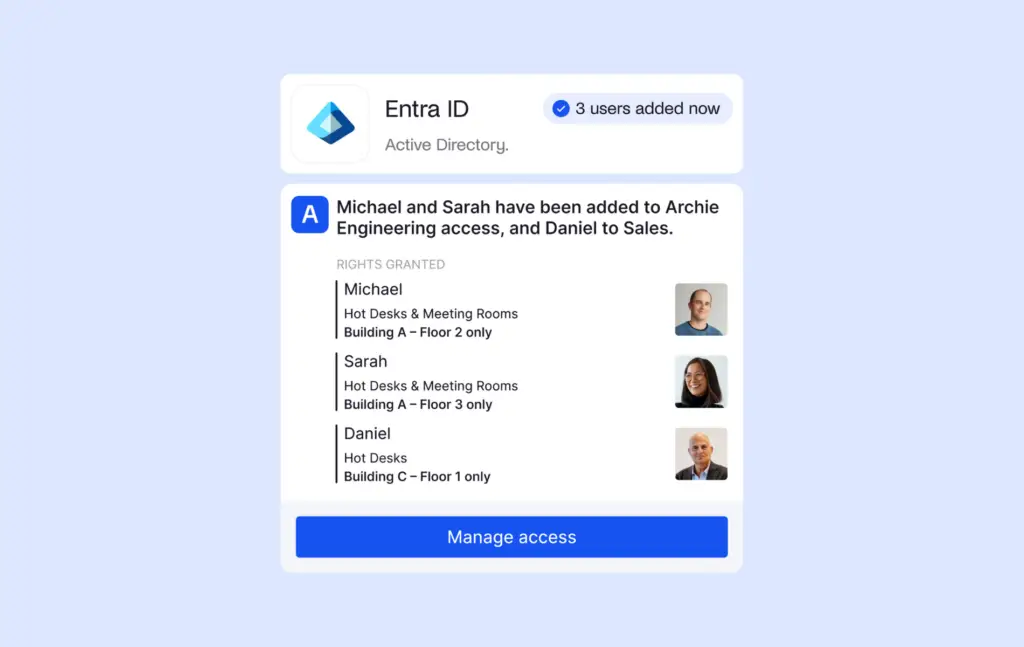
SCIM, on the other hand, helps manage users behind the scenes. It can send users from an identity provider into Archie, sync permission groups, and assign users to the right primary location.
For example, when a new employee joins, SCIM can help add them to the right organization, access group, and location in Archie. When someone leaves, their access can be removed automatically.
One important thing to note is that permissions still need to be set up correctly in the client’s identity system first. For example, the client’s IT or dev team can configure users, groups, and access rules in Microsoft Entra ID. Archie then reflects those permissions, so the right people are added to the right groups and locations in the platform.
Managing private and shared resources
Another challenge in a multi-tenant building management is managing a mix of private and shared spaces. Some resources (like team workstations or neighborhoods) are reserved for a specific company, team, or department. Others (think larger conference rooms, training rooms, and event spaces) are available to everyone in the building.
Without the right permissions, employees may see rooms and desks they shouldn’t be able to book. Administrators can also end up spending a lot of time manually managing access.
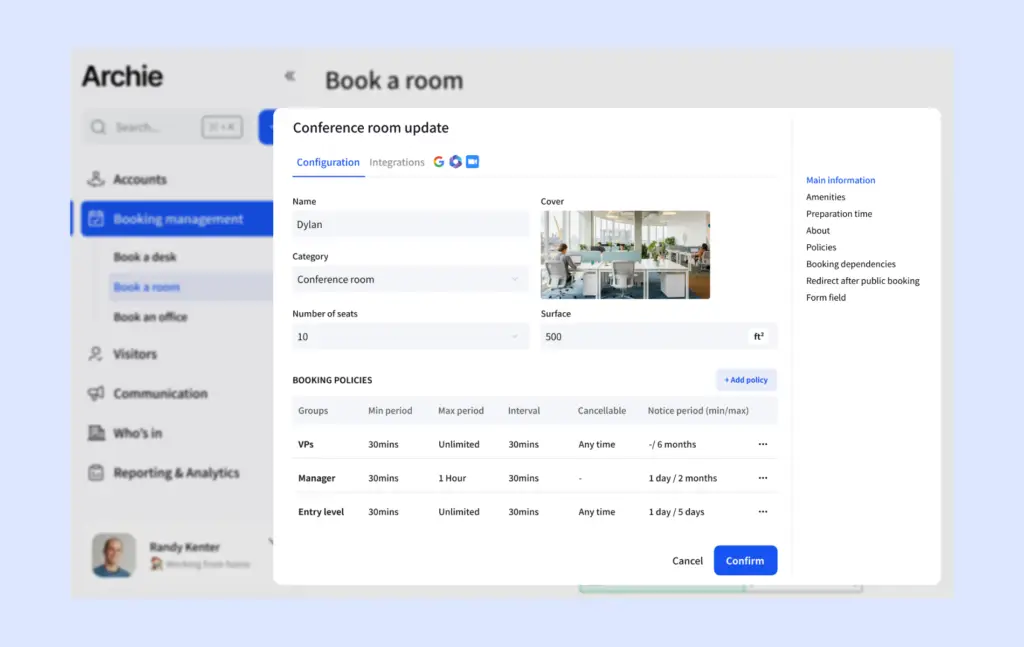
A good multi-tenant booking platform solves this by allowing admins to create groups and permissions to control exactly who can see and book each resource.
For example, Company A may only be able to access its own desk neighborhoods and meeting rooms, while a large conference room can be shared across several companies. Employees only see the resources available to them, making the booking experience simpler and reducing confusion.
Yet again, this flexibility is especially important for holding companies, shared office buildings, and business campuses where multiple organizations operate under the same roof. In such cases, the right multi-tenant setup allows companies to maintain control over their own spaces while still making the most of shared amenities like conference rooms, training areas, and event spaces. Speaking of:
Multi-tenant meeting room booking
Meeting rooms are often some of the most important shared resources for multi-tenant building management. But, without clear booking rules, things can get messy quickly. One company may book more rooms than it needs, another may struggle to find available space, or employees may see meeting rooms they shouldn’t have access to.
Multi-tenant room booking software helps prevent that by giving each company the right level of access. For example, administrators can:
- Make some rooms private to specific companies
- Share rooms across multiple companies
- Create different booking rules for different groups
- Prevent double bookings
Shared access does not create duplicate calendars or duplicate rooms. Even when multiple companies have access to the same meeting room, it remains a single resource in the system.
Many platforms also support check-ins and automatic room release to protect against no-shows. If someone books a room but never arrives, the reservation can be released automatically so other teams can use the space.
Multi-tenant desk booking
Desk management can be just as challenging as room management. Some companies may need dedicated desk neighborhoods, while others prefer shared hot desks. In hybrid workplaces, demand can also change from day to day depending on office attendance.
Multi-tenant desk booking software helps organizations manage all of this from a single platform. Administrators can:
- Create dedicated desk areas for specific companies
- Manage shared hot desk zones
- Assign neighborhoods by company, team, or department
- Control which desks employees can see and book
Just like meeting rooms, permissions play an important role. Employees should only see the desks they are allowed to use, while administrators need a simple way to manage access across multiple companies.
Preventing double bookings in shared workspaces
Can multiple companies share the same resources without creating double bookings?
Yes. Even when multiple companies have access to the same meeting room or desk, it remains a single resource in Archie. Once the room is booked, it becomes unavailable to everyone else during that time slot.
In other words, sharing access to a room doesn’t create separate booking calendars or duplicate resources. Everyone is booking the same resource, which helps prevent scheduling conflicts and double bookings.
How to choose multi-tenant booking software
In our experience, different teams usually care about different parts of multi-tenant management. HR, office managers, and workplace teams usually focus on the day-to-day bookings. They want to know if each company can log in, see only the rooms and desks they are allowed to book, and still access shared spaces when needed.
IT teams usually look one level deeper. They want to understand how users, logins, SSO, SCIM, permissions, and access groups will work behind the scenes.
So, if you’re in charge of multi-tenant building management, I recommend asking vendors whether they support:
- Multiple SSO connections
- Different identity providers, such as Microsoft, Google, or Okta
- User provisioning
- Permission group sync
- Independent user management
- Reserva de sala de reuniones
- Reserva de escritorio
- Shared resources without double bookings
The answers will quickly reveal whether a platform simply manages resource permissions or can support multiple organizations operating independently within the same system.
Why Archie stands out for multi-tenant booking
Many workplace platforms describe themselves as multi-tenant because they allow different companies to book different resources. For some organizations, that’s more than enough.
But for holding companies, enterprise groups, and organizations with multiple subsidiaries, the challenge often goes deeper. It is not only about who can book what. It is also about how each company logs in, manages users, and keeps access rules up to date.
In addition to managing shared and private resources across multiple companies, Archie supports multi-tenant identity management. Different organizations can use the same workplace platform while maintaining their own login experience and user management processes.
This means:
- Multiple SSO connections across the same Archie environment
- Support for different identity providers, including Microsoft, Google, and Okta
- User provisioning through SCIM from a single identity tenant
- Automatic permission group synchronization
- Primary location assignment based on identity provider settings
- Independent control over user authentication and access policies
If you’re evaluating multi-tenant booking software, it is worth looking beyond basic resource permissions. Plus, Archie can also handle multi-tenant visitor management from the same platform.