



















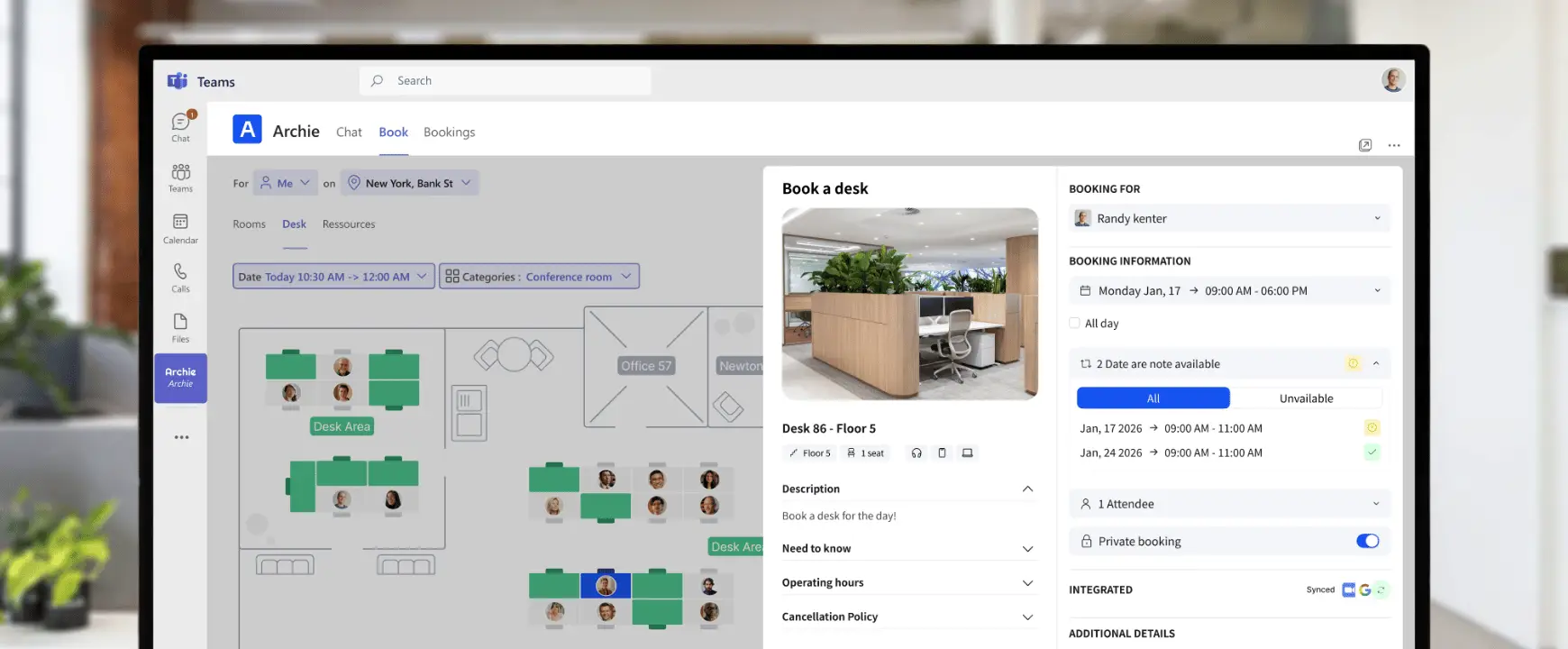
- Ce que vous apprendrez
- How Microsoft room booking actually works behind the scenes
- How employees can reserve rooms and desks through Outlook and Teams
- What features Microsoft includes out of the box and where it falls short
- Why many workplaces add tools like Archie on top of Microsoft 365
Looking for a way to manage meeting room bookings in Microsoft 365?
If your organization already uses Microsoft Teams and Outlook, you’re closer than you might think. Microsoft provides several ways to manage meeting room reservations, and many companies successfully use them every day.
The only challenge is that Microsoft’s booking tools aren’t always designed specifically for workplace management, and that becomes clear once you look at some of their limitations.
In this guide, I’ll explain how Microsoft room booking works, what Microsoft Bookings and Places can (and can’t) do, and when it makes sense to add a dedicated workplace management platform like Archie.
Benefits of using Microsoft for room booking
The biggest benefit of using Microsoft for room booking is familiarity. Employees do not need to learn a new tool, remember another login, or change the way they already schedule meetings.
It also keeps everything in one place. Meeting invites, attendees, calendars, and room reservations all stay inside Microsoft 365.
That makes it easier to:
- Check room availability before booking
- Reduce double bookings and scheduling conflicts
- Keep calendars updated when meetings change
- Make room booking part of the existing Microsoft workflow
So, for companies already using Microsoft 365, this can be a simple way to manage basic reservations without adding an extra meeting room booking system right away.
But there’s a catch (or rather, several of them):
Does Microsoft have a room booking system?
Yes…and no.
Microsoft doesn’t offer a standalone room booking platform built specifically for workplace management. Instead, room booking is handled through resource mailboxes in Microsoft 365.
Think of a room mailbox as a calendar assigned to a meeting room. When someone schedules a meeting in Outlook or Teams, they can invite that room just like they would invite a colleague. Microsoft then checks availability and reserves the room automatically.
For many organizations, this works perfectly well for basic room scheduling.
However, once you start managing dozens of meeting rooms, flexible desks, multiple office locations, or hybrid work schedules, they often need more advanced functionality than Microsoft’s built-in tools provide.
Microsoft Bookings est-il un bon outil ?
Microsoft Bookings is a useful scheduling tool, but it’s important to understand what it was designed for: appointment scheduling. Businesses often use it for customer appointments, consultations, interviews, training sessions, and similar use cases.
If you simply need people to book time with one another, Microsoft Bookings works well and integrates nicely with the rest of Microsoft 365.
However, it is not a comprehensive workplace management platform.
If your goal is managing meeting rooms, desks, office attendance, workplace occupancy, visitor flows, or hybrid work policies, Microsoft Bookings will likely feel limited.
What about Microsoft Places?
Not too long ago, Microsoft introduced a workplace management platform called Microsoft Places.
If room mailboxes are Microsoft’s traditional approach to booking spaces, I think of Places as Microsoft’s modern workplace layer built on top of Microsoft 365.
Places adds features such as office maps, workplace presence, desk booking, room booking, colleague visibility, work plans, wayfinding, and workplace analytics. Employees can see who’s planning to come into the office, find available spaces, and coordinate in-person collaboration more easily without leaving Microsoft Teams or Outlook.
That said, Microsoft Places is primarily focused on workplace coordination rather than workplace operations, and — obviously — works within the Microsoft ecosystem. That is why some organizations combine Microsoft 365 with a dedicated workplace management platform like Archie, and integrate it with Outlook/Teams (and a bunch of other office automation tools).
How to book a meeting room in Microsoft Outlook
Réservation Salle de réunion Microsoft 365 est très simple dès lors que votre organisation a configuré des boîtes aux lettres de salle. Vous pouvez créer une boîte aux lettres pour chaque salle, chaque poste de travail ou chaque équipement. Une fois la configuration effectuée dans le Centre d'administration, n'importe quel membre de votre organisation peut réserver ces ressources via Outlook ; il suffit d'ajouter la salle comme si vous invitiez quelqu'un à une réunion.
Here’s how it works if your IT team has already configured room mailboxes:
- Open Outlook and create a new meeting.
- Add your attendees.
- Use the Required field or Room Finder to select a meeting room.
- Choose an available time slot.
- Add meeting details.
- Send the invitation.
The room is automatically reserved once the booking is approved. From the employee’s perspective, the process feels very similar to inviting another person to a meeting.
Integrating Microsoft Outlook with meeting room booking software
Another way to manage meeting room bookings in Microsoft Outlook is to connect Outlook with dedicated room booking tools.
Most room booking systems offer Microsoft 365 integrations through Microsoft Outlook and Microsoft Teams. Once installed from the Microsoft AppSource marketplace and connected to your Microsoft environment, employees can keep booking rooms from the Outlook calendar they already use every day. But instead of only choosing from a basic list of rooms, they can open a booking panel inside Outlook and see more helpful options.
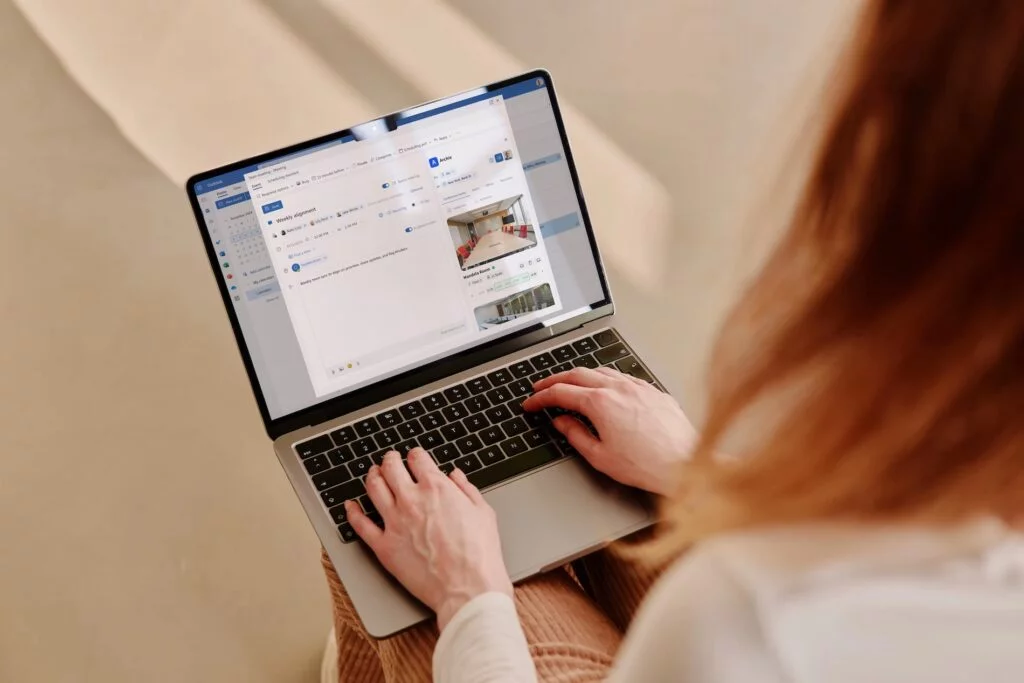
For example, with Archie, you can browse meeting rooms, desks, private offices, and other shared resources directly from Outlook. You can also view an interactive floor plan, check real-time availability online or on room display hardware, and filter spaces by capacity, amenities, equipment, location, or floor.
I also like that the booking is automatically added to the Outlook event. So once you choose a room or desk, it becomes part of the calendar invite. Everything stays synced across Microsoft 365, which helps prevent double bookings and scheduling conflicts.
This is especially useful if your team also books spaces from other places, such as Microsoft Teams, Archie’s web app, mobile app, or a room display outside the meeting room. No matter where the booking starts, it can still sync back to Outlook.
How to book meeting rooms in Microsoft Teams
Microsoft Teams offers a similar experience to Outlook when it comes to booking meeting rooms.
If your organization uses Microsoft’s built-in room booking tools, employees can check room availability, create meetings, and reserve spaces without leaving Teams.
But in my experience, the booking experience becomes much more useful when Teams is connected to dedicated room booking software.
For example, after integrating Archie with Microsoft Teams, employees can book meeting rooms, desks, and other workplace resources directly from the Teams interface.
Depending on your setup, employees will be able to:
- View room availability in real time
- Reserve rooms and desks directly from Teams
- Browse interactive office floor plans
- Filter spaces by capacity, amenities, equipment, building, or floor
- See which colleagues are coming into the office
- Check in to office reservations
- Modify or cancel bookings
- Receive automated booking reminders and notifications
The interactive floor plan is particularly useful. Rather than scrolling through a list of room names, employees can see the office layout, find available spaces, and choose the room or desk that works best for them.
Once a reservation is made, it automatically syncs with Microsoft Outlook and other connected Microsoft tools. This means everyone sees the same availability information regardless of where the booking was created.
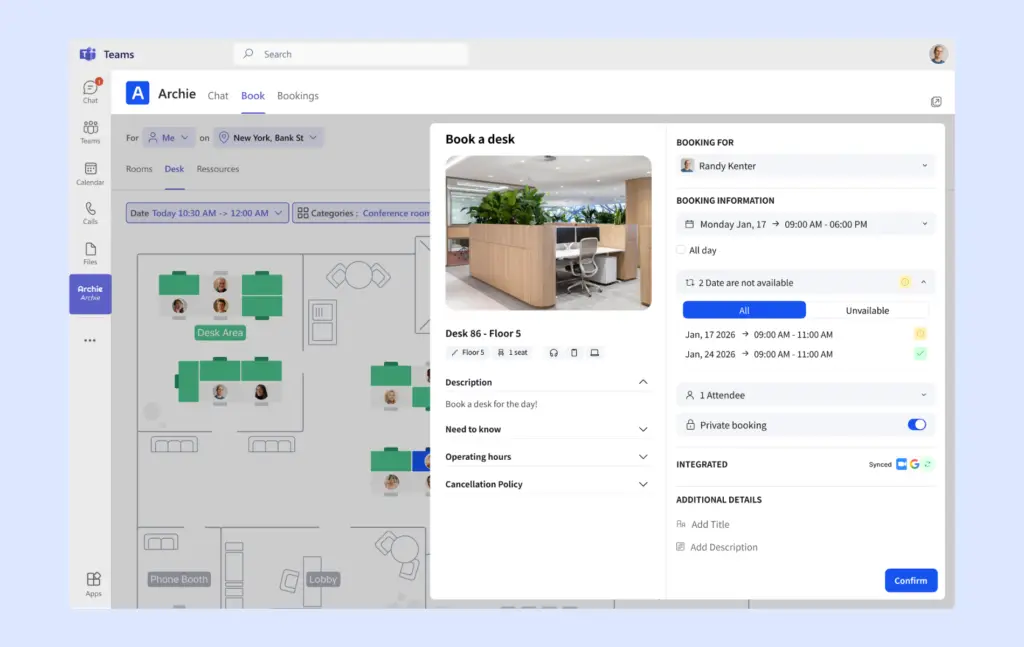
For example, someone might book a meeting room from Teams, another employee might reserve a desk from the Archie mobile app, and a third person could make a room reservation from a tablet outside the meeting room. All of those bookings remain synchronized across Outlook, Teams, and Archie. Plus, workplace managers can also manage booking rules, check-ins, floor plans, and analytics from one place.
Over time, that data can help you understand which desks are used most often, which office areas are underused, and how employees actually use the workplace.
What are the limitations of Microsoft room and desk booking?
Microsoft’s built-in booking tools can work well for basic scheduling. But once your workplace becomes more flexible, the limitations start to show.
Managing more than meeting rooms and desks
Modern workplaces often need to manage more than rooms and desks.
For example, teams may also need to book parking spaces, lockers, equipment, studios, training rooms, phone booths, or other shared resources.
Microsoft’s booking tools are mainly built around calendars, rooms, and basic resource scheduling. That can work for simple needs, but it may become limiting if your office has many different bookable resources with different rules, permissions, and usage patterns.
Limited booking rules
Microsoft gives admins some control over bookings, but many workplace-specific rules are harder to manage without extra setup or third-party tools.
For example, you may want to:
- Limit how far in advance employees can book rooms or desks
- Stop one person or team from reserving the same space too often
- Automatically release rooms when no one checks in
- Set different booking permissions for different teams, floors, or locations
- Require approvals for certain rooms or resources
These rules are useful in real offices, especially when meeting rooms are in high demand, or desks are shared across hybrid teams. But managing them with Microsoft alone can quickly become complicated.
Limited workplace analytics
Microsoft can help you see what has been booked, but it does not always give workplace teams the deeper usage data they need.
For example, it can be hard to answer questions like:
- Which meeting rooms are used most often?
- Which desks or areas are underused?
- How many bookings turn into no-shows?
- Which days are busiest in the office?
- How many employees are actually coming in?
- Do we have too much space, too little space, or the wrong type of space?
This kind of data matters because workplace teams are often expected to make better decisions about office layout, space planning, and hybrid work policies. Without clear analytics, those decisions can easily become guesswork.
IT involvement
Another challenge is that many booking policies, permissions, and resource changes still require administrator involvement.
That may be fine at first. But as your workplace grows, facilities and workplace teams often need to make updates quickly. They may want to add new resources, change booking rules, adjust permissions, or update office layouts without waiting for IT every time. And when every small change turns into an admin request, managing shared spaces becomes slower than it needs to be.
If several of these challenges above sound familiar, it’s usually a sign that you’ve moved beyond basic room scheduling and into office space management.
When to consider a dedicated booking system
If your organization has outgrown Microsoft’s built-in booking capabilities, Archie can extend Microsoft Teams and Outlook with dedicated workplace management features.
Employees can continue booking rooms and desks from the Microsoft tools they already use, while workplace teams gain access to additional functionality behind the scenes.
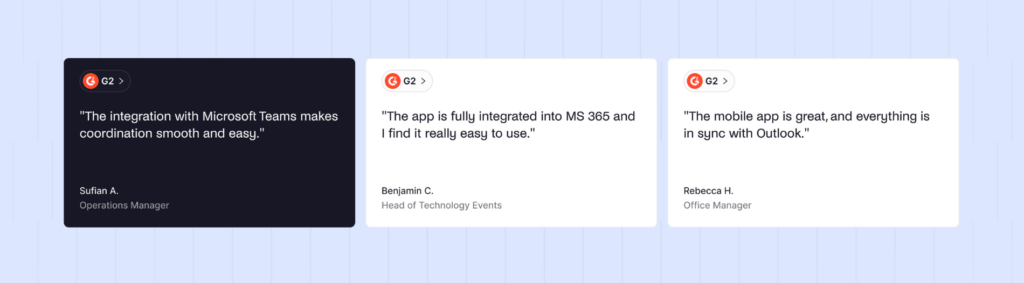
More specifically, with Archie, teams can:
- Book rooms and desks directly from Teams and Outlook
- View interactive office floor plans
- See real-time availability
- Prevent double bookings
- Manage hybrid work schedules
- Track desk & room occupancy
- Access workplace analytics
- Synchronize bookings across Microsoft 365
Archie also integrates with Microsoft Entra ID, allowing user accounts and permissions to stay synchronized automatically. This means employees can continue using the familiar Microsoft experience while workplace teams gain the tools needed to manage modern offices more effectively.
Microsoft booking system FAQs
Can Microsoft Teams be used for room booking?
Yes. Microsoft Teams allows employees to check room availability, create meetings, and reserve meeting rooms without leaving Teams. For basic room scheduling, this can work well. However, many organizations eventually connect Teams with dedicated room booking software like Archie.
Can Microsoft Outlook be used for room booking?
Yes. Microsoft 365 uses room resource mailboxes that allow employees to reserve meeting rooms directly from Outlook when creating calendar events. For many organizations, this is the simplest way to manage meeting room reservations. If you need additional functionality, you can also connect Outlook with dedicated room booking software like Archie.
Does Microsoft offer desk booking?
Yes. Microsoft offers desk booking through Microsoft Teams Bookable Desks. Employees can reserve individual desks or book seats within desk pools directly from Teams. Microsoft also supports automatic desk reservations when employees connect to supported peripherals at a bookable desk. But desk booking often requires more setup than room booking, and many organizations choose dedicated desk booking software for more advanced features.
Can Microsoft Teams and Outlook be integrated with room booking software?
Yes. Many room and desk booking platforms integrate directly with Microsoft Teams and Outlook. For example, employees can book rooms and desks from Teams, Outlook, mobile apps, room displays, or web portals while all reservations remain synchronized. Depending on the platform, employees may also gain access to features such as floor plans, colleague visibility, visitor notifications, check-ins, workplace schedules, and occupancy analytics.