



















- Ce que vous apprendrez
- When free(mium) desk booking software actually works well
- The biggest limitations of free plans
- Which desk booking software features usually require paid plans
- What desk booking software features you should look for
If you’re researching desk booking software right now, you’ve probably noticed two things pretty quickly:
First, there are a lot of tools.
Second, many of them claim to do the exact same thing.
So, naturally, you might be wondering which features actually matter. In this guide, I’ll break down when a free desk booking solution is enough, how different pricing models affect cost, and why many teams eventually move away from spreadsheets and manual systems.
First things first:
Do you even need desk booking software?
Honestly, not always.
If your office is tiny, your team comes in occasionally, and there are only a few shared desks, a spreadsheet can still work surprisingly well.
For example, Archie’s free hot desk booking template is designed specifically for very small offices that just need a lightweight way to reserve desks.
The issue usually starts once adoption grows. People overwrite bookings, someone forgets to update the file, and nobody knows who’s actually coming in. This is usually the point where spreadsheets start becoming exhausting to manage, and you have to look for a proper desk booking system.
Free(mium) desk booking software
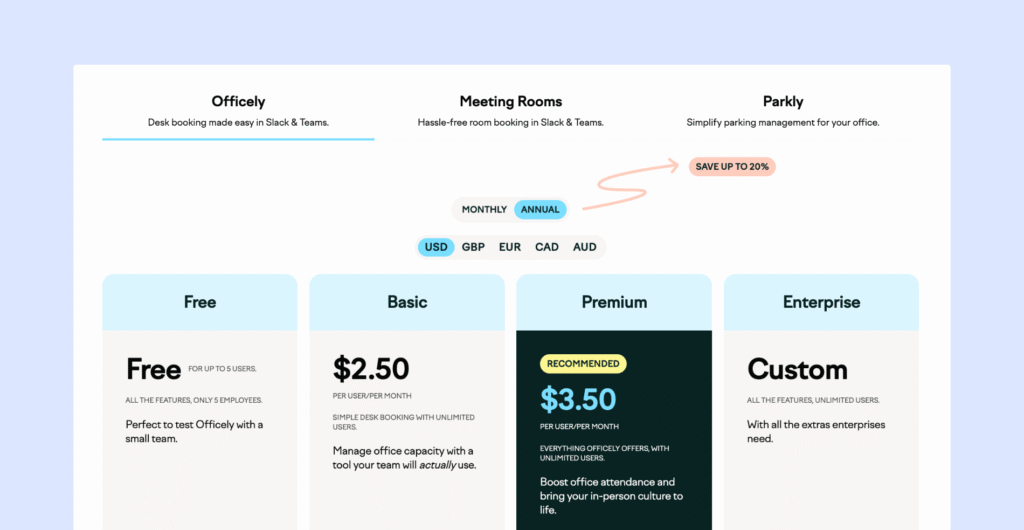
Apart from spreadsheets, true ‘free desk booking software’ doesn’t really exist. There are, however, some freemium options that could work for very small teams, or as extended free trials or pilots that help you test the software before you fully commit.
In general, free tiers cap users, desks, or locations, while paid tiers unlock the features that matter once adoption grows: analytics, SSO/SCIM, multi-location rollout, API access, branding, and formal support/SLA terms.
💡Examples of freemium desk booking software:
Paid desk booking software
With paid desk booking tools, the biggest difference is the pricing model, not just the price level. You’re going to find per-user pricing (deskbird), per-desk pricing (Archie Desks), flat-rate tiers (YAROOMS), and platform-fee-plus-module pricing (Envoy).
The exact model matters most for hybrid offices with more employees than desks. Imagine that you have 200 employees, but only 80 shared desks. In that case, paying per desk or choosing a flat-rate plan can be more cost-effective than paying for every employee who might come in occasionally.
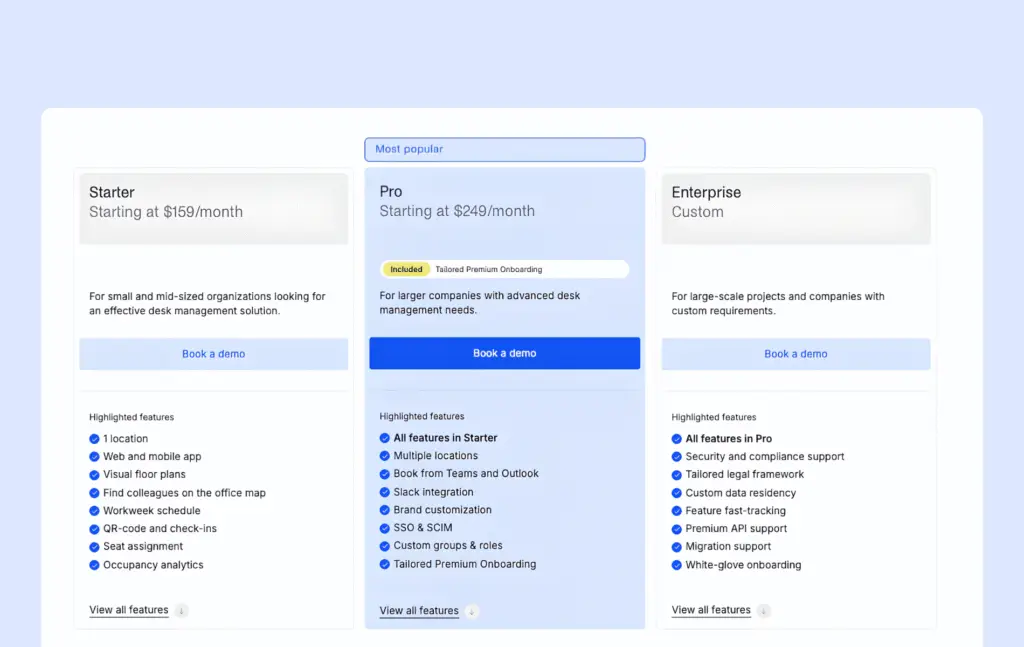
What makes comparing vendors even more difficult is that many vendors do not show full pricing publicly. The real cost may depend on add-ons, platform fees, setup fees, implementation support, or how the vendor defines an “active user.”
For example, Envoy charges a platform fee beyond its reservations module, while Kadence, Robin, and OfficeSpace use quote-based pricing. However, these tools are usually a better fit for enterprise buyers than smaller teams looking for low-cost desk booking software anyway.
Free vs. paid desk booking software: Key differences
At a basic level, most desk booking tools do the same thing: they help employees reserve desks, check availability, and avoid double bookings. But once you look beyond the basics, the differences between free and paid plans become much clearer.
Free or freemium tools are usually built for small teams, simple pilots, or very lightweight desk booking needs. Paid tools are designed for growing teams that need more control, better visibility, stronger integrations, and clearer data about how the office is being used.
In other words, free tools help you start booking desks. Paid tools help you manage desk booking properly as your workplace becomes more complex.
Free vs paid desk booking software feature comparison
Fonctionnalité | Free(mium) desk booking software | Paid desk booking software |
|---|---|---|
Basic desk reservations | Oui | Oui |
Custom booking rules & role-based permissions | Non | Oui |
Simple availability views | Oui | Oui |
Access | Web | Web & mobile apps |
User limits | Oui | Non |
Interactive office floor plans | Non | Oui |
Team neighborhoods/zones | Non | Oui |
Desk occupancy analytics | Non | Oui |
Native integrations | Non | Microsoft 365, Google Workspace, Slack, SSO/SCIM) & API access |
Desk check-ins and no-show protection | Non | Oui |
Employee lookup | Non | Oui |
Full list of desk booking software features
You can use this as a quick checklist when you’re comparing paid desk booking options:
réservation au guichet
Grâce à ces fonctionnalités, réservation est si réservation , claire et simple que les utilisateurs n'hésitent pas à s'en servir.
- réservation rapide réservation mobile et ordinateur (quelques clics suffisent, aucune prise en main nécessaire)
- Disponibilité des bureaux en temps réel, afin que les utilisateurs puissent voir instantanément ceux qui sont libres
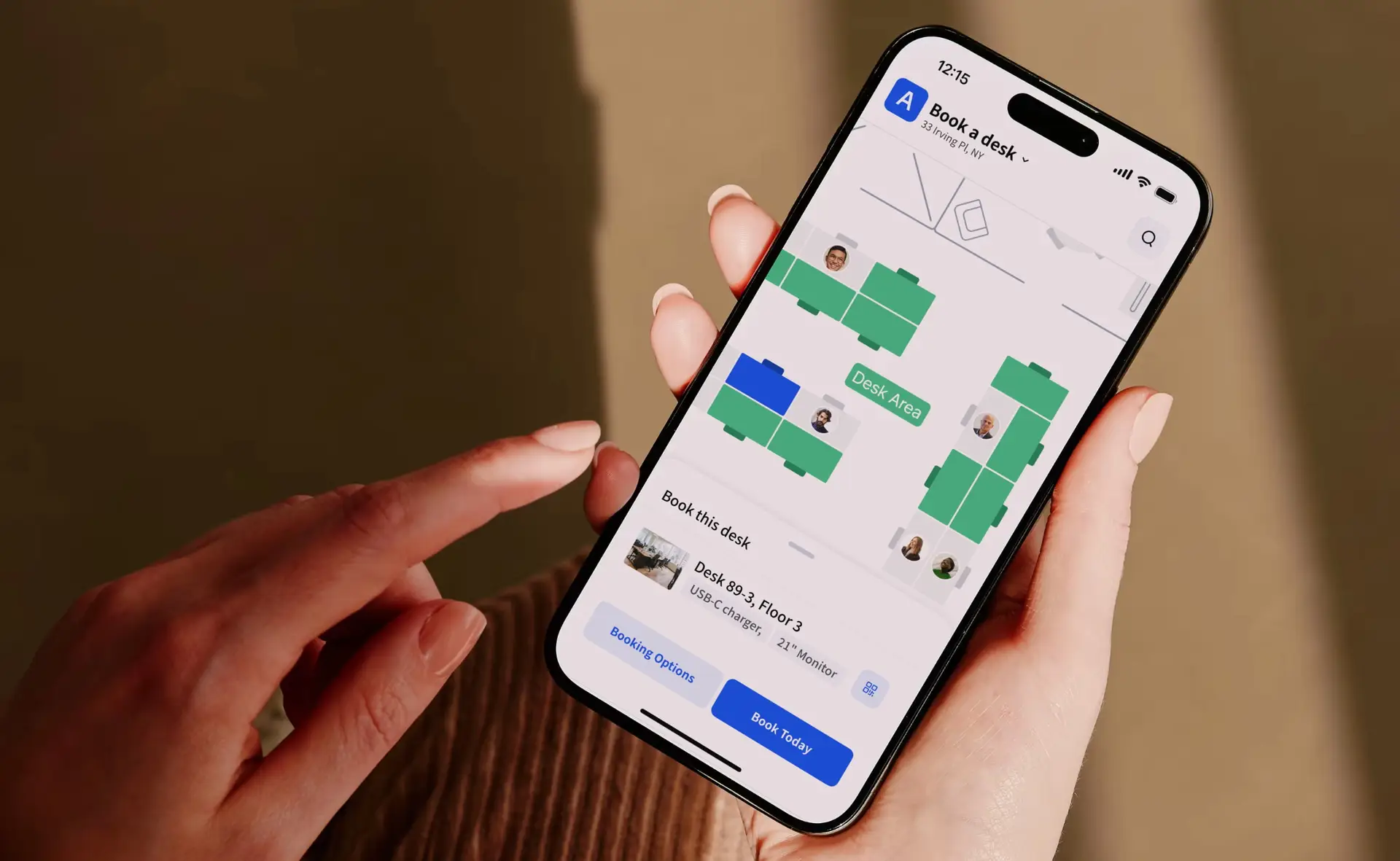
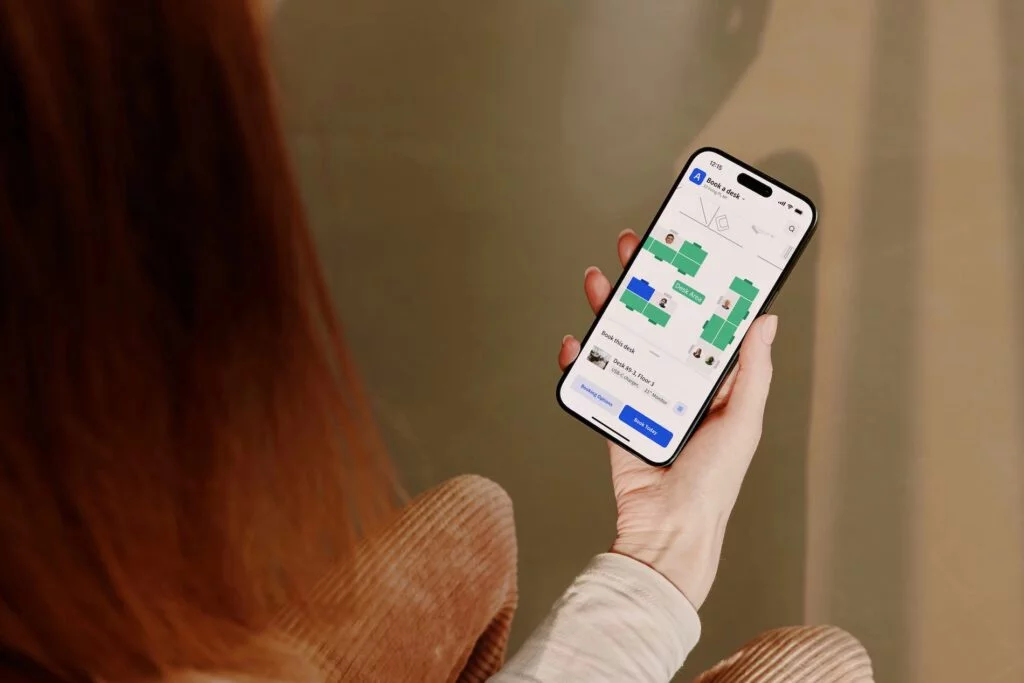
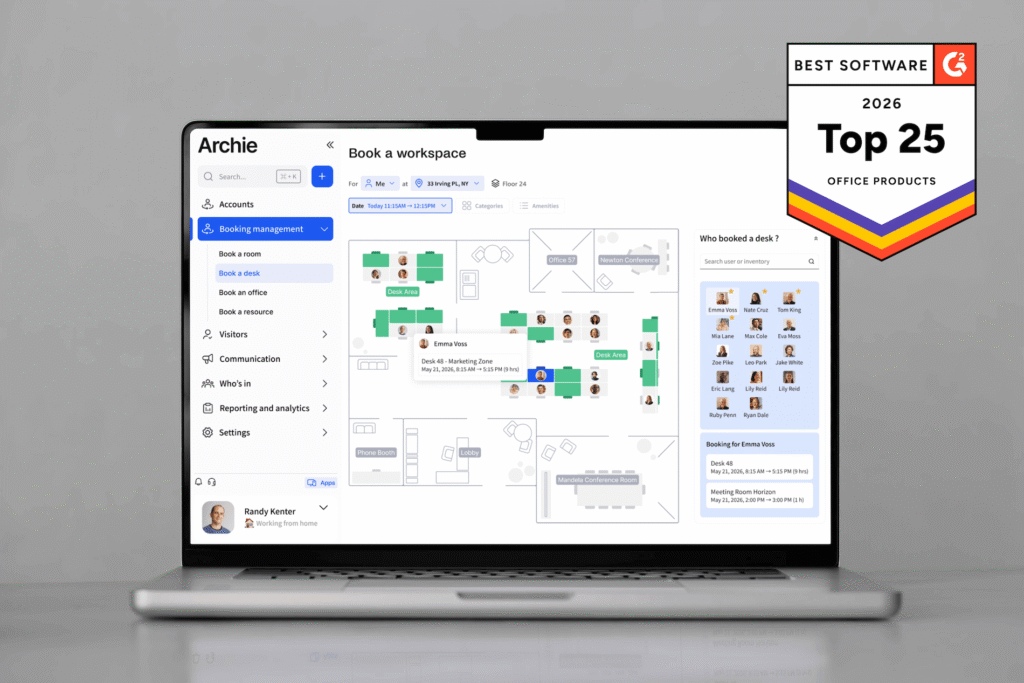
- Interactive office seating plan and a simple list view (both are useful)
- Filtres de bureau pour répondre à des besoins tels que zone calme, bureau assis-debout, espace d'équipe ou emplacement
- Calendar-friendly booking (works smoothly with Google Calendar or Outlook)
- QR code booking and check-ins for faster desk reservations
- Map-based colleague search
réservation de réservation et flexibilité
Les bureaux utilisent rarement un seul type de siège. Un bon outil doit s'adapter aux différentes méthodes de travail, à mesure que les horaires et les équipes changent.
- Prend en charge différentes configurations : bureaux partagés, bureaux à la demande, quartiers/zones, places attribuées
- Créneaux horaires (demi-journée ou à l'heure) et réservation à la journée
- Option pour les réservations récurrentes (mêmes jours chaque semaine)
Règles et contrôles administratifs
Ils aident les administrateurs sur le lieu de travail à garantir des réservations équitables et prévisibles, en particulier lors des journées chargées ou dans les espaces partagés par plusieurs équipes.
- Définissez combien de temps à l'avance les gens peuvent réserver
- Limites concernant réservation et réservation (si nécessaire)
- Règles concernant les personnes autorisées à réserver certaines zones
- Règles d'annulation claires et délais limites
- Protection en cas d'absence, comme les comptoirs d'enregistrement et de libération automatique si quelqu'un ne se présente pas
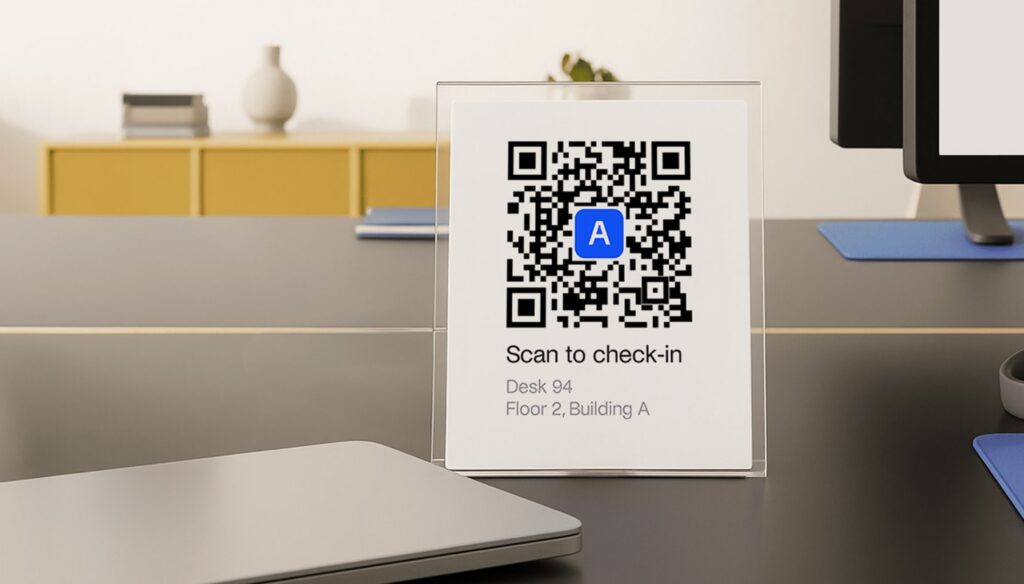
Visibilité des employés
Ces réservation de bureaux ont pour but d'aider les équipes à mieux s'organiser et de permettre aux équipes sur site de savoir qui est présent sans avoir à se relayer les informations par chat.
- Visibility into employee work status and office attendance
- Voir qui vient un jour donné
- Voir où sont assis les coéquipiers (pour que les gens puissent s'asseoir ensemble)
- Simple « recherche de personnes » ou affichage sous forme d'annuaire
- Vue administrateur des personnes actuellement présentes sur le site
Rapports et informations sur l'espace
Ces fonctionnalités transforment réservation en véritables données de planification, ce qui vous permet d'identifier des tendances et de prendre des décisions plus éclairées concernant l'espace de bureau.
- Rapports d'occupation par bureau, zone, jour et heure
- Tendances qui indiquent vos jours les plus chargés et les zones les plus fréquentées
- Drapeaux pour les bureaux ou les zones rarement utilisés
- Exportations faciles pour le partage et la planification
Intégrations et accès
Les meilleurs outils s'intègrent à ceux que vous utilisez déjà et simplifient la connexion et les autorisations pour les administrateurs informatiques et les administrateurs du lieu de travail.
- Fonctionne avec les outils que votre équipe utilise déjà : Google Workspace, Slack, Microsoft 365 (principalement Microsoft Teams et Outlook)
- SSO pour une connexion sécurisée et facile (en particulier pour les grandes équipes)
- Nettoyer les autorisations administratives (afin que les responsables et les administrateurs puissent faire ce qu'ils ont à faire)
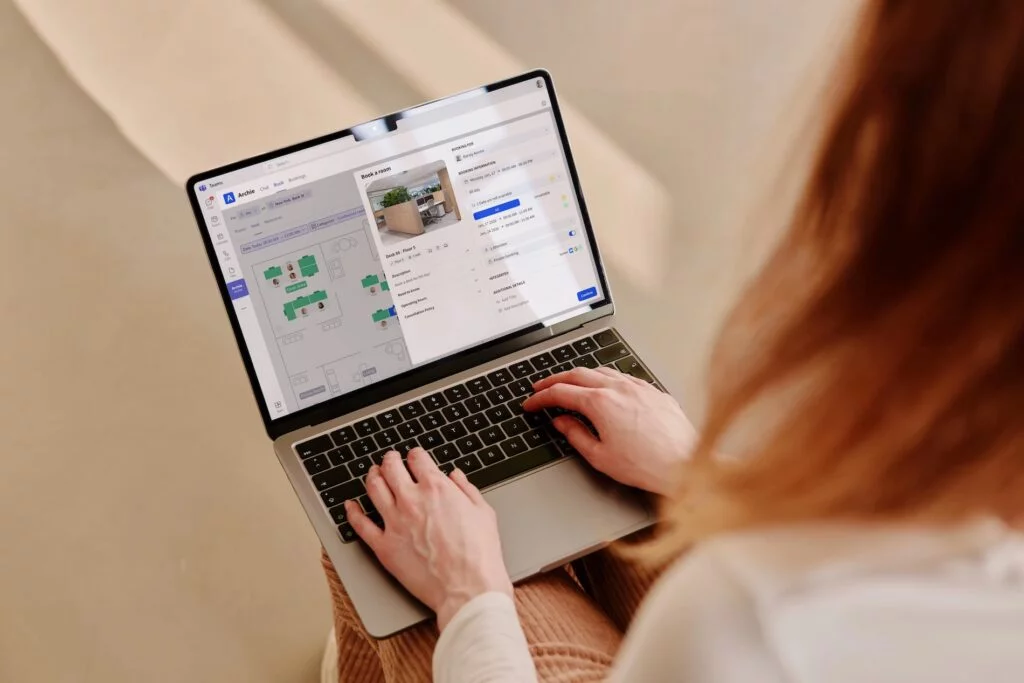
Should you choose a free, low-cost, or enterprise desk booking solution?
If you’re running a small pilot or managing a team of fewer than 10–15 people, a free or freemium desk booking tool may be enough. In some cases, even a simple spreadsheet can work, especially if you only need basic desk reservations and do not have many people booking at the same time.
Once your office setup becomes more structured, though, a low-cost paid plan usually makes more sense. This is where features like interactive floor plans, recurring bookings, mobile access, teammate visibility, and stronger admin controls start to matter. These features help reduce confusion and make the booking process easier for both employees and office teams.
The next major decision point is security and operations. If your company needs SSO, SCIM, API access, formal IT reviews, advanced permissions, or stricter admin controls, you will probably need a higher-tier plan from the start. The same is true if you manage multiple locations, need deeper desk occupancy or full workplace analytics, or want desk booking to connect with specific third-party systems via native integrations.
Pricing model matters too. Since many desk booking tools offer similar core features, the best choice often comes down to how the vendor charges. Before choosing a tool, look closely at your budget, current number of employees, number of desks, and your growth plans for the next year.
In hybrid offices where headcount is much higher than desk count, per-desk or per-space pricing can often be more cost-effective than paying per employee. That’s why resource-based tools like Archie can work well for companies that want to optimize office space without paying for every occasional user.
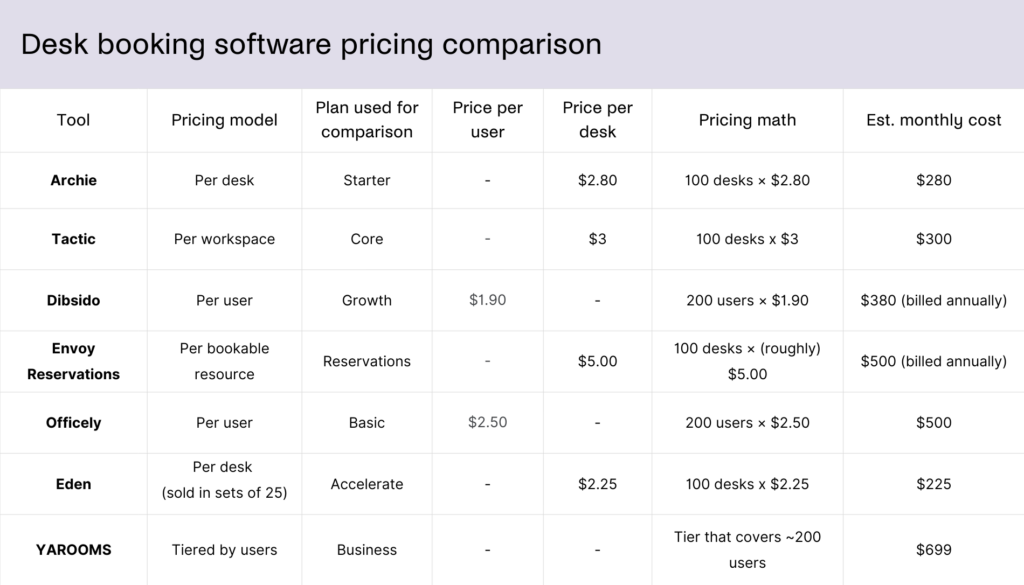
My overall recommendation is simple:
- Start free if your setup is small and lightweight
- Move to a paid plan once office coordination becomes harder to manage manually
- Consider enterprise platforms only when security, certain integrations, analytics, and workplace operations become strategic priorities
For most growing teams, Archie is a strong middle-ground choice because it combines the features teams usually need, like desk booking, floor plans, workplace visibility, admin controls, and integrations, with pricing based on desks rather than every employee. That makes it especially useful for hybrid offices that want an advanced, scalable system without jumping straight into an expensive enterprise platform.
Desk booking features FAQ
What features should I look for in desk booking software?
Look for software that makes booking easy for employees and simple to manage for admins. The most important features are real-time desk availability, mobile and desktop booking, interactive floor plans, recurring bookings, desk filters, check-ins, auto-release for no-shows, teammate visibility, reporting, and integrations with tools like Google Calendar, Outlook, Microsoft Teams, Slack, and SSO.
Are there free desk booking software options?
Not quite. Some tools offer limited free plans, while others offer free trials or templates, like Archie’s free desk booking template. As teams grow, free plans often become too limited because features like analytics, SSO, visitor management, advanced rules, and integrations are usually part of paid plans.
How much does desk booking software cost?
Desk booking software can be free for very small teams, while paid plans often start around $2–$5 per user, desk, or workspace per month. Some tools use flat monthly pricing, and enterprise platforms are usually quote-based. The desk booking software pricing model matters a lot: if you have more employees than desks, per-desk pricing can often be more cost-effective than paying for every employee.