



















- Ce que vous apprendrez
- A full breakdown of Archie's desk booking features and pricing for office teams.
- An honest look at its strengths and weaknesses based on user feedback
- A practical comparison with the top alternatives, so you can make the right call
Maybe you are about to implement a new return to office (RTO) policy and you’ve already anticipated the need for organization. Perhaps you’ve recently rolled out an in-office approach that was perfect on paper, but in practice is causing a ruckus. Maybe your employees simply want an easier way to find their hot-desking teammates that doesn’t include traipsing the desks in search of the right faces.
What you need is a reliable, user-friendly desk booking software.
Is Archie your solution? This full review of Archie Desks gives you a complete picture of the platform, understanding how it tackles the issues that many companies face when they approach desk booking. The quick verdict is that if you’re a medium to large team, Archie is going to be a logical choice.
If you’re thinking, “of course you’d say that, you’re writing for Archie”, I’d invite you to read on to find that this article leaves no stone unturned. You’ll find valid, considered comparisons with alternative desk booking tools, using external reviews and sources to compound any findings.
What is Archie Desks?
Archie is a cloud-based workspace management platform built to help organizations handle their spaces, resources, and people. It offers dedicated solutions for both corporate office teams and coworking operators.
Here, I’ll solely focus on Archie Desks, Archie’s desk booking tool that helps companies make the most of their office space while supporting whatever work model they’ve adopted, be it full RTO, hybrid, or flexible WFH arrangements. With over a decade in the industry, Archie is trusted by more than 1,000 organizations across 46 countries, including names like Shopify, Raiffeisen Bank, and Siemens.
Some fine print: Archie is GDPR compliant and rated 4.9 on both G2 and Capterra.
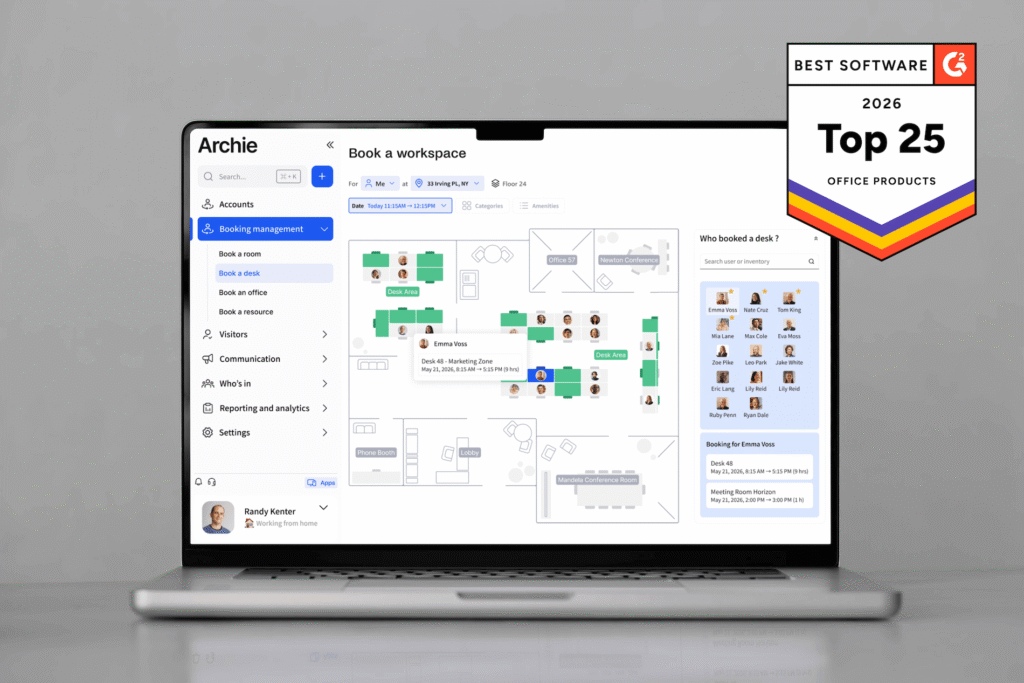
There’s a reason Archie is one of G2’s top-rated space management solutions. Actually, there’s more than one reason:
- Multiple booking rules and methods: book desks from browser or mobile app, using interactive floor plan or list view
- Easy for employees to find available desks near their teammates, check in and check out, even via third-party integrations like Microsoft Teams (in advance or on-the-spot)
- Fully customizable with interactive floor plans, neighborhood zones for specific teams, scheduling, and recurring bookings,
- Flexible booking rules that prevent underuse and optimizes your space across multiple sites,
- Lets you see at a glance who is in the office, check in on colleague’s schedules, and ensure your RTO/hybrid policy is running smoothly – without overmanagement,
- Pricing structure based on your space, not employee count, so costs stay affordable and stable no matter your team size.
With Archie booking software, booking desks on-the-spot, setting up recurring reservations, and ensuring the right teams are together on the same days (without fighting for space with other departments) is smooth.
Archie’s other products
Archie Desks is the focus of this review, but it’s worth knowing it sits within a broader platform.
Archie Rooms is the natural companion to Archie Desks. If your office has meeting rooms alongside hot desks, managing both from the same platform keeps things clean: one interface, one floor plan, one source of truth for your whole office. Employees can see desk and room availability side by side, and admins get a unified picture of how the entire space is being used. Many companies purchase Desks and Rooms together from the start.
Archie Visitors is a secure, streamlined way to manage guests arriving at your office, from pre-registration through to check-in. A popular add-on for offices that want a polished, secure front-of-house.
Archie Coworking is a separate suite built specifically for coworking spaces rather than businesses managing their own employees. Less relevant if you’re here for hybrid workplace management.
Cheat sheet: Pros and cons of Archie desk booking
Pros (based on review feedback):
- One of the most common benefits that users remark on in reviews is how easy it is for their teams to book desks and coordinate a successful hybrid work schedule.
- Employees can easily see when and where teammates are working at a glance and book desks nearby.
- The desk booking pricing structure is resource-based, not user-based, which makes Archie Desks a significant differentiator in the industry.
- It’s simple to scale within one plan if you’re adding more desks or new locations.
- Archie software offers a lot of flexibility, so no matter the nuances of your specific floor plan, check-in or booking policies, it can optimize your workplace and RTO strategy.
- Archie’s support team is very responsive, making onboarding in particular a positive experience.
- Integrates with Microsoft Teams, Slack, Google Calendar, and other third-party tools for full visibility and smooth operations.
Cons (based on review feedback):
- When using Archie through an integration, some of the side features are not accessible, e.g. in Teams, booking a desk is possible but you don’t have full visibility into office analytics.
- Speaking of, some users also miss some granularity with reporting. Although Archie’s occupancy analytics are useful, there is potential for better customizable reports.
- There is a minimum price of $159, which means if you’re a small business then Archie desks might not be the best choice for you right now.
Pricing and plans for Archie Desks
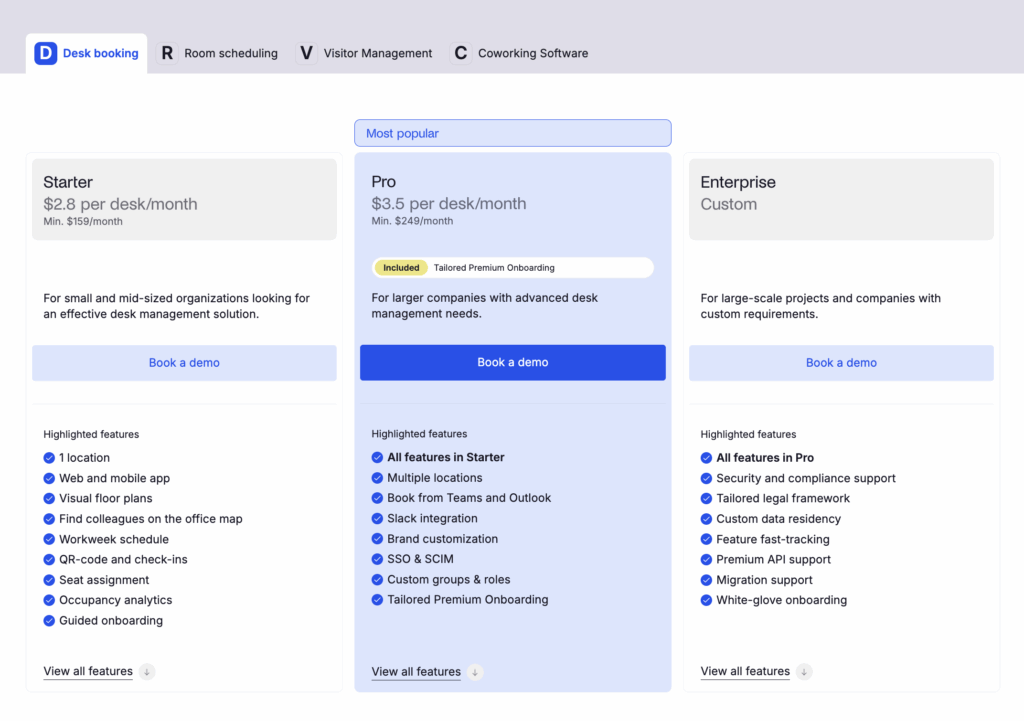
Archie charges per desk per month across all plans:
Plan | Minimum | Idéal pour |
|---|---|---|
Starter | 159 $ par mois | Small to mid-sized orgs needing core desk management |
Pro | $249/month | Larger companies with multi-location or advanced needs |
Enterprise | Personnalisé | Large-scale deployments with compliance or custom requirements |
This pricing structure works in a way that is the most predictable for companies. Team sizes can fluctuate from 900 to 1,000, but your space may only have 100 desks. At Archie, your cost is unaffected.
The Starter plan includes 1 location and all of the basics, including web & mobile apple, map to find colleagues in the office, QR check-ins, and occupancy analytics.
The Pro plan includes all of the above plus >1 location, the ability to book with Teams and Outlook, Slack integration, brand customization, and more.
I would recommend doing the maths: if you’re a medium and growing, or larger team, you will find Archie’s pricing incredibly competitive in comparison to the increasing costs incurred with extra headcount at alternative desk booking softwares. However, smaller teams may find the minimum pricing to be expensive if their space won’t make adequate use of the plan.
If you wish to see pricing in full (including Archie’s Room scheduling and Visitor management), check the separate pricing tabs on the pricing page.
Key features of Archie desk booking
I started from the beginning. Let’s run through how Archie booking works from initial setup through to day-to-day operations.
Easy interface so employees avoid any steep learning curves
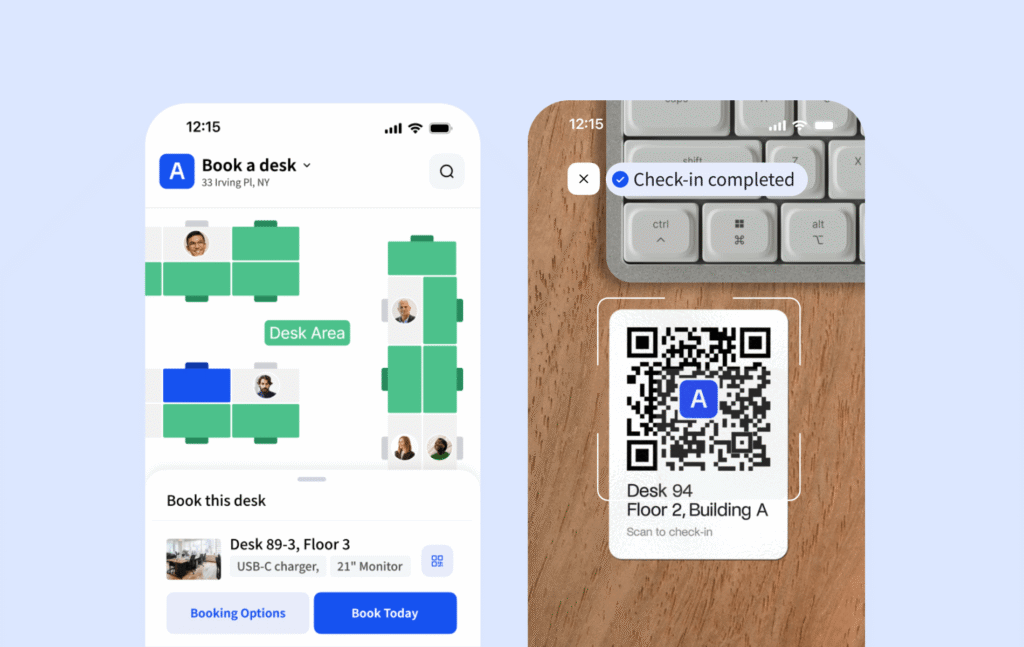
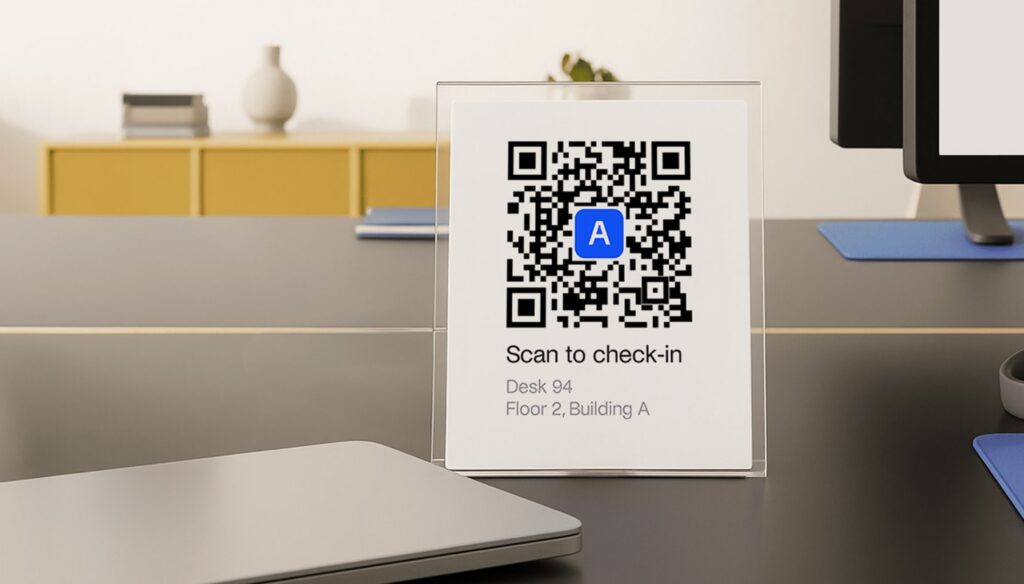
- QR code or app-based desk check-in
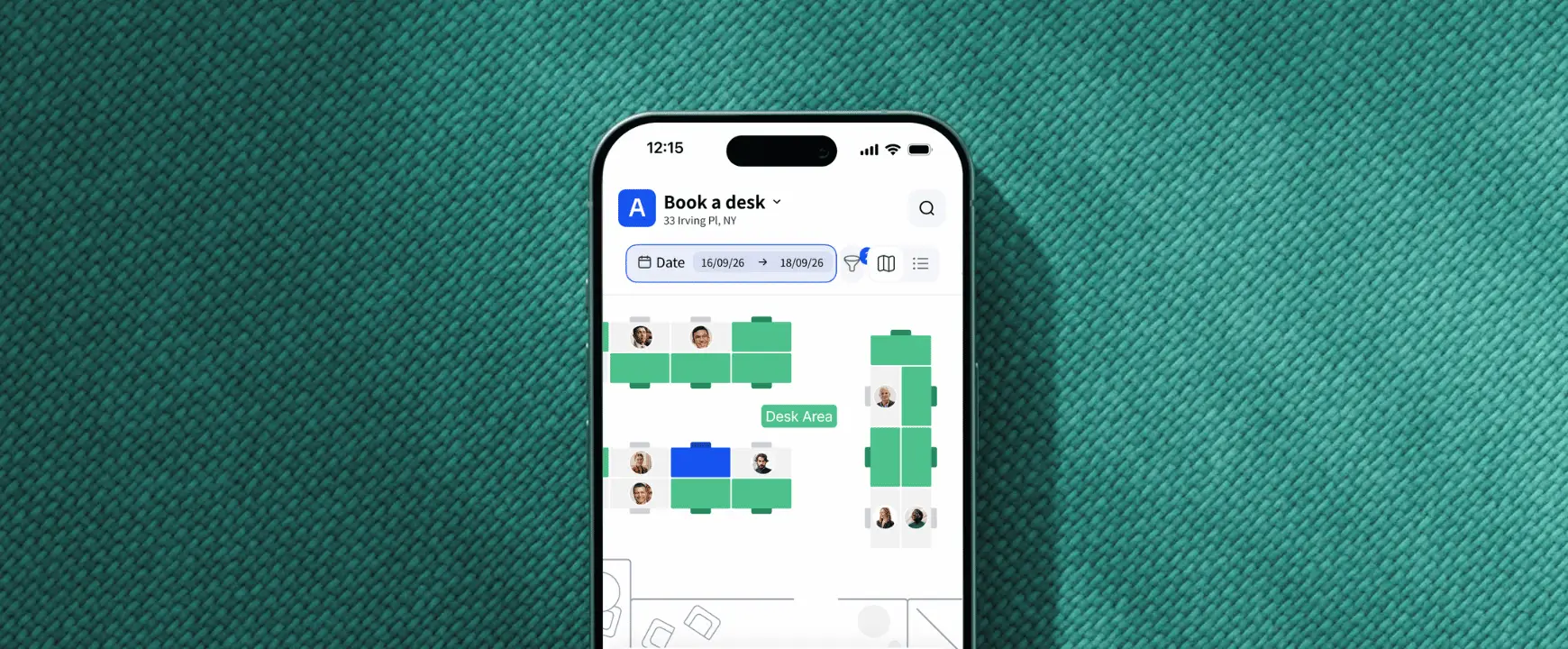
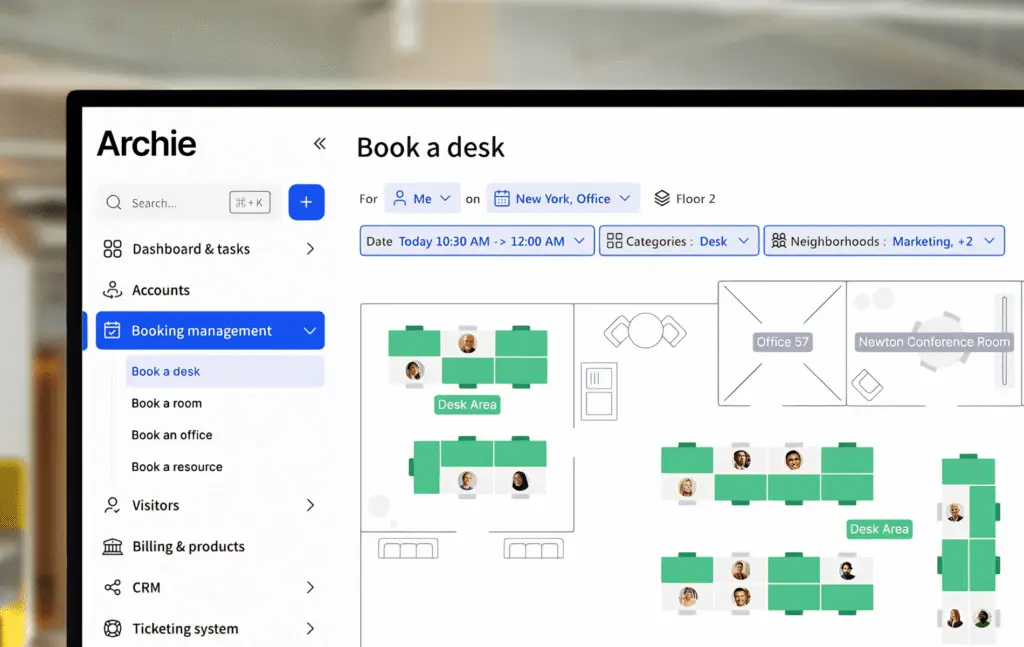
- Visual floor plan and ‘Work week’ view to find and book nearby seats
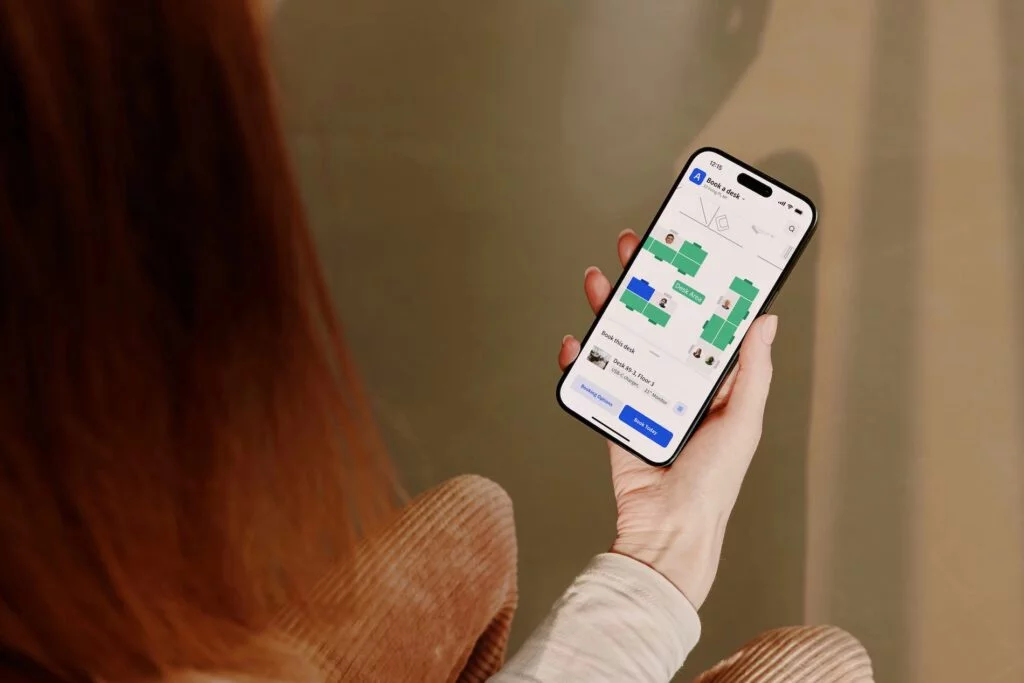
- Book via web app, mobile app (iOS & Android), Microsoft Teams, Outlook, or Slack
Archie Desk’s approach is user-friendly, so employees actually adopt and use Archie to reap all the benefits of a hybrid work schedule. Your reports and analytics are all the more accurate as a result.
For employee convenience, they can reserve a room from the web app, mobile app, Teams,, a kiosk, or by scanning a QR code.
In practice, that means an employee can book a recurring desk for every Thursday without ever leaving Teams, it will sync to their calendar and be immediately visible to teammates, and they’ll get a scheduled reminder on Slack.
Recurring bookings round this out for people with consistent hybrid schedules.
Archie desk booking lets team members explore the interactive floor plan, use a list of available desks, and/or filter desks by resources. Whether your team needs a large monitor, extra chargers, or just a quieter area to focus, finding the right desk becomes straightforward rather than a matter of luck.
The ‘Work week’ feature is my personal favorite aspect. If I were only working in the office a few days weekly or monthly, my priority would be to find a spot near my team (or favorite folks at least!). Archie Desks gives you an easy glimpse into who’s in during the work week so reserving a seat nearby colleagues on the same days is manageable in a matter of clicks. This may seem minor, but small features like this drive real behavioral change: and when habits become effortless, they’re more likely to stick.
QR code check-in at the physical desk also adds an optional layer of accountability without being cumbersome.
Customizable workplace to reflect your office/s and policies
- Interactive floor plans with visual desk and room mapping
- Multiple desk types and team zones: hot desks, dedicated, part-time, and permanently assigned
- Multi-site management from a single admin interface
Configuring Archie booking to reflect your actual office space may take a little time, but the setup is very intuitive with the help center articles. If you’re a Pro or Enterprise customer, your plan includes premium onboarding and custom branding.
Uploading your floor plan and mapping out desks makes hot desking or hoteling visually explanatory for employees when they come to reserve seats and spaces. If you are ever expanding or altering your workspace, your floor plan is easy to adjust any time.
Input different booking rules per desk (or keep them the same across the board). Some desks may be permanently assigned; others permanent for part-timers but easily released for reservation when they work at home; other desks open to advanced reservation, on-the-spot hot desking or recurring reservations.
Admins can also define ‘neighborhoods’, which act as team-specific zones – unbookable or even invisible for users not grouped in that team. Differentiated advance booking windows are also possible across user groups, so leadership or specific departments are given priority.
Real-time visibility so management always has the full picture
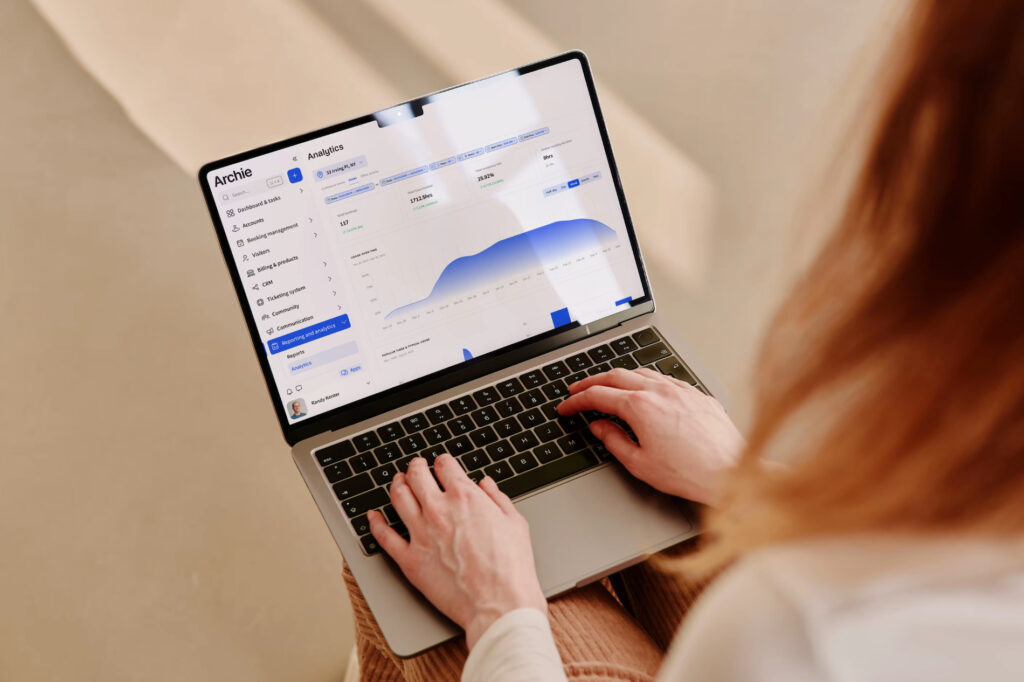
- Desk occupancy and usage analytics over time, team and individual views (data exports)
- Automated no-show protection with booking dependency rules to release unoccupied desks or resources
Unpredictable attendance is managed through live floor plans and team day scheduling, so clarity prevents bottlenecks. The onus doesn’t fall on management to ensure maximized use of space, as there will be a more organic use of desks and days.
For example, you may have found that Wednesdays are overflowing but Fridays you can hear a pin drop, attendance is so low. Adjust your settings to require employees to book desks in advance. This nudges people to spread out across the week more evenly, reducing the Wednesday crunch and making better use of quieter days.
You also don’t want your office/s to be haunted by ghost bookings, with booked out desks sitting empty thanks to no-shows. This can be handled automatically via QR check-in, with desks auto-released and free to others when the reserver fails to check in within your custom-defined window.
If you’re in charge of implementing a new hybrid work policy, or wish to check the temperature of an existing one, Archie’s analytics gives you easy data on how your workplace resources are being used. Reporting is covered by utilization rates, peak hour data, no-show metrics, and multi-location rollups, all exportable as CSV for deeper analysis.
What makes Archie software stand out?
Archie has built a strong reputation in the workspace management space. The pattern in the reviews is hard to miss: teams love that it’s genuinely easy to use without being light on desk booking features, quick to set up without cutting corners, and backed by responsive, friendly support.
When it comes to desk booking, Archie more than holds its own against the field. Archie was built specifically for desk and room booking, and that focus shows. Where competitors like Envoy expanded into space management later, Archie offers more developed features out of the box:
- Resource filtering,
- Team neighborhoods,
- Auto-release policies.
Platforms like Floor Plan Mapper handle pure booking well, but don’t offer as much besides. This gives teams a less clear picture into how their space is actually being used. Archie goes further with;
- Colleague schedule visibility,
- Real occupancy insights,
- Deeper calendar integration.
The biggest differentiator is pricing. Tools like deskbird and YAROOMS base their pricing on headcount, meaning the more your team grows, the more you pay. This is regardless of how much space you’re actually managing.
Others like Robin and OfficeSpace don’t have public pricing, which makes comparison difficult from the outset. Archie’s transparent model is built around the space, not the size of your workforce, making it a much more predictable pricing choice for hybrid teams.
Archie desk booking offers both simplicity and workspace intelligence.
How Archie desk booking software integrates with your existing tech
Archie’s integration library is broad enough to cover most enterprise tech stacks without requiring custom development.
Productivity & communication (the ones that drive adoption)
Microsoft Teams: Book desks and rooms, and see colleagues
Microsoft Outlook & 365: Two-way calendar sync and direct booking from Outlook
Google Calendar & Workspace: Real-time room calendar syncing across Google’s suite
Slack: Receive reservation notifications directly in Slack
Zoom: Automatically attach meeting links to Archie reservations
Zapier: Connects Archie to 1,000s of additional apps where native integrations don’t exist
Identity & Access Management (critical for IT teams)
SSO / SAML: Single sign-on with your existing provider
SCIM: Automated permissions sync from directories like Entra ID
Door access: Native integrations with Kisi, Salto, Brivo, Tapkey, DoorFlow, and Welcomr
- API ouverte
For anything not covered natively, Archie provides a fully documented open API so your dev team can build whatever’s missing.
Final verdict: is Archie for you?
✅ If you’re a mid-sized to large team navigating a hybrid or RTO setup, Archie desk booking is a genuinely strong choice. It does what it promises: makes desk booking easy for employees, gives admins real visibility, and keeps costs predictable as your team grows. The pricing model alone sets it apart from most of the competition.
❌ It’s not perfect. Smaller teams may find the minimum pricing hard to justify. Reporting could also go deeper for those who want granular analytics.
But the core product is solid, our support reputation is consistently strong across reviews, and the feature set hits the right notes for most hybrid offices without overcomplicating things. Archie’s multiple positive reviews (including this one!) show that the software earns its ranking as the best for most office teams.
Archie Desks FAQs
Can Archie be bought as desk booking only?
Yes! Archie offers a suite of products: Archie Desks, Archie Rooms, Archie Visitors, and Archie Coworking. If desk booking is all you need right now, Archie Desks is a perfectly complete solution on its own. Archie Desks and Archie Rooms share the same product and interface, making them a compatible duo to book desks, meeting rooms, phone booths, office equipment, or any other customized resource all in one place.
Does Archie charge per user?
Yes! Archie offers a suite of products: Archie Desks, Archie Rooms, Archie Visitors, and Archie Coworking. If desk booking is all you need right now, Archie Desks is a perfectly complete solution on its own. Archie Desks and Archie Rooms share the same product and interface, making them a compatible duo to book desks, meeting rooms, phone booths, office equipment, or any other customized resource all in one place.
Is there a free tier?
No. Archie doesn’t offer a free plan, though a 14-day free trial is available after a demo. Paid plans start at $159/month on Starter (charged per desk at $2.80/desk/month) and $249/month on Pro ($3.50/desk/month). If you’re a very small team, it’s worth doing the desk-count maths before booking a demo: the minimum pricing means Archie is better suited to mid-sized and larger organizations.
Can employees book from the tools they already use?
Yes. Employees can book desks and rooms directly from Microsoft Teams or through the Outlook add-on, keeping everything in their existing workflow without switching tools. Slack users get booking notifications and can check in or release bookings without leaving Slack, and Google Calendar stays in sync for those on Workspace. There’s also the Archie web app and mobile app for iOS and Android for booking on the go. Most employees end up using whichever channel they’re already in, which aids adoption demonstrably.
Does it require hardware?
This is optional. Archie is fully functional without any additional hardware. However, many larger offices often use Archie on a desk booking kiosk. This can essentially be any touchscreen device, and it displays an interactive floor plan for easy, visual booking and check-in.
How fast is implementation?
Onboarding can take a matter of days. You can opt for a self-serve or full expert setup, depending on your time and needs. Make sure you do invest the effort to set your space up comprehensively for a better employee experience once you roll out Archie.
Can I manage multiple locations from one account?
Yes, many of our customers manage multiple sites and multiple user groups with one single admin interface. With Archie, it’s easy to scale: adding desks, locations or users is intuitive and fast. Each location gets its own interactive floor plan, and you can set different booking rules, neighborhoods, and policies per site without them bleeding into each other.