



















- What you’ll learn
- When free(mium) desk booking software actually works well
- The biggest limitations of free plans
- Which desk booking software features usually require paid plans
- What desk booking software features you should look for
If you’re researching desk booking software right now, you’ve probably noticed two things pretty quickly:
First, there are a lot of tools.
Second, many of them claim to do the exact same thing.
So, naturally, you might be wondering which features actually matter. In this guide, I’ll break down when a free desk booking solution is enough, how different pricing models affect cost, and why many teams eventually move away from spreadsheets and manual systems.
First things first:
Do you even need desk booking software?
Honestly, not always.
If your office is tiny, your team comes in occasionally, and there are only a few shared desks, a spreadsheet can still work surprisingly well.
For example, Archie’s free hot desk booking template is designed specifically for very small offices that just need a lightweight way to reserve desks.
The issue usually starts once adoption grows. People overwrite bookings, someone forgets to update the file, and nobody knows who’s actually coming in. This is usually the point where spreadsheets start becoming exhausting to manage, and you have to look for a proper desk booking system.
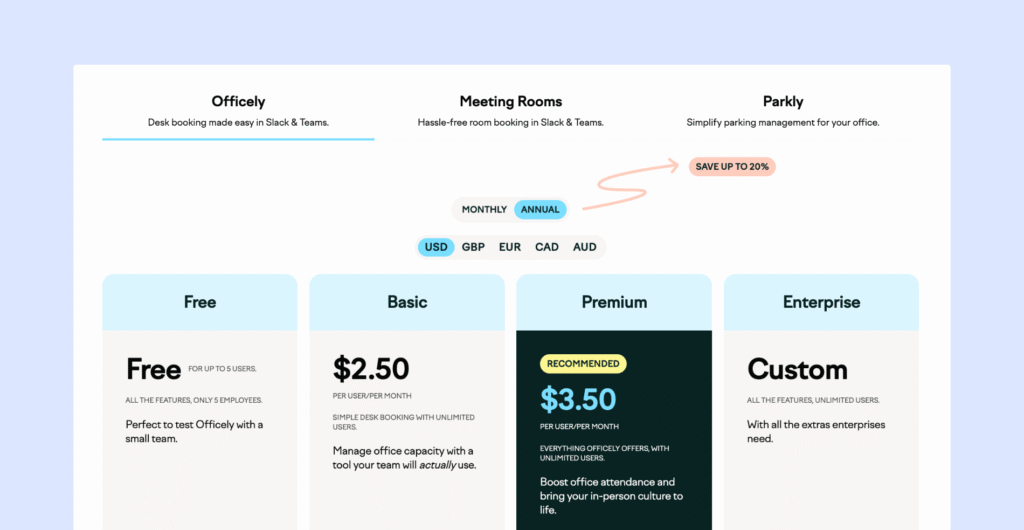
Free(mium) desk booking software
Apart from spreadsheets, true ‘free desk booking software’ doesn’t really exist. There are, however, some freemium options that could work for very small teams, or as extended free trials or pilots that help you test the software before you fully commit.
In general, free tiers cap users, desks, or locations, while paid tiers unlock the features that matter once adoption grows: analytics, SSO/SCIM, multi-location rollout, API access, branding, and formal support/SLA terms.
💡Examples of freemium desk booking software:
Paid desk booking software
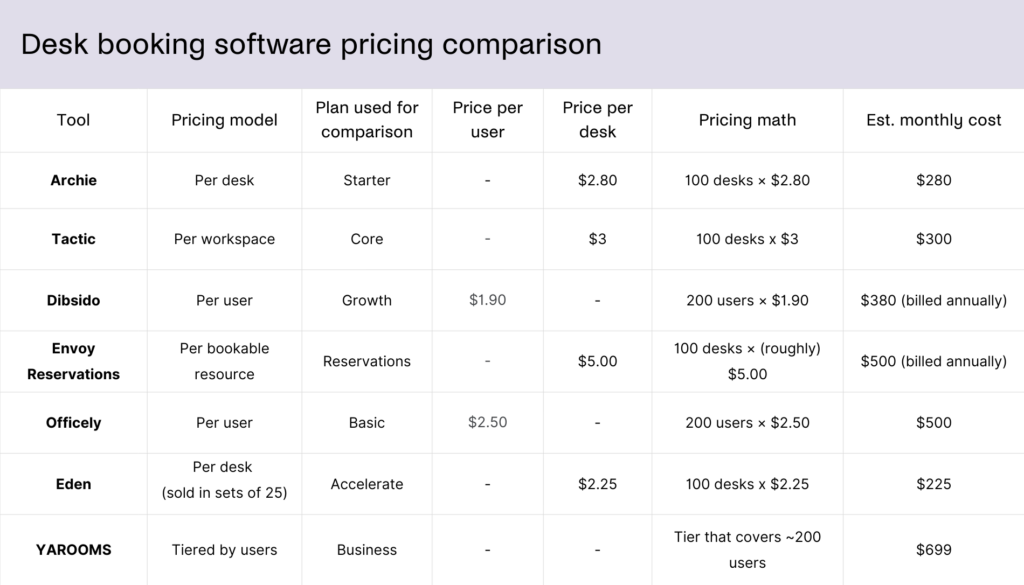
With paid desk booking tools, the biggest difference is the pricing model, not just the price level. You’re going to find per-user pricing (deskbird), per-desk pricing (Archie Desks), flat-rate tiers (YAROOMS), and platform-fee-plus-module pricing (Envoy).
The exact model matters most for hybrid offices with more employees than desks. Imagine that you have 200 employees, but only 80 shared desks. In that case, paying per desk or choosing a flat-rate plan can be more cost-effective than paying for every employee who might come in occasionally.
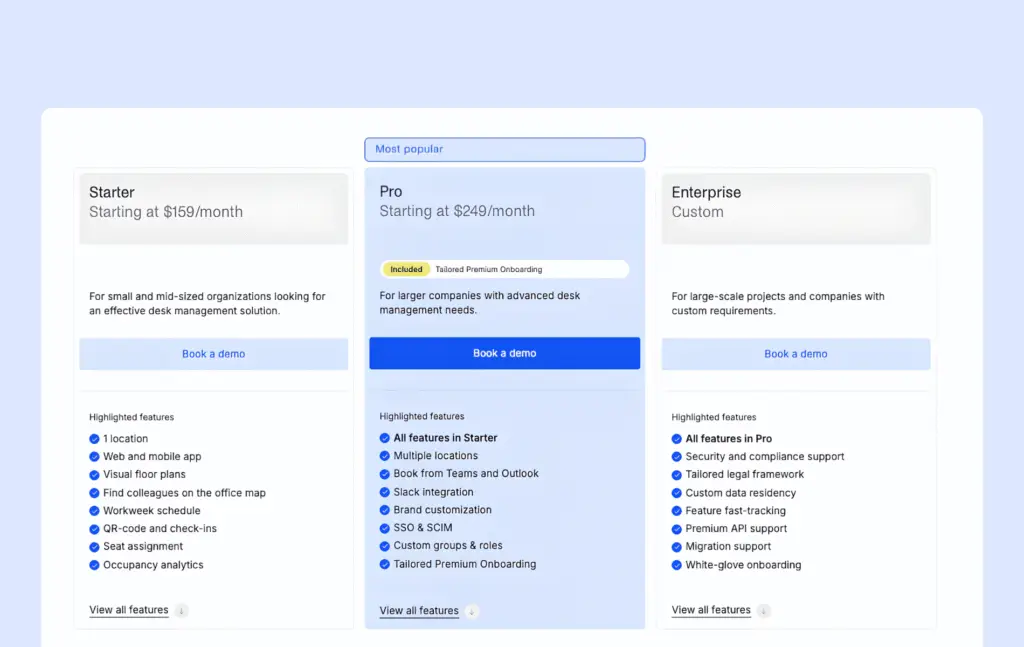
What makes comparing vendors even more difficult is that many vendors do not show full pricing publicly. The real cost may depend on add-ons, platform fees, setup fees, implementation support, or how the vendor defines an “active user.”
For example, Envoy charges a platform fee beyond its reservations module, while Kadence, Robin, and OfficeSpace use quote-based pricing. However, these tools are usually a better fit for enterprise buyers than smaller teams looking for low-cost desk booking software anyway.
Free vs. paid desk booking software: Key differences
At a basic level, most desk booking tools do the same thing: they help employees reserve desks, check availability, and avoid double bookings. But once you look beyond the basics, the differences between free and paid plans become much clearer.
Free or freemium tools are usually built for small teams, simple pilots, or very lightweight desk booking needs. Paid tools are designed for growing teams that need more control, better visibility, stronger integrations, and clearer data about how the office is being used.
In other words, free tools help you start booking desks. Paid tools help you manage desk booking properly as your workplace becomes more complex.
Free vs paid desk booking software feature comparison
Feature | Free(mium) desk booking software | Paid desk booking software |
|---|---|---|
Basic desk reservations | Yes | Yes |
Custom booking rules & role-based permissions | No | Yes |
Simple availability views | Yes | Yes |
Access | Web | Web & mobile apps |
User limits | Yes | No |
Interactive office floor plans | No | Yes |
Team neighborhoods/zones | No | Yes |
Desk occupancy analytics | No | Yes |
Native integrations | No | Microsoft 365, Google Workspace, Slack, SSO/SCIM) & API access |
Desk check-ins and no-show protection | No | Yes |
Employee lookup | No | Yes |
Full list of desk booking software features
You can use this as a quick checklist when you’re comparing paid desk booking options:
Desk booking experience
These features make booking fast, clear, and easy enough that people actually use it.
- Fast booking on mobile and desktop (a few clicks, no learning curve)
- Real-time desk availability, so people can instantly see what’s free
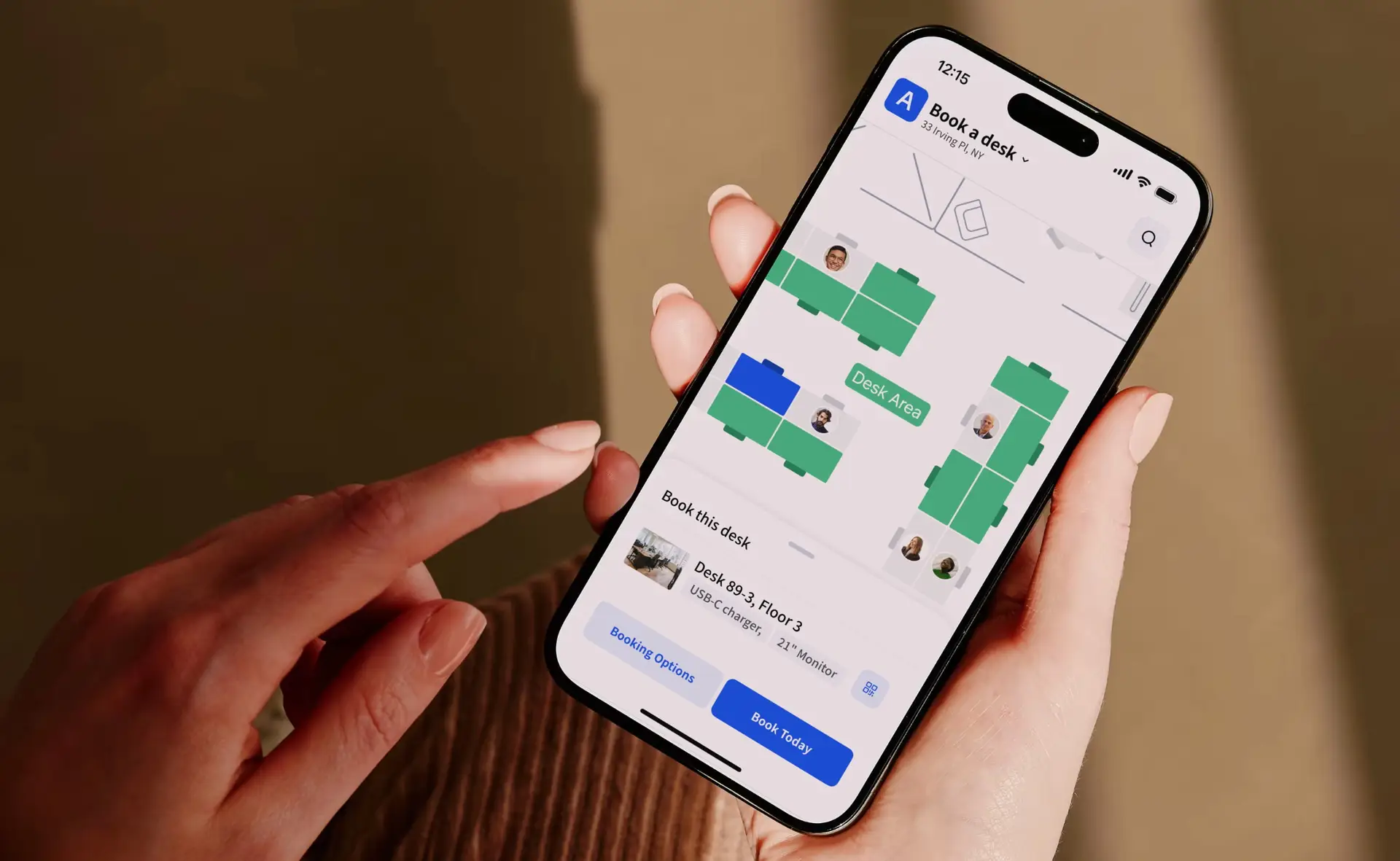
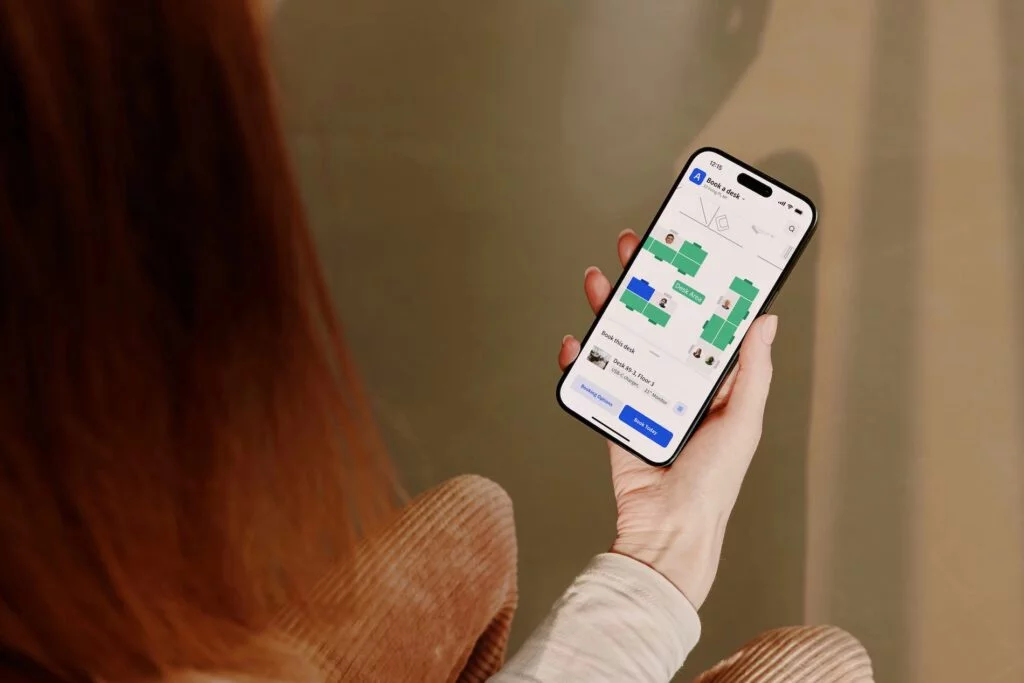
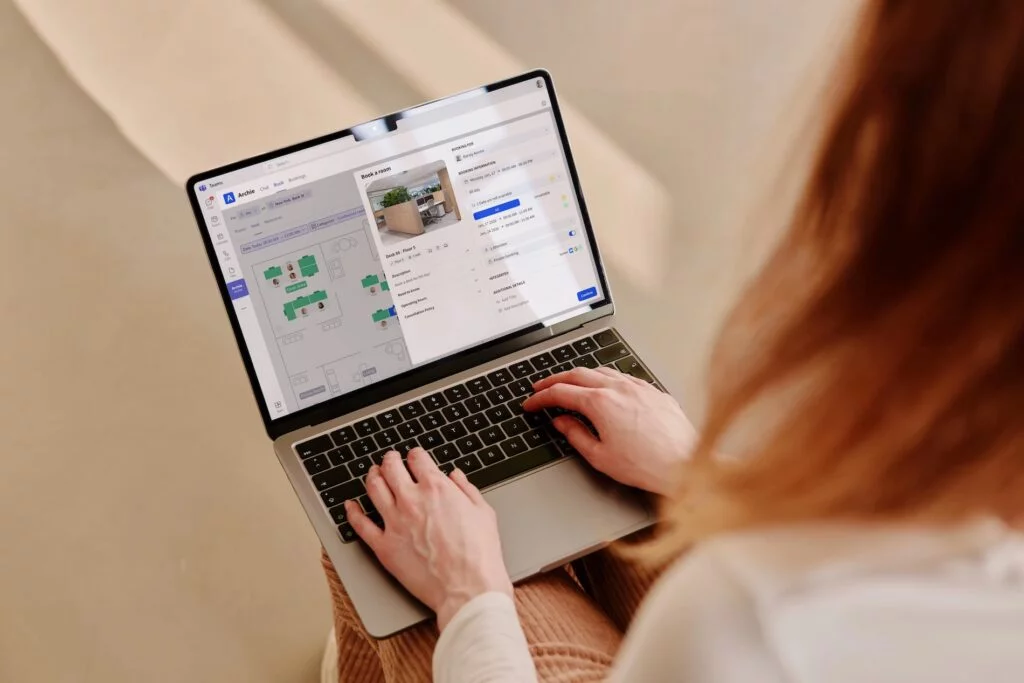
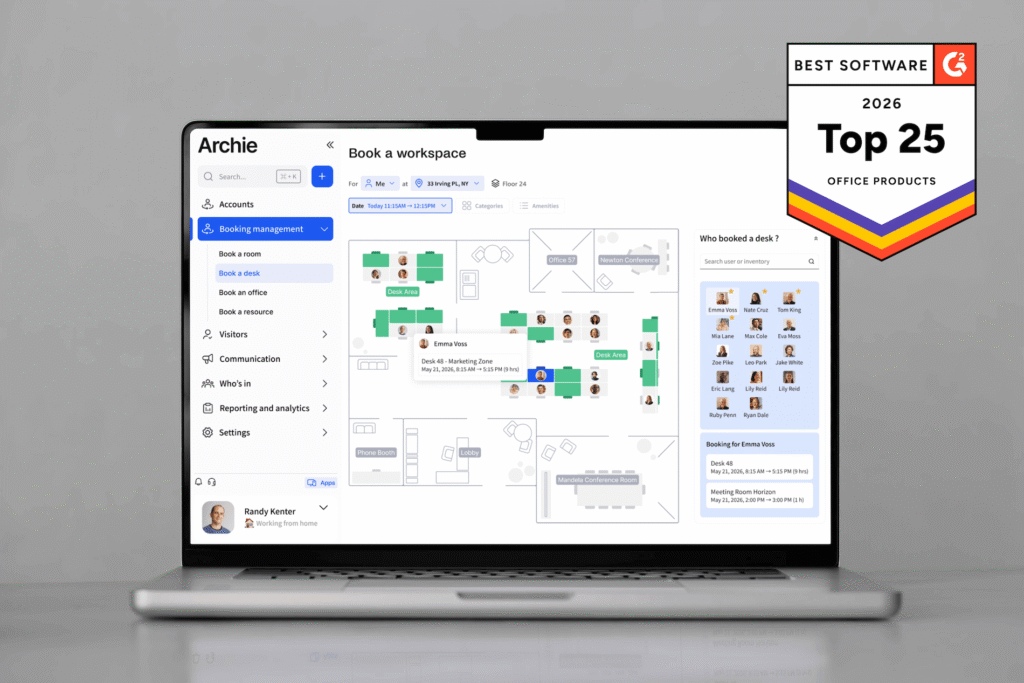
- Interactive office seating plan and a simple list view (both are useful)
- Desk filters for needs like quiet zone, sit-stand desk, team area, or location
- Calendar-friendly booking (works smoothly with Google Calendar or Outlook)
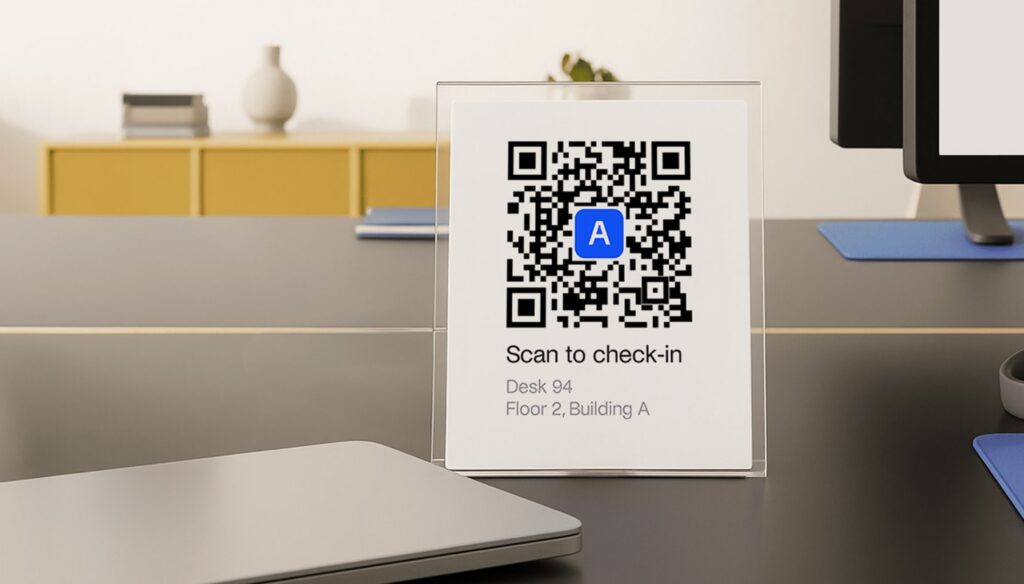
- QR code booking and check-ins for faster desk reservations
- Map-based colleague search
Desk booking types and flexibility
Offices rarely use just one seating style. A good tool should support different ways of working as schedules and teams change.
- Supports different setups: hot desks, desk hoteling, neighborhoods/zones, assigned seating
- Time slots (half-day or hourly) plus full-day booking
- Option for recurring bookings (same days each week)
Admin rules and controls
They help workplace admins keep bookings fair and predictable, especially on busy days or in shared team areas.
- Set how far in advance people can book
- Limits on booking length and booking frequency (if needed)
- Rules for who can book which areas
- Clear cancellation rules and cut-off times
- No-show protection, like check-ins and auto-release desks if someone doesn’t show up
Employee visibility
These desk booking features are all about helping teams coordinate and helping workplace teams know who is on-site without chasing updates in chat.
- Visibility into employee work status and office attendance
- See who’s coming in on a given day
- See where teammates are sitting (so people can sit together)
- Simple “people finder” or directory view
- Admin view of who is on-site right now
Reporting and space insights
These features turn booking activity into real planning data, so you can spot patterns and make smarter office space decisions.
- Occupancy reports by desk, zone, day, and time
- Trends that show your busiest days and most-used areas
- Flags for desks or zones that are rarely used
- Easy exports for sharing and planning
Integrations and access
The best tools fit into what you already use, and they make login and permissions simple for both IT and workplace admins.
- Works with tools your team already uses: Google Workspace, Slack, Microsoft 365 (mostly Microsoft Teams & Outlook)
- SSO for secure, easy login (especially for larger teams)
- Clean admin permissions (so managers and admins can do what they need)
Should you choose a free, low-cost, or enterprise desk booking solution?
If you’re running a small pilot or managing a team of fewer than 10–15 people, a free or freemium desk booking tool may be enough. In some cases, even a simple spreadsheet can work, especially if you only need basic desk reservations and do not have many people booking at the same time.
Once your office setup becomes more structured, though, a low-cost paid plan usually makes more sense. This is where features like interactive floor plans, recurring bookings, mobile access, teammate visibility, and stronger admin controls start to matter. These features help reduce confusion and make the booking process easier for both employees and office teams.
The next major decision point is security and operations. If your company needs SSO, SCIM, API access, formal IT reviews, advanced permissions, or stricter admin controls, you will probably need a higher-tier plan from the start. The same is true if you manage multiple locations, need deeper desk occupancy or full workplace analytics, or want desk booking to connect with specific third-party systems via native integrations.
Pricing model matters too. Since many desk booking tools offer similar core features, the best choice often comes down to how the vendor charges. Before choosing a tool, look closely at your budget, current number of employees, number of desks, and your growth plans for the next year.
In hybrid offices where headcount is much higher than desk count, per-desk or per-space pricing can often be more cost-effective than paying per employee. That’s why resource-based tools like Archie can work well for companies that want to optimize office space without paying for every occasional user.
My overall recommendation is simple:
- Start free if your setup is small and lightweight
- Move to a paid plan once office coordination becomes harder to manage manually
- Consider enterprise platforms only when security, certain integrations, analytics, and workplace operations become strategic priorities
For most growing teams, Archie is a strong middle-ground choice because it combines the features teams usually need, like desk booking, floor plans, workplace visibility, admin controls, and integrations, with pricing based on desks rather than every employee. That makes it especially useful for hybrid offices that want an advanced, scalable system without jumping straight into an expensive enterprise platform.
Desk booking features FAQ
What features should I look for in desk booking software?
Look for software that makes booking easy for employees and simple to manage for admins. The most important features are real-time desk availability, mobile and desktop booking, interactive floor plans, recurring bookings, desk filters, check-ins, auto-release for no-shows, teammate visibility, reporting, and integrations with tools like Google Calendar, Outlook, Microsoft Teams, Slack, and SSO.
Are there free desk booking software options?
Not quite. Some tools offer limited free plans, while others offer free trials or templates, like Archie’s free desk booking template. As teams grow, free plans often become too limited because features like analytics, SSO, visitor management, advanced rules, and integrations are usually part of paid plans.
How much does desk booking software cost?
Desk booking software can be free for very small teams, while paid plans often start around $2–$5 per user, desk, or workspace per month. Some tools use flat monthly pricing, and enterprise platforms are usually quote-based. The desk booking software pricing model matters a lot: if you have more employees than desks, per-desk pricing can often be more cost-effective than paying for every employee.