




















Spacebring is a coworking software that aims to be a central platform for all coworking activities.
Spacebring is one of those tools people genuinely like. But liking your software and it being the right fit long-term aren’t the same question. If you’ve been on Spacebring for a while, you might be starting to feel where the edges are: automation that stays fairly manual, support hours that assume you’re in Europe, an interface that hasn’t changed much.
So here’s an honest look at what else is out there. I run content at Archie, so yes, I think Archie is usually the better move, but I’ll tell you plainly where it isn’t, and where Spacebring or one of the others still wins. You’re the one running the space; you should get the full picture before you decide anything.
If you’re skimming:
- Archie is the best overall pick if you want Spacebring’s ease of use plus automation, e-signatures, and support that includes North America.
- Optix is for a mobile-first member experience with a heavy focus on automation.
- Nexudus can be the deepest, most configurable option, especially if you want to rebuild your member portal from scratch.
- OfficeRnD is built for scale: multi-location portfolios, complex billing, corporate accounts.
- Coworks can offer a lighter experience built around community first.
To choose the right tool, I’ve laid out the most relevant features, as well as pros and cons, pricing, and true user sentiment. Companies opt for Archie as it comes out on top for user feedback and offers a broad breadth of features for any coworking space.
Let’s get into it.
1. Archie
Archie is a workspace platform with separate products for coworking, visitor management, and desk and room booking — we’ll stick to Archie Coworking here, since that’s the direct comparison to Spacebring. It covers memberships, bookings, billing, CRM, and visitor management in one system, and it’s been doing that for coworking operators for over a decade.
Who’s Archie best for? Mid-sized and multi-location operators who love how Spacebring feels but keep running into its edges — no built-in automation depth, support that goes quiet after 5pm Eastern, an interface that could use a refresh. If that’s you, Archie is worth a real look. It’s less of a fit if all you need is a simple community tool for a single small space; that’s Coworks’ lane, further down this list.
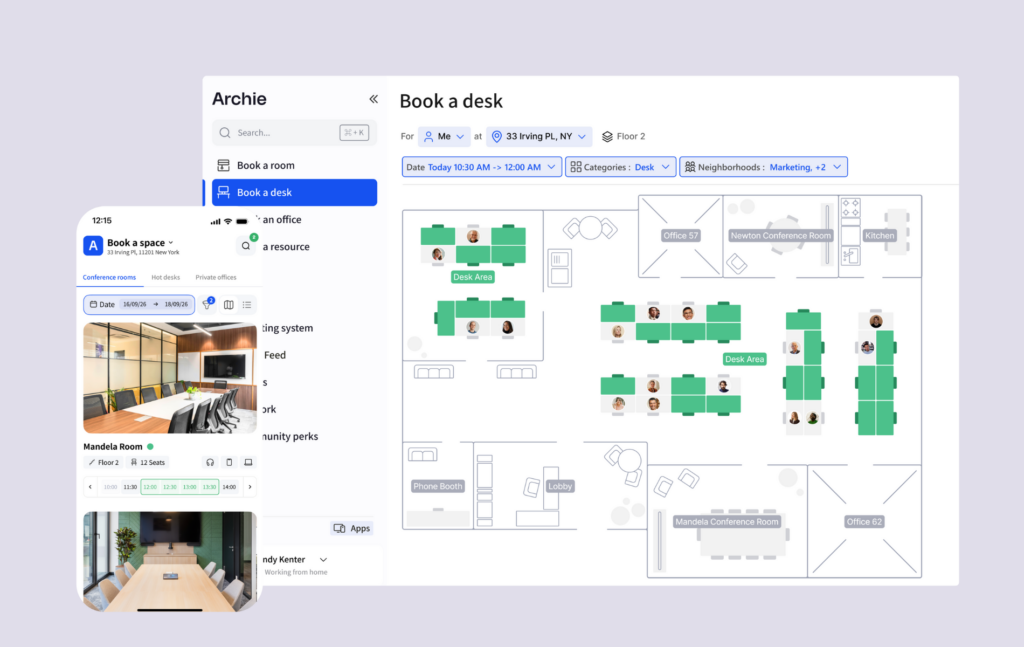
Lorem ipsum dolor sit amet, consectetur adipiscing elit. Ut elit tellus, luctus nec ullamcorper mattis, pulvinar dapibus leo.
What are the key features of Archie?
Archie’s offers a flexible, very user-friendly coworking platform.
- Coworking Archie CRM. Leads, tours, pipeline stages, quotes, and contracts with e-signatures built in. Spacebring is bulking out its own CRM capabilities, having recently included e-signatures into the fold, however Archie offers more robust end-to-end deal management.
- Visitor management, as Archie Visitors and deliveries is included automatically in the Pro plan — pre-registration, QR check-in, badge printing, host notifications. Spacebring charges for this separately, at $59/month per location.
- Automations. Manage memberships, billing, bookings, reporting, and visitor workflows – connected by strong integrations with tools like Stripe, QuickBooks, Google Calendar, IronWiFi, and more. Archie competes well with Spacebring in this realm.
- Excellent Archie member experience: Community features, custom profiles, community feed, member directory, and chats, as well as perks and discounts. iOS and Android apps plus a full-featured web portal for who prefer desktop space booking (via calendar, interactive floor plan).
- White-label domains: Custom URLs for member portals included in the Pro plan, with full brand removal available. A white-label mobile app is an add-on, just like at Spacebring.
- Analyses et rapports: rapports sur le chiffre d'affaires, analyses du taux d'occupation, présence sur site, réservation et informations sur les membres.
- Flexible memberships. Construct a concrete membership structure in a shape that makes sense for individuals and groups, Archie lets you allocate credits as part of broader membership rules, with daily, weekly or monthly plans. Spacebring focuses more on automated credit engines and self-service plans.
- SSO and SCIM, included in Pro. Automatic access and permissions tied to your directory, so members get added and removed without manual admin work. Spacebring doesn’t offer this.
Combien coûte Archie ?
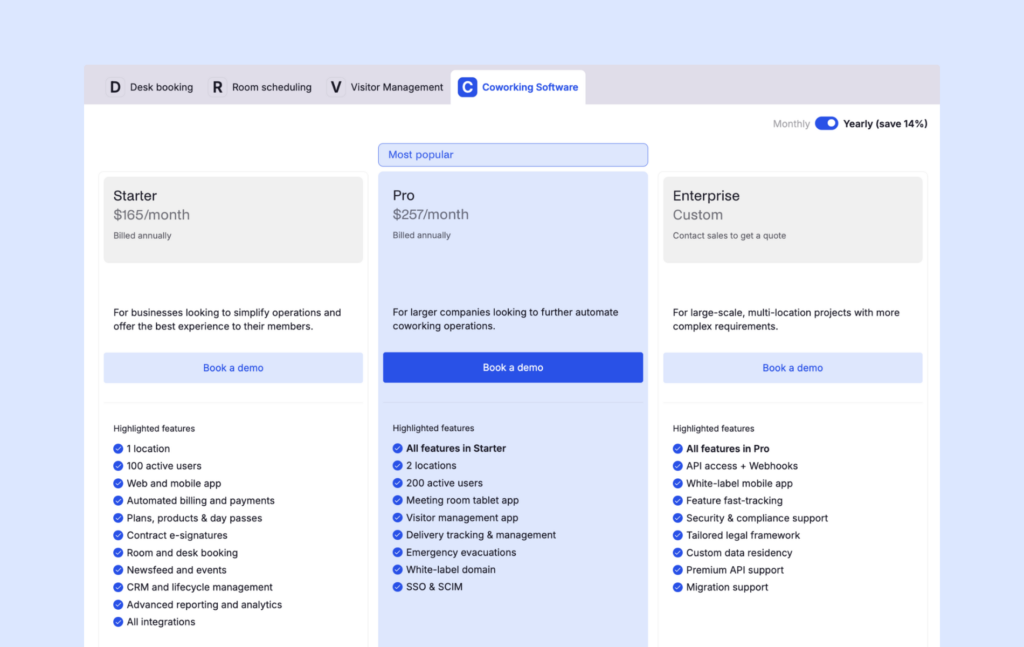
Archie’s coworking plans are bundled into three distinct tiers:
1️⃣ Starter — $165/month (billed annually): 1 location, up to 100 active members.
2️⃣ Pro — $257/month (billed annually): 2 locations, 200 active members, visitor management, meeting room tablet app, delivery tracking, white-label domain, SSO/SCIM.
3️⃣ Enterprise — custom: for larger, multi-site operations with more complex requirements.
Spacebring’s flatter Business plan structure (roughly €158 for 100 users and one location) is a close match to Archie’s Starter plan. But if you need broader functionality, Archie’s Pro plan will often be more cost-efficient than Spacebring. In Spacebring, visitor management, floor plans, and additional locations can increase your monthly cost.
What are the pros and cons of Archie?
Pros
- Strong all-in-one coworking platform that automates most of the member lifecycle.
- Polished member experience with a branded portal and intuitive app.
- Easy to use for both operators and members.
- Archie Pro plan offers more value for advanced features than having to account for monthly add-on cost
- Solid, well-maintained integrations for accounting, access control, WiFi, printing, and calendars.
Cons
- Better suited to medium and large coworking spaces than very small, simple ones.
- If you need very deep reporting or highly customizable analytics, enterprise tools may offer more.
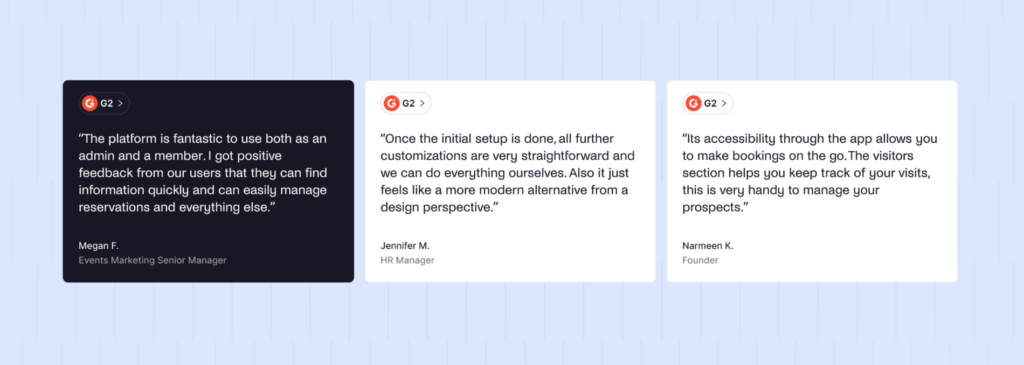
Archie sits at 4.9/5 on G2. People specifically call out how much members and admins enjoyed Archie, considering how little training their staff needed, and how quickly they were able to start using the platform for real work.
2. Optix
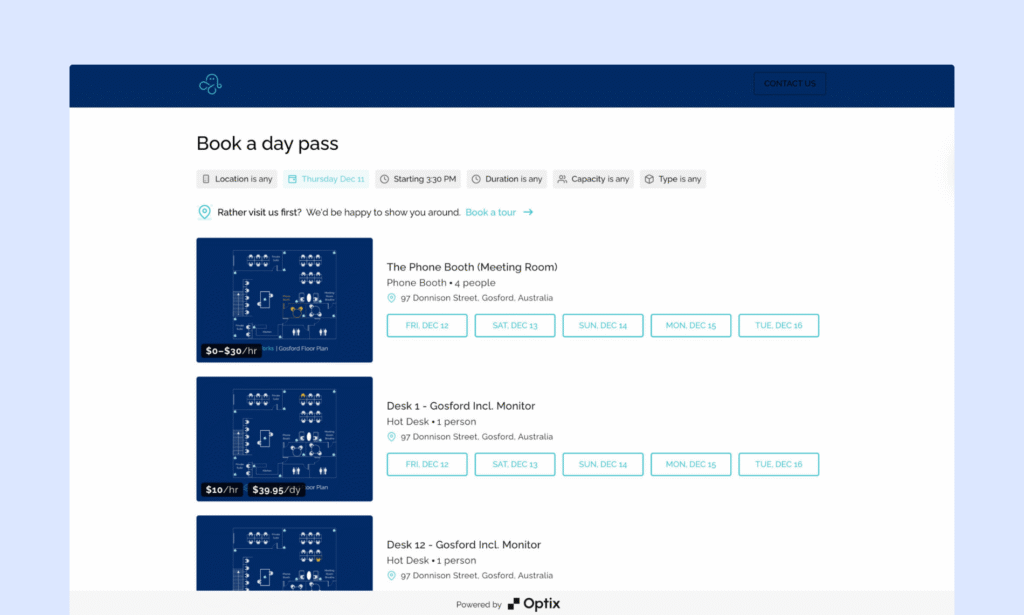
Optix started life under the name ShareDesk back in 2015, and it built its whole identity around mobile. That focus hasn’t drifted: it has a polished member app and its automation tooling has gotten deeper since.
If your members live on their phones and you want workflows, Optix may be a strong contender for you. It’s a weaker choice if your admin team wants a full desktop experience; Optix’s web dashboard exists, but it’s not where the product shines.
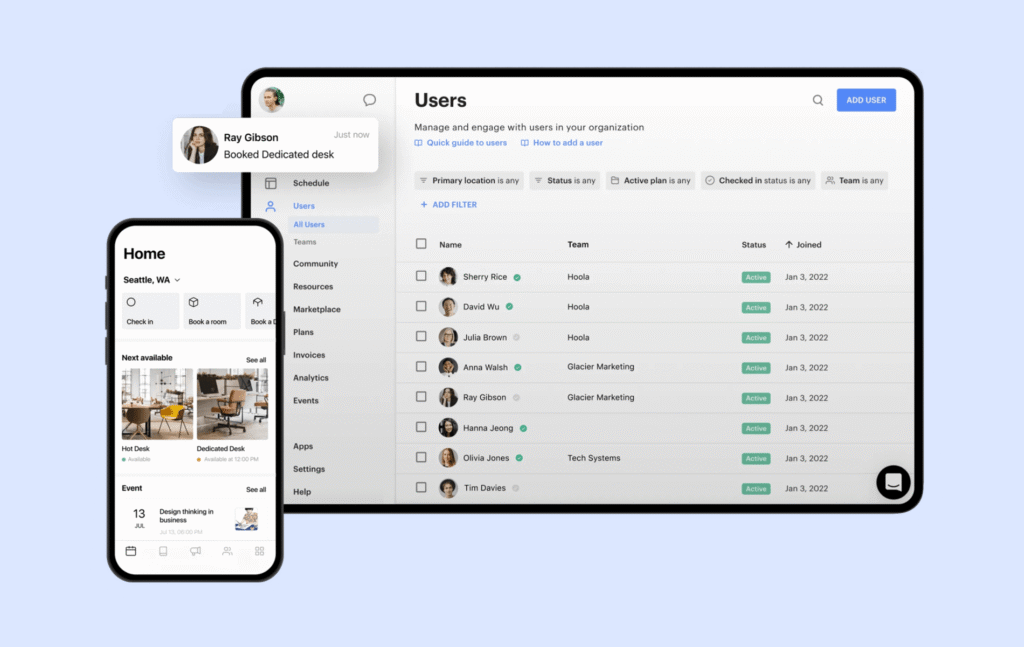
What are the key features of Optix?
Lorem ipsum dolor sit amet, consectetur adipiscing elit. Ut elit tellus, luctus nec ullamcorper mattis, pulvinar dapibus leo.
The Optix coworking product centers around two priorities: automations and mobile.
- Mobile-first member app. Booking, invoicing, community are all built for mobile – Spacebring has a mobile members’ app also.
- Automation builder. Drag-and-drop workflows that handle the repetitive admin tasks eating up your week. Each plan comes with a set number of included automation actions; go past that, and additional capacity is available as a paid add-on. This surpasses Spacebring’s own automation power.
- Smart room sorting, a feature unique to Optix, which surfaces a member’s usual favorites when they go to book.
- Analytics. Occupancy insights, revenue tracking, check-in heatmaps — with Optix, these are solid, but not exhaustive, as Spacebring’s KPI dashboards and trend reporting are more sophisticated.
- Visitor management included in all but the Essentials plan, whereas this is a per-location add-on with Spacebring.
- Community experience on par with Spacebring’s: feed, announcements, and events.
Combien coûte Optix ?
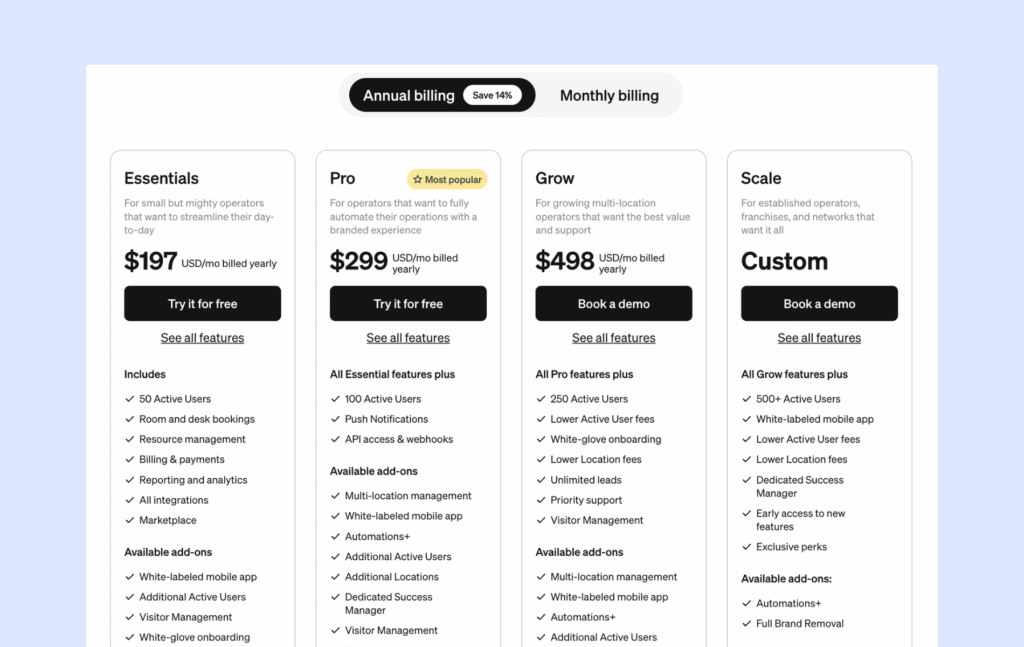
Optix propose quatre principales formules tarifaires: Essentials, Pro, Grow et Scale. Tous les forfaits comprennent des fonctionnalités essentielles telles que réservation de ressources, l'analyse de données, la gestion et l'engagement des membres, les applications mobiles, la facturation automatisée et l'assistance de base.
1️⃣ Essentials: $197/month when billed annually (50 users + 1 location included)
2️⃣ Pro: $299/month when billed annually (100 users + 1 location included)
3️⃣ Grow: $498/month when billed annually (250 users + 1 location included)
4️⃣ Scale: Custom pricing
Visitor management costs an extra $42/month on Essentials only; it’s included from Pro up. Additional locations and the white-label app carry their own separate charges. Optix doesn’t clearly define what counts as an “active user” in its plan language, so get that in writing before you commit to a tier.
What are the pros and cons of Optix?
Avantages :
- One of the best mobile member experiences on this list, arguably in the category
- Automation depth genuinely reduces manual admin work
- Support and onboarding reviews are consistently strong
Inconvénients :
- Desktop experience for both members and admins lags behind the mobile app
- Costs can climb once you’re paying for extra automation capacity or additional locations
Optix holds a 4.7/5 rating on G2. Reviewers consistently praise the automation tooling and the support team’s responsiveness. Where the complaints show up, they tend to circle cost creep — paying for users who aren’t actually active anymore is a specific, recurring gripe.
3. Nexudus
Nexudus has been around since 2012, founded in London, and it’s built its reputation on depth. If you’ve ever wished you could just rebuild your member portal from scratch, Nexudus is the one platform on this list that actually lets you.
Nexudus can be a solid choice for operators who want maximum control and have the design or dev resources to use it. It’s a rough fit if you want something that just works out of the box; Nexudus rewards configuration time, and it asks for a fair amount of it up front.
What are the key features of Nexudus?
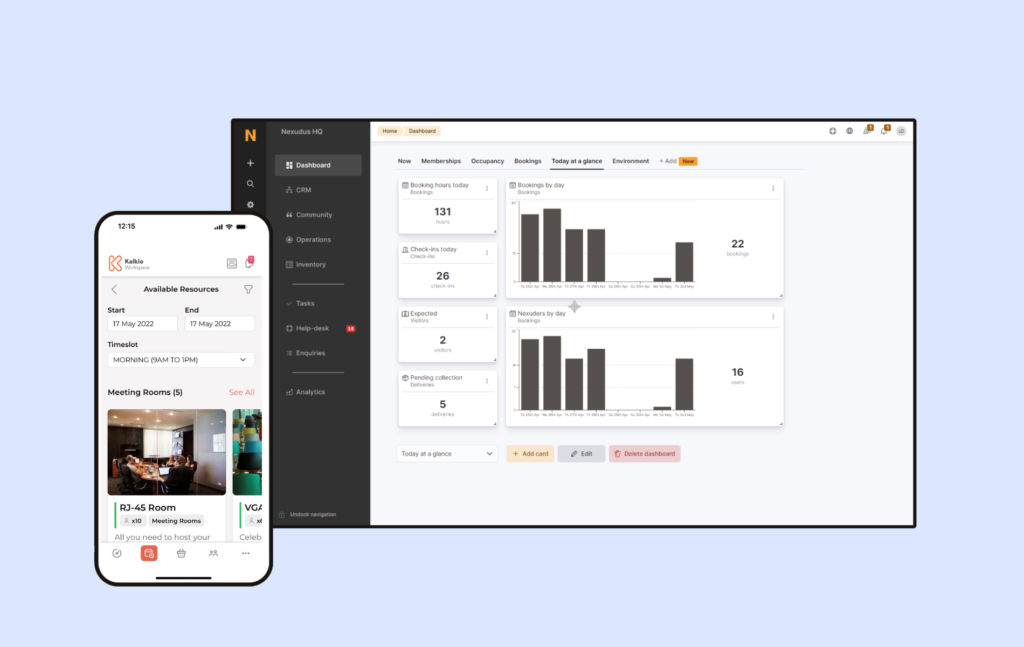
- Full portal customization, with direct HTML/CSS access (a level of control Spacebring doesn’t offer).
- Built-in CRM and email marketing: Member communications, newsletter campaigns, and marketing automation. It has more depth than Spacebring but requires more set up.
- Native point-of-sale, which is useful if your space runs a café or retail counter. Nothing else on this list has a true equivalent.
- White-label member portal and apps: Custom-branded web portal and iOS/Android apps similar to Spacebring.
- 80+ native integrations — the widest net of any platform here.
- Community platform: Nexudus’ built-in social network features, like discussion boards and articles, puts it a cut above Spacebring in this realm.
- Gestion des visiteurs: Enregistrement des visiteurs et procédures d'accueil.
- Analyses avancées: rapports détaillés, prévisions et outils de veille économique.
Combien coûte Nexudus ?
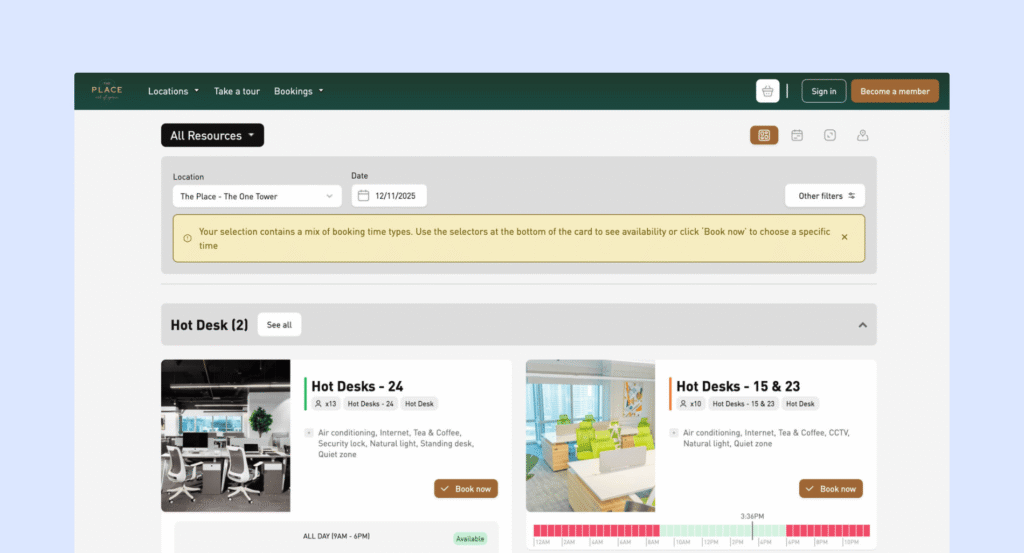
Nexudus propose un plan tarifaire de base qui s'adapte en fonction du nombre de membres actifs.
$150/month per location, for up to 80 active users.
Cost scales up from there as active users increase within that location. 500+ users, and you’re into custom quote territory.
Compared to Spacebring, Nexudus’s entry price runs close, but the scaling curve is much steeper. Costs climb noticeably as your headcount grows past that first bracket, in a way Spacebring’s flat structure doesn’t. Add-on prices include:
1️⃣ White-label mobile app: $150/month for up to 5 locations (+ Apple developer account at $99/year to publish the iOS app).
2️⃣ Explore Pro analytics: $100/month + $25/month per location for advanced dashboards.
3️⃣ Nexudus Academy training: $150/month for one location + $25/month per additional location (3-month minimum).
What are the pros and cons of Nexudus?
Avantages :
- Deepest customization of anything on this list
- Largest integration ecosystem here, by a wide margin
- Genuinely strong fit for large, multi-location operators with the resources to configure it properly
Inconvénients :
- Steep learning curve and setup takes real time, reported consistently across reviews
- Interface feels dated next to newer platforms
- In general, user reviews are not as favorable
- Enterprise cost: for smaller spaces, this is going to be the deciding factor
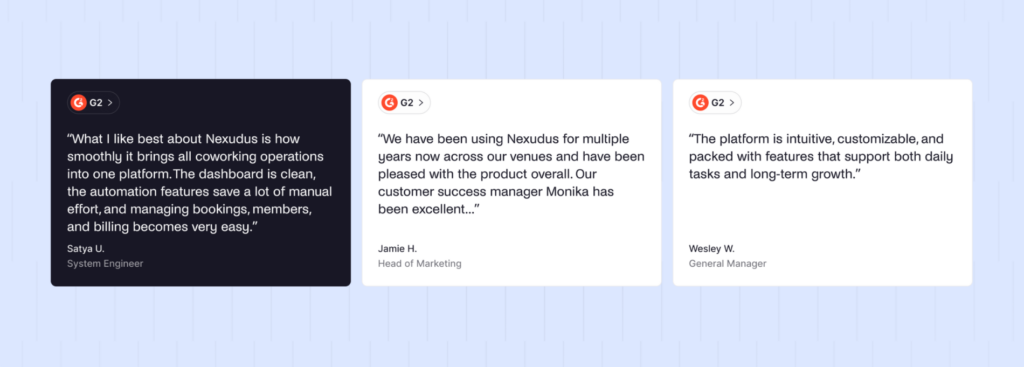
Nexudus sits at 4.2/5 on G2. This is the lowest of the group here, and it tracks with what reviewers actually say. The praise is for flexibility and integration breadth. The complaint, just as consistently, is that flexibility asks a lot of you before the platform starts to feel intuitive. This shouldn’t strike Nexudus out for those who truly need the customizability, but it requires in-house effort.
4. OfficeRnD
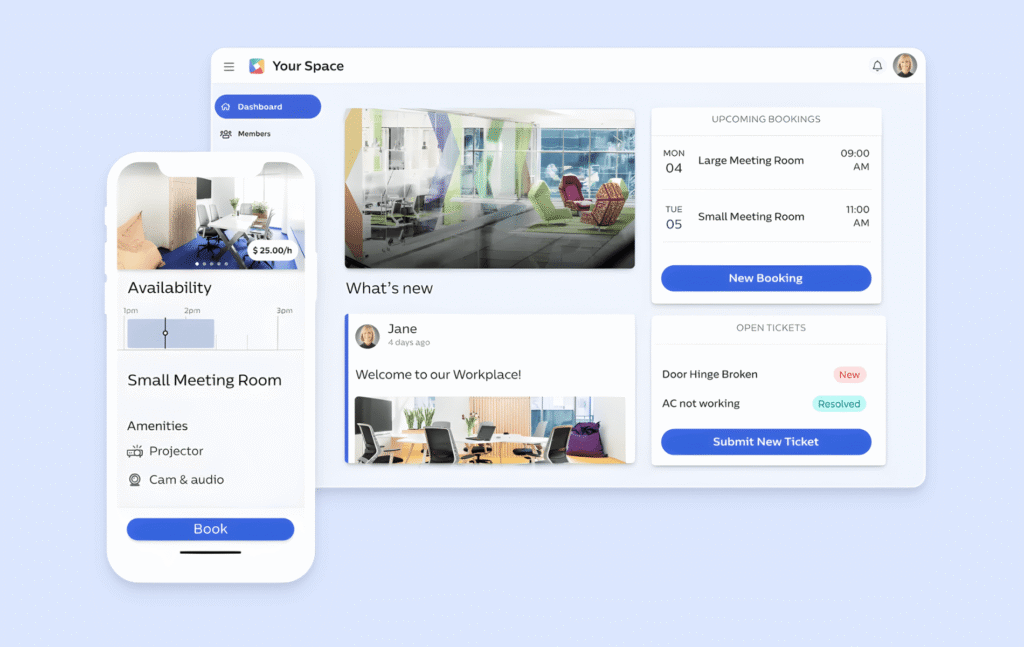
OfficeRnD Flex was founded in London in 2015, and it’s built for scale in a way none of the other platforms here quite match. Where Spacebring stays intentionally streamlined, OfficeRnD keeps adding: five separate “hubs” now, the newest being an AI Hub built to handle inbound leads and qualify prospects automatically.
OfficeRnD can be the right choice for larger or multi-location operators, especially ones juggling corporate accounts and complex billing arrangements: proration, team accounts, landlord-style reporting. If that’s not your situation, you’re paying for a lot of platform you won’t use.
What are the key features of OfficeRnD?
OfficeRnD promises depth, so let’s swim into those waters:
- Complex membership management: Individual and team accounts, corporate billing, syncing with your accounting tools.
- Advanced billing: Recurring charges, usage tracking, proration, and more complex invoicing scenarios than Spacebring offers.
- Growth Hub, turning your website into a self-serve booking storefront, is a paid add-on.
- AI Hub, OfficeRnD’s newer feature for handling lead inquiries and qualifying prospects automatically and providing forecasting and revenue analytics (also a paid add-on). Offers more depth and automation than Spacebring currently.
- Multi-location management: Designed to support multi-location operations with advanced occupancy analytics.
- API access: RESTful API for custom integrations makes it genuinely deeper than anything Spacebring offers.
Combien coûte OfficeRnD ?
OfficeRnD has changed it’s pricing a few times in 2026, adjusting to the newer Growth and AI hubs. There are three tiers, with the Hubs and branded apps sitting outside these as separate purchases:
1️⃣ Start — $165/month annual: 100 members, 1 location
2️⃣ $259/month annual: 200 members, 2 locations
3️⃣ Scale — custom
E-signatures are billed per signature rather than included. Compared to Spacebring, which bundles far more into a single flat price, OfficeRnD’s headline number tells you less about what you’ll actually end up paying. The Hubs offer true enhancements, but the value can only be calculated if you know in advance that you’ll use and profit from them.
What are the pros and cons of OfficeRnD?
Avantages :
- Genuinely strong reporting depth for large or multi-site operations
- Handles complex, corporate-style billing scenarios well
- Actively developed, with new features shipping regularly
Inconvénients :
- Onboarding regularly stretches into weeks for anything beyond a small footprint
- Interface has more menus and more configuration than most operators need
- Add-ons compound quickly — visitor tools, growth tools, and AI features are all separate line items
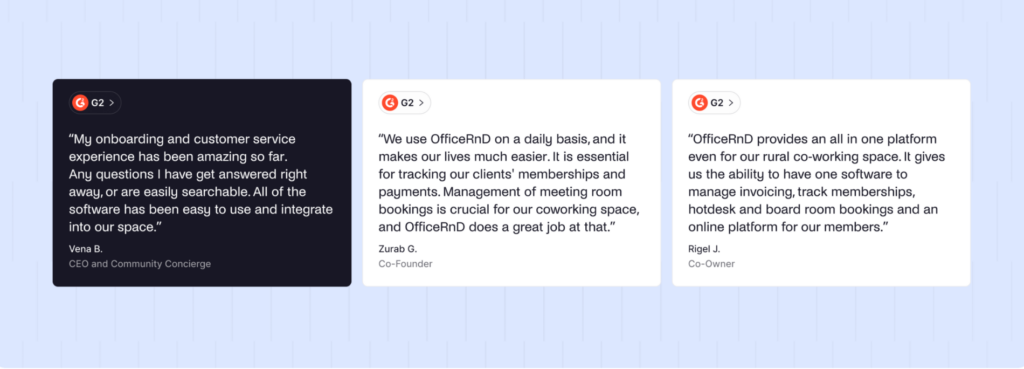
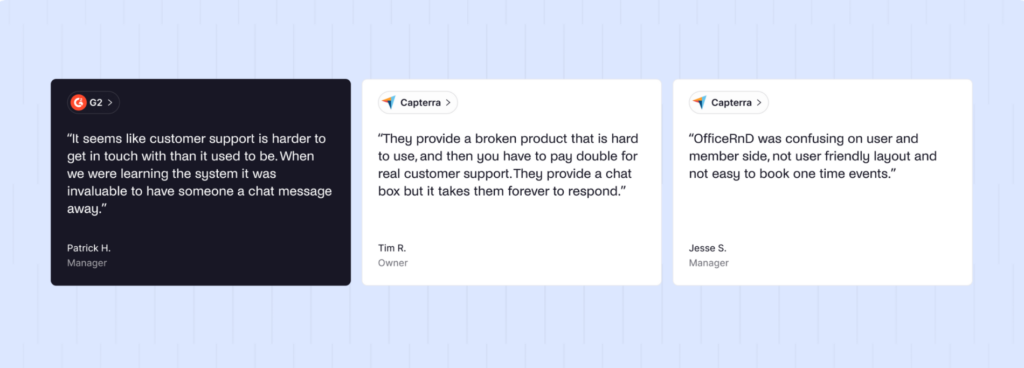
OfficeRnD holds a 4.7/5 rating on G2. The consistent praise is for feature depth, reporting, and the AI features. The consistent complaint is complexity: more clicks to get daily tasks done, a support experience some reviewers describe as slower to respond than they’d like, and a confusing interface.
Limitations d'OfficeRnd
La plateforme nécessite un temps de configuration et un effort d'intégration importants, ce qui contraste fortement avec la mise en œuvre rapide de Spacebring. La mise en œuvre prend généralement plusieurs semaines et nécessite souvent le recours à des services professionnels payants. L'interface utilisateur est plus « professionnelle » et moins intuitive que le design moderne de Spacebring.
Selon les avis des utilisateurs, le service client utilise principalement des systèmes de tickets/e-mails avec des temps de réponse lents. avis des utilisateurs. La formation du personnel prend plus de temps en raison de la complexité de l'interface, et les opérations quotidiennes nécessitent plus de clics dans les menus par rapport à l'approche simplifiée de Spacebring.
5. Coworks
Coworks takes Spacebring’s “keep it simple” philosophy and pushes it even further. Launched in 2018, it was built specifically for spaces where community matters most: incubators, social clubs, and plenty of independent coworking spaces too.
Coworks is best for small, community-driven spaces that want events, member engagement, and simple bookings without a lot of back-end complexity. It’s not the right call if you rely on a broad integration stack.
What are the key features of Coworks?
Coworks helps organizations grow their communities and business with:
- Event management. RSVP collection and attendance tracking are built in — genuinely stronger here than most of this list, Spacebring included.
- Community tools. Member directory, SMS and push announcements.
- Passport feature. Member access across multiple locations or partner spaces, handy for small coworking networks and configured better than in Spacebring.
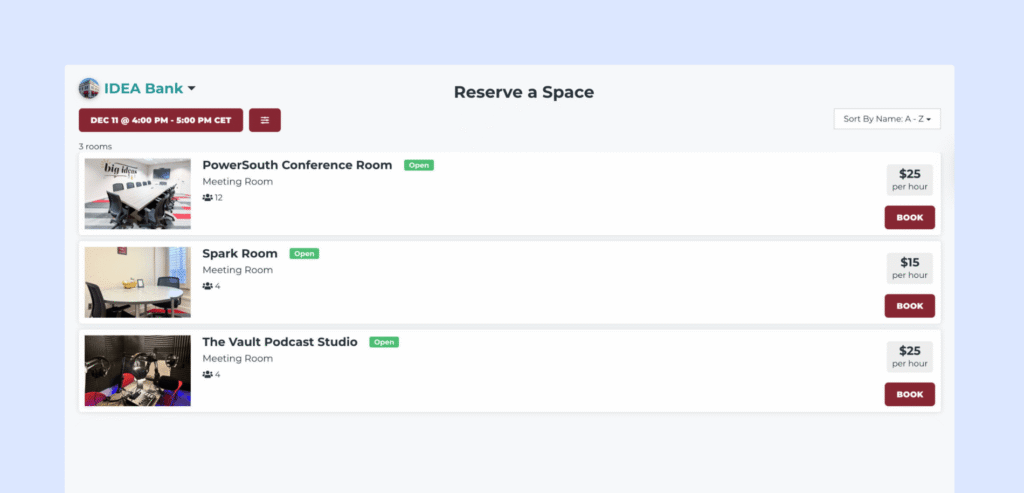
- Basic front desk and room display apps, included on the mid and top tiers.
Combien coûte Coworks ?
Coworks management software uses a flat-fee pricing model based on feature tiers rather than per-member counts.
1️⃣ Hybrid Workspace — $149/month (annual) or $199/month (monthly): up to 150 members
2️⃣ Coworking Premium — $249/month (annual) or $299/month (monthly): up to 250 members
3️⃣ Enterprise — custom
Additional locations add roughly $99/month regardless of tier. This is preditably simple, and worth crediting even where the rest of the feature set runs thinner than Spacebring’s.
What are the pros and cons of Coworks?
Avantages :
- Easy for staff and members to pick up quickly
- Strong events and community tooling relative to price
- Simple, predictable add-on structure for extra locations
Inconvénients :
- Misses some of the features that others on this list treat as core, e.g. interactive floor plans, automated billing
- Fewer integrations than Spacebring, with more manual workarounds required
Review volume is thin compared to the bigger names on this list, but what exists skews positive, with the Coworks team’s responsiveness coming up again and again, which is not unlike what people say about Spacebring’s own support.
Qu'est-ce que Spacebring ?
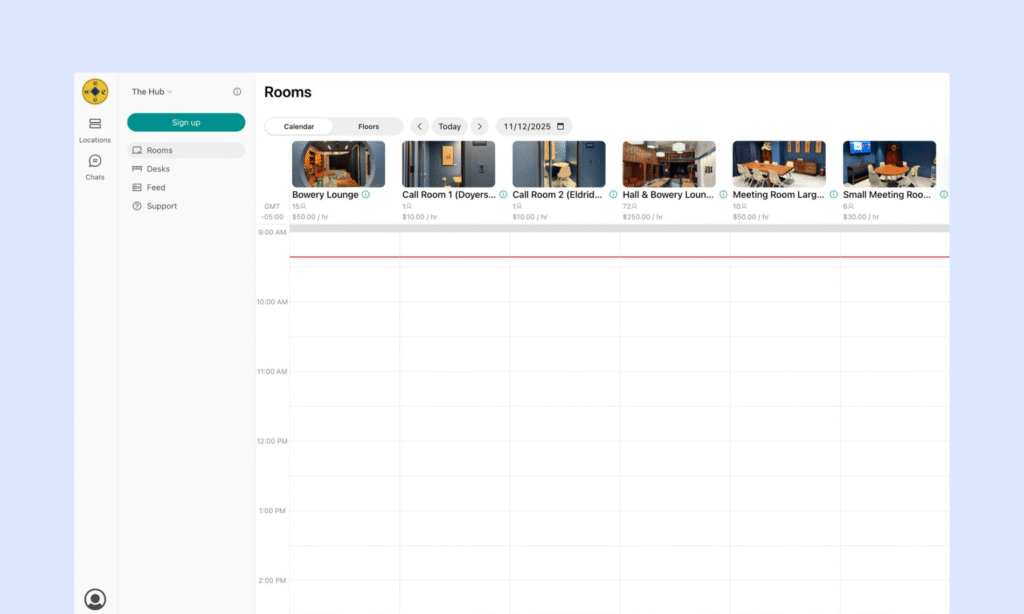
Spacebring launched as andcards before rebranding in 2024. It’s based in Poland, with its strongest footprint across Europe and a growing presence in Asia and Australia. Spacebring has stayed deliberately straightforwards, doing a smaller set of things well rather than trying to be everything.
Spacebring’s core capabilities:
- Membership management, contracts, and invoicing
- Automated billing with dynamic, occupancy-based pricing
- Resource booking for rooms, desks, parking, and equipment
- Community tools: member directory, messaging, events
- Lem, its AI agent, now handling support ticket triage and draft content generation for Business and Enterprise plans, at no extra cost
- Native access control integrations with Kisi and Salto
In the market, Spacebring is known for exactly what its users describe: an easy, well-designed product backed by support that actually responds. That reputation is well-earned. It’s also, on its own, not the whole story of whether it’s still the right platform for where your space is headed.
Why do people look for Spacebring alternatives?
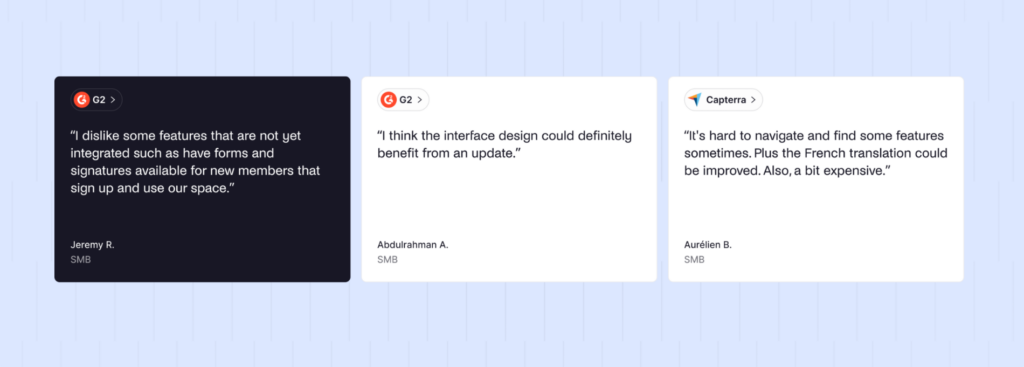
The honest answer: most people aren’t leaving because Spacebring is bad. They’re leaving because they’ve hit a specific edge that matters more to them.
👉 Support hours. Spacebring’s real-time support runs on European time, generally until 5pm Eastern. If you’re on the US West Coast, that gap in coverage is real and recurring, not a one-off complaint.
👉 Automation depth. Spacebring covers the basics well, but if your team spends real time on repetitive onboarding or reminder tasks, there’s a gap that shows up in hours, not just features.
👉 Scale and complex billing. If you’re managing multiple locations with corporate accounts and proration rules, Spacebring’s flat, straightforward pricing model is a strength for smaller operations and a limitation for larger ones — that’s OfficeRnD or Nexudus territory instead.
👉 General polish. Some hiccups are noted in reviews due to app changes, and there are features which work better in theory than in practice.
None of these are reasons to leave if they don’t apply to you. They’re reasons to at least look, if one of them does.
How do you choose the right Spacebring alternative?
Match the platform to what your space actually needs, not to a longer feature list. A single-location space with a hundred members doesn’t need what a five-site portfolio needs, and paying for that extra depth doesn’t make your day-to-day easier — it usually makes it slower.
A few things worth working through, in order:
- What’s actually costing you time right now? If it’s manual onboarding and reminders, weight automation depth heavily. If it’s reporting across locations, weight that instead.
- How much do you want to configure versus have work out of the box? Nexudus rewards configuration time. Archie don’t ask for much of it.
- What’s your real budget, once add-ons are counted? A flat number that includes what you need beats a lower number that doesn’t.
Which is the best Spacebring alternative for most operators?
Archie is the strongest overall pick for most coworking operators evaluating a move off Spacebring, . You keep the ease of use and fast setup you’re used to, and you gain automation, visitor management, and support hours that actually work for North American teams, without the “everything is an add-on” experience of something like OfficeRnD.
Archie’s the right call if:
- You want Spacebring-level simplicity plus real automation and CRM depth
- You need visitor management included in your plan
- Your team or members are based partly or fully in North America
That said, if multi-language support or European support hours matter more to your specific operation than anything else on this list, Spacebring may still be the better fit for you. This isn’t the only right answer for everyone; it’s the right answer for most people reading this.
Why do people choose Archie over Spacebring?
Short version: you get the same ease Spacebring is known for, plus the automation and North American support coverage it doesn’t fully cover yet.
Key differences at a glance
Archie | Spacebring | |
|---|---|---|
Prix de départ | $165/month (1 location, 100 members) | ~€157–175/month (1 location, 100 members) |
E-signatures | Included, all plans | Included on Business plan |
Gestion des visiteurs | Inclus dans le forfait Pro | $59/month/location add-on |
SSO/SCIM | Inclus dans le forfait Pro | Not offered |
Automation | CRM and billing automation built in with API and integrations for further workflows | Lem AI handles support and drafting |
Support hours | North America-friendly | European hours, until ~5pm Eastern |
Multi-language UI | More limited | Strong, broad language coverage |
On paper, visitor management, SSO and SCIM and support hours will matter most to those looking to move from Spacebring to Archie. In reality, app functionality also plays a large part.
Archie holds a 4.9/5 on G2; Spacebring sits at 4.9/5 as well. Both are strong, well-reviewed platforms, and the difference isn’t in overall satisfaction. It’s in what people are satisfied about: Spacebring’s reviews cluster around support and simplicity, while Archie’s cluster around feature completeness without added complexity. If you’re currently with Spacebring considering a switch, have a chat with the Archie team for a realistic alternative.
How do you migrate from Spacebring to Archie?
Moving off Spacebring means rebuilding your configuration in Archie, but the heavy lifting is mostly handled for you:
- Export your member and contract data from Spacebring, including active plans and booking history.
- Import it into Archie using the CSV template — or, if you run Stripe, Archie can pull in your existing Stripe Customer IDs directly, so payment history doesn’t need to be rebuilt from scratch.
- Rebuild your floor plans and resources in Archie’s self-serve tools, no vendor ticket required.
- Reconnect your integrations — access control, accounting, calendars — and confirm they’re syncing correctly before you rely on them.
- Run a short overlap period with both platforms active, so your team and members can test real bookings and billing before the official switch.
- Go live, and watch your first full billing cycle closely before retiring Spacebring for good.
White-glove setup and onboarding meetings are available for new customers if you’d rather have Archie’s team walk through the migration with you directly, rather than doing it solo.
- Sources principales