




















- Ce que vous apprendrez
- Archie is the highest rated deskbird alternative, followed by Officely, Kadence, Robin, and Skedda.
- People search for deskbird alternatives when they want a more reliable, full-feature platform that they can customize to their policies.
- Some deskbird customers comment that the software lags at peak times, and that certain basic features are missing or not intuitive.
deskbird is one of the better-known names in workplace management software, but its per-user pricing and feature depth don’t fit every office. That’s maybe why you’re here. I’ll go into the five deskbird alternatives worth shortlisting, how to choose between them, and why companies most often land on Archie.
The five deskbird alternatives covered here:
- Archie — resource-based pricing that tracks your desks and rooms instead of your headcount, with the fastest deployment and highest review scores of the group.
- Officely — desk booking that lives entirely inside Slack or Microsoft Teams, free for teams of five or fewer.
- Kadence — AI-assisted booking paired with longer-term space planning, priced by quote.
- Robin — an enterprise platform built for 500+ employee organizations, with deeper employee-experience tooling than deskbird offers.
- Skedda — the deepest booking-rules engine here, priced by the number of bookable spaces rather than desks or users.
The questions to ask yourself before going further in the decision process of any one product: Is it within your budget? Is it flexible or customizable enough to fit your policies? Will your employees actually adopt it? This article offers an honest review of each deskbird alternative (including user reviews and product research), so by the end you’ll be much better equipped to answer these questions.
- Archie recognition
Earlier in 2026, TrustRadius named Archie ‘Top Rated’ in workplace management. Archie was also classed by G2 as one of the Best Office Management Software Products for 2026.
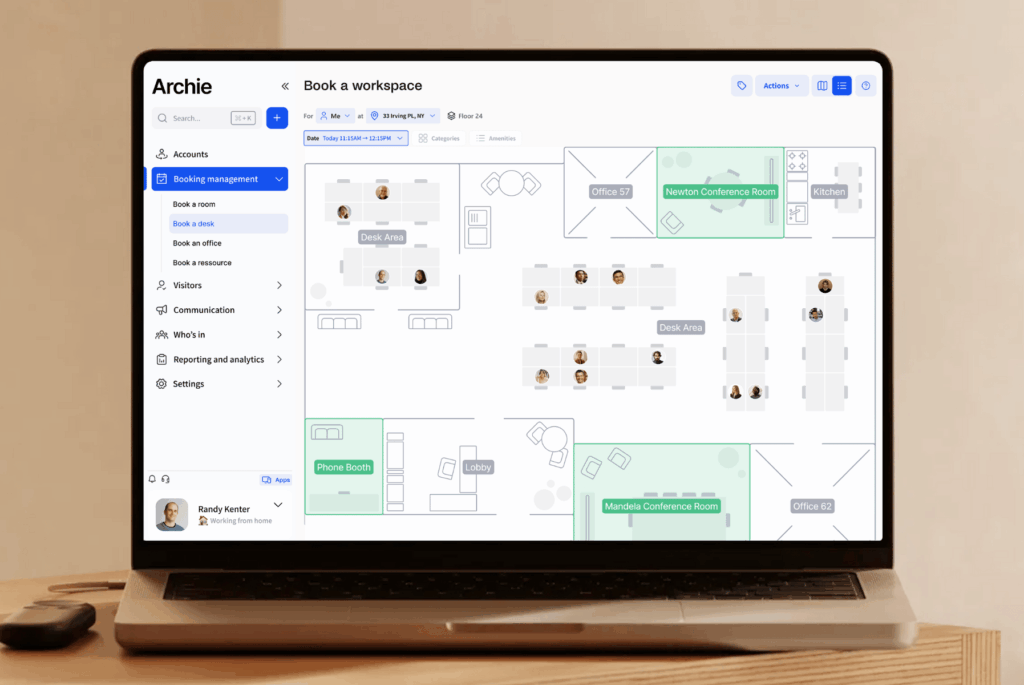
1. Archie
Archie is a workplace management platform built for large and growing teams. It combines desk booking, meeting room scheduling, visitor management, and workplace analytics in a single platform, and it prices by the desks and rooms you manage rather than the number of employees who use it.
Archie is the strongest fit for modern workplaces that have outgrown a basic booking tool but want to avoid the complexity of a large enterprise platform. Archie Visitors is also part of the appeal for many customers: a standalone visitor management system in its own right that works as an easy add-on to the booking platform.
Above all though, reviews cite Archie Desks and Rooms as customizable and very user-friendly.
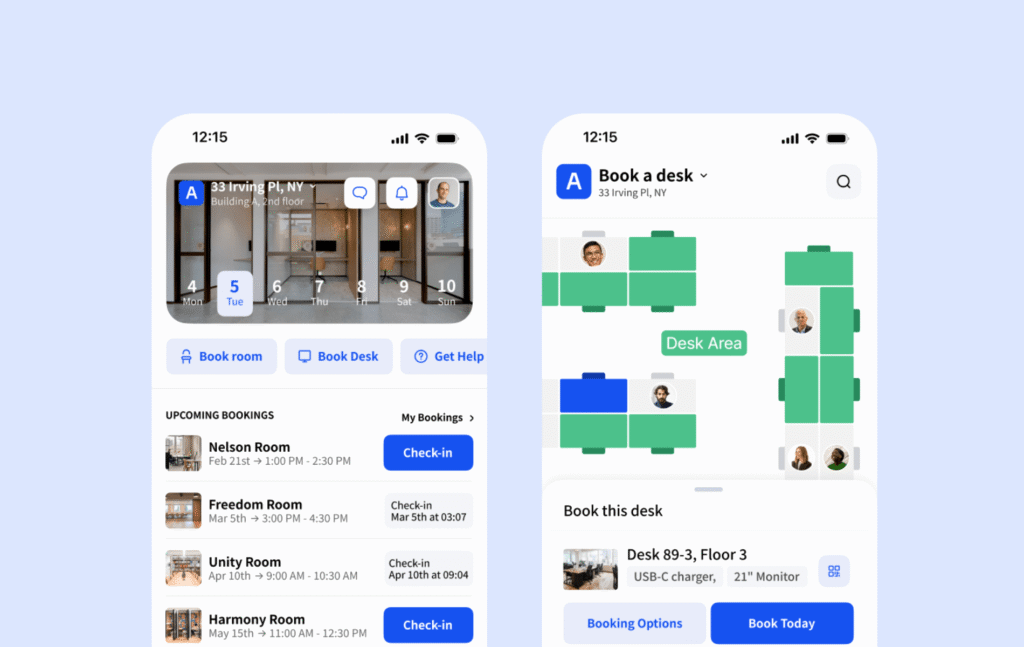
What are the key features of Archie?
- Desk booking: Hot desking with interactive floor plans, assigned desks, and customizable zones. This matches deskbird’s core hot desking objective, but with more customizability particularly for zoning.
- Meeting room scheduling: Book rooms with calendar sync and real-time availability, matching deskbird’s Outlook/Google Calendar sync.
- Interactive floor plans: Visual maps that show who’s in and where they’re sitting. Employee lookup and Work Week view on Archie also lets users easily see when teammates are coming in and where they’re seated.
- Visitor management: Pre-registration, QR code check-ins, kiosk app, badge printing, and host notifications.
- Workplace analytics: Track occupancy, space usage, and workplace trends.
- Coworking-style flexibility: External room booking and room charging — a category of workflow deskbird does not offer at all, since it’s built purely for internal corporate use.
- Flexibility: Use Archie on mobile, desktop, or shared office screens like desk booking kiosks and room displays.
- SSO, SCIM, and access control integrations: for automatic employees and visitor office security.
- Strong API access for those who wish to build further customizability into their software.
Combien coûte Archie ?
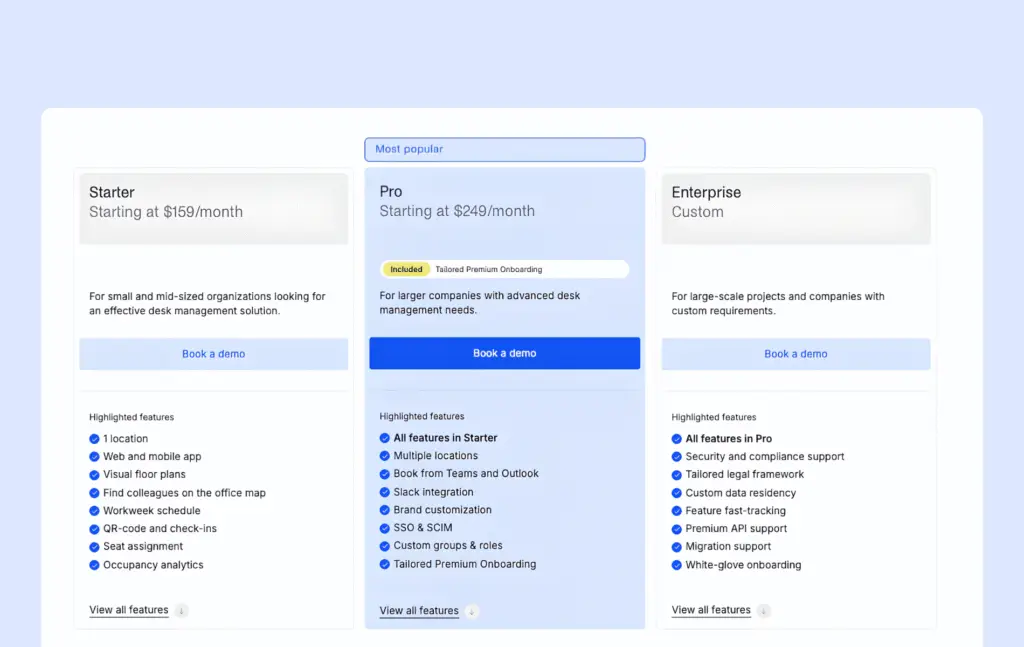
Archie uses resource-based pricing, so with Archie Pricing you pay for the desks and rooms you manage:
Starter: from $159 a month minimum.
Pro: from $249 a month minimum — adds multi-location management, SSO/SCIM, calendar sync, and custom roles.
Enterprise: custom pricing for larger, more complex deployments.
La gestion des visiteurs est un module distinct vendu séparément.
What are the pros and cons of Archie?
Pros
- Resource-based pricing stays predictable as headcount grows, since it tracks desks and rooms instead of employees.
- If you need advanced features like SSO and SCIM, access control integrations, API access, and deeper analytics, Archie delivers strong value for the price.
- Holds a 4.9/5 rating on G2, where it ranks #1 in Space Management.
- Fast deployment.
Cons
- The $159/month minimum is not cost-effective for very small offices with only a handful of desks.
- Visitor management is priced separately rather than bundled into core plans.
- Analytics cover everyday occupancy and attendance decisions well, but go less deep than a few dedicated workplace-intelligence specialists.
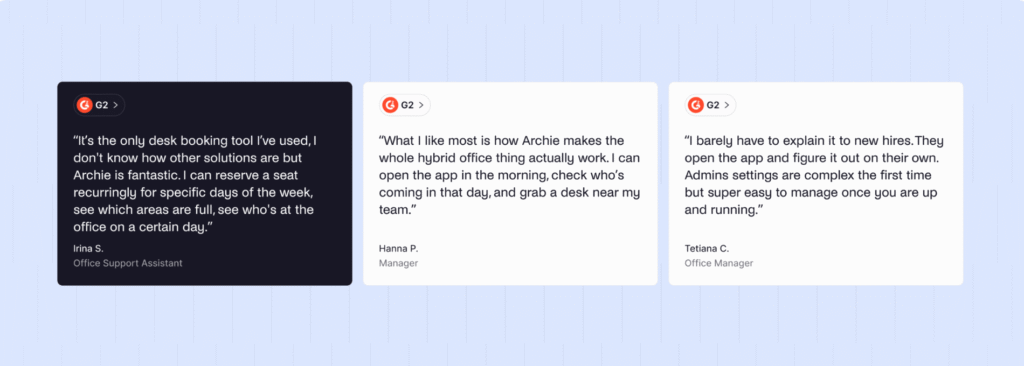
Archie’s 4.9/5 G2 rating is the highest of any platform on this list. Reviewers consistently cite ease of use, from booking to checking in and seeing when colleagues will be in the office, with strong value for the price.
2. Officely
Officely takes a different approach from deskbird: instead of a standalone app, it lives inside Slack or Microsoft Teams, so employees book desks and coordinate office days without leaving the tools they already use daily.
Officely tends to suit small and mid-sized teams that are already centered on Slack, have straightforward hybrid needs, and don’t want employees learning a separate app.
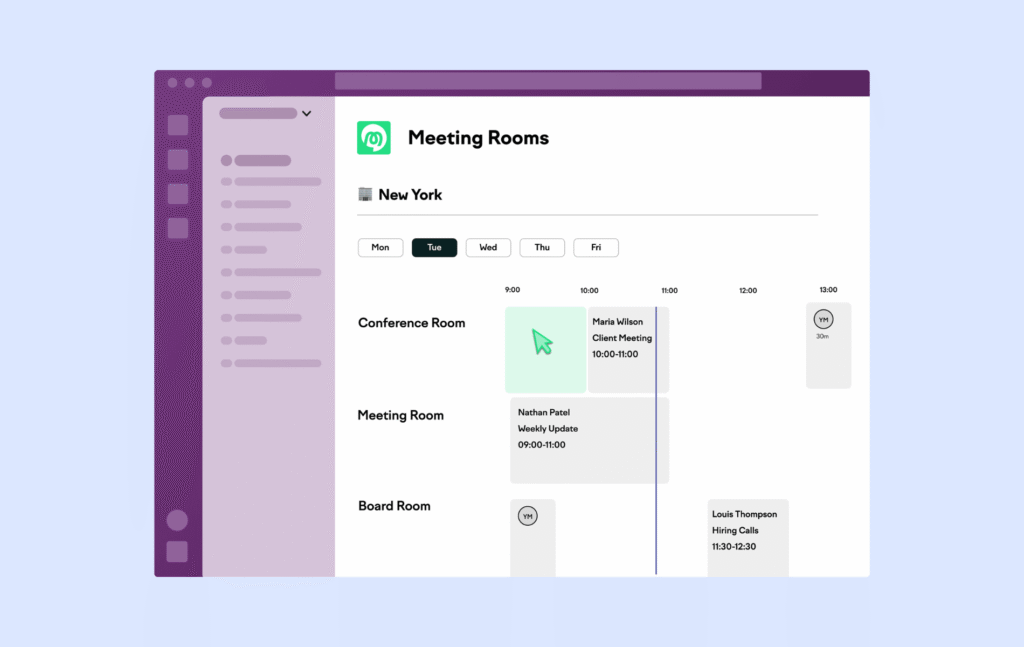
What are the key features of Officely?
- Desk booking: Hot desking with neighborhoods and amenity filters, comparable in scope to deskbird’s filtered hot desking.
- Meeting room reservations: Scheduled without leaving Slack or Teams, versus deskbird’s own in-app or calendar-integrated flow.
- Office coordination: See who’s coming in before you leave home — a similar job to deskbird’s hybrid scheduling, surfaced as a chat message rather than a dashboard.
- Parking management: Reserve parking spots in advance.
- Check-in reminders: Automated prompts to confirm attendance.
- Office chat and vacation status: A lighter, more social coordination layer than deskbird typically provides.
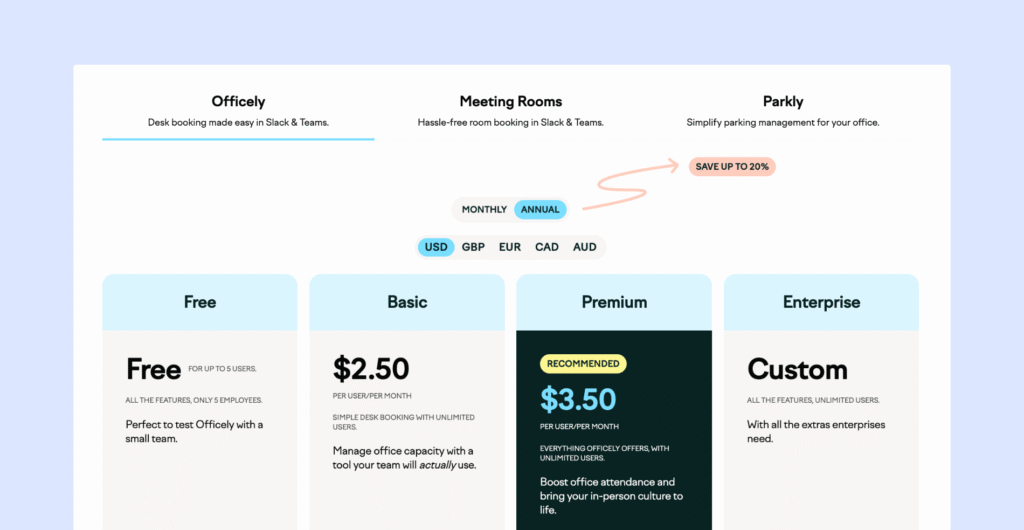
Combien coûte Officely ?
Officely propose quatre formules (facturées annuellement) :
- Gratuit : Toutes les fonctionnalités pour un maximum de 5 utilisateurs
- Basic: $2.50 per user/month covers most of the essentials.
- Prime : 3,50 $ par utilisateur/mois
- Entreprise : Tarification personnalisée
Les salles de réunion sont facturées séparément à 12 $ par espace de réunion et par mois (également facturé annuellement).
La version Basic couvre l'essentiel. Les versions Free et Premium incluent toutes les fonctionnalités d'Officely, notamment les notifications de présence, les statuts et les fonctionnalités de coordination. La principale différence réside dans le fait que la version Free est limitée à 5 utilisateurs, tandis que la version Premium prend en charge un nombre illimité d'utilisateurs.
What are the pros and cons of Officely?
Pros
- Fast to set up and easy for employees to adopt, since Officely lives inside Slack or Microsoft Teams instead of being a standalone app
- Simple per-user pricing
Cons
- No interactive floor plans or dedicated visitor management – in general, the feature depth is much greater with other alternatives
- The Microsoft Teams version is less robust than the Slack version, with no office chat or check-ins
- Not suitable for a growing office which requires more feature depth
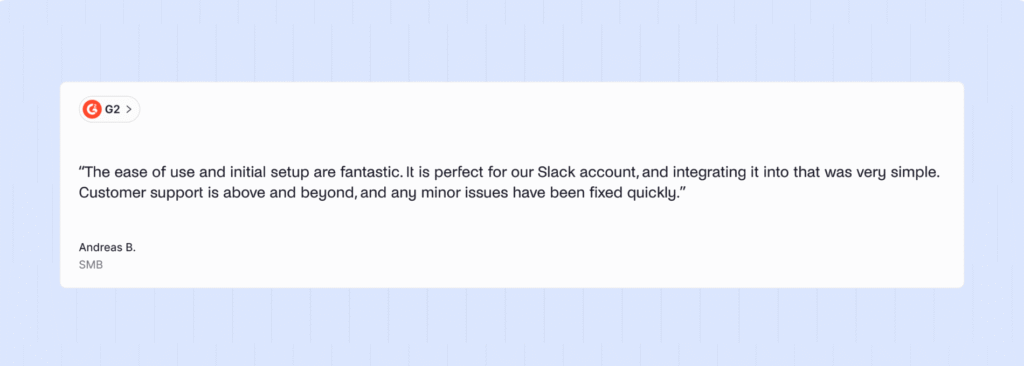
G2 reviewers give Officely an average score of 4.6/5. Users appreciate how easy it is to use, with no learning required to get started. However, it’s less popular with admins, who wish for more customizability and analytics. Leaner teams would be satisfied with Officely, but once a team grows, the need for interactive floor plans, analytics, and visitor management grows.
Comparing Archie vs. Officely – Archie doesn’t have any free plan like Officely, however larger offices will benefit from a more comprehensive workplace management platform like Archie.
3. Kadence
Kadence has been around for a similar amount of time as deskbird, and both platforms aim to be all-in-one workplace tools. Kadence’s customer list spans smaller offices and large enterprises alike.
Kadence leans heavily on collaboration features, helping coworkers find spaces near colleagues. It’s also strong for AI features, with visual AI-assisted desk booking.
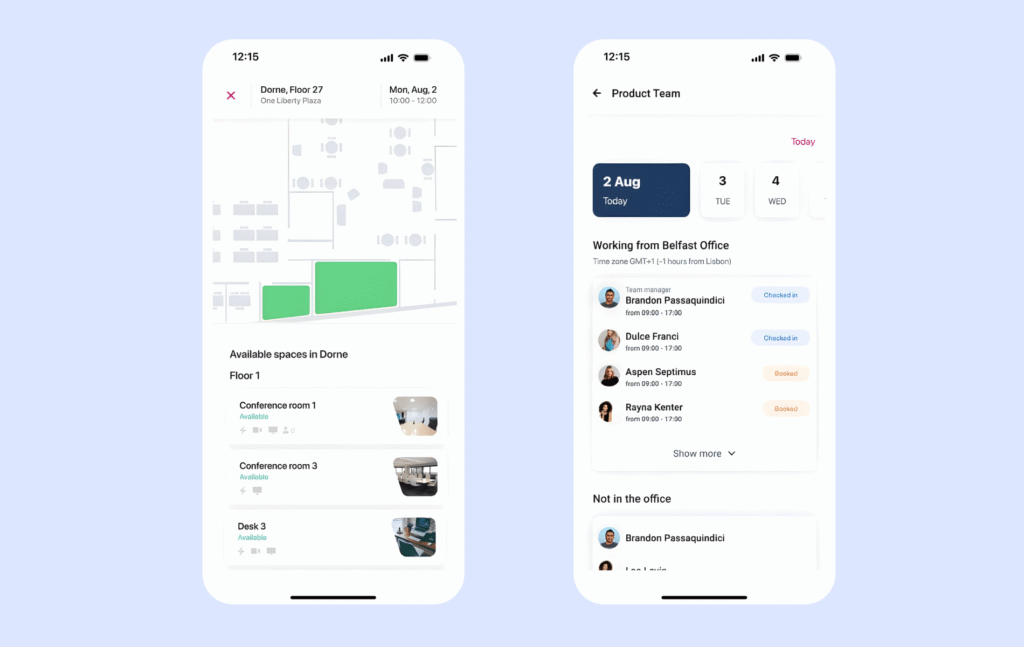
What are the key features of Kadence?
- Desk and meeting room booking: Reserve hot desks and meeting rooms with calendar integrations, roughly matching deskbird’s booking capabilities.
- Plans interactifs : Cartes des bureaux en temps réel indiquant la disponibilité des bureaux et des salles, ainsi que l'emplacement des collègues.
- Kadence AI: AI suggestions to book spaces for teams in bulk and notify employees when teammates are in the office. Where deskbird’s AI is focused on helping admins, Kadence’s can help improve team coordination.
- Gestion des visiteurs : Suivez et enregistrez les visiteurs qui entrent dans vos bureaux.
- Space planning: Kadence’s AI helps companies model and plan any changes to their office space to maximize capacity.
Combien coûte Kadence ?
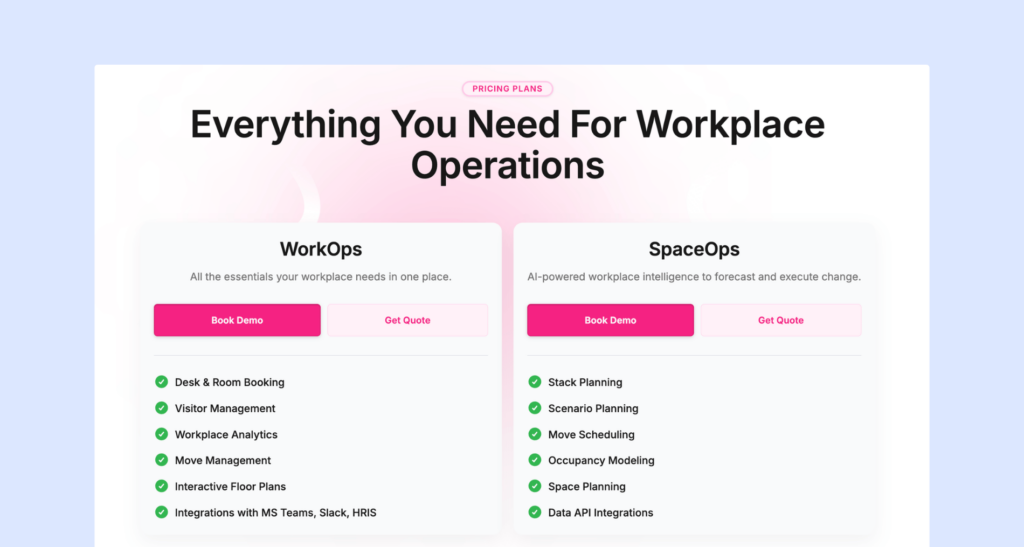
Kadence uses active user billing, meaning you pay for employees who make at least one booking in a given month. There are two main products:
- WorkOps is the core plan for desk and room bookings, with visitor management, floor plans, and HRIS/chat integrations.
- SpaceOps is the AI-powered side of Kadence designed for scenario planning, occupancy modeling, and deep space forecasting.
- There is also an onboarding fee of $250 per floor plan.
Kadence does not publish pricing, so if you’re interested then a sales call can give you a custom quote.
What are the pros and cons of Kadence?
Pros
- AI-assisted booking tools to improve team coordination
- Space planning tools that cover analytics and AI-assisted advice to help maximize use of space
Cons
- Some reviewers bemoan booking issues, with the software bugging out at times and glitches that cause greater annoyance over time.
- There are also comments that the reports it generates are overly complex and difficult to act on.
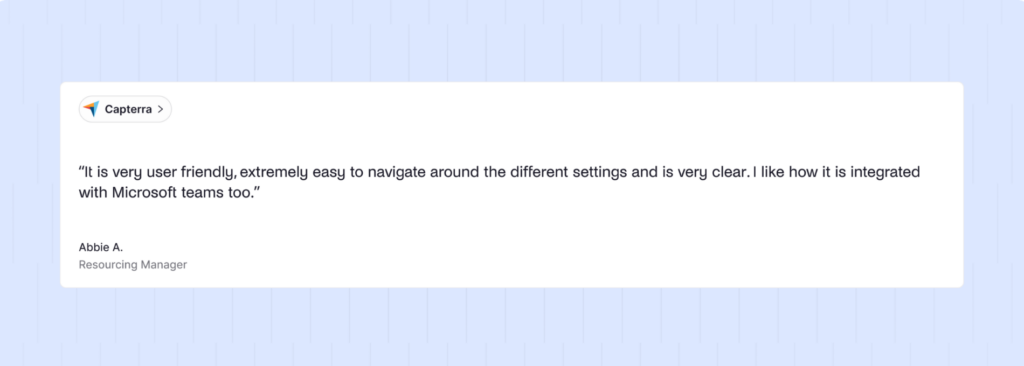
Kadence has a score of 4.5 on G2. While its AI features are more impressive, and more advanced than any Kadence alternatives on this list, the software is not reliable enough for many daily users. It’s worth raising this point in any sales conversations and asking how they will proactively prevent this in future.
4. Robin
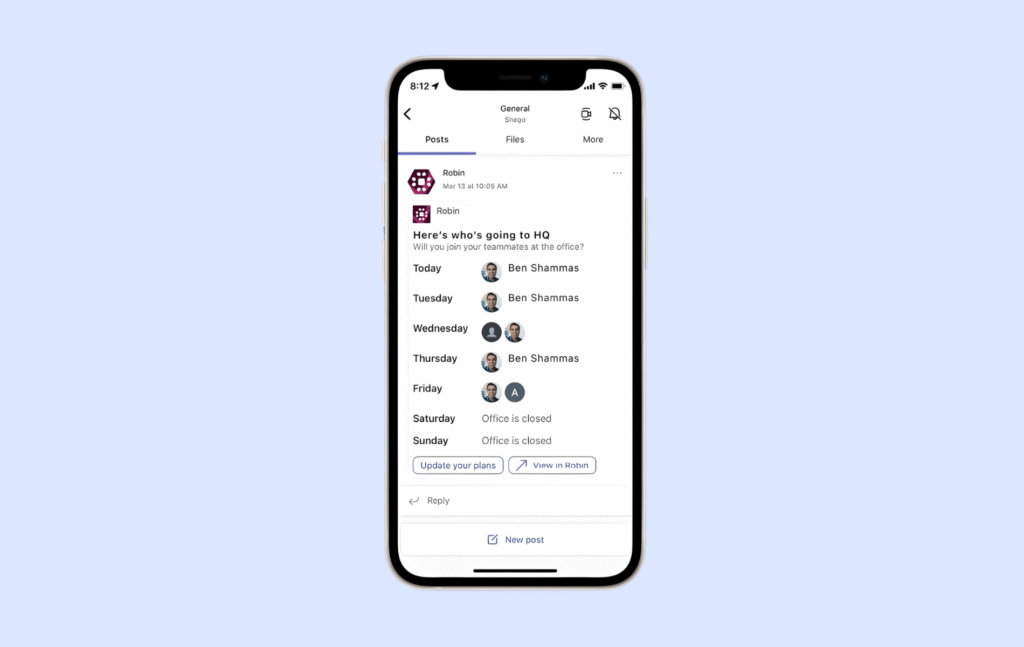
Robin is an enterprise software built for large, multi-location organizations. In general, it packs in a lot more features than deskbird, with employee-experience tools and workplace data that can feed strategy.
If you are managing a smaller or medium-sized business then Robin may not be right for you. However, from our Robin review, if you are searching on behalf of a multi-site organization with a complex real estate portfolio then you are more likely to find Robin a match.
What are the key features of Robin?
- Desk and room booking: Reserve workspaces with AI-powered suggestions and automatic reservations, which covers similar ground to deskbird’s AI recommendations but presents at enterprise scale.
- Outils dédiés à l'expérience employé : Sondages intégrés, invites à donner son avis et suivi de la satisfaction.
- Gestion des visiteurs : Enregistrement des visiteurs, accueil et impression des badges (iPad uniquement).
- Advanced analytics: Comprehensive workplace data from bookings, access control, and occupancy tracking that surpasses deskbird’s reporting.
- Auto-cancel ghost meetings: Automatically free up underused rooms to improve space utilization, like Archie’s auto-release.
- Wayfinding: Help employees navigate the office and find spaces – specifically useful for multi-site offices.
- Applications mobiles et Web : Réservez et gérez des espaces sur tous vos appareils.
Combien coûte Robin ?
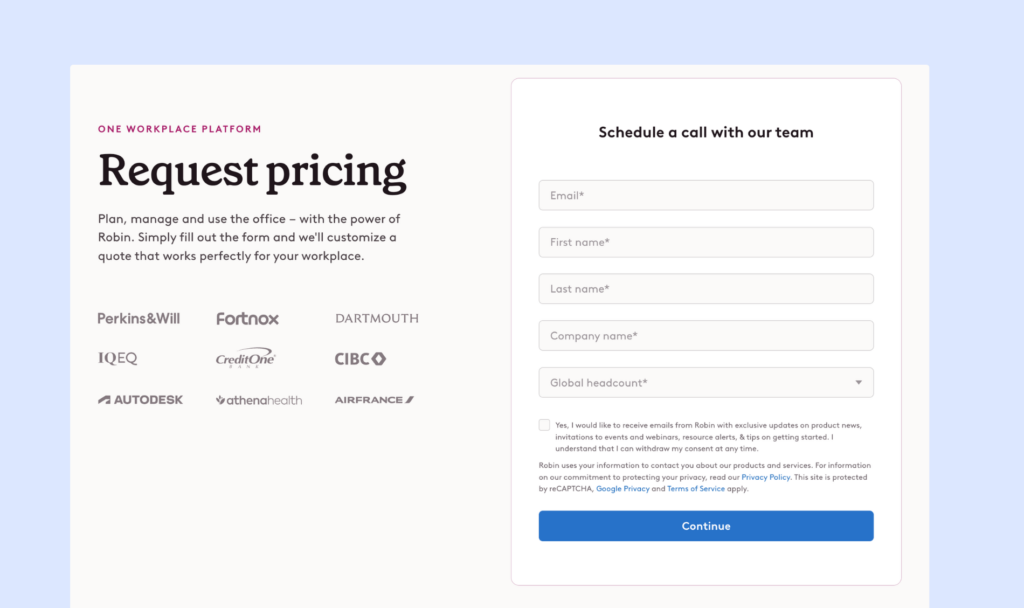
The downside to evaluating Robin is that it does not publish plans or rates. Everything will be guided by the sales process. That said, there are some known figures that can give you an idea of costs:
- Pricing is determined by user with a licensing bill on top.
- The minimum commitment is approximately $5,000 annually.
- For an office of 20 users, the cost is approximately $14,000.
- Universities and other educational institutions are offered special pricing.
What are the pros and cons of Robin?
Pros
- Employee experience features are better than others on this list, specifically for companies wanting to find out employee satisfaction at scale
- Robin can handle operations at scale.
- Analytics go in depth on bookings, access control, and occupancy.
Cons
- Custom pricing makes it difficult to compare.
- Floor plans are less adjustable independently – you’ll likely have to request assistance from Robin’s support team.
- Slower implementation time – estimated at 2 months, compared to weeks or even days at an alternative like Archie.
- The interface is less user friendly, with many features crowding the space.
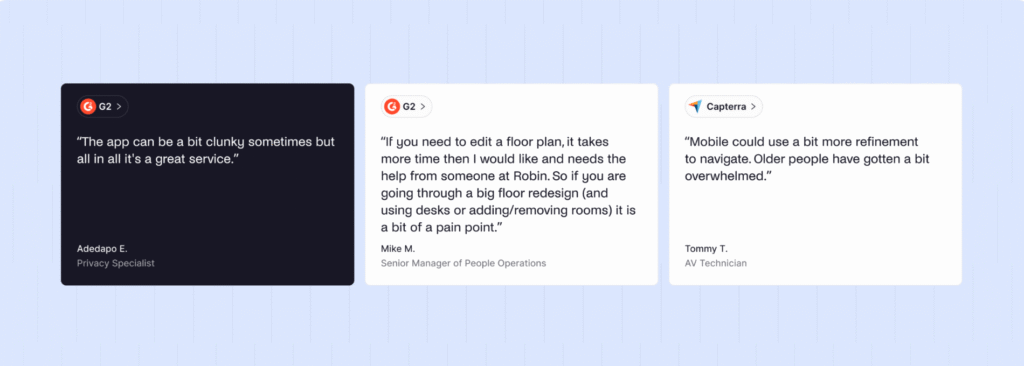
Robin carries a G2 score of 4.4/5. Overall, reviews like how seamless the integrations are and compliment the analytics. However, several complain that the price is not worth it when the user experience is ‘clunky’ in many respects.
When comparing Archie vs Robin, one of the strongest differentiators is how much more favorable user reviews are for Archie.
5. Skedda
Skedda aide les organisations à gérer les espaces partagés, tels que les bureaux, les salles de réunion, les studios, les installations sportives et les espaces de coworking. Lancé il y a plus de dix ans comme un simple réservation , il s'est transformé au fil du temps en une plateforme de planification des espaces de travail plus complète.
Skedda tends to suit organizations that need flexibility over booking resources. It’s easy to use, yet doesn’t have some more advanced offerings other alternatives provide, like integration depth or visitor management.
What are the key features of Skedda?
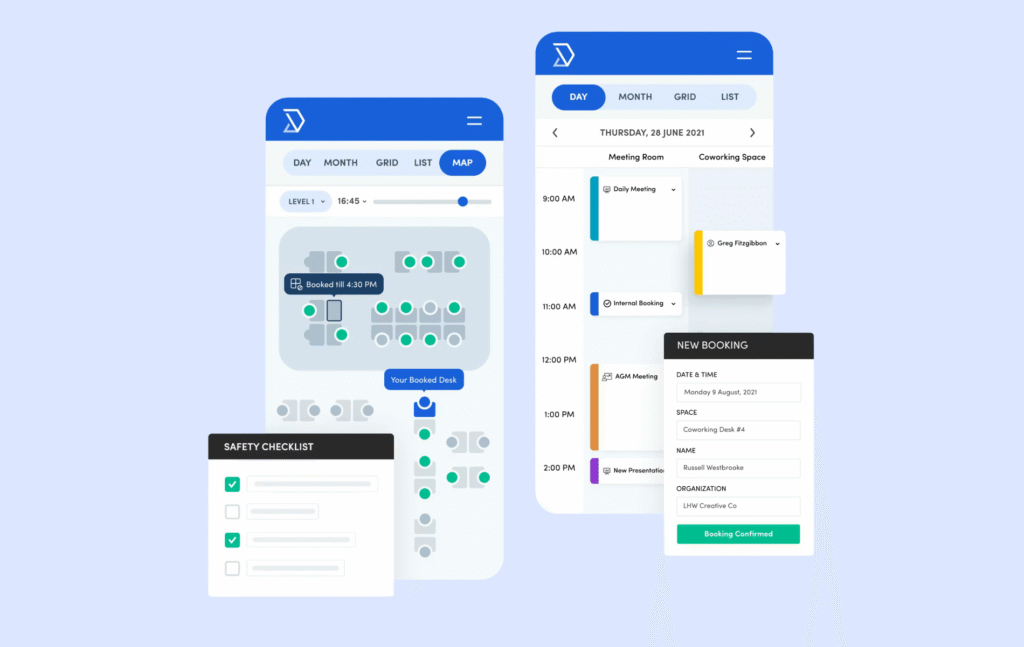
- réservation de bureaux et de salles : Réservez des bureaux, des salles de réunion et divers espaces communs à l'aide de plans interactifs et de calendriers.
- Flexible booking rules: Set custom rules for who can book what spaces and when – this is where Skedda shines over deskbird’s customizability.
- Analyse de l'utilisation de l'espace : Suivez les modèles d'utilisation et optimisez l'attribution de l'espace.
- Intégration du calendrier : Synchronisation avec Microsoft 365 et d'autres systèmes de calendrier.
- Accès mobile : Réservez et gérez vos espaces où que vous soyez.
- Check-in features: Confirm attendance and release unused bookings, similar to deskbird.
Combien coûte Skedda ?
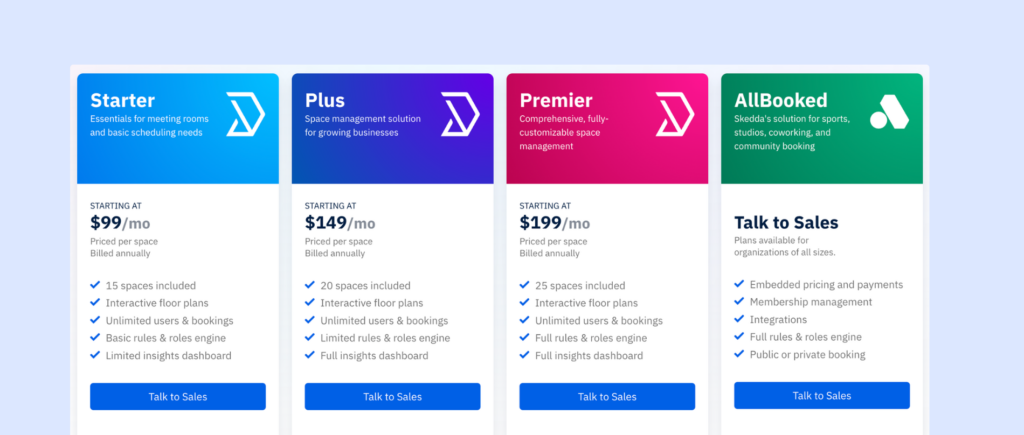
Skedda propose des forfaits mensuels fixes en fonction du nombre d'« espaces » que vous gérez. Un espace désigne tout ce que les utilisateurs peuvent réserver, comme un bureau, Salle de réunion, un casier ou une place de parking. Si vous ajoutez d'autres éléments réservables, vous devrez peut-être passer à une formule supérieure :
- Formule de base : 99 $/mois (jusqu'à 15 places), comprend des plans interactifs, réservation personnalisées et des rapports de base. Le moteur de règles/rôles et les analyses sont plus limités.
- Plus : 149 $/mois (jusqu'à 20 espaces), ajoute le tableau de bord complet et des options de personnalisation de base telles que votre logo et vos couleurs.
- Premier : 199 $/mois (25 espaces inclus), donne accès à l'ensemble des règles et des rôles, à des champs personnalisés illimités, à un gestionnaire de compte dédié et à des options de facturation personnalisées.
La gestion des visiteurs est une option payante (99 $/mois) et n'est disponible que dans les formules supérieures. Des fonctionnalités telles que l'attribution de bureaux, les enregistrements obligatoires, la personnalisation avancée et la conservation des données peuvent également dépendre de la formule choisie. Et comme chaque élément réservable compte comme un espace, l'ajout de casiers ou de places de stationnement peut vous faire passer à une formule supérieure plus tôt que prévu.
What are the pros and cons of Skedda?
Pros
- The strongest rules-and-permissions setup among these alternatives.
- Easy to use with no learning curve.
Cons
- Skedda’s tiered pricing is less friendly as you scale, since every bookable space or resource counts toward plan limits and can push you to a higher tier.
- Several useful features also only sit at higher tiers, e.g. assigned desks.
- The initial configuration can take careful planning, considering the booking rule depth.
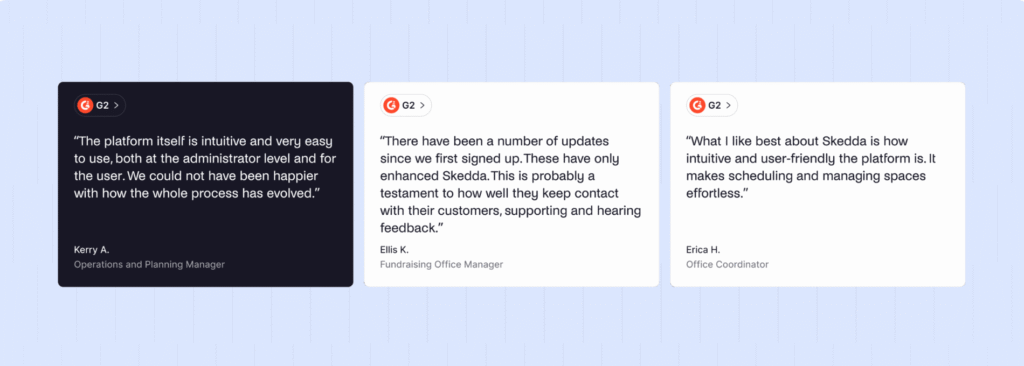
Skedda earns a G2 rating of 4.8/5. Overall, users like how reliable and intuitive the software is to use. The limitations come in through the actual plans themselves, with a structure that’s unfriendly at scale.
When comparing Archie vs Skedda, Archie has better integrations and insights with a comparable cost.
Qu'est-ce que Deskbird ?
deskbird is a fast-growing workplace management platform.
deskbird’s customer base largely consists of small and mid-sized businesses who operate a formal hybrid work policy. Daily workplace coordination features include desk and room booking, employee attendance and scheduling, visitor check-in, and workplace analytics.
Our deskbird review anlyzed the core capabilities, including:
- Desk reservations with smart filters for amenities and sitting near teammates.
- Room scheduling with Outlook and Google Calendar sync.
- Resource booking for parking spaces and shared equipment.
- Visitor management with pre-registration and self check-in.
- Hybrid scheduling to plan and support office-day policies.
- Mobile apps for iOS and Android.
- Interactive floor plans with real-time availability.
- AI recommendations for desks and meeting times.
- Microsoft Teams, Slack, Google Workspace, and BambooHR integrations.
deskbird is known in the market for an intuitive, attractive interface. Its feature set focuses on employee experience and supporting hybrid workplaces. Its per-user pricing model is straightforward for smaller teams.
Why do companies look for deskbird alternatives?
Teams look towards deskbird alternatives due to the inflexible pricing and missing features that other space management software offer at scale.
- Pricing that scales with headcount, not desks
Because deskbird charges per active user, offices with more employees than desks can end up paying for the same seats many times over. Buyers increasingly want pricing that tracks physical resources instead of people. - Limited customization
Reviewers describe it as “a bit difficult to customize,” which becomes a bigger issue as booking rules, approvals, or floor complexity grow. Buyers expect finer-grained rules and permissions once needs move past basic hot-desking. - Shallower reporting
deskbird’s analytics handle everyday occupancy questions but are described by users as more basic once deeper workplace intelligence is needed. - Add-on costs
Comparing Archie vs deskbird specifically, visitor management and meeting room tools are separate paid add-ons layered on the base per-user price.
Switching to another tool tends to make the most sense once employee count surpasses desk count, once a team needs booking rules that are more tailored to their setup, or if the add-on costs make it comparably more expensive than alternatives.
How do you choose the right deskbird alternative?
Il existe plusieurs alternatives solides à Deskbird. Pour choisir celle qui convient le mieux à votre bureau, réfléchissez aux points suivants :
✅ Modèle de tarification. Déterminez si une tarification par utilisateur (comme Kadence, deskbird ou Robin) ou une tarification basée sur les ressources (comme Archie ou Skedda) correspond à votre budget. La tarification basée sur les ressources est souvent plus rentable pour les bureaux qui comptent plus d'employés que de bureaux.
✅ Transparence des prix. Vérifiez si les tarifs sont faciles à consulter dès le départ. Archie affiche des tarifs clairs, tandis que Kadence et Robin exigent des devis personnalisés.
✅ Fonctionnalités IA. Demandez-vous si réservation assistée par IA réservation pour vous. Kadence AI, les capacités IA de Robin et les suggestions intelligentes de deskbird offrent toutes différentes formes de fonctionnalités IA.
✅ Calendrier de mise en œuvre. Réfléchissez au délai dans lequel vous devez être opérationnel. Archie peut être mis en service en quelques jours, tandis que les plateformes d'entreprise telles que Robin nécessitent souvent un déploiement plus long.
✅ Taille et échelle de l'équipe. Adaptez l'outil à la taille de votre équipe. Officely et Deskbird conviennent bien aux petites équipes, Archie et Skedda sont parfaits pour les bureaux de taille moyenne, tandis que Robin est destiné aux grandes entreprises qui ont des besoins importants en matière d'analyse approfondie et d'expérience des employés.

Which is the best deskbird alternative for growing hybrid workplaces?
For most growing hybrid workplaces, Archie is the strongest deskbird alternative. Archie pricing tracks the desks and rooms in your office rather than employee headcount, it deploys in days, and it holds the highest review score of any platform on this list, at 4.9/5 on G2.
- Transparent, resource-based pricing.
- Cost-effective for offices.
- User-friendly, modern interface with fast deployment.
Awarded by TrustRadius and G2 in 2026 as the top rated workplace management tool.
Why do companies choose Archie as a deskbird alternative?
If companies are looking for more configurable booking options, with visitor management and multi-location support, Archie fills all the gaps they find missing in their setup with deskbird.
The pricing also aligns with your actual office space – and is less prone to fluctuation due to headcount.
Archie | deskbird | |
|---|---|---|
Modèle de tarification | Resource-based (per desk/room) | Per active user |
Prix de départ | $159/month minimum | ~$3.75/user/month |
Scalability | Cost tracks desks/rooms as headcount grows | Cost tracks headcount directly |
Support | Regularly praised by users | Also praised by users |
Ideal customer | Growing and large hybrid workplaces, including coworking/flex operators | Smaller teams running a formal hybrid attendance policy |
Operationally, Archie gives finance teams billing that’s easy to forecast against office headcount plans, gives facilities and IT teams one system for both day-to-day booking and longer-term space decisions, and deploys fast enough that most teams don’t need a multi-month rollout to start seeing value.
How Archie and deskbird compare in G2 customer reviews:
Archie | deskbird | |
|---|---|---|
Note G2 | 4.9/5 (#1 in Space Management) | 4,5/5 |
Review volume | Several hundred reviews, consistently recent | Several hundred reviews, consistently recent |
Recurring praise | Ease of use, bookings in one place, strong value for price | Intuitive UI, responsive support |
How do you migrate from deskbird to Archie?
Migrating from deskbird to Archie is a straightforward, staged transition.
- Audit your current deskbird setup. Export your desk and room inventory, floor plans, integration list, and active user data so nothing gets lost in the switch.
- Set up your Archie account and map your resources. Recreate floor plans, desks, rooms, and zones in Archie, and import your employee directory by CSV or HRIS sync.
- Reconnect your integrations. Reauthorize Microsoft Teams/Outlook, Slack, calendar sync, and SSO/SCIM so employees don’t lose single sign-on access mid-migration.
Before fully retiring deskbird, confirm that any historical occupancy or attendance data you need for reporting continuity has been exported and that every integration is migrated to Archie.
If you have any questions, we are here to answer them!
- Sources principales