



















Optix is coworking space management software built around a mobile-first member app and a genuinely powerful workflow automation builder. However, while some customers love it, others become disgruntled with rising costs and the lack of customization.
If you have members and clients who prefer a fuller web experience, are planning on multiple locations, or you find that your automation bill keeps climbing, the coworking software space offers a rich range of alternatives.
Here’s the shortlist:
- Archie is the best upgrade path from Optix, with built-in e-signatures and visitor management.
- Cobot can be a budget-friendly move if you want the basics done well, without the automation layer.
- Spacebring is usually fast to launch, with support that’s consistently rated as highly as Optix.
- Coworks is your community-first option, built around member community and events.
- OfficeRnD tends to be the enterprise-leaning option, for operators who’ve outgrown “simple” entirely.
While I write for Archie, any bias is removed through an investigation (clearly written!) into which alternative would suit different use cases. Further down, I’ll walk through how to choose between them. Archie is usually the strongest all-around pick for most operators, but let’s get into the how before the why.
1. Archie
Archie Coworking is an all-in-one coworking space management platform, launched in 2016 and now used by 1,000+ organizations in 46 countries.
It’s currently the #1-rated space management platform on G2 (out of 152), with a 4.9/5 rating. Archie Coworking handles bookings, membership, billing, and visitor management on one system, on both web and mobile.
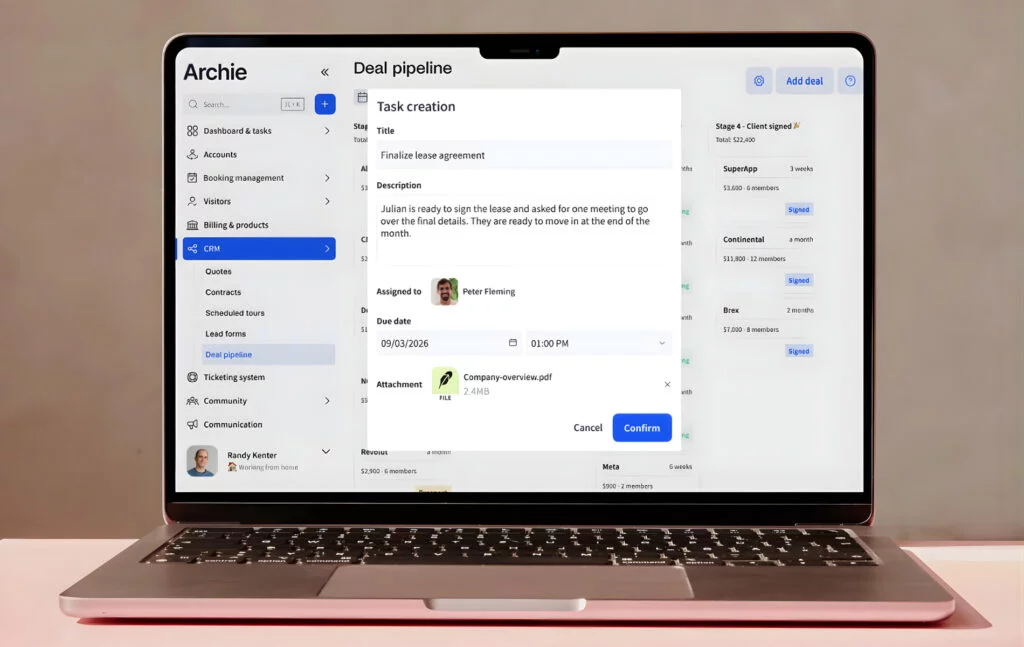
Archie is the best fit for mid-sized to large coworking spaces who want a complete platform. If your members split between mobile and desktop, and you want e-signatures and visitor management included rather than sourced and paid separately, Archie is the direct upgrade path from Optix.
What are the key features of Archie?
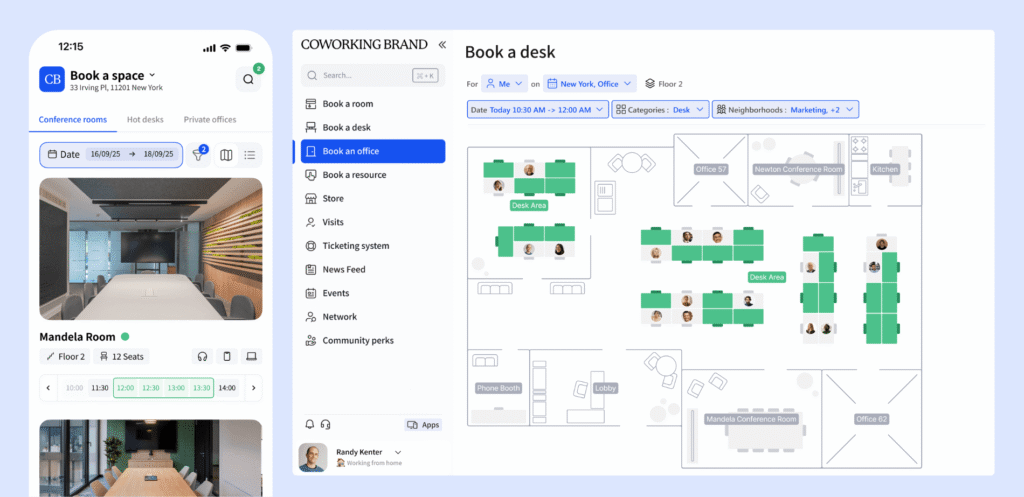
If you need a good balance between mobile apps and a web experience for your members and admins, Archie has got you covered.
- Cross-platform member experience: iOS and Android apps plus a full web portal, so members who prefer desktop get the same quality experience as mobile users. Optix is mobile-first and only offers a web dashboard to admins, not members; Archie gives both groups a complete experience on either device.
- Automated billing: Recurring invoices, reminders, and payments across multiple providers, with custom billing terms. Both platforms automate billing, but Archie supports more payment providers out of the box.
- Built-in e-signatures: Members sign contracts and agreements directly inside Archie. Optix only offers this through a third-party integration, and charges per signature.
- Visitor management: Pre-registration, QR check-in, badge printing, and host notifications, included on the Pro plan. Optix charges an add-on fee.
- Community tools: Custom profiles, a community feed, a member directory, chats, perks, and discounts, comparable in scope to Optix’s community features.
- Coworking CRM: Day passes, custom plans, and lifecycle management for leads and members, giving operators a full view of the member journey.
- White-label domains: Custom URLs for the member portal, included on Pro, with a branded mobile app available as an add-on. Optix offers white-labeling too, but reviewers note less flexibility and customization.
- Analytics and reporting: Revenue reports, occupancy analytics, and booking patterns, comparable in depth to Optix’s reporting suite.
- Space booking: Desks and meeting rooms booked from the calendar, interactive floor plans, or third-party integrations. This is easy to set up across your locations.
Combien coûte Archie ?
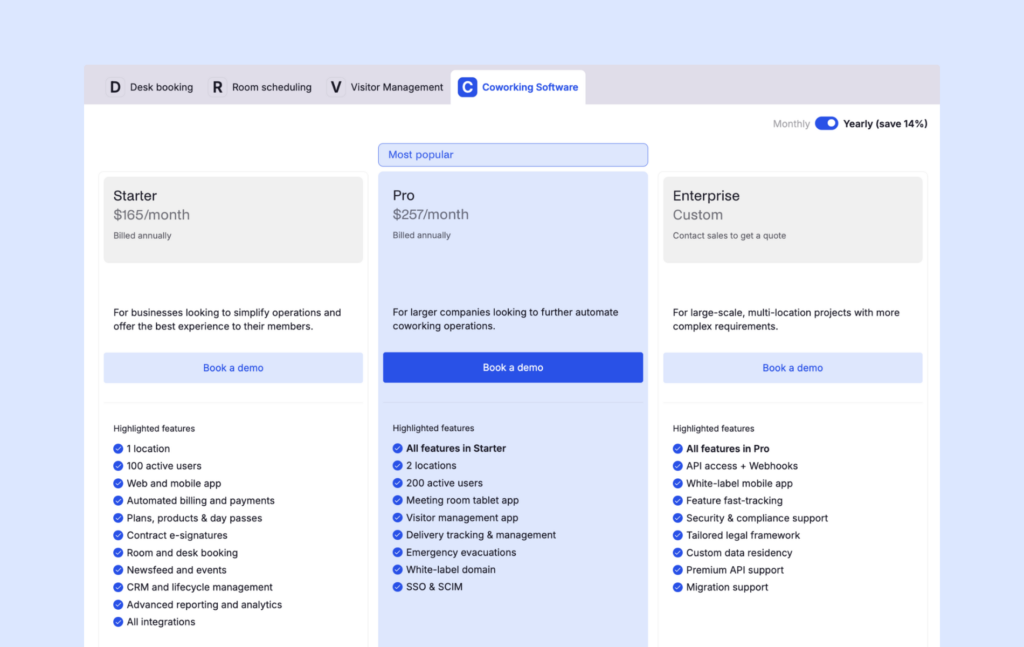
Archie Coworking runs on two main pricing plans, billed annually:
- Starter: $165/month — 1 location, up to 100 active members
- Pro: $257/month — up to 2 locations, up to 200 active members, plus a white-label domain, visitor management, SSO & SCIM
- Enterprise: custom pricing for larger, multi-site operations
Extra locations cost $90/month, and each additional block of 50 members costs $50/month.
Archie defines an active member clearly: someone who books a resource or holds a subscription plan. (Visitors and event attendees don’t count, and a member active across multiple locations is only billed once.) That’s a more transparent definition than Optix, which doesn’t clearly define what counts as an “active user” in its public pricing.
What are the pros and cons of Archie?
Pros
- Reviewers repeatedly praise the interface as user-friendly and fast to learn, for both staff and members (helpful if you’re worried about the adoption curve after switching).
- Built-in e-signatures and visitor management remove two tools that many competitors leave you to source separately.
- Web and mobile are equally strong, unlike Optix’s mobile-first design for members.
- Pricing is transparent and predictable as you add members or locations, with a clearly defined active-member count.
Cons
- Archie doesn’t offer a visual workflow automation builder. It automates core operations — billing, booking confirmations, communications — but doesn’t match the custom automation sequencing Optix’s builder provides.
- Reporting covers the essentials well but isn’t built for the most advanced, enterprise-scale dashboards. If this is your reason for leaving Optix, OfficeRnD is going to be a better fit.
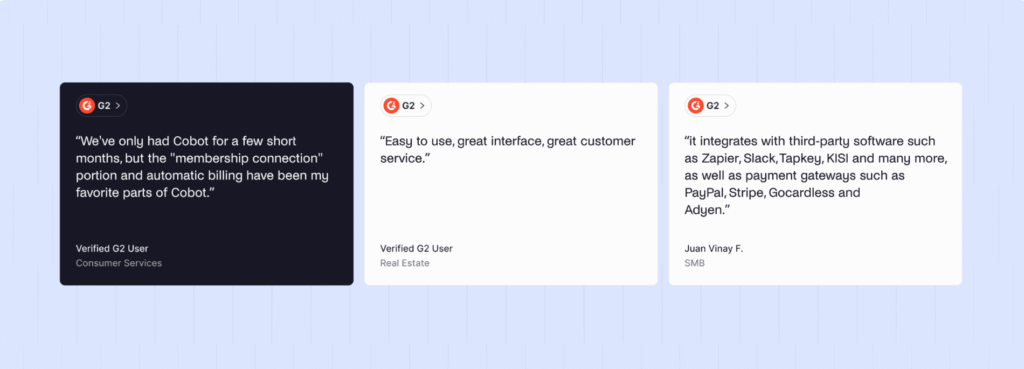
Archie holds a 4.9 rating on G2, and the recurring theme across reviews is speed and ease of use: how quickly both staff and members pick up the platform, paired with consistently strong praise for the support team.
2. Cobot
Cobot is coworking management software built by a Berlin coworking space. It sticks to a straightforward set of core features rather than expanding into automation or community tooling.
Cobot fits small, single-location operators who want the fundamentals — bookings, billing, a member portal — without Optix’s mobile-first design or automation layer. If you have fewer than 40 members with no plans to scale, Cobot may be a good choice for you. Above this, the price point is less justifiable.
What are the key features of Cobot?
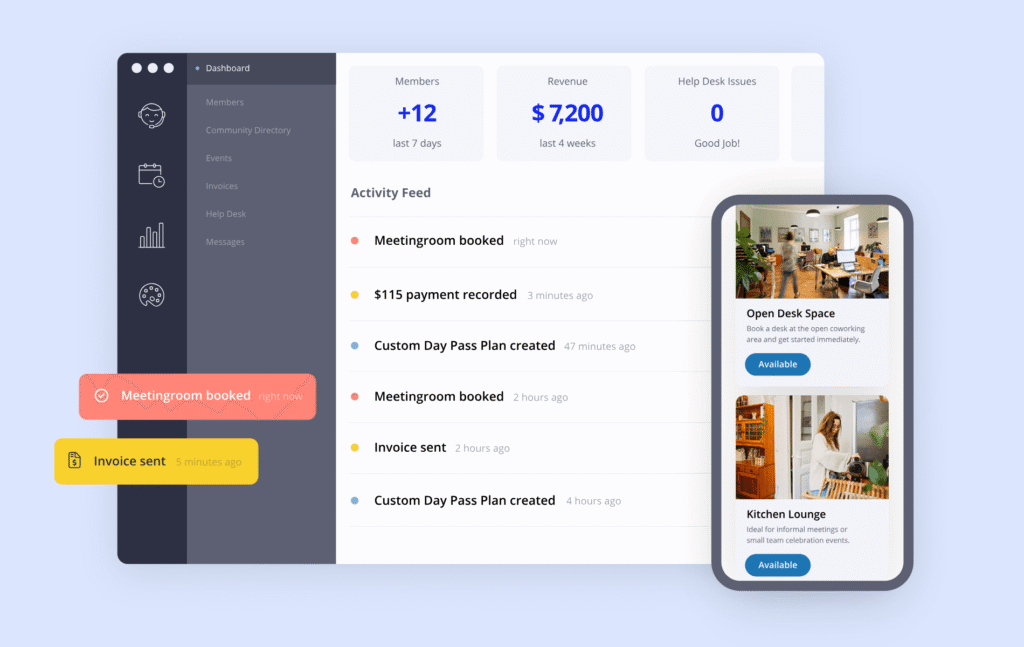
- Booking calendar: Self-serve desk and room bookings, recurring bookings, and a dedicated meeting room app. Covers the same core booking need as Optix, without the automation layer built around it.
- Automated invoicing and payments: Billing runs inside the core subscription, with no separate billing tool required, similar in scope to Optix’s billing but without usage-based charge options.
- Membership reporting: Revenue, attendance, and engagement data, though the reporting depth doesn’t extend as far as Optix’s occupancy heatmaps or check-in analytics.
- Open API and integrations: Over 100 integrations and API access included at no extra charge, which may appeal to operators who found Optix’s reliance on Zapier limiting.
- White-label member portal: Logo, colors, copy, and a custom domain, included across every plan, comparable to what Optix offers on its higher tiers.
Combien coûte Cobot ?
Cobot’s pricing structure is flat, charging by paying members your space has, and including the feature set from minimum (10). This pricing is favorable to small spaces who still want coworking software that covers more than the basics, since visitor management, a white-label portal, and API is all included from the very beginning.
- 10 paying members = $81/month
- 100 paying members = $439/month
- 179 paying members = $549/month
- 180+ = custom pricing
Drop-ins, day-pass users, free memberships, visitors, and admins are all excluded from this cost. Compared to Optix’s minimum $197 pricing, Cobot may work out cheaper for smaller member counts, though the gap likely narrows as membership grows.
What are the pros and cons of Cobot?
Pros
- Pricing that fits small spaces
- Core features are included rather than gated behind upgrade tiers
- Good integration range and depth
Cons
- The UI can feel dated next to newer coworking platforms, including Optix.
- Growth may expose the ceiling quickly — deeper automation, richer analytics, and more customization aren’t really on offer.
- Support reviews are mixed
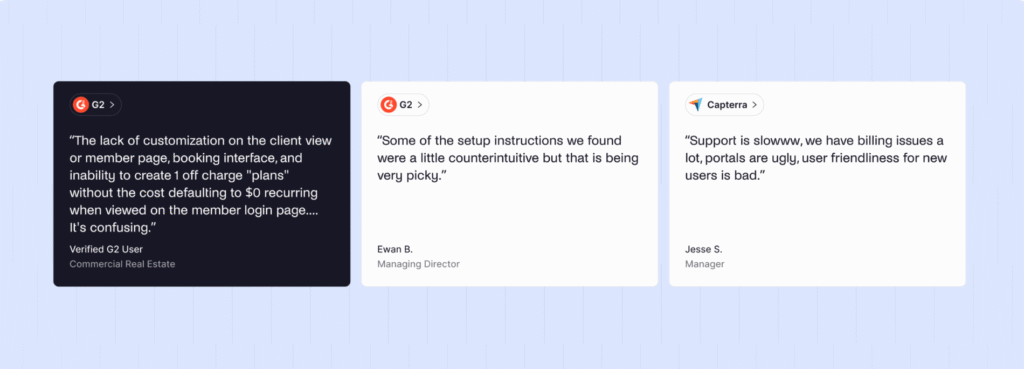
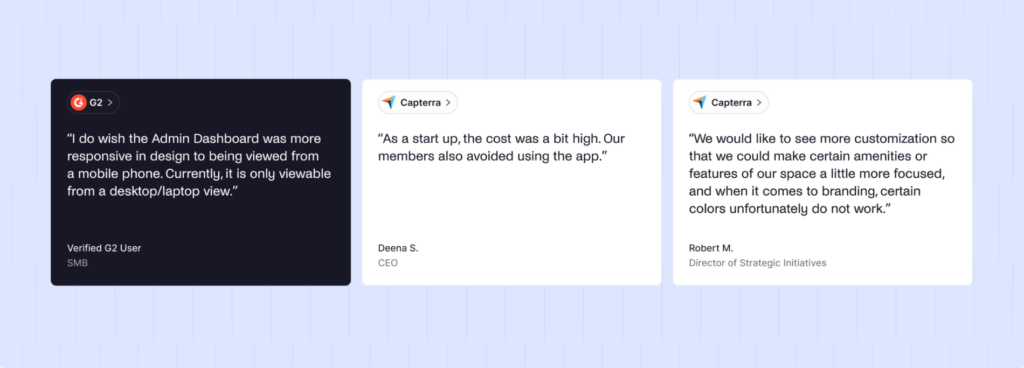
Cobot has fewer recent reviews than most platforms in this category. On G2, the sentiment is largely positive positive, centered on integration depth and support responsiveness. However, on Capterra reviewers complain about the lack of aesthetics and customization.
3. Spacebring
Spacebring is a coworking management platform focused on member experience and multi-language support. A popular choice in Europe, Spacebring covers the same core ground as Optix — bookings, billing, CRM, and community — through a full web and mobile experience.
Spacebring is likely the best fit for coworking operators who need multi-language support or operate primarily in Europe. It also offers a cleaner, more current member experience but lacks Optix’s automation depth.
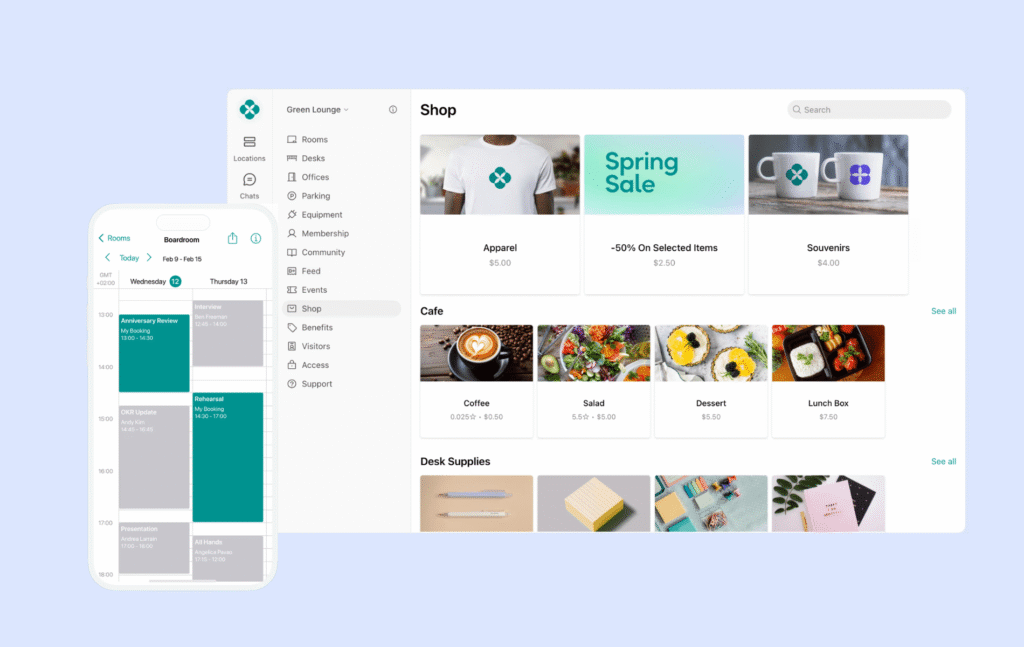
What are the key features of Spacebring?
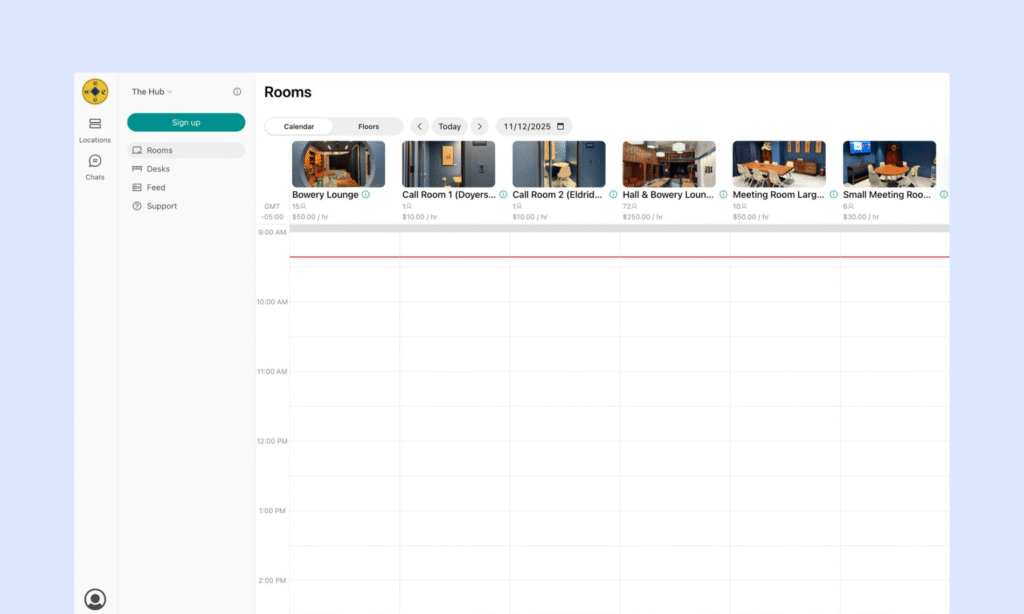
- Web and mobile member apps: A full web portal plus iOS and Android apps, giving members a balanced experience similar to Archie’s (and more complete than Optix’s mobile-only case).
- Multi-language support: The interface is available in multiple languages, relatively unique in this segment.
- Membership and billing: Plans, contracts, invoices, recurring billing.
- Community tools: A directory, messaging, events, and feed.
- Access control integrations: Native connections to Kisi, Salto, and other systems, which may reduce reliance on Optix Zapier automations.
Combien coûte Spacebring ?
Spacebring propose deux niveaux :
- Business: $186/month billed annually ($206/month billed monthly), 6-month minimum, 100 monthly active users, 1 location
- Enterprise: custom pricing, 12-month minimum, 500+ monthly active users, unlimited onboarding
The base plan doesn’t include everything, though. Add-ons include the member mobile app ($118/month for the first location, $89/month each additional), visitor reception ($59/location/month), floor plans ($30/location/month plus setup), and API and webhooks ($30/location/month).
Once those are factored in, the real monthly cost could land close to or above Optix’s Pro tier.
What are the pros and cons of Spacebring?
Pros
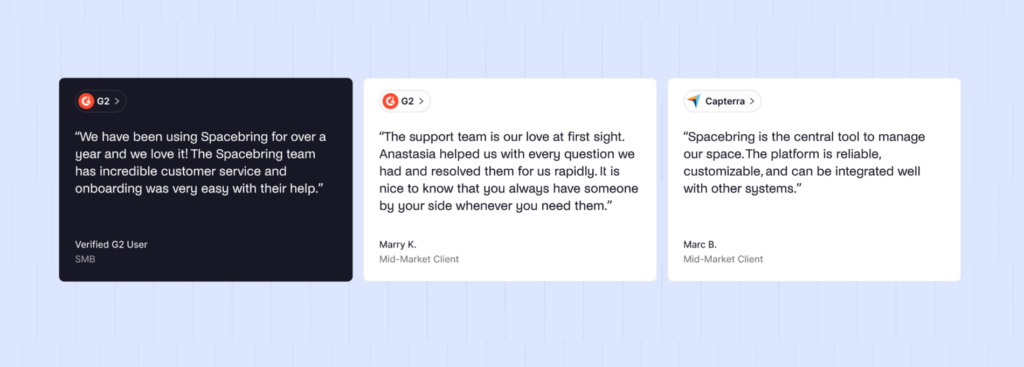
- The customer service is praised consistently and specifically across reviews.
- Fast to roll out, and manageable for a small operating team.
- Multi-language support and EU-aligned billing work natively, which Optix doesn’t handle out of the box.
Cons
- Floor plans, visitor reception, and API access all sit behind paid add-ons, which can push the real monthly cost well above the base price.
- Support hours run until 5pm Eastern, which North American operators should take note of.
Support is the word that comes up most often in Spacebring reviews. Users describe it as fast and helpful, a theme that shows up more consistently for Spacebring than most other platforms in this category.
4. Coworks
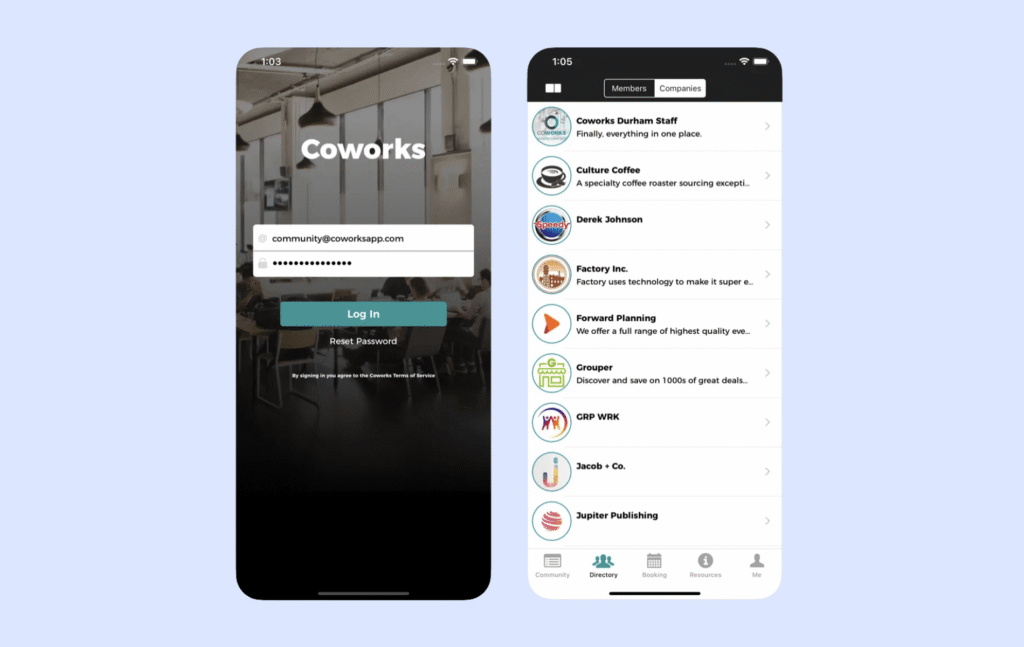
If community is your focus, you may find Coworks a good alternative. This coworking management platform puts events, announcements, and member connection at the center of the product. It’s a different starting point than Optix, which leads with mobile-first automation.
Coworks likely suits smaller to mid-sized spaces that prioritize member engagement over operations, and that don’t lean heavily on integrations or enterprise-grade reporting.
What are the key features of Coworks?
- Community tools and events: RSVPs, a member directory, and SMS/push announcements. This builds a stronger community layer than Optix.
- Memberships and onboarding: Plans, profiles, and signup forms, comparable to Optix’s membership management.
- Billing and day passes: Automated recurring billing plus dedicated tools for drop-in traffic. While it’s similar in scope to Optix’s billing, Spacebring doesn’t have the automation depth.
- Passport: Multi-location or partner-space access, useful for operators running or collaborating within a small network of spaces (a use case Optix doesn’t specifically address).
Combien coûte Coworks ?
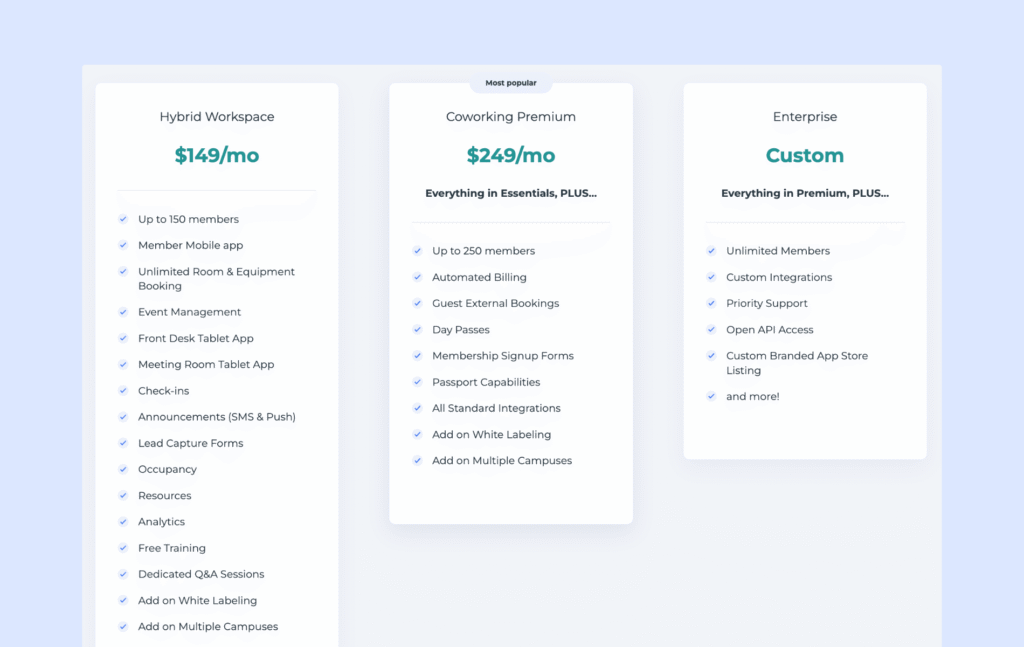
Coworks has three published plans which carry member caps:
- Hybrid Workspace: $149/month billed annually ($199/month monthly), up to 150 members
- Coworking Premium: $249/month billed annually ($299/month monthly), up to 250 members
- Enterprise: custom pricing, unlimited members
White-labeling and multi-location support cost extra on Hybrid Workspace, and some billing features are gated to Premium and above. At the entry tier, you’ll see Coworks starts below Optix’s Essentials plan, though the gap likely narrows once you add white-labeling or multi-location support.
What are the pros and cons of Coworks?
Pros
- Easy to learn for both staff and members, without a long implementation.
- Customer support draws consistent praise, even with a smaller review base than Optix.
- The community layer — events, messaging, RSVPs — is a genuine differentiator for relationship-driven spaces.
Cons
- Native integrations are limited if you lean on a broader tech stack, particularly accounting — a gap Optix partly closes through Zapier.
- Built-in e-signatures, deeper analytics, and more flexible recurring booking rules are common gaps as spaces grow, similar to complaints leveled at Optix’s customization ceiling.
Head to Capterra for reviews – their presence is fuller than G2. Operators generally praise functionality, with only minor friction around accounting integration.
5. OfficeRnD
OfficeRnD Flex is a coworking management platform built for multi-location operations, complex plan types, and reporting depth that goes beyond what Optix or the other platforms on this list typically offer. OfficeRnD Flex has grown into a strong option for large, multi-location operators and spaces working extensively with corporate accounts.
Likely a good fit for spaces managing multiple locations and sophisticated corporate billing, OfficeRnD suits a different use case than the mid-sized, mobile-first spaces Optix typically serves.
What are the key features of OfficeRnD?
- Membership management: Built for organizational complexity, going further than Optix’s individual-focused membership tools.
- Resource booking and billing: Desks, rooms, and offices, with recurring charges, one-off fees, and automated workflows for plan variation and billing edge cases — more billing flexibility than Optix.
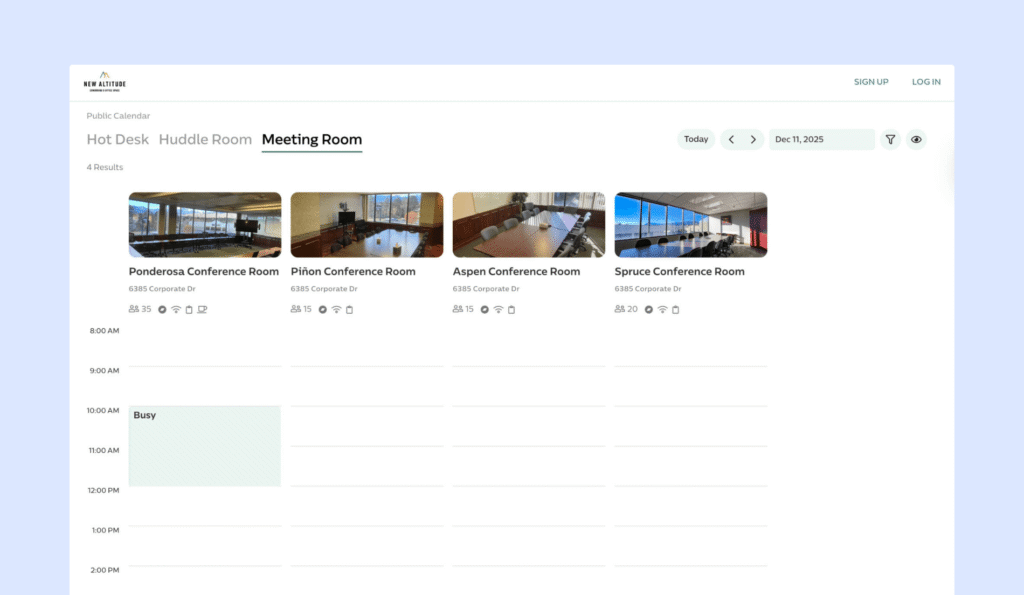
- Multi-location management: OfficeRnD’s strongest ground, built specifically for running several sites from one system, an area where Optix is comparatively limited.
- Reporting: Deeper dashboards and operational insight than lighter tools typically offer, including Optix.
- Integrations and API: Native connections across payments, accounting, access control, Wi-Fi, and CRM tools, plus API access.
Combien coûte OfficeRnD ?
OfficeRnD moved to fully custom pricing for a period, but public tiers are back:
- Start: $165/month billed annually ($185/month monthly) — 1 location, up to 100 members
- Grow: $259/month billed annually ($289/month monthly) — up to 2 locations, up to 200 members
- Échelle : tarification personnalisée
OfficeRnD also runs separate AI and visitor-management ‘hubs’ which act as add-ons at every tier. Those costs aren’t published, so it’s worth asking directly before budgeting — similar to how Optix’s visitor management and white-label app sit outside the base price.
What are the pros and cons of OfficeRnD?
Pros
- Strong end-to-end coverage for complex, multi-site operations.
- Reporting and dashboards offer the complexity larger operations with multiple vendors and regulations require
- Support gets solid marks during setup and troubleshooting.
Cons
- Onboarding takes real time and typically works best with a dedicated ops resource — a longer rollout than Optix or Archie.
- Recent reviews call the interface intuitive and easy to navigate, but it can take longer to adopt as a more enterprise category tool.
- For a smaller or simpler space, OfficeRnD may feel like more platform than the job requires.
What do user reviews say about OfficeRnD? Reviews are slightly split, and the general summary is that managers have a better experience than members. The former appreciate how well it handles their admin, the latter sometimes don’t find it user-friendly.
Qu'est-ce qu'Optix ?
Optix is coworking space management software in 2015, occupying the mobile-first end of the coworking software category.
It’s designed to manage the day-to-day operations of a coworking or flex space: bookings, billing, membership, and community engagement, all built around a mobile app that both members and operators interact with daily.
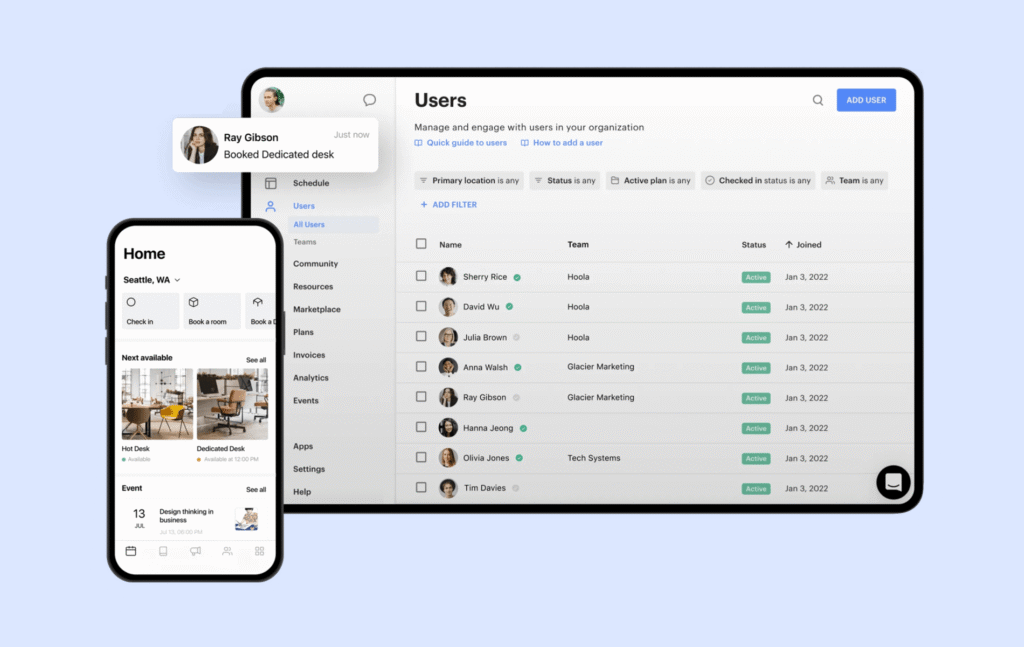
Optix is used by coworking operators of varying sizes, enjoyed most by operators running boutique or mid-sized spaces.
Optix’s core capabilities include:
- A mobile-first member app for bookings, invoices, and community
- A visual workflow automation builder
- A white-label mobile app option
- Membership and billing management
- CRM and communications tools
- Community features like events and a member feed
- Gestion des visiteurs
- Analyses et rapports
- Resource booking across desks, rooms, and other bookable space
Optix is typically positioned as the platform of choice for operators who prioritize automation.
Why do companies look for Optix alternatives?
Companies typically start evaluating Optix alternatives when the platform’s pricing stops matching how their space actually operates.
The feature gaps that most often drive the search include:
- Compounding add-on costs. Visitor management, the white-label app, extra locations are all priced separately on Optix, and (as you see above) alternatives like Archie offer a more complete core package.
- Compounding automation costs. If you chose Optix for its automation depth but your space surpasses the automation limit, you’ll be paying extra every month.
- A thin web experience. Optix’s admin dashboard covers the basics, but members only get the mobile app.
- E-signatures locked behind integrations. Optix handles digital signatures through a third-party tool rather than natively. Buyers can now expect this built into the core platform.
- Native integrations are better with other tools, reducing the reliance on Zapier.
If you’re considering a switch, weigh up your pricing priorities and any plans to scale.
Switching away from Optix tends to make the most sense once a space has outgrown a single, mobile-first location — when add-on costs have started adding up and/or when a growing member base makes pricing less predictable.
How do you choose the right Optix alternative?
You’ve likely already completed step one, which is really just to igure out the problem you’re aiming to solve. The right Optix alternative is going to match your operating model – now and several years down the line.
Some questions that may make the decision easy:
- Is mobile reliance a friction? You’ll find that most of the alternatives listed above will solve that problem.
- Are you paying for visitor management and/or e-signatures and/or extra locations? If so, you’ll likely find upon comparison that Archie’s package and pricing are an attractive option.
- Do you want a fuller community experience? Coworks is the most natural choice here, with a member-focused stage set for you to play on.
- Have you outgrown Optix to the extent that your business plan involves new locations, many private offices, and corporate contracts? OfficeRnD could be the choice for you.
If your problems aren’t so clean cut, I advise you make a shortlist from the list above and sign up to some demos. Rank your non-negotiables and go in with an RFP that can shape your decision in black and white.
Which is the best Optix alternative for a space expanding to multiple locations?
For operators in that position, Archie is the strongest alternative. It directly addresses the two issues that most often push operators off Optix — a thin web experience and add-on costs that compound over time. If you’re an expanding coworking space, Archie’s offer will give your members a modern, intuitive coworking platform and many ways to book their space and manage their schedule.
Archie tends to fit best for operators who:
- Want visitor management and e-signatures included rather than priced as extras
- Need core automations that help run billing cycles and access control
- Are running, or planning to run, more than one location
Why do companies choose Archie as an Optix alternative?
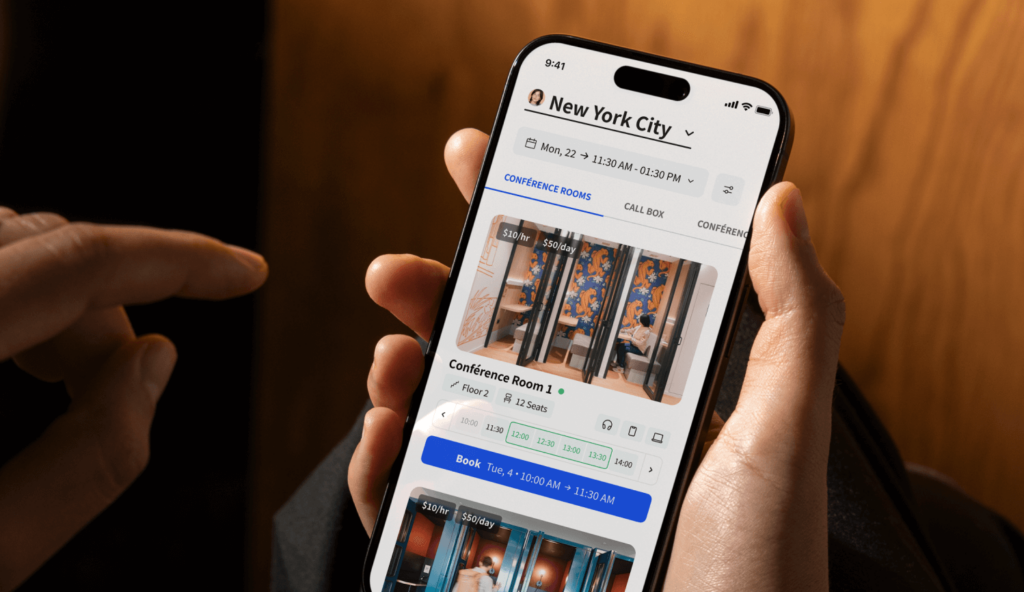
Companies choose Archie over Optix mainly to close the gaps Optix leaves open. They want a better member app, on mobile and web. The pricing structure, with visitor management and e-signatures baked into the plans, suits most modern coworking spaces wishing to scale. Archie makes both the day-to-day experience and the monthly bill more predictable.
Optix | Archie | |
|---|---|---|
Capacités | Bookings, billing, visual automation builder | Bookings, billing, visitor management, e-signatures, community |
Pricing approach | Per user/location, tiered, several paid add-ons | Per location and active member, most features included |
Usability | Modern, polished mobile app; web limited to an admin dashboard | Equally strong on mobile and web, for both members and admins |
Intégrations | Native essentials, relies on Zapier for broader coverage | Native integrations including access control |
Scalability | Scales via added locations, users, and automations each priced separately | Scales via location and member tiers, with predictable per-unit cost |
Support | Frequently praised for responsiveness during onboarding | Rated 9.6/10 across hundreds of users |
Ideal customer | Mobile-first spaces prioritizing a branded member app | Mid-sized, growing operators wanting a complete platform without add-on sprawl |
Archie’s capabilities line up closely with what pushes operators away from Optix in the first place. Operationally, this translates into fewer vendor relationships to manage, a lower risk of surprise costs as a space grows, and fast onboarding for both staff and members.
Optix | Archie | |
|---|---|---|
Note G2 | 4,7/5 | 4,9/5 |
Recurring positive themes | Automation, onboarding support | Ease of use, fast adoption, support responsiveness |
How do you migrate from Optix to Archie?
Migrating from Optix to Archie is a structured process.
The steps involved:
- Export your Optix data. Pull members, plans, bookings, and billing history so nothing gets lost in the switch.
- Map your workflows. Note which of Optix’s automations you rely on daily, so you can recreate or account for them in Archie before going live.
- Reconnect your integrations.
- Migrate members.
If you want help with any part of this, the Archie team has walked other operators through this exact switch and can help handle the heavy lifting!
- Sources principales