




















Cobot does one thing on purpose: it stays simple. It’s a coworking management platform, built by a Berlin coworking space that got tired of running its own operations on spreadsheets, and it covers the basics well.
However, reviewers often note that Cobot isn’t very user-friendly, and recent price increases are driving customer dissatisfaction. Operators typically start looking at Cobot alternatives when they want something more intuitive for members and admins, with customizations that help drive revenue — at a better price.
Here’s the shortlist worth your time, roughly in order of best overall fit:
- Archie is the most complete upgrade path: a modern member experience, built-in e-signatures, and visitor management, without the enterprise price tag.
- Coworks is a community-first option, strong on events and engagement, lighter on integrations and advanced operations than Archie.
- OfficeRnD Flex is built for highly complex operations, with reporting depth well beyond Cobot, at the cost of quote-based pricing and a longer setup.
- Yardi Kube is the enterprise-scale option, backed by Yardi’s broader real estate stack, with IT management and finance integrations.
- Spacebring is close to Cobot in spirit, simple and well-supported, but leans on paid add-ons for floor plans, visitor tools, and API access.
Choosing between them comes down to what’s actually slowing your team down today. If members are asking for a better app, you want Archie or Optix-style automation; if you’re managing several sites, OfficeRnD or Yardi Kube carry more weight; if you just want Cobot’s simplicity with better support, Spacebring is the closer move. For most operators making that switch, Archie is the one that wins the shortlist. It closes the exact gap Cobot leaves open — and though I’m writing from the Archie perspective, I do have the receipts to back it up!
So, let’s begin.
1. Archie
Archie is a coworking software built for operators who want their day-to-day to feel modern without feeling heavy, balancing perfectly on the scale of simplicity to complexity. It brings bookings, memberships, billing, visitor flows, community, and reporting into one place. Built-in e-signatures are included, so agreements get signed inside the platform instead of bouncing through a separate tool.
Commonly praised for being user-friendly, Archie is the best platform to build a profitable coworking space across one or more locations.
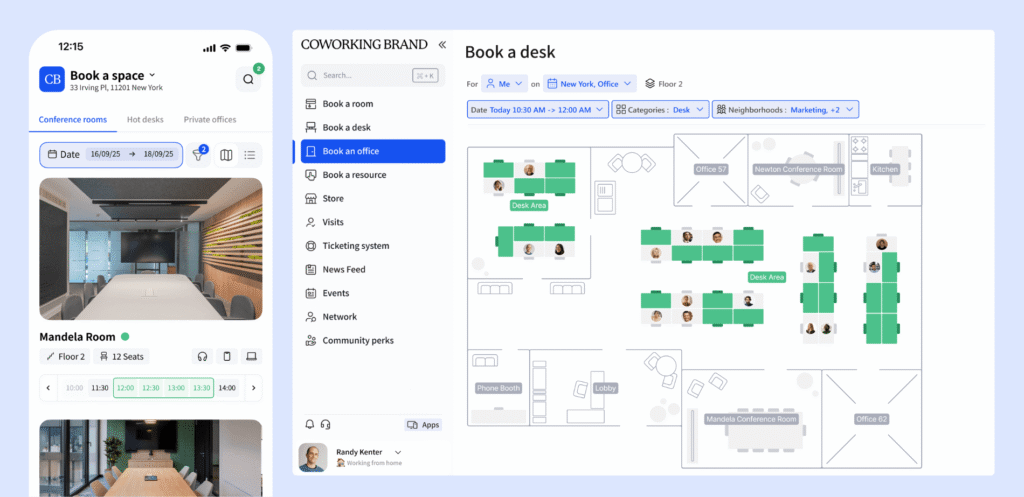
What are the key features of Archie?
Archie works best for operators who are moving past “just the basics”.
- An excellent member experience that actually feels current. Members book desks and rooms, manage their plan, and stay connected. Compared with Cobot’s more utilitarian interface, this is usually the first thing teams notice after switching.
- Bookings and space management. Calendar integrations, interactive floor plans, customizable booking rules offer a level of booking flexibility Cobot doesn’t match.
- Membership billing and payments. Recurring invoices, reminders, and payments run automatically, built to handle memberships and day passes with heightened automation than Cobot can support.
- Visitor and delivery management. Pre-registration, QR check-in, badge printing, host notifications, and delivery tracking ship on the Pro plan. Cobot doesn’t offer anything comparable without a third-party add-on.
- Built-in e-signatures. Contracts and agreements get created, sent, and signed inside Archie. Cobot has no native equivalent.
- Community tools. Profiles, a directory, a feed, chats, perks, and discounts, so member communication stays inside the platform rather than scattered across email and Slack.
Combien coûte Archie ?
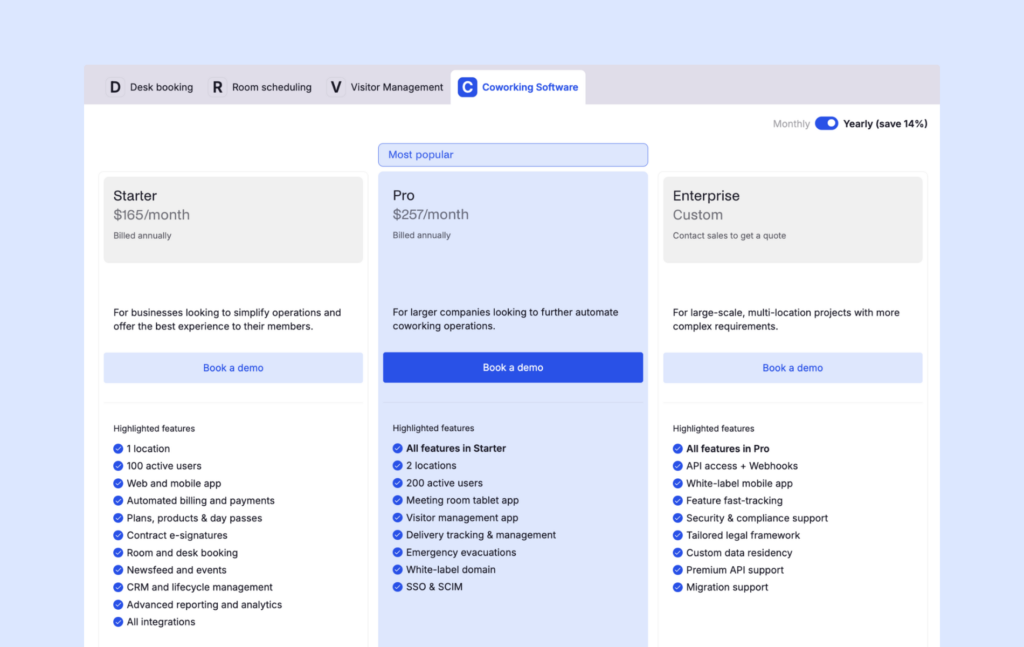
Archie prices around locations and active members, and the tiers are easy to read at a glance:
- Starter: $165/month — 1 location, up to 100 active members
- Pro: $257/month — up to 2 locations, up to 200 active members, plus extras like a white-label domain and visitor management
- Enterprise: custom pricing for larger, multi-site operations
An active member is someone who books a resource or holds a subscription plan (visitors and event attendees don’t count, and the same person across multiple locations only counts once). That definition is straightforward, which is more than you can say for some competitors on this list.
A branded mobile app (iOS and Android) is available as an add-on, as well as API access, and white-glove onboarding.
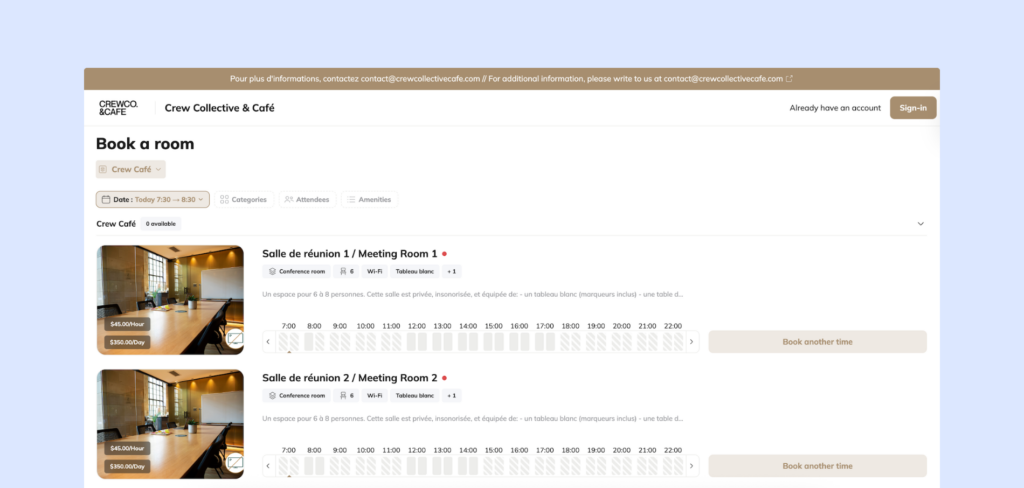
What are the pros and cons of Archie?
For Cobot users, the common theme is that Archie feels like an upgrade in day-to-day experience and breadth, without turning into a long implementation project.
Pros
- The interface is fast to learn for both staff and members, which shortens the adoption curve after a switch.
- Built-in e-signatures and Pro-tier visitor tools remove the need for extra software most competitors leave you to source yourself.Web and mobile are both genuinely strong, which matters when your members are split across devices.
- More competitive pricing than Cobot for scaling spaces.
Cons
- Reporting, while solid, isn’t built for the extreme end of enterprise-scale dashboards.
- A very small, single-location space with minimal complexity may find Archie is more platform than it strictly needs today.
What do user reviews say about Archie? The recurring themes are speed and ease. Archie is quick to set up and learn, as well as for members. Reviewers consistently point to the interface and the support team as the reason Archie holds a 4.9 rating on G2.
2. Coworks
If community is starting to become your unique selling point, Coworks is worth a look. It’s a community-first coworking platform that treats events, announcements, and member connection as core features, not add-ons bolted onto a booking calendar the way Cobot largely does.
Coworks may be the better option for smaller to mid-sized spaces that care more about member engagement than deep operational tooling. In other words, spaces that don’t need heavy integrations or enterprise-style reporting, and want something easy to run day to day.
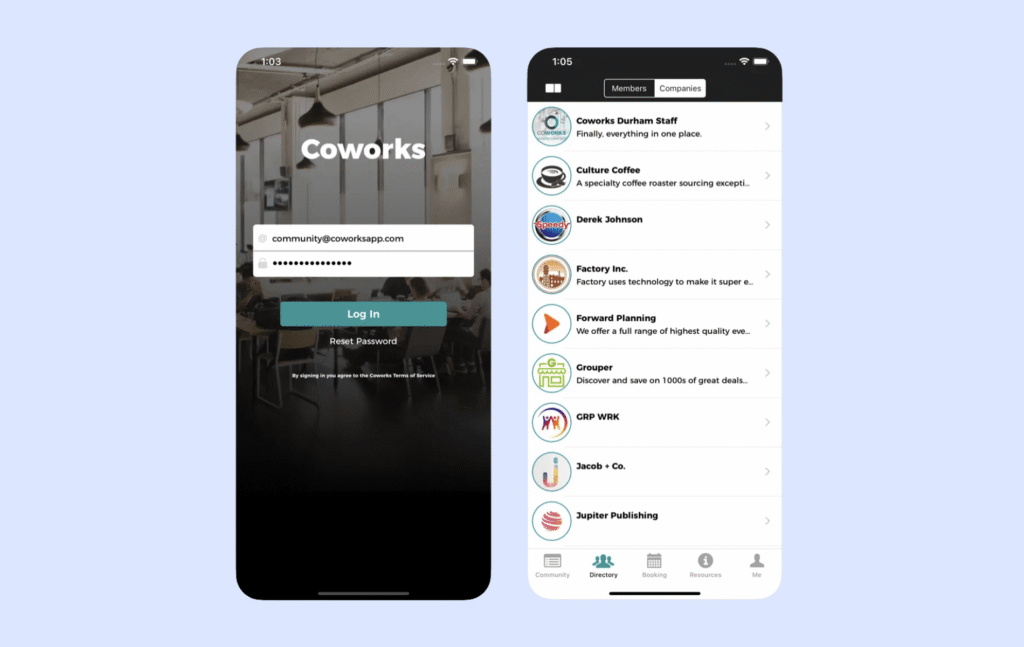
What are the key features of Coworks?
Coworks works best when you want to enhance member connection:
- Community tools and events. RSVPs, a member directory, and SMS/push announcements — genuinely deeper engagement tooling than Cobot offers.
- Memberships and onboarding. Plans, profiles, and signup forms covering the basics.
- Billing and day passes. Automated recurring billing plus dedicated day-pass tools for drop-in traffic.
- Passport. Multi-location or partner-space access, useful if you run — or collaborate within — a small network of spaces.
Combien coûte Coworks ?
Coworks bills at three distinct tiers;
- Hybrid Workspace: $149/month (annual) or $199/month (monthly), up to 150 members
- Coworking Premium: $249/month (annual) or $299/month (monthly), up to 250 members
- Enterprise: custom pricing, typically positioned for unlimited members.
White-labeling and multi-location support sit behind paid add-ons, and some billing features are gated to Premium and above.
What are the pros and cons of Coworks?
Avantages :
- Easy to learn, without the overhead of a longer implementation.
- Support gets favorable, if limited, feedback.
- The community layer — events, messaging, RSVPs — is a genuine differentiator for relationship-driven spaces.
Inconvénients :
- Integrations are limited if you rely on a broader tech stack — accounting, access control, or automation tools.
- Built-in e-signatures, deeper analytics, and more flexible recurring booking rules are common gaps as spaces grow.
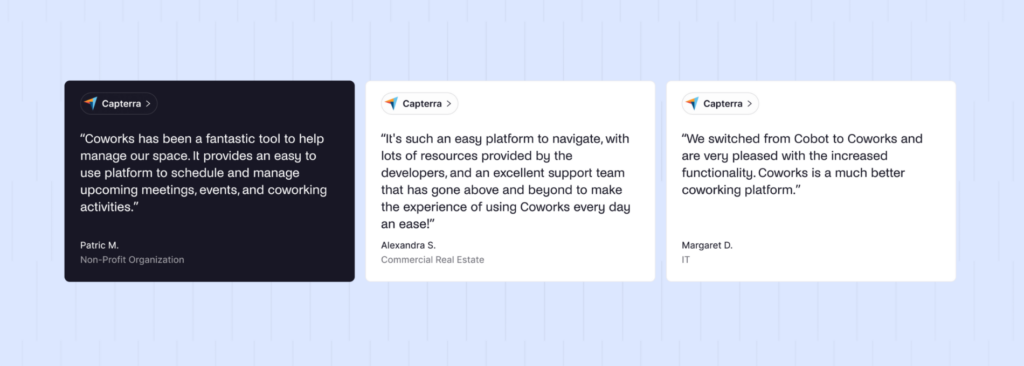
Coworks doesn’t yet have a meaningful G2 review. One user on Capterra specifically references the experience going from Cobot to Coworks as positive, experiencing increased functionality and only some hiccups with accounting.
3. OfficeRnD Flex
Cobot is built for “simple.” OfficeRnD Flex is built for the opposite: multiple locations, plan types, and reporting depth that goes beyond Cobot.
OfficeRnD Flex may be an appealing option for operators running complex, multi-site coworking operations at scale, who need deeper reporting and a hub-based structure to organize a large feature set, and who can absorb a more involved setup process.
What are the key features of OfficeRnD Flex?
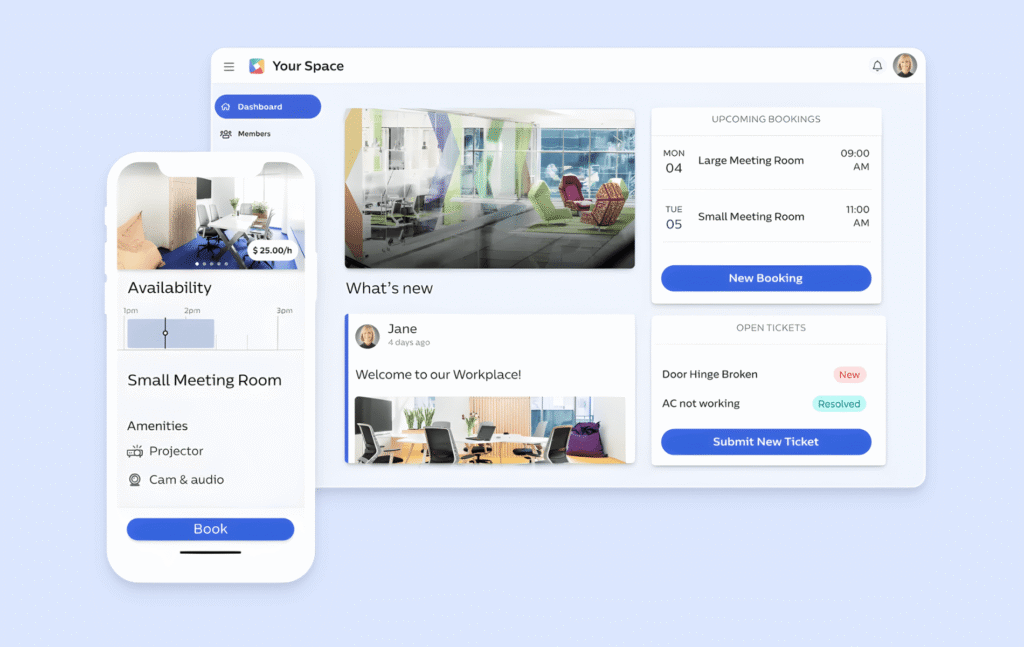
- Membership management. Individual and company memberships, contracts, and a member portal with more organizational complexity than Cobot’s.
- Resource booking and billing. Desks, meeting rooms, offices, and other resources with recurring charges, one-off fees, and automated workflows built for plan variation and billing edge cases.
- Multi-location management. This is where OfficeRnD earns its reputation — genuinely built for managing several sites from one system, a tier of complexity Cobot doesn’t compete at.
- Reporting. Deeper dashboards and operational insight than lighter tools, including Cobot, typically offer.
- Integrations and API. Payments, accounting, access control, Wi-Fi, CRM, and productivity tools, plus API access for custom workflows.
How much does OfficeRnD Flex cost?
- ‘Start’ from €155/mo for newly spaces (1 location and 100 members)
- ‘Grow’ from €249/mo for newly spaces (2 locations and 200 members)
- ‘Scale’ with custom pricing for larger spaces
These above plans offer the basics like automated floor plans and visual floor plans. OfficeRnD has separate AI and visitor ‘hubs’ that are available as add-ons at each stage, however the costs are cloaked, and likely dependent on usage.
What are the pros and cons of OfficeRnD Flex?
Avantages :
- Genuinely strong end-to-end coverage for complex, multi-site operations.
- Reporting and dashboards are a real strength as you scale.
- Support gets solid marks during setup and troubleshooting.
Inconvénients :
- Onboarding takes real time and works best with dedicated ops resourcing — this isn’t a same-week rollout.
- Pricing opacity makes budgeting harder up front than with published-tier competitors.
- For a smaller or simpler space, it can feel like more platform than the job requires.
Among reviews, power and depth are the consistent praise; however other reviewers complain of bugs and high costs. If OfficeRnD feels too heavy, our OfficeRnD alternatives guide covers lighter options, and Archie vs. OfficeRnD breaks down the direct comparison.
4. Yardi Kube
If Cobot feels too small, Yardi Kube can be a good options for large-scale operators. It’s built by Yardi, the real estate software giant — Kube is a full flexible-workspace platform wired into a much bigger real estate stack.
Those already running Yardi elsewhere in their real estate operations, would be especially suited. But anyone who needs IT management, deep finance integrations, and portfolio-level reporting are encouraged to read on!
What are the key features of Yardi Kube?
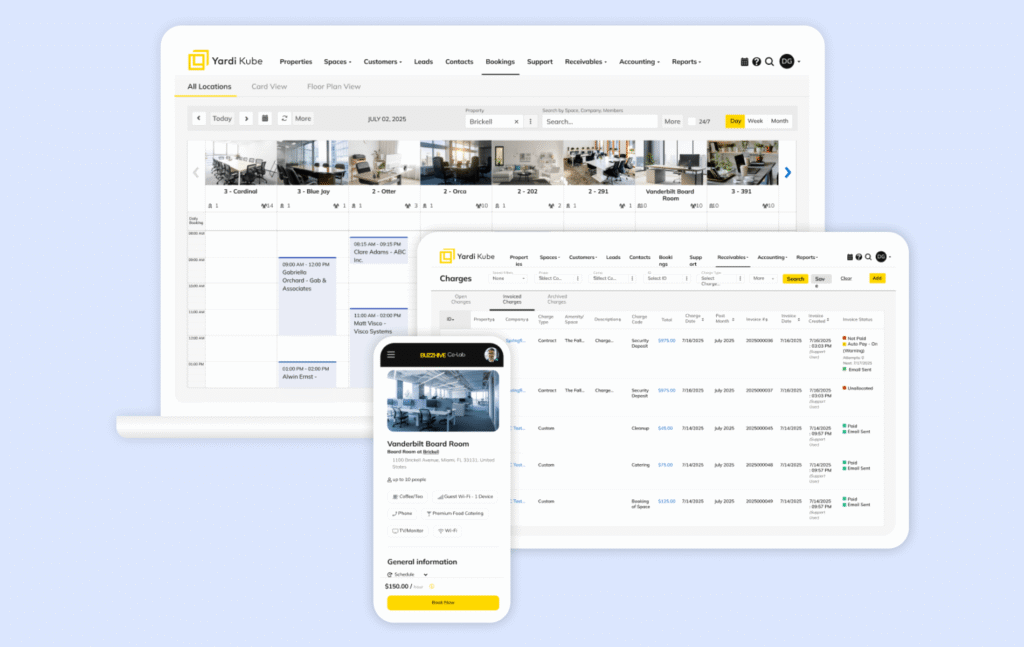
- Space and lease management. Interactive floor plans, occupancy tracking, and facility-level reporting built for operators who think in terms of a portfolio, not a single front desk.
- Bookings and memberships. Meeting room bookings, contracts, and membership management, covering the same ground as Cobot’s core.
- Automated billing and payments. Built-in invoicing and payment processing, with custom invoicing available at the higher tiers.
- IT management. Central Wi-Fi and device control, automated access management, and bandwidth tracking.
- Yardi Voyager integration and finance tools. At the Pro tier, Kube connects into Yardi’s broader accounting and procure-to-pay stack.
- ySign e-signatures and visitor management. Available from the Core tier up, closing a gap Cobot doesn’t address at all.
Combien coûte Yardi Kube ?
Yardi Kube recently introduced a published entry tier after years of custom-only pricing, though the two tiers above it are still quote-based:
- Start: $349/month — unlimited members, one location, core coworking basics (meeting room bookings, contracts and memberships, automated billing and payments, reporting and analytics, interactive floor plans) plus a “quick start” implementation
- Core: custom pricing — adds multi-location management, custom reporting, live chat support, and add-ons like IT management, a white-label member app, and ySign e-signatures
- Pro: custom pricing — adds Yardi Voyager integration, visitor management, custom invoices, and procure-to-pay/bill pay tools
Every tier is priced around unlimited members, which is a real difference from Cobot’s per-member model. The trade-off is that the entry price is high, and most of the features that make Kube worth choosing (IT management, white-label app, e-signatures, deeper finance integrations) sit behind a custom quote rather than a published number.
What are the pros and cons of Yardi Kube?
Avantages :
- Wide platform scope, especially for enterprise needs — reviewers and product listings consistently frame Kube as covering more ground than bookings and billing alone, IT management included.
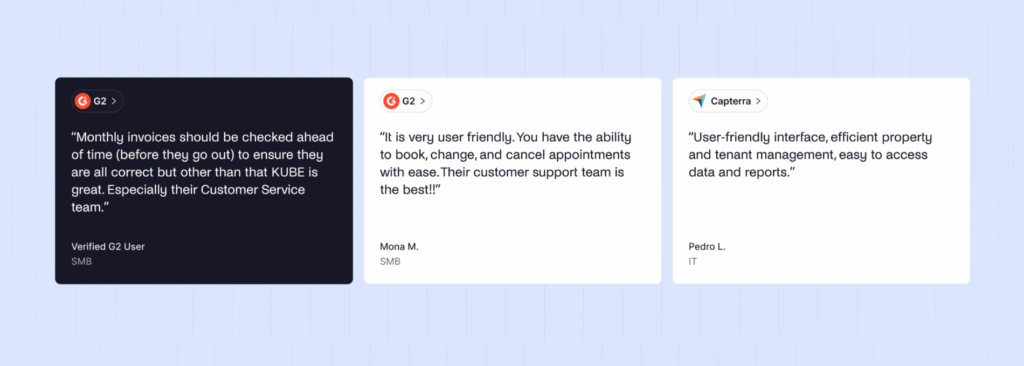
- Support is often a bright spot. Capterra’s category ratings show customer service scoring higher than ease of use, and reviewers who do leave feedback tend to call support out as helpful.
Inconvénients :
- Complexity is the most common complaint on G2, with some reviewers describing it as frustrating to use and harder to work with than lighter, coworking-only tools.
- Integration and API limitations come up in reviews, which is worth weighing carefully if you lean on a broader coworking tech stack outside the Yardi ecosystem.
- Review volume is small. Capterra and G2 both show a limited number of reviews, so it’s worth validating fit in a demo, particularly if your workflows are unusual.
Yardi Kube users praise the strong upport and scope; but complexity drives the complaints. It’s a platform built for scale, and the reviews largely reflect that. It’s strong for the operators it’s built for, heavier than necessary for anyone else.
5. Spacebring
If what you liked about Cobot was the simplicity, Spacebring is the closest lateral move. It’s still easy to learn, but the member side feels more current, and its support reputation is genuinely one of the best in the category.
Spacebring can be a good choice for small to mid-sized spaces that want a clean member experience. It offers real, responsive support, and that can plan around a handful of add-ons rather than needing everything bundled into one price.
What are the key features of Spacebring?
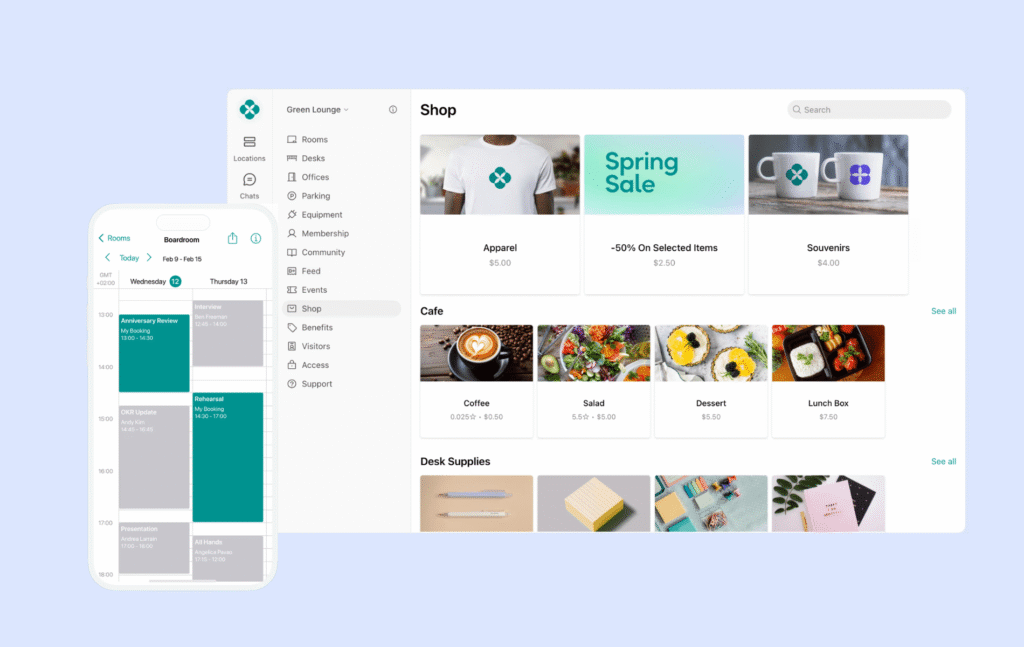
- Web and mobile member apps. A full portal plus iOS and Android apps — a step up from Cobot’s more web-first experience.
- Membership and billing. Plans, contracts, invoices, recurring billing, and a universal credits system members can spend across rooms, desks, and other resources.
- Bookings. Meeting rooms, desks, parking, and equipment, similar in scope to Cobot’s calendar but with more resource types.
- Community tools. A directory, messaging, events, and a feed.
- Support. This is Spacebring’s real differentiator — fast live chat, phone support, and a premium tier with a dedicated account manager. Reviews routinely call it out as best-in-class, arguably ahead of Cobot’s own well-regarded support.
Combien coûte Spacebring ?
Spacebring offers two tiers, however, the base plan can understate the real cost depending on your add-ons:
- Business: $186/month (annual) or $206/month (monthly), 6-month minimum, 100 monthly active users, 1 location
- Enterprise: custom pricing (12-month minimum), 500+ monthly active users, unlimited onboarding
Add-ons include member mobile app ($118/month first location, $89/month each additional), visitor reception ($59/location/month), floor plans ($30/location/month plus setup), and API/webhooks ($30/location/month). Price out what you’ll actually use before committing.
What are the pros and cons of Spacebring?
Avantages :
- Support response times get praised consistently across reviews.
- Fast to roll out without feeling overbuilt for a smaller team.
Inconvénients :
- Floor plans, visitor reception, and API access sit behind paid add-ons, which can push the real monthly cost meaningfully above the base price.
- Support hours skew toward European time zones, which North American teams may notice later in the day.
- A few reviews mention rougher edges in translation and interface polish.
What do user reviews say about Spacebring? Support is the word that shows up again and again. Operators describe it as fast, human, and genuinely helpful, which is a rarer trait in this category than it should be!
What is Cobot?
Cobot is a coworking management platform, built by the team behind a Berlin coworking space, now used by operators in more than 90 countries.
Cobot is designed to manage the core of daily coworking operations. It’s mostly used by small to mid-sized independent operators, the kind of space where one or two people run the front desk and don’t have time for a complicated system.
Cobot’s core capabilities:
- A booking calendar with self-serve desk and room bookings, recurring bookings, and a meeting room app
- Automated invoicing and payments, with member transactions covered under the subscription
- Reporting on membership, revenue, attendance, and engagement, with CSV export
- Open API and 100+ integrations, without extra charges for API access
- A white-label member portal — logo, colors, copy, and domain — included across plans
In the market, Cobot is known as the dependable, no-frills choice. It’s not trying to be the flashiest platform in the category, and for a specific type of operator, that restraint is exactly the appeal.
Pourquoi certains exploitants d'espaces de coworking recherchent des alternatives aux cobots
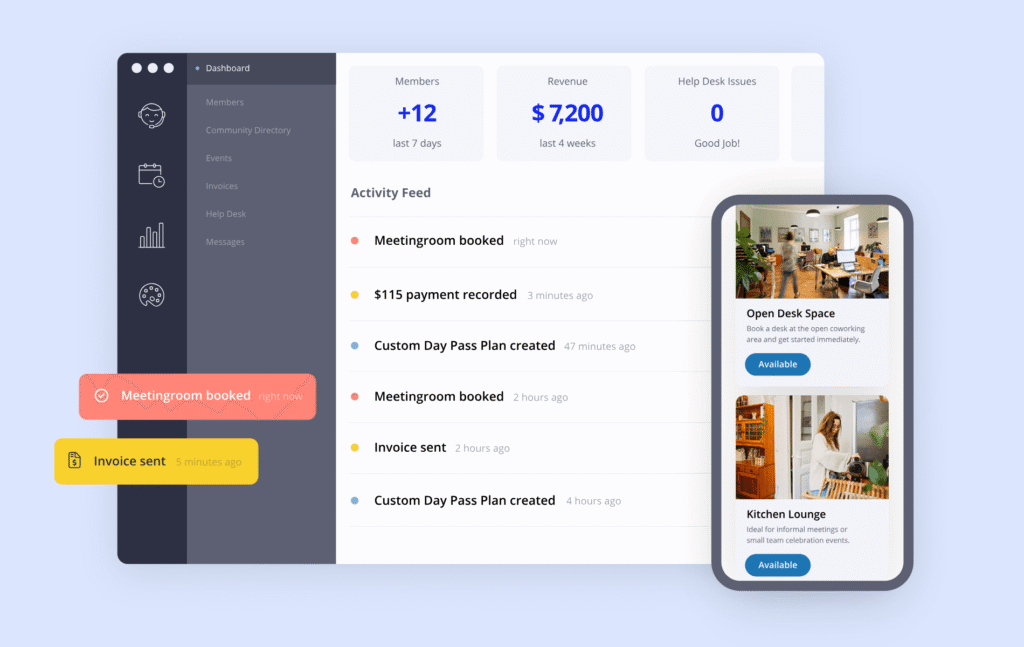
Operators evaluate alternatives when the platform’s simplicity starts costing them time or member goodwill rather than saving it.
- The member experience plateaus. If your members are asking for a better app or a cleaner booking flow, that’s often the first push toward alternatives.
- Manual work piles up. Onboarding steps, invoice reminders, renewal follow-ups — without automation, a small team absorbs all of it directly, and it adds up fast as membership grows.
- Reporting stays shallow. Operators often want a platform that answers those questions without a manual spreadsheet export.
- The portal feels rigid. More complex operators want finer booking rules, better filtering by capacity or amenity, and a more customizable member layout than Cobot’s intentionally simple design offers.
Those who were willing to compromise on Cobot’s shortcomings due to the competitive pricing found that advantage dwindled with the recent price increase. Now is when switching starts to make sense.
How do you choose the right Cobot alternative?
I advise you choose the right Cobot alternative by working from your actual operational requirement. A platform with more features than Cobot isn’t automatically the right one; it’s the right one if those extra features solve problems you actually have.
The criteria that should drive the shortlist, roughly in decision order:
- Member experience, mobile and web.
- Automation depth.
- Reporting and visibility.
- Multi-location readiness.
- Your existing tech stack.
- Setup time and learning curve.
- Pricing rules and add-ons.
Remember, a platform that looks cheaper at first can end up more expensive once you add what your space genuinely needs.
Which is the best Cobot alternative for growing coworking spaces?
For most operators outgrowing Cobot, Archie is the strongest fit. It solves the two things that drive people off Cobot in the first place — a dated member experience and thin automation — without pushing you into an enterprise-style rollout.
Archie tends to fit best if you:
- Run a space that’s adding products beyond simple memberships
- Want members to book and manage accounts confidently on both web and mobile
- Are tired of stitching together separate tools for e-signatures or visitor management
- Are planning, or already running, more than one location
That said, the final choice still depends on your specific requirements. A single-location space with minimal complexity and no growth plans might genuinely be fine on Cobot a while longer. An operator managing a large, multi-site enterprise portfolio with heavy custom reporting needs might get more mileage out of OfficeRnD Flex. And a landlord-scale operator already running Yardi across a broader real estate portfolio may find Yardi Kube’s finance integrations worth the added complexity.
Archie is the best general-purpose upgrade.
Why do companies choose Archie as a Cobot alternative?
Companies choose Archie over Cobot because Archie closes the exact gaps that push operators to look for alternatives in the first place — an outdated member portal.
Here’s how the two platforms compare directly:
Cobot | Archie | |
|---|---|---|
Core capabilities | Bookings, billing, white-label portal | Bookings, billing, visitor management, e-signatures, community |
Pricing approach | Per paying member | Per location and active member |
Usability | Functional, more operator-facing | Modern, built for fast staff and member adoption |
Intégrations | Open API, 100+ integrations | Calendar, payment, and access control integrations, plus open API |
Scalability | Available, less structured for multi-site growth | Built for structured multi-location growth |
Support | Responsive, fewer reported reviews | Responsive, backed by a larger verified review base |
Ideal customer profile | Small, simple, single-location spaces | Growing spaces adding products or locations |
Where Archie’s capabilities line up:
- Booking and space management — interactive floor plans and dependency bookings give operators finer control than Cobot’s simpler calendar.
- Billing automation — recurring invoices and reminders run without manual chasing.
- Visitor and delivery management — front desk teams get pre-registration, QR check-in, and host notifications.
- Built-in e-signatures — agreements get signed inside the platform, removing a tool Cobot users otherwise have to source separately.
Operationally, that translates into fewer systems to maintain, less manual admin for a typically small team, and a platform that can grow with you into a second or third location without a re-platforming project down the line.
G2 review scores tell a similar story. Archie holds a 4.9 rating built on hundreds of reviews, with recurring praise for ease of use and support response times.

Cobot | Archie | |
|---|---|---|
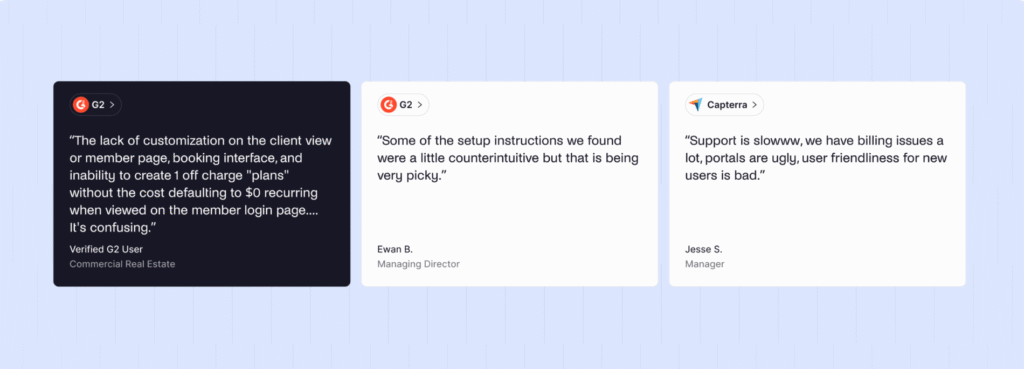
Note G2 | 4.1/5 | 4,9/5 |
Recurring themes | Simplicity but lack of customizability | Ease of use, fast adoption, responsive support |
Take this with the fact in mind that Cobot’s review base is much thinner than Archie’s. That’s not a knock on Cobot’s product so much as a reflection of its smaller, quieter customer base.
How do you migrate from Cobot to Archie?
Migrating from Cobot to Archie is a structured transition. Plan for it in stages, from data export through post-launch optimization, and you’ll avoid the disruption operators worry about most.
- Export your Cobot data.
- Map your workflows.
- Reconnect integrations.
- Migrate members.
- Retire Cobot. Once bookings, billing, and communications are all running cleanly in Archie, shut down the old system.
If you need help, please talk to the Archie team to learn how other companies have succeeded. We’re here to help!
- Sources principales