




















- Customers are seeking Envoy alternatives since recent price increases. The platform also occasionally lags, while competitors offer a more flexible workplace solution.
- Archie is the best Envoy alternative for room and desk booking alongside visitor management.
Envoy Visitors as a complete visitor management system largely designed for enterprise customers. Over the past few years, Envoy also developed Envoy Workplace for desk booking, room scheduling, and deliveries.
However, Envoy Visitors customers have seen prices creep up recently, on an already expensive product. The general consensus about Envoy Workplace is that it succumbs to slowness and inflexibility. For both aspects of Envoy, it seems the cost increase hasn’t necessarily translated into an improved product.
So, some customers are starting to look elsewhere. This article acts as a list to help you compare the best alternatives in the field that adeptly handle both space booking and visitors:
- Archie is the best all-round Envoy alternative for teams that need serious desk and room booking and a visitor experience that matches Envoy’s, without paying Envoy’s price for either.
- Skedda is a space booking tool with a strong custom rules engine and basic visitor management.
- Tactic is a platform that leans into AI with workplace management and a visitor system.
- Kadence competes well in the AI arena, with AI-assisted resource booking and a simple visitor tool.
- Eptura Engage is a robust enterprise solution that offers a booking system and visitor management alongside asset management and workplace experience tools.
Below, I’ll go through each (features, pricing, and who it’s best for) then get into how to choose, and what switching from Envoy really looks like.
- Petite remarque
These alternatives all handle both visitor management and desk/room booking. If you’re only interested in visitor management, this is for you:
Best Visitor Management Software 2026 Review
1. Archie
Archie is the best Envoy alternative for those who find the Envoy platform too slow and the price too high, yet don’t want to sacrifice on the features that make desk booking easy and visitor management sleek.
Archie software covers desk & room booking and visitor management, and is used by over 1,000 modern offices. Capterra awarded Archie the highest rated visitor management tool in 2026 and TrustRadius dubbed Archie the top rated product in Workplace Management. Users tend to love it – let’s find out why.
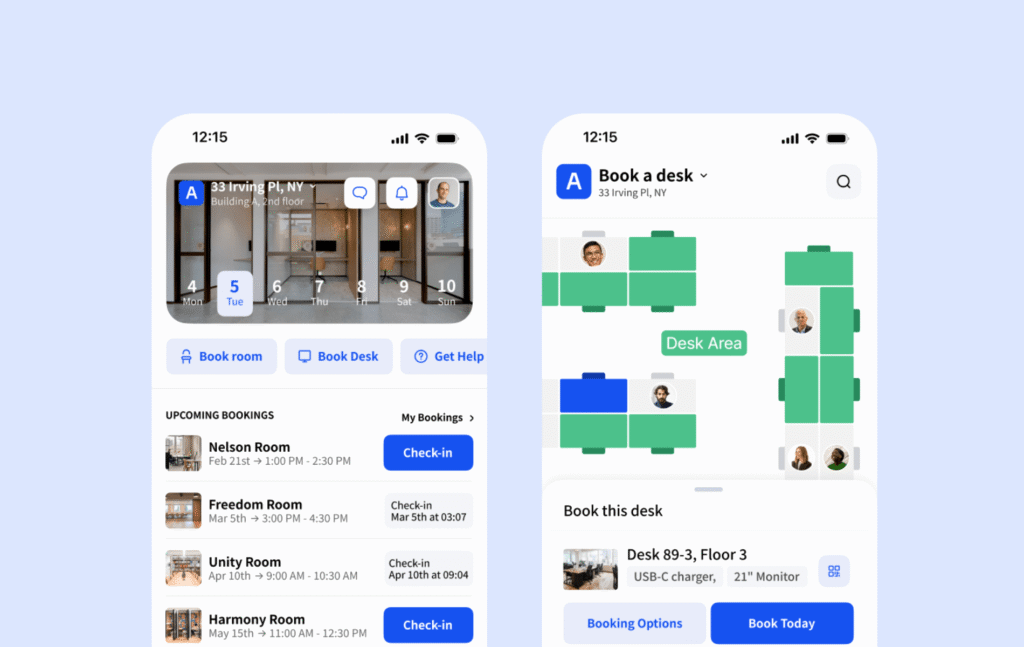
What are the key features of Archie?
- Workplace management: Desk and room booking, and set true recurring bookings. Envoy users complain about lack of customizability, but flexibility is baked into the settings with Archie. Set up your booking rules to reflect exactly how you want your space to be used.
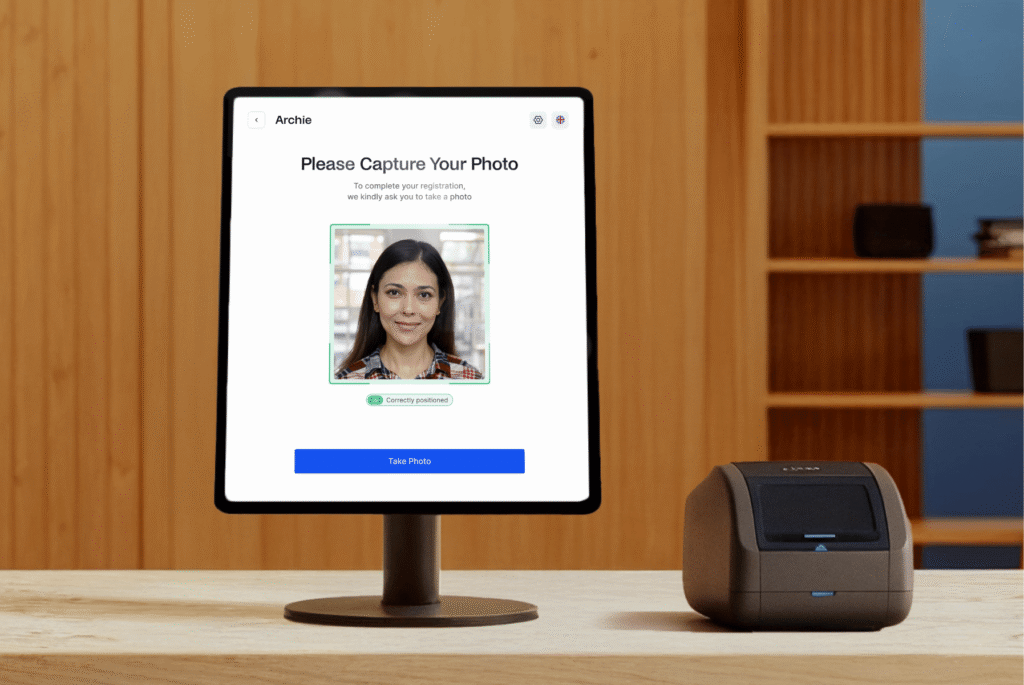
- Visitors: Archie’s visitor management system handles custom visitor flows by type with automated workflows for different guest types. Touchless check-in and detailed visitor logs, running on iPad or Android.
- Built-in e-signatures: NDAs and safety policies are signed inside the check-in flow, as well as badge printing.
- User-friendly app with interaction floor plan to find space and locate colleagues. Colleague look-up with easy coworker connection.
- No-show booking release and neighborhood zoning: With Archie, auto-release rules prevents any resource from sitting empty. You can easily configure team-specific zones to bring the right employees together in your hybrid office.
- Integrates with Slack and Teams for visitor notifications and booking – native connections also to Google Workplace and door access systems. Guest Wi-Fi and door access are included on every plan, not gated behind custom pricing the way they are with Envoy.
- Occupancy analytics: Real usage data on desks and rooms, so space decisions are based on what’s actually happening.
Combien coûte Archie ?
Archie Desks and Rooms
- Starter = Minimum $159/month
Includes interactive floor plans & no-show protection - Pro plan = Minimum $249/month
Includes multiple locations, Slack and Teams booking, SSO & SCIM, brand customization - Enterprise plan = Custom
For larger teams, offering security & compliance support, tailored legal framework, custom data residency, and feature fast-tracking.
Archie Visitors
- Starter = $109 per location/month
Includes unlimited visitors, touchless registration, host notifications and badge printing. - Pro plan = $185 per location/month
Includes analytics, branding, photo capture, custom forms, emergency evacuattions, SSO & SCIM. - Enterprise plan = Custom
For companies with higher security needs, offering block list, security & compliance support and custom data residency.
True budgeting requires you to do a little math. But I did a little for you for a quick Envoy comparison. If you’re pricing for a 2 location, 200-desk, 20-room office looking for space and visitor management (annually), Archie Pricing lands at $6,168 less expensive than Envoy.
What are the pros and cons of Archie?
Pros
➕ Priced for how you actually use the space. You pay for desks and rooms, not headcount, so a 400-person hybrid team with 150 desks pays for 150 desks.
➕ Advanced features are treated as standard in plans, e.g. Guest Wi-Fi and door access, not custom-priced add-ons
➕ User friendly: intuitive interface so it’s easy for people to book desks, set up visitors, configure settings and more
Cons
➖ Archie’s pricing is very fair for mid-to-large businesses, however small spaces may find they don’t meet the minimum
Users have rated Archie 4.9/5 on G2 and 4.8/5 on Capterra. Feedback consistently praises how easy it is to find and book spaces, the flexibility of visitor management, and the responsiveness of the support team. Where Archie has room to grow (for managers) is in the analytics.
2. Skedda
Skedda is a space-booking platform with a flexible rules engine, easily modeled to your workspace and resources.
Our Skedda review shows it works well for mid-size organizations (50 – 100 people) who want control over their booking windows and approvals. Visitor management is an add-on that fulfills the basics of a VMS.
What are the key features of Skedda?
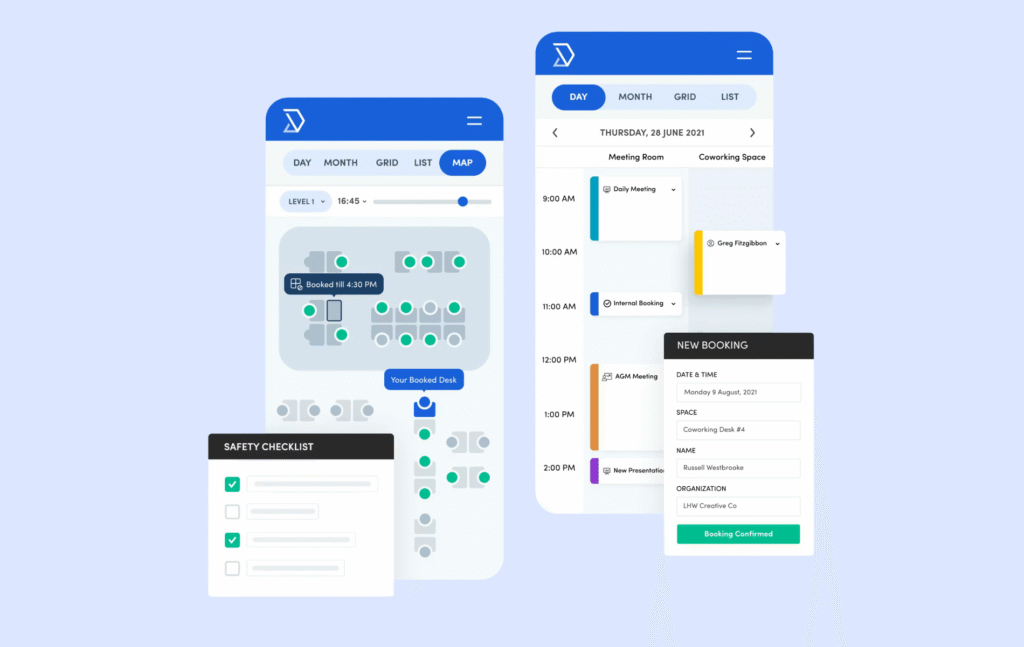
- Desk and room booking: A drag-and-drop interface for reserving spaces with real-time availability.
- Interactive floor plans: Custom maps that scale with the account tier — Starter includes basic maps, Premier unlocks the full rules and roles engine.
- Custom booking rules: Time limits, booking windows, quotas, and cancellation policies that can get as granular as you need them to.
- Visitor management: Skedda offers a simple VMS as an add-on at any tier, priced at $99/month.
- Third-party integrations: Microsoft 365, Google Workspace, Slack, and Microsoft Teams two-way sync.
Combien coûte Skedda ?
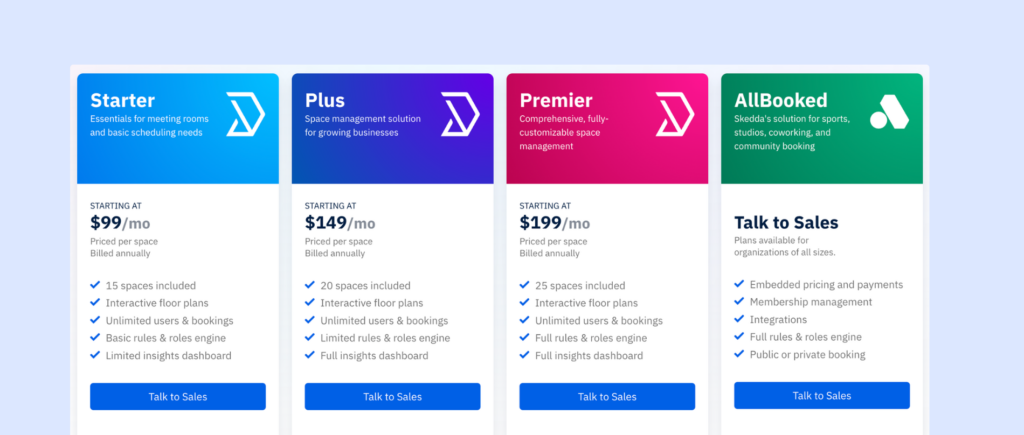
Skedda runs four tiers, billed annually:
- Starter at $99/month for 15 spaces with a basic rules engine,
- Plus at $149/month for 20 spaces
- Premier at $199/month for 25 spaces
- Enterprise pricing is custom.
Since a space is any desk or room, the advantages of Skedda pricing vary according to your space. Additional spaces cost $4.99 each, which is on a par with Envoy’s offer.
Visitor management adds $99/month on top of any tier, and there’s a separate $99/month add-on if you need more admin seats than the plan defaults allow.
Overall, this makes Skedda an attractive offer if basic visitor management is all you need (or if you don’t need it at all). It becomes less attractive when all the add-ons compound to a much higher monthly charge than you had originally budgeted.
What are the pros and cons of Skedda?
Pros
➕ The rules engine is genuinely strong — quotas, booking windows, and approval conditions can be layered in ways most competitors don’t attempt.
➕ Flat per-space pricing is predictable, and Skedda handles more than desks and rooms — parking, labs, event spaces all fit the same model.
Cons
➖ Visitor management is priced and built as an add-on, not a core product, so if visitors is a priority, this may be a mismatch for you.
➖ The tiered packages are well priced, but add-ons will increase cost higher than competitors.
Skedda has a 4.8/5 rating on G2. Reviewers repeatedly praise the simplicity of the software: staff and members need no training at all to use. When comparing Archie vs Skedda, Skedda’s integrations are weaker, and in general users comment that reporting is thin.
3. Tactic
Tactic is a modular desk and room booking platform. In July 2026, they restructured so customers assemble their own stack instead of committing to a bundle, with Desk and Room Booking anchoring the core “Engage” tier, which visitor management can also be added to for a price.
Against Envoy, Tactic tends to appeal to organizations who like the AI aspect of Envoy, but prioritize desk and room booking over visitor management.
What are the key features of Tactic?
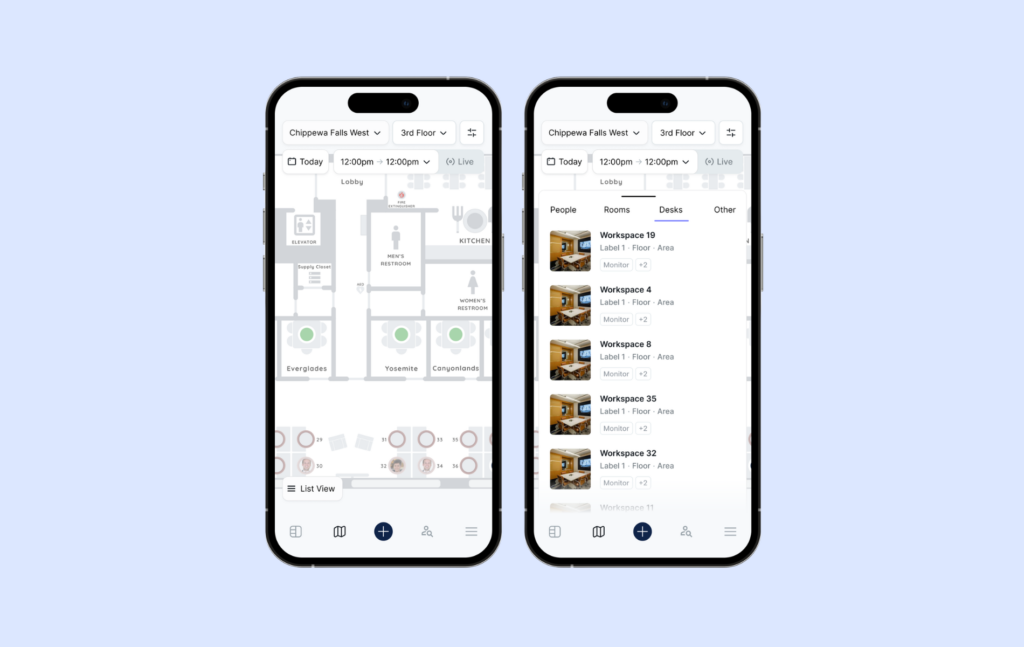
- Desk and room booking with floor plans: Booking feels smooth and responsive at typical office sizes, but reviewers report it bogs down as datasets grow — which can be a strain similar to gripes customers have with Envoy.
- Tessa AI: Tactic’s built-in AI assistant handles booking suggestions automatically. While Envoy has also invested in AI features, they group around the visitor management function. Tactic’s AI is geared around space management.
- Visitor management: Available as an add-on under the “Engage” category rather than included by default.
- Modular product selection: Customers pick individual components rather than committing to one fixed package. Skedda’s flat tiers are easier to quote upfront, but offer less room to scale down if you only need a couple of features.
Combien coûte Tactic ?
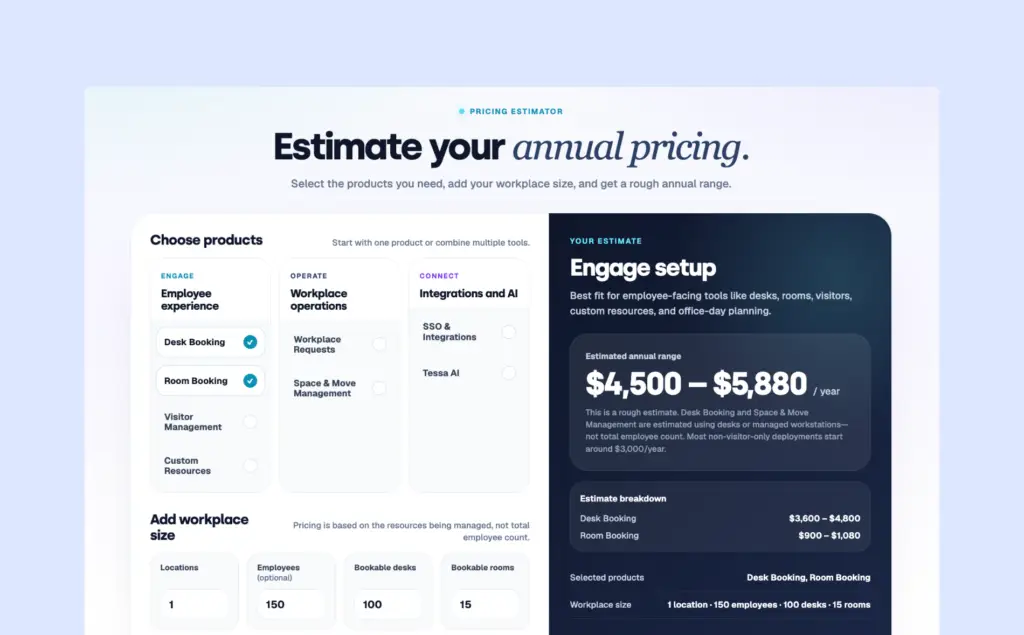
As of July 2026, Tactic moved from fixed-tier pricing to a module-based model. You assemble your stack across three categories and pay according to the resources under management rather than headcount.
- Engage (employee experience): Desk Booking, Room Booking, Visitor Management, Custom Resources.
- Operate (workplace operations): Workplace Requests, Space & Move Management.
- Connect (integrations and AI): SSO & Integrations, Tessa AI.
Tactic hasn’t published a fixed rate, but their pricing calculator offers some reference points:
Desk Booking on its own, for a single location with 100 desks, comes out to roughly $3,600–$4,800/year.
Desk and Room Booking across two locations lands around $4,750–$6,380/year.
Visitor management is estimated at $1,188 per location, which is far easier on your budget than Envoy – but only pays off if you are happy with a lighter product.
What are the pros and cons of Tactic?
Tactic offers an intuitive interface, a flexible modular setup, and support that reviewers consistently praise.
Pros:
➕ Intuitive, clean interface: Reviewers repeatedly point to how easy the platform is to pick up.
➕ Hands-on onboarding: Complex setups need strong support behind them for adoption to stick, and user feedback suggests Tactic’s team stays engaged through that process.
Cons:
➖ Scaling problems: Users report slower load times and occasional booking-availability glitches as usage grows. The AI functionality draws praise too, but not without some accuracy complaints.
Tactic holds a 4.6/5 rating on G2. Praise for the interface and support shows up consistently across both G2 and Capterra. The product now offers more flexibility to buy into than before. The main complaint that recurs is performance under load. If this is the issue you’re running from with Envoy, Tactic might not be right for you.
4. Kadence
Kadence is a desk and room booking platform whose focus is on connecting coworkers. Their SpaceOps AI agent aims to help companies change their workspace for the better, to coordinate employees and make best use of space.
It’s arguably a stronger match for mid-sized teams focused on in-office collaboratio. It’s a weaker fit, though, for teams that need reliability.
What are the key features of Kadence?
The AI capabilities are what set Kadence apart in 2026 — nothing comparable exists in Envoy, which employs AI towards visitor management.
- AI workplace planning and intelligence: Kadence built out its AI layer enough that it’s now its own paid tier, “SpaceOps.” Booking assistance driven by AI, scenario modeling, move scheduling — this is what differentiates Kadence, and Envoy simply doesn’t compete here.
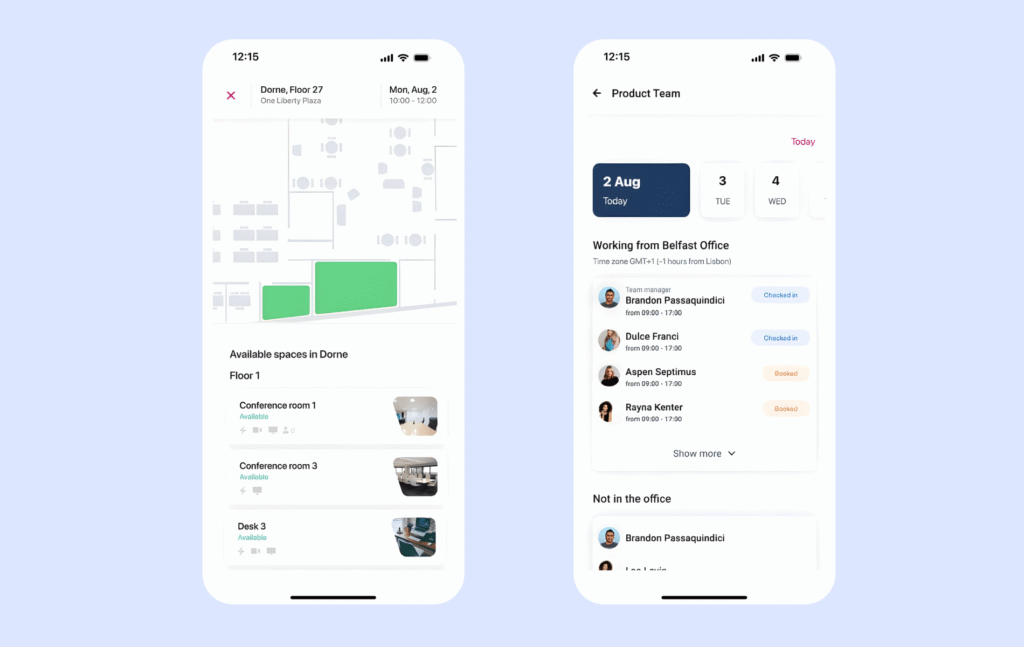
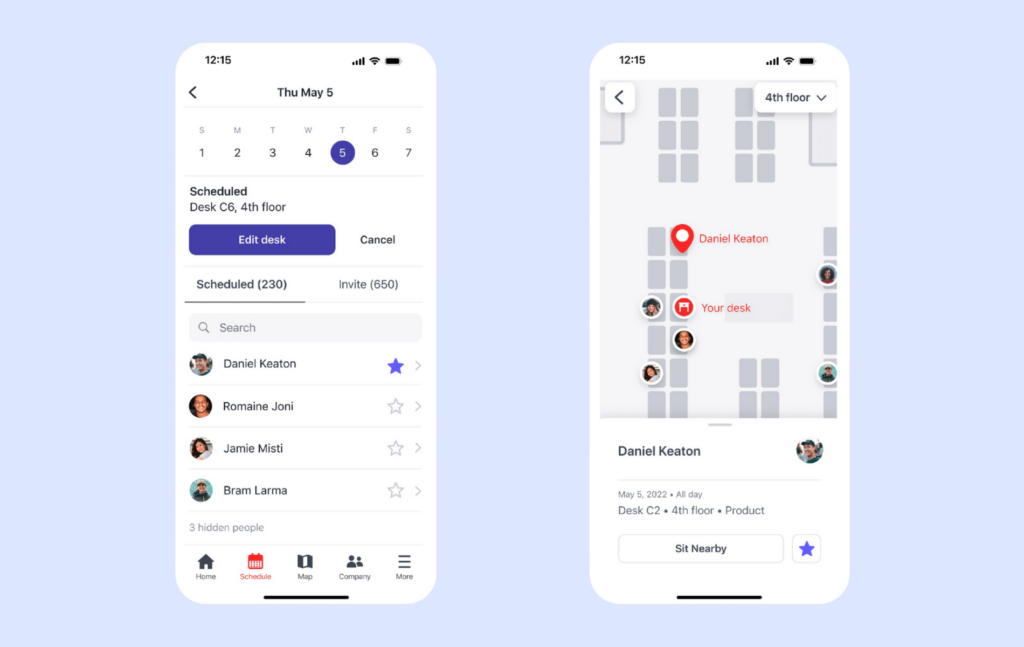
- Desk and room booking with visual floor plans: Kadence pairs availability with visibility into who’s nearby, turning a desk booking into a light coordination tool as well.
- Visitor management: Included in the base WorkOps plan rather than gated behind a higher tier,
- Move management is built into the ‘WorkOps’ package, along with desk booking and visitor management, which no other tool on this list provides. If you’re looking to make changes but don’t know how, Kadence will help you optimize.
Combien coûte Kadence ?
Like several others on this list, Kadence keeps pricing off its public site, so a sales conversation is required to get real numbers.
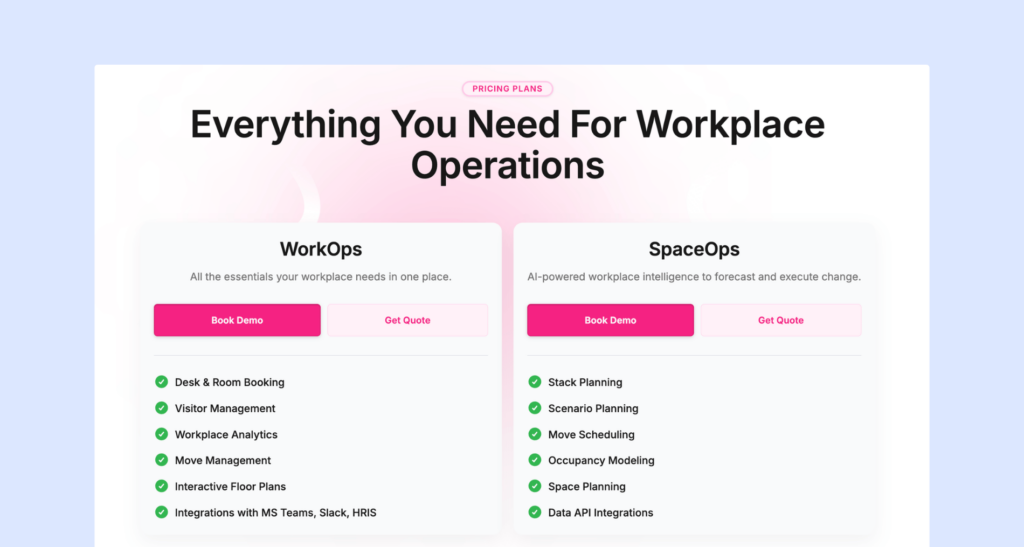
- WorkOps is the base plan: desk and room booking, visitor management, workplace analytics, move management, interactive floor plans, and integrations with MS Teams, Slack, and HRIS systems.
- SpaceOps sits on top as an AI-forecasting add-on/tier: stack planning, scenario planning, move scheduling, occupancy modeling, space planning, and data API access.
- A $250-per-floor-plan implementation fee applies.
What are the pros and cons of Kadence?
Avantages :
➕ Genuinely easy to use: Navigable regardless of skill level, and the “who’s nearby” layer turns an ordinary booking into something more useful.
➕ Strong customer support: A recurring theme in reviews.
Inconvénients :
➖ Rough edges in the interface: Frictions (bookings that are awkward to rearrange, pop-ups that won’t close) add up over time even if nothing is fundamentally broken.
➖ Instability under heavier use and AI errors that are still being ironed out.
Kadence sits at 4.5/5 on G2. Its reputation is built on ease of use, with users calling out the intuitive setup and flexible floor plans. The more advanced functionality shows some growing pains, though, which pushes customers to Kadence alternatives. Several reviewers mention bugs in automatic check-in/check-out, along with reporting that’s granular to the point of being hard to actually use.
5. Eptura Engage
Eptura Engage is a desk and room booking platform built for larger, more complex workplaces, combining reservations, floor plans, workplace analytics, and visitor management into a broader workplace-experience platform.
It’s arguably a stronger match for organizations that need desk booking, meeting rooms, and visitor management to work together across multiple offices rather than a lightweight booking tool. It is a weaker fit, though, for smaller teams that want a simple system with minimal administration.
What are the key features of Eptura Engage?
Eptura’s strength is less about one killer feature and more about how much of the workplace it covers.
- Desk and room booking with interactive floor plans: Employees can find and reserve desks and meeting rooms from visual floor plans, with availability, desk attributes, and nearby colleagues visible. Desk bookings can be made through the web, mobile app, Microsoft Teams, or kiosks, while room booking integrates with Outlook and calendar workflows.
- Automated check-in and release: Eptura can automatically check desks and rooms in and release unused reservations, including through integrations with occupancy sensors.
- Visitor management: Visitor functionality covers pre-registration, self-service kiosk check-in, host notifications, badges, QR codes, access-control integrations, watchlists, digital visitor logs, and emergency roll calls. It can also handle NDAs and other documents during registration.
- Multi-location administration: Eptura is designed to manage buildings, floors, desks, rooms, neighborhoods, booking rules, and permissions across multiple locations. That makes it much more compelling for enterprises than for a single-office team.
Combien coûte Eptura Engage ?
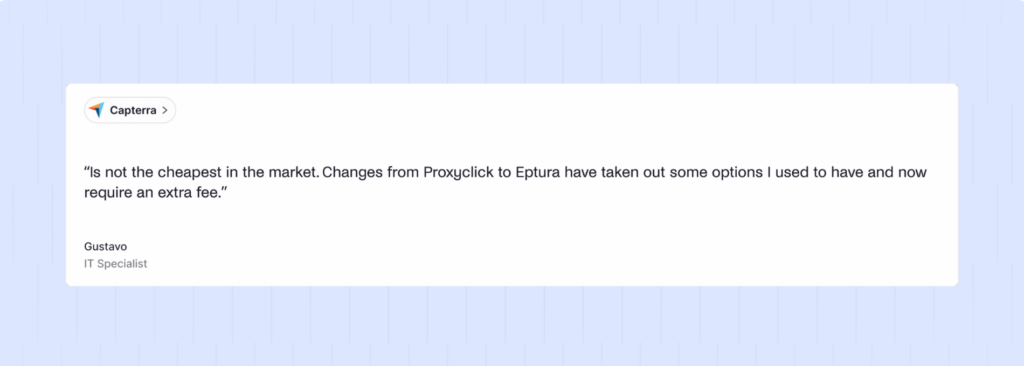
Eptura does not publish straightforward per-user pricing for Engage. Its pricing page describes tiered plans and optional add-ons, with annual subscriptions based on the number of users, so you’ll need to speak with Eptura to get an actual quote.
- Engage: Covers the core workplace-booking experience, including desks, rooms, floor plans, booking rules, calendars, analytics, and integrations.
- Advanced/Power capabilities: Higher tiers add functionality such as intelligent booking, conversational Teams booking, deeper automation, and additional workplace-management capabilities.
- Visitor management: Eptura Visitor is positioned as its own product, with visitor functionality covering pre-registration, check-in, access control, security workflows, and emergency management. Some visitor capabilities are therefore an additional consideration rather than simply something every Engage customer gets automatically.
What are the pros and cons of Eptura Engage?
Avantages :
➕ Very capable booking platform: Desk and room booking are straightforward for end users, with visual floor plans, real-time availability.
➕ Excellent fit for Microsoft 365 environments: Outlook and Teams integration means employees can book from tools they’re already using.
➕ Visitor management goes beyond basic sign-in: Pre-registration, QR codes, kiosks, host notifications, access control, watchlists, document signing, and emergency roll calls.
Inconvénients :
➖ Administration can be complicated: The same depth that makes Eptura useful for enterprise workplaces can make setup and ongoing administration feel heavy.
➖ Support is a recurring complaint: While the overall product rating is solid, some recent G2 reviews call out slow or ineffective support.
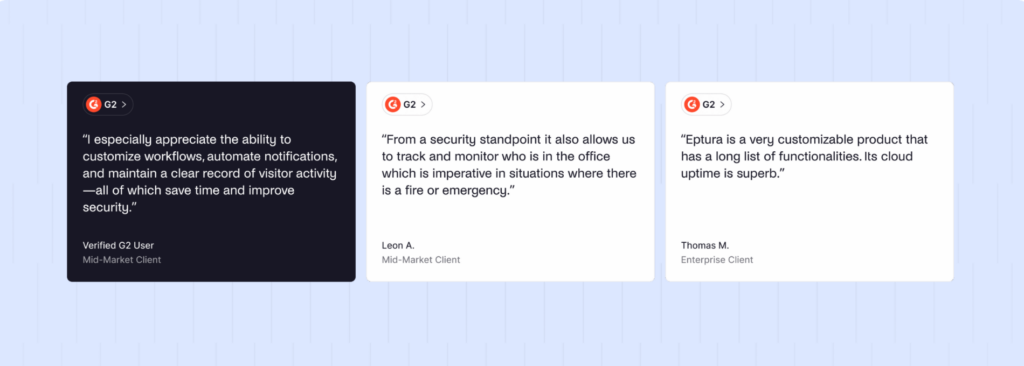
Eptura Engage sits at 4.3/5 on G2. Users consistently praise the intuitive booking experience, floor plans, desk and room management, and Microsoft 365 integration. The trade-off is that the platform is considerably more enterprise-oriented than a simple desk-booking tool.
Qu'est-ce qu'Envoy ?
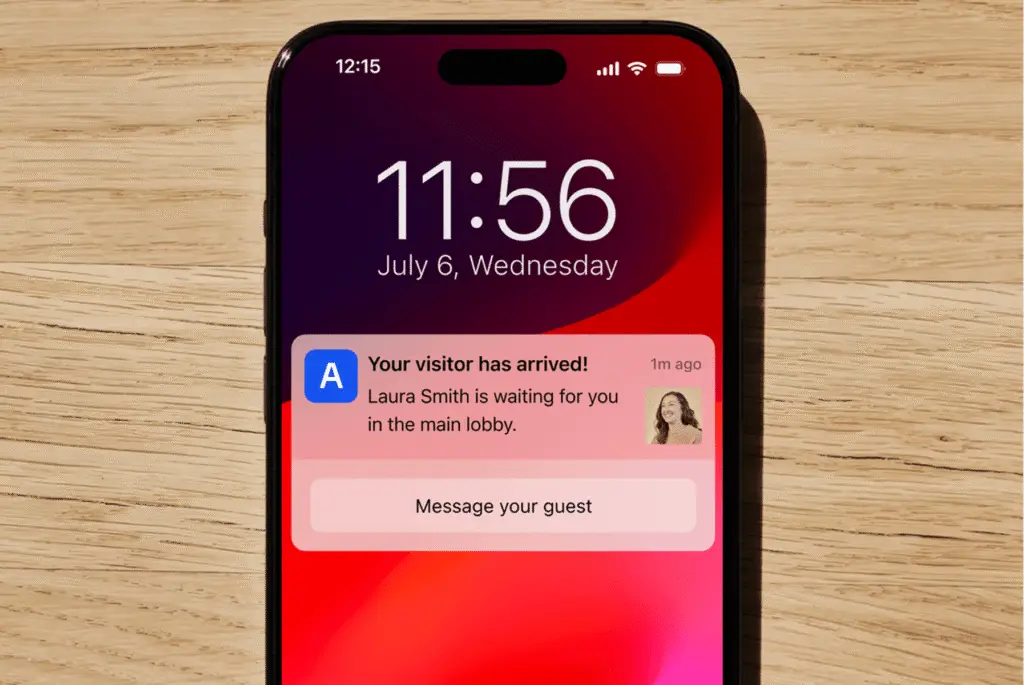
Envoy started out in the world as a visitor management system. Although it has now expanded into a full workplace platform, its strength is still the VMS.
Advanced security features set it apart from many competitors. That said, its price increases over the years has called its value into question for some users.
An Envoy review shows it is used heavily by mid-sized and larger companies. Core capabilities include:
- Touchless visitor check-in with photo capture, badge printing, and blocklist screening
- Desk and room reservations sold as a separate “Reservations” module
- Delivery tracking and mailroom management
- Digital signage for room displays and wayfinding
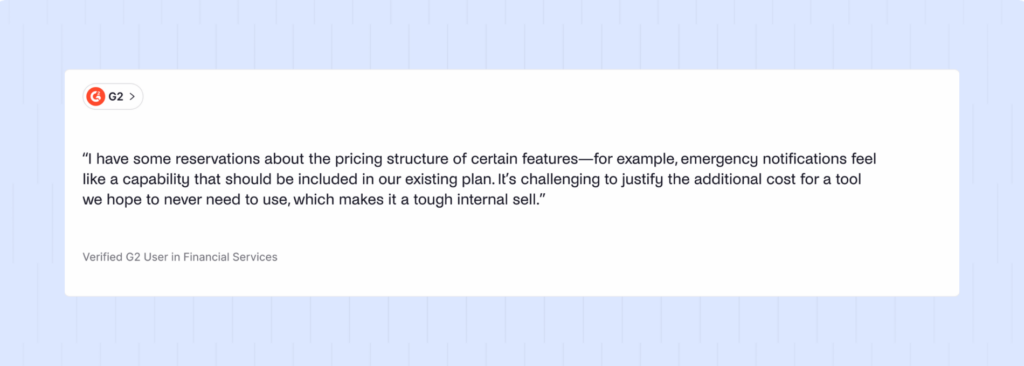
- Emergency notification ‘threat’ broadcasting across a building or campus (also billed separately per user)
In the market, Envoy is known first for its visitor experience, and second for the breadth of its module lineup.
Why do companies look for Envoy alternatives?
Many customers use Envoy as both a visitor management system and a desk/room booking platform. Yet, reviews show that Envoy’s workplace solutions (aka desk/room booking) have limitations.
- Many reviews highlight that the software slows to an unreliable point at times. Internet connection needs to be strong, but also unavoidable scenarios (like peak times) also take their toll.
- There are certain customizations that Envoy struggles with which are easy on other platforms. Recurring bookings and room buffer time are two settings that platforms like Archie make easy, but Envoy doesn’t handle.
These make the cost increase even harder to justify.
If you’re a high security site, a higher budget for visitor management makes sense because you need a tool sophisticated enough to manage enterprise-grade security.
Switching tends to make the most sense if you’ve realized you’re paying a premium for visitor management that you can’t justify.
How do you choose the right Envoy alternative?
The right alternative depends less on a feature checklist and more on what your office actually does day to day — how many locations you run, whether desks or visitors are the bigger operational headache, and how much budget flexibility you have as the team grows.
A few criteria are worth weighing in order:
- Pricing model fit.
- Visitor management depth.
- Booking rule flexibility.
- Pricing transparency.
Weigh the criteria against what actually costs you time or money today: a cheaper tool that can’t do NDAs is not cheaper if it’s something you actually need.
Which is the best Envoy alternative for desk and room booking plus visitor management?
For a team managing both space booking and visitor management under one roof, Archie is the strongest fit. It’s the only tool on this list built with equal weight behind desks, rooms, and visitors, rather than treating one as the core product and the other two as add-ons.
Archie fits best if:
- You’re running more than one office, or planning to.
- Desks make up a meaningful share of your bookable resources, not just meeting rooms.
- Visitors, contractors, or deliveries are a regular part of your week, not an occasional guest.
- You want guest Wi-Fi, door access, and emergency alerts included in the plan price, not gated behind a custom quote.
Why do companies choose Archie as an Envoy alternative?
Companies switch to Archie from Envoy for a fairly consistent set of reasons: the per-resource pricing is more predictable at scale, the features that Envoy reserves for Premium or Enterprise tiers — guest Wi-Fi, door access, emergency notifications — come standard, and the booking rules actually support how hybrid teams book space, recurring reservations included.
See our full Archie vs Envoy comparison.
Archie | Envoy | |
|---|---|---|
Visitor pricing (comparable tier) | $185/location/month | $362/location/month |
Desk/room booking model | Per resource, from $2.80/desk | Per resource, from $5/resource + platform fee |
Guest Wi-Fi integration | Included on all plans | Tarification personnalisée |
Door access integration | Included on all plans | Tarification personnalisée |
Recurring bookings | Native, rule-based | Limited — no true rule-based recurrence |
Visitor app hardware | iPad and Android | iPad uniquement |
Ease of setup (G2) | 9.7/10 | 9,3/10 |
Again, if you are running a high security site, welcoming many visitors for different purposes, Envoy may still be for you.
For your users, if you switch to Archie, you’ll find that the difference isn’t night and day, but day-to-day. The admin time no longer wasted on manual workarounds, the employee time no longer wasted waiting for a platform to load, and the budget no longer spent on advanced features you don’t need.
Archie | Envoy Visitors | Envoy Lieu de travail | |
|---|---|---|---|
Overall G2 rating | 4,9/5 | 4,7/5 | 4,4/5 |
How do you migrate from Envoy to Archie?
Migrating from Envoy to Archie is a structured handover — floor plans, resource lists, and user data move across first, integrations get reconnected, and the switch typically goes live before anyone touches the day-to-day booking flow.
- Audit your current setup.
- Map your floor plans in Archie.
- Reconnect integrations.
- Cut over and communicate.
Before fully retiring Envoy, validate that historical booking and visitor data has migrated where you need it for compliance or reporting, that every integration is actually live (not just configured), and that admins have run through the emergency notification and access-control workflows at least once — these are the features most likely to get missed in a rushed cutover.
If you have any questions about making the switch, we’re here to answer them!
- Sources principales