








Kadence is a popular workplace management tool, known for its ease of use and intuitive features (think interactive floor plans and AI booking capabilities). On top of that, it also has a highly responsive support team that’ll help you with setup and day-to-day tasks.
But is it worth the (per-user) price, or can you get similar features for less?
Let’s find out. Here’s what makes the platform stand out, and when you might want to consider Kadence alternatives.
💡 TL;DR:
Kadence works best for larger teams that want advanced features and don’t mind higher costs. For smaller teams and mid-sized offices that want enterprise-level features with clearer, more predictable pricing, it’s worth considering alternatives like Archie.
Kadence vs alternatives
What is Kadence?
Kadence.co has been around for a few years, but the current AI-focused product dates back to 2023. The founders behind Kadence saw how chaotic hybrid workplaces can be and wanted to build an all-in-one tool, focusing on organization and connection within the teams.
Now, with 10,000+ teams across 40+ countries, Kadence is becoming a go-to option for workplace management for both small teams and large enterprises.
Key features of Kadence
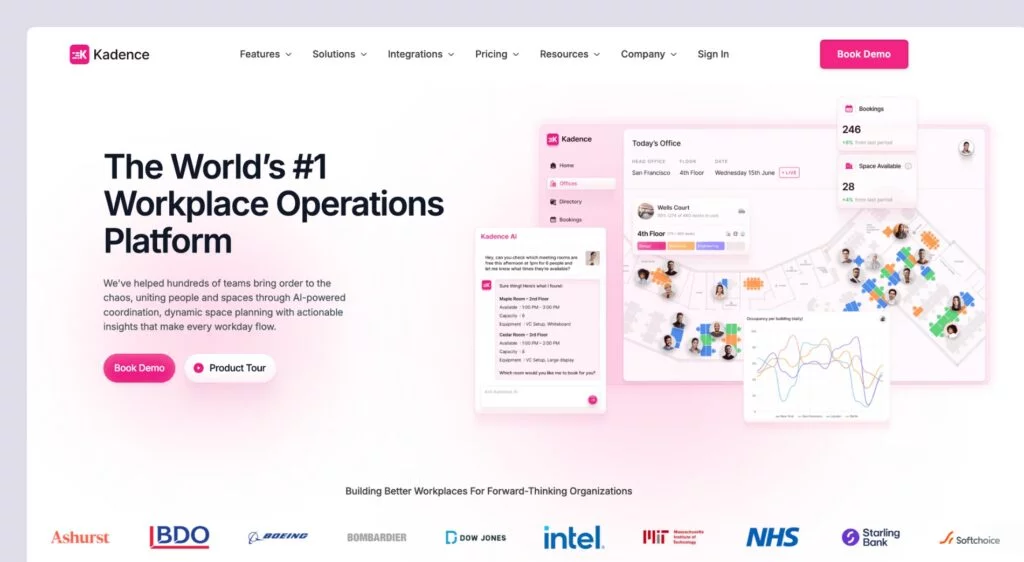
- Desk and meeting room booking: Reserve hot desks and meeting rooms with ease.
- Interactive floor plans: Book desks and rooms with real-time visual office maps showing desk availability and colleague locations.
- Kadence AI: Use AI-powered suggestions to mass-book for specific teams and notify employees when team members are in the office.
- Visitor management: Track and record guests entering your office.
- Analytics and insights: Get insights on occupancy and space usage.
- Event management: Plan and coordinate workplace events with staff notifications.
- Mobile and desktop apps: Use the user-friendly mobile apps and web access for booking.
Kadence pricing
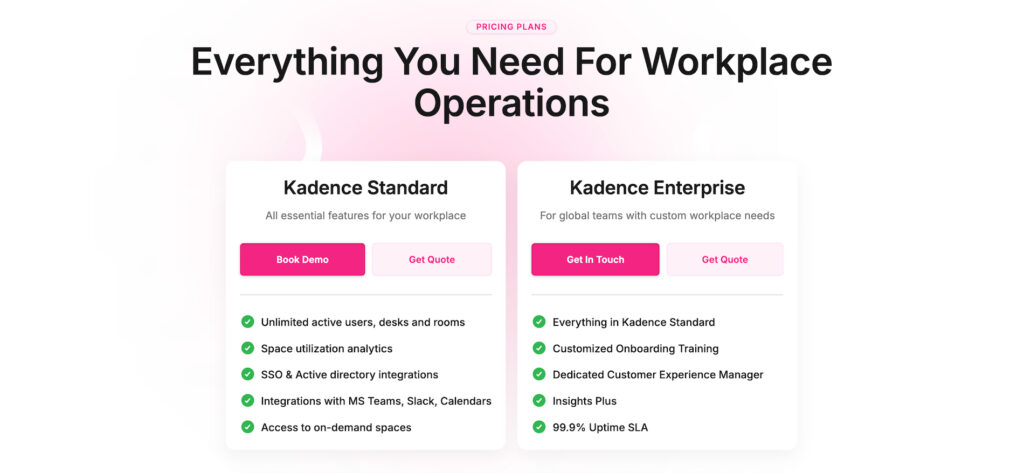
Kadence currently uses custom, quote-based pricing. In the past, plans started at around $4/user/month and included visitor management. But, for the most accurate and up-to-date pricing, you should reach out to Kadence for a quote.
What’s great about Kadence
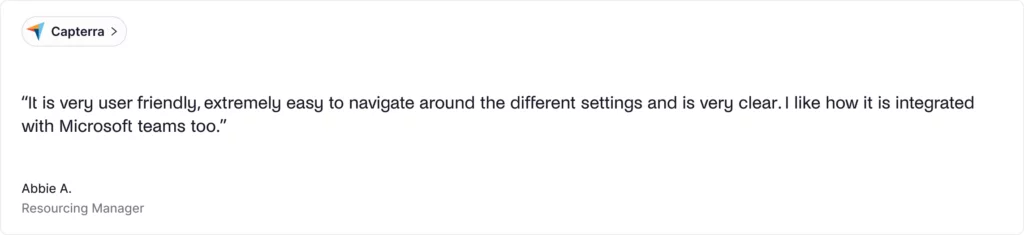
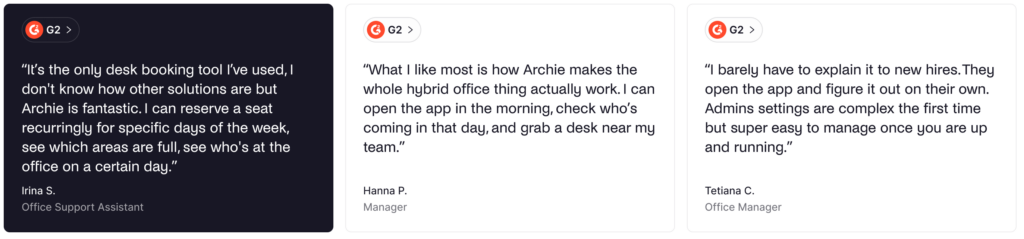
🟢 Intuitive and easy to use: Many reviews highlight that Kadence software is intuitive and easy to navigate. In particular, one review said: “It is very user-friendly, extremely easy to navigate around the different settings, and is very clear. I like how it is integrated with Microsoft Teams, too.”
🟢 Responsive customer support: One of the things customers praise is how great and responsive the customer support team is. A small business owner stated: “The technical support is very quick in answering when noticing an issue, and just 3 days ago, after my website suffered from a hacker attack, I opened a ticket and in a matter of hours they replied and solved the issue.”
🟢 Great visual floor plans: One of the features that gets mentioned in Kadence reviews is the visual floor plan. Users appreciate being able to book a room or desk and see exactly where it is and who’s nearby. One review said: “I like that it gives you a visual image when booking, which makes it clear where you are booking for”.
What could be improved
🔴 Some booking glitches: A couple of recent reviews mentioned that online desk booking can sometimes glitch when too many employees book at the same time. One review stated: “The thing I like least is that due to us all needing to book at the same time each day, there are occasions when I click to book a space, but it has already been booked. This is not much of an inconvenience as I can click back and choose another space, but the only thing I am able to think of is if I had to choose something”.
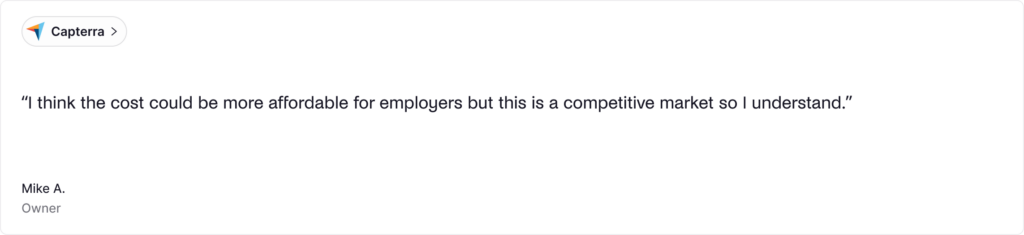
🔴 The cost can be high for smaller teams: One common complaint about Kadence is that it can be costly, especially for smaller teams. But some still appreciate the functionality and think it’s worth it in the long run.
🔴 There are not that many recent Kadence reviews: One thing to note about Kadence is that most of its reviews aren’t recent. That’s why it might be difficult to understand the full picture of how the tool is performing now.
💡 Bottom line: Kadence is a solid pick for hybrid teams that want a simple, visual desk booking experience with AI-driven features. If you’re a smaller team that wants clearer upfront pricing, or you’d rather compare tools with more recent verified reviews, Kadence may not be the best fit.
Luckily, there are several strong Kadence alternatives to consider.
What’s the best alternative to Kadence?
For most mid-sized and larger teams, Archie is the best Kadence alternative. While it doesn’t offer some of the AI functionalities Kadence has, Archie is right at the sweet spot of enterprise-grade features and a reasonable price.
You get the core tools office teams rely on, like desk booking, interactive floor plans, and visitor management, in one platform. But, because of the transparent, resource-based pricing, your costs scale with the number of desks and rooms you manage, not the number of employees. That can be a better fit for teams that are growing headcount faster than their office footprint, or that want to avoid per-user pricing spikes.
Kadence alternative #1: Archie
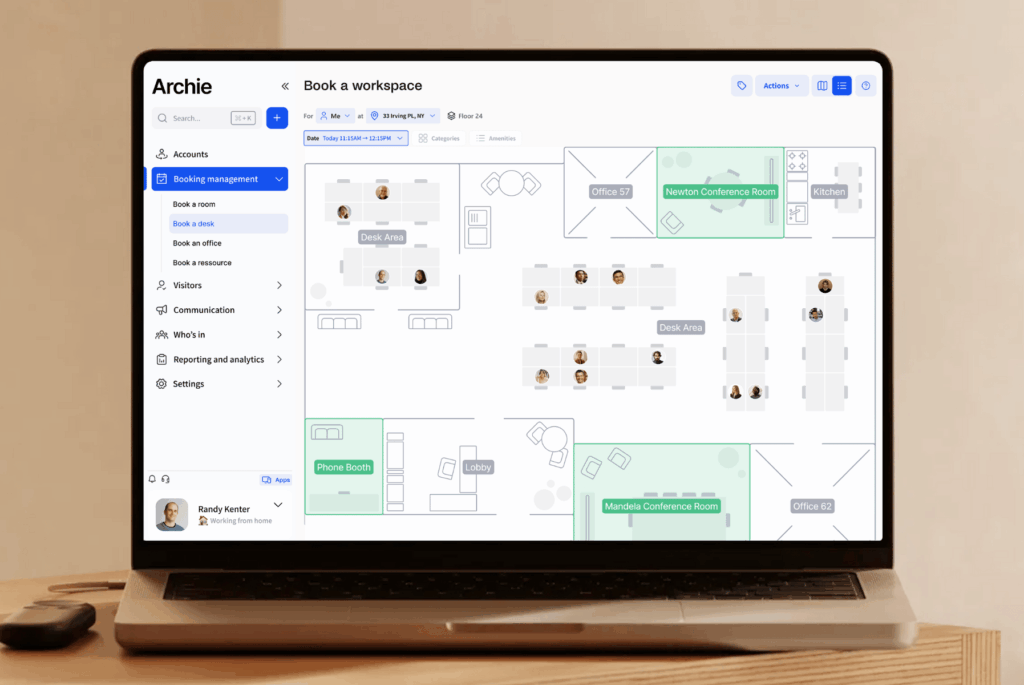
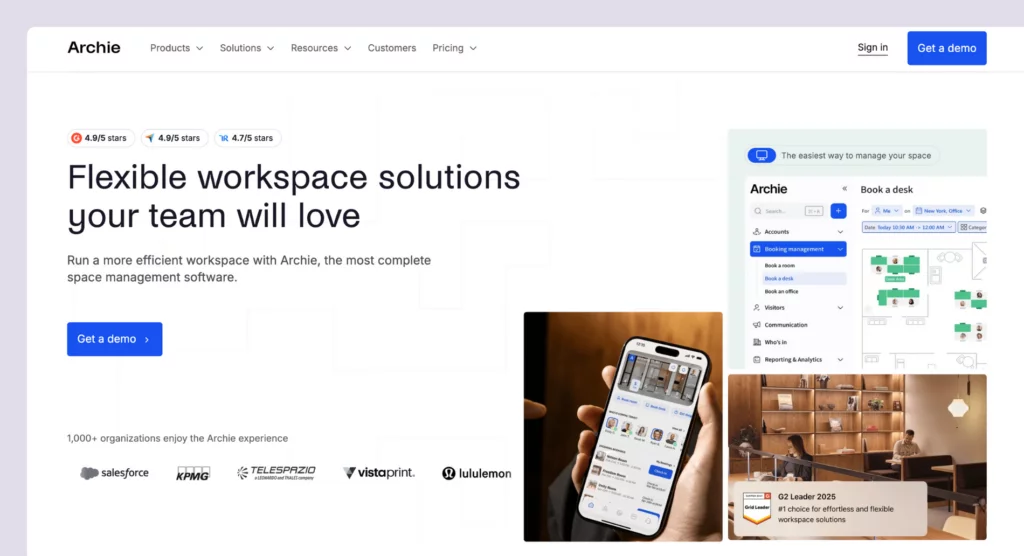
Archie is a complete workspace management platform and the best alternative to Kadence. Customers appreciate how the platform offers the full suite of workplace features, helping teams schedule rooms, book desks, and manage visitors, while keeping costs low and offering a resource-based pricing model.
What you get with Archie
- Desk booking: Hot desking with interactive floor plans, assigned desks, and customizable zones.
- Meeting room scheduling: Book rooms with calendar sync and real-time availability.
- Visitor management: Pre-registration, QR code check-ins, kiosk app, badge printing, and host notifications.
- Neighborhood zoning: Create team-specific zones for collaboration while maintaining workspace flexibility.
- Interactive floor plans: Visual office maps showing who’s in and where they’re sitting.
- Employee lookup: See when teammates are coming to the office for better coordination.
- Workplace analytics: Occupancy tracking, space utilization reports, and workplace insights.
How much does Archie cost?
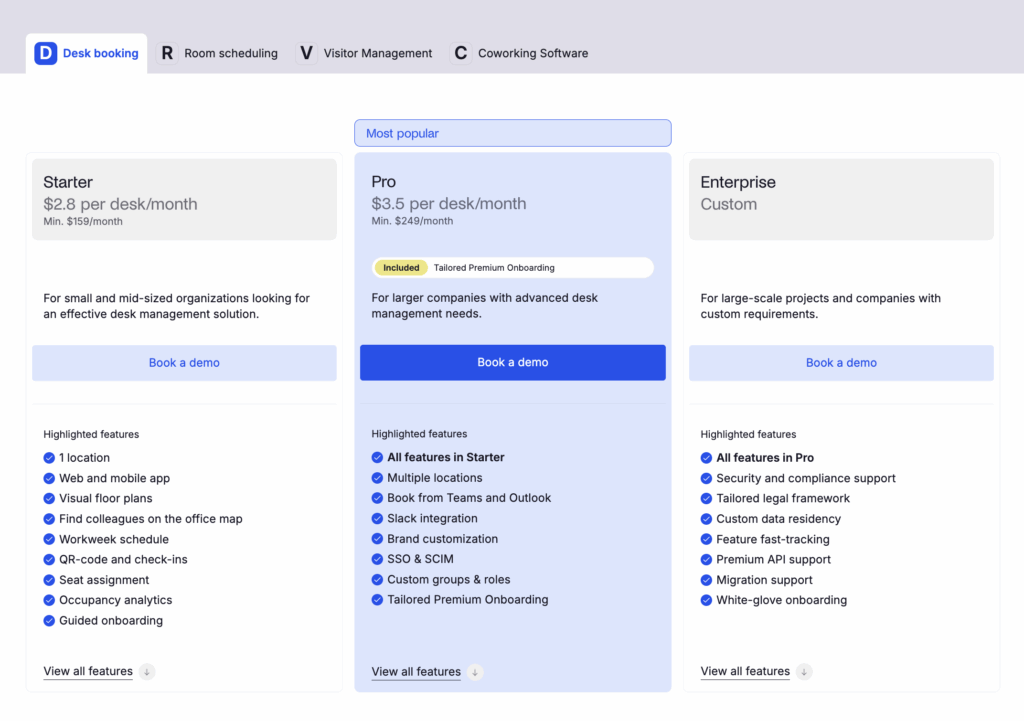
Archie’s pricing starts from $2.8 per desk and $8 per room (minimum $159/month) with Starter. Pro starts at $3.5/desk and $12 per room per month (minimum $249/month), but includes multi-location management, SSO/SCIM, calendar sync, and custom roles.
Visitor management is an add-on module priced separately.
Who’s Archie best for?
Archie is best for mid-sized and larger offices that want enterprise features at competitive pricing without the complexity of enterprise platforms. The resource-based pricing makes it particularly cost-effective for offices with more employees than desks.
Even if you need more advanced features, such as SSO, SCIM, access control integrations, API access, and analytics, Archie delivers them all at a great value.
Archie limitations
For very small teams, Archie can be too expensive and too complex in terms of features. Offices with more desks than users might end up paying more than they would with a platform like Kadence, which uses a per-user pricing model.
Also, Archie doesn’t offer AI functionality. While this isn’t necessarily an issue, some users might appreciate having these to streamline booking rooms and desks. But, still, Archie provides a very intuitive process for both of these, with a great support team to help you out.
Kadence alternative #2: Tactic
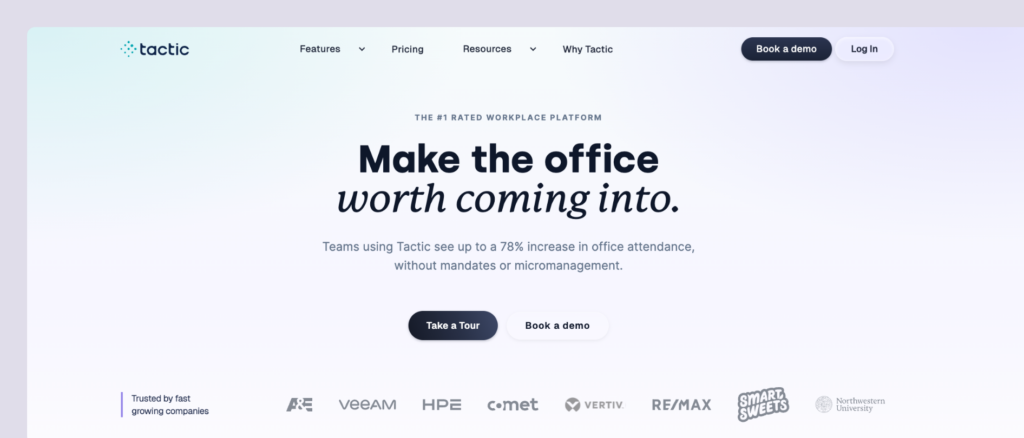
Tactic started as a hybrid workplace solution focused on “workplace experience”, as it provides all the solutions you need for your workplace in different modules. The platform also recently introduced “Tessa AI,” an AI assistant that helps employees find and book spaces through natural conversation.
What you get with Tactic
- Desk booking: Hot desking, assigned seating, and neighborhood assignments with visual floor plans.
- Meeting room reservations: Book rooms with two-way calendar sync.
- Tessa AI: Use the AI assistant for booking desks and rooms and reporting issues via chat.
- Visitor management: Guest check-in, badge printing, and security tracking.
- Workplace requests: Submit catering, AV setup, and custom workspace needs.
- Space management: Track peak days, department usage, and booking trends.
- Team coordination: See who’s in the office and book near teammates.
- Office insights: Analytics dashboards for occupancy and space optimization.
How much does Tactic cost?
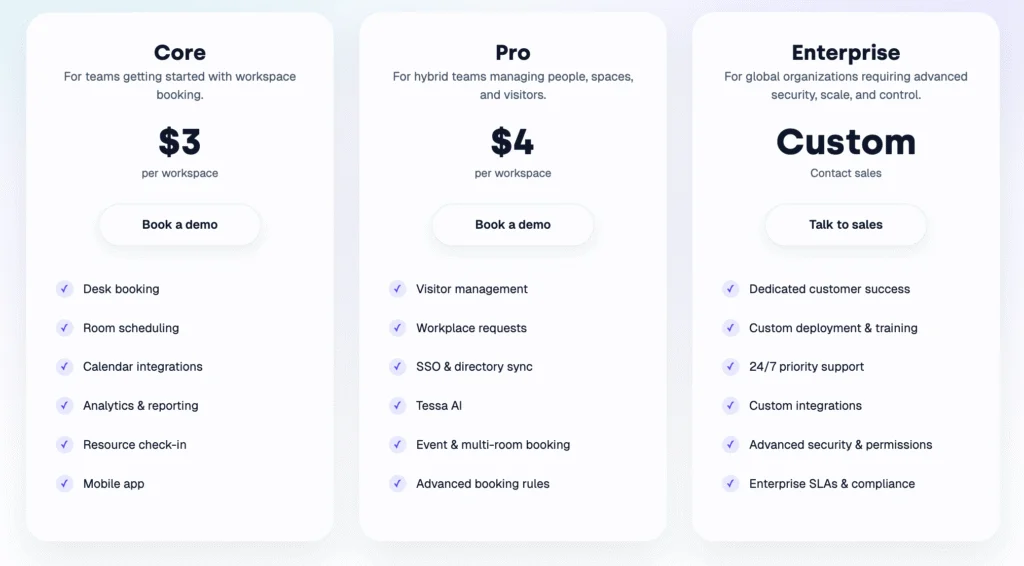
Tactic has three plans priced per workspace:
- Core: Best if you just need reliable desk and room booking ($3/workspace).
- Pro: Best if you also need visitors, requests, SSO, and AI ($4/workspace).
- Enterprise: Best for large, multi-location rollouts with custom security and support (custom).
Who’s Tactic best for?
Tactic is best for mid-to-large companies that want comprehensive desk and room booking with strong AI features (Tessa AI) and white-glove implementation. The dedicated onboarding team builds your office maps and handles all setup, making it ideal for busy operations teams.
Tactic limitations
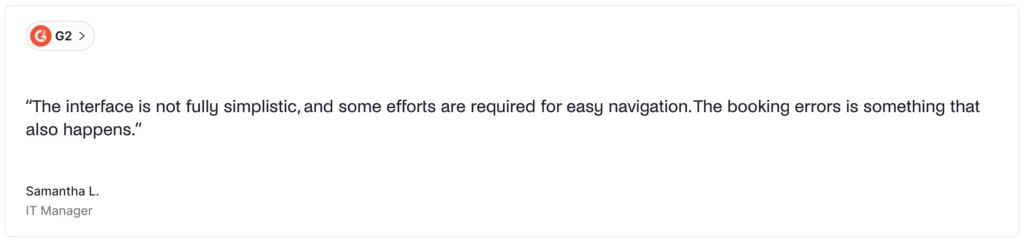
Despite offering a great set of features, a few users noted that there are some issues and glitches with the platform: “I didn’t like that some availability displays weren’t always accurate, and we had a few misbookings. A couple of mobile interface bits felt a little clunky compared to desktop.”
Kadence alternative #3: deskbird
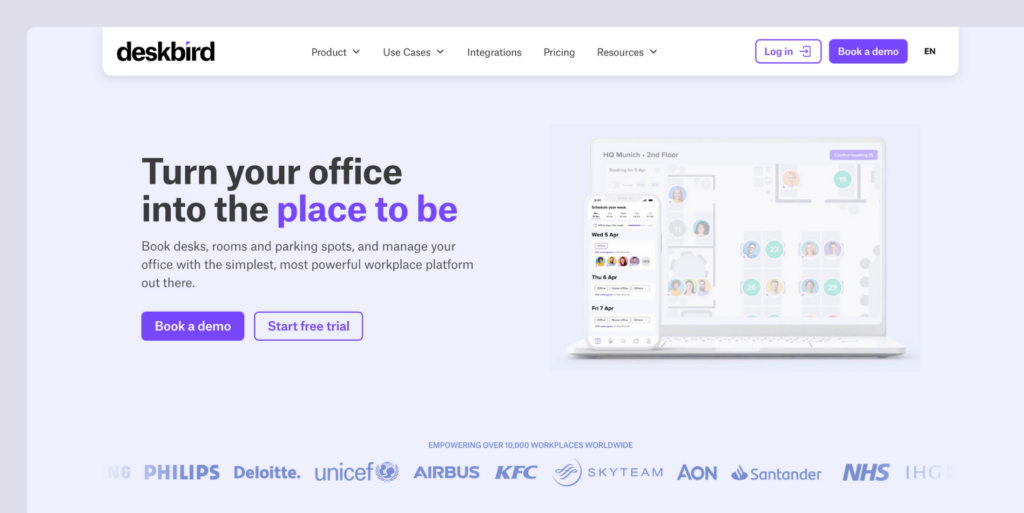
deskbird is a workplace management platform designed to make it easy for employees, team leaders, and office managers to use the office. The platform is quickly becoming one of the top contenders in workplace management, with its recent $23 million in funding already being invested in AI and offering more features.
What you get with deskbird
- Desk booking: Hot desking with advanced filters for amenities and colleague proximity.
- Room scheduling: Book meeting rooms with Outlook and Google Calendar sync.
- Visitor management: Guest pre-registration, self check-in, and host notifications.
- Hybrid scheduling: Plan office attendance and manage hybrid work policies.
- Interactive floor plans: Visual workspace layouts with real-time availability.
- AI recommendations: Smart suggestions for desks and meeting times.
- 200+ integrations: Works with MS Teams, Outlook, Slack, Google Workspace, BambooHR, and more.
How much does deskbird cost?
deskbird has a free plan, and 3 paid plans which, when billed annually, cost:
- Starter: Free for up to 15 users and 1 office
- Business: Starting at $3.75/user/month
- Professional: Starting at $4.75/user/month
- Enterprise: Custom pricing

Who’s deskbird best for?
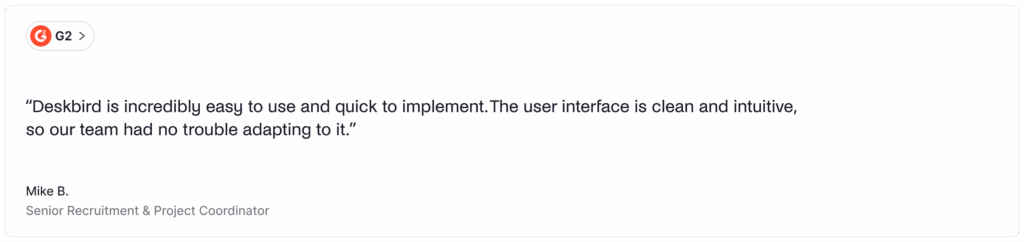
deskbird is best for companies that want an intuitive, feature-rich workplace management platform with extensive integrations. It can work with all team sizes, as it provides a free plan and competitive per-user pricing.
The Business plan is more affordable than historical reports of Kadence’s pricing, while also providing AI functionality and similar core features. If you want powerful analytics, comprehensive integrations, and an interface that requires minimal training, deskbird provides just that.
deskbird limitations
While deskbird’s pricing is competitive, it might not be the best option for mid-sized or larger teams that have one desk for every 2-3 employees. This is echoed by some reviews, as well: “The only real con is around the pricing model, while the service is great, the accessibility is limited to companies with a larger bottom line.”
Also, deskbird has limited customization options, which can impact functionality. As one reviewer noted: “The one thing that I found inconvenient was that it is a bit difficult to customize your settings.”
For larger teams, companies that need lots of customization, or teams watching their budget, per-user pricing may be less cost-effective than some deskbird alternatives.
Kadence alternative #4: OfficeSpace
OfficeSpace is an enterprise-level workspace management platform with more advanced features available than most other Kadence alternatives. The platform is designed to handle complicated office setups and works well for companies with many locations and lots of moving parts.
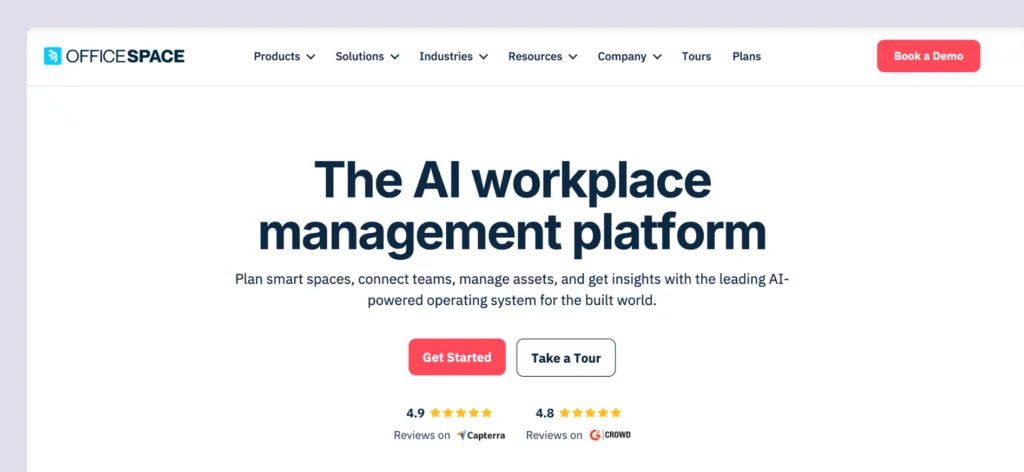
What you get with OfficeSpace
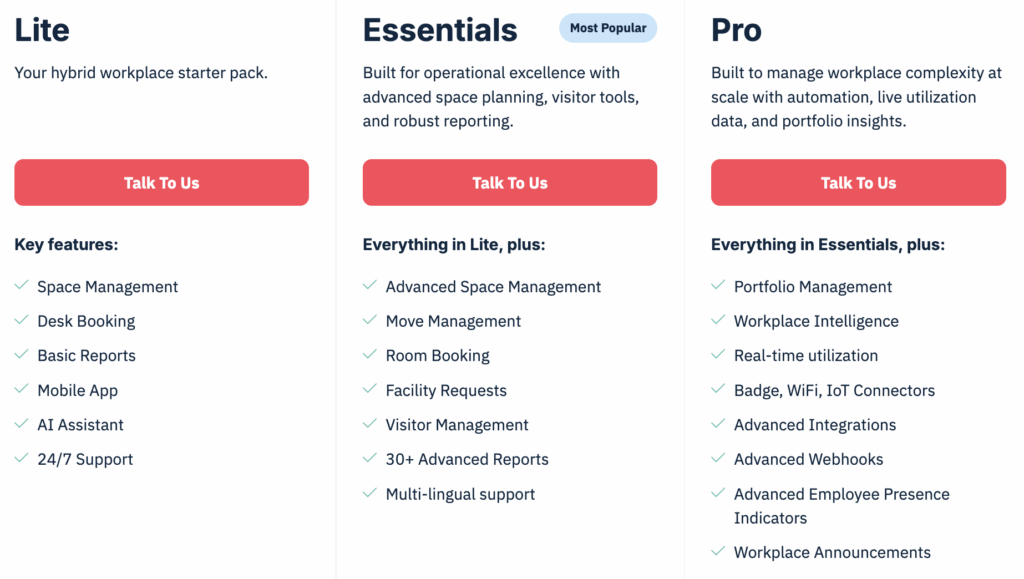
- Desk and room booking: Reserve workspaces with neighborhoods, zoning, and future-looking presence data.
- Move management: Manage frequent office moves and reorganizations.
- Asset tracking: Track equipment and assets across locations from one platform.
- Interactive floor plans: Detailed floor plans with visual layouts.
- Facility services: Request and manage workplace services.
- Analytics and reporting: Deep insights into space utilization and planning.
- AI add-on: Optional AI features available on Pro tier.
How much does OfficeSpace cost?
OfficeSpace offers three main plans (Lite, Essentials, and Pro), plus an optional AI add-on for the Pro tier. Each plan includes a base platform fee and a set number of “synced employees,” with additional per-employee charges if you exceed that allotment.
While the platform doesn’t offer public pricing, product research shows that prices start at $60 per user annually, with added setup and per-floor-plan charges and a 35-day implementation period.
Who’s OfficeSpace best for?
OfficeSpace is best for large enterprises with hundreds of employees and multi-location operations. With its scenario-building features and move management, it helps these companies scale faster, while making moves and reorganization effortless.
If you need enterprise-grade space planning with detailed control over multiple facilities and can invest in a comprehensive implementation, OfficeSpace delivers that sophisticated experience.
OfficeSpace limitations
OfficeSpace’s interface can feel complicated and heavy. While the company has built its reputation on design, multiple reviewers note “the interface can be a little awkward,” “could be more attractive,” and “UI and seat selection on mobile Android version is a bit clunky and heavy on performance.”
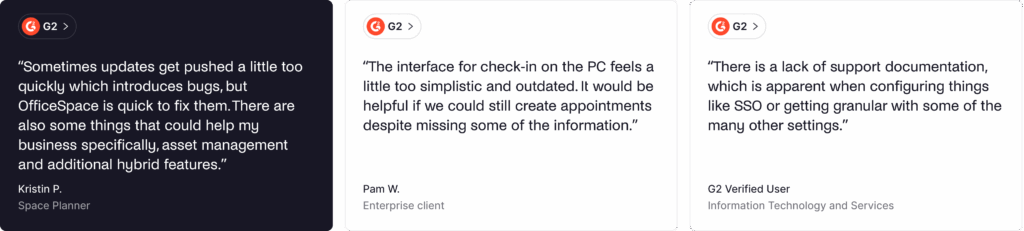
Also, because of its enterprise focus, smaller teams might find pricing and implementation too much. It’s one of the most expensive Kadence alternatives, plus the implementation timeline can feel too long for mid-sized and small offices that want to get started right away.
Kadence alternative #5: YAROOMS
YAROOMS started in Romania in 2010 as a simple tool for booking meeting rooms. Over time, the team kept improving and adding features, eventually turning it into a full workplace management platform. Now, YAROOMS offers a wide mix of tools to help companies run modern offices.
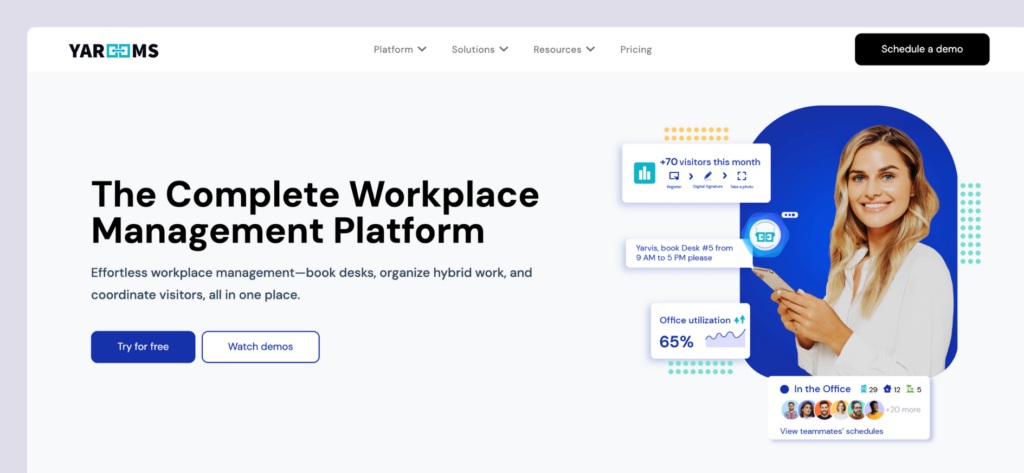
What you get with YAROOMS
- Desk booking: Reserve hot desks with visual floor plans.
- Meeting room scheduling: Book conference rooms with calendar integrations.
- Hybrid work planning: Manage office attendance and hybrid schedules.
- Visitor management: Guest registration and check-in (optional $99/month/location add-on).
- Digital signage: Wayfinding displays to guide people around the building.
- Yarvis AI assistant: AI-powered booking and workplace insights (Business tier and above).
- Analytics: Enhanced workplace analytics (Business and Enterprise tiers).
How much does YAROOMS cost?
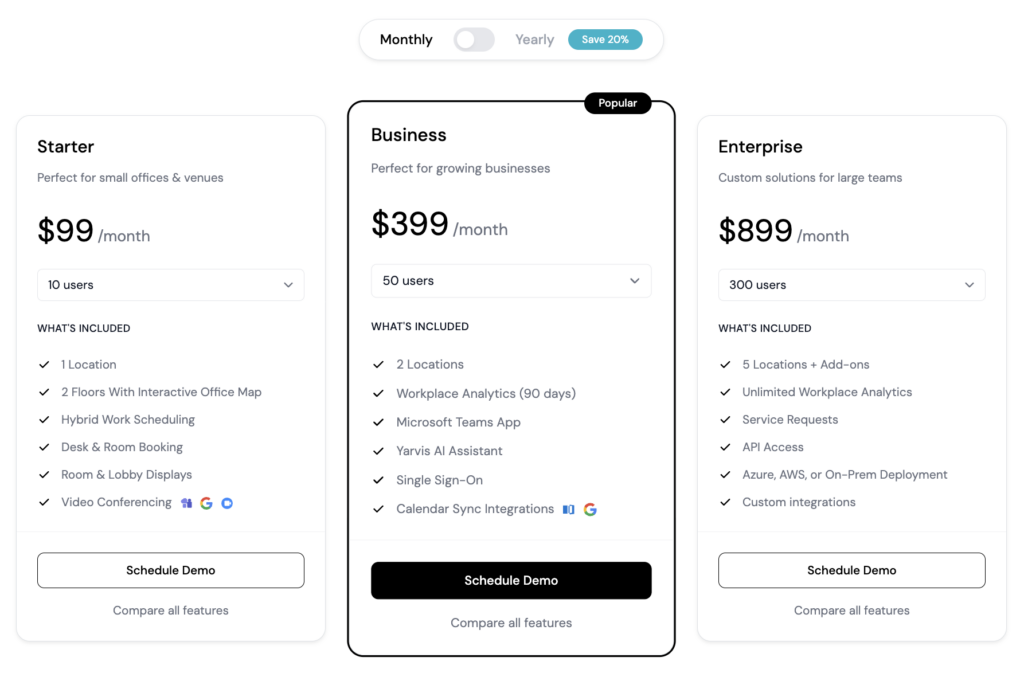
YAROOMS uses a subscription-based pricing model with three main tiers:
- Starter: $99/month for up to 10 users, $199/month for up to 20 users. Includes essential desk and room booking for single-location offices.
- Business: $399/month for up to 50 users, $499/month for up to 100 users, $699/month for up to 200 users. Supports up to 2 locations, adds enhanced analytics and Yarvis AI assistant.
- Enterprise: $899/month for up to 300 users, custom pricing beyond 300. Supports unlimited locations, full workplace analytics, and custom integrations.
Visitor management is offered as an optional add-on at $99 per month per location.
Who’s YAROOMS best for?
YAROOMS is best for small to mid-sized companies and growing organizations that need straightforward desk and room booking with strong Microsoft Teams integration. The tiered pricing makes it accessible for teams just starting out while offering AI features usually found in more expensive tools, like Kadence.
If you need intuitive workplace management with flexible pricing tiers, YAROOMS provides that balanced experience.
YAROOMS limitations
While YAROOMS’ pricing model works, it can get expensive fast for mid-sized teams, as it is based on employee count, rather than resources.
The mobile experience has received mixed feedback. Earlier versions of the iOS app lacked full functionality, and the map view wasn’t as smooth as it could be. While YAROOMS has released updates, some reviewers still note that a few tasks could be easier on mobile.
Other alternatives to Kadence
Which Kadence alternative should you choose?
There are several solid Kadence alternatives to consider. To choose the best one for your office, think about:
✅ Pricing model. Determine whether per-user pricing (Kadence, deskbird, YAROOMS) or resource-based pricing (Archie) works better for your office setup. Resource-based is typically more cost-effective when you have more employees than desks.
✅ Pricing transparency. Check whether pricing is publicly available. Archie shows clear rates ($2.80/desk, $8/room), while Kadence and OfficeSpace require custom quotes.
✅ AI features. Decide if AI-powered booking is essential. Kadence AI, Tactic’s Tessa, deskbird’s AI recommendations, and YAROOMS’ Yarvis offer advanced AI-powered booking automation.
✅ Implementation timeline. Evaluate how quickly you need to go live. Archie deploys in days, while platforms like OfficeSpace require around a month.
✅ Team size and scale. Consider your current team size and the extent of your scaling. There are plenty of solutions for both mid-sized (Archie) and enterprise (OfficeSpace) teams.
Why Archie is usually the best alternative
- Transparent, resource-based pricing. Clear rates (starting at $2.80/desk and $8/room, with a minimum of $159/month) can help you budget from the get-go.
- Fast deployment. Get operational quickly without lengthy implementation projects. Most teams are live within days, not weeks or months.
- Recent reviews you can trust. 4.9/5 rating on both G2 and Capterra with consistent, current feedback.
- Cost-effective for workplace teams. Resource-based pricing beats per-user models when you have more employees than desks, as is the case for most offices nowadays.

Quick head-to-heads
- Archie vs Kadence: Both offer comprehensive workplace management, but Archie provides transparent, resource-based pricing.
- Archie vs Tactic: Both do workplace management well, but Archie cost less.
- Archie vs deskbird: Archie uses resource-based pricing vs deskbird’s per-user model ($3.75-$4.75/user). Both are comprehensive, but Archie includes all features in standard plans while deskbird uses tiered pricing.
- Archie vs OfficeSpace: OfficeSpace offers advanced space planning and move management that Archie doesn’t match, but it’s much more expensive. Archie is simpler to use, faster to deploy, and more affordable for most teams.
- Archie vs YAROOMS: YAROOMS’ structure works well for very small teams (10 users at $99/month), while Archie’s resource-based pricing works better with mid-sized offices.
Sources
- Competitor feature & pricing pages
- Demo videos
- G2 & Capterra profiles
- Archie’s product research

Alexios Georgakopoulos
Archie’s Content Writer, coffee fiend, and resident Gen Zer who hates working in offices but loves writing about them. When he is not deep in hybrid work and coworking topics, he is obsessing over a new hobby that will probably last about a day.