




















- What you’ll learn
- There are 6 main methods of tracking employee attendance: IP detection, occupancy sensors, WiFi network, badge swipe, geofencing.
- Archie Presense registers employee attendance automatically through IP detection.
When deciding how to track employee attendance, organizations measure whether and when employees are physically present in the office. Your method is accurate and reliable when it detects presence without employee action and resolves data to the individual, not an anonymous zone count.
When desks, rooms, headcount and in-office policies are subject to change, understanding attendance is like trying to put together a jigsaw but the pieces keep shifting. If you have many locations or your office is expanding, it’s even more complex. Yet accurate attendance data is very important for space allocation, hybrid-policy compliance, and real-estate decisions.
How to track employee attendance? Here’s 6 popular methods:
- IP Detection: Device-based IP presence detection matches a laptop’s office-network Internet Protocol (IP) address to a configured location with no employee action.
- Occupancy Sensors: Occupancy sensors detect presence at a desk, room, or zone via motion, heat, or pressure signals, independent of any personal device.
- Wi-Fi Network Detection: Wi-Fi network detection matches a device’s Media Access Control (MAC) address to its access point, locating the employee to a building or floor.
- Badge Swipe Data: Badge swipe data logs each credential read at a door or turnstile reader into a daily per-employee presence record.
- Desk Booking Check-Ins: Desk booking check-ins confirm a reserved desk’s occupancy via Quick Response (QR) scan, kiosk tap, or app, timestamped to the reservation.
- Global Positioning System (GPS) Geofencing: GPS geofencing draws a virtual boundary around the office, logging a timestamped entry or exit event at each crossing.
IP presence detection on company laptops is the best presence-tracking method for most large offices. It doesn’t require deliberate employee action, avoids additional hardware costs, and provides the most reliable attendance data. It’s also easy to deploy across multiple locations, so your entire organization shares the same metric definition, data source, and reporting system.
That said, different methods will suit different organizations, and your setup may require a combination of attendance tracking. Let’s explore to understand how they work in practice.
1. Automatic IP presence detection on company laptops to track attendance
This process of attendance tracking matches a company laptop’s office-network IP address to a configured office location. Archie Presence tracks attendance using this method, with passive detection that works over WiFi or wired, even if the employee uses a VPN. Presence checks that connection every 5 minutes and marks the employee checked out once the signal stops or shifts to a non-matching IP.
Pros of IP presence detection for employee attendance
Passive detection means employees need no app, no extra hardware, and no settings to configure. Your attendance data is also more reliable than other methods, as IP detection neither relies on employee action nor hardware that is prone to faulty data. For employees, this avoids over-monitoring as you are collecting their laptop’s network connection event but no other actions.
Cons of IP presence detection for employee attendance
Device-based IP detection data can misreport attendance if an employee leaves their laptop connected in the office or the laptop goes to sleep even if they are present.
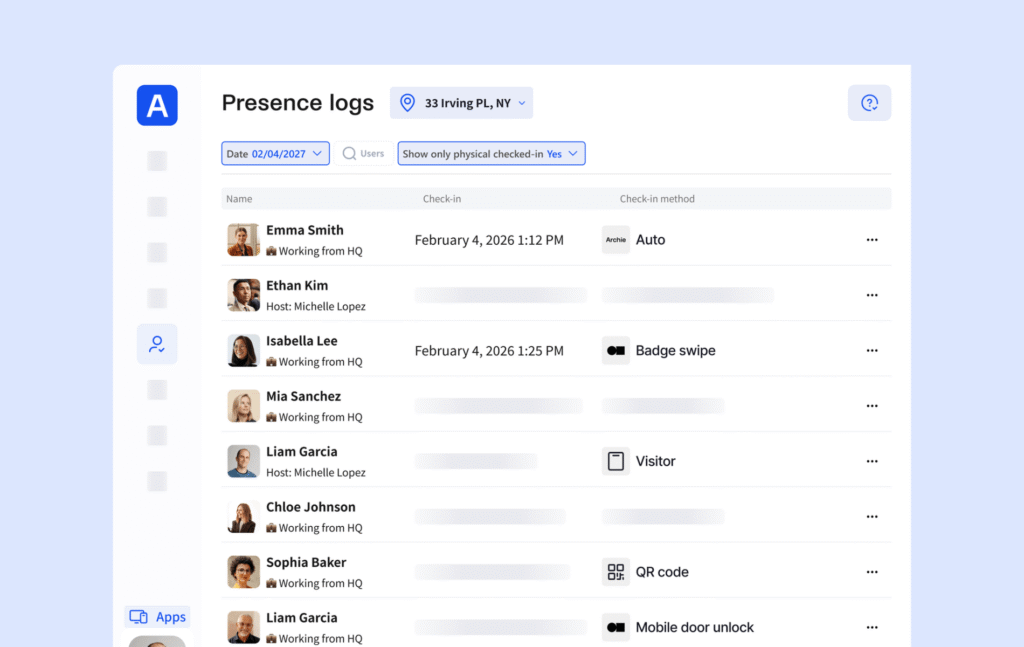
- Archie Presence
Archie Presence runs in the background on every company laptop with no sensors, badge swipes, or app to open. This is a reliable attendance method, since MDM deployment reaches the whole laptop-issued workforce without individual installation.
Rolling out Archie Presence takes 4 steps, from MDM deployment to the first attendance report:
- MDM Deployment: MDM deployment pushes the Archie Presence program to every company laptop at once, through the same channel used for security and operating system (OS) updates.
- Office IP Configuration: Office IP configuration adds each office’s public IP address to Archie so Presence matches a laptop’s connection to that location.
- Automatic Check-In: Automatic check-in marks employees present the moment their laptop connects to the office network, with no installation or action needed.
- First Attendance Report: The first attendance report surfaces a current, exportable headcount and attendance log, with check-outs timed to the last minute online.
This method is best for large offices that want to track attendance accurately and issues company laptops. Whole-workforce deployment is easily managed through MDM.
2. Occupancy sensors to track attendance
Occupancy sensors, like desk-mounted chair sensors, detect a person’s presence at their desk, room, or zone by infrared body heat, reflected sound, microwave movement, or seat pressure, without a badge or device. Each sensor’s reading routes through a gateway to a workplace analytics or booking platform, aggregating desk- or zone-level occupancy counts rather than per-person records.
Pros of occupancy sensors for employee attendance
If you need anonymized data, sensor data doesn’t confirm occupancy and duration by individual identity, since PIR, ultrasonic, microwave, chair, and Wi-Fi sensors are anonymous by design.
Cons of occupancy sensors for employee attendance
The necessary hardware costs compound when you’re operating a large office, and since they run on battery, maintenance has to make sure they are powered at all times for accurate employee attendance tracking. It is also prone to false readings, for example, overtracking when employees only walk past a desk and not tracking if they are sitting still too long.
Deploying occupancy sensors for attendance data follows 4 steps, outlined below.
- Register each sensor: Register by serial number in the management portal and assign the sensor to a same-floor gateway for reliable transmission. Bind the sensor to a desk or zone resource.
- Mount the sensor: Mount the sensor, centered under the desk 10-30 cm from the edge, clear of heat sources and airflow. Install other sensor types per coverage area (doorway, room, or zone).
- Power on the sensor: Power on the sensor (e.g., removing its battery insulator) and confirm network join. This usually takes 30 minutes.
- Calibrate the sensor: Calibrate the sensor by leaving it overnight to establish its occupancy baseline before relying on its data.
Occupancy sensors fit best for space-utilization data to drive real-estate and layout decisions, not per-employee attendance records. The sensors suit organizations needing anonymous data.

3. Wi-Fi network attendance tracking on mobile
Wi-Fi network detection tracks attendance by matching a phone’s current IP address to an office’s public IP address via an app. A match marks the employee checked in at that office, and a later refresh from any other IP address marks the employee checked out.
Pros of Wi-Fi Network Detection for employee attendance
This covers every employee – even if they don’t have company devices. There is minimal action required from the employee once they have the app installed and background refresh enabled, i.e. no manual check-in or check-out.
Cons of Wi-Fi Network Detection for employee attendance
It does depend on employees installing the app, potentially on their personal phones if they don’t have company phones. They must also enable background refresh. Check-in and check-out times will not be exact, since presence can only be detected when the app refreshes in the background (the frequency of which is different for different providers).
Setting up the Archie app method follows the 4 steps below.
- Add office IP addresses: Add the public IP address of each office in Archie so the app has a location to match against.
- Install the Archie app: Ask employees to install the Archie mobile app on their phones, which are often personal devices, since IT cannot enforce installation.
- Enable Background App Refresh: Ask employees to allow Background App Refresh so the app checks the phone’s IP address without being opened.
- Confirm check-in and check-out: Confirm that a refresh on an office IP address marks the employee checked in and a refresh on any other IP address marks the employee checked out.
This is our recommended alternative for offices where not all employees have company laptops. Wi-Fi network detection resolves presence only to a building or floor zone, which fits portfolio-wide attendance better than desk-level detail.
4. Use badge swipe data to track attendance
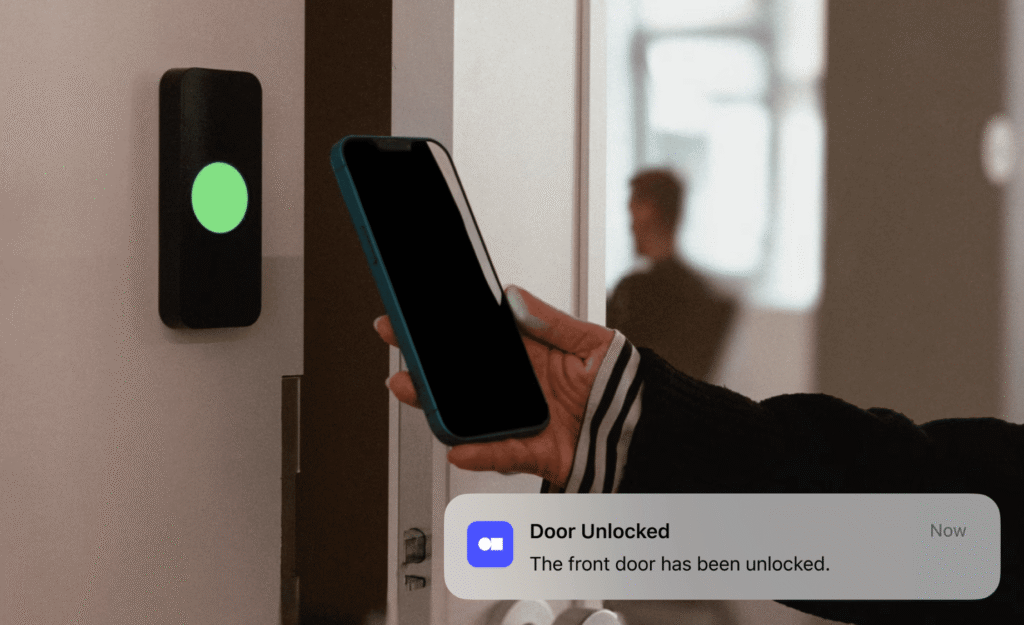
Badge swipe data tracks attendance by integrating with access control systems to log each badge, card, fob, or mobile credential at a door or turnstile reader into an entry log. The access-control system usually aggregates the badge swipe entry log per employee to infer daily attendance.
Pros of badge swipe data for employee attendance
If you’re a high security site already with door access control systems in place, this uses the hardware you already have and a system employees already use. Each entry is timestamped per-person and can be aggregated to show daily total attendance.
Cons of badge swipe data for employee attendance
This method is less accurate, since some employees may follow others through a door and not swipe their own credential. It also doesn’t take into account check-out time – so offices who need more exact presence logs to assess policy adherence would only have partial data.
Converting raw badge swipes into attendance records follows 5 steps:
- Export swipe logs: Export timestamped badge-read events per door or turnstile reader from the access-control system’s database or API.
- Match badge ID: Match each badge ID to an employee record via the company directory so a swipe resolves to a named person.
- Deduplicate repeat swipes: Deduplicate multiple same-day swipes (re-entries or additional doors) into a single daily attendance record per employee.
- Aggregate daily records: Aggregate daily per-employee records into attendance-rate reports by week, month, team, or location.
- Export attendance data: Export aggregated attendance data into HR or workplace-analytics tools via Comma-Separated Values (CSV) export or API integration.
This method is recommended for high-security sites who have the hardware in place and daily presence data is enough for their decision-making. Archie integrates with the best door access systems to bring badge swipe attendance data into your Archie analytics.
5. Use desk booking check-ins to track attendance
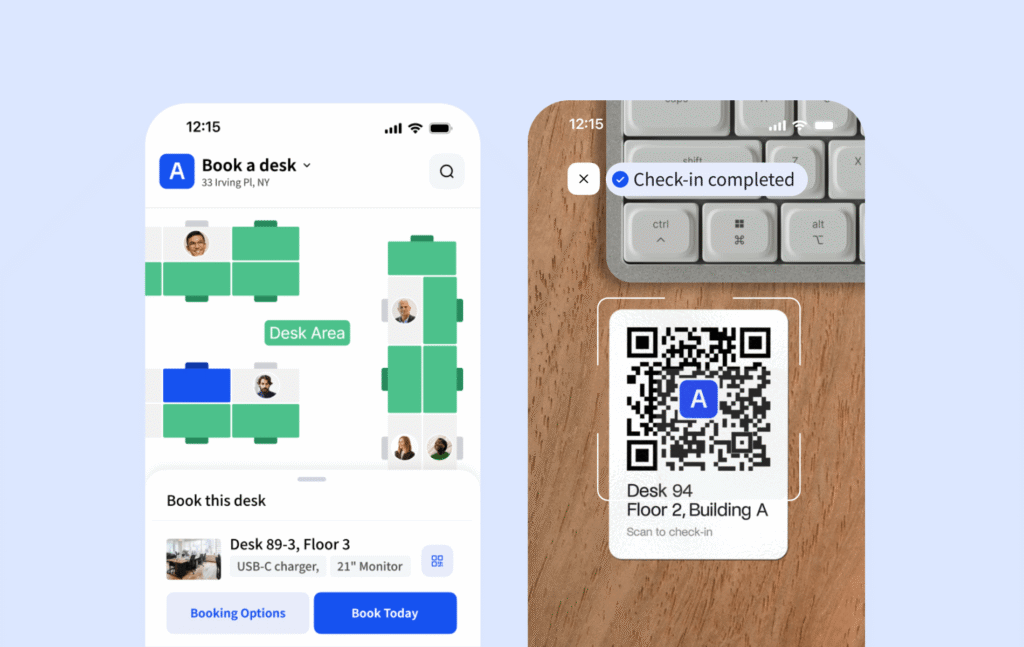
Desk booking check-ins track attendance by confirming occupancy of a reserved or ad hoc desk via QR-code scan, kiosk tap, or in-app confirmation. Each check-in confirmation is timestamped against that booking by the desk-booking system.
Pros of desk booking check-Ins for employee attendance
This method gives you a good forecast of intended occupancy. If you would like an estimate of how well your office is used (where people sit, which meeting rooms are popular, etc.) then this method will work for you.
Cons of desk booking check-Ins for employee attendance
It requires the employees to do all the heavy lifting, meaning booking a desk at the right time, checking in manually once there, or removing if they don’t attend. Check-in data misses unbooked walk-ins, which occurs often in large hot desking offices. Check-in data understates attendance when a present employee forgets to scan. This method also skips staff who forgo desk booking entirely, such as those at a fixed desk or in meeting rooms all day.
Follow the 4 setup steps below to set up desk check-ins that produce attendance data.
- Require check-in: Configure the desk-booking system to make check-in mandatory so a booking alone never counts as attendance and the employee must confirm arrival.
- Choose a check-in method: Deploy a QR code at each desk or a shared kiosk at entry points for check-in by phone scan or on-site tap.
- Set an auto-release window: Desk booking software like Archie lets you configure a timer for 15 to 30 minutes after the booking starts that releases the desk and flags a no-show if check-in does not occur.
- Route check-in data: Send each check-in event (employee, desk, time) into the desk-booking system’s attendance or occupancy reporting module.
This is the recommended method of attendance tracking if your office enforces mandatory desk booking, otherwise it’s not a reliable signal. In general, though, desk booking analytics are a better barometer for how your space is used. If you’re looking into how to track employee attendance, it’s less accurate on its own.
6. Use GPS geofencing to track attendance
GPS geofencing tracks attendance using an app on employees’ phones which follows their location. By drawing a virtual boundary of GPS coordinates around the office, the app logs a timestamped event when an employee’s mobile device enters or exits the boundary.
Pros of GPS geofencing
This method offers an accurate arrival and departure time automatically, with no employee effort. It works well across multiple locations or flexible sites.
Cons of GPS geofencing
The largest concern with GPS tracking concerns privacy. Location tracking, even when limited to a boundary crossing, can feel invasive. It needs clear consent, a narrow scope (office hours only, no continuous tracking), and compliance with GDPR and similar rules.
Setting up a geofence around each office follows 5 steps.
- Set the boundary radius: Draw a GPS radius around each office address, tight enough to exclude adjacent buildings but wide enough to absorb normal GPS drift.
- Deploy the tracking app: Install the geofencing app on every employee device.
- Configure entry and exit triggers: Set the app to log a check-in on entry and a check-out on exit, or to prompt employee confirmation.
- Issue a monitoring notice: Check the regional requirements in your area, and give employees written notice.
- Route timestamp data: Route each day’s entry and exit timestamps into the attendance reporting system per employee.
This method is usually used by construction, retail, and healthcare companies – where employees move between locations and having boundaries around these different sites is easier than other setups. It’s not for high-security sites or standard offices where the privacy concerns outweigh any benefits.
What is employee attendance tracking?
Employee attendance tracking measures whether and when employees are physically present in the office to support workplace planning in space allocation, hybrid-policy compliance, and real-estate decisions.
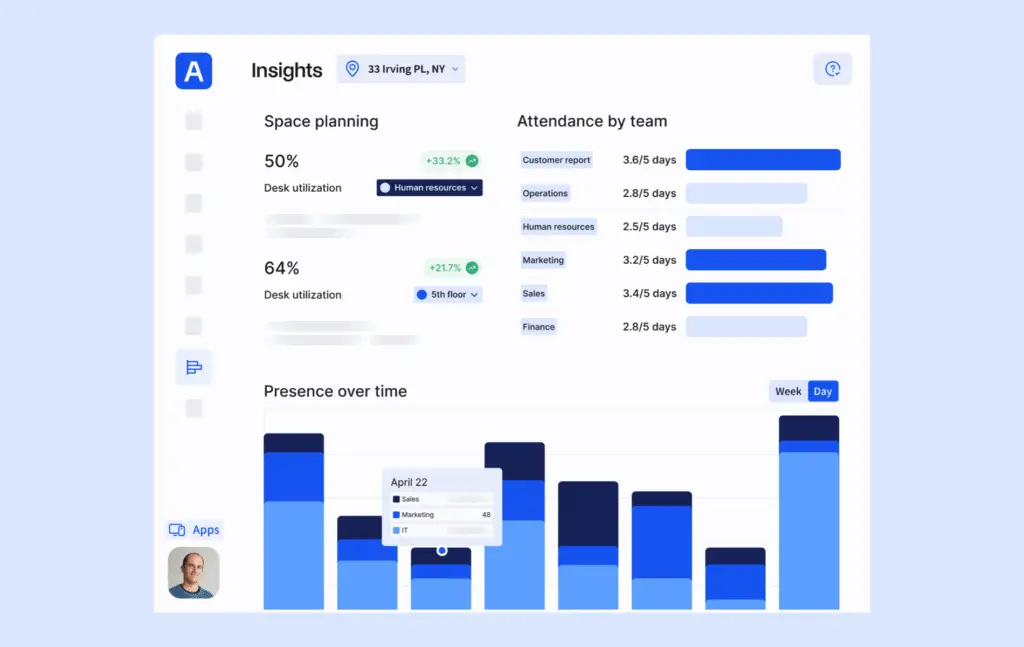
Employee attendance tracking produces 5 core metrics, each quantifying a different aspect of office attendance.
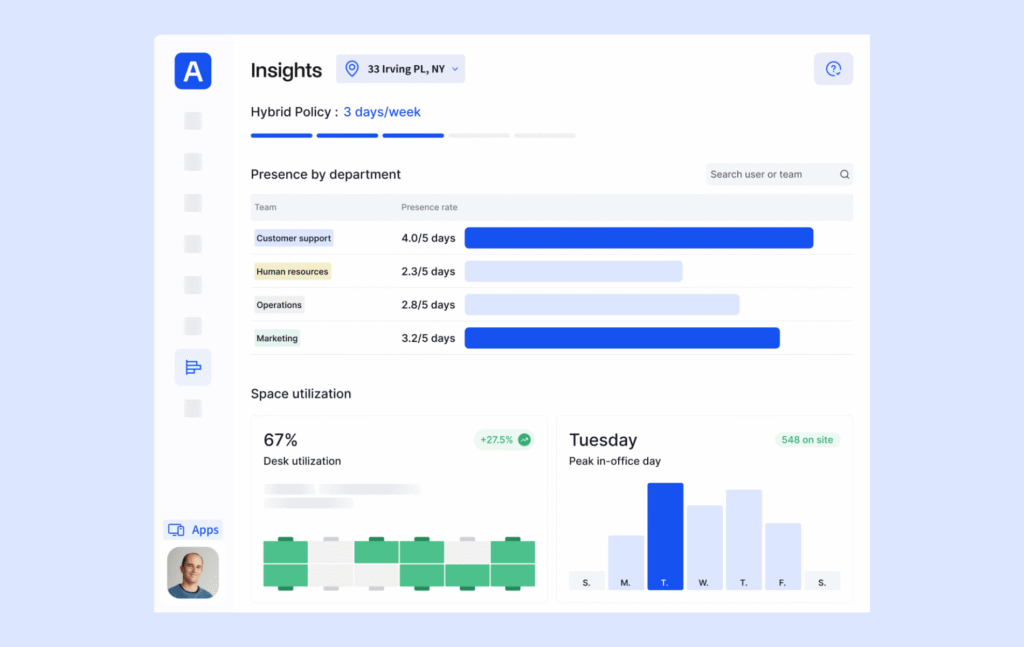
- Attendance rate: Attendance rate measures the share of scheduled or expected workdays an employee or group attends the office, expressed as a percentage over a week or month.
- Space/desk utilization rate: Space/desk utilization rate measures the share of available desks or floor area occupied during a period, calculated as occupied space divided by total available space x100.
- Weekly in-office days: Weekly in-office days measures the mean number of days per week an employee or group attends the office. A February 2024 CBRE/CoreNet Global survey of 235 corporate real estate professionals found leaders expect 3.4 office days against an actual 2.8 attended.
- Absenteeism rate: Absenteeism rate measures the share of scheduled workdays lost to unplanned absence, calculated as absent days divided by total workdays x100.
- Peak/headcount occupancy: Peak/headcount occupancy counts employees physically present in the office at a single point in time, the busiest period of a given day.
How is attendance tracking different from occupancy monitoring?
Attendance tracking records which employees are onsite, while occupancy monitoring measures utilization of desks, meeting rooms, and common areas. Think of it as similar to a weather forecast – it’s a good estimate, but not reliable as a solid truth.
That’s not to say occupancy monitoring doesn’t have its value. Where attendance return-to-office compliance measurement, and onsite-schedule planning, occupancy monitoring guides space decisions such as repurposing, zones, and desk management informed by the employee-to-desk ratio and popular areas.
Open-seating and hot-desking offices need both attendance and occupancy data, because attendance alone cannot show space utilization. Real estate decisions are most reliable when attendance and occupancy data are combined.
Why track employee attendance?
Employee attendance tracking measures hybrid and return-to-office policy compliance and informs office-space utilization planning.
Offices operate differently now to how they used to. As of 2026, over a third of all US salaried employees work in a hybrid environment. At the same time, RTO policies are consistently changing, with large corporations like Disney and Uber announcing changes that affect almost all employees. The standard 9-5 in-office week is not a reality for many businesses, yet these businesses are still working out what schedule fits their workplace – and they are also looking to make important real estate decisions that align with this.
This is where attendance data is crucial.
Companies track attendance for 4 main reasons:
- Hybrid and return-to-office policy compliance
Hybrid and return-to-office policy compliance tracking measures whether employees meet mandated in-office day requirements to support enforcement decisions. - Real estate and space planning
Real estate and space planning decisions rest on office-utilization data to inform choices to expand, downsize, or repurpose space. - Collaboration and scheduling coordination
Collaboration and scheduling coordination tracking identifies which days teams overlap in the office to inform team-presence-day scheduling. - Security and emergency accounting
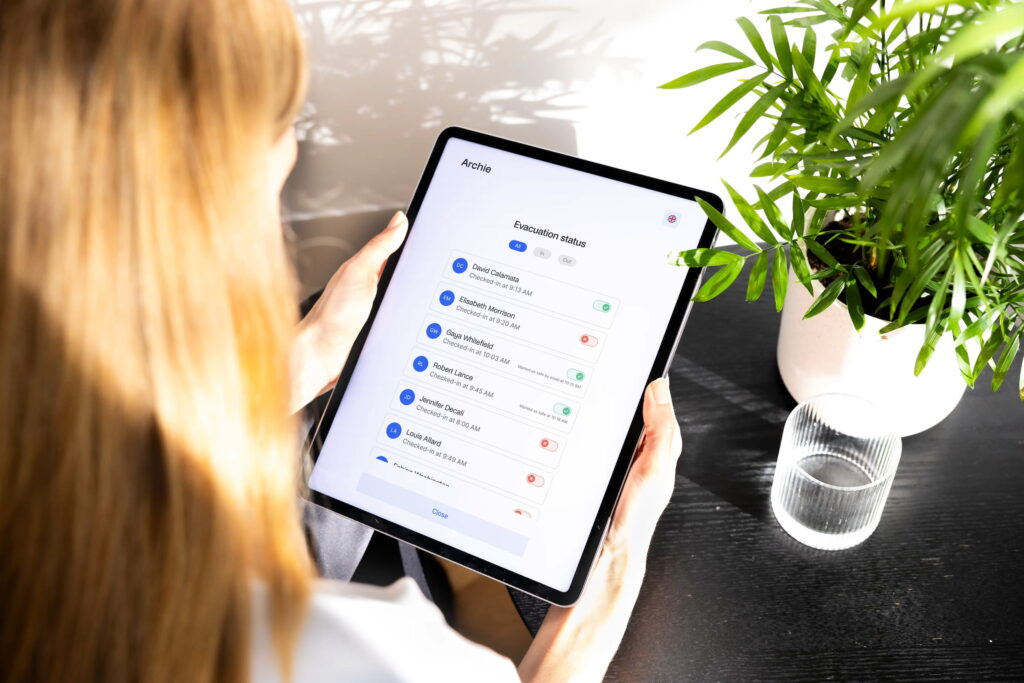
Security and emergency accounting tracking confirms who is in the building at a given time to inform emergency-response and evacuation decisions.
What is the best way to track employee attendance?
Archie Presence’s device-based IP presence detection is the best way to track employee attendance in large hybrid offices with company-issued laptops, since it checks presence continuously through the MDM-deployed laptop with no employee action required. Clearly, we are biased. However, at Archie we have followed how our customers are managing their workplaces for years and know that this method is ideal for most large office and multilocation scenarios.
When deciding how to track employee attendance, consider which method suits your environment. Combining methods is worthwhile when the office includes visitors or employees without company laptops, since layering door-access or Wi-Fi tracking onto presence detection closes the coverage gap any single device or entry mix leaves.