








Eden Workplace launched in 2015 as a workplace management platform with a modular pricing setup. Instead of one big bundle, Eden splits features into separate modules like desk booking, meeting rooms, and visitor management. It also offers a few add-ons you don’t always see in similar tools, like delivery management and internal ticketing.
The big question is whether this pick-and-choose pricing really saves you money, or if the costs add up faster than you expect.
Let’s take a closer look at what Eden does well, where it can fall short, and when it makes sense to consider Eden alternatives.
💡 TL;DR:
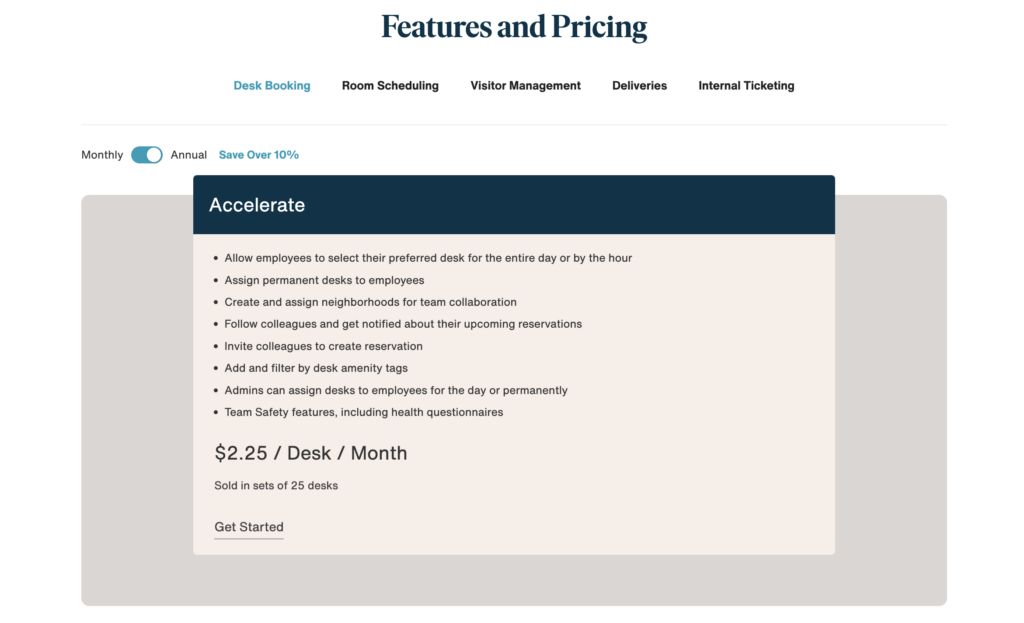
Eden is best for companies that want several workplace tools in one platform and are comfortable with modular pricing (for example: desks at $2.25 per desk, rooms at $15 per room, and visitors at $89 to $179 per location, plus optional add-ons).
That said, costs can climb quickly for mid-sized teams. Eden desk booking is sold in batches of 25, so you may end up paying for more desks than you actually need. Also, Eden doesn’t have many recent reviews, which makes it harder to judge how the product is performing today. If you want a more complete workplace platform with fresher reviews, stronger customization, and a broader feature set in one place, an alternative like Archie may be a better fit.
Eden Workplace vs alternatives
What is Eden?
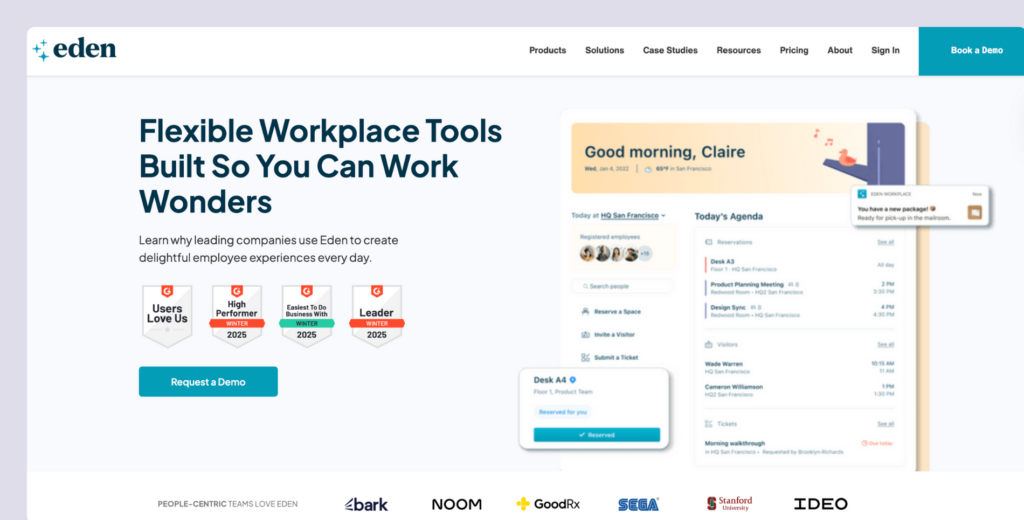
Eden is an all-in-one workplace management platform founded in 2015. It offers its features as separate modules, including desk booking, rooms, visitors, deliveries, and ticketing. Each module is fairly robust, which is why Eden appeals to companies that want to run workplace operations in one system instead of stitching together multiple tools. Eden also focuses on being easy to use and integrates with tools teams already rely on, like Slack and Google Workspace.
Key features of Eden
- Desk booking: Hot desking, desk hoteling, and hourly booking options with amenity filters.
- Room scheduling: Book meeting rooms within Outlook and Google Calendar.
- Visitor management: Pre-registration, self check-in, badge printing, NDA signing, and wellness surveys.
- Delivery management: Package intake, scanning, real-time inventory updates, and employee notifications.
- Internal ticketing: Help desk system for workplace requests and IT support.
- Team safety features: Health questionnaires and compliance tracking.
- Mobile and web apps: Book spaces from anywhere.
- Interactive floor plans: Find and reserve desks based on location and amenities.
- Colleague visibility: See who’s in the office and book near teammates.
Eden pricing
Eden uses a modular pricing model, which means each workplace feature is priced separately and you only pay for the tools you choose:
- Desk booking costs $2.25 per desk per month when billed annually, but desks are sold in batches of 25, so you may end up paying for more desks than you actually use.
- Room scheduling starts at $15 per room per month on the Accelerate plan, while more advanced features like catering requests and kiosk mode are reserved for Enterprise plans with custom pricing.
- Visitor management is priced per location, starting at $89 per month on the Accelerate tier and $179 per month on the Scale tier, with Enterprise pricing available for larger needs.
Eden also offers internal ticketing at $49 per agent per month on the Accelerate plan, and delivery management at $149 per location per month, with both modules offering Enterprise plans that add features like SSO and directory syncing.
What’s great about Eden (reviews)
🟢 Easy to use: The interface is consistently praised for its simplicity. One reviewer said: “This software is extremely convenient to use. Most of our employees did not even need to undergo training to figure out how to utilize the platform. The interface is easy to understand and navigate”.
🟢 Very receptive to feedback: Some reviews note that Eden is very receptive to feedback, implementing changes users ask for on the regular. For instance, one review stated: “Eden is very supportive of feedback. I’ve seen several things built or improved after recommended feedback”.
What could be improved
🔴 No recent reviews: One of the biggest issues with Eden is that it doesn’t have many recent reviews. The most recent ones are from 2024, and the platform has since had plenty of updates, so gauging how it performs now can be difficult.
🔴 Some occasional bugs and glitches: Some users noted that there are a few glitches on both the mobile app and desktop versions. In particular, one reviewer said: “Sometimes there will be glitches/bugs within the mobile app or the desktop version, or sometimes syncing issues between both”.
💡 Bottom line: Eden is a great fit for companies that want an all-in-one platform with different modules. If you need a simple, single-purpose desk booking tool or are looking for a tool with more recent reviews and customization options, the platform might not be the best option.
Luckily, there are several strong Eden alternatives to consider.
What’s the best Eden alternative?
If you want a workplace platform that feels proven and well-reviewed today, Archie is a strong alternative to Eden. Both tools let you pay for desks, rooms, and visitors in a modular way, but Archie stands out with more consistently recent, high ratings.
Pricing-wise, Archie is still resource-based like Eden, but it’s simpler to scale. There’s a $159/month minimum, but you can pay for the exact number of desks and rooms you manage instead of buying desks in 25-seat batches. So if you like the modular idea but want clearer scaling, stronger customization, and more up-to-date reviews, Archie is usually the better fit.
Eden alternative #1: Archie
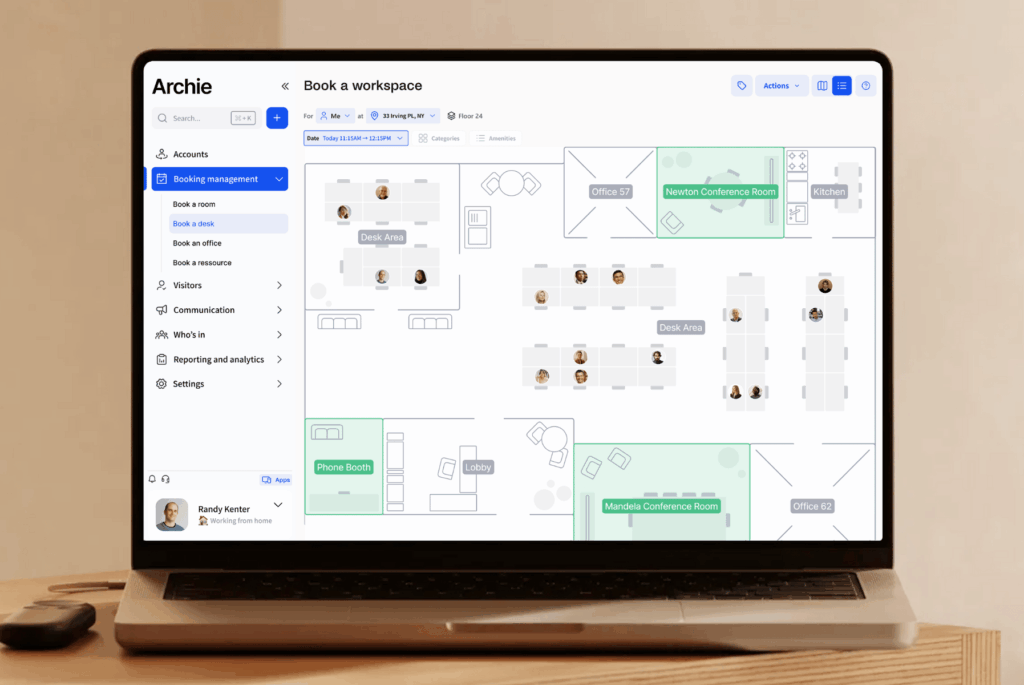
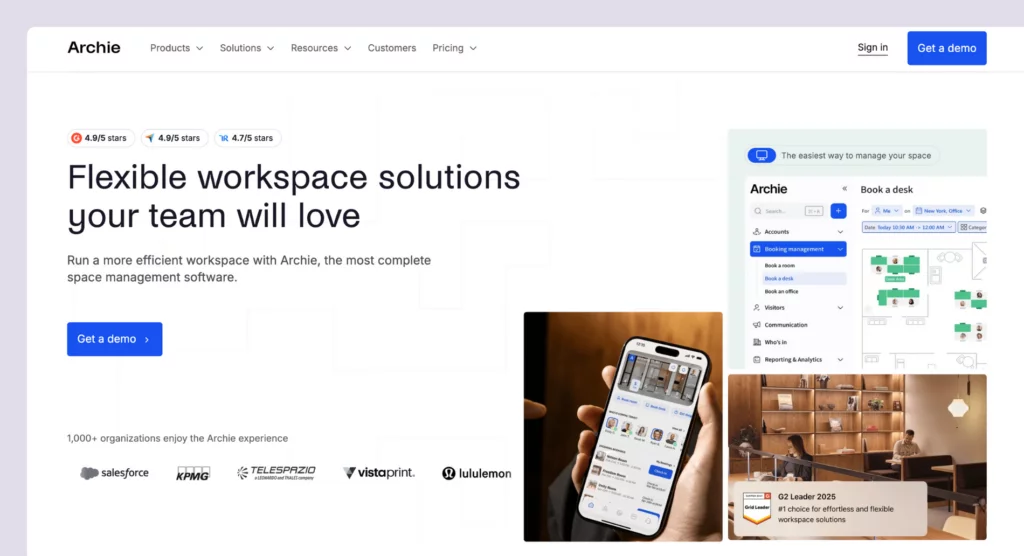
Archie is a smart workspace technology platform and a strong alternative to Eden. Both tools cover the core needs of modern offices and workspaces, but Archie stands out with more branding customization and a larger set of recent, positive reviews that show the platform performs well today.
What you get with Archie
- Desk booking: Let people reserve hot desks using interactive floor plans, with options for assigned seating and recurring reservations.
- Neighborhood zoning: Set up neighborhoods for teams so people can sit together while keeping the layout flexible.
- Meeting room scheduling: Book rooms with calendar sync and live availability.
- Employee lookup: See who’s coming in and where they’re sitting.
- Visitor management: Pre-register guests, support QR check-in, run a kiosk flow, print badges, and notify hosts automatically.
- Workplace analytics: Track occupancy, space usage, and booking trends over time.
- Archie apps: Use Archie on mobile and desktop, plus shared screens like kiosks and room displays.
How much does Archie cost?
Archie uses resource-based pricing, which means you pay for the desks and rooms you manage:
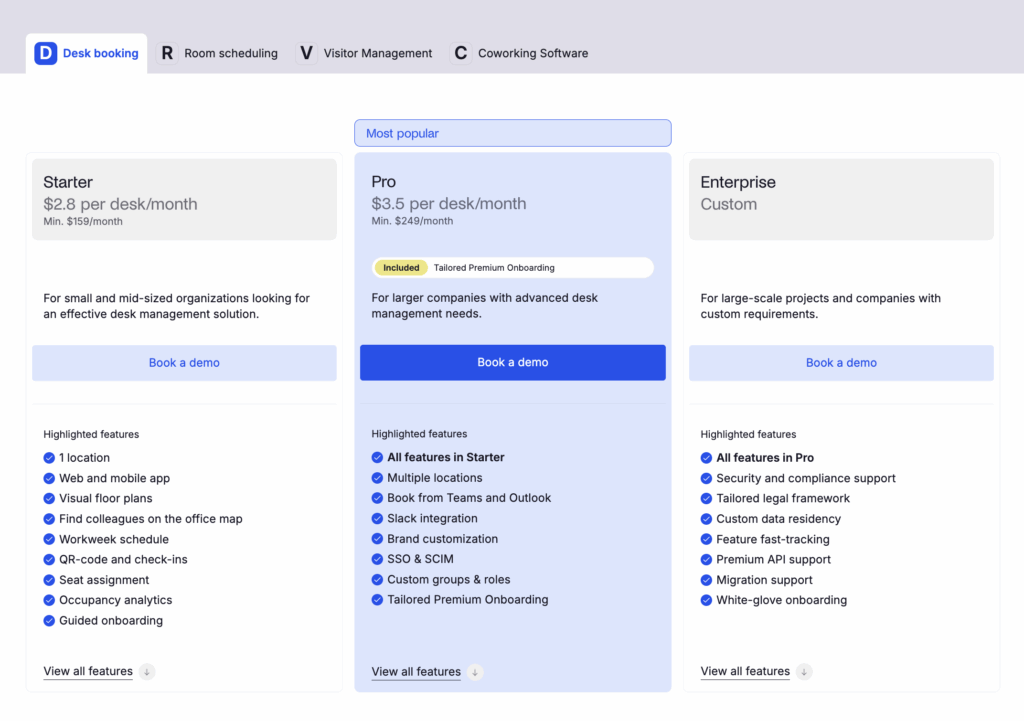
- Starter starts at $2.80 per desk/month and $8 per room/month, with a $159/month minimum.
- Pro starts at $3.50 per desk/month and $12 per room/month, with a $249/month minimum. It adds the extras many growing offices need, like multi-location support, booking from Microsoft Teams and Outlook, Slack integration, brand customization, SSO and SCIM, custom groups and roles, and tailored premium onboarding.
Visitor management is priced separately as an add-on module.
Who’s Archie best for?
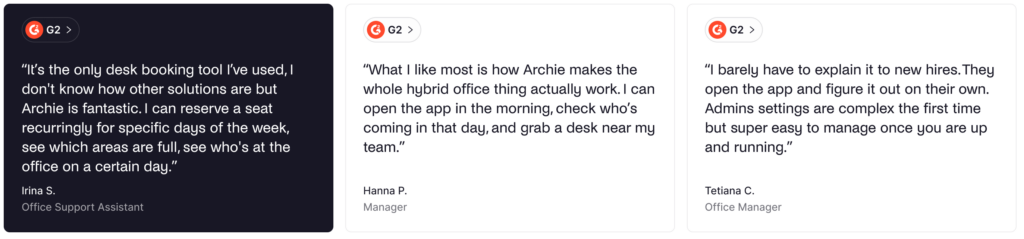
Archie is best for mid-sized and larger offices that want enterprise features at competitive pricing without the complexity of larger platforms.
Plus, Archie is particularly cost-effective for offices with more employees than desks, much like Eden (though Archie allows you to buy individual desks instead of having to buy batches of 25).
Archie limitations
For some smaller teams, Archie might not be as affordable as Eden. While both offer per-resource pricing, Eden’s desks module is more affordable ($2.25/desk vs $2.8/desk).
Eden alternative #2: Officely
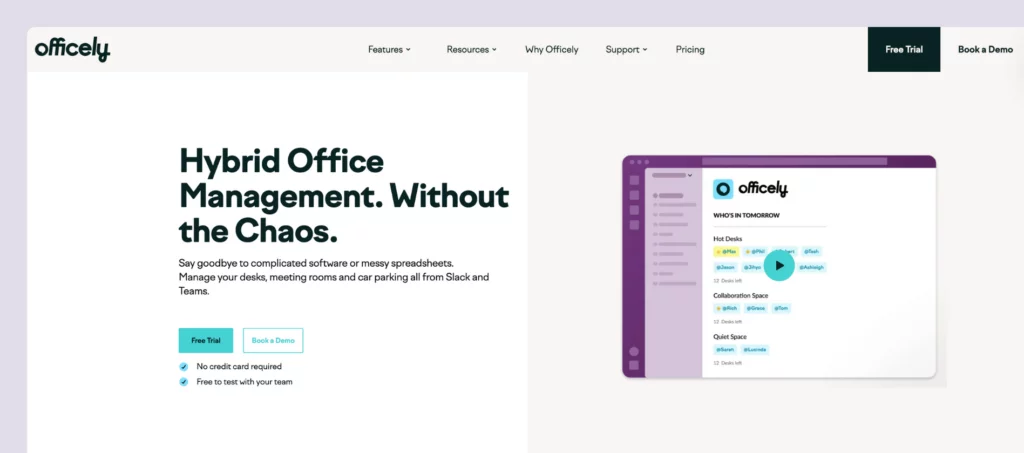
Officely takes a simpler approach to workplace management. Instead of building a standalone app, it works as a Slack and Microsoft Teams integration, so teams can handle basic desk and office-day planning right inside the tools they already use. It’s not as feature-rich as Eden, but that’s also the point.
What you get with Officely
- Slack and Teams integration: Book desks, rooms, and parking directly in Slack or Microsoft Teams.
- Desk booking: Hot desking with neighborhoods and amenity filters.
- Meeting room reservations: Schedule conference rooms without leaving your chat tools.
- Office coordination: See who’s coming in each day before you leave home.
- Check-in reminders: Automated prompts to confirm attendance.
- Office chat: Coordinate lunches, after-work drinks, and team events.
How much does Officely cost?
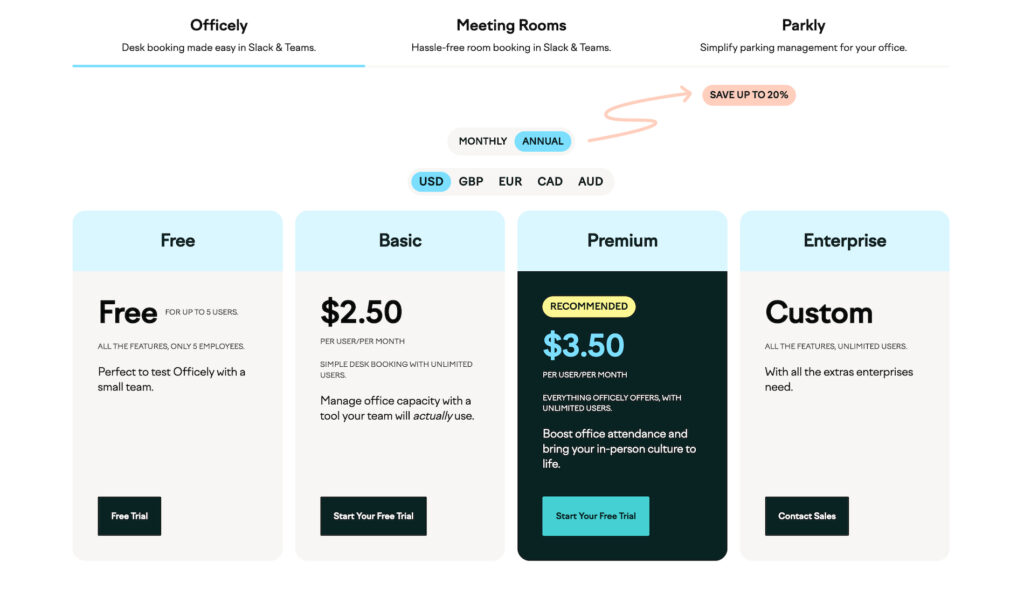
Officely uses per-user pricing for desk booking, starting at $2.50 per user/month when billed annually. If you want meeting rooms too, those are priced separately at $12 per meeting space/month (also billed annually).
Who’s Officely best for?
Officely is best for small to mid-sized teams using Slack or MS Teams who want a simple desk booking tool to live within the platforms they already use. Also, for extremely small teams (up to 5 users), Officely is free, and you get all the features included.
Officely limitations
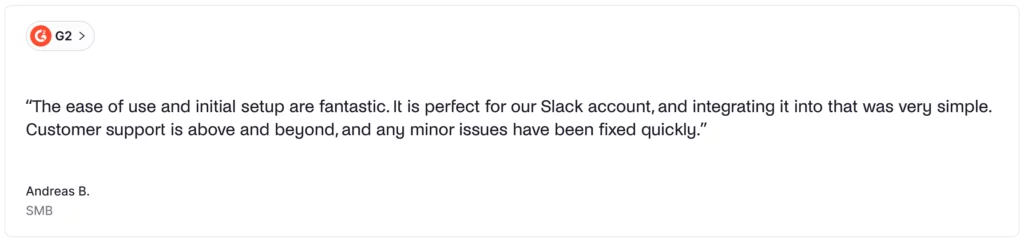
Officely’s simplicity is also one of its main limitations. While it can be more affordable than Eden for small teams, it has limited customization and only the basic desk & room booking features. While this isn’t a dealbreaker, mid-sized and larger teams might benefit from Eden’s all-in-one approach.
Also, regarding the tool itself, the Teams version doesn’t have all the features available on the Slack version. MS Teams users don’t get office chat, calendar integrations, or check-ins. If you’re primarily using Teams and want advanced scheduling, visitor management, or comprehensive analytics, Officely’s limited feature set might not meet your needs.
Eden alternative #3: deskbird
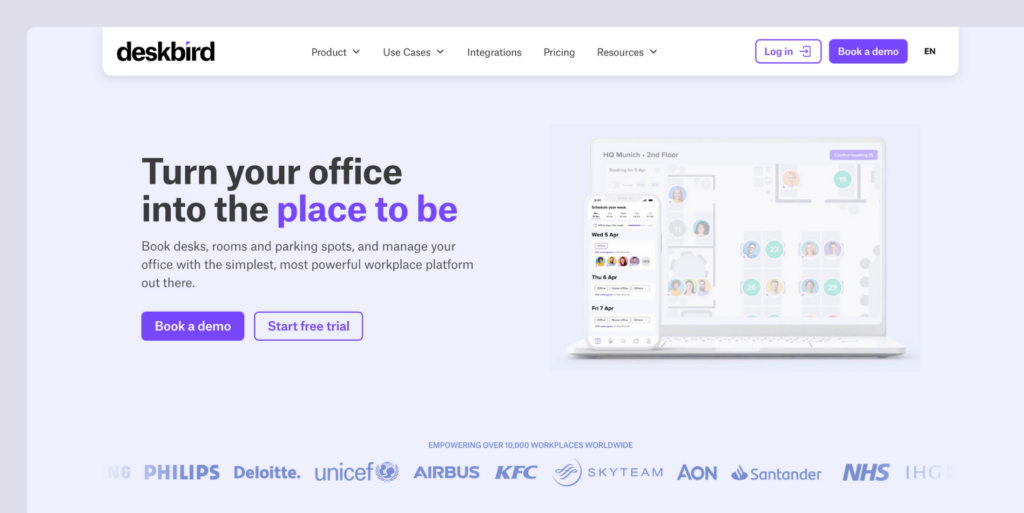
deskbird is a comprehensive workplace management platform, and it prices things differently than Eden. Instead of charging separately for each module, deskbird uses per-user pricing, with features bundled into plan tiers. It’s also growing fast. After raising $23 million, deskbird has been investing heavily in AI and expanding the product.
What you get with deskbird
- Desk booking: Hot desking with advanced filters for amenities and colleague proximity.
- Room scheduling: Book meeting rooms with Outlook and Google Calendar sync.
- Visitor management: Guest pre-registration, self check-in, and host notifications.
- Hybrid scheduling: Plan office attendance and manage hybrid work policies.
- Mobile app: iOS and Android apps for booking on the go.
- Interactive floor plans: Visual workspace layouts with real-time availability.
- AI recommendations: Smart suggestions for desks and meeting times.
How much does deskbird cost?
deskbird has one free plan and three paid tiers (annual billing):
- Starter: Free for up to 15 users and 1 office, but no support.
- Business: From $3.75/user/month, adds support plus core features like mobile apps and Teams sync.
- Professional: From $4.75/user/month, adds advanced features like API access, access control, and approvals.
- Enterprise: Custom pricing with higher-touch support, SLAs, and custom analytics/integrations.

Who’s deskbird best for?
deskbird is best for companies looking for an intuitive, feature-rich workplace management platform with extensive integrations. It works with teams of all sizes, offering a free plan and competitive per-user pricing.
Unlike Eden’s modular approach, where costs stack as you add features, deskbird uses simple per-user pricing ($3.75-$4.75/user/month) with all features included in each tier. Plus, it provides AI functionality and 200+ integrations that Eden lacks.
deskbird limitations
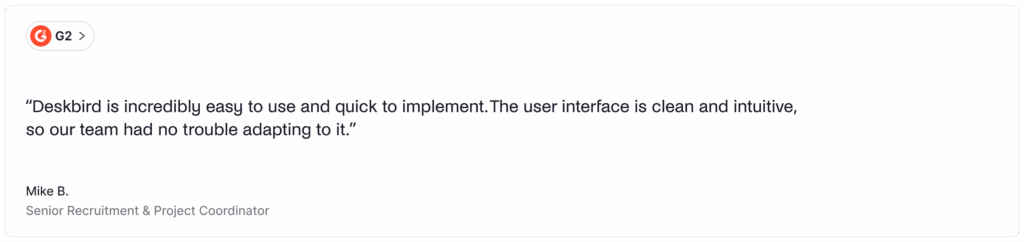
While deskbird’s per-user pricing is simpler than Eden’s modular approach, it might not be the best option for teams that have one desk for every 2-3 employees, in which case you might want to explore deskbird alternatives. This is echoed by some reviews, as well: “The only real con is around the pricing model, while the service is great, the accessibility is limited to companies with a larger bottom line.”
Also, deskbird has limited customization options, which can impact functionality. As one reviewer noted: “The one thing that I found inconvenient was that it is a bit difficult to customize your settings.”
Eden alternative #4: OfficeSpace
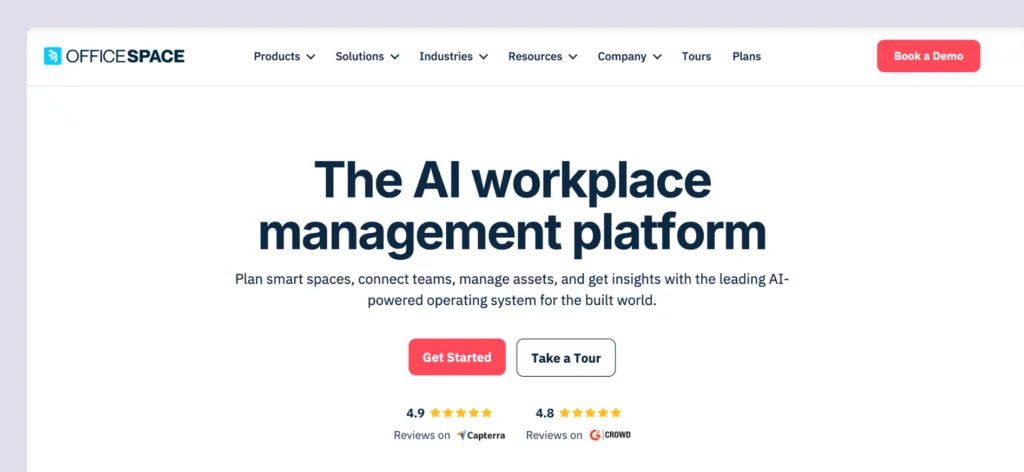
OfficeSpace is an enterprise-level workspace management platform that goes beyond Eden’s workplace modules. Instead of only focusing on day-to-day booking and visitor management, OfficeSpace adds advanced space planning, move management, and strategic real estate tools. The platform is explicitly geared toward the enterprise market and is used by fast-growing organizations with hundreds of employees across multiple locations.
What you get with OfficeSpace
- Desk and room booking: Reserve workspaces with neighborhoods, zoning, and future-looking presence data.
- Move management: Manage frequent office moves and reorganizations.
- Asset tracking: Track equipment and assets across locations from one platform.
- Interactive floor plans: Detailed floor-plan tooling with visual layouts.
- Facility services: Request and manage workplace services.
- Analytics and reporting: Deep insights into space utilization and planning.
- AI add-on: Optional AI features available on Pro tier.
How much does OfficeSpace cost?
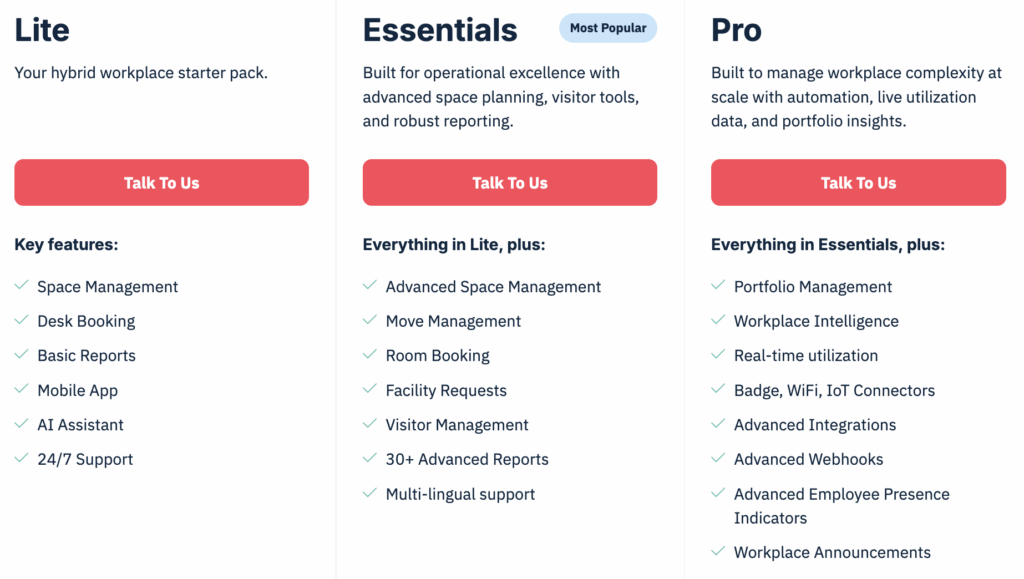
OfficeSpace offers three main plans (Lite, Essentials, and Pro), plus an optional AI add-on for the Pro tier. Each plan includes a base platform fee and a set number of “synced employees,” with additional per-employee charges if you exceed that allotment.
While the platform doesn’t offer public pricing, product research shows that prices start at $60 per user annually, with added setup and per-floor-plan charges and a 35-day implementation period.
Who’s OfficeSpace best for?
OfficeSpace is best for large enterprises with hundreds of employees and multi-location operations. With its scenario-building features and move management, it helps these companies scale faster, while making moves and reorganization effortless.
Unlike Eden’s modular structure where you pick specific operational tools, OfficeSpace bundles strategic planning capabilities that help large organizations optimize their real estate footprint. If you need enterprise-grade space planning with detailed control over multiple facilities and can invest in a comprehensive implementation, OfficeSpace delivers that sophisticated experience.
OfficeSpace limitations
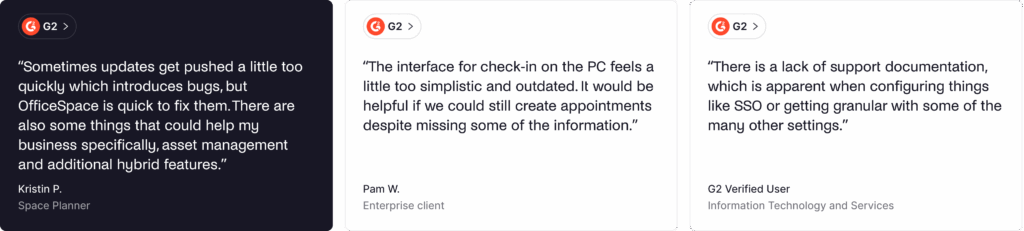
OfficeSpace’s interface can feel complicated and heavy. Multiple reviewers note “the interface can be a little awkward,” “could be more attractive,” and “UI and seat selection on mobile Android version is a bit clunky and heavy on performance.”
Also, because of its enterprise focus, smaller teams might find pricing and implementation too much. It’s significantly more expensive and complex than Eden’s modular approach, where you can start with just desk booking. For teams that just need operational tools (desks, rooms, visitors) without strategic planning features, Eden or other OfficeSpace competitors might be better fits.
Eden alternative #5: YAROOMS
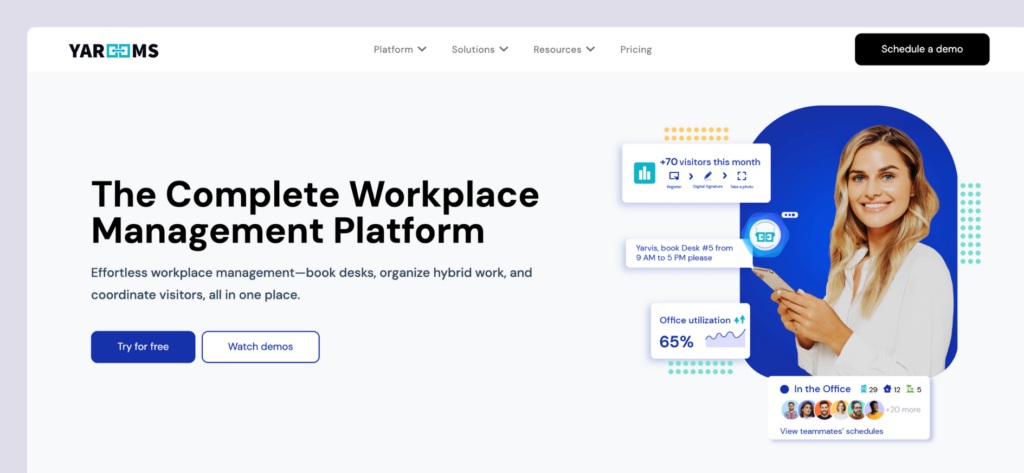
YAROOMS started in Romania in 2010 as a simple tool for booking meeting rooms. Over time, the team kept improving and adding features, eventually turning it into a full workplace management platform, with most of the features you’ll find in Eden. YAROOMS uses tiered pricing where all features are bundled together, including desk booking and rooms, as well as its own AI functionality with Yarvis AI.
What you get with YAROOMS
- Desk booking: Reserve hot desks with visual floor plans.
- Meeting room scheduling: Book conference rooms with calendar integration.
- Hybrid work planning: Manage office attendance and hybrid schedules.
- Visitor management: Guest registration and check-in.
- Digital signage: Wayfinding displays to guide people around the building.
- Yarvis AI assistant: AI-powered booking and workplace insights.
- Analytics: Enhanced workplace analytics.
How much does YAROOMS cost?
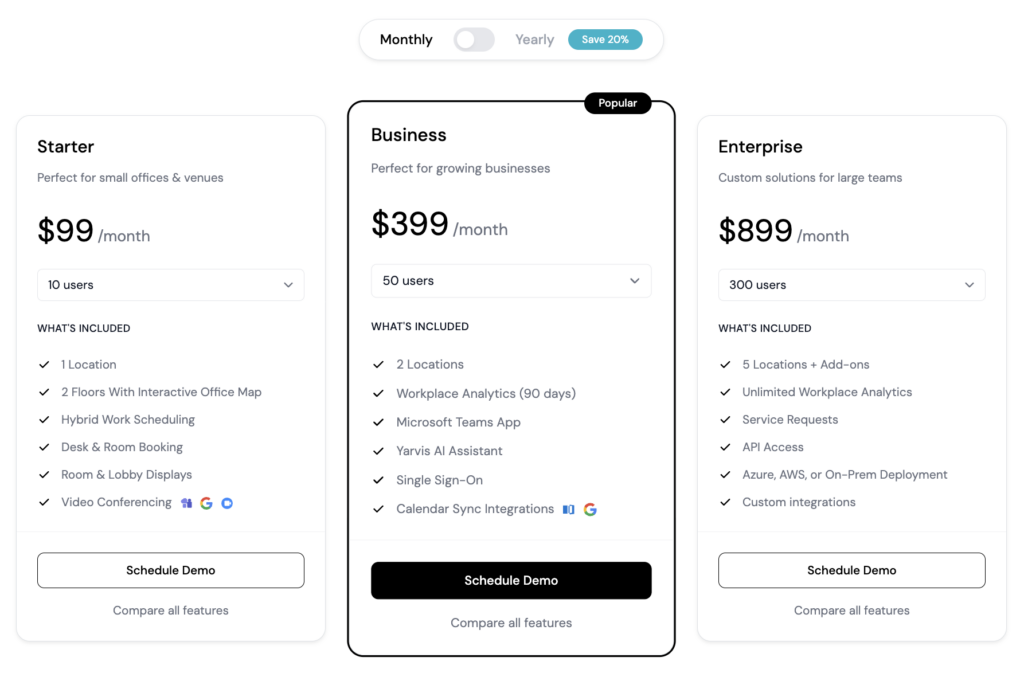
YAROOMS uses a subscription-based pricing model with three main tiers:
- Starter: $99/month for up to 10 users, $199/month for up to 20 users. Includes essential desk and room booking for single-location offices.
- Business: $399/month for up to 50 users, $499/month for up to 100 users, $699/month for up to 200 users. Supports up to 2 locations, adds enhanced analytics and Yarvis AI assistant.
- Enterprise: $899/month for up to 300 users, custom pricing beyond 300. Supports unlimited locations, full workplace analytics, and custom integrations.
Visitor management is offered as an optional add-on at $99 per month per location, allowing businesses to enable it only where needed.
Who’s YAROOMS best for?
YAROOMS is best for small to mid-sized companies and growing organizations that need straightforward desk and room booking with strong Microsoft Teams integration. The tiered pricing ($99-$899/month for 10-300 users) makes it accessible for teams just starting out while offering AI features that Eden doesn’t.

YAROOMS limitations
While YAROOMS’ pricing model is simpler than Eden’s modular approach, it can get expensive fast for mid-sized teams since it’s based on employee count rather than resources. For hybrid offices with more employees than desks, Eden’s resource-based desk pricing ($2.25/desk) could be more cost-effective than paying per user.
The mobile experience has received mixed feedback. Earlier versions of the iOS app lacked full functionality, and the map view wasn’t as smooth as it could be. While YAROOMS has released updates, some reviewers still note that a few tasks could be easier on mobile.
Other alternatives to Eden
Which Eden alternative should you choose?
There are several solid Eden alternatives to consider. To choose the best one for your office, think about:
✅ Pricing model. Choose between per-user pricing (Officely, deskbird) or resource-based pricing (Archie). Resource-based is usually more cost-effective for larger teams that have more employees than desks.
✅ Pricing transparency. Check whether pricing is publicly available. Archie shows clear rates ($2.80/desk, $8/room), while OfficeSpace requires custom quotes.
✅ AI features. Decide if AI-powered booking is essential. deskbird’s AI recommendations and YAROOMS’ Yarvis offer AI-powered booking automation.
✅ Implementation timeline. Evaluate how quickly you need to go live. Archie deploys in days, while platforms like OfficeSpace might take longer.
✅ Team size and scale. Consider your current team size and the extent of your scaling. There are plenty of solutions for smaller (Officely), mid-sized (Archie), and enterprise (OfficeSpace) teams.
Why Archie is usually the best alternative
- Transparent, resource-based pricing. Clear rates (starting at $2.80/desk and $8/room, with a minimum of $159/month) can help you budget from the get-go.
- Fast deployment. Get operational quickly without lengthy implementation projects. Most teams are live within days, not weeks or months.
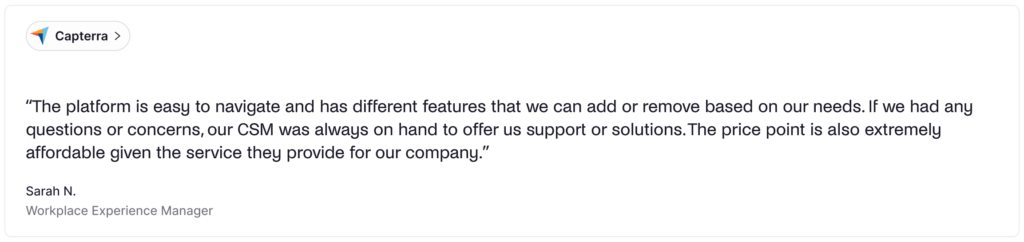
- Recent reviews you can trust. 4.9/5 rating on both G2 and Capterra with consistent, current feedback.
- Cost-effective for office teams. Resource-based pricing beats per-user models when you have more employees than desks, as is the case for most offices nowadays.

Quick head-to-heads
- Archie vs Eden: Both let you buy desks, rooms, and visitors separately. Eden can be cheaper for very small setups, but Archie is usually the better long-term pick because you can buy exactly the number of desks you need.
- Archie vs deskbird: Archie charges per desk and room, while deskbird charges per user ($3.75–$4.75/user). Both cover the core workplace features, but Archie’s pricing stays more predictable as headcount grows, and deskbird’s tiered plans can push teams into higher costs for advanced features.
- Archie vs Officely: Officely is great for simple desk booking inside Slack or Teams ($2.50–$4/user). Archie starts at $159/month and is more complete, especially if you need things like interactive floor plans, deeper analytics, and visitor management.
- Archie vs OfficeSpace: OfficeSpace goes deeper into enterprise space planning and move management. If you need those advanced real estate workflows, it can be worth it. If you want something faster to roll out, easier to run day to day, and usually more affordable, Archie is the better fit.
- Archie vs YAROOMS: YAROOMS can be a good deal for very small teams (for example, $99/month for 10 users). Archie tends to work better for mid-sized offices because pricing is tied to the spaces you manage, not employee count, which often scales better when more people share desks.
Sources
- Competitor feature & pricing pages
- Demo videos
- G2 & Capterra profiles
- Archie’s product research

Alexios Georgakopoulos
Archie’s Content Writer, coffee fiend, and resident Gen Zer who hates working in offices but loves writing about them. When he is not deep in hybrid work and coworking topics, he is obsessing over a new hobby that will probably last about a day.