



















- What you’ll learn
- Whether Slack has a built-in desk or room booking system
- How Slack room booking works with third-party apps
- The main benefits and limits of Slack-based booking
- How Archie’s Slack integration helps with reminders, check-ins, and cancellations
Slack is where many teams already communicate, collaborate, and organize their work every day. So naturally, a lot of companies wonder whether they can also use Slack to manage meeting room and desk bookings.
The answer is yes, but usually with the help of a dedicated workplace management platform.
In this guide, I’ll explain how Slack room booking and desk booking work, what the limitations are, and how tools like Archie can bring booking reminders, check-ins, and reservation management directly into Slack without forcing employees to switch between multiple applications.
Can you book meeting rooms in Slack?
The short answer is yes, but not directly.
Slack doesn’t have its own meeting room booking system, but you can easily add room booking features by integrating it with workplace management software.
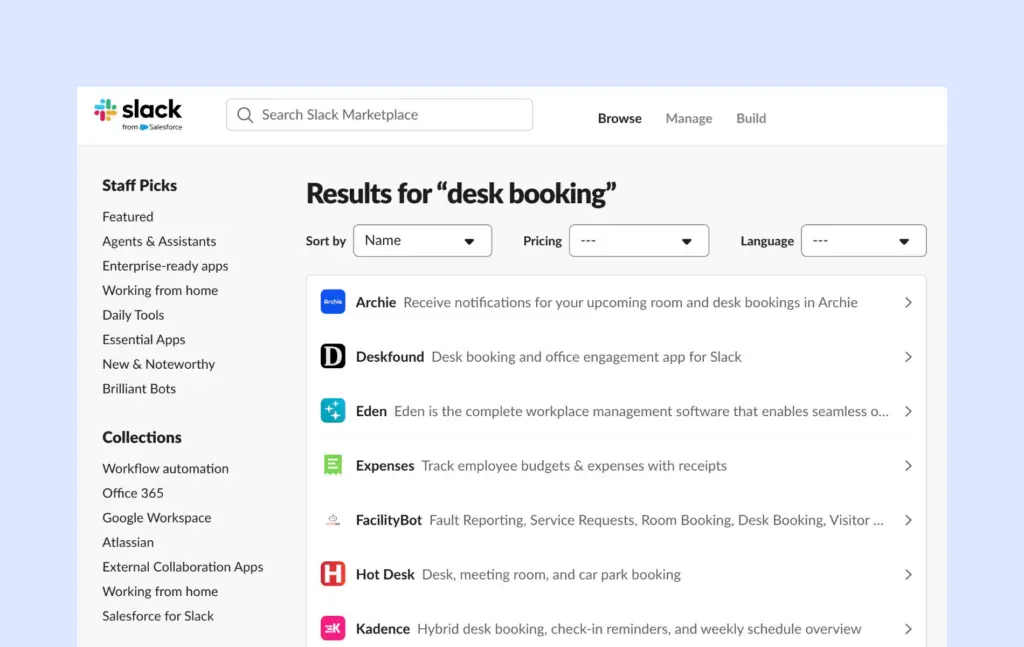
First, you have to choose and install a Slack room booking app. Popular Slack booking integrations include Archie, Officely, OfficeSpace, Joan, Hot Desk, and Deskfound.
How to book a meeting room in Slack
- To get started, visit the Slack App Marketplace, find the app you’d like to use, and click Install.
- Follow the setup steps and authorize the integration.
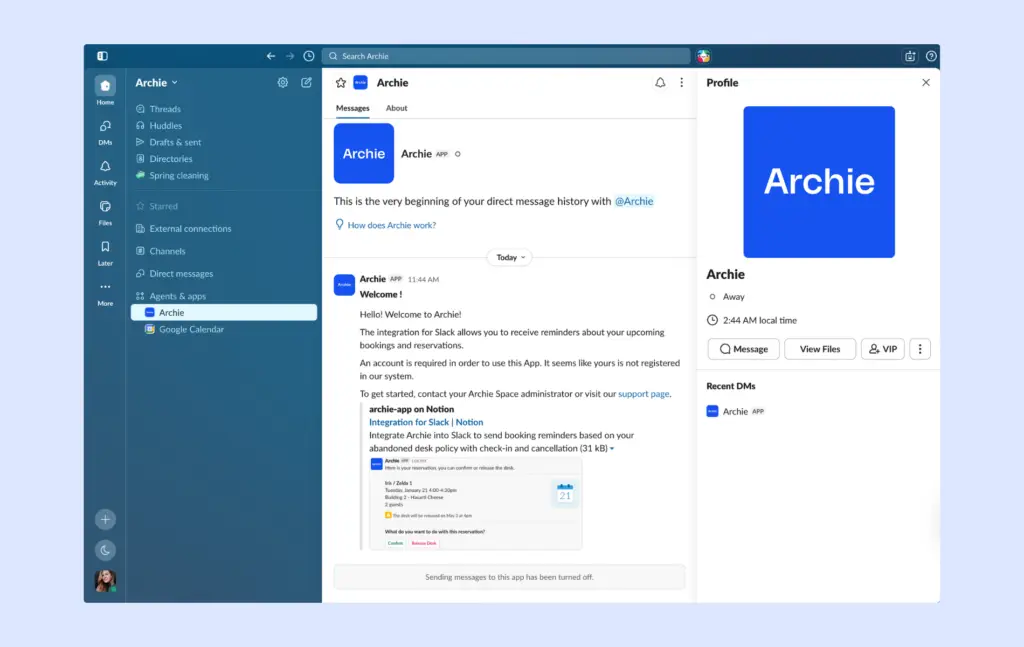
- Once connected, employees can receive booking reminders, manage reservations, check in to booked spaces, and, in some cases, even create bookings directly from Slack without switching to another application.
What about Slack desk booking?
Desk booking in Slack works in a very similar way to room booking.
You have to connect it with a desk booking app first so that employees can receive notifications about upcoming desk reservations and manage bookings directly from Slack:
Benefits of desk & meeting room booking via Slack
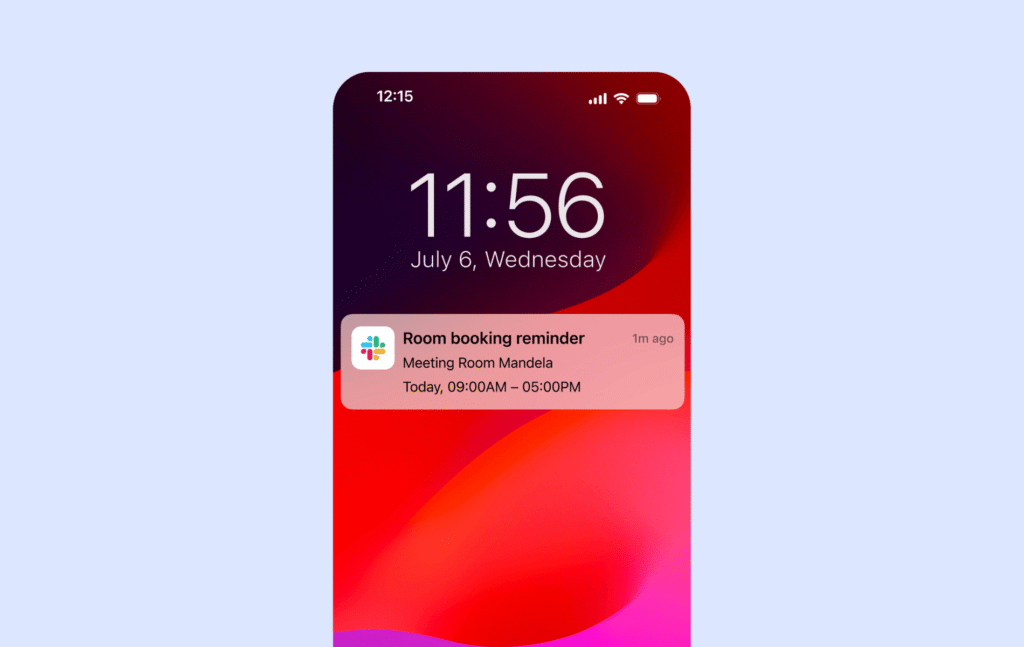
Most employees already spend a big part of their workday in Slack, so I think it makes sense to bring simple booking updates there too. Booking notifications appear next to regular team messages, which can help reduce missed reservations, forgotten check-ins, and unused rooms or desks.
Slack booking can also help teams:
- Reduce no-shows
- Make better use of desks and rooms
- Keep employees informed about upcoming reservations
- Make booking management easier
- Reduce the number of workplace apps people need to keep checking
In this setup, I’d think of Slack as the communication layer. It keeps people updated and lets them take quick actions, while the workplace management platform handles the actual booking rules, availability, and resource management in the background.
That said, Slack integrations can be very useful, but I wouldn’t treat Slack as a full replacement for dedicated booking software.
Slack booking limitations
In my opinion, Slack works best for quick updates and simple booking actions. For example, it’s great for reminders, check-ins, cancellations, and releasing unused desks or rooms. But when employees need more context, they’ll usually still need to open the actual workplace management platform.
For example, Slack usually won’t give you the same experience as:
- Interactive office floor plans
- Neighborhood seating
- Advanced room filters
- Amenity searches
- Workplace analytics
- Visitor management workflows
- Detailed booking rules and permissions
Think about booking a meeting room for eight people with video conferencing, dual displays, and the right cable setup. In that case, it’s often much easier to browse available rooms on a floor plan or in a dedicated booking app than to manage everything through Slack messages or commands.
That’s why I see Slack as a helpful add-on, not the main booking interface. It keeps employees updated and lets them take quick actions, while the dedicated booking platform like Archie handles the more detailed booking experience behind the scenes.
How Archie works with Slack
Archie connects directly with Slack to make desk and meeting room bookings easier to manage.
Instead of asking employees to keep checking another app, Archie brings important booking updates and quick actions into Slack, where many teams already spend a big part of their day.
When someone books a desk or room in Archie, they can automatically receive a Slack notification. From that notification, they can:
- Confirm they’re using the reservation
- Check in to their booking
- Cancel a reservation
- Release a room or desk they no longer need
Archie can also send automatic reminders before upcoming bookings. I think this is especially helpful because it reduces forgotten reservations, makes check-ins easier, and helps prevent desks or rooms from sitting unused.
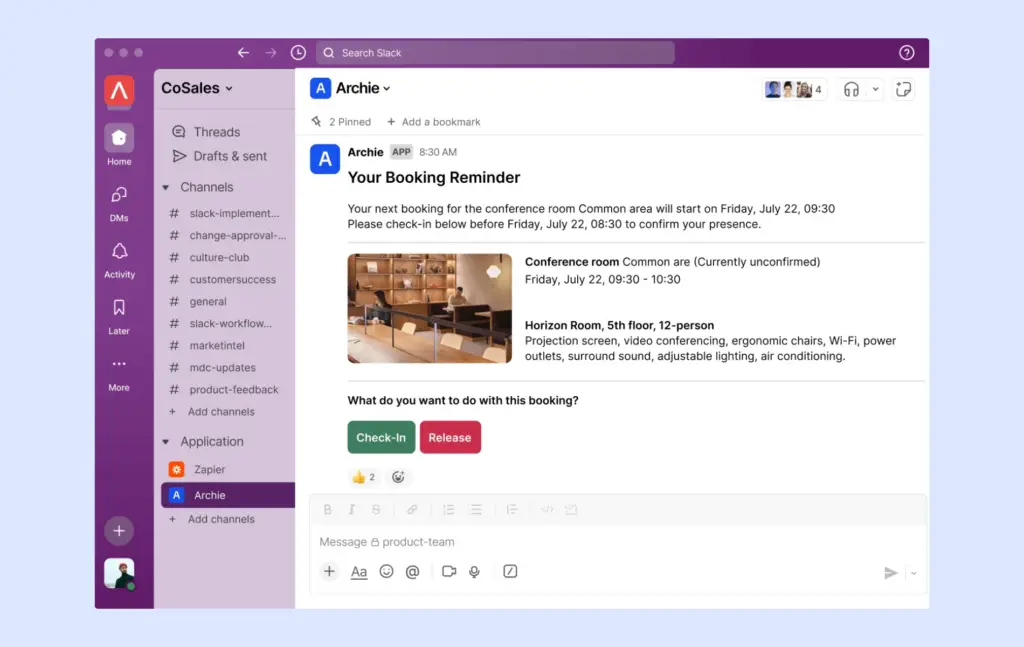
Let’s say I book a desk for tomorrow.
Before my booking starts, I get a reminder in Slack. If my plans change and I decide to work from home instead, I can release the desk directly from that Slack reminder.
The desk then becomes available for someone else to book.
For workplace teams, this helps keep occupancy data more accurate and makes sure office resources are actually being used, instead of being blocked by forgotten reservations.
How to set up the Archie Slack integration
Setting up the Archie Slack integration is pretty straightforward.
- Log into Archie.
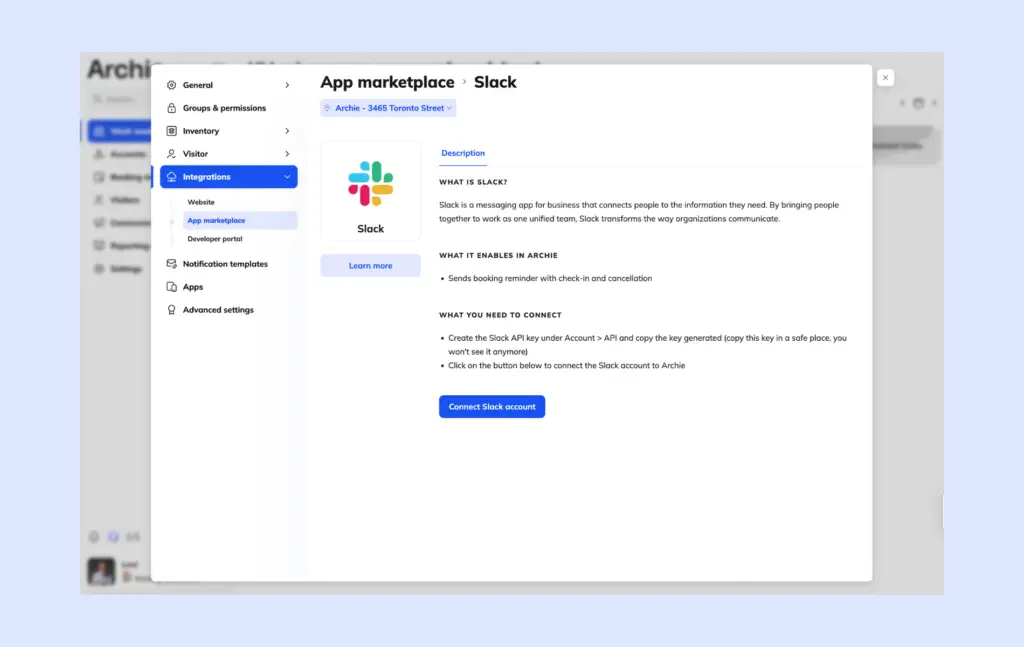
- Open Integrations and go to the App Marketplace.
- Find the Slack integration.
- Click Connect Slack Account.
- Authorize Archie in your Slack workspace.
- Enable booking reminders.
- Start receiving booking notifications in Slack.
Once everything is connected, employees can receive reservation reminders and manage simple booking actions directly inside Slack.
Slack can be a great way to manage desk and meeting room reservations without constantly switching between applications.
However, it’s important to remember that Slack is usually the communication layer, not the booking platform itself. While it’s excellent for reminders, check-ins, and simple booking actions, dedicated workplace management software still provides the best experience for finding rooms, viewing floor plans, meeting room displays, managing office resources, and analyzing workplace usage.
For teams that already live in Slack, combining Slack with a workplace management platform like Archie can provide the best of both worlds: a familiar communication tool and a powerful booking system working together behind the scenes.
Give the Slack-Archie integration a try and see how it changes the way your team manages desk and room reservations. And if you prefer using Microsoft Teams for desk & room booking, Archie works there too.
Slack booking FAQ
Does Slack have a booking system?
Slack doesn’t include its own booking system, but you can easily add this feature with dedicated workspace management apps. For example, once you integrate Slack with Archie, you’ll be able to manage all your desk and room bookings without leaving Slack.
Can you use Slack for scheduling?
Yes, you can use Slack for desk and room scheduling through integrations to your Slack workspace. While Slack doesn’t have a built-in scheduling tool, dedicated apps make it easy to organize meetings, book rooms, and reserve desks directly within Slack. However, there are some limitations. For example, you can’t see office maps or know where your teammates are sitting. You also miss out on advanced features like making meetings private or searching for rooms with specific amenities, like projectors. If you need more detailed options, using a dedicated app like Archie might be a better choice.
Can employees book desks and meeting rooms directly in Slack?
It depends on the software you’re using. Some Slack integrations support direct booking through commands or messages, while others focus on notifications, reminders, and booking management. Many organizations still use a dedicated booking app for finding and reserving spaces.
Can I see office floor plans in Slack?
No. Slack integrations typically don’t provide interactive floor plans or visual desk maps. To see office layouts, desk locations, or neighborhood seating arrangements, you’ll usually need to open the workplace management platform.
Does hot desk booking software integrate with Slack or Microsoft Teams?
Yes. Many hot desk booking platforms, including Archie, integrate with Slack, Microsoft Teams, or both. That said, Slack and Teams integrations are usually designed for quick actions and notifications rather than the full booking experience. Features like interactive floor plans, desk maps, coworker visibility, workplace analytics, and advanced booking settings are typically managed through the desk booking platform itself.