








Tactic is a workplace management tool that aims to cover the full “workplace experience.” It’s not just desk booking; it lets you manage meeting rooms, visitors, and workplace requests. It also recently introduced Tessa AI, which helps employees book spaces and report issues.
The big question is whether it’s worth the price, or if you can get a similar day-to-day setup for less.
In this review, we’ll look at what Tactic does well, what could be better, and when it makes sense to consider Tactic alternatives.
💡 TL;DR:
Tactic is best for larger companies that want a modular workplace platform with AI features and hands-on onboarding. Smaller teams may find it pricey, and some users mention slow loading and occasional booking glitches. If you want similar core features, a Tactic alternative like Archie may be a better fit.
Tactic vs alternatives
What is Tactic?
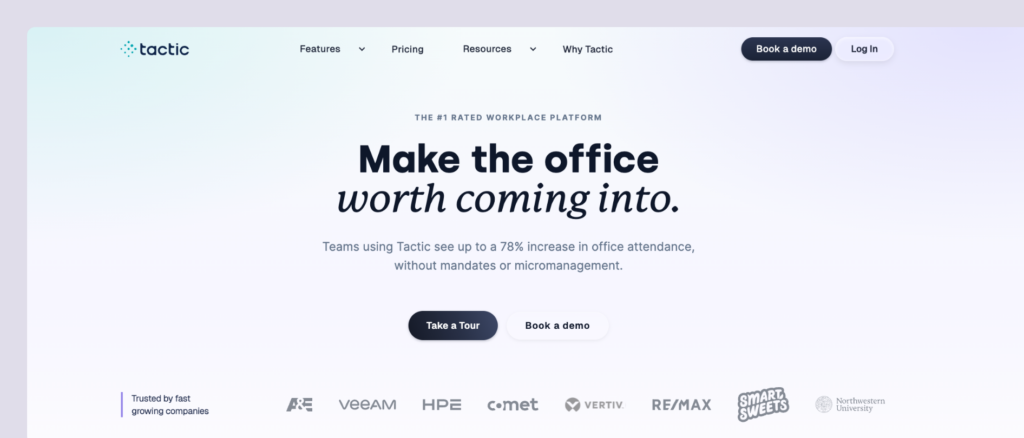
Tactic (gettactic.com) started as a hybrid workplace tool designed to help teams come back to the office without strict mandates or micromanagement. Today, it positions itself as a “full workplace experience” platform, offering desk booking, rooms, visitors, and workplace requests as separate modules you can mix and match.
Key features of Tactic
- Desk booking: Hot desking, assigned seating, and neighborhood assignments with visual floor plans.
- Meeting room reservations: Book rooms with two-way calendar sync.
- Tessa AI: Use the AI assistant to book desks and rooms, and report issues via chat.
- Visitor management: Guest check-in, badge printing, and security tracking.
- Workplace requests: Submit catering, AV setup, and custom workspace needs.
- Mobile app: iOS and Android apps for on-the-go booking.
- Team coordination: See who’s in the office and book workspaces near teammates.
- Office insights: Analytics dashboards for occupancy and space optimization.
Tactic pricing
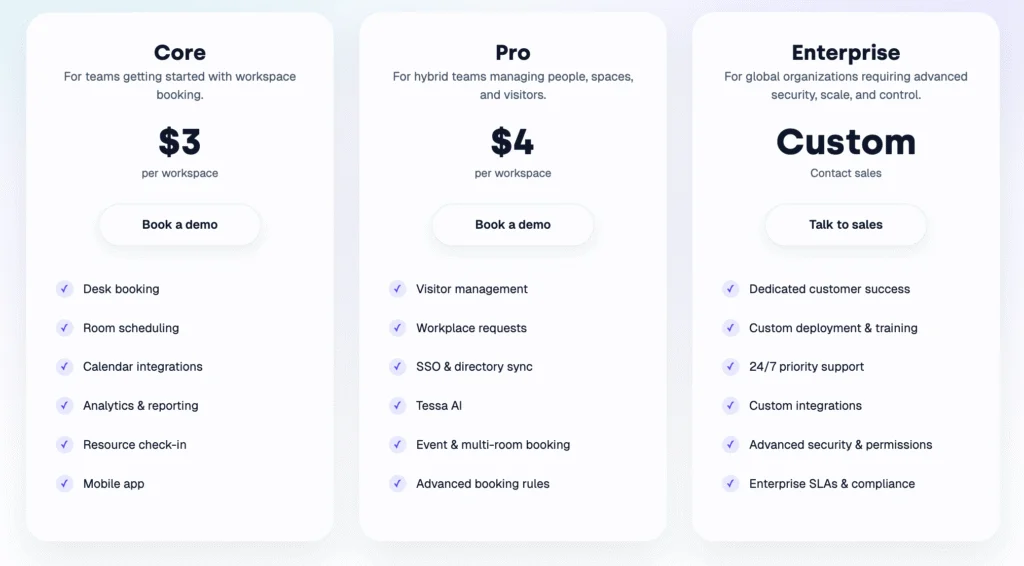
Tactic pricing is based on cost per workspace, with three tiers:
- Core ($3 per workspace): Covers the basics like desk booking, room scheduling, calendar integrations, check-in, analytics, and a mobile app.
- Pro ($4 per workspace): Adds tools for more complex workplaces, including visitor management, workplace requests, SSO + directory sync, Tessa AI, event/multi-room booking, and advanced booking rules.
- Enterprise (custom): Built for larger organizations that need advanced security and permissions, custom integrations, dedicated customer success, custom deployment/training, 24/7 priority support, and optional SLAs/compliance.
What’s great about Tactic (reviews)
🟢 Easy to use: Users consistently highlight how simple and easy Tactic is to use. Just to quote one G2 reviewer: “Tactic is brilliant in streamlining booking, where it ensures workspaces are well coordinated. The tool creates a robust workspace visualization, giving easy scheduling and helping the team to understand the arrangements”.
🟢 Strong customer support: Tactic’s customer support gets consistent praise amongst reviewers on both G2 and Capterra. One enterprise customer said: “Excellent support from Tactic team. They are very quick to respond on answering queries”.
🟢 Clean, intuitive interface: Another great thing that’s usually mentioned in Tactic reviews is how clean and intuitive its interface is. One user had this to say: “I really appreciated how easy and efficient Tactic made room booking and seat reservations. The system was intuitive, accurate, and flexible, allowing me to select exactly what I needed without any hassle”.
What could be improved
🔴 Performance issues: One of the main issues mentioned across Tactic reviews is that it’s not always performing as expected. One reviewer stated: “Users might experience slow load times or performance issues, especially if managing large projects or handling extensive data, which can impact productivity”.
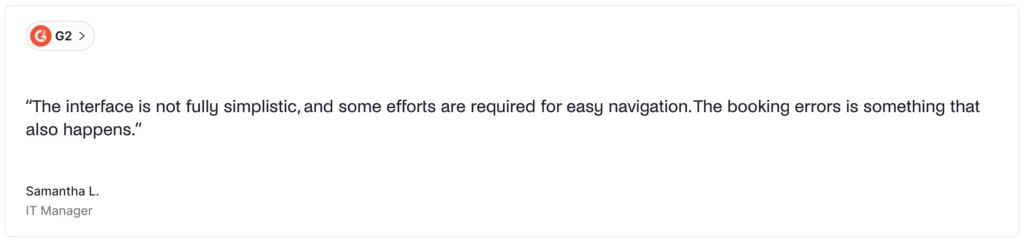
🔴 Some features glitch out occasionally: Some users also noted issues when it comes to booking rooms and desks. In particular, one user mentioned: “I didn’t like that some availability displays weren’t always accurate, we had a few misbookings. A couple of mobile interface bits felt a little clunky compared to desktop.”
💡 Bottom line: Tactic is a great fit for large companies that want comprehensive desk and room booking with strong AI features and excellent customer support. If you’re a smaller team with a tight budget or require better performance during peak times, Tactic might not be the perfect match.
Luckily, there are several strong Tactic alternatives to consider.
What’s the best alternative to Tactic?
For most mid-sized and large offices, Archie is the best Tactic alternative. You’ll get all the core tools office teams need, like desk booking, meeting rooms, interactive floor plans, and workplace analytics in one platform, starting at $159/month. If you’re budget-conscious, need fast deployment, or want predictable costs with enterprise features included, Archie is the better fit.
Tactic alternative #1: Archie
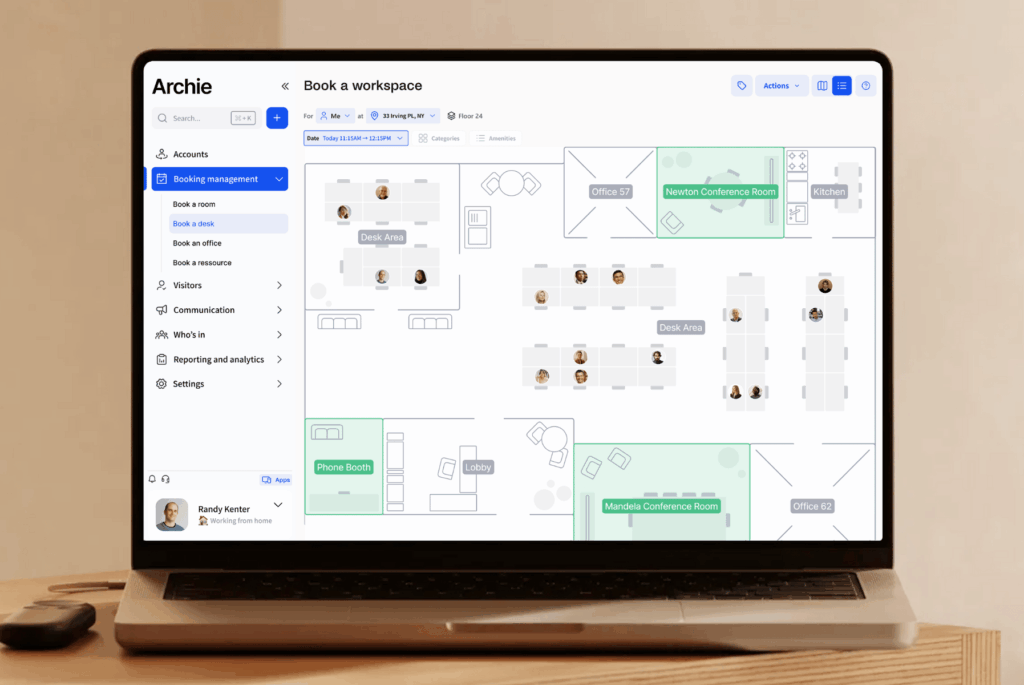
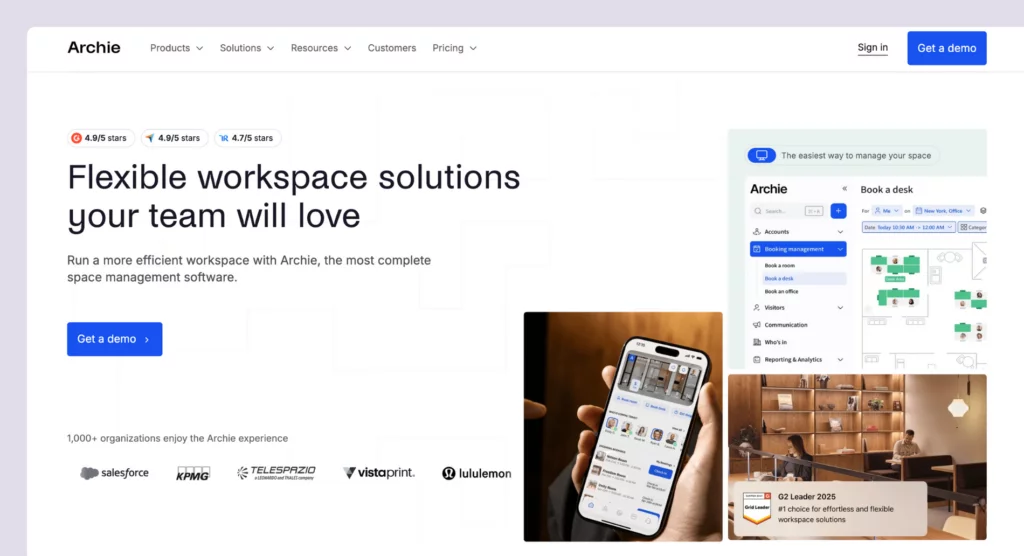
Archie is a modern workplace management platform built for teams that want flexible offices without complicated setup or surprise costs. It brings desk and room booking, interactive floor plans, visitor management, and workplace insights into one easy-to-use system. With clear, resource-based pricing and fast onboarding, Archie is a popular choice for mid-sized and growing workplace teams that want enterprise-level features without the complexity.
What you get with Archie
- Desk booking: Hot desking with interactive floor plans, assigned desks, and customizable zones.
- Meeting room scheduling: Book rooms with calendar sync and real-time availability.
- Visitor management: Pre-registration, QR code check-ins, kiosk app, badge printing, and host notifications.
- Neighborhood zoning: Create team-specific zones for collaboration while maintaining workspace flexibility.
- Interactive floor plans: Visual office maps showing who’s in and where they’re sitting.
- Archie apps: Use Archie on mobile, desktop, or shared office screens like desk booking kiosks and room displays.
- Employee lookup: See when teammates are coming to the office for better coordination.
- Workplace analytics: Occupancy tracking, space usage reports, and workplace insights.
How much does Archie cost?
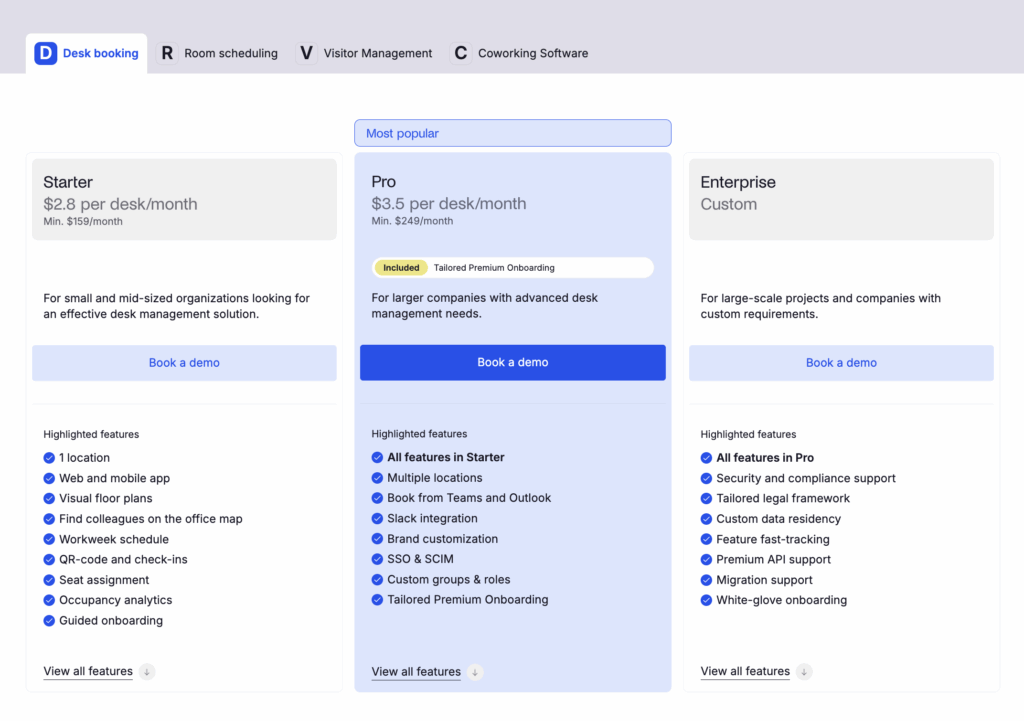
Archie’s pricing starts from $2.8 per desk and $8 per room (minimum $159/month) with Starter.
Pro starts at $3.5/desk and $12 per room per month (minimum $249/month), but includes multi-location management, SSO/SCIM, calendar sync, and custom roles.
Visitor management is an add-on module priced separately.
Who’s Archie best for?
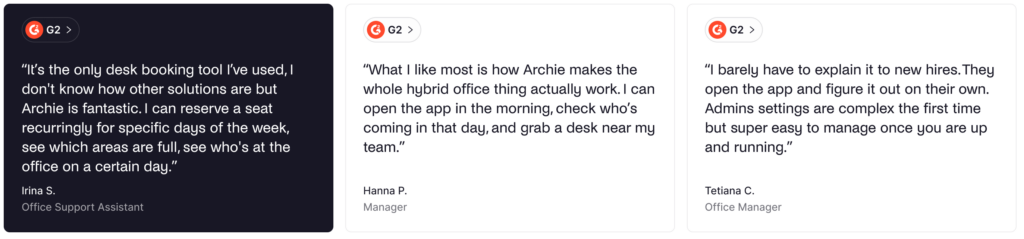
Archie is best for mid-sized and larger offices that want enterprise features at competitive pricing without the complexity of larger platforms. It keeps its pricing transparent, and, because of its resource-based pricing model, Archie is particularly cost-effective for offices with more employees than desks.
Even if you need advanced workplace management features, such as SSO, SCIM, integrations, API access, and analytics, Archie delivers them at a great value.
Archie limitations
Archie doesn’t offer AI functionality. While this isn’t necessarily an issue, some users might appreciate the AI automations Tatic provides. But, still, Archie offers a very intuitive process for desk and room booking, with a great support team to help you out in case you need anything.
Tactic alternative #2: Kadence
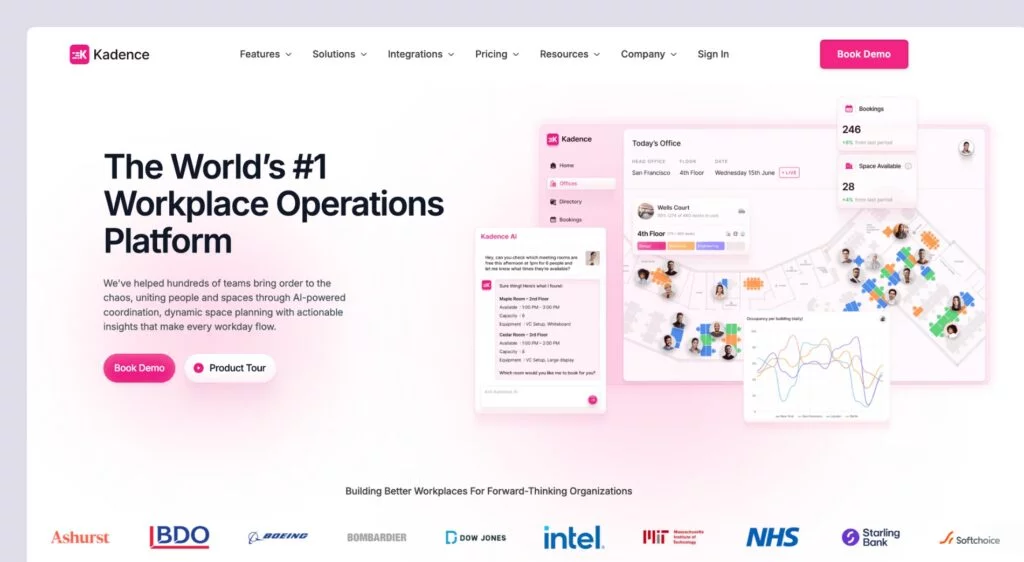
Kadence is a newer workplace management platform with AI-powered features. It serves more than 10,000 teams in 40+ countries, which makes it one of the go-to options for workplace management, especially for larger companies that have a budget for it.
What you get with Kadence
- Interactive floor plans: Book desks and rooms with real-time visual office maps showing desk availability and colleague locations.
- Desk and meeting room booking: Reserve hot desks and meeting rooms with calendar integrations.
- Kadence AI: Use AI-powered suggestions to mass-book for specific teams and notify employees when team members are in the office.
- Visitor management: Track and record guests entering your office.
- Mobile and desktop apps: Use the user-friendly mobile apps and web access for booking.
- Analytics and insights: Get insights on occupancy, space utilization, and usage data.
How much does Kadence cost?
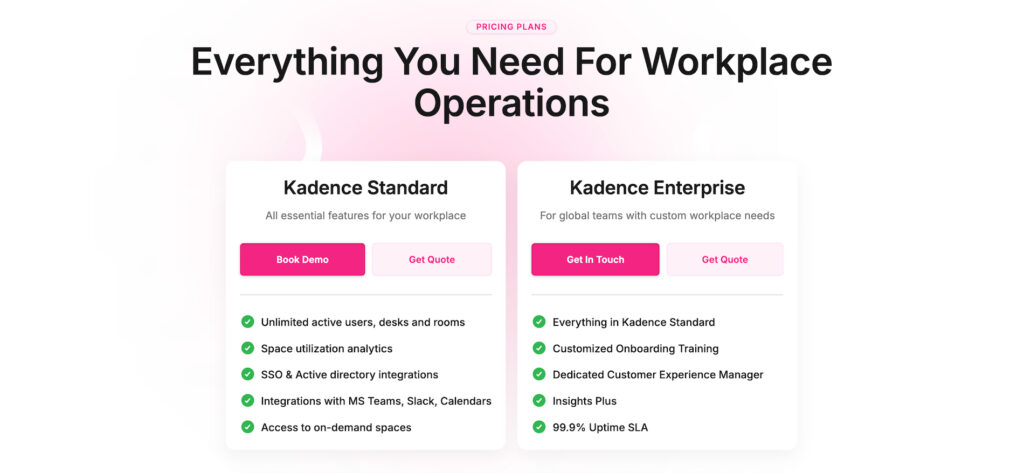
Kadence currently uses custom, quote-based pricing. In the past, product research showed that plans started at around $4/user/month and included visitor management. But, for the most accurate and up-to-date pricing, you should reach out to their team for a quote.
Who’s Kadence best for?
Kadence is best for companies managing hybrid workforces who want simple, visual desk booking with AI-powered booking capabilities. The interactive floor plans and AI features make it easy for employees to see where colleagues are sitting and coordinate their in-office days.
Kadence limitations
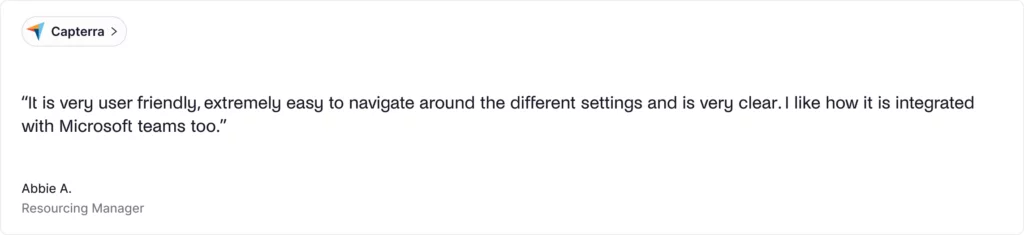
Kadence doesn’t publicly share its pricing. But, based on product research, Kadence might be less attractive to large teams, as it charges per user. Still, some users appreciate the functionality but note it can be “a little bit costly for a smaller group, but will be helpful in the long run.” Like Tactic, the platform also occasionally experiences booking glitches when too many employees book at once.
Another thing to note is that most of Kadence’s reviews aren’t recent, which makes it difficult to get a clear picture of how the tool is performing now. For teams that want more recent user feedback, Kadence may not be the best option.
Tactic alternative #3: deskbird
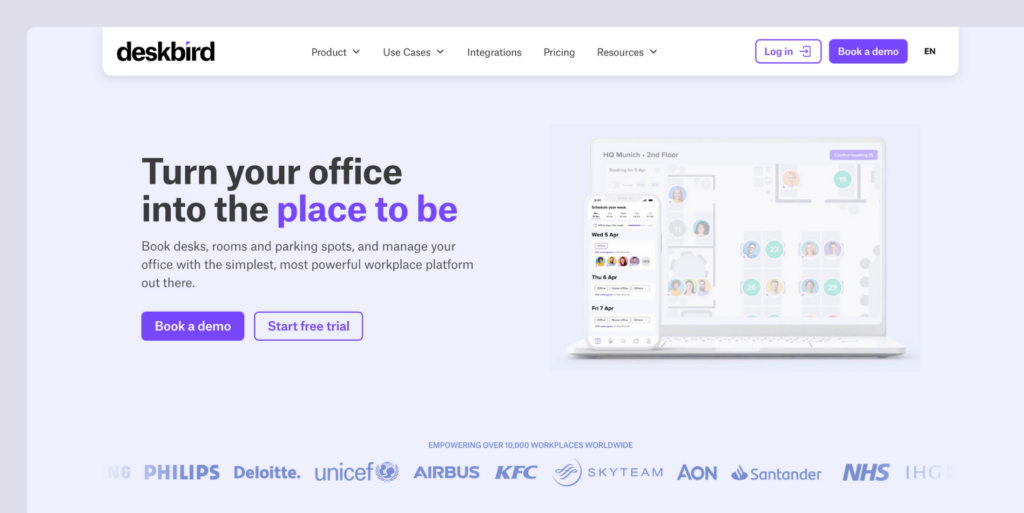
deskbird is quickly becoming one of the top contenders in workplace management, with its recent $23 million in funding already being invested in AI and offering more features. While deskbird’s pricing is competitive, it might not be the best option for mid-sized or larger teams that share desks.
What you get with deskbird
- Desk booking: Hot desking with advanced filters for amenities and colleague proximity.
- Room scheduling: Book meeting rooms, also with Outlook and Google Calendar.
- Visitor management: Guest pre-registration, self check-in, and host notifications.
- Hybrid scheduling: Plan office attendance and manage hybrid work policies.
- Mobile app: iOS and Android apps for booking on the go.
- Interactive floor plans: Visual workspace layouts with real-time availability.
- AI recommendations: Smart suggestions for desks and meeting times.
- 200+ integrations: Works with MS Teams, Outlook, Slack, Google Workspace, BambooHR, and more.
How much does deskbird cost?
deskbird has a free plan, and three paid plans which, when billed annually, cost:
- Starter: Free for up to 15 users and 1 office
- Business: Starting at $3.75/user/month
- Professional: Starting at $4.75/user/month
- Enterprise: Custom pricing

Who’s deskbird best for?
deskbird is best for companies that want an intuitive, feature-rich workplace management platform with extensive integrations. It can work with all team sizes, as it provides a free plan and competitive per-user pricing.
Because of its transparent pricing, you can budget accordingly, instead of having to reach out to the team for a quote. Plus, it provides AI functionality and similar core features to Tactic. If you want strong analytics, comprehensive integrations, and an interface that requires minimal training, deskbird provides just that.
Deskbird limitations
deskbird’s pricing can look competitive, but it may not be the best fit for mid-sized or larger teams where several people share the same desk. Because it charges per user, costs can climb quickly as your headcount grows, even if your office size stays the same.
deskbird can also feel a bit limited when it comes to customization. Some users say it’s not always easy to change settings to match how their office works. If you need deeper customization, deskbird alternatives may offer more flexibility, especially on higher plans.
Tactic alternative #4: OfficeSpace
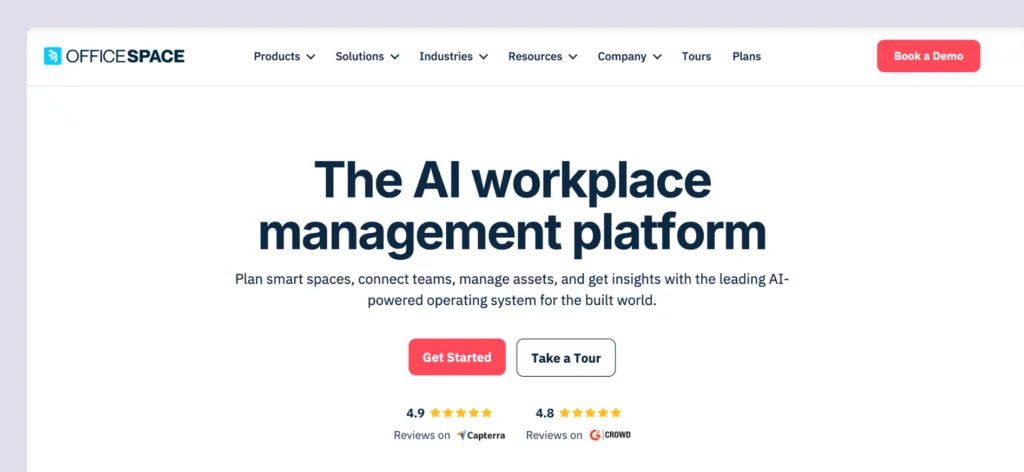
OfficeSpace is an enterprise workspace management platform with more advanced features than most Tactic alternatives. It’s built mainly for large companies, especially fast-growing teams managing complex office setups across multiple locations.
What you get with OfficeSpace
- Desk and room booking: Reserve workspaces with neighborhoods, zoning, and future-looking presence data.
- Move management: Manage frequent office moves and reorganizations.
- Asset tracking: Track equipment and assets across locations from one platform.
- Interactive floor plans: Detailed floor plans with visual layouts.
- Facility services: Request and manage workplace services.
- Analytics and reporting: Deep insights into space utilization and planning.
- AI add-on: Optional AI features available on Pro tier.
How much does OfficeSpace cost?
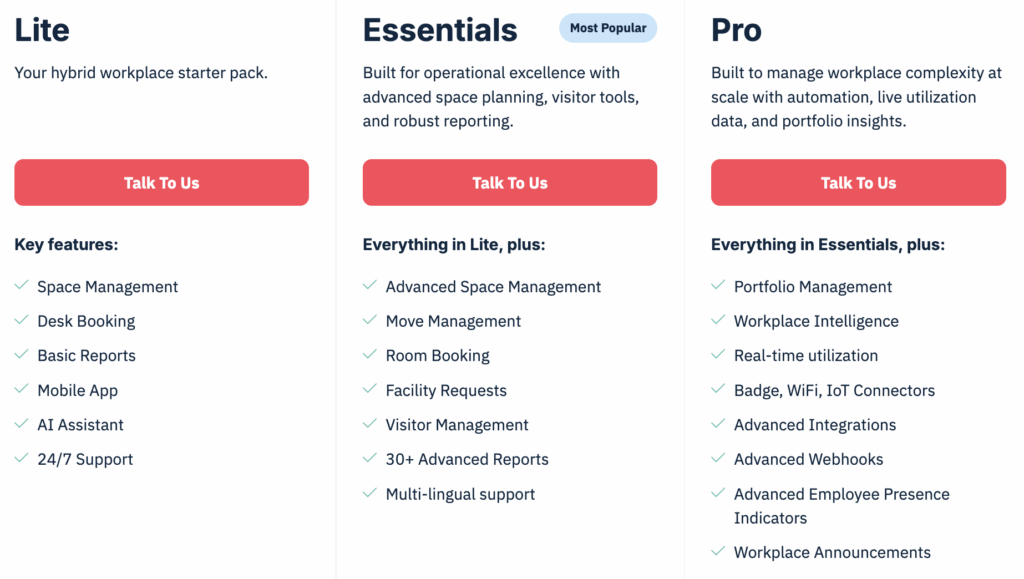
OfficeSpace has three main plans (Lite, Essentials, and Pro). If you choose the Pro plan, you can also add an optional AI add-on. Each plan comes with a base platform fee and a set number of “synced employees.” If you go over that limit, you’ll pay extra per employee.
The only issue is that OfficeSpace doesn’t publish pricing publicly. However, product research suggests pricing starts at around $60 per user per year, and you may also pay extra for setup and for each floor plan. Implementation is also more involved, with a typical rollout time of around 35 days.
Who’s OfficeSpace best for?
OfficeSpace is best for large companies with hundreds of employees and multiple locations. It includes tools for space planning, scenario planning, and move management, which can make office moves and reorganizations much easier. It also offers a similar set of core features to Tactic.
If you need detailed, enterprise-level control across several offices, and you’re okay with a more involved rollout, OfficeSpace can be a strong fit.
OfficeSpace limitations
OfficeSpace can feel a bit complex and heavy to use. Even though the company is known for design, some reviewers say the interface feels awkward, and that the mobile Android experience can be clunky and slow, especially when choosing seats. In comparison, Tactic is usually seen as cleaner and easier to navigate.
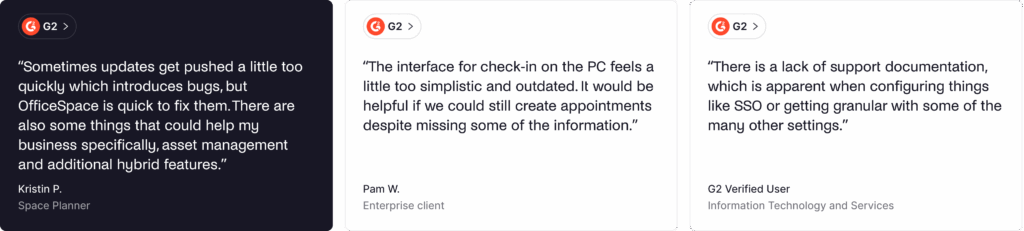
Because OfficeSpace is built for big enterprises, it can also be too much for smaller teams. Pricing and setup may be higher than expected, and the rollout can take longer, which may not work well for teams that want to get up and running quickly.
Tactic alternative #5: YAROOMS
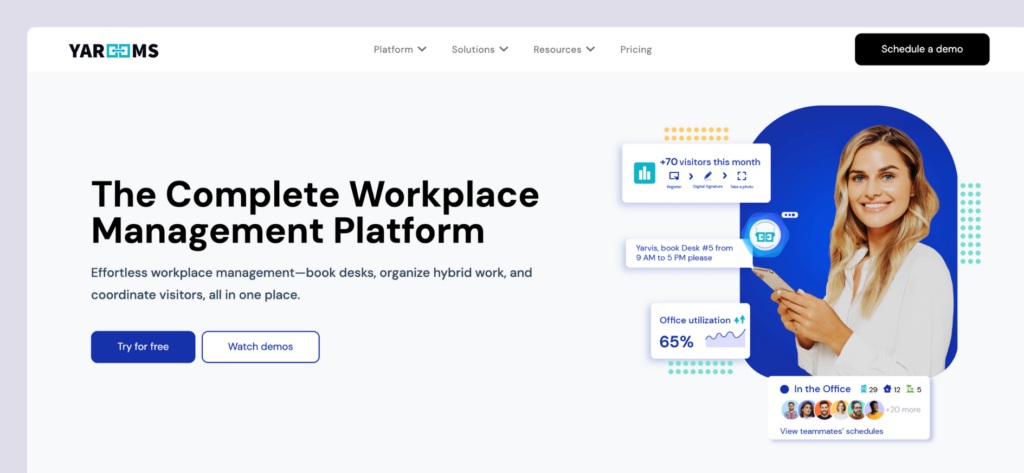
YAROOMS started in Romania in 2010 as a simple meeting room booking tool. Over time, it added more features and grew into a full workplace management platform. Today, it offers a wide range of tools for running a modern office, including its own AI features through Yarvis AI.
What you get with YAROOMS
- Desk booking: Reserve hot desks with visual floor plans.
- Meeting room scheduling: Book conference rooms, also with calendar integrations.
- Hybrid work planning: Manage office attendance and hybrid schedules.
- Visitor management: Guest registration and check-in (optional add-on).
- Digital signage: Wayfinding displays to guide people around the building.
- Yarvis AI assistant: AI-powered booking and workplace insights (Business tier and above).
- Analytics: Enhanced workplace analytics (Business and Enterprise tiers).
How much does YAROOMS cost?
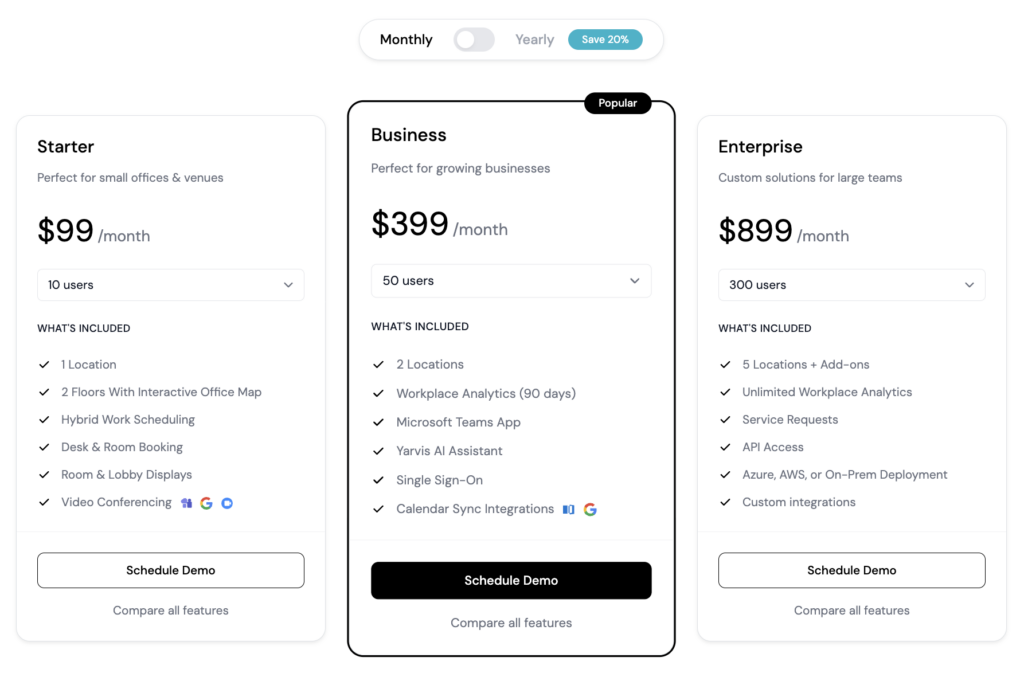
YAROOMS has subscription pricing with three main plans:
- Starter is $99/month for up to 10 users or $199/month for up to 20 users. It covers basic desk and room booking for one location.
- Business starts at $399/month for up to 50 users, $499/month for up to 100 users, and $699/month for up to 200 users. It supports up to two locations and adds stronger analytics, plus the Yarvis AI assistant.
- Enterprise is $899/month for up to 300 users, with custom pricing above that. It supports unlimited locations, full workplace analytics, and custom integrations.
Visitor management is an optional add-on that costs $99 per month, per location.
Who’s YAROOMS best for?
YAROOMS is a good fit for small to mid-sized companies that want simple desk and room booking with strong Microsoft Teams integration. Its tiered plans make it easy to start small and upgrade as you grow. You also get AI features (Yarvis AI) that you usually see in more expensive tools.
If you want a tool that feels easy to use, works well with Microsoft365, and offers flexible pricing tiers, YAROOMS is a solid option.
YAROOMS limitations
YAROOMS pricing is based on how many employees you have, not how many desks and rooms you manage. That can get expensive fast as your headcount grows, especially if you have fewer desks than employees.
The mobile experience is also mixed. Older iOS versions had limited functionality, and the map view has been a bit clunky. YAROOMS has made updates, but some users still say a few tasks are easier on desktop than on mobile.
Other alternatives to Tactic
- Robin: An enterprise-focused platform for larger teams (500+ employees) that adds employee experience tools like surveys and satisfaction tracking on top of workspace management.
- Skedda: An office management tool that’s great for flexible booking rules and space analytics, especially if your focus is on managing desks and rooms with customizable policies.
- Envoy: A workplace platform that focuses on visitor management, desk and room booking, and office check-ins, with strong tools for front desk workflows and office safety.
Which Tactic alternative should you choose?
There are several solid Tactic alternatives to consider. To choose the best one for your office, think about:
✅ Pricing model. Decide whether per-user pricing or resource-based pricing makes more sense for you. Tools like Kadence and Deskbird charge per user. Archie uses resource-based pricing, so you pay for desks and rooms instead of employees. This is often more cost-effective for hybrid teams with more people than desks.
✅ Pricing transparency. Some tools show pricing upfront, others don’t. Archie lists clear prices ($2.80 per desk and $8 per room), while platforms like Kadence and OfficeSpace require a custom quote.
✅ AI features. Think about how important AI booking is for your team. Kadence AI, Tactic’s Tessa AI, Deskbird’s AI suggestions, and YAROOMS’ Yarvis AI all offer AI-powered booking and recommendations.
✅ Implementation timeline. Consider how fast you need to get started. Archie can usually be set up in days, while more enterprise-focused tools like OfficeSpace may take longer to roll out.
✅ Team size and scale. Your current size and growth plans matter. Some tools are better for mid-sized teams, while others are built for large enterprises with complex, multi-location offices.
Why Archie is usually the best alternative
- Transparent, resource-based pricing. You pay for desks and rooms, not employees. Pricing starts at $2.80 per desk and $8 per room, with a $159/month minimum. That makes budgeting much easier from day one.
- Fast deployment. Most teams are up and running in days. There’s no long implementation project or drawn-out setup.
- Recent reviews you can trust. Archie has a 4.9/5 rating on both G2 and Capterra, with consistent and up-to-date feedback from real users.
- Cost-effective for workplace teams. If you have more employees than desks, resource-based pricing usually works out cheaper than per-user models, which is the case for most offices nowadays.

Quick head-to-heads
- Archie vs Tactic: Both cover workplace management well, but Archie costs less.
- Archie vs Kadence: Both are full-featured platforms, but Archie offers clear, upfront pricing. Kadence requires custom quotes and uses a per-user model.
- Archie vs deskbird: Archie uses resource-based pricing, while deskbird charges per user ($3.75–$4.75/user). Archie includes core features in standard plans, while deskbird relies more on tiered pricing.
- Archie vs OfficeSpace: OfficeSpace offers deeper space planning and move management, but it’s much more expensive and slower to implement. Archie is simpler, faster to deploy, and more affordable for most teams.
- Archie vs YAROOMS: YAROOMS works well for very small teams (for example, 10 users at $99/month). Archie’s pricing model is usually a better fit for mid-sized offices with more people than desks.
Sources
- Competitor feature & pricing pages
- Demo videos
- G2 & Capterra profiles
- Archie’s product research

Alexios Georgakopoulos
Archie’s Content Writer, coffee fiend, and resident Gen Zer who hates working in offices but loves writing about them. When he is not deep in hybrid work and coworking topics, he is obsessing over a new hobby that will probably last about a day.