



















- What you’ll learn
- What multi-tenant visitor management software is
- The biggest challenges of managing visitors across multiple organizations
- What to look for when evaluating multi-tenant visitor management software
- How Archie helps manage visitors across multiple companies from one platform
Managing visitors for a single company is usually straightforward. Managing visitors for multiple companies in the same building is a different story.
Each company may have its own employees, visitor policies, security rules, IT setup, and check-in requirements. At the same time, visitors may all arrive through the same lobby or reception desk.
That means a good multi-tenant visitor management system needs to do more than check people in. It should help multiple companies share one visitor management platform while keeping their visitor records, permissions, workflows, and user access separate.
In this guide, I’ll explain what multi-tenant visitor management software is, why many tools fall short, and what to look for if you’re managing visitors across multiple companies.
What is multi-tenant visitor management software?
Multi-tenant visitor management software helps multiple companies manage visitors from a single platform while keeping each company’s visitors, hosts, settings, and records separate.
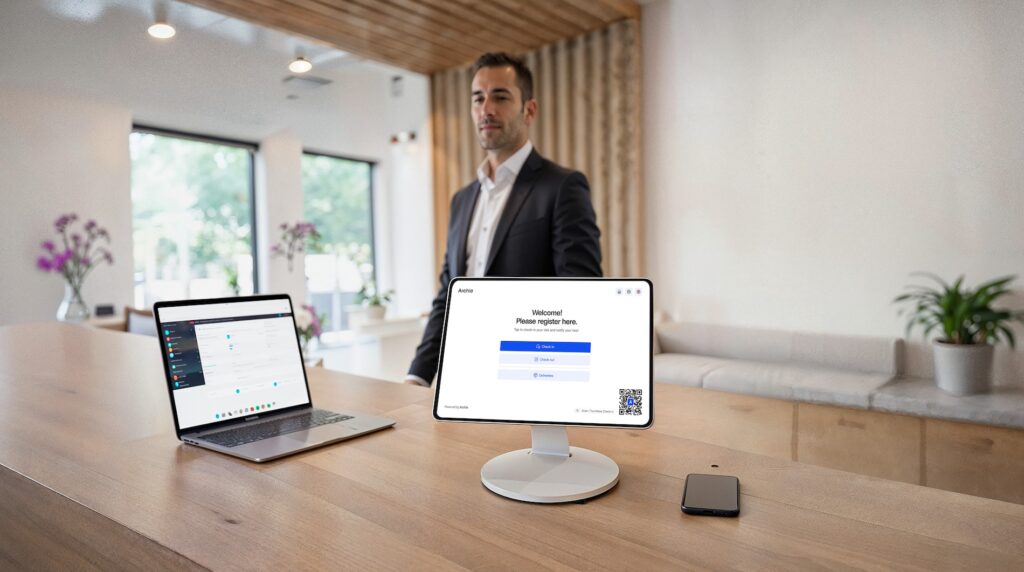
- Visitors can register before arriving, check in using a tablet, kiosk, or QR code, notify their host automatically, sign documents, and receive a visitor badge. The experience feels simple for guests, even when multiple companies share the same building.
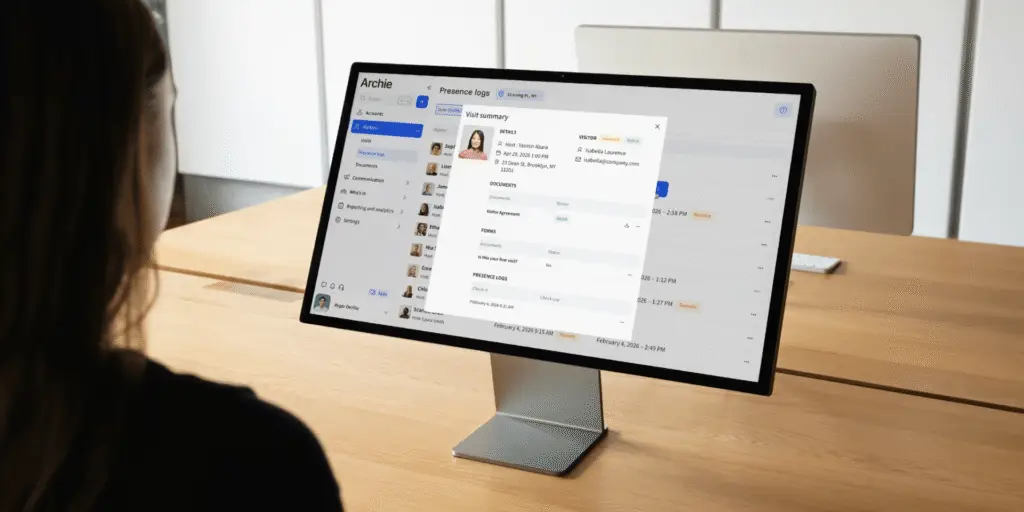
- Behind the scenes, administrators can control who can access visitor records, manage hosts, view reports, and configure visitor workflows for each company.
This type of visitor management software is especially useful for holding companies, enterprise groups with multiple subsidiaries, shared office buildings, business parks, corporate campuses, and property operators.
For example, imagine a holding company with several businesses operating from the same headquarters. Visitors may all enter through the same reception desk, but each company still needs control over its own hosts, visitor policies, notifications, and visitor records.
Why multi-tenant visitor management matters
When several companies share the same building, visitor management gets more complicated. A guest may be visiting Company A for an interview, Company B for a sales meeting, or Company C for a delivery. Reception teams need to know who the visitor is here to see, which company they are visiting, and which check-in process should apply.
A multi-tenant visitor management system brings everything into one system while still keeping each company’s data and processes separate.
It helps multi-tenant buildings:
- Streamline visitor check-ins across the whole building
- Route visitors to the right company and host
- Send automatic host notifications
- Apply company-specific visitor policies
- Collect signatures for NDAs, waivers, or agreements
- Keep accurate digital visitor records
- Improve building security
- Support emergency lists and evacuation checks
- Give reception teams better visibility
- Create a more professional visitor experience
In short, admins need a clear view of who is on-site, tenants need control over their own visitors and policies, and guests need a simple check-in experience. A good multi-tenant visitor management system helps all three happen at the same time.
Challenges of the multi-tenant visitor management
One of the biggest challenges in multi-tenant visitor management is the reception desk. Visitors may arrive through the same entrance, but they could be meeting employees from completely different organizations. And to make matters worse:
Different companies often have different visitor policies
Even when companies share the same building, they often have different visitor requirements. For example:
- Company A may need visitors to sign an NDA
- Company B may require a visitor’s photo
- Company C may ask visitors to accept safety rules
A good multi-tenant visitor management system should let each company set up its own visitor process while still using one shared platform.
Shared reception, separate visitor data
Reception teams may need to see all visitors entering the building. But employees from one company usually should not see visitor records from another company.
For example:
- Reception staff may need visibility across the whole building
- Company A employees should only see Company A visitors
- Company B employees should only see Company B visitors
This is where role-based permissions matter. They help make sure the right people can see the right information, without exposing visitor data to people who do not need it.
Identity management across multiple companies
Many multi-tenant buildings include companies with different Microsoft 365 accounts, IT teams, and security rules. A good visitor management platform should support that without forcing every company into the same login setup.
With Archie Visitors, multiple organizations can share one visitor management platform while keeping their login experience and user management processes separate.
This includes:
- Multiple SSO connections
- Support for Microsoft, Google, and Okta
- Permission group synchronization
- User provisioning through SCIM from a single identity tenant
- Independent access management
- TL;DR
Unlike many workplace platforms, Archie supports multiple SSO connections, so different companies can use their own Microsoft, Google, or Okta login while managing visitors from one platform.
Emergency management across multiple companies
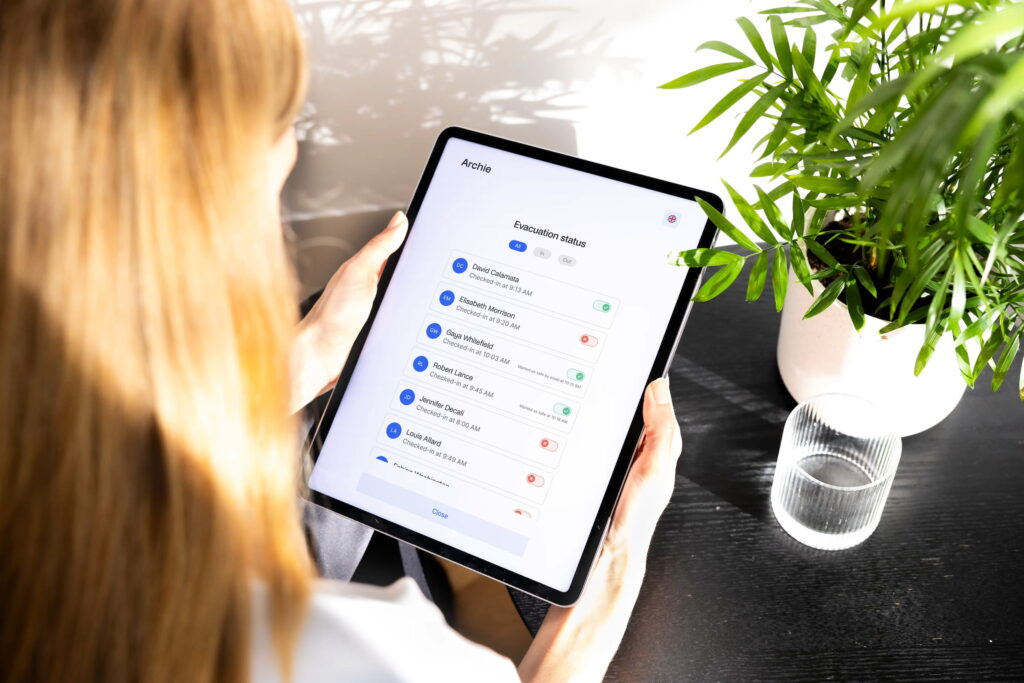
In an emergency, building teams need to know exactly who is on-site. When several companies share one building, accurate visitor records become even more important.
A centralized visitor management system can help teams:
- Keep real-time visitor logs
- See who is currently on-site
- Create evacuation lists
- Support emergency roll calls
- Improve compliance reporting
This gives building teams better visibility during emergencies and helps each company support its safety requirements.
What to look for in multi-tenant visitor management software
Not all visitor management systems handle multi-tenancy in the same way. Some platforms can manage basic visitor check-ins, while others are built to support multiple companies sharing the same building, reception desk, and workplace systems.
If you’re evaluating multi-tenant visitor management software, I recommend looking beyond visitor registration and asking a few deeper questions:
- Can different companies use their own SSO provider?
- Do you support Microsoft, Google, Okta, or other identity providers?
- Can each company create its own visitor workflows and check-in requirements?
- Can multiple companies share the same reception area?
- How are host notifications handled?
- Can visitors sign NDAs, waivers, or other documents during check-in?
- Can the system print visitor badges?
- Are visitor records separated between companies?
- Do you support role-based permissions?
- Can visitor data be reported by company?
- Do you support emergency management and evacuation reporting?
- Can the platform integrate with access control systems?
- How do user provisioning and permission synchronization work?
The answers will quickly show whether a platform simply handles visitor check-ins or can support multiple organizations operating independently within the same building.
For many organizations, the real challenge is not checking visitors in. It’s managing different companies, policies, users, permissions, and security requirements from a single platform while still giving each tenant the control it needs. That’s where true multi-tenant visitor management software stands apart.
Using Archie for multi-tenant visitor management
Many visitor management systems focus mainly on checking visitors in. For some organizations, that may be enough.
But for holding companies, enterprise groups, and shared office buildings, visitor management usually goes further than that. You are not just welcoming guests. You are also managing different companies, hosts, visitor policies, permissions, identity providers, and visitor records in one shared environment.
That’s why I’d recommend looking beyond the check-in screen when choosing visitor management software for multi-tenancy scenarios.
With Archie, teams can control access through permission groups, create visitor workflows for each company, and support multiple SSO connections. It also helps automate the visitor experience with host notifications, digital visitor logs, and badge printing. Beyond visitor management, organizations can also manage multi-tenant room and desk bookings from the same platform.
For workplace and security teams, this means better visibility into visitor activity and a clearer view of who is on-site, especially during emergencies or evacuations.