



















- What you’ll learn
- What a workplace visitor policy is
- Why every office should have a visitor policy
- What to include in a company visitor policy
- Examples of workplace visitor rules and procedures
- How visitor management software like Archie Visitors helps enforce visitor policies automatically
What is a workplace visitor policy?
A workplace visitor policy is a set of guidelines that explains how visitors should be managed when they come to your office, building, or workplace. Its purpose is to keep employees, visitors, and company property safe while creating a smooth and professional visitor experience.
A visitor policy typically covers things like:
- Who qualifies as a visitor, such as clients, contractors, delivery drivers, interview candidates, or guests
- When visitors are allowed on-site and how long they can stay
- Check-in requirements, such as signing in, showing ID, or wearing a visitor badge
- Access permissions, including which areas visitors can enter and whether they need to be accompanied by an employee
- Safety and security procedures, such as emergency protocols, health screenings, or signing documents like NDAs
- Pre-registration requirements for planned visits to help speed up the check-in process
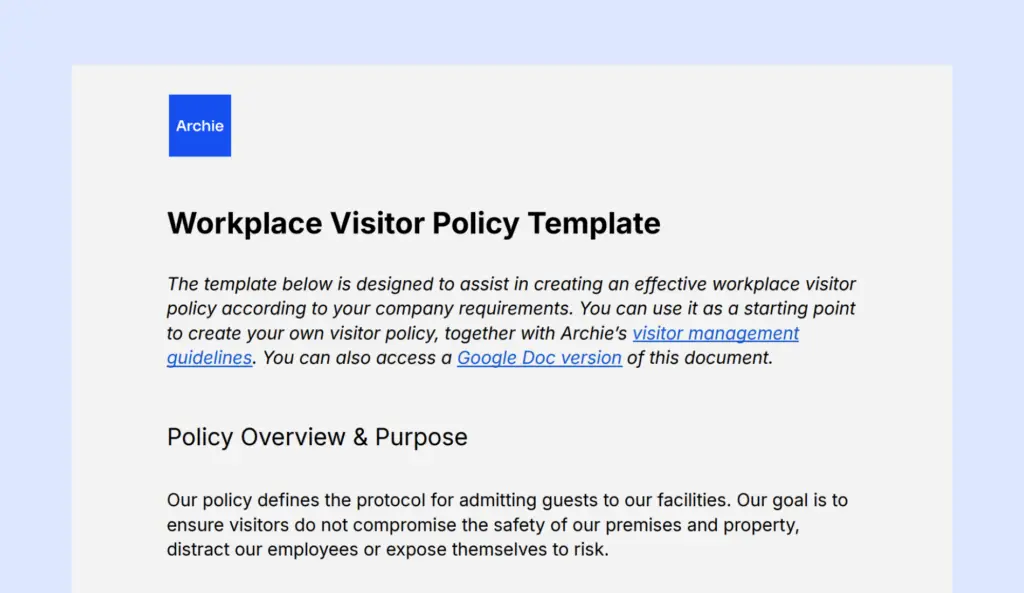
If you’re not sure where to start, you can use the visitor policy template below as a starting point. Simply customize it to match your workplace, security requirements, and visitor procedures.
Workplace visitor policy template
Policy Overview & Purpose
Our visitor policy defines the protocol for admitting guests to our facilities. Our goal is to ensure visitors do not compromise the safety of our premises and property, distract our employees or expose themselves to risk.
Scope
This visitor management policy applies to all employees. The term ‘’Workplace Visitor’’ encompasses personal visitors such as friends and family, as well as contractors, external vendors, stakeholders and the public. This policy does not apply to remote employees or employees from other company locations. However, employees on parental leave must obtain visitor passes to enter our premises.
Policy Elements
Visitor must adhere to the following guidelines:
- Registration: All visitor must sign in at the reception, gate or front office and present identification
- Visitor Passes: Visitors are issues passes which must be returned after their visit
- Employees Accompaniment: Employees are responsible for their visitor while on company premises.
- Compliance with Company Policies: Visitors must adhere to our internet usage, data protection and confidentiality policies during their stay. Misuse of intent, disclosure of confidential information, or authorized photography of restricted areas is prohibited may result in removal or legal action.
Operational Hours
Visitors are permitted during regular working hours. After-hours access requires written authorization from HR or management. Personal Visitors Generally, unauthorized personal visitors are not allowed. Exceptions may be granted by HR, Security Officer, or Office Manager on a case-by-case basis, preferably in writing, although verbal authorization may be given in urgent cases.
Contractors and Service Vendors
Only those coming for official duties may enter. Reception staff will issue appropriate badges and instructions to wear them at all times on the premises.
Other Visitors
Our premises may occasionally host students, investors, customers, job candidates, and business partners, all of whom must have prior written authorization from HR or management and be accompanied by an employee at all times.
Solicitation Policy
In line with our non-solicitation policy, visitors are not permitted to proselytize, solicit donations, engage in donor prospecting, or request participation in activities.
Deliveries
Deliveries should be made to the reception or gate. Employees expecting deliveries must be notified by front office staff, who may receive parcels on their behalf if necessary. Large deliveries should go directly to designated areas, such as warehouses, after security checks.
Restricted Areas
Visitors are not allowed in areas with hazardous materials, confidential records, or sensitive equipment unless they have authorization and the necessary protective equipment.
Unauthorized Visitors
Security personnel will remove any unauthorized visitors. Employees who encounter such visitors should direct them to security or the office manager.
Disciplinary Actions
Violations of this policy by employees will result in disciplinary action appropriate to the severity of the infraction, which may range from verbal warnings to termination.
What should a workplace visitor policy include?
A good visitor policy should explain a few key things:
1. Policy overview and purpose
Start by explaining why the visitor policy exists. In most cases, it’s there to improve workplace security, make check-ins easier, and protect employees, visitors, and company property.
2. Who the policy applies to
Clarify who needs to follow the policy. This can include clients, vendors, contractors, delivery drivers, job candidates, employee guests, and remote employees visiting the office. You can also create different rules for different visitor types. For example, a delivery driver may only need quick front-desk access, while a contractor may need approval, ID checks, and an escort.
3. Visitor rules and check-in steps
Explain how visitors are approved and checked in. This can include pre-registration, electronic confirmations, ID checks, signing in at reception, and wearing a visitor badge. This section should also explain where visitors are allowed to go and which areas are off-limits.
4. Emergency procedures
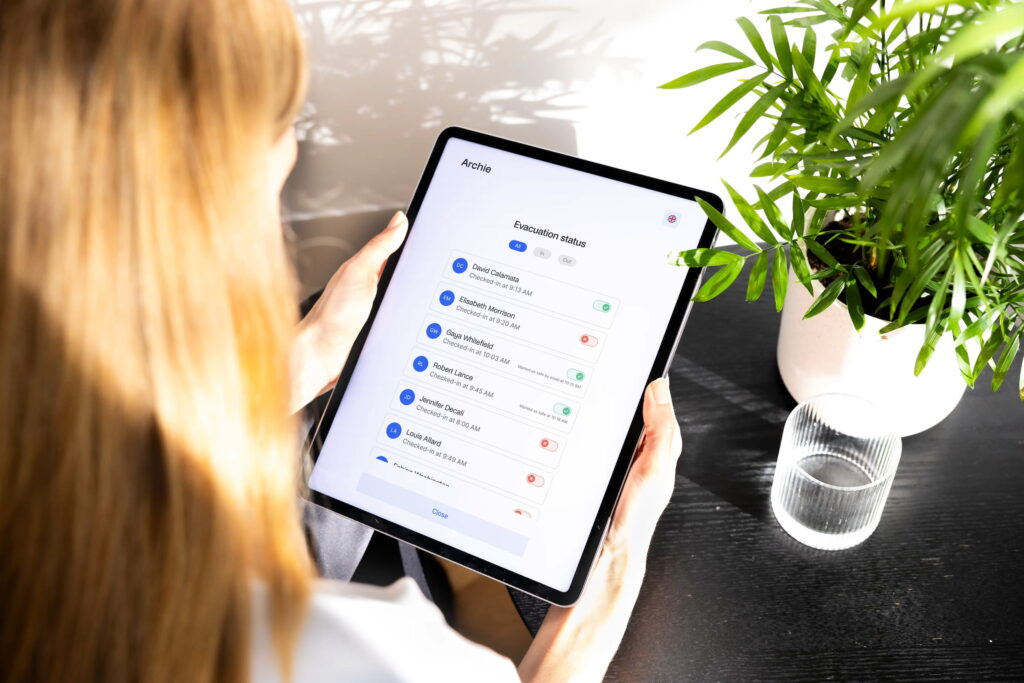
Include what visitors should do during an emergency, such as an evacuation or lockdown. Make sure there is a clear way to account for visitors who are on-site.
5. Roles and responsibilities
Explain who is responsible for managing visitors. This may include reception staff, hosts, security teams, office managers, or employees who invite guests. Make it clear who greets visitors, escorts them, answers questions, and helps during emergencies.
6. Data privacy and retention
Finally, explain how visitor information is collected, stored, used, and deleted. This helps protect visitor privacy and keeps your policy aligned with data protection rules.

Why is a workplace visitor policy important?
A workplace visitor policy helps you keep your office safe, organized, and welcoming. It gives your team a clear process to follow whenever someone visits, so there is less confusion at the front desk and a better experience for everyone.
1. Visitor policy helps keep people and the workplace safe
A visitor sign-in policy explains who can enter your workplace, where they can go, and what rules they need to follow. This helps protect employees, guests, equipment, and sensitive areas. It also prevents visitors from wandering around the office without permission.
2. Visitor policy creates a better visitor experience
A clear policy makes visits feel smoother and more professional. Visitors know where to go, how to check in, who will meet them, and whether they need a badge or ID. This is especially helpful for clients, job candidates, partners, contractors, and delivery drivers.
3. Visitor policy saves time for your team
Without a clear process, employees may have to figure out what to do every time someone arrives. A visitor policy removes that guesswork. Reception staff, office managers, and hosts can follow the same steps each time, which makes check-ins faster and easier.
4. Visitor policy helps with emergency planning
If there is an evacuation or another emergency, your team needs to know who is in the building. A visitor policy helps make sure guests are signed in, tracked, and accounted for when it matters most.
What is an example of a visitor policy?
Visitor policies help organizations keep their spaces safe, organized, and welcoming. They usually explain who can visit, how guests should check in, where they can go, and what rules they need to follow.
Here are a few real-life visitor policy examples:
- Offices and businesses: Visitor policies help manage clients, vendors, contractors, and job candidates while maintaining workplace security. For example, BMC’s visitor policy outlines visitor registration, identification requirements, and workplace access procedures.
- Schools and universities: Schools use visitor policies to protect students and staff while welcoming parents, contractors, visiting speakers, and community members. Academy Transformation Trust’s visitor policy requires visitors to sign in, provide identification, wear visitor badges, follow safeguarding procedures, and remain escorted when necessary.
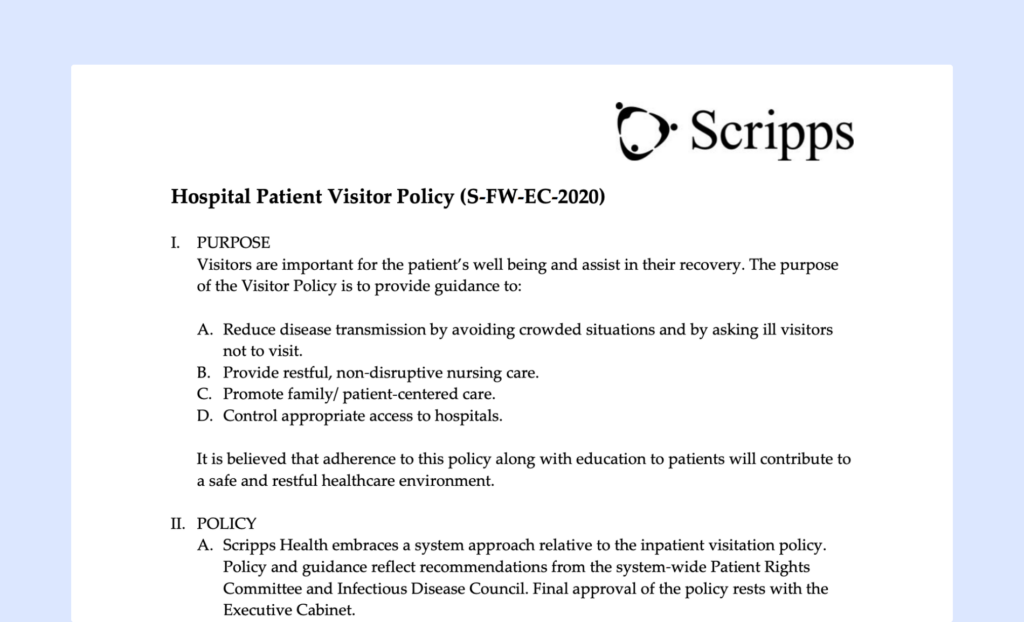
- Healthcare facilities: Hospitals and healthcare providers use visitor policies to protect patient privacy, control access to sensitive areas, and support infection prevention procedures. Scripps Health provides detailed visitor guidelines for patients, families, and guests.
- Government buildings: Government agencies often have strict visitor policies to maintain security and protect employees, officials, and public records. The D.C. Department on Disability Services outlines visitor access requirements and building security procedures.
- Factories and warehouses: Manufacturing facilities use visitor policies to ensure contractors, inspectors, delivery drivers, and other guests follow health and safety requirements while on-site. BME Group’s visitor policy focuses on workplace safety, hazard awareness, and site access controls.
- Coworking spaces: Shared workspaces use visitor policies to manage guest access while maintaining security for members and businesses operating within the space. Aurelius Coworks includes visitor guidelines as part of its health and safety procedures.
- Event venues: Visitor and attendee policies help event organizers manage large numbers of guests, vendors, contractors, and staff while ensuring safe and efficient operations. Lightbox Productions uses visitor security procedures to support smooth event management.
How to create a workplace visitor policy?
1. Write a company workplace visitor policy
- Define who can visit. Decide which types of visitors are allowed, such as clients, job candidates, contractors, or delivery personnel. You may need different rules for different groups, like requiring ID for contractors or limiting social visits.
- Set up a check-in process. Make it easy to track who enters your office. Visitors can sign in using a receptionist, a sign-in sheet, or a digital check-in system. If needed, provide visitor badges so they can be easily identified.
- Ensure safety and security. Visitors should follow basic office security rules, such as wearing badges, staying in designated areas, or being escorted by an employee. Make sure they are aware of emergency procedures and safety guidelines.
- Protect confidential information. If visitors might have access to sensitive company information, require them to sign a Non-Disclosure Agreement (NDA). This is especially important for contractors, vendors, or business partners.
- Set clear visiting hours and restrictions. Decide when visitors are allowed in the office and if there are any restrictions, such as access to certain areas. Limiting visiting hours can help manage security and prevent disruptions.
Writing down visitor management guidelines is just the first step — ensuring they are understood and followed is where the real work begins. Here’s how to put your policy into action effectively:
2. Communicate the visitor policy
Start by sharing the new visitor policy PDF with your employees. Explain why it’s important, focusing on how it benefits them, like improving safety and reducing distractions. Let them know:
- The policy now exists and why it was created.
- Where they can find it for future reference.
Encourage discussions to address any questions or concerns and gather feedback to identify areas that may need clarification or improvement.
3. Train your team
Organize short training sessions to walk employees through the policy. Cover key sections, such as:
- Visitor check-in procedures.
- Roles and responsibilities for managing visitors.
- Security protocols for different visitor types.
These sessions give your team the chance to ask questions, share concerns, and understand their part in implementing the policy.
4. Use visitor management software
Bring your policy to life with the right visitor management software. This software helps automate and streamline the process by:
- Sending visitors key details before their visit, like parking info, check-in steps, and ID requirements.
- Logging visitors electronically.
- Notifying hosts when their guests arrive.
- Issuing visitor badges for easy identification.
- Ensuring all visits are tracked and monitored.
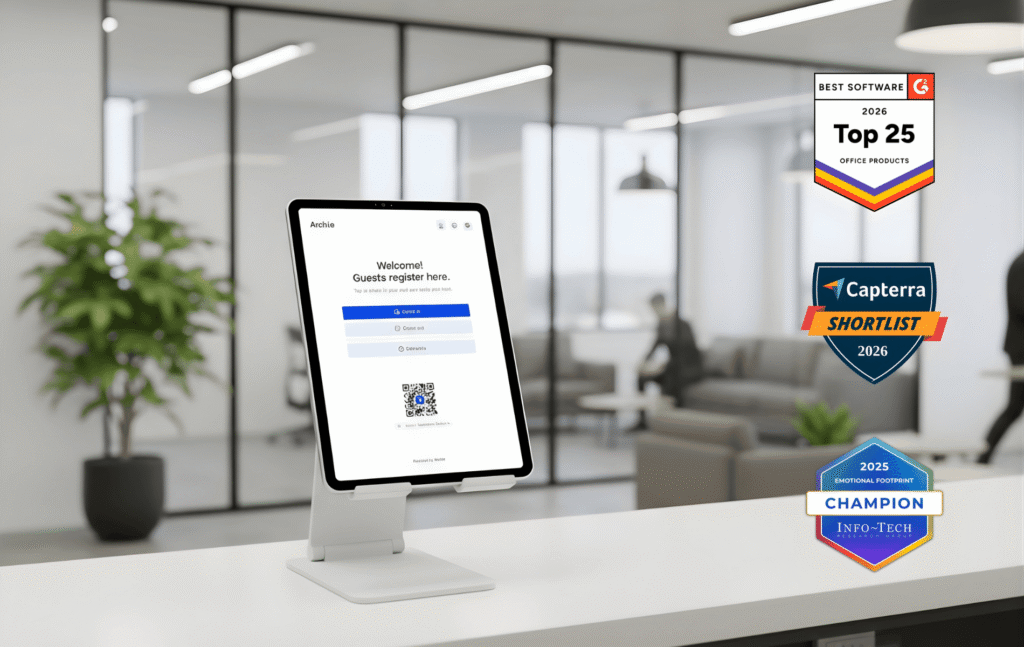
A visitor management system like Archie’s has multiple benefits. It makes implementation easier while improving workplace security and ensuring consistency.
Company visitor policy FAQ
They should follow your visitor management policy. Usually, the process comes down to:
- Pre-registering the visitor: Use the workplace’s visitor management system like Archie to pre-register the guest. Include details like the visitor’s name, contact info, purpose of visit, and expected arrival time.
- Providing pre-visit information: Share important details with the visitor, such as parking instructions, ID requirements, or check-in procedures, so they’re prepared when they arrive.
- Being available at the scheduled time: Ensure you’re available to greet your visitor promptly and help them feel welcomed.
- Escorting the visitor: Meet your visitor at the reception or check-in kiosk and escort them to the appropriate location. Ensure they stay in authorized areas.
- Ensuring check-in compliance: Make sure the visitor completes any required steps, such as signing in, showing ID, or wearing a badge.
- Being aware of emergency procedures: Familiarize your visitor with any relevant safety protocols, like evacuation routes or emergency contacts, in case of an incident.
Deliveries in a company are usually handled by a receptionist or through a dedicated system. When a package arrives, it’s logged, and the right person is notified to pick it up. Some companies use a mailroom, reception desk, or smart lockers where employees can collect their deliveries at their convenience. Visitor management systems or package tracking apps help streamline this process by automatically alerting recipients when their package is delivered.
Choosing the right visitor management system doesn’t have to be complicated if you focus on your needs and what the system offers. Look for features like touchless check-ins, real-time notifications, customizable workflows, visitor badges, and integrations with tools like calendars or access control systems. A good system should also prioritize data security and compliance to protect visitor information.
If you’re looking for a flexible, affordable, and simple-to-use solution for visitor management and beyond, Archie is a top choice.