




















OfficeRnD Flex is a capable platform, genuinely. It handles the full member lifecycle, and the full breadth of its ‘Hubs’ go deeper than many tools listed here. But depth has a cost.
Many users look for an alternative. They know there are a lot of options out there in the coworking software market, and some offer more (or similar) than OfficeRnD for a better price.
Here’s what I’ll cover: the OfficeRnD alternatives worth your actual attention, what each one does better or worse, and an honest read on who they’re for. I work at Archie, so you should expect some bias, but I’ll tell you where OfficeRnD wins, too, because pretending otherwise wouldn’t help you make a real decision!
Quick list, because time is precious:
- Archie is the best overall alternative for most coworking operators; matches OfficeRnD’s core feature set with faster setup and fewer add-on surprises.
- Nexudus provides deep customization, especially if you want to rebuild your member portal’s HTML/CSS.
- Optix can offer a strong mobile-first member experience, with a visual automation builder.
- Spacebring can be both fast to launch and very supportive, with strong multi-language coverage.
- Coworks is a light option, built for community-first spaces that don’t need heavy operational tooling.
Below, I’ll walk through each in more detail, then get into what OfficeRnD actually is and how to think about switching. First up: why Archie is an OfficeRnD alternative that offers the same capabilities at a better price, with a more user-friendly experience as the cherry on top.
1. Archie
Archie is a workspace management platform with separate products for coworking, visitor management, and desk/room booking. Here, we’ll keep our focus on Archie Coworking for relevancy. The coworking product has been in play for over a decade – covering memberships, bookings, billing, CRM, and visitor management in a single intuitive system.
Archie is best for mid-sized and multi-location coworking operators who want OfficeRnD-level functionality with an easier interface and smoother setup time. If you’re opening your first space or switching off a legacy platform, Archie is a modern product built for exactly that situation.
What are the key features of Archie?
Archie is incredibly user-friendly, which in the day-to-day of things is usually top priority.
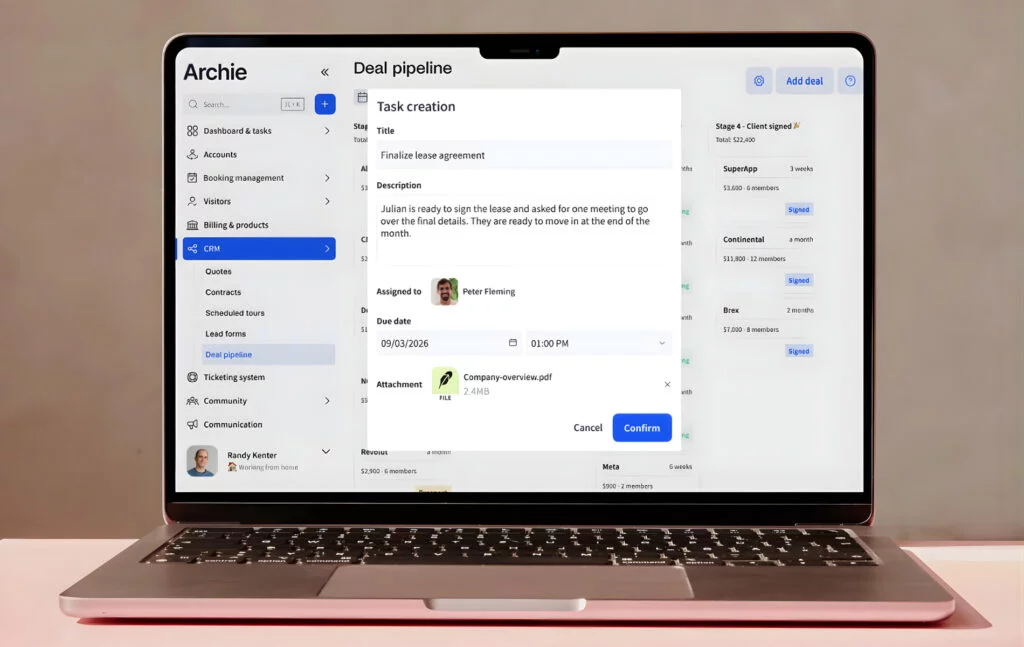
- Coworking CRM. Leads, tours, pipeline stages, quotes, and online contracts with built-in e-signatures. OfficeRnD’s Growth Hub covers similar ground, but only as an add-on; Archie’s is included at every tier.
- Automated billing: Recurring invoicing, reminders, multiple payment methods, and direct sync with QuickBooks and Xero. Functionally comparable to OfficeRnD’s billing tools, minus the add-on structure.
- Visitor management: Visitor pre-registration, QR check-in, badge printing, and host notifications, included in Archie’s Pro plan. OfficeRnD treats this as a separate Visitor Hub purchase on every tier, Start through Scale.
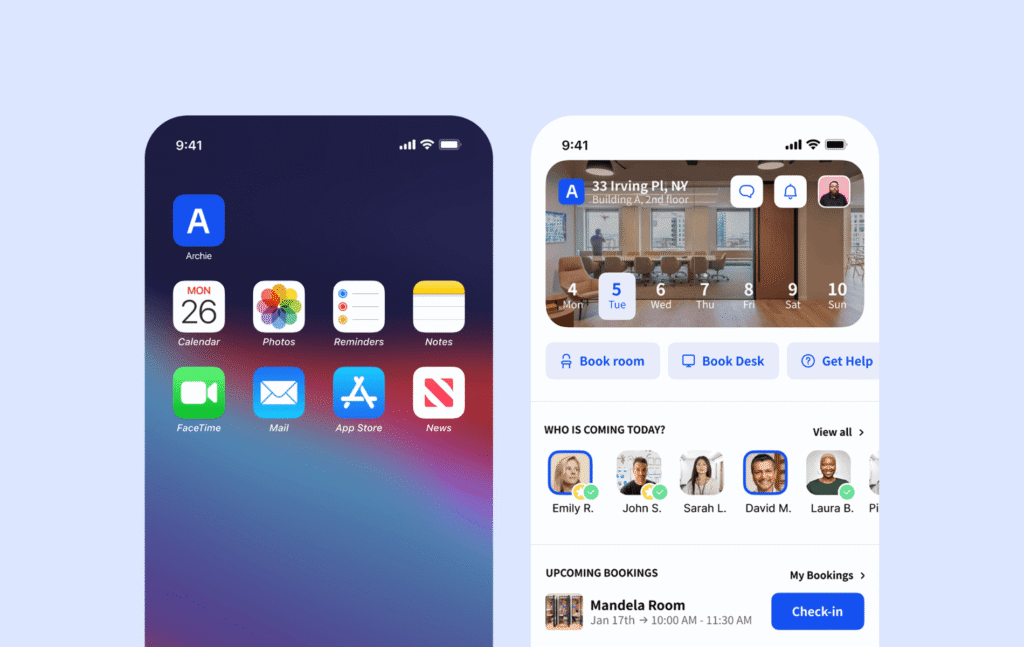
- Community tool: Coworking member directory, event announcements, a newsfeed, and a branded app and web portal. Comparable in scope to OfficeRnD’s Experience Hub.
- Dependency booking: Booking a room and its required equipment together in one action is a small feature that saves real admin time, and isn’t something OfficeRnD offers natively.
- SSO/SCIM: Automatic credential provisioning and permission management for members, with directory sync for automatic additions and removals. SSO (Single Sign On) is available with OfficeRnd, but only at higher tiers or as an add-on.
- Open API and 30+ integrations, including Zapier, so you can connect the rest of your stack without custom development.
- Credit system: Small but mighty. If you have separate tiers and want to bundle resources on separate tiers, this is easily set up in Archie but absent for OfficeRnD users.
How much does Archie cost?
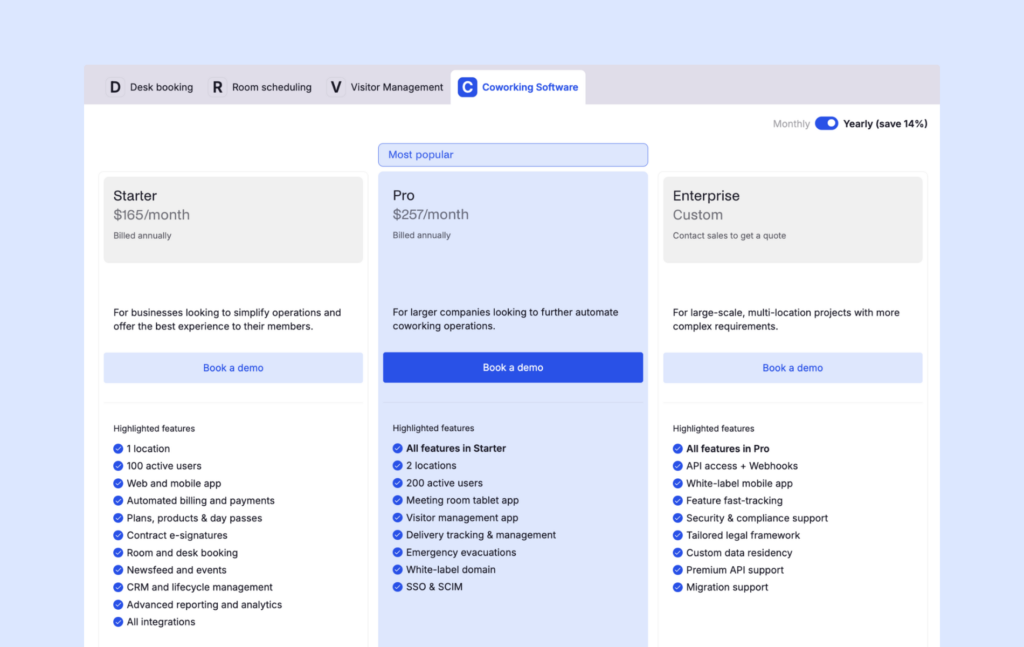
Archie has two published plans:
1️⃣ Starter
$165/month (billed annually): 1 location, up to 100 active members. Includes the web and mobile app, automated billing, e-signed contracts, desk and room booking, day passes, CRM, and reporting.
2️⃣ Pro
$257/month (billed annually): Everything in Starter, plus support for 2 locations, 200 active members, visitor management, a meeting room tablet app, delivery tracking, a white-label domain, and SSO with SCIM.
3️⃣ Custom
This plan brings in bespoke extras for large-scale spaces, like custom data residency and premium API support.
Worth sitting with for a second: Archie Pricing lands Starter and Pro plans at effectively the same price as OfficeRnD’s annual Start & Grow plans for the identical member count. The difference is what’s included, rather than sold as an add-on – Archie offers a more packed product at face value (visitors, CRM, e-signatures, etc.).
What are the pros and cons of Archie?
Pros:
- Predictable pricing with operational features included, rather than expensive add-ons that compound on the monthly cost.
- Fast setup: Smooth, supported deployment which avoids the headache of a more heavy platform.
- Modern interface: G2’s “Ease of Use” score sits around 9.7/10, versus roughly 8.5/10 for OfficeRnD Flex.
- Visitor management, external sales, and e-signatures included, not billed separately
Cons:
- Reporting and analytics are more limited than OfficeRnD’s Data Hub, particularly for complex multi-site benchmarking on higher tiers, however this is on Archie’s roadmap.
Archie has a 4.9/5 rating on G2. Customers repeatedly praise the clean UI and intuitive user experience, as well as the flexibility of the setup when you want to scale or modify your coworking setup.
2. Nexudus
Nexudus is a London-founded coworking platform, in operation since 2012. It’s built for operators who want maximum configurability.
Nexudus suits operators who want to fully own the look and behavior of their member-facing tools. The platform gives you direct access to your member portal’s HTML and CSS, which is unusual in this category and genuinely useful if you have design or dev resources on hand. It’s less suited to coworking spaces with smaller teams or who prefer a modern interface. Here I’ll offer a Nexudus review to show how it stands out.
What are the key features of Nexudus?
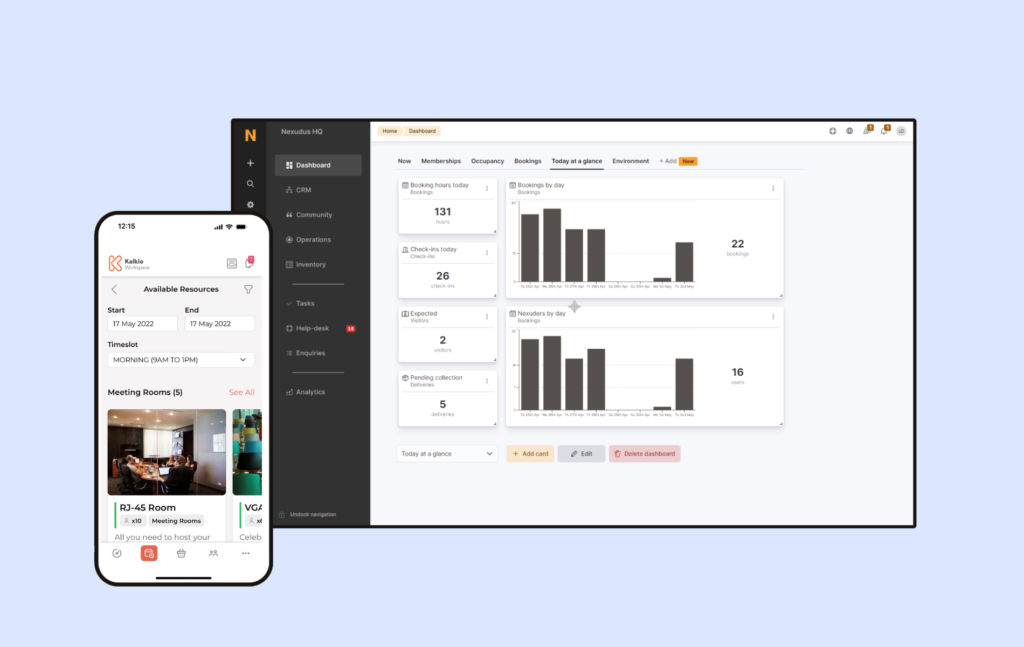
- Portal customization: Full HTML/CSS access to the member portal (a level of control OfficeRnD doesn’t offer).
- Built-in CRM: Lead pipelines, member profiles, and communication tools baked into the core platform, similar in scope to OfficeRnD’s CRM tools.
- Native point-of-sale: Useful if your space runs a café or retail counter; neither OfficeRnD nor Archie has an equivalent built in.
- 80+ native integrations, spanning payments, access control, and other coworking systems – a wider net than OfficeRnD’s roughly 30.
- API and webhooks, giving larger operators room to build custom workflows on top of the platform.
How much does Nexudus cost?
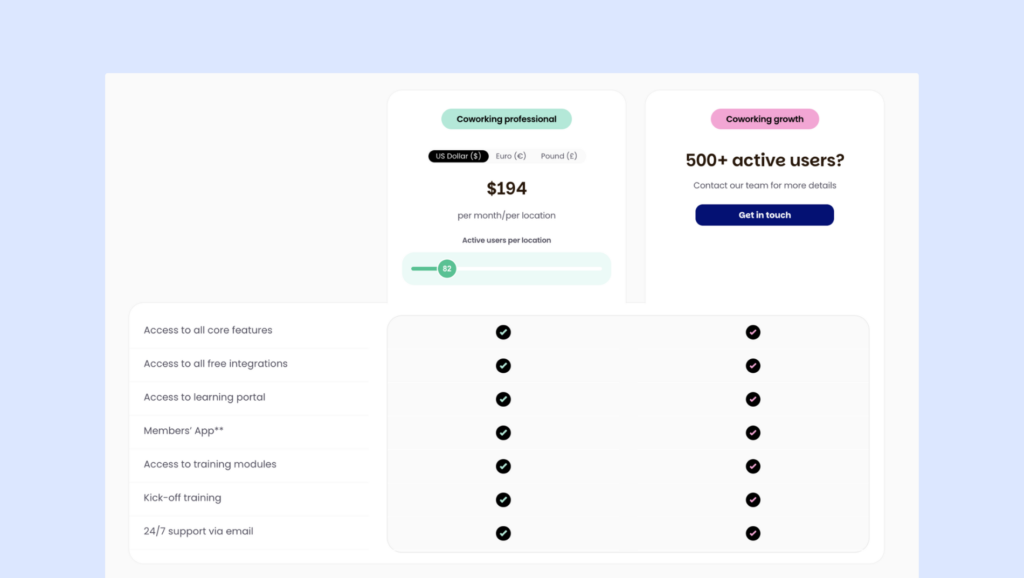
Nexudus’s pricing doesn’t conform to the typical planned structure of most coworking software;
🔹 $150 cost per location with 80 members included
🔹 Monthly cost scales based on the number of active users at each location (a user is anyone who has booked, not just members).
🔹 Spaces with 500+ members/users should get in touch for a tailored quote.
🔹 White label app and training sessions are available as add-ons.
Compared to OfficeRnD, Nexudus’s entry price is close but its scaling curve is steeper – costs climb noticeably as your active user count grows.
What are the pros and cons of Nexudus?
Pros
- Deepest customization option in this list, especially for portal design.
- Largest integration ecosystem among the alternatives covered here.
- Strong fit for multi-location operations or smaller teams with the time and technical resources for in-house configuration.
Cons
- Steep learning curve reported by multiple reviewers, with a longer setup as a result.
- Interface described by some users as dated compared to newer platforms.
Nexudus has a G2 rating of 4.2/5. The recurring praise is for flexibility and integration breadth. The recurring complaint is that flexibility comes at the cost of simplicity – several reviewers mention needing real ramp-up time before the platform starts feeling intuitive. When it comes to flexible space management, the Archie vs Nexudus comparison usually comes down to pricing structure and user friendliness.
3. Optix
Optix built its reputation on a mobile-first member experience and true automation depth for providers.
Optix works well for operators who want a sleek, app-first member experience and don’t want to build every automation by hand. The visual workflow builder handles onboarding sequences, reminders, and recurring admin tasks without custom development. It’s a weaker fit if your admin team relies heavily on desktop, which is when customers look for an Optix alternative.
What are the key features of Optix?
Optix sells itself as the automation-first coworking software:
- Mobile-first member app: Booking, invoicing, and community features built around the phone experience first — more polished on mobile than OfficeRnD’s equivalent apps, by most accounts.
- Automation builder: Drag-and-drop workflows for onboarding, offboarding, and reminders, which reduces staff time on repetitive tasks. The automation power is what makes Optix tick, and OfficeRnD cannot compete in the same arena.
- Smart sorting: When making a booking, Optix surfaces favorite rooms for users.
- Analytics: Occupancy insights, revenue tracking, and check-in heatmaps. These are solid, though not as deep as OfficeRnD’s Data Hub.
How much does Optix cost?
Optix runs four tiers, all billed annually. There are a set number of automation actions included, and further are available as add-ons (cost unspecified). Additional locations are also billed separately on all but the custom ‘Scale’ tier.
1️⃣ Essentials — $197/month: 50 users, 1 location and 100 automation actions
2️⃣ Pro — $299/month: 100 users, 1 location and 200 automation actions
3️⃣ Grow — $498/month: 250 users, 1 location and 500 automation actions
4️⃣ Scale — custom pricing for unlimited users and 1,000 automation actions
Visitor management costs an additional $42/month on Essentials, but included in all other tiers. Additional locations run $68–$111/month depending on tier, white label mobile app is $85 per month on any tier. Optix doesn’t clearly define what counts as an “active user.” This may mean just your members, it may mean anyone who comes in the door and attends an event or makes a purchase.
What are the pros and cons of Optix?
Pros:
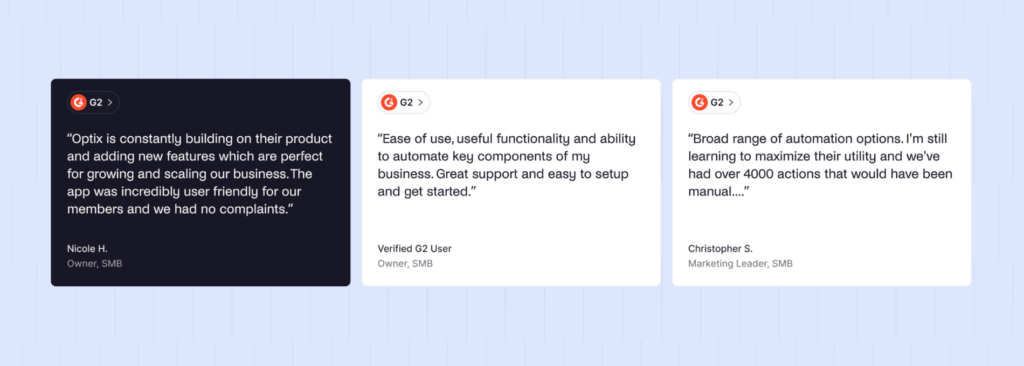
- Strong, consistently praised mobile experience
- Automation depth and flexibility genuinely reduces manual admin work
- Onboarding and support get frequent positive mentions
Cons:
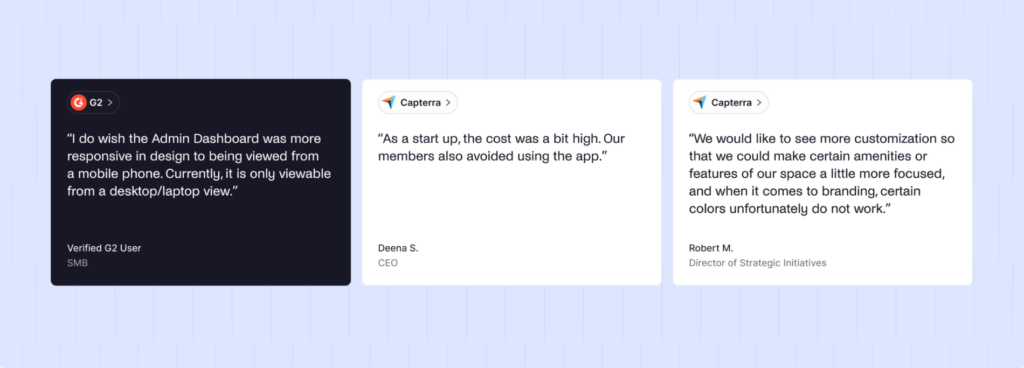
- Web experience for members is less complete than the mobile app
- Admins, on the contrary, get a web dashboard only, no dedicated mobile admin app
- Fewer native integrations than OfficeRnD or Nexudus, with heavier reliance on Zapier
- Add-ons and automation overages will increase your monthly price. Since automations can scale with user count, booking volume, and other variables, total cost can be hard to predict.
Optix has a 4.7/5 rating on G2. Reviewers consistently rate the automation tools highly, revering the responsiveness of their support team. The criticism, where it exists, tends to be around the platform being buggy and any updates causing hiccups. There are also complaints about the cost creep, e.g. having to pay for inactive users. That said, operators searching “Archie vs Optix” are usually looking to offer their users a desktop option.
4. Spacebring
Spacebring launched as andcards before rebranding in 2024. Its whole approach runs counter to OfficeRnD’s: instead of adding hubs and settings over time, Spacebring has stayed deliberately narrow, focusing on doing the essentials well.
Spacebring is a strong fit if you want to launch fast (many spaces report going live in hours) and if multi-language support matters, given its European roots and international UI coverage.
For workspaces that need deeper automation, built-in e-signatures, or support hours aligned with North America, Spacebring alternatives are worth a look.
What are the key features of Spacebring?
Spacebring aims to create a seamless experience from booking to billing:
- Full web and mobile booking. iOS and Android apps for members alongside a web portal, comparable in scope to OfficeRnD.
- Multi-language UI superior to OfficeRnD, which is a great draw for Asian and European spaces.
- Access control integrations. Native Kisi and Salto support, on par with OfficeRnD’s access control options.
- Community features are more fleshed out than OfficeRnD, with a member directory, messaging, event management, and community feed.
- LemAI is their new AI agent, which helps you automate support responses. OfficeRnD has their own AI sales agent, but Spacebring’s is more focused on existing customers.
How much does Spacebring cost?
As of April 2026, Spacebring consolidated its previous Essential and Pro tiers into a single Business plan. Spacebring is Europe-based, so note that these are in Euro:
1️⃣ Business — roughly €158–175/month depending on billing frequency, with a 6-month minimum commitment. Includes 100 active users, 1 location, one onboarding session, e-signature, unlimited LemAI usage and a branded member portal.
2️⃣ Enterprise — custom pricing, with a 12-month minimum, built for 500+ active users and multi-location operators.
Add-ons include the member mobile app ($118/month for the first location, $89/month per additional location), visitor reception ($59/month/location), floor displays, and API access.
What are the pros and cons of Spacebring?
Pros
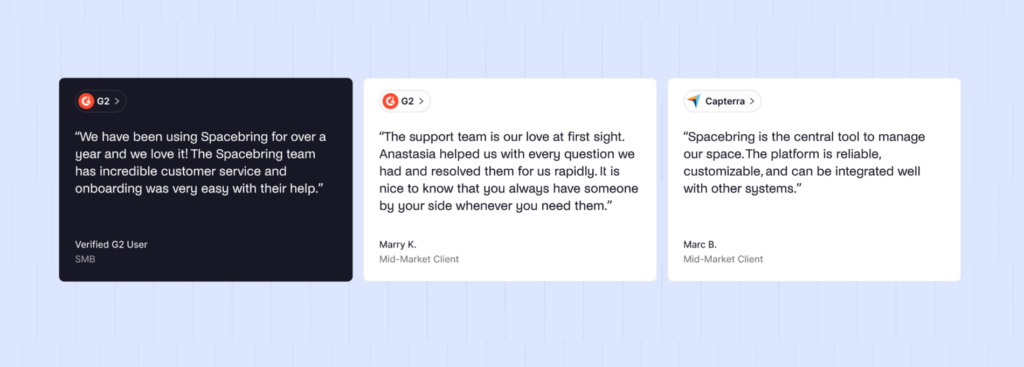
- Fast to launch — often hours, not weeks
- Support is frequently described as fast and genuinely responsive
- Strong multi-language coverage for international operators
Cons
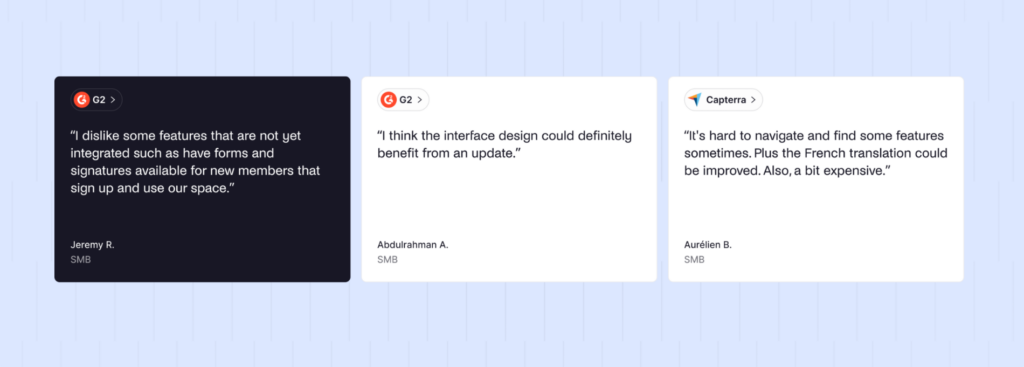
- Some feature gaps around advanced onboarding forms and built-in signature flows
- Support hours favor European time zones, which can frustrate West Coast US teams
- A few reviewers note rough localization in specific languages
Spacebring is rated 4.9/5 on G2. The consistent theme is ease of use — both staff and members reportedly learn it quickly. Support quality comes up often and favorably, though the time-zone gap for North American teams is a recurring, specific complaint.
5. Coworks
Coworks launched in 2018 with a different starting premise than most of this list: community first, operations second. It’s a common pick for independent coworking spaces, but also for incubators, makerspaces, and social clubs where member engagement matters as much as, say, billing automation.
Coworks fits spaces that want a simple, approachable platform and don’t need deep operational tooling. It’s not the right choice if you rely on a broad integration stack or need built-in e-signatures; these are the biggest drivers for people to seek Coworks alternatives.
What are the key features of Coworks?
Coworks can be an easy-to-use platform with:
- Event management. RSVP collection and attendance tracking built directly into the platform — a stronger native events feature than OfficeRnD offers.
- Community tools. Member directory plus SMS and push announcements, comparable to OfficeRnD’s Experience Hub in intent.
- Passport feature. Member access across multiple locations or partner spaces, useful for coworking networks and franchise-style operators.
- Front desk and room display apps. Check-in tablet and room availability tools included on the mid and top tiers.
- Lead database. Pipeline tracking from inquiry to signed member, but basic compared to OfficeRnD.
How much does Coworks cost?
Coworks publishes flat-fee pricing with three available plans:
1️⃣ Hybrid Workspace — $149/month (annual) or $199/month (monthly): up to 150 members. Covers the member app, events, announcements, check-ins, lead capture, and basic analytics.
2️⃣ Coworking Premium — $249/month (annual) or $299/month (monthly): up to 250 members. Adds automated billing, guest bookings, day passes, and Passport.
3️⃣ Enterprise — custom pricing, with unlimited members and open API access.
Each additional location or campus adds roughly $99/month regardless of tier — a genuinely simple add-on structure, worth crediting even where the rest of the feature set is lighter than OfficeRnD’s.
What are the pros and cons of Coworks?
Pros
- Straightforward, easy for both staff and members to pick up quickly
- Strong community and events tooling relative to its price point
- Flat, budget-friendly pricing
Cons
- Fewer direct integrations — accounting, access control, and automation often require workarounds
- In general, advanced features are missing in Coworks: calendar options are inflexible, no built-in e-signatures, automated billing isn’t on the entry tier, basic CRM.
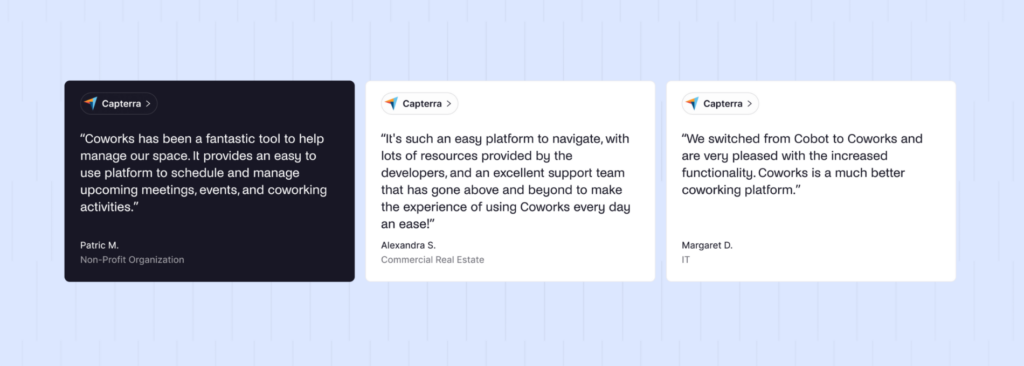
Reviews are very limited in volume compared to the bigger platforms on this list, but what’s there is largely positive, with responsiveness from the Coworks team coming up repeatedly.
What is OfficeRnD?
OfficeRnD is a workspace management platform founded in London in 2015. It now ships as two distinct products: OfficeRnD Flex for coworking and flex space operators, and OfficeRnD Workplace for hybrid offices managing employee attendance rather than paying members. Our OfficeRnD review focuses on Flex, of course, the coworking-facing product.
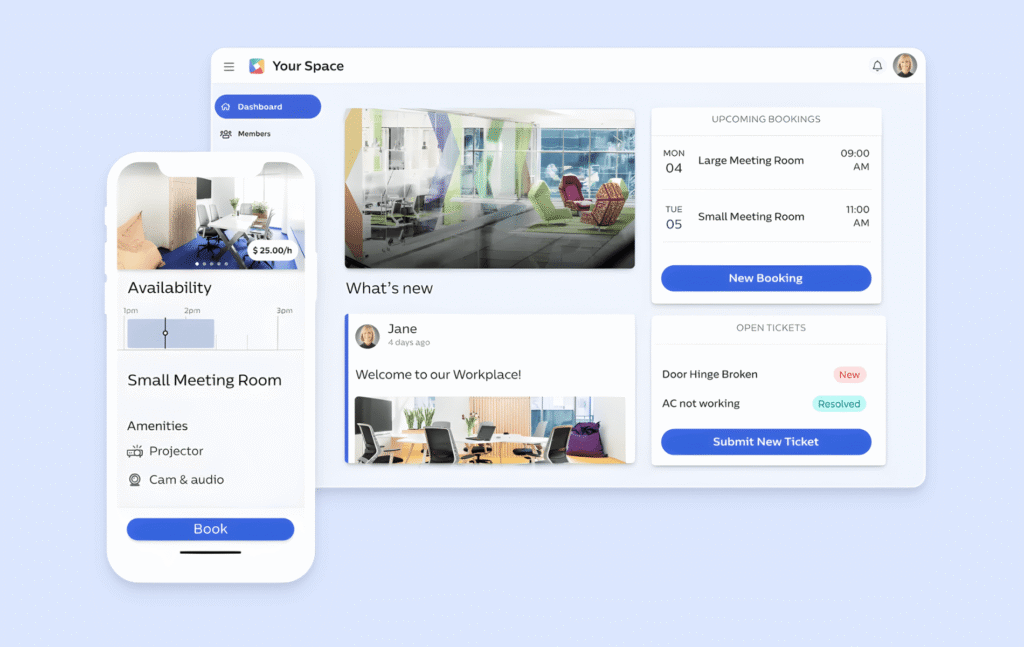
OfficeRnD Flex is designed to manage the full coworking operation — leads, contracts, billing, bookings, and reporting — through a structure it calls “hubs”: Operations, Experience, Growth, Visitor, and the new AI Hub.
Core users are multi-location portfolio owners who need enterprise-grade reporting and are prepared to invest real setup time to get it.
OfficeRnD’s core capabilities include:
- Membership lifecycle management, from lead to renewal or churn
- Automated billing with recurring and one-time charges
- Desk, room, and resource booking with floor plans
- A Growth Hub for turning your website into a self-serve booking storefront
- A Visitor Hub for guest check-in and delivery tracking
- An AI Hub which is focused on handling lead inquiries, answering questions, qualifying prospects
In the market, OfficeRnD is one of the more comprehensive platforms available, and it’s a legitimate contender for large or complex multi-location operations that need serious reporting. But that depth is also exactly what makes it feel heavy and pricey for smaller or leaner teams.
Why do companies look for OfficeRnD alternatives?
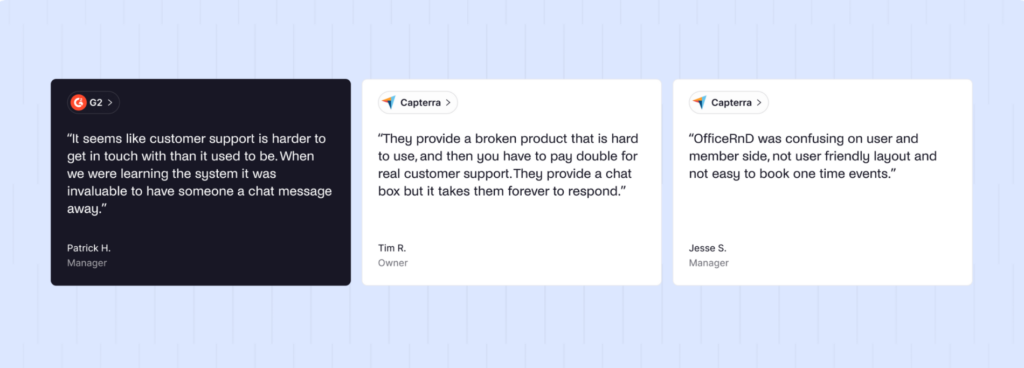
Most operators start evaluating alternatives when the platform’s complexity stops paying for itself. Reporting depth is valuable, but consider whether that’s worth the cost of a clunky interface and add-on costs.
A few specific gaps come up repeatedly:
- Costs. The core plans come in with competitive pricing, but Visitor Hub, Growth Hub, AI Hub, and branded apps all sit outside the base Start and Grow plans. Buyers switching away typically want a platform where the advertised price is closer to the real price.
- Onboarding time. Free onboarding covers roughly 3 hours, which product research suggests isn’t enough for most spaces beyond a very small footprint, and full rollouts commonly stretch into weeks.
- Interface complexity. More menus and more configuration options mean a much busier experience.
- eSignature charges. OfficeRnD bills additional fees per e-signature rather than including them outright, a cost that adds up for contract-heavy operations and is avoidable.
Pricing structure plays into the decision as directly as feature gaps do. OfficeRnD’s hubs remain separate purchases at every tier, including Scale. A heavier setup investment makes switching feel costlier the longer you wait, which is exactly why it’s worth evaluating alternatives before a renewal deadline forces the decision. At Archie, we’ve talked to customers who are stuck in this exact position.
- Quick take
Switching tends to make more sense than staying when you don’t need OfficeRnD’s deepest analytics. And when you’re struggling to justify the cost of add-ons, considering alternatives that offer similar features bundled into your plan.
How do you choose the right OfficeRnD alternative?
The right choice comes down to matching a platform to your actual operation, not just a feature checklist. A single-location space with 100 members and a lean team has different needs than a five-location operator running enterprise billing rules.
A few criteria worth working through, in order:
- What does your real setup cost, all-in? Get the base plan price plus every add-on you’ll actually need — visitor management, e-signatures, additional locations — and compare that total, not the entry-tier headline number.
- How fast do you need to launch? If you’re opening in weeks, not months, weight setup time heavily. Platforms with self-serve floor plans and same-week onboarding save real operational cost even if their reporting is lighter.
- How much do you need to configure versus how much do you need it to just work? Nexudus-level customization is powerful if you have the resources to use it. It’s dead weight if you don’t.
- What’s your actual reporting need? Multi-site benchmarking and custom dashboards matter enormously for large portfolios and barely at all for single-location operators. Be honest about which one you are.
When making a decision, the hardest part is often weighing whether you’ll truly get value from it. If you’re just starting out, base your choice on where you are now and where you want to be in a year. Don’t overestimate or cut yourself short. If you’re considering a switch, focus on identifying exactly what’s causing the headaches.
Which is the best OfficeRnD alternative for most medium-to-large coworking operators?
For most operators comparing OfficeRnD alternatives, Archie is the strongest overall pick. It covers the similar core functionality – memberships, billing, bookings, CRM, visitor management – without OfficeRnD’s add-on structure, and it deploys in days rather than weeks.
Archie is the strongest fit if:
- You’re a single or multi-location operator with up to a few hundred members per site.
- You want visitor management and e-signatures included in your plan, not billed separately.
- Your members and admins are frustrated with an overcomplicated platform, and want a modern, user-friendly touch.
That said, the right choice still depends on your specifics. If you need Nexudus-level portal customization, or Coworks’s community features, those platforms may serve you better. Archie is the best all-around fit for the majority of coworking operators evaluating this switch, but not the only correct answer for every operator on this list.
Why do companies choose Archie as an OfficeRnD alternative?
The short version: Archie covers the same ground OfficeRnD does for most coworking operations, and it does it with a simpler interface, a faster rollout, and pricing that doesn’t require a spreadsheet to reconstruct. OfficeRnD’s advantage is real but narrow; most operators aren’t using enough of its depth to justify the added cost and friction.
Key differences at a glance
Archie | OfficeRnD Flex | |
|---|---|---|
Starting price | $165/month (1 location, 100 members) | $165/month annual, $185/month monthly (1 location, 100 members) |
Ease of use (G2) | ~9.7/10 | ~8.5/10 |
Ease of setup (G2) | ~9.7/10 | ~8.1/10 |
Visitor management | Included in Pro plan | Separate Visitor Hub purchase, every tier |
E-signatures | Included, all plans | Charged per signature |
Growth/self-serve booking storefront | Not offered | Growth Hub, separate purchase |
Advanced analytics/benchmarking | More limited | Stronger, via Data Hub |
SSO | Included in Pro plan | Add-on on Start/Grow |
Deployment time | Days | Often weeks for full rollout |
Which Archie capabilities support coworking operations specifically?
- Coworking CRM handles the lead-to-member pipeline: OfficeRnD’s Operations Hub covers similar ground but with more overhead to set up.
- Automated billing with e-signed contracts: OfficeRnD offers e-signing too, but at an added per-signature cost that Archie doesn’t charge.
- Visitor management bundled into Archie Pro (priced as a separate add-on with OfficeRnD).
The practical upside is fewer moving parts. Members get a cleaner app experience, and admins have a much easier time configuring space rules. For a lean coworking team, that adds up to meaningful time saved every month, not just at setup.
How do Archie and OfficeRnD compare in G2 customer reviews?
Archie | OfficeRnD Flex | |
|---|---|---|
Meets requirements | 9.5 | 8.6 |
Ease of use | 9.7 | 8.5 |
Ease of setup | 9.7 | 8.1 |
Quality of support | 9.6 | 8.6 |
Overall G2 rating | 4.9/5 | 4.7/5 |
Archie ranks #1 out of 153 solutions in G2’s Space Management Software category, with OfficeRnD Flex at #10. Review scores shouldn’t be the only input in your decision, but the gap here is consistent across every usability metric, and it matches what you’d expect from a platform built for faster adoption over maximum configurability.
How do you migrate from OfficeRnD to Archie?
Migrating from another platform means rebuilding most of the workspace configuration in Archie. But Archie removes any growing pains:
- Archie’s CSV import tool lets you upload accounts via a template.
- If you run Stripe, we can import existing Stripe Customer IDs too.
- White-glove setup possible.
- Onboarding meetings are available for all new customers.
- Key sources