




















- What you’ll learn
- What Sine is best for, and how much it costs
- Which Sine alternatives are best for office environments
- How pricing, hardware support, and visitor check-in features compare
- Why Archie is the best Sine alternative
Sine by Honeywell does a lot of things right.
The Sine visitor management platform has been around long enough that most facility teams, workplace admins, and office managers have at least heard of it, and it can absolutely do the job when it comes to checking in visitors, managing contractors, and keeping a digital record of who is on site. There is a reason it has built up so many positive reviews over time.
But if you are reading this, chances are something about it is no longer working for you.
Maybe pricing is part of the issue. Sine now shows starting prices publicly, but the higher tiers and full setup costs can still be a little hard to compare at a glance, especially once you factor in workflows, hardware, and integrations. Maybe your team wants more flexibility around devices and rollout. Or maybe you are trying to simplify office operations and do not want visitor management living in one tool while desks and meeting rooms live somewhere else.
I also think the market has changed a lot. Visitor management software has become more competitive, which means buyers now have more options, more flexibility, and less reason to settle for a tool that only kind of fits.
That is why I put this guide together. I looked at four Sine alternatives for office use cases and focused on what actually makes each one different, not just on paper, but in real day-to-day use.
What is Sine visitor management?
Quick background for anyone who is not already familiar: Sine by Honeywell is a visitor and contractor management platform. It started as an independent company in Australia, was later acquired by Honeywell, and is now sold as Sine by Honeywell. On its website, Sine describes itself as “Leading Visitor and Contractor Management software,” with products focused on front-desk check-in, compliance workflows, supplier compliance, and multi-tenant lobby management.
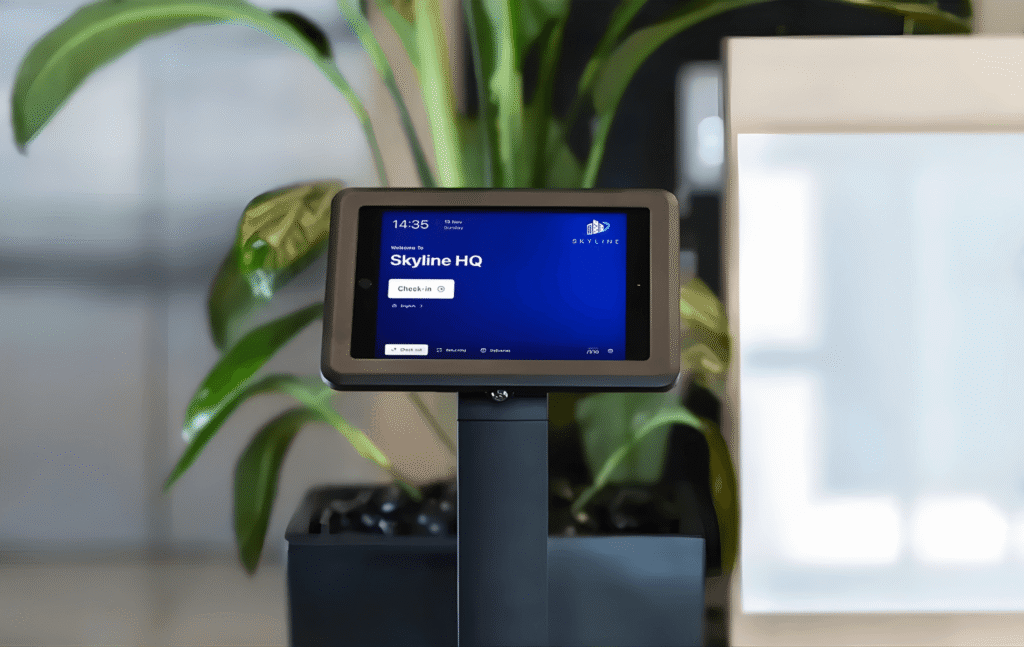
At a basic level, Sine covers the core things you would expect from a visitor management system. It offers iPad kiosk check-in, badge printing with photo capture, NDA and document signing, pre-registration for expected guests, and host notifications by SMS, email, or push notification. It also has a mobile app for iOS and Android, so visitors and contractors can check in from their phones, and it supports geofencing for automatic check-in and check-out around a site perimeter.
What Sine does well
Where Sine really stands out is contractor and compliance management. It is not just a visitor sign-in tool for reception desks. It is built for companies that need to manage safety steps, site access, and compliance before someone is allowed on site.
Sine Workflows are a big part of that. They let teams build custom processes for things like inductions, permits, inspections, qualification tracking, and document collection. You can also block check-in if a contractor has not completed the required steps. For construction sites, warehouses, manufacturing facilities, aged care environments, and other safety-focused workplaces, that kind of control matters a lot.
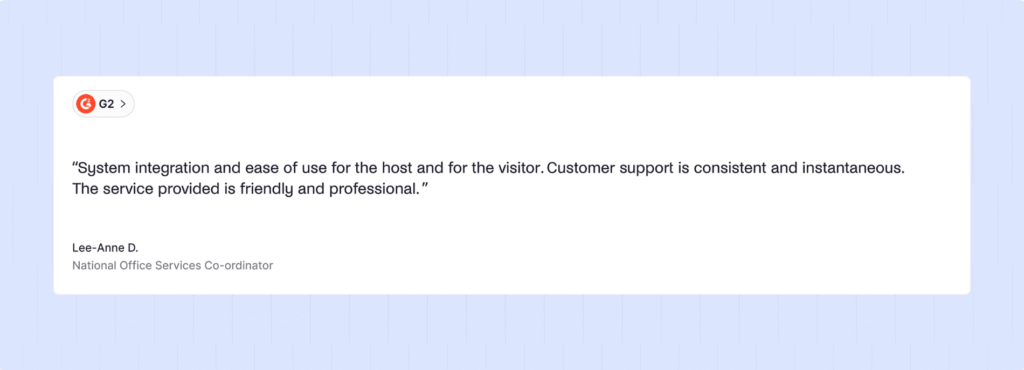
Support is another area where Sine gets positive feedback. A number of reviewers mention responsive customer service, especially during setup and rollout. That can make a big difference with a product like this, where hardware, forms, workflows, and permissions all need to be configured properly.
Sine is also strong on on-site visibility. It gives teams a live view of who is currently checked in, which is especially useful for security, compliance, and emergency planning. For companies replacing paper logbooks, that is a real upgrade.
How much does Sine cost?
Sine’s pricing is a bit frustrating to figure out at first. On its main pricing page, every plan is shown as custom quoted, so you cannot just sign up and see the full cost right away. You need to speak with sales first, which makes it harder to compare Sine with other top visitor management tools side by side.
That said, Sine does show some pricing on its visitor management page, which gives a better idea of how the plans are structured (if they’re actually structured like this):
- Small: $69 per site/month, billed yearly
- Medium: $105 per site/month, billed yearly
- Large: $209 per site/month, billed yearly
- Enterprise: custom quote
Sine also sells Sine Workflows as a separate add-on. That matters because workflows are a big part of what makes Sine powerful in compliance-heavy environments, but they are not included automatically in the Core plans.
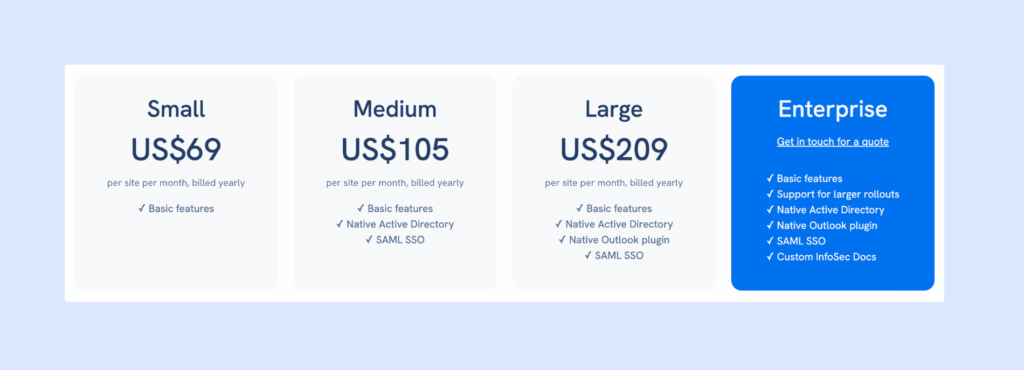
One good thing is that Sine still seems to include a lot in its base plans. Even the lower tiers cover the core visitor management basics, like self-serve iPad kiosks, visitor invitations, badge printing, host notifications, live on-site lists, reporting, custom visitor types, legal document signing, and support for visitors, staff, and contractors. That gives Sine a fairly strong starting point compared with tools that lock more of these features behind upgrades.
The main differences between plans are mostly around security, integrations, and admin controls. For example, the Medium plan adds things like Entra ID sync, SAML SSO, and Outlook integration. The Large plan adds API access, visitor screening, and access control options. Enterprise is aimed at bigger rollouts with more complex requirements.
Another thing to keep in mind is hardware. Sine also sells a visitor management starter pack with an iPad, stand, printer, and labels for about $978. On top of that, there are separate costs for stands, label printers, extra labels, and iPad device management. So the real first-year cost is usually more than just the monthly software fee.
There are also some add-ons to watch for, especially around workflows, access control, and certain integrations. So while the starting price may look reasonable, the full cost depends a lot on what setup you need.
The biggest downside is still the lack of clear pricing and positioning on the main plans page. For buyers comparing a few different tools, that creates extra friction. Some reviewers also mention a steep jump between tiers, which can make Sine feel a little awkward for growing teams that need more than the basics but are not ready for a bigger enterprise-style plan.
Why are people looking for Sine visitor management alternatives?
Sine has a lot of positive reviews across G2, Capterra, and Software Advice, but they aren’t the most recent. Still, similar friction points keep coming up again and again.
What’s interesting is that most of the issues are not about missing major visitor management features. On paper, Sine does a lot: QR check-in, badge printing, photo capture, host notifications, dashboards, compliance workflows, contractor tracking. The gaps usually show up in day-to-day operations, not in the feature list.
One of the most common issues is badge printing and printer reliability. Badge printing is a big part of Sine’s workflow, but many reviews mention printer connectivity problems and difficult setup. This does not mean the feature does not work, but it does mean the setup (Wi-Fi, printer model, network configuration) has to be done properly. In other words, the system often works well once everything is configured, but getting there can take effort.
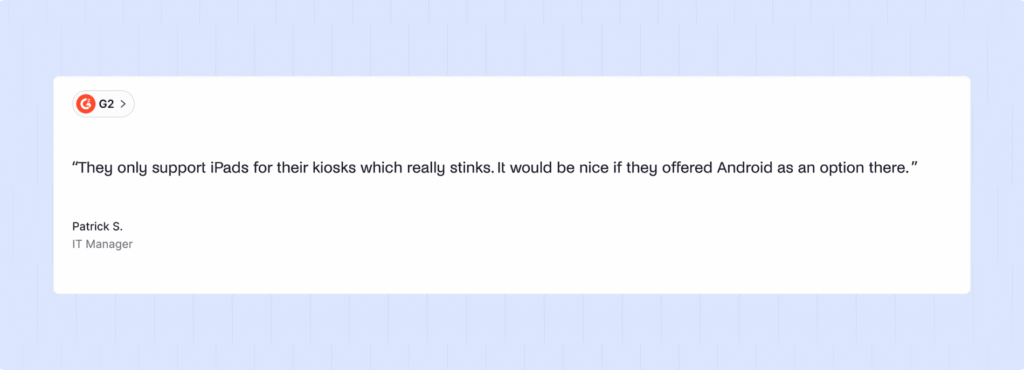
Hardware setup in general is another common complaint. Because Sine relies heavily on iPads, badge printers, and kiosk stands, the initial setup can be complicated, especially if a company does not have dedicated IT support. Some reviewers also mention that iPads need manual updates and occasional restarts, which adds maintenance work if you manage multiple locations.
Another limitation is that Sine is not an office management platform. It is very strong for visitor management, contractor check-ins, and compliance-heavy environments like warehouses, manufacturing sites, and construction sites. But if you also need desk booking, meeting room booking, or hybrid work tools, you will need a separate system.
Visitor management pricing also comes up as a reason some teams start looking at alternatives. The main concerns mentioned by buyers are:
- You cannot see full pricing without talking to sales
- There can be a noticeable jump between plans
- Some important features are only in higher tiers
- Hardware is an additional cost
- Some integrations are paid add-ons
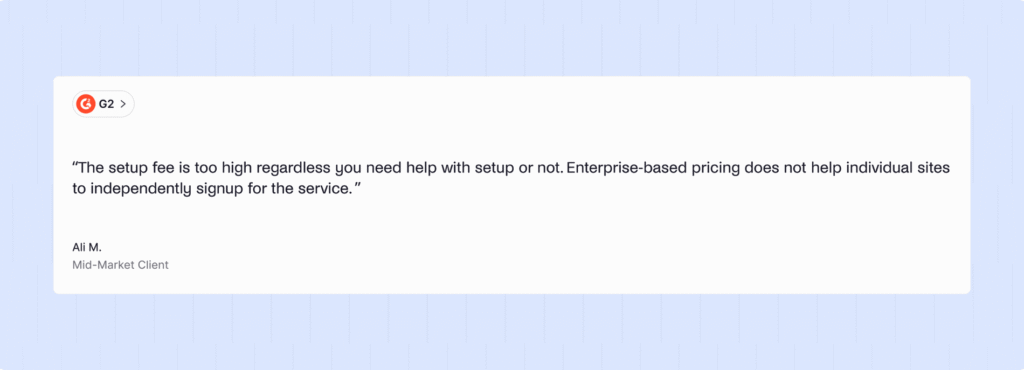
None of this means Sine is a bad product. In fact, for companies that need contractor management, safety workflows, compliance tracking, and site access control, Sine is actually one of the stronger platforms on the market.
But for companies that want something simpler, easier to set up, more transparent in pricing, or more focused on office environments, these friction points are usually the reason they start looking at Sine alternatives.
What are the best Sine alternatives for office use cases?
- Archie is the best all-around option, especially if you want visitor management today and the option to manage desks and meeting rooms later in the same platform.
- Envoy is the stronger choice for enterprise teams that care most about access control, visitor screening, and tighter front-desk security.
- SwipedOn is a budget-friendly option if you want something simple, easy to roll out, and useful for both visitors and staff sign-ins.
- Greetly is a good fit for teams that care a lot about branding and want more control over the front desk experience.
These picks are based on a mix of features, pricing transparency, user feedback across G2, Capterra, and Software Advice, and how well each product fits different office setups, visitor flows, and team sizes.
Now let’s take a closer look.
1. Archie: best overall Sine alternative for offices
Obviously, Archie is the platform I’d point most teams toward if they’re moving away from Sine and do not have a very specific industrial or compliance-heavy use case.
It gives you a strong visitor management system, but if needed, it can also support desk booking, meeting room scheduling, interactive floor plans, and workplace analytics to manage your whole office from one place. For this comparison, though, we’re focusing on Archie Visitors, which is sold as its own product with separate pricing.
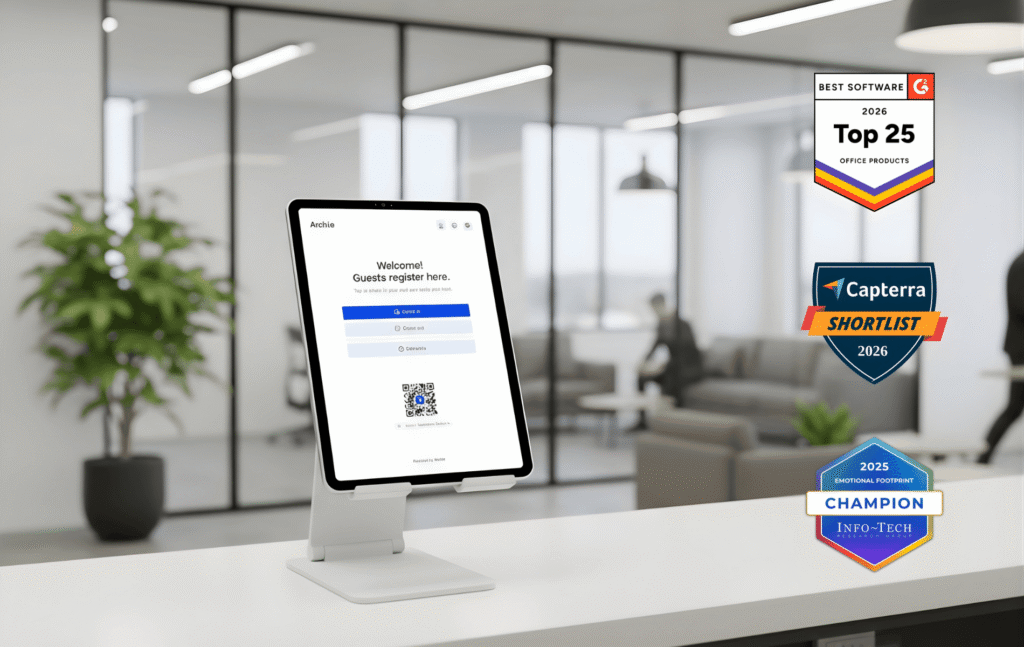
This year, it has been named one of G2’s Top Office Products, ranked #1 on Capterra’s Visitor Management Shortlist, and received the SoftwareReviews Emotional Footprint Award. It is not the cheapest visitor management tool out there, but it offers a really good balance of features, flexibility, and pricing for most workplaces.
What stands out
One of the biggest differences compared with Sine is hardware flexibility. Archie works on both iPad and Android tablets. That may sound like a small detail, but it becomes a real advantage when you are rolling out visitor kiosks across multiple offices and do not want to be locked into Apple hardware.
The visitor management feature set is also strong. Archie includes:
- Custom check-in flows for different visitor types, so clients, contractors, guests, and deliveries can each have their own process
- Badge printing with photo capture, digital NDA signing, and pre-registration with QR codes so repeat visitors can sign in quickly
- Instant host notifications through Slack, Microsoft Teams, and email as soon as a visitor arrives
- Emergency evacuation tools with real-time roll call, so you can quickly see who is on site
- Delivery management to log packages and notify recipients
- Access control integrations with tools like Kisi or Tapkey
- Analytics and downloadable reports for visitor volume, busy hours, and check-in trends
The overall experience also feels polished. One Capterra reviewer said the check-in flow helps create a strong first impression for visitors and liked that the app works on any tablet. A G2 reviewer highlighted the pre-registration flow, saying visitors can simply scan a QR code and get through quickly without typing or waiting.
How Archie compares to Sine
When it comes to front-desk visitor management, Archie covers most of the same core needs as Sine. You still get things like badge printing, e-signatures, pre-registration, host notifications, and a live visitor log.
The difference is more in the overall experience around the product.
Archie makes pricing public, so you can see the plans on the website without booking a sales call first. It also gives you more choice on the hardware side because it supports both Android and iPad.
Another big advantage is room to grow. If your company later wants desk booking software or a meeting room scheduling system, you can add those products under the same platform instead of bringing in a separate vendor. They are not bundled into the visitor plan, but having everything in one ecosystem can make life much easier as your workplace needs grow.
That said, Sine still has the edge in contractor management depth. If you run a construction site, warehouse, or manufacturing environment and need detailed compliance workflows, permit management, inspections, and qualification tracking, Sine is still the more specialized product. Archie supports contractor check-in, but it is not built around heavy industrial compliance in the same way.
Pricing
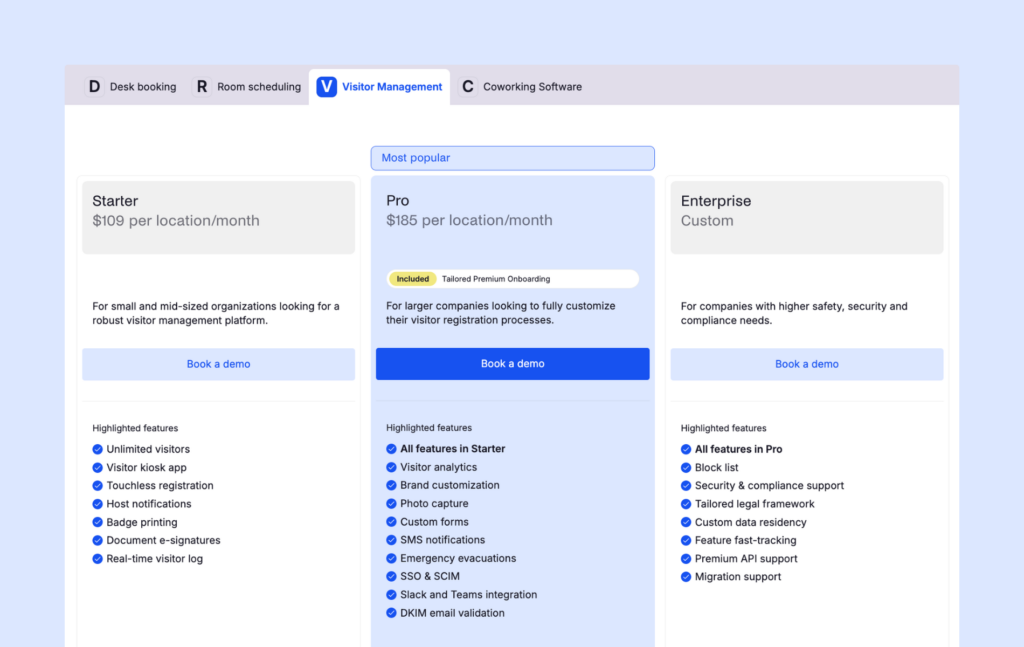
Archie Visitors starts at $109 per location/month on the Starter plan. That includes unlimited visitors, a visitor kiosk app, touchless registration, host notifications, badge printing, document e-signatures, and a real-time visitor log.
The Pro plan starts at $185 per location/month and adds analytics, custom branding, photo capture, custom forms, SMS alerts, emergency evacuation tools, SSO, and SCIM, plus Slack and Teams integrations.
There is also an Enterprise plan with custom pricing for companies that need things like block lists, extra security and compliance support, custom legal terms, or custom data residency.
All plans include unlimited visitors and a 14-day free trial.
2. Envoy: best for enterprise security
If security is your top priority, Envoy is one of the first tools people usually look at, and for good reason.
It is one of the best-known visitor management platforms on the market. It started as a visitor check-in tool, but over time, it has grown into a broader workplace platform with desk booking, room scheduling, and package management. For this comparison, though, we are only looking at Envoy Visitors, which is the part that competes directly with Sine.
What stands out
Envoy is especially strong when it comes to security and controlled access.
Its visitor management product covers the basics you would expect, like host notifications, sign-in flows, and visitor records. But where it really stands out is on the higher end, with features designed for companies that need tighter security controls.
Depending on the plan, Envoy can include:
- Badge printing and visitor photos
- Custom branding for the sign-in experience
- Legal document signing
- Visitor analytics and reporting
- SSO and directory integrations
- Access control integrations
- Guest Wi-Fi integrations
- Blocklist screening
- ID verification and scanning
- Emergency notifications
One feature that really stands out is Virtual Front Desk. This lets a remote receptionist greet visitors over video through the kiosk. That can be a big plus for offices or buildings that do not have a full-time front desk team on site.
Envoy also integrates with tools like Slack, Teams, Google Workspace, Outlook, and access control systems such as Brivo and Kisi.
How Envoy compares to Sine
Compared with Sine, Envoy is generally the stronger choice for enterprise office security.
If your priority is things like access control, ID checks, screening, and a polished front-desk experience for corporate offices, Envoy will often feel like the more security-focused option.
But there is an important catch: many of the security features people most associate with Envoy are only available on the Enterprise plan. So while Envoy looks very strong on paper, the version most teams can actually buy at a fixed price is much more limited.
That is where Sine still holds its ground. If your company needs deeper contractor management, compliance workflows, inductions, inspections, or permit-based site access, Sine is still the more specialized tool. Envoy is better for office visitor security. Sine is better for operational and compliance-heavy sites.
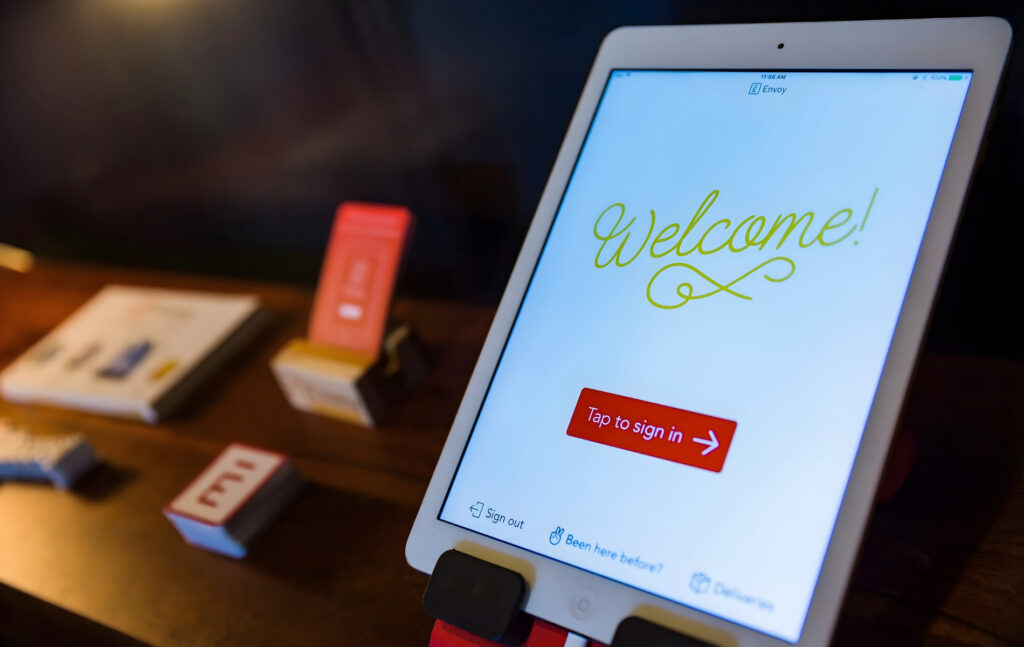
Like Sine, Envoy also relies on iPad kiosks, so there is no Android kiosk option. If hardware flexibility matters, that is worth keeping in mind and considering Envoy alternatives instead.
Pricing
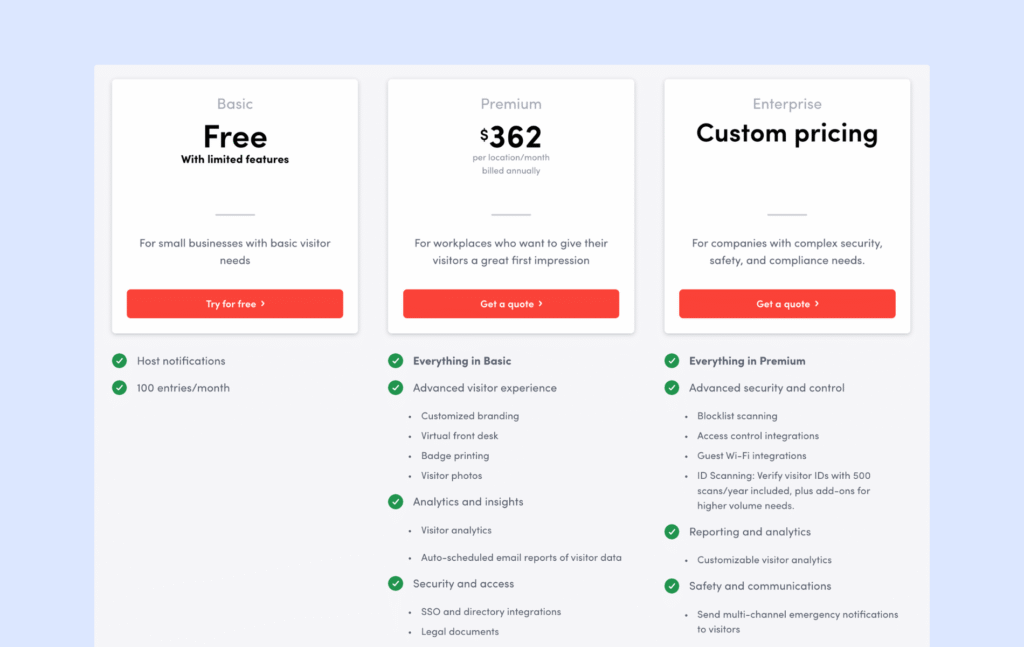
Envoy’s pricing starts with a free Basic plan, but it is very limited. You get host notifications and up to 100 visitor entries per month, but not much else. There is no badge printing, branding, or analytics at that level.
The Premium plan costs $362 per location per month, billed annually. That gives you the polished visitor experience most offices would expect, including badge printing, visitor photos, custom branding, analytics, legal document signing, SSO, and the Virtual Front Desk feature.
For more advanced security features like blocklist screening, ID verification, guest Wi-Fi, access control integrations, and emergency notifications, you need the Enterprise plan, which is custom-priced.
3. SwipedOn: best for budget-friendly check-ins
Not every company needs enterprise security features or a platform built for highly complex compliance workflows. Sometimes you just want a visitor management system that is easy to use, quick to set up, and reasonably priced. That is where SwipedOn stands out.
One important update here is ownership and pricing. SwipedOn is now part of the wider Sign In Solutions portfolio (similarly to The Receptionist by iPad), and its pricing now follows the same structure used across that portfolio. That makes SwipedOn a little different from how people used to think about it. It is still simple and easy to use, but it is less of a standalone budget outlier than it once was.
What stands out
SwipedOn is a good fit for teams that want something simple, practical, and affordable.
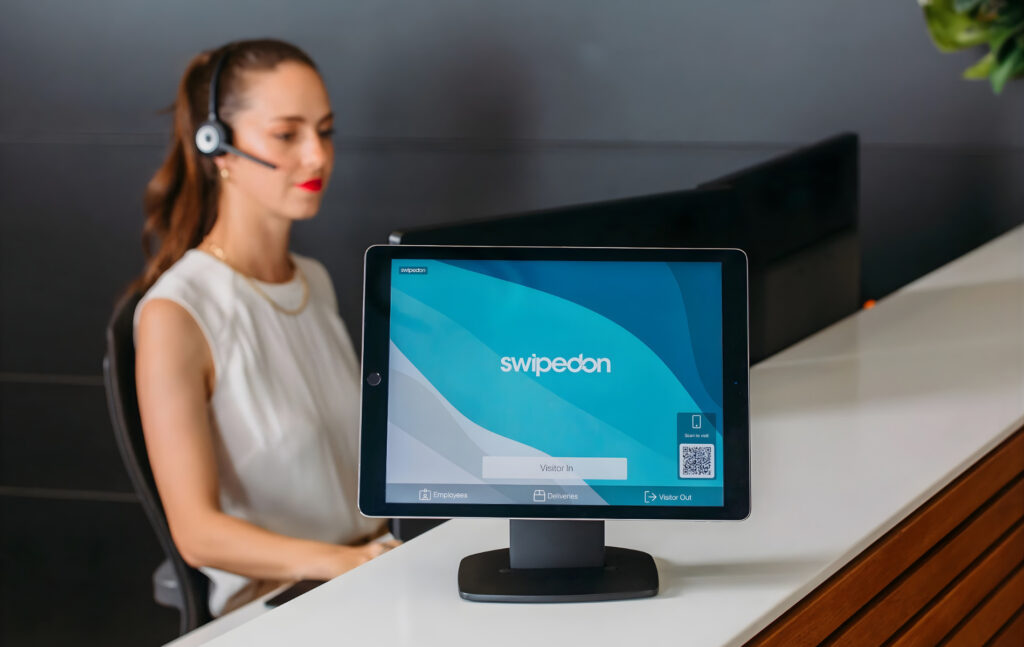
It handles visitor sign-in, but it also does more than that. One of its biggest strengths is that it helps with staff sign-in and day-to-day workplace management too. From the same platform, teams can manage visitors, employees, and even things like desks, parking, or shared equipment.
A few things stand out in particular:
- It offers a QR-only setup, so visitors can check in from their own phones without a dedicated kiosk if needed
- All plans include unlimited visitors and employees, which keeps pricing simpler as your company grows
- It supports badge printing, host notifications, and custom sign-in flows
- There is an employee in/out board with geofencing, which is useful for attendance tracking and evacuation roll calls
- The platform also supports approval rules, so you can automatically allow or deny entry based on responses during sign-in
For many offices, schools, clinics, or smaller workplaces, that feature mix will cover most of what they need without making the system feel heavy or overcomplicated.
How SwipedOn compares to Sine
Compared with Sine, SwipedOn is really about simplicity, speed, and value.
It is easier to evaluate because the pricing is public. It is easier to roll out because it supports both Android and iPad. And for many teams, it is easier to live with because the product feels less complex from day one.
Where Sine still wins is in contractor management and compliance depth. If you need detailed inductions, qualification tracking, inspections, permits, or more advanced contractor workflows for industrial sites, Sine is still the more specialized platform. SwipedOn can handle contractor sign-in, but it is not built for the same level of compliance-heavy site management.
Reporting is another area where SwipedOn can feel lighter. Some users have mentioned wanting more flexible exports and more custom reporting options, so teams with more advanced analytics needs may find it limiting compared to some SwipedOn alternatives.
Pricing
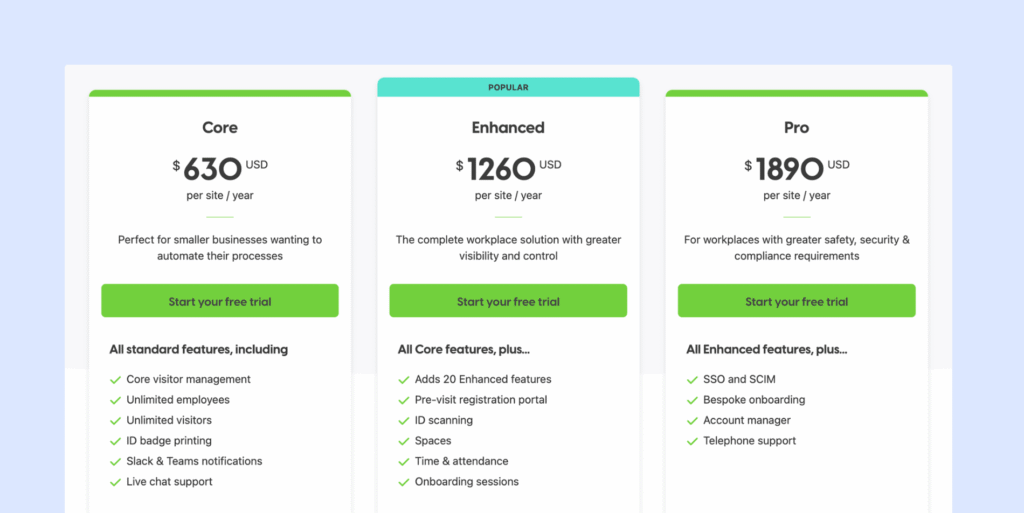
SwipedOn’s pricing is now shown under the Sign In App brand and is billed annually per site:
- Core: $630 per site/year
- Enhanced: $1,260 per site/year
- Pro: $1,890 per site/year
The Core plan includes visitor management, unlimited visitors and employees, badge printing, and Slack or Teams notifications.
The Enhanced plan adds things like pre-visit registration, ID scanning, resource booking, and time and attendance features.
The Pro plan adds SSO and SCIM, bespoke onboarding, a dedicated account manager, and phone support.
There is also a free trial, which makes it easier to test before committing.
4. Greetly: best for customizable front desk check-ins
Greetly fills a very specific niche. It is not trying to be a full workplace platform, and it is not built mainly for industrial compliance or high-security screening. Instead, it focuses on one thing really well: giving you a lot of control over the front desk check-in experience.
If your lobby is an important part of your brand and you want to customize every screen, message, question, and visitor flow, Greetly is one of the strongest options out there.
Greetly was acquired by OfficeSpace Software a while back, so it now sits within a broader workplace software group. It works on both iPad and Android, and has very strong review scores.
What stands out
The biggest strength here is customization.
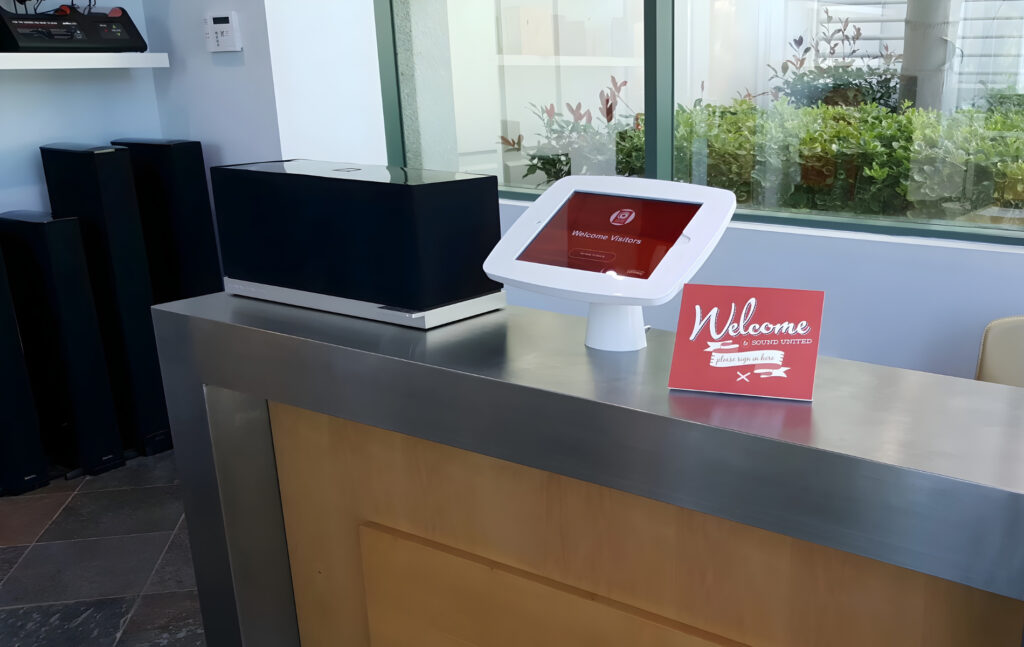
Greetly lets you build highly tailored check-in flows with your own branding, colors, visitor types, custom questions, and digital agreements. If you want the sign-in process to feel polished and fully on-brand, Greetly gives you a lot of freedom.
A few other things stand out too:
- It supports touchless sign-in with QR codes, so visitors can check in from their own phones
- It offers automatic sign-out and reminder notifications, which help keep visitor logs cleaner
- It supports ID scanning and watchlists on higher plans
- It gives you a very wide range of host notification options, including phone call, text, email, Slack, Teams, and Google Chat
- It supports multiple languages, plus employee directory sync through tools like Active Directory and Azure AD
It also seems easy to manage once you get used to the builder. Reviewers often mention that they can make changes to the check-in flow without needing help from IT, which is a big plus for front desk teams that want more control.
How Greetly compares to Sine
Compared with Sine, Greetly is the stronger choice if you care most about the visitor experience at the front desk.
If Sine feels a little rigid or more operational than polished, Greetly is likely to feel more flexible and more brand-friendly. It also has the advantage of Android support, which gives you more choice on the hardware side.
But Greetly is not as strong when it comes to contractor management and compliance-heavy workflows. If you need things like permits, inspections, inductions, or more advanced site access rules, Sine is still the more capable tool. Greetly is a better fit for offices and corporate reception areas, and other visitor-facing environments where presentation and ease of use matter most.
It is also worth noting that Greetly does not include desk booking or broader workplace management features. So if you want one platform for visitors plus space management software, you would still need another system — like OfficeSpace, but it’s quite an expensive one.
Pricing
Greetly keeps pricing relatively simple.
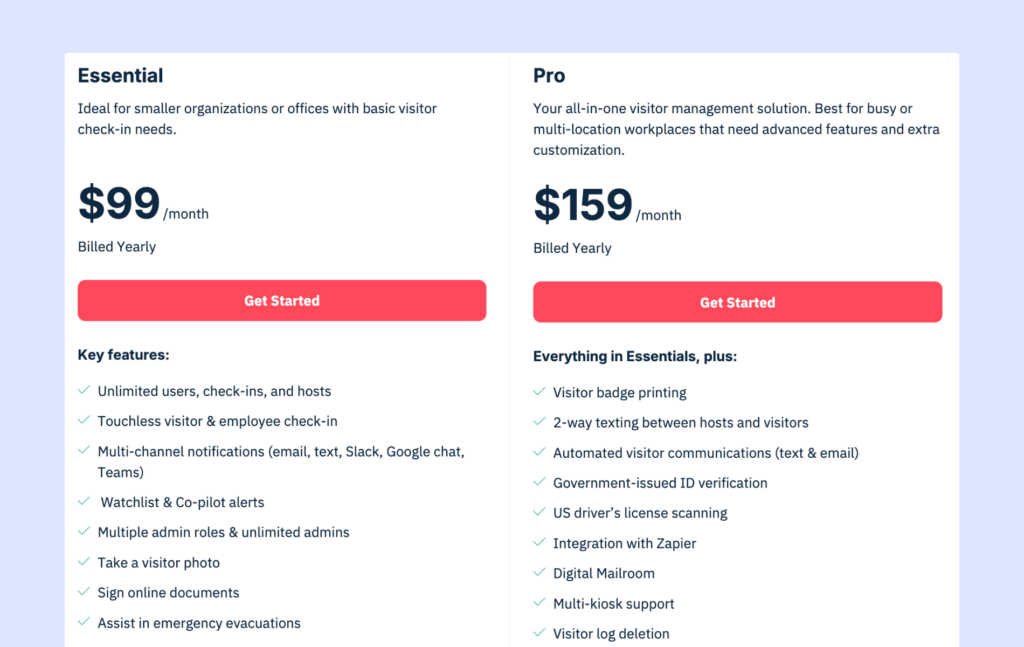
The Essential plan starts at $99 per month when billed annually. It includes unlimited users, unlimited check-ins, touchless visitor and employee sign-in, multi-channel host notifications, and core watchlist features.
The Pro plan costs $159 per month and adds features like badge printing, two-way texting between hosts and visitors, automated visitor messages, government ID verification, and U.S. driver’s license scanning.
Greetly also says there are no hidden fees, and it offers discounts for nonprofits and multi-location rollouts.
Sine alternatives at a glance
Feature | Sine | Archie | Envoy | SwipedOn | Greetly |
|---|---|---|---|---|---|
Best for | Contractor & compliance | Best overall | Enterprise security | Budget + staff sign-in | Custom check-in flows |
Visitor check-in | ✓ | ✓ | ✓ | ✓ | ✓ |
Contractor management | Advanced | Basic | Basic | Basic | Basic |
Desk/room booking | ✗ | Separate product | Separate product | Add-on | ✗ |
iPad kiosk | ✓ | ✓ | ✓ | ✓ | ✓ |
Android kiosk | ✗ | ✓ | ✗ | ✓ | ✓ |
Starting price | Custom | $109/month | ~$362/month | ~$52.50/month | $99/month |
G2 rating | 4.5/5 | 4.9/5 | 4.7/5 | 4.8/5 | 4.8/5 |
How to choose the right Sine alternative for your visitor management needs
Sine by Honeywell is a strong product for the kind of work it is built for. If you manage contractors, inspections, inductions, and compliance-heavy site access, especially in construction, industrial, or safety-focused environments, Sine does that really well.
But not every company has those needs.
A lot of teams are simply looking for a visitor management system that is easier to set up, easier to price, more flexible on hardware, or better suited to office environments. Some also want the option to add desk booking or meeting room scheduling later without having to switch platforms entirely.
That is why it helps to stop comparing feature lists line by line and start with the real question: what problem are you actually trying to solve?
On that note, if you need both visitor management and desk booking, you will probably end up paying for two products either way. The real difference is whether those products come from the same vendor, with one account, one support team, and one billing setup, or whether you are stitching together separate tools from different companies.
Why Archie is the best Sine alternative
For most office-based teams, Archie hits the best balance.
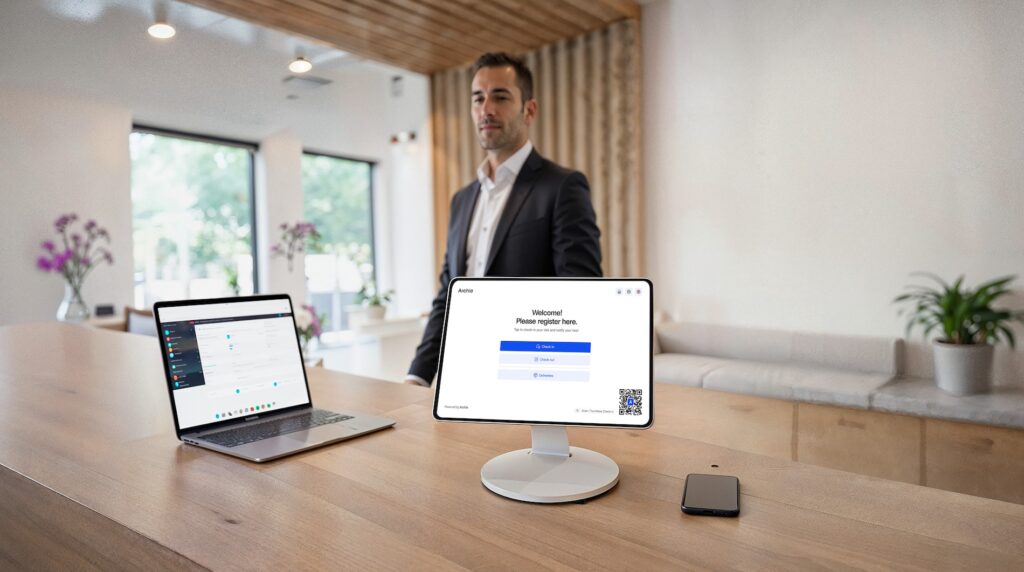
It covers the core visitor management features most companies need, gives you more hardware flexibility than Sine, makes pricing much easier to understand, and gives you a path to add desks and rooms later if that becomes important. It may not be the deepest tool for contractor-heavy industrial compliance, but for modern workplaces, it is often the more practical and flexible choice.
Archie vs Sine alternatives
- Archie vs Envoy: Envoy is a strong choice for companies that need tighter visitor security, especially around access control and screening. But it can get expensive fast, and it only supports iPads for kiosk setup. Archie gives you more hardware flexibility with both iPad and Android support, while still offering strong security, automations, and a more balanced overall cost for many teams.
- Archie vs SwipedOn: SwipedOn is a solid option if you want something simple, affordable, and easy to roll out. Archie is a better fit for teams that need more flexibility and room to grow, with stronger customization, deeper analytics, access control integrations, SSO and SCIM, and broader workplace tools for mid-sized and larger organizations.
- Archie vs Greetly: Greetly is a good option if your main priority is front-desk branding and a highly customized check-in experience. Archie makes more sense if you want visitor management plus a stronger workplace platform around it, with deeper integrations, more advanced controls, and a clearer path into desks, rooms, and other workplace features.
Sine visitor management alternatives FAQs
That depends on what you need most. If you want the best all-around option for office use, Archie is the strongest pick. It handles visitor management well and gives you the option to add desk booking and meeting room scheduling later.
Sine by Honeywell is a visitor and contractor management platform. It is mainly used to manage front-desk check-ins, contractor compliance, attendance tracking, and host notifications. It also includes a mobile app that lets employees, contractors, and visitors check in from their phones. Sine is especially popular in industries like construction, manufacturing, education, aged care, and other environments where safety, compliance, and contractor tracking matter.
Sine does not appear to offer a permanent free plan. It does offer a free trial, but if you want full pricing, you usually need to contact the sales team.
Yes, very much so. In fact, contractor management is one of Sine’s biggest strengths. It lets teams build custom workflows for things like inductions, qualification tracking, inspections, permits, and safety requirements. You can also block contractors from checking in if they have not completed the steps they need.
- Key sources