







- What you’ll learn
- The best TeamGo alternative for most hybrid offices is Archie, which manages visitors, desks, and rooms in one SOC 2 Type II-compliant platform, starting at $109/location/month.
- TeamGo starts at $20/location/month, but desk booking, room booking, and contractor management cost extra, and its SOC 2 assessment is still in progress.
- Other alternatives include Envoy for enterprise security, Eden Workplace for modular pricing, Robin for workplace analytics, and Eptura for global enterprises.
On paper, TeamGo is hard to argue with. It’s a visitor management system that starts at $20 per location per month, and you can add employee attendance, contractor management, and desk, room and asset booking as you go. For a small office, that’s very cost-effective.
The cracks start to show as you grow. Your security team will ask for a SOC 2 report TeamGo doesn’t have yet. And since TeamGo has just 9 reviews on G2, there’s little peer feedback to lean on.
So I went looking for TeamGo alternatives that keep up with growing teams, comparing their features, pricing and what real users say.
- Quick look at the best TeamGo alternatives:
- Archie is the best TeamGo alternative for mid-to-large offices that want a polished visitor experience with desk and room booking on the same platform. TeamGo’s security assessments are still in progress, while Archie holds SOC 2 Type II.
- Envoy can be a good fit for large enterprises with strict security needs, such as ID scanning and access control integrations. It costs much more than TeamGo, with Premium at $362 per location per month.
- Eden Workplace can suit teams that want to buy visitor management, desk booking and room scheduling as separate modules, much like TeamGo’s add-on model. Visitor management starts at $89 per location per month.
- Robin can work well for enterprises whose main priority is desk and room booking and workplace analytics. Its visitor tools are lighter than TeamGo’s, with no built-in evacuation feature.
- Eptura can be a fit for global enterprises that want one vendor for workplace, visitor and facilities tools. It’s a much bigger and more expensive setup than TeamGo, with quote-based pricing and extra implementation costs.
1. Archie
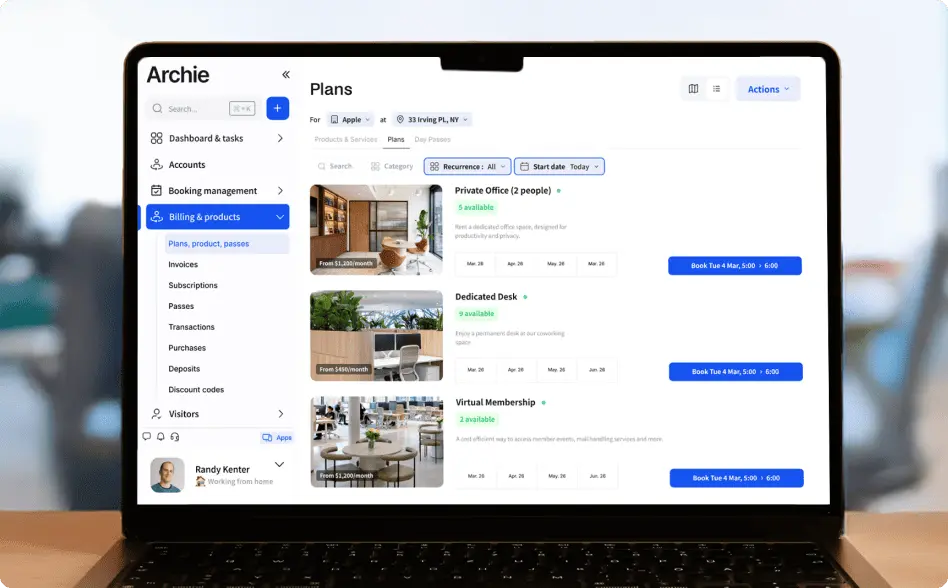
Archie is a workplace platform built around visitor management, with desk and meeting room booking on the same system.
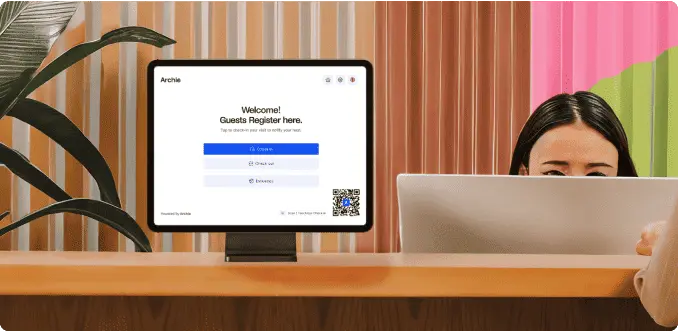
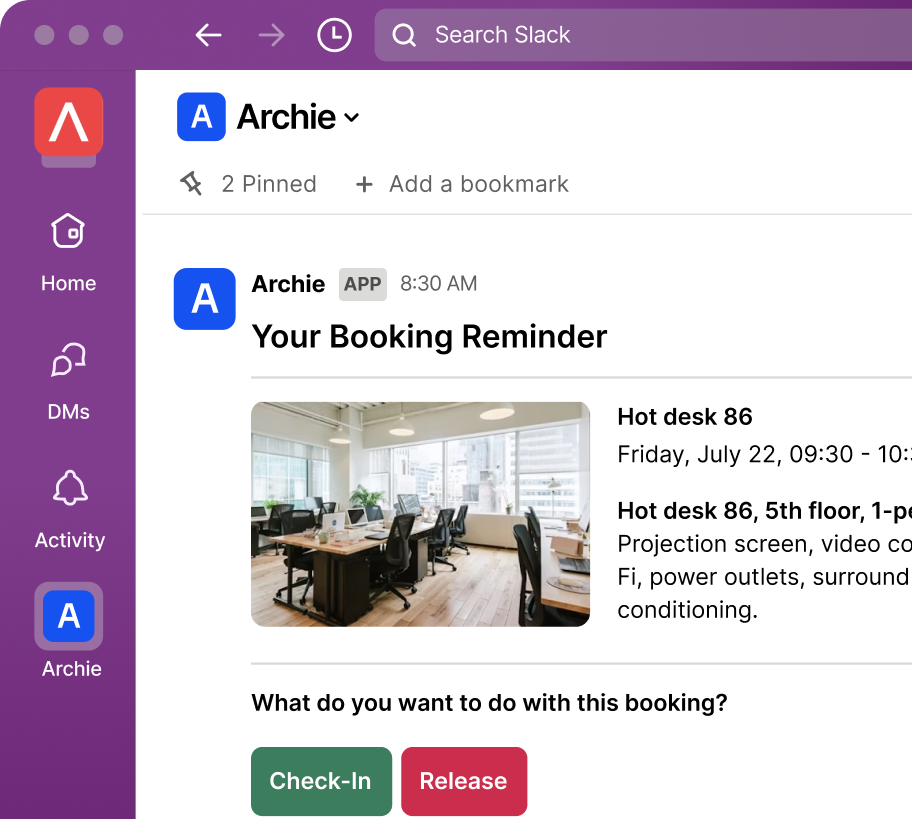
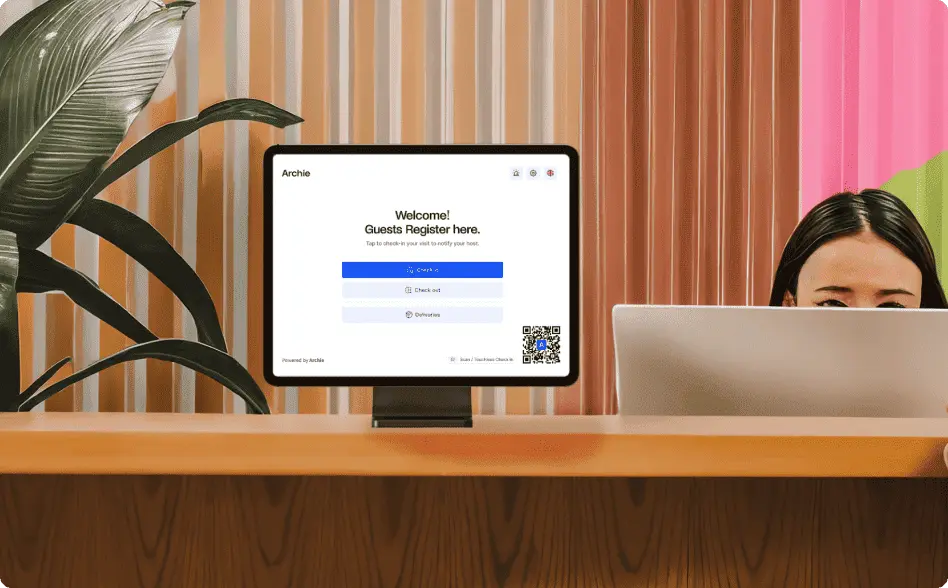
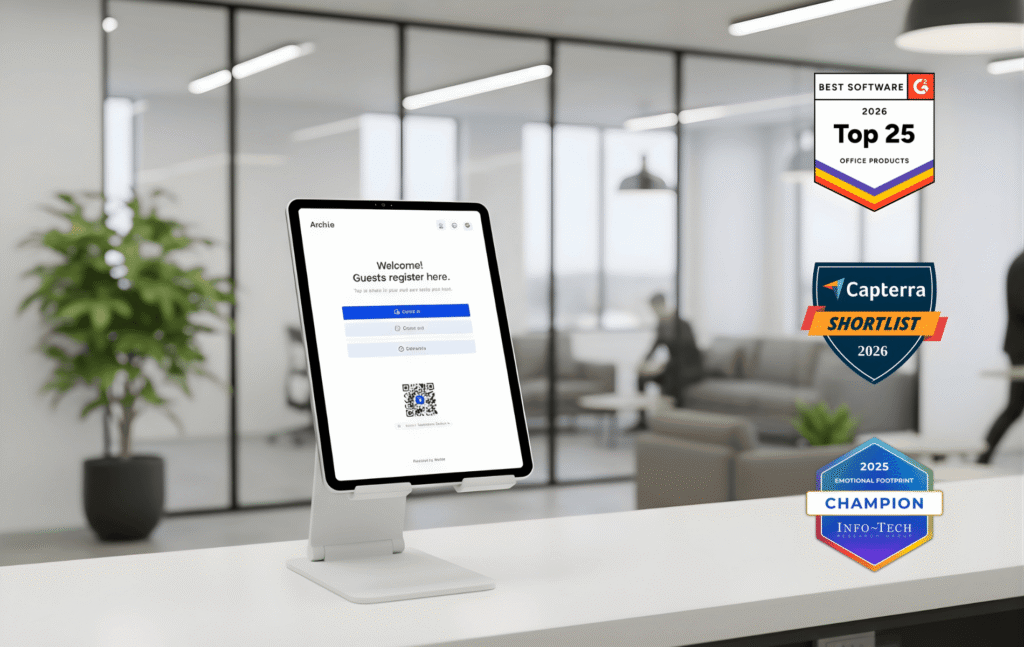
Archie Visitors gives you a modern, self-serve front desk. Guests check in on an iPad, an Android tablet or with a QR code. Hosts get notified instantly by email, SMS, Slack or Teams, and NDAs or other documents can be signed digitally as part of check-in. Custom visitor flows, badge printing and evacuation tools are built in.
Archie is the best fit for mid-to-large offices that want a polished visitor experience and room to grow into desk and room booking. It’s also the right choice for teams facing security reviews. TeamGo’s SOC 2 and ISO 27001 assessments are still in progress, while Archie already holds SOC 2 Type II and supports SSO, SCIM and access control integrations.
What are the key features of Archie?
Archie gives workplace teams everything they need to run a modern, secure front desk, plus desk and room booking on the same platform:
- Unlimited visitors on iPad and Android: Every plan includes unlimited visitors, and the kiosk app runs on both iPad and Android tablets, so you can reuse the devices you already have.
- QR check-in and pre-registration: Hosts invite guests ahead of time, and guests check in in seconds by scanning a QR code instead of typing at the kiosk.
- Custom visitor flows and forms: Set up separate flows for guests, contractors, interviewees and deliveries, each with its own questions, documents and approvals.
- Built-in e-signatures: Visitors sign NDAs, safety policies and other documents during check-in, and every signature is saved to the visitor log.
- Instant host notifications: Hosts get an alert by email, SMS, Slack or Microsoft Teams as soon as their guest arrives.
- Badge printing and photo capture: Print badges with the visitor’s name and photo, or send mobile passes instead.
- Guest WiFi and emergency evacuation: Share WiFi access with visitors at check-in, and see a live list of everyone on site when you need to evacuate.
- SSO, SCIM and open API: Connect Archie to your identity provider so people sign in with their work accounts and user lists stay in sync automatically. Use the open API to build custom workflows.
- SOC 2 Type II and GDPR compliance: Archie is SOC 2 Type II compliant and GDPR-ready, so security reviews move faster. TeamGo’s ISO 27001 and SOC 2 assessments are still in progress.
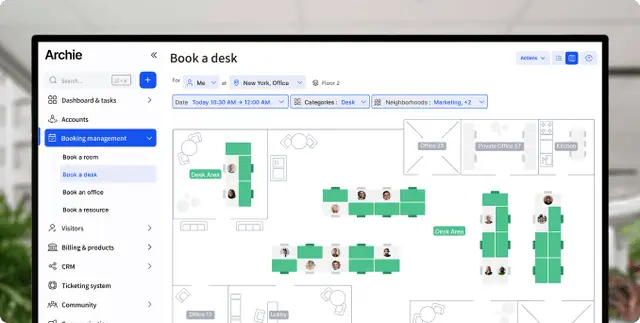
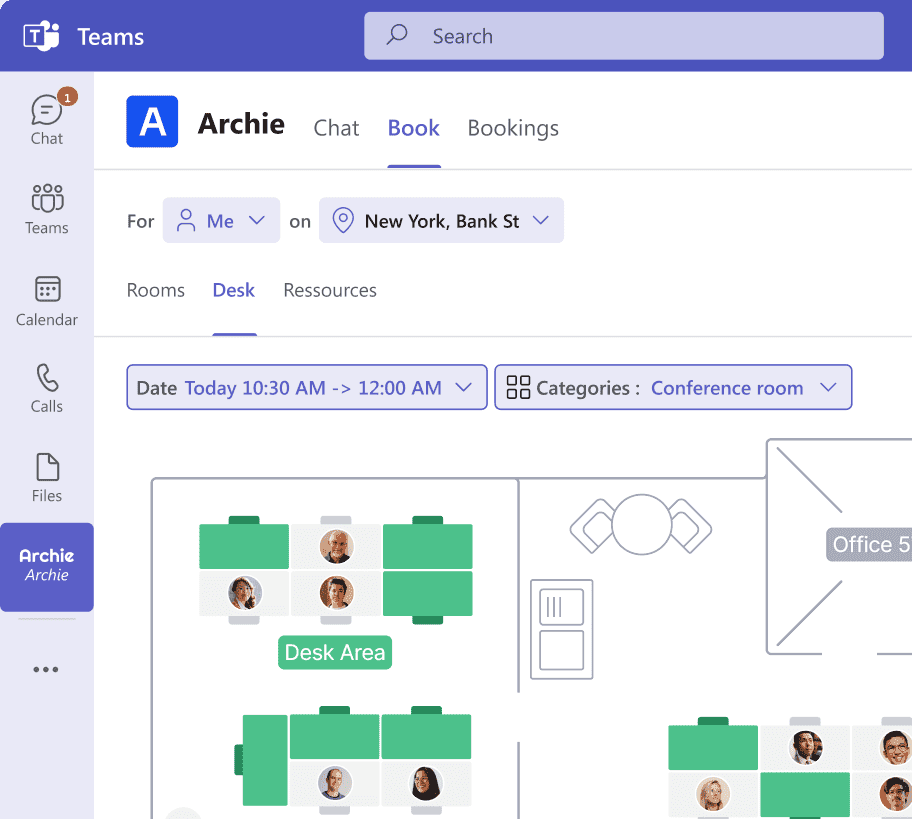
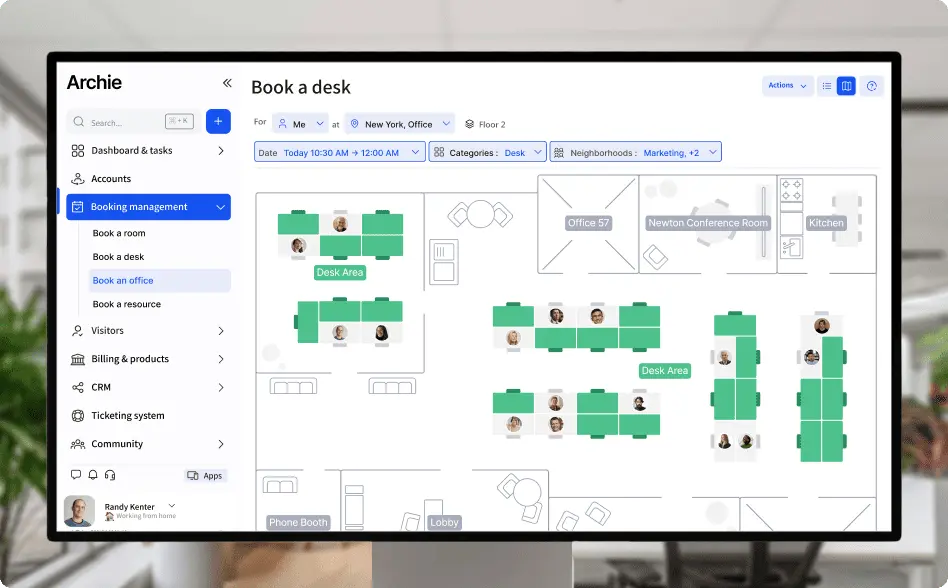
- Book from Teams, Outlook and Google Calendar: Employees reserve desks and rooms in the tools they already use, with two-way calendar sync, so bookings stay up to date everywhere.
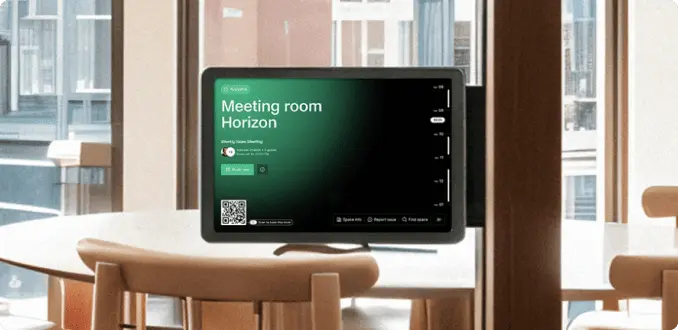
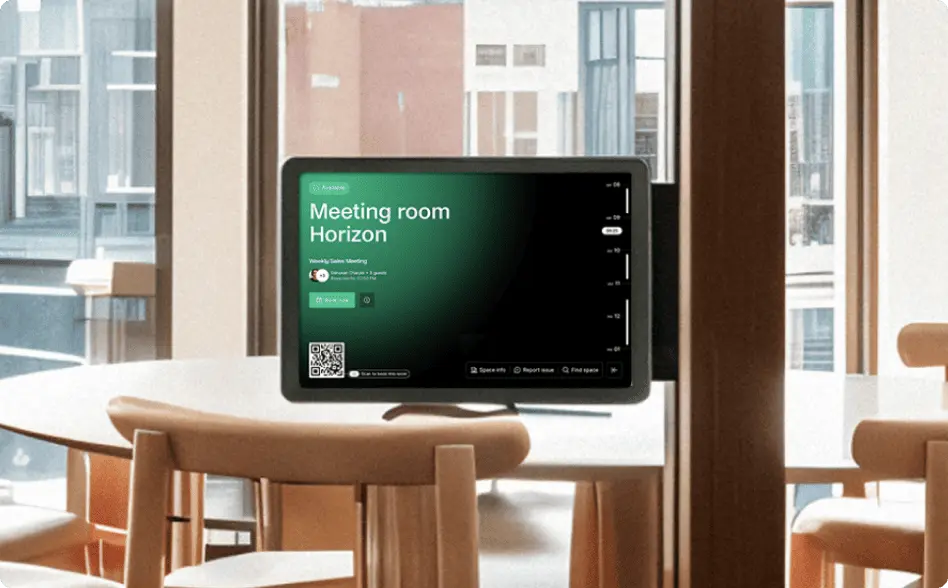
- Room displays and smart booking rules: Turn any tablet into a room display where people can check in or book on the spot. Buffers between meetings and automatic no-show release keep rooms available for the people who need them.
How much does Archie cost?
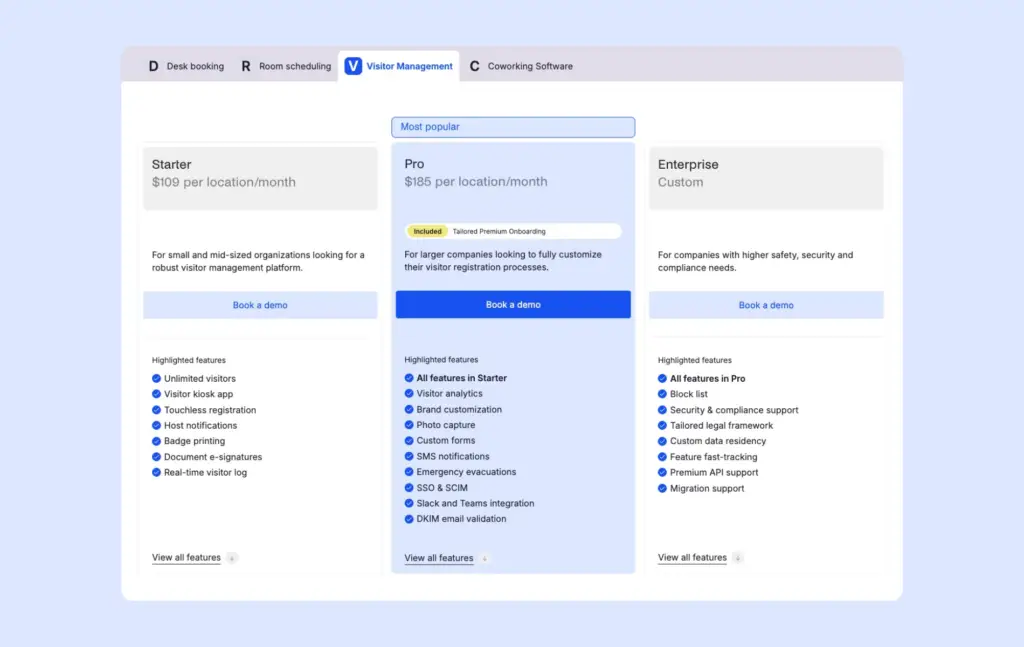
Archie Visitors is priced per location, with unlimited visitors on every plan. Here are Archie’s visitor management pricing plans:
- Starter: $109 per location per month. Includes unlimited visitors, the iPad and Android kiosk app, QR check-in, pre-registration, host notifications, badge printing and document e-signatures.
- Pro: $185 per location per month. Adds custom forms, photo capture, SMS notifications, Slack and Microsoft Teams notifications, emergency evacuation, visitor analytics and brand customization.
- Enterprise: custom pricing for large organizations that need advanced security and compliance support, custom data residency, migration support and premium API support.
What are the pros and cons of Archie?
Pros:
- Modern, easy-to-use interface: Guests check in quickly, and admins can set up flows, kiosks and notifications without a long rollout.
- Strong review track record: Archie is highly rated across the major software review sites, so you can check real user feedback before you buy.
- SOC 2 Type II security: Archie’s security is independently audited, which helps it get through IT and procurement reviews.
- Built-in e-signatures: NDAs and policies are signed during check-in, with no separate document tool needed.
- Visitors, desks and rooms on one platform: Teams can add desk and room booking later, without switching vendors.
Cons:
- Higher starting price than TeamGo: Archie Starter costs more than TeamGo’s entry plan, so very small offices with simple needs may find a cheaper tool enough.
- Not built for industrial contractor compliance: Archie handles contractor visits well, but sites that need detailed inductions and compliance tracking may need a specialist tool.
- Some features are on Pro only: Photo capture, SMS and evacuation tools are on the Pro plan.
What do users say about Archie?
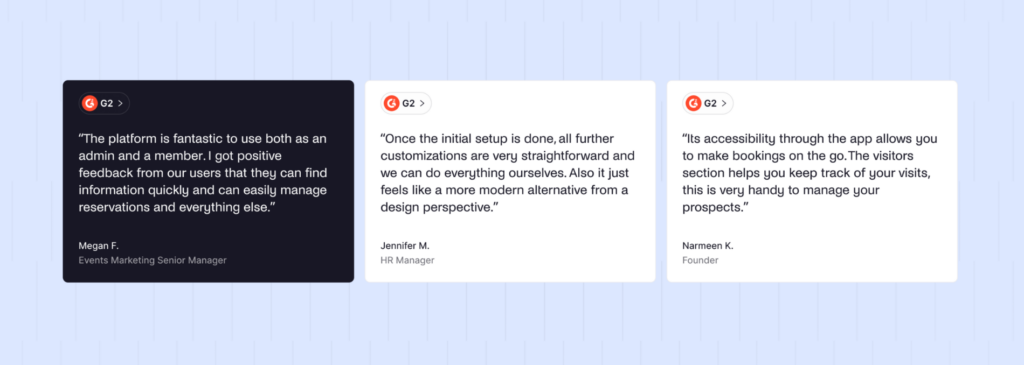
Archie holds a 4.9/5.0 average rating on G2 from 242 reviews.
In 2026 it appeared in G2’s Top 25 Visitor Management Software Products, ranked on Capterra’s Visitor Management Shortlist, and received the SoftwareReviews Emotional Footprint award.
Reviewers most often mention how easy it is to automate a professional visitor process, from quick self-service check-in and digital document signing to instant host notifications. For a deeper look, read our full Archie Visitors review.
2. Envoy
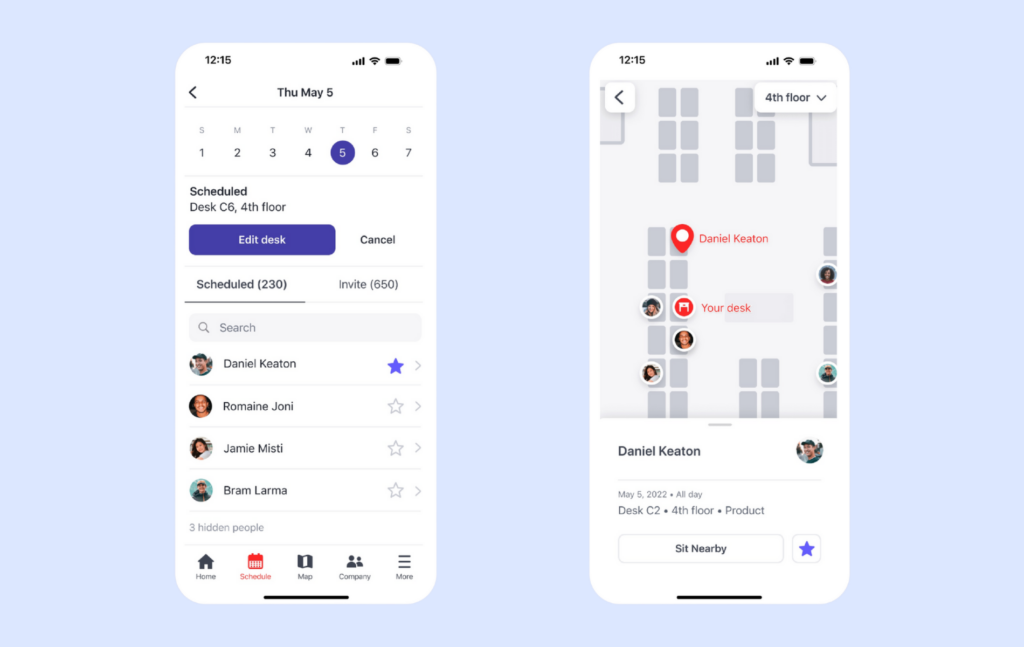
Envoy is a workplace management platform that combines visitor management, desk and room booking, parking reservations, and delivery management. Compared with TeamGo, Envoy puts more emphasis on enterprise security and advanced visitor screening.
Envoy can be a good fit for large companies with strict security and compliance requirements. Its paid plans are considerably more expensive than TeamGo’s, though, and its dedicated visitor kiosk app only supports iPads.
What are the key features of Envoy?
Envoy shares many core visitor management features with TeamGo, with a particular focus on enterprise security and workplace operations:
- Unlimited visitors on paid plans: Like TeamGo, Envoy supports unlimited visitors on paid plans, but its dedicated kiosk app only runs on iPads.
- QR check-in and pre-registration: Guests register ahead of time or scan a QR code when they arrive.
- Custom visitor flows: Create separate check-in processes for guests, contractors and other visitor types.
- Digital document signing: Collect NDAs and policy acknowledgments before or during check-in.
- Instant host notifications: Notify employees through email, SMS, Slack, Microsoft Teams or the Envoy app.
- Badge printing and photo capture: Print personalized visitor badges with names and photos.
- Visitor analytics: Track visitor activity across locations and schedule automated reports.
- Advanced visitor screening: Higher plans support ID verification, blocklists and third-party screening services.
- Security and access management: Envoy holds SOC 2 Type II and ISO 27001 credentials, while TeamGo’s assessments are still in progress.
- Workplace booking: Like TeamGo, Envoy offers separately priced workplace booking tools, covering desks, meeting rooms and parking spaces.
How much does Envoy cost?
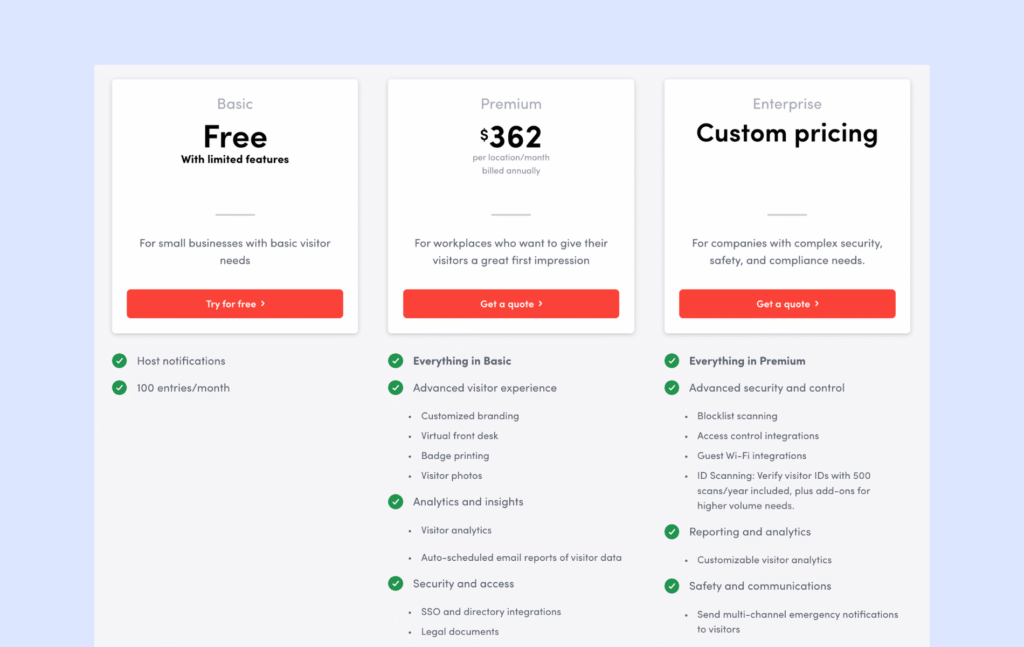
Like TeamGo, Envoy Visitors is priced per location. Its paid plans are billed annually.
- Basic: free. Includes up to 100 monthly visitor entries, 50 employees in the directory and host notifications.
- Premium: $362 per location per month, billed annually. Adds unlimited visitors, custom branding, QR check-in, badge printing, photo capture, document signing, analytics, SSO and visitor emergency notifications.
- Enterprise: custom pricing for advanced screening, ID verification, access control and guest WiFi integrations.
- Critical: custom pricing for highly regulated facilities requiring multi-step approvals, restricted-party screening and visitor training.
Envoy Reservations costs an additional $5 per bookable resource per month, billed annually, excluding the platform fee.
Unlike TeamGo, Envoy offers a permanent free plan. However, its paid plans start considerably higher than TeamGo’s $20 and Archie’s $109 per location per month.
What are the pros and cons of Envoy?
Pros:
- Easy-to-use interface: Guests can check in independently, and admins can manage visitors from a central dashboard.
- Advanced security: Specialized screening and approval workflows make Envoy suitable for enterprises with strict entry requirements.
- Established security credentials: Unlike TeamGo, Envoy has completed its SOC 2 Type II and ISO 27001 assessments.
- Extensive integrations: Connects with productivity, identity and access control tools.
- Connected workplace tools: Like TeamGo and Archie, Envoy lets companies manage visitors, desks and rooms within the same platform.
Cons:
- Higher paid pricing: Envoy requires a larger visitor management budget than Archie or TeamGo at their published starting prices.
- iPad-only kiosks: Unlike TeamGo and Archie, Envoy doesn’t support Android tablets as dedicated visitor kiosks.
- Tier-specific security features: Advanced screening and access control require higher plans.
For a closer look, see our Archie vs. Envoy comparison.
What do users say about Envoy?
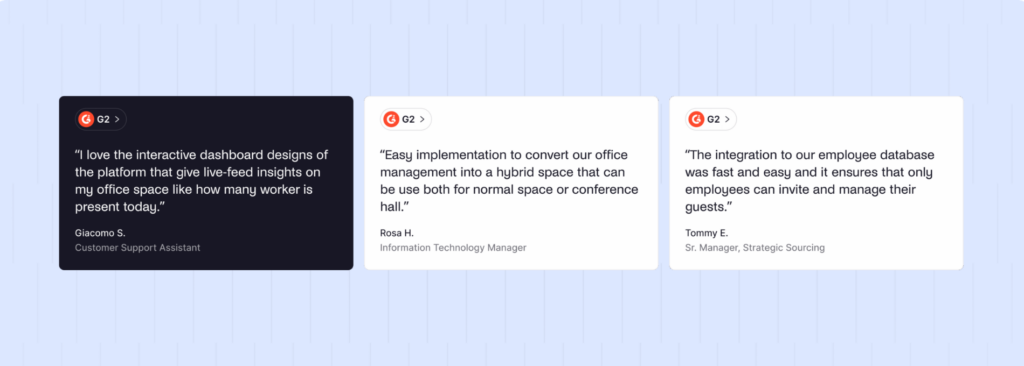
Envoy Visitors holds a 4.7/5.0 average rating on G2 from over 400 reviews, giving prospective buyers substantially more G2 feedback to evaluate than TeamGo’s 9 reviews.
Reviewers most often mention easy visitor check-in, automatic host notifications and straightforward administration. Pricing is another recurring consideration. For a deeper look, check out the full Envoy software review.
3. Eden Workplace
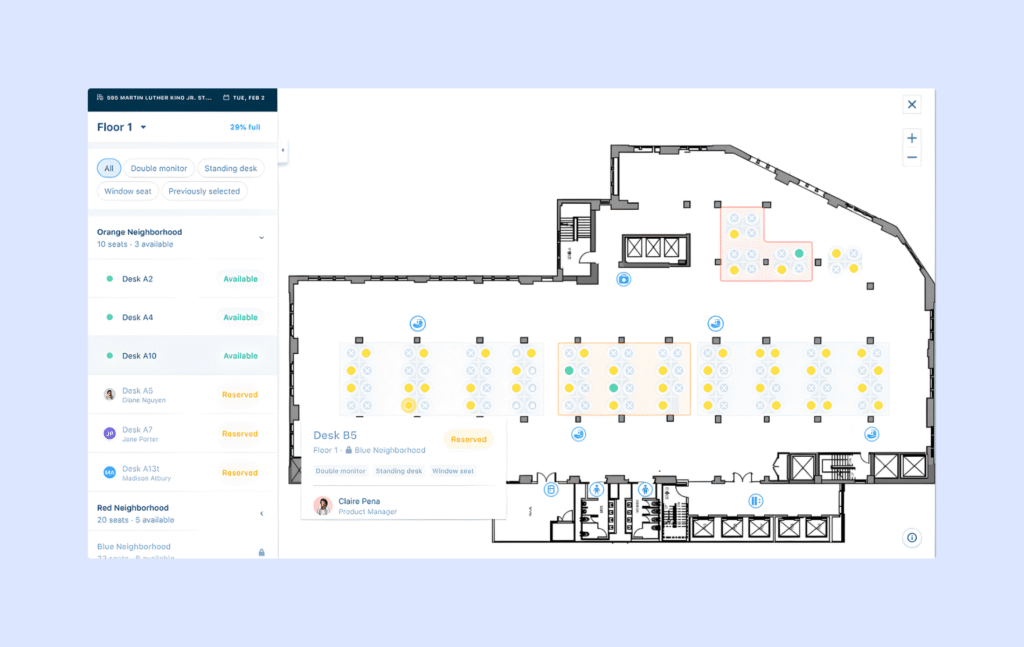
Like TeamGo, Eden Workplace combines visitor management with desk and room booking, but it also offers dedicated tools for delivery management and internal ticketing.
Eden can be a good fit for hybrid offices that want to manage employee requests, package deliveries, and workspace bookings in one place. TeamGo, by comparison, puts more emphasis on contractor management and workplace safety.
What are the key features of Eden Workplace?
Eden offers many of the same visitor management and booking capabilities as TeamGo, alongside additional office management tools:
- Unlimited visitors and flexible kiosks: Eden supports unlimited visitors and both iPad and Android tablets.
- QR check-in and pre-registration: Employees invite guests through the Eden dashboard, Slack or Microsoft Teams.
- Custom visitor flows and forms: Configure different questions, documents and check-in processes for each visitor type.
- Digital document signing: Collect and store signed NDAs and other legal documents electronically.
- Host notifications: Notify employees when guests arrive through email, Slack or Microsoft Teams.
- Badge printing and photo capture: Create branded visitor badges and capture visitor photos on higher plans.
- Visitor logs and reporting: Track visitor activity and export registration records across locations.
- Desk and room booking: Like TeamGo, Eden offers dedicated booking tools for desks and meeting rooms.
- Delivery management: Scan packages and send automatic pickup notifications to recipients.
- Internal ticketing: Unlike TeamGo, Eden offers a dedicated tool for managing employee requests, maintenance and IT support.
How much does Eden Workplace cost?
Eden uses modular pricing, with visitor management charged per location.
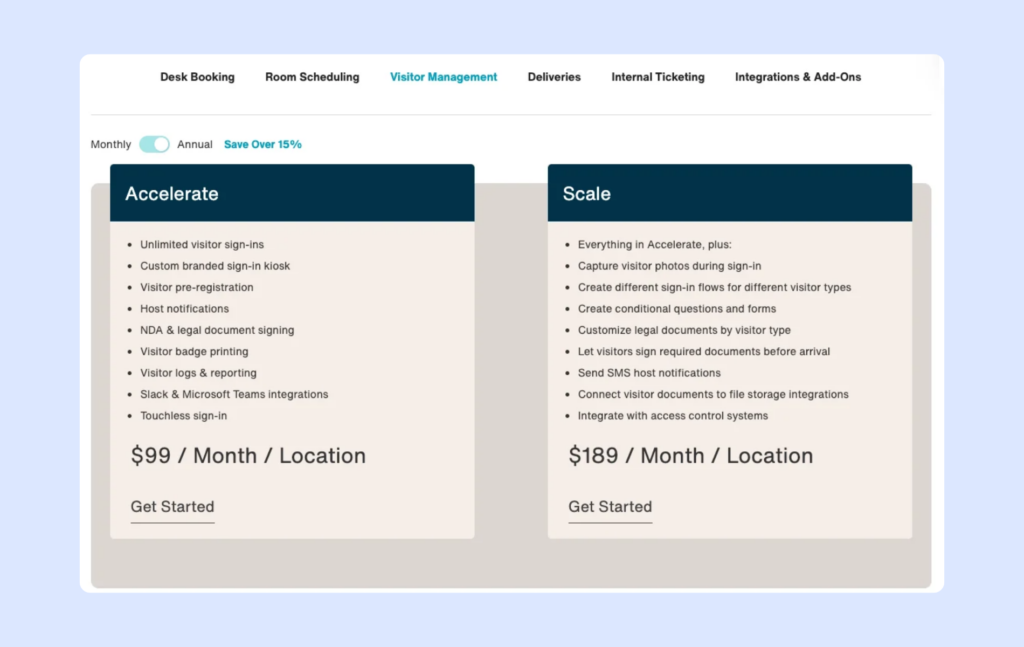
- Accelerate: $99 per location per month, billed annually. Includes unlimited visitors, branded kiosks, touchless check-in, badge printing, document signing and Slack and Teams integrations.
- Scale: $189 per location per month, billed annually. Adds visitor photos, custom forms, sign-in flows, file storage integrations and identity management features.
- Enterprise: custom pricing for organizations with more complex integration requirements.
Desk booking starts at $2.25 per desk per month, room scheduling at $15 per room per month, delivery management at $149 per location per month, and internal ticketing at $49 per agent per month, with annual billing.
Eden starts at a higher price than TeamGo, and the total cost depends on which workplace products you need.
What are the pros and cons of Eden Workplace?
Pros:
- Easy-to-use interface: Employees can book spaces and manage office visits with minimal training.
- Modular pricing: Like TeamGo, Eden lets companies choose the products they need.
- Broader office management tools: Dedicated delivery management and ticketing help teams handle everyday office operations.
- Flexible kiosk hardware: Supports both iPad and Android tablets.
- Responsive customer support: Users appreciate the support team’s responsiveness and willingness to act on feedback.
Cons:
- Higher starting price than Teamgo: Eden’s entry-level visitor management plan costs more per location.
- Separate product costs: Expenses can increase as companies add booking, delivery and ticketing tools.
- Minimum desk booking commitment: Companies must purchase at least 25 desk licenses.
- Some features require higher plans: Custom visitor flows, photo capture and advanced identity management are not included in the entry-level plan.
What do users say about Eden Workplace?
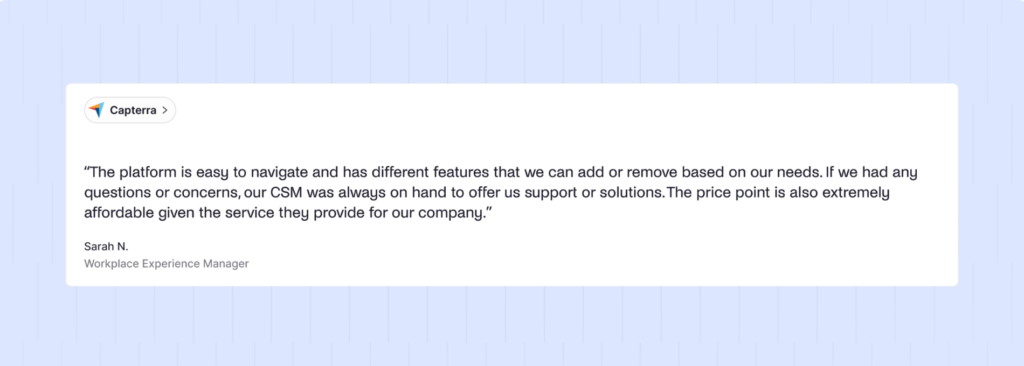
Eden holds a 4.7/5.0 average rating on G2 from 91 reviews
Reviewers most often mention easy desk booking, intuitive floor plans, straightforward office coordination and responsive customer support. For a deeper look, read our guide to the best Eden Workplace alternatives.
4. Robin
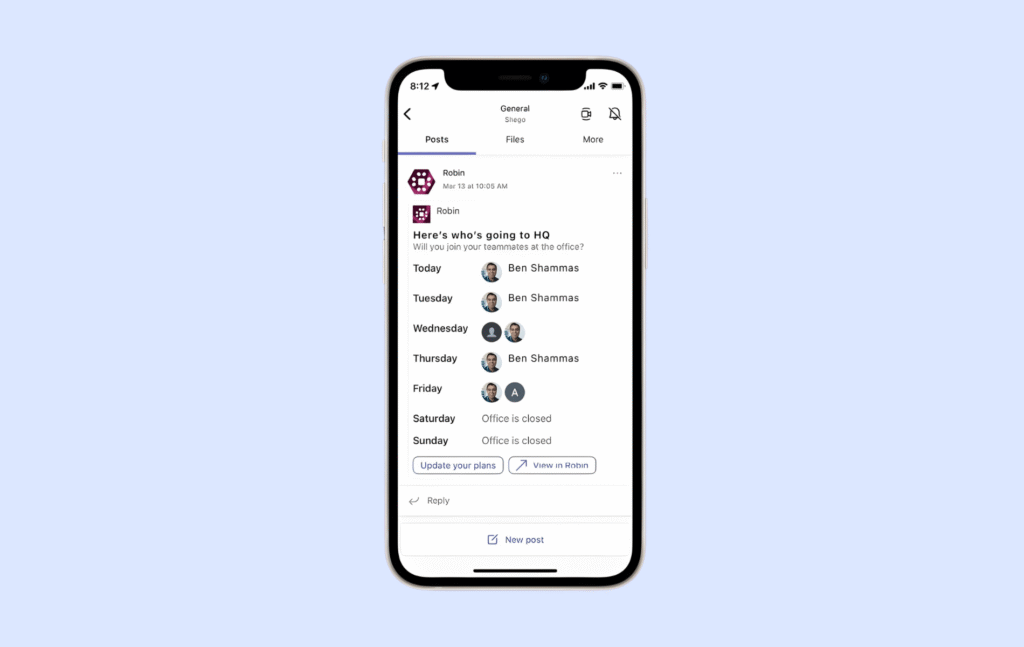
Robin is an enterprise workplace management platform that combines desk and room booking, visitor management, and workplace analytics. Compared with TeamGo, Robin puts more emphasis on booking automation and space utilization.
Robin can be a good fit for larger companies looking to optimize office space and track attendance. For offices that need equally robust visitor management and workspace booking, Archie is a better all-around choice.
What are the key features of Robin?
Robin covers many of the same workplace management needs as TeamGo, with a particular focus on booking automation and space utilization:
- Visitor check-in: Guests register on an iPad arrival display in the lobby, and pre-registered guests can also check in from their phone.
- Visitor pre-registration: Employees invite guests through the web dashboard, mobile app or Outlook.
- Custom registration forms: Collect visitor information and configure different visit types.
- Digital document acknowledgments: Guests review and accept NDAs and workplace policies before or during check-in.
- Host notifications and badge printing: Notify hosts automatically and print personalized visitor badges.
- Visitor logs: Track guest arrivals, departures and visit history.
- Desk and room booking: Reserve workspaces through interactive floor plans, mobile apps and calendar integrations.
- Automatic check-ins: Confirm desk reservations through WiFi or badge swipes and meeting attendance through compatible room hardware.
- No-show protection: Automatically release unused desk and room reservations.
- Workplace analytics: Track occupancy, attendance and space utilization to inform office planning decisions.
How much does Robin cost?
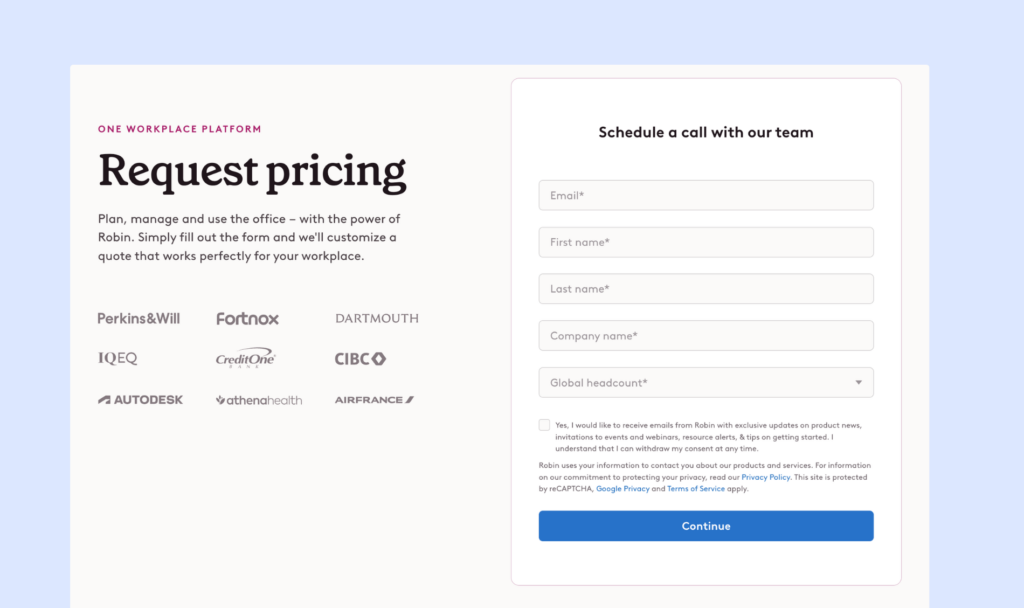
Unlike TeamGo, Robin uses a quote-based pricing model. G2 lists its starting price at $15,000 per year.
The final cost depends on company size, selected features and licensing requirements. Companies need to contact Robin’s sales team for a personalized quote.
This makes Robin’s costs harder to estimate upfront compared with TeamGo’s published per-location pricing.
What are the pros and cons of Robin?
Pros:
- Advanced booking automation: Automatic check-ins and no-show protection help companies manage shared workspaces.
- Detailed workplace analytics: Track how employees use desks, rooms and office space.
- Easy employee experience: Employees can book spaces and find colleagues through an interactive office map.
- Calendar and hardware integrations: Connects with Microsoft, Google and compatible meeting room devices.
Cons:
- Quote-based pricing: Unlike TeamGo, Robin doesn’t publish its subscription prices directly.
- Higher entry cost: Its enterprise pricing may be more than companies with straightforward visitor management needs require.
- iPad-only visitor kiosk: Unlike TeamGo and Archie, Robin’s arrival display runs on iPads (or Neat devices), not Android tablets.
- Less emphasis on visitor safety: TeamGo offers dedicated emergency evacuation and contractor compliance tools that aren’t part of Robin’s documented visitor management offering.
For a side-by-side look, check out our Archie vs. Robin comparison.
What do users say about Robin?
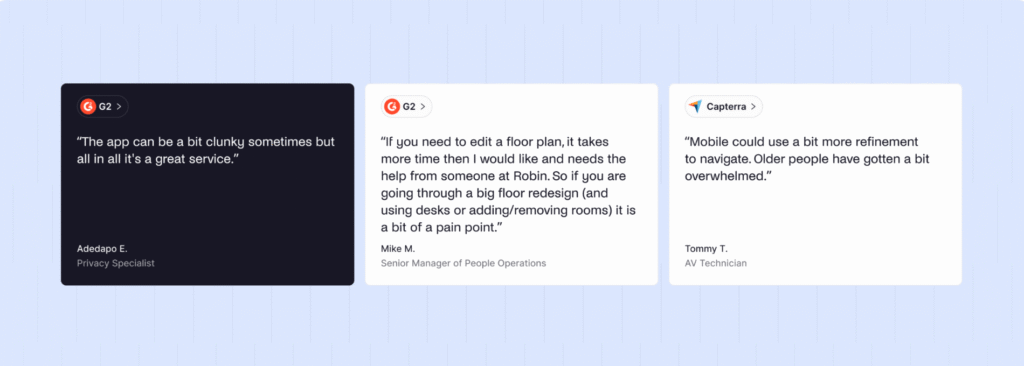
Robin holds a 4.4/5.0 average rating on G2 from over 210 reviews.
Reviewers most often mention easy desk and room booking, office attendance visibility and efficient workplace coordination. Pricing and customer support also appear in less positive reviews. We explore its features, pricing and user feedback in more detail in our Robin Powered software review.
5. Eptura (Engage + Visitor)
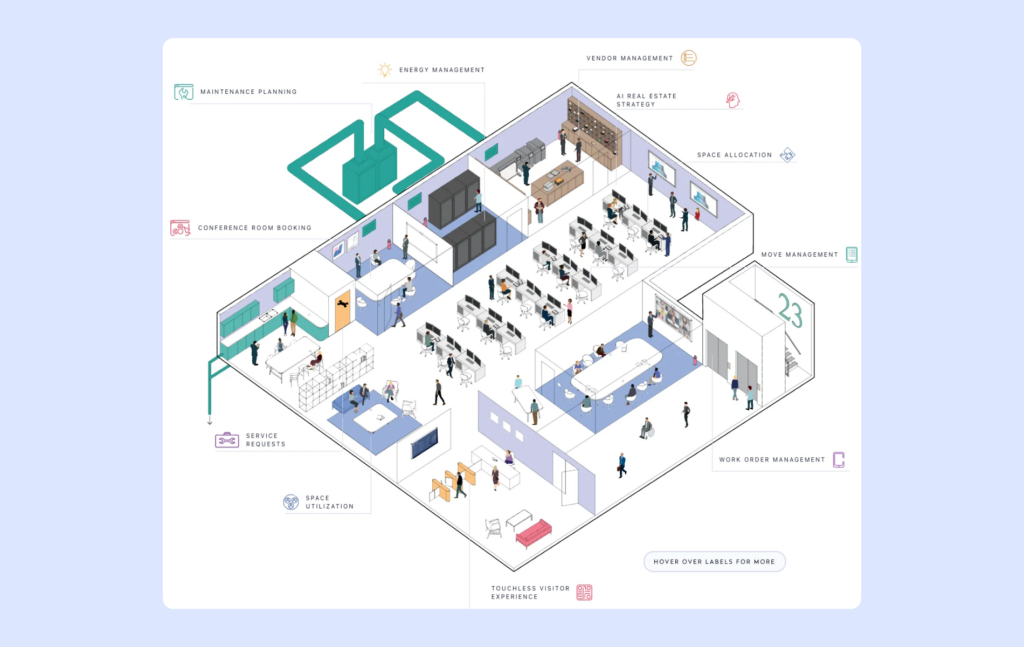
Eptura brings together Eptura Engage (formerly Condeco) for desk and room booking and Eptura Visitor (formerly Proxyclick) for visitor management. Compared with TeamGo, its broader product suite extends into facilities management, asset tracking, and real estate planning.
Eptura can be a good fit for large enterprises with multiple offices and dedicated facilities teams. Companies that mainly need visitor management and workspace booking may find Archie’s more focused platform and transparent pricing a better fit.
What are the key features of Eptura?
Eptura covers many of the same workplace management needs as TeamGo but extends further into facilities and real estate management:
- Touchless check-in and pre-registration: Guests register in advance and check in using a kiosk or QR code.
- Custom visitor workflows: Configure registration questions, documents and approval processes by visitor type.
- Digital document signing: Collect NDAs and policy acknowledgments before arrival.
- Host notifications and badge printing: Automatically notify hosts and print customized visitor badges.
- Access control integrations: Connect visitor check-in to your building’s access control system (Power plan).
- Emergency management: Like TeamGo, Eptura supports emergency notifications and digital roll calls.
- Desk and room booking: Reserve spaces through interactive floor plans, mobile apps, Outlook or Microsoft Teams.
- Booking automation: Automatically release unused reservations using compatible sensors.
- Workplace analytics: Monitor attendance, occupancy and space utilization across locations.
- Facilities and asset management: Additional products cover maintenance, asset tracking and real estate planning.
How much does Eptura cost?
Eptura uses a quote-based pricing model, with annual contracts and separate product subscriptions.
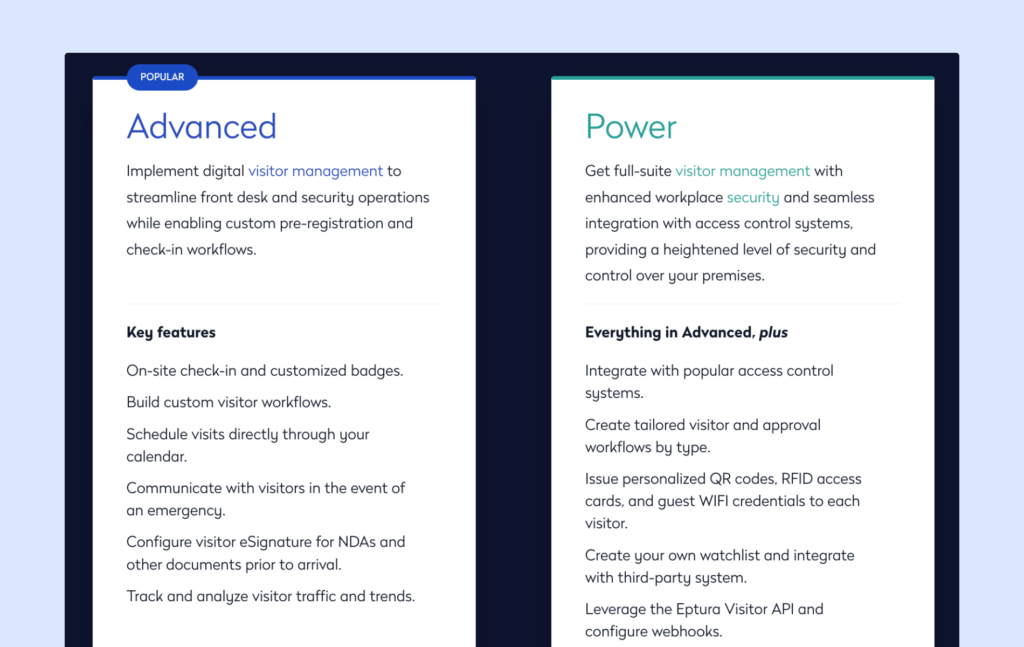
Eptura Visitor offers two plans:
- Advanced: Includes visitor check-in, custom workflows, badge printing, e-signatures, emergency notifications and reporting.
- Power: Adds access control integrations, API access and webhooks.
Eptura Engage is priced according to the number of users. Additional products, integrations and implementation services can affect the total cost.
What are the pros and cons of Eptura?
Pros:
- Comprehensive workplace management: Combines visitor management, workspace booking and facilities operations.
- Multi-location management: Supports complex office portfolios and centralized administration.
- Advanced visitor security: Offers screening, approval workflows and access control integrations.
- Detailed workplace analytics: Helps facilities teams understand space utilization and plan office requirements.
Cons:
- Quote-based pricing: Unlike TeamGo, Eptura doesn’t publish its subscription prices.
- Rising costs: Some reviewers say recent price increases and required upgrades for certain features make the cost harder to justify.
- Per-user booking pricing: Desk and room booking costs can increase as employee numbers grow.
- Broader implementation scope: Companies combining multiple products may need additional configuration and training.
What do users say about Eptura?
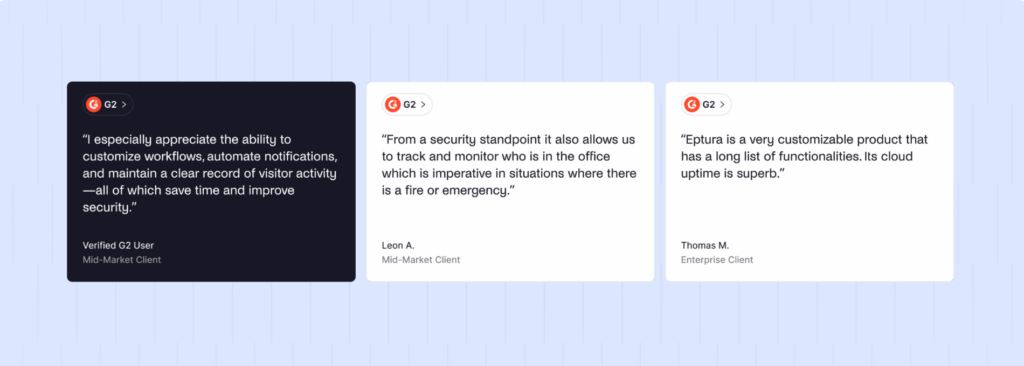
Eptura Visitor holds a 4.6/5.0 average rating on G2 from 185 reviews, while Eptura Engage holds a 4.3/5.0 rating from around 180 reviews.
Visitor users often praise customizable check-in workflows, pre-registration and reporting. Engage users highlight convenient workspace booking and office coordination, although some report issues with calendar synchronization.
Explore more options in our guide to Eptura Engage alternatives.
What is TeamGo?
TeamGo is a visitor and workplace management platform developed by TeamGo Pty Ltd, an Australian software company. Its main focus is visitor management, with additional tools for workplace booking and safety.
It is designed to manage day-to-day workplace access, from registering visitors and tracking employee attendance to managing contractor compliance and emergency evacuations. Companies can also add desk, meeting room, and asset booking.
TeamGo serves businesses of different sizes, from small offices to large, multi-location organizations. Its users include reception teams, workplace managers, facilities managers, and safety teams across corporate offices, schools, healthcare facilities, manufacturing sites, and government buildings.
TeamGo’s core capabilities include:
- Visitor management: Guest pre-registration and self-service check-in through iPad and Android kiosks, QR codes, and web browsers.
- Custom visitor workflows: Registration forms, digital document signing, badge printing, and automatic host notifications.
- Employee attendance tracking: Mobile check-in, location-based attendance tracking, and timesheets.
- Contractor management: Contractor records, inductions, and compliance documents through a separate module.
- Workplace safety: Visitor screening, watchlists, emergency notifications, and evacuation management.
- Desk, room, and asset booking: Separate products for reserving workspaces, equipment, and shared resources.
- Integrations: Microsoft Teams, Slack, Microsoft Entra ID, Okta, REST API, and webhooks.
- Reporting and analytics: Real-time visitor logs, historical records, and multi-location reporting.
TeamGo is known for its affordable pricing, customizable visitor workflows, and broad range of workplace management tools. It holds a 4.4/5 rating on Capterra from 90 reviews, with users often praising its ease of use and responsive customer support.
Why do companies look for TeamGo alternatives?
Companies may look for TeamGo alternatives when they need more advanced workplace booking, stronger security credentials, or a platform with a more established customer review history.
The main reasons to consider replacing TeamGo include:
🔴 Booking that lives outside everyday tools: TeamGo offers desk and room booking, but it doesn’t advertise calendar sync or room displays for them. For hybrid offices where people plan their day in Outlook, Google Calendar or Microsoft Teams, that means switching to a separate app every time they need a desk or room.
🔴 Enterprise security requirements: TeamGo’s SOC 2 and ISO 27001 assessments are still in progress. Companies with strict IT and procurement requirements may prefer a provider like Archie that already has a SOC 2 Type II report.
🔴 Limited G2 review coverage: Although TeamGo is well-rated on Capterra, it has only 9 reviews on G2. Companies evaluating software for multiple offices may prefer a platform with more extensive customer feedback.
🔴 User account and sign-in point limits: TeamGo limits the number of user accounts and sign-in points on all plans except Complete. Larger offices with multiple entrances and growing employee numbers may need to upgrade to accommodate their requirements.
🔴 Extra costs for advanced features: TeamGo sells automated user provisioning and broadcast messaging as separate products, alongside its desk, room and contractor tools. For larger organizations with more complex security and communication needs, these add-ons can raise the overall cost of visitor management.
TeamGo’s per-location pricing makes it an affordable option for companies with straightforward visitor management needs. As requirements grow, however, it’s worth comparing the cost of higher-tier plans and additional features across different platforms.
Staying with TeamGo makes sense if affordability and contractor management are your main priorities. Switching may make more sense if you need more advanced office booking, completed security assessments, or a workplace management platform backed by a larger body of customer reviews.
How much does TeamGo cost?
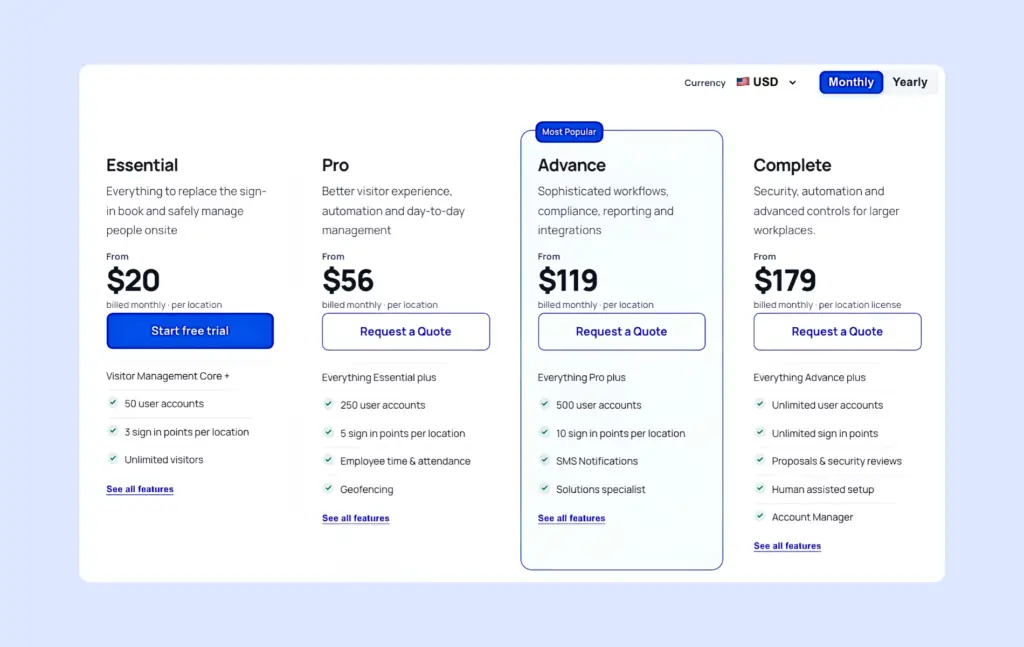
TeamGo offers four visitor management plans, starting at $20 per location per month with monthly billing or $16 with annual billing. All plans include unlimited visitors.
- Essential: From $20 per location per month. Includes core visitor management features, 50 user accounts, and three sign-in points per location.
- Pro: From $56 per location per month. Increases the limits to 250 user accounts and five sign-in points, and adds employee time and attendance tracking and geofencing.
- Advance: From $119 per location per month. Includes 500 user accounts, 10 sign-in points, SMS notifications, and access to a solutions specialist.
- Complete: From $179 per location per month. Includes unlimited user accounts and sign-in points, security reviews, assisted setup, and a dedicated account manager.
TeamGo offers approximately 20% off with annual billing and a free trial for its Essential plan. Higher-tier plans require a quote. Additional products, such as desk and room booking, are priced separately.
How do you choose the right TeamGo alternative?
The right alternative depends on how your workplace operates, how many locations you manage, and what you need beyond visitor check-in. Start with your daily requirements, budget, and growth plans rather than comparing feature lists alone.
Evaluate TeamGo alternatives against these criteria:
- Visitor management: Test how easily guests register, sign documents, and check in. Ask vendors to demonstrate different visitor flows, including contractors, interviewees, and walk-ins.
- Desk and room booking: If you manage a hybrid office, look for interactive floor plans, recurring reservations, booking rules, and no-show protection. Check whether booking tools are included or priced separately.
- Security and compliance: Verify security certifications, data hosting options, access control integrations, and identity management. Ask which security features are included in each plan.
- Pricing and scalability: Request a quote covering all locations, booking resources, add-ons, and hardware. A low starting price doesn’t always translate into lower costs as your workplace grows.
- Hardware and integrations: Check whether the platform works with your existing tablets, badge printers, calendars, and tools like Microsoft Teams or Slack.
- Ease of use and setup: Test both the visitor experience and admin dashboard during a trial. Read recent customer reviews to understand how easy the platform is to implement and manage.
When priorities conflict, focus on what your workplace needs most. Companies with complex contractor requirements may benefit from specialized safety tools, while hybrid offices may get more value from a platform that combines advanced visitor management with desk and room booking. A broader feature set is only worth paying for if your team will actually use it.
Which is the best TeamGo alternative for modern offices?
For most modern offices, Archie is the best TeamGo alternative. It combines advanced visitor management, desk booking, and meeting room scheduling in one platform, with an intuitive interface, independently audited security, and a strong customer review track record.
Archie is the strongest fit for:
- Mid-sized and large offices that need customizable visitor workflows, digital document signing, and automated host notifications.
- Hybrid workplaces that want visitor management, desk booking, and room scheduling in one system.
- Multi-location companies that need centralized administration, consistent visitor experiences, and detailed workplace analytics.
- Security-conscious organizations that require SOC 2 Type II compliance, SSO, SCIM, and access control integrations.
- Hybrid workplaces that want employees to book desks and rooms from Teams, Outlook or Google Calendar, without switching to a separate app.
The final choice still depends on your workplace requirements. Companies with complex industrial contractor compliance needs may find TeamGo a better fit, while enterprises with extensive facilities and real estate management needs may prefer Eptura.
Why do companies choose Archie as a TeamGo alternative?
Companies choose Archie when their workplace needs go beyond visitor check-in. While TeamGo offers a lower starting price, Archie combines advanced visitor management with flexible desk and room booking, detailed workplace analytics, and independently audited security. It’s also backed by a much larger G2 review base.
Archie vs TeamGo at a glance
Archie | TeamGo | |
|---|---|---|
Visitor management pricing | From $109/location/month | From $20/location/month |
Workplace booking pricing | Priced per resource, with monthly minimums | Separately priced desk and room booking products |
Visitor check-in | iPad, Android, and QR codes | iPad, Android, and QR codes |
Visitor workflows | Custom forms, e-signatures, approvals, and badges | Custom forms, e-signatures, approvals, and badges |
Desk and room booking | Zones, recurring bookings, approvals, no-show release, part-time and private desks | Zones, recurring bookings, approvals, no-show release |
Where employees book | Web, mobile, Teams, Outlook, Google Calendar, and room displays | Web and mobile app |
Calendar sync | Two-way sync with Outlook and Google Calendar | Not advertised for desk and room booking |
Room displays | Any tablet, with check-in and on-the-spot booking | Not advertised |
Contractor management | Custom contractor visitor workflows | Dedicated contractor management module |
Emergency management | Evacuation alerts, live presence logs, and safety reporting | Emergency alerts and evacuation management |
Security | SOC 2 Type II compliant | SOC 2 and ISO 27001 assessments in progress |
Integrations | Teams, Outlook, Slack, SSO, SCIM, access control, and open API | Teams, Slack, Entra ID, Okta, SSO, SCIM, access control, and API |
Scalability | Multi-location management and resource-based workplace booking pricing | Multi-location management and tiered visitor subscriptions |
Ease of use | Frequently praised for its intuitive interface and quick setup-location management and tiered visitor subscriptions | Positive feedback on ease of use and customization |
Customer support | Onboarding assistance and responsive support | Customer support praised in reviews |
Best for | Modern offices and hybrid workplaces | Budget-conscious workplaces and contractor-heavy environments |
Archie’s capabilities that matter most when replacing TeamGo are:
- Booking where work already happens: Employees book desks and rooms from Microsoft Teams, Outlook or Google Calendar and every booking syncs both ways. Room displays let people check in or grab a free room on the spot, while buffers and automatic no-show release keep the schedule accurate.
- Enterprise security: Archie has completed its SOC 2 Type II audit, while TeamGo’s assessments are still in progress. This matters for companies with strict IT and procurement requirements.
- Workplace analytics: Admins can track office attendance, desk and room utilization, peak office days, and unused reservations to make better space planning decisions.
- Connected visitor and employee experience: Visitor check-in, desk reservations, meeting room booking, and attendance tracking run in the same platform, with one set of users and workplace data.
For workplace teams, that means fewer manual tasks, easier office coordination, and better visibility into how their spaces are used. Companies can start with visitor management and add workplace booking as their needs grow, without changing providers.
Archie vs TeamGo reviews
Archie | TeamGo | |
|---|---|---|
G2 rating | 4.9/5 (245 reviews) | 4.4/5 (9 reviews) |
Capterra rating | 4.8/5 (90 reviews) | 4.4/5 (90 reviews) |
What users praise | Easy booking, intuitive interface, Teams integration, and responsive support | Ease of use, customization, and customer support |
How do you migrate from TeamGo to Archie?
Moving from TeamGo to Archie involves transferring relevant workplace data, recreating visitor workflows, and connecting your existing tools before rolling out the new platform. Archie’s onboarding team can help you plan the transition and get your workplace up and running.
The steps to migrate from TeamGo to Archie are:
- Audit your TeamGo setup: List your locations, visitor types, registration forms, documents, and integrations. Export historical visitor records and attendance data to avoid losing information you may need for reporting or compliance.
- Set up locations and visitor workflows: Recreate your locations, check-in processes, custom forms, and visitor badges in Archie. Keeping familiar workflows makes the transition easier for reception teams and employees.
- Configure hardware and integrations: Set up compatible iPad or Android kiosks, badge printers, host notifications, SSO, and access control integrations. Reusing compatible hardware helps minimize setup costs.
- Set up desk and room booking: If you use TeamGo’s booking tools, recreate your floor plans, bookable spaces, and reservation rules in Archie to maintain continuity for employees.
- Test with one location: Run a pilot to check visitor registration, document signing, badge printing, host notifications, and emergency evacuation procedures before rolling out across all offices.
- Roll out and optimize: Train reception teams and workplace admins, introduce employees to the new platform, and use visitor and workplace analytics to identify areas for improvement.
Before fully retiring TeamGo, make sure historical records are securely preserved, integrations work correctly, and all visitor and booking workflows behave as expected. Check your contract renewal date to avoid paying for both platforms longer than necessary.
- Key sources