




















- What you’ll learn
- What Verkada offers and why some teams start looking for alternatives
- The main drawbacks of Verkada, including hardware lock-in and pricing
- How the top Verkada competitors compare across security, video, and workplace tools
- How to choose the right Verkada alternative based on your company’s needs
Let’s be honest: Verkada makes polished hardware. Its cloud-based cameras look great, the access control system is well designed, and the all-in-one story sounds strong in a demo. But the picture can change once you look at the price, the hardware requirements, or what your team actually needs. Some companies realize they are being pushed toward a bigger security setup than they were planning to buy. Others find out they mainly need visitor management or workplace tools, not a full stack of cameras, sensors, and hardware.
That is where a lot of Verkada alternatives articles miss the mark. They assume you are looking for another camera vendor. But that is not always true. Verkada also sells workplace software, including visitor management, starting at $300 per site per month, so some teams comparing Verkada are really looking for a better way to manage visitors, space, and employees, not just building security. In many cases, the real question is not “Which camera company should I choose?” but “Do I actually need security hardware at all?”
That is why this guide looks at Verkada competitors from a wider angle.
What Verkada offers for security systems
Verkada is a physical security company based in San Mateo that sells a full range of cloud-based security products. Its lineup includes security cameras, access control, environmental sensors, alarms, intercoms, and visitor management through Verkada Workplace. Everything is managed through Verkada Command, a central platform that lets teams monitor and manage sites remotely. Overall, the product experience is polished, and the software is known for being easy to use.
The main appeal is simple: one vendor, one dashboard, and one support team. That can be very attractive for organizations managing security across several locations, especially if they are tired of stitching together different systems from different providers. Instead of dealing with separate tools for cameras, doors, alarms, and visitors, Verkada gives companies one connected system.
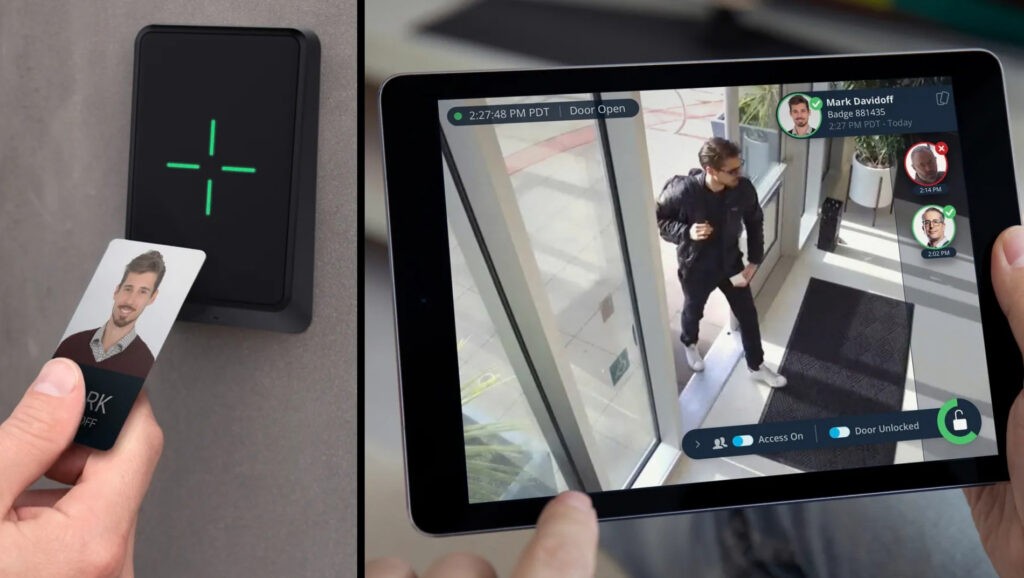
The downside is that Verkada is built around proprietary hardware. In practice, that means you need to use Verkada’s own devices to get the full value of the platform. If you already have existing cameras or other equipment, switching can mean replacing hardware that still works. And if you decide to move away from Verkada later, that same hardware may not be nearly as useful in another system.
That is an important point for teams that are not actually looking for a full security stack. For example, Verkada Workplace starts at $300 per site per month and requires an iPad for the visitor kiosk. For companies that mainly need visitor management, room booking, or space management tools, that can feel like more system and more cost than they really need.
Why look for Verkada alternatives
For a lot of teams, the biggest issue is cost. Verkada’s model is not just about paying for software. You are also buying into its hardware ecosystem, which can get expensive fast across multiple locations. That may be fine if you want the full package, but it can feel like a heavy investment if your needs are more limited.
Another common reason is hardware lock-in. Verkada is built around its own devices, so companies that already have cameras or other security equipment may need to replace working hardware to switch over. That can make the platform feel less flexible than alternatives that work with a wider mix of systems.
There are also security and trust concerns. In March 2021, a hacker accessed more than 150,000 live Verkada customer cameras. In 2024, the FTC announced action against Verkada, saying the company would be required to implement a comprehensive information security program and pay $2.95 million tied to CAN-SPAM allegations. Verkada has since tightened its security practices, but for some buyers, especially in healthcare, education, or other sensitive environments, that history still matters.
And for many companies, the simple truth is that they do not need the full Verkada bundle. If your main priorities are visitor management, room and desk booking, or basic workplace operations, paying for cameras, sensors, alarms, and extra security infrastructure may feel like too much. In those cases, teams often start looking for a tool that fits their actual needs more closely, without all the extra hardware.
Top 5 Verkada alternatives to consider
The best option depends on what you are really trying to solve:
- Archie is a strong choice for workplace management and visitor management.
- Rhombus Systems is a good fit for modern cloud-based security.
- Eagle Eye Networks makes sense if you want to keep your existing cameras.
- Genetec is better suited to large enterprises that need a broader security platform.
- Coram AI focuses on real-time threat detection and video intelligence.
Some of these tools are a better match for small businesses, while others are built for large enterprise environments. The key is finding the one that fits your actual needs, not just the one with the most hardware.
#1 Archie: best Verkada alternative for workplace management
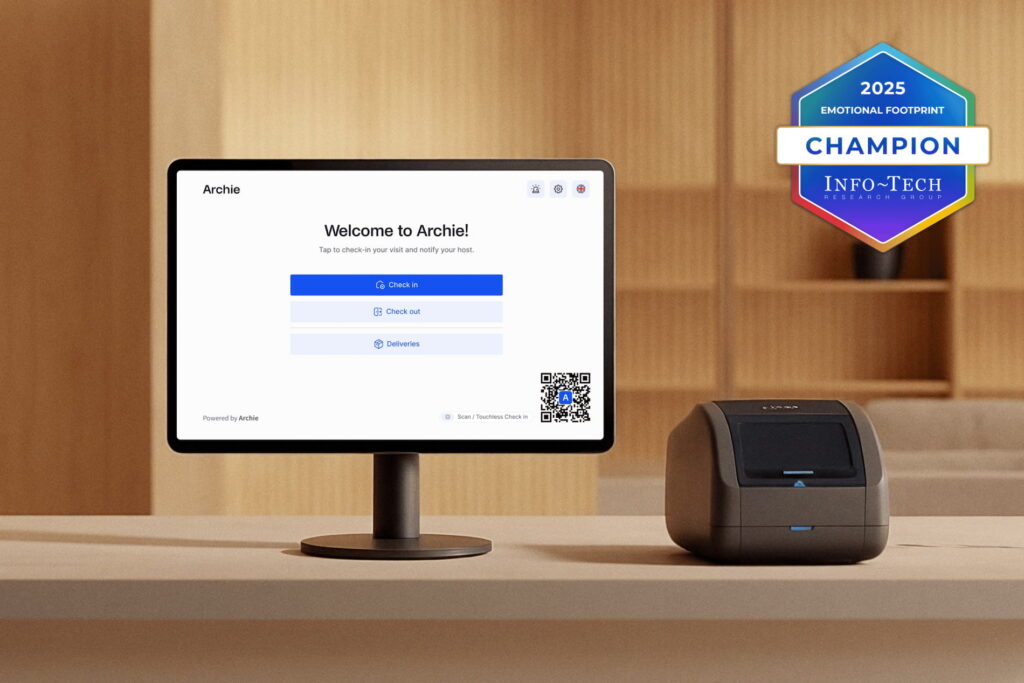
Most Verkada alternatives focus on cameras and security hardware. Archie takes a different approach. Instead of competing on video surveillance, it replaces the workplace management side of Verkada with a platform built for visitor management, desk booking, room scheduling, and workplace analytics. For teams comparing Verkada Workplace specifically, Archie is one of the strongest alternatives.
One of the biggest differences is hardware flexibility. Archie’s visitor kiosk works on any tablet, so you are not locked into proprietary hardware. Setup is simple, and the interface is easy to use, which makes rollouts much smoother across multiple locations. That is especially helpful for teams that want fewer support issues and a faster launch.
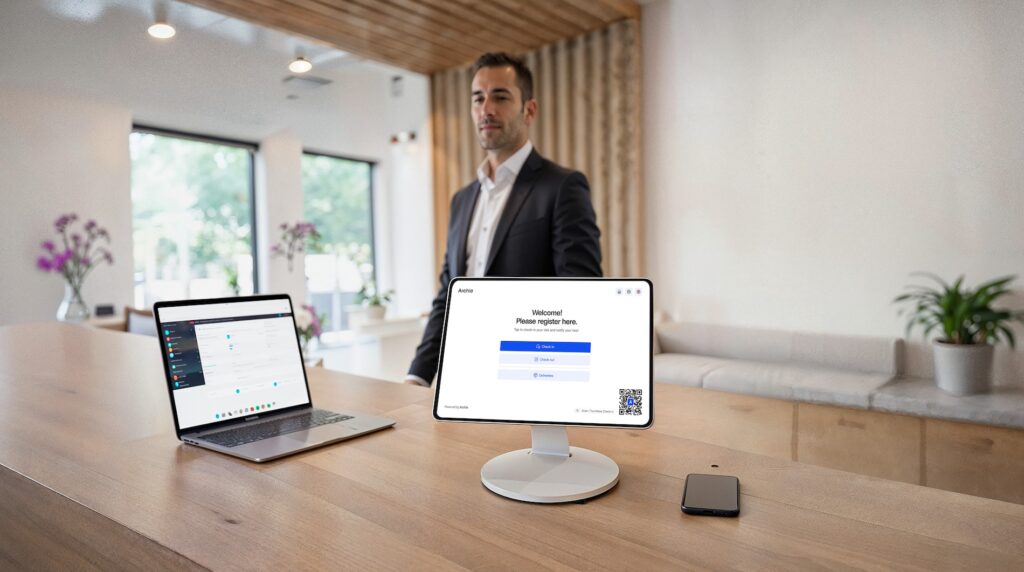
On the visitor management side, Archie includes custom check-in flows, badge printing, photo capture, digital visitor log, and NDA e-signatures. It also supports emergency evacuation and roll calls, which can be important for workplace safety. Host notifications can be sent through Slack, Microsoft Teams, or email, so employees are more likely to see them right away.
Archie also connects with access control tools like Kisi and Brivo, giving teams useful security workflows without forcing them into one hardware ecosystem. Visitors can be granted temporary access automatically, and admins can track workplace activity through analytics and occupancy data. Features like SSO, SCIM, and an open API are also available, which helps companies connect Archie with the tools they already use.
Compared with Verkada, Archie gives teams more control over the workplace experience itself. It is a better fit for organizations that need visitor management plus desks and meeting rooms, not a larger hardware-heavy security stack.
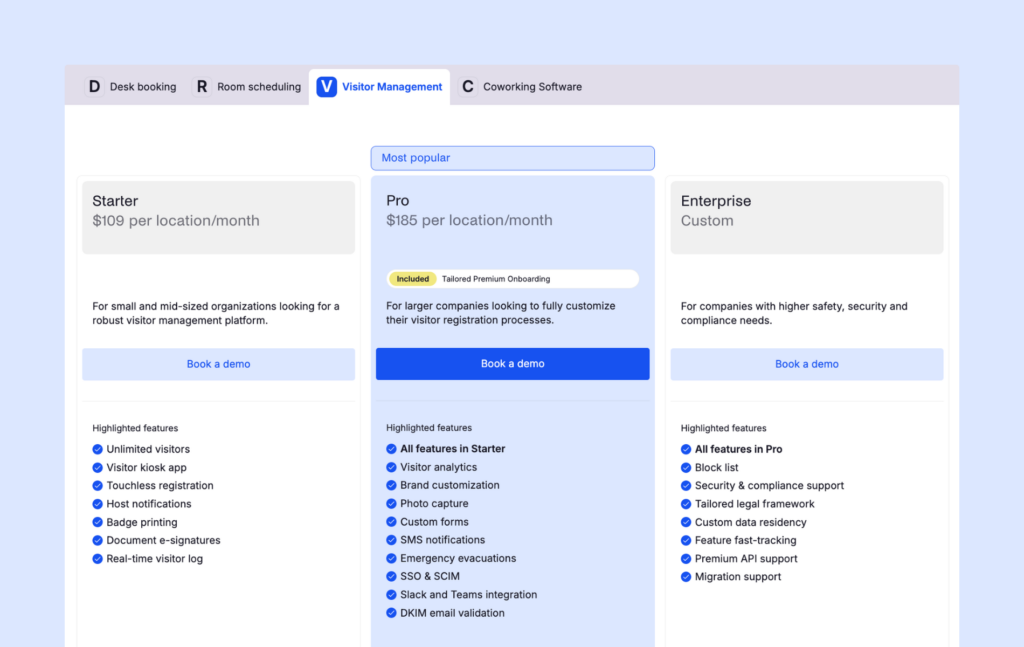
Archie Visitors has two clear plans. The Starter plan costs $109 per office per month and includes unlimited visitors, the kiosk app, touchless registration, host notifications, badge printing, and e-signatures. The Pro plan costs $185 per office per month and adds analytics, brand customization, photo capture, SMS notifications, emergency evacuation tools, SSO, SCIM, and Slack and Microsoft Teams integrations. There is also a 14-day free trial, so teams can test the platform before committing.
💡 All in all, Archie is the best Verkada alternative for teams that want better visitor management and workplace tools without the cost and hardware lock-in of a larger security system.
#2 Rhombus: best Verkada alternative for modern cloud security
Rhombus was founded by people with backgrounds in enterprise IT and cybersecurity, and that focus shows in the product. Instead of treating cloud security as an add-on, Rhombus built its platform around modern security principles from the start. That makes it a strong option for schools, healthcare organizations, and larger companies where security and data protection are a big part of the buying decision.
The company’s approach is simple: security tools should be easy to adopt without making teams give up control or safety. That idea comes through in the way the platform is designed and in the features it focuses on.
Rhombus offers cloud-based cameras with built-in AI features like people detection, vehicle tracking, object detection, and facial recognition. It also offers IoT sensors for things like climate monitoring and vaping detection, which can be especially useful in education settings. Video clips are encrypted, and cameras can keep recording during outages using onboard storage, then sync later once the connection comes back. It also supports automatic license plate recognition, which can be helpful for parking lots, gated sites, and larger facilities.
One of the biggest differences compared with Verkada is flexibility. With Rhombus Relay, teams can use some existing cameras and equipment instead of replacing everything at once. That can make migration easier and help reduce hardware waste. Rhombus also offers a 10-year camera warranty, which is a strong value point in this market.
💡 Overall, Rhombus is a good fit for organizations that want a modern cloud security platform without being locked quite so tightly into one hardware ecosystem. For schools, healthcare facilities, and enterprises with serious security needs, it is one of the strongest Verkada alternatives to look at.
#3 Eagle Eye Networks: best if you want to keep your existing cameras
Eagle Eye Networks was an early player in cloud video surveillance and has built its platform around one big idea: work with the cameras you already have. That is a major difference from Verkada. Instead of pushing you toward a full hardware replacement, Eagle Eye is designed to support a wide range of IP camera brands, which makes it a strong option for organizations that have already invested in surveillance equipment.
That flexibility is a big part of the appeal. If you already own quality cameras, Eagle Eye lets you add cloud management, remote access, and smarter video tools without ripping everything out and starting over. For many teams, that means lower costs and a much easier switch.
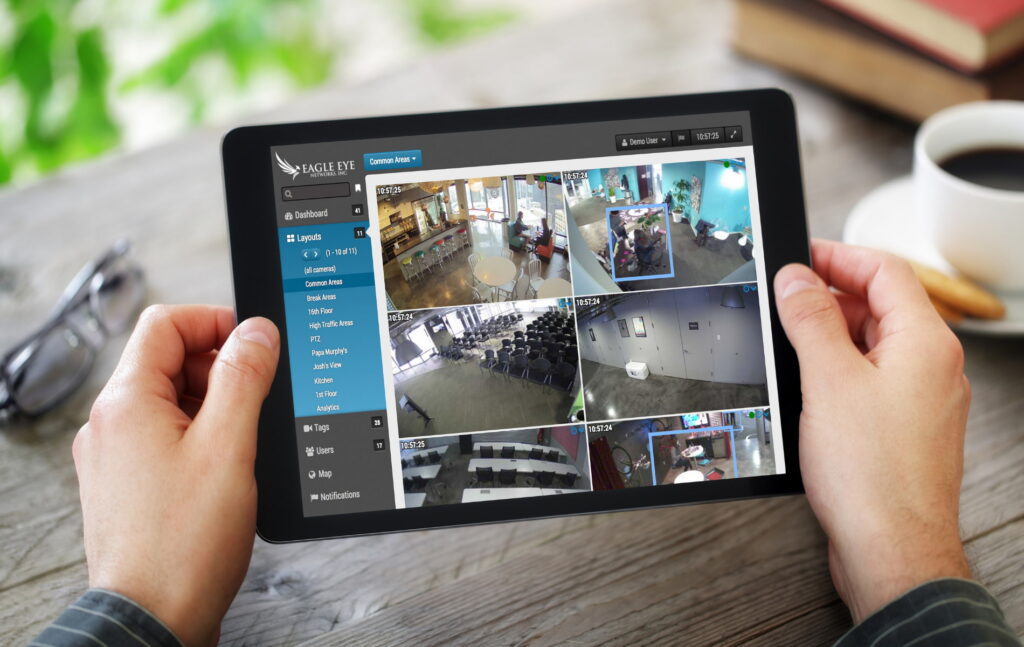
The platform also offers an open API, which helps connect video surveillance with other systems like POS tools, access control platforms, and other third-party software. Its AI-powered video search and analytics make it easier to find footage across multiple locations without spending hours scrolling through recordings. Features like license plate recognition can also help turn existing cameras into a more useful tool for parking and site management.
Compared with Verkada, Eagle Eye gives you more flexibility and more control over your existing technology stack. Verkada’s model works best if you are ready to go all-in on its hardware and software. Eagle Eye is a better fit if you want cloud video surveillance without replacing equipment that is already doing the job.
💡 For businesses that want to modernize security while protecting their current hardware investment, Eagle Eye Networks is one of the strongest Verkada alternatives to consider.
#4 Genetec: best security systems for large enterprises
Genetec has been building security software since 1997, so it has been in this space much longer than many newer vendors. Its main platform, Security Center, brings together video surveillance, access control, automatic license plate recognition, communications, and intrusion detection in one system. That makes it a strong fit for large organizations with complex security needs and multiple sites.
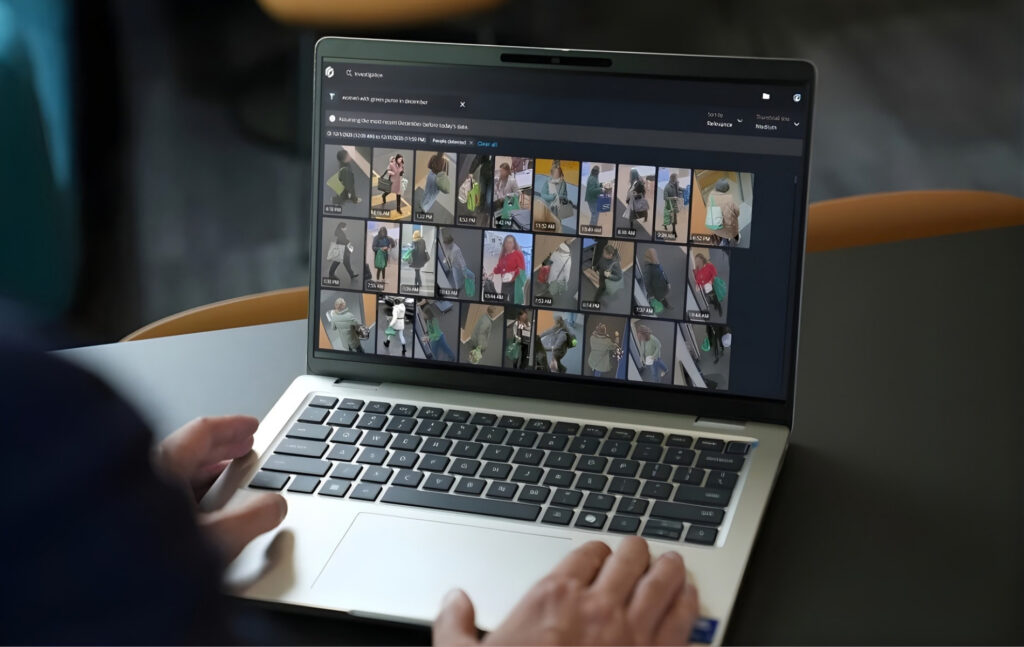
One of Genetec’s biggest strengths is flexibility. The platform is built as an open-architecture security system, which means it can work with hardware from different vendors instead of forcing you into one closed setup. For companies with strict data, compliance, or infrastructure requirements, that matters. It is also used in industries like healthcare, where security, compliance, and scalability are especially important.
Genetec also offers ClearID for visitor and identity workflows inside the wider security ecosystem. ClearID supports self-service visitor check-in with QR codes, photo capture, badge printing, host notifications, and credential assignment for building access. That makes it more than a basic front-desk tool, especially for enterprises that want visitor access tied closely to their broader access control setup.
Compared with Verkada, Genetec is a better fit when you need more control, more customization, and broader deployment options. It makes sense for organizations with large campuses, complex compliance needs, or mixed hardware environments. The tradeoff is that it is usually more complex to set up and manage.
💡 For smaller teams, Verkada may feel simpler. But for large enterprises that need a deeper and more flexible security platform, Genetec is one of the strongest alternatives to consider.
#5 Coram AI: best alternative for real-time threat detection
Coram AI is built around artificial intelligence. Instead of adding AI features later, the company made them a core part of the platform from the start. That makes Coram AI a strong option for schools, government buildings, healthcare facilities, and other organizations that care about fast, proactive security.
The feature that stands out most is real-time weapon detection. Coram AI uses multiple AI models to confirm alerts before they are sent out, which helps reduce false alarms. That matters because too many false alerts can cause security teams to stop trusting the system. In situations where response time is critical, getting the right alert quickly can make a real difference.
The platform also includes license plate recognition, facial recognition with privacy controls, object detection, and customizable alert workflows. For healthcare environments, Coram AI also supports HIPAA-compliant use cases. Another big advantage is that it works with existing IP cameras, so companies can add AI-powered monitoring without replacing all of their current hardware.
Compared with Verkada, Coram AI is a better fit for organizations that want to add smarter detection and faster alerts to the cameras they already have.
💡 If your priority is proactive security in higher-risk environments, rather than buying into a full proprietary hardware ecosystem, Coram AI is one of the more interesting alternatives to consider.
Verkada competitors: comparison table
Feature | Archie | Rhombus | Eagle Eye Networks | Genetec | Coram AI |
|---|---|---|---|---|---|
Primary focus | Workplace management | Cloud video surveillance | Cloud video management system | Unified enterprise security | AI-powered threat detection |
Visitor management | Yes | No | No | Via ClearID | No |
Video surveillance | No | Yes | Yes | Yes | Yes |
Access control | Via integrations (Kisi, Brivo) | Yes | Via API integrations | Native | Yes |
Starting price | $109/ office/month | Custom (camera + cloud license) | Custom pricing | Custom pricing | Custom pricing |
Key factors: how to choose the best Verkada alternative
The best Verkada alternative depends on what you actually need to solve. Not every team looking at Verkada is looking for the same thing. Some need better visitor management. Others need cloud video surveillance. Some want to keep their existing cameras instead of replacing everything.
If your main goal is workplace management, Archie is the strongest alternative. It covers visitor management, desks, and meeting rooms in one platform, so it is a good fit for teams that want the workplace side of Verkada without paying for cameras and other security hardware they may not need. It is also easy to set up, which helps teams get started faster.
If you need cloud-based video security for places like schools or healthcare facilities, Rhombus is a strong option. It is built around modern security needs and puts a big focus on encrypted video and data protection.
If you already have existing cameras and equipment, Eagle Eye Networks may make more sense. Its biggest advantage is flexibility. Instead of forcing you to replace working hardware, it helps you build on what you already have.
If you are running a large enterprise with complex needs, Genetec is worth a close look. It gives big organizations more flexibility with cloud, on-premises, or hybrid deployments, which can matter a lot for IT, compliance, and data residency requirements.
If your priority is AI-powered threat detection, Coram AI stands out. It is a better fit for higher-risk environments where fast alerts and proactive monitoring matter more than general workplace tools.
In some cases, the best answer is not choosing one all-in-one platform. Many organizations get better results by combining tools. For example, you might use Archie for visitor management and workplace operations, and pair it with Rhombus or Eagle Eye for video surveillance. That gives you more control and helps you avoid being locked into one vendor’s ecosystem.
Customer support and integrations
Support can look very different from one vendor to another, so it is worth thinking about this before you buy.
Archie is known for hands-on support during setup and a simple onboarding experience. Rhombus and Eagle Eye Networks tend to work more through sales-led support, especially for larger accounts. Genetec often involves integration partners as part of deployment, which can make sense for large projects but may feel heavier for smaller teams.
It also helps to think about how much support your team will really need. If you want something quick and easy, a simpler platform may be the better fit. If you have more complex requirements, what matters most is whether the vendor can connect smoothly with your existing systems, hardware, and third-party tools.
Final thoughts
Verkada has built a polished security platform, and for some companies, that all-in-one approach will make sense. But it is not the right fit for everyone. Proprietary hardware, bundled pricing, and vendor lock-in can become a problem if your team wants more flexibility or simply does not need a full security stack.
This matters even more right now because the market keeps growing and changing. Research shows that both cloud-based video surveillance and visitor management are expanding quickly. The visitor management system market alone is expected to grow from $1.87 billion in 2024 to $3.98 billion by 2030. In simple terms, more companies are investing in software that improves reception, strengthens workplace security, and connects visitor workflows to broader office operations. As that happens, more Verkada competitors and alternatives are entering the market.
That is why it helps to step back and ask what problem you are really trying to solve. If you need video surveillance and physical security hardware, then a platform like Rhombus, Eagle Eye, Genetec, or Coram AI may be a better fit. But if your main goal is visitor management, desk booking, and room scheduling, then you may not need another camera vendor at all. You may just need better workplace software.
For teams comparing Verkada Workplace specifically, Archie stands out because it focuses on that workplace side of the equation. It gives you visitor management, desks, and meeting rooms in one platform, without forcing you into a larger hardware ecosystem.
Want to see if Archie is the right fit? Start a 14-day free trial and test it for yourself.
Verkada alternatives FAQs
For workplace management and visitor management, Archie is the best Verkada alternative with easy integration and simple setup. For cloud-based video surveillance with modern security, Rhombus and Eagle Eye Networks are strong alternatives that work with existing cameras. For large enterprises needing unified security systems with on-premises options, Genetec handles complex deployments.
Proprietary hardware lock-in is the biggest concern. You can’t use existing cameras or existing equipment. High costs across multiple locations add up fast with their subscription model. Bundled features mean many organizations pay for security systems they don’t need. The 2021 security incident also concerns some customers in healthcare and education who prioritize risk management.
Yes, through Verkada Guest at $300 per site per month as part of Verkada Workplace. It requires an iPad and functions as a security add-on rather than a dedicated workplace management solution. Platforms like Archie offer fuller visitor management alongside desk booking, room scheduling, and powerful analytics at lower prices with better customer support for users who primarily need workplace management features.
- Key sources