



















- What you’ll learn
- How meeting room booking software pricing works
- The difference between per-room, per-user, and custom pricing
- What usually makes the final cost go up
- Which pricing model makes the most sense for your office
Meeting room booking software pricing can get confusing fast.
Two pricing pages can look very similar, but once you actually factor in rooms, users, locations, integrations, and “must-have” features, the final room booking system cost can end up very different.
This guide is here to help you understand what meeting room booking software actually costs, how different pricing models work, and what usually makes the price go up. We will break down the most common pricing approaches, show real examples, and explain what to watch out for before you commit.
By the end, you should have a much clearer idea of what to budget for and how to compare room booking tools. Shall we?
Why meeting room booking pricing can feel confusing
Most of the confusion comes from one big thing: vendors have different pricing models.
Some meeting room booking tools charge per employee (so the bill grows with headcount). Others charge per room or per bookable space (so the bill grows with your workplace footprint). And some platforms do not publish pricing at all, so you can’t compare without sitting through sales calls.
On top of that, room booking is often bundled with other workplace modules like desks, visitors, requests (catering, AV, IT tickets), room displays, and analytics. The room booking price you see may not include the parts you actually need day to day.
How much does meeting room booking software cost?
Most companies spend around $100 to $500 per month on meeting room booking software, although larger enterprises can pay much more.
On average, most meeting room booking software costs between $5 and $20 per meeting room each month. Some vendors charge by room, while others charge $2 to $8 per employee per month. For organizations with lots of employees but only a handful of meeting rooms, room-based pricing is often the more cost-effective option.
Tier | Typical cost | Best for |
|---|---|---|
Free | $0 | Very small teams with basic scheduling needs |
Basic | $5-$10 per room/month or $2-$4 per user/month | Small offices with a few rooms and simple booking needs |
Mid-market | $11-$20 per room/month or $5-$8 per user/month | Growing hybrid teams that need better booking rules, reminders, check-ins, and basic analytics |
Enterprise | Custom pricing or $8+ per user/month | Large organizations with multiple locations, advanced analytics, SSO, integrations, sensors, and workplace planning needs |
Does a free meeting room booking system exist?
Technically, yes. Free meeting room booking systems do exist, but they’re usually limited.
Some teams use a free meeting room booking template, while others choose software with a free plan or free trial. These options can work well for small teams that only need basic room reservations, calendar views, and simple scheduling.
However, free plans often limit the number of rooms, users, bookings, integrations, or reports you can access. As your workplace grows, you may need to upgrade to a paid tool to get features like meeting room displays, automated check-ins, no-show protection, and workplace analytics.
Most common room booking software pricing models
Per room or per space pricing (resource-based)
You pay based on the rooms (or “spaces”) you make bookable, not the number of employees who might log in.
This is often easier to budget for in hybrid offices because headcount can change, while the number of rooms usually stays the same.
What to watch for:
- Minimum monthly fees (even if you only have a few rooms)
- Tier jumps if “spaces included” are bundled into plans
- Extra charges for add-on modules (analytics, displays, visitors)
Examples from the top meeting room booking solutions:
- Officely Meeting Rooms: $12 per space per month
- Envoy Reservations: $60 per bookable resource per year
- Skedda: priced in tiers that include a set number of “spaces” (for example, $99 to $199/month)
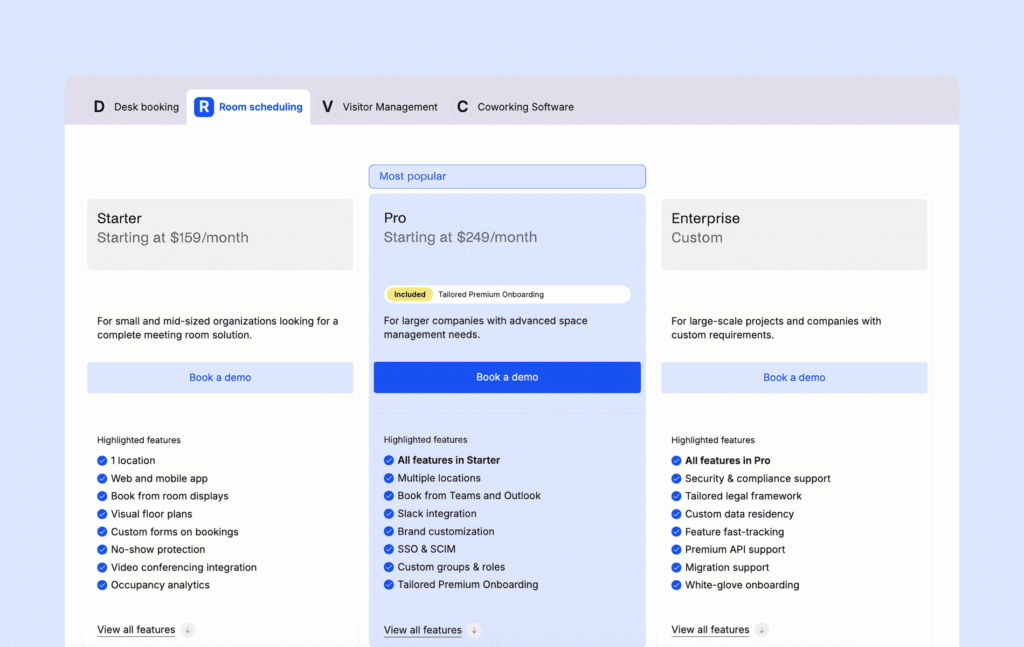
- Archie: Room booking software starts at $159/month minimum, costs based on the number of meeting rooms – and desks, if you include desk booking in with your plan.
Per user (or per active user)
You pay for each employee (or active user) who can book rooms.
This can be great for smaller teams. But it often gets expensive as you grow, especially if lots of people only come in sometimes but still need access.
What to watch for:
- How the vendor defines “user” (licensed user vs active user)
- Whether room booking is included in the plan you’ll actually need
- Whether Teams, Outlook add-ins, SSO, admin roles, or approvals require higher tiers
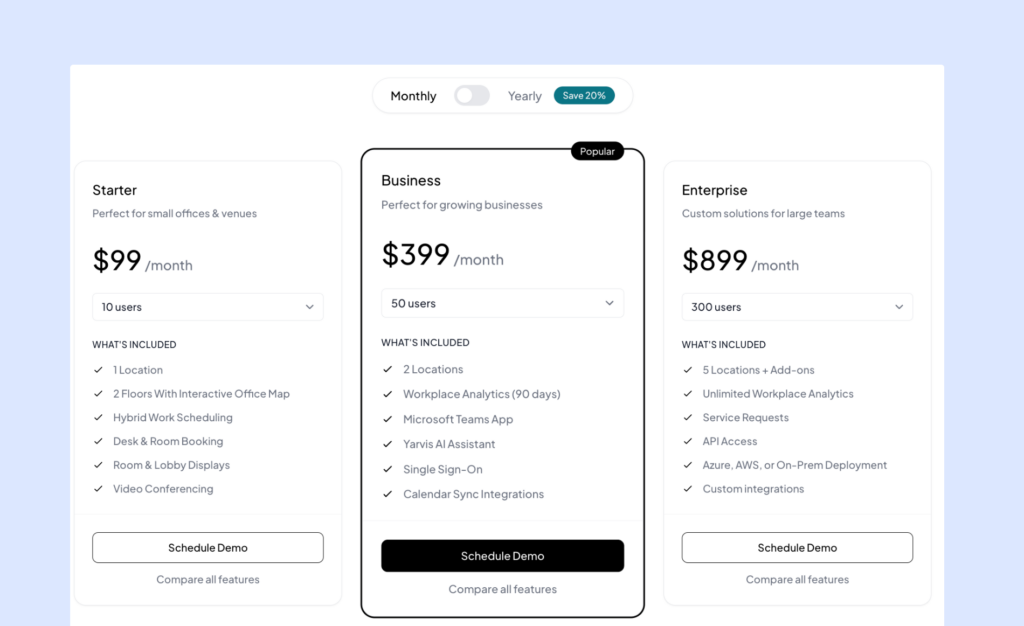
Room booking system cost examples:
Quote-based enterprise pricing
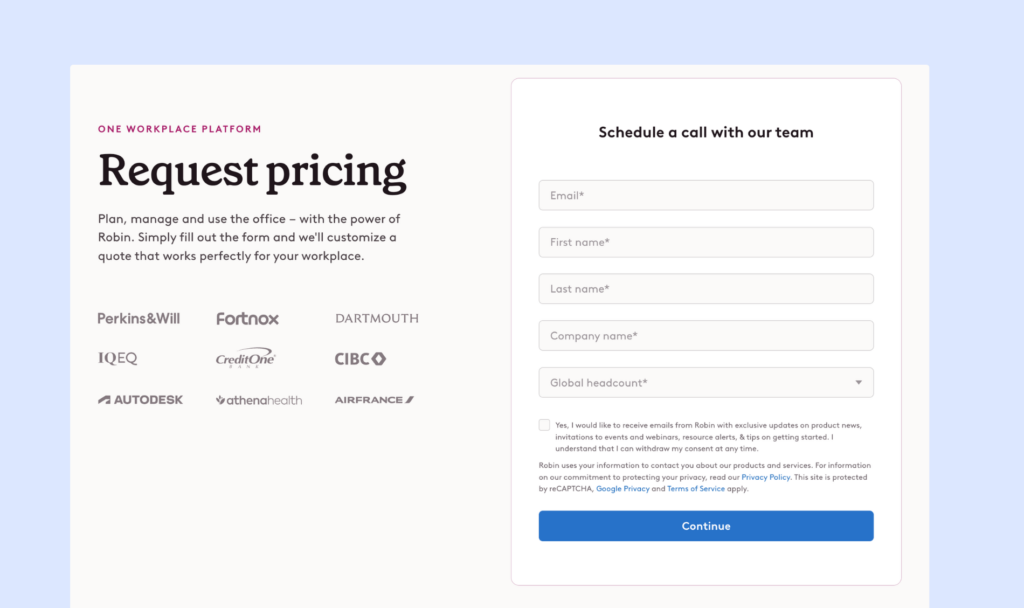
The vendor does not list public prices. You book a demo and get a custom quote based on size, locations, and modules.
This can be fine for large rollouts, but it makes comparisons harder and usually means a longer buying process.
What to watch for:
- Setup fees
- Paid onboarding
- Floor plan creation fees
- Add-ons for analytics and integrations
- Contract terms (annual commitments, minimums)
Room booking system examples:
What usually makes the price go up (no matter the vendor)
- Locations and floors: Multi-location support often pushes you into higher plans. Some tools also limit the number of floors or maps per plan.
- Third-party integrations: SSO, SCIM, directory sync, and deeper Teams or Slack workflows often sit behind higher tiers.
- Admin controls and policies. Things like roles, approvals, booking windows, buffers, restrictions, no-show protection, and advanced permissions are often “paid upgrades.”
- Analytics and reporting. Basic meeting room occupancy stats are common, but deeper workplace analytics usually cost extra.
- Add-on modules. Many platforms charge extra for workplace requests (catering, AV, IT tickets), room displays and hardware support, AI assistants or advanced automations.
How to compare meeting room booking software pricing
#1 Price your real setup (not the “starting at” price)
The number on the pricing page is usually the best-case scenario. What matters is what you would actually pay once your office is fully set up.
Figure out the basics:
- How many meeting rooms you want to make bookable (and any other “spaces” like focus rooms, pods, training rooms, or boardrooms).
- How many people need access to book rooms. If the tool charges per user, estimate “real users” vs “everyone in the company.”
- How many locations and floors you need. Multi-site support often changes the plan you need.
- Which booking methods matter (web, mobile, Slack, Teams or Outlook, room displays, kiosks, QR codes).
- Which policies you need on day one, like buffers, booking windows, approvals, and restrictions.
💡 Do a simple “month 1” estimate and a “month 12” estimate. A tool can look fine today but get expensive fast once you add more rooms, offices, or teams.
#2 Check what’s included vs gated (this is where surprises happen)
Two tools can cost the same “on paper,” but one includes the meeting room booking features you actually need, while the other pushes them into higher tiers or add-ons.
Common features that are often gated:
- Check-ins + auto-release (no-show protection). Without this, rooms still get blocked by ghost meetings.
- Teams and Outlook booking (or calendar add-ins). Some tools sync calendars, but only higher plans let users book directly inside Teams/Outlook.
- SSO, SCIM, and directory sync. These are often “enterprise” features, but many IT teams need them even for mid-sized rollouts.
- Admin roles, permissions, and approvals. If you manage shared rooms across departments, this matters a lot.
- Analytics that are actually useful. Some plans only include basic dashboards, short history windows (like 30–90 days), or limited exports.
#3 Double-check with vendors (so you can compare fairly)
Here’s a stronger checklist you can send to vendors or use on demo calls. It helps you avoid vague answers and makes apples-to-apples comparisons easier.
✅ What is pricing based on? Per user, per room/space, per location, or a mix?
✅ What counts as a “user” and what counts as a “space”? Is a “user” any employee, only active users, or only licensed users? Is a “space” only meeting rooms, or also phone booths, focus pods, and other bookable areas?
✅ Are there minimums or commitments? Monthly minimum fees, annual contracts, or minimum user/space counts?
✅ Which plan includes the features we need to go live? Specifically: check-ins + auto-release, recurring meetings, buffers, approvals, admin roles, and room equipment filters.
✅ Which plan includes key integrations and security? SSO, SCIM, directory sync (Entra ID/Okta/Google), Teams/Outlook add-ins, Slack, and calendar sync.
✅ Are analytics and exports included, and how much history do we get? Do we get CSV exports? API access? Unlimited history? Custom reports?
✅ Are there setup fees or paid onboarding? Maps/floor plans, implementation help, training, hardware setup, integrations.
A simple room booking system cost comparison
As an example, here’s an estimated monthly pricing for 20 meeting rooms and 300 employees (USD):
Software | Est. monthly cost | Plan used for comparison | Pricing model | Pricing math |
|---|---|---|---|---|
Archie | $160 | Starter | Per room | $8 per room × 20 rooms |
Officely | $240 | Meeting Rooms | Per room | $12 per space × 20 rooms |
Skedda | $149 | Plus | Per space (tiered) | Plus plan includes 20 spaces, which should cover 20 rooms |
deskbird | $1,125 | Business | Per user | $3.75 per user × 300 users |
YAROOMS | $899 | Enterprise | Tiered by users | Tier that covers ~300 users |
💡 These are list-price estimates. Real totals can change with add-ons, annual billing discounts, plan limits, and setup fees. If a vendor uses custom quotes, ask for a full estimate upfront so you can compare tools fairly.
When each pricing model usually makes the most sense
- Resource-based pricing is usually best when you have lots of employees and a fixed number of rooms, especially in hybrid offices.
- Per-user pricing is usually best for smaller teams where most employees will actively use the tool often.
- Quote-based pricing is usually best when you need complex rollouts across many locations, custom security requirements, or heavier workplace operations workflows.
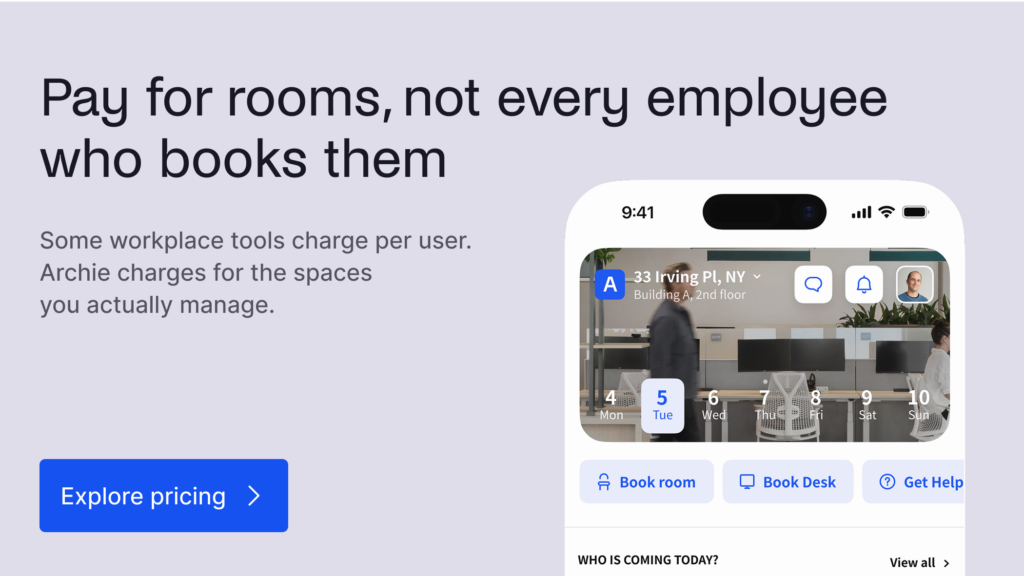
If you want a room booking system that’s easy to use, quick to roll out, and easy to budget for, Archie is a strong pick for most modern offices. It charges per room, not per employee, so your cost stays tied to the spaces you manage, not your headcount.
How to calculate the ROI of automated meeting room management systems
The easiest way to calculate the ROI of automated meeting room management software is to compare the cost of the system with the value it creates through fewer no-shows, better room usage, less admin work, and faster booking.
Studies of workplace booking systems regularly find that 20% to 40% of meeting room reservations never result in actual room usage. Employees may cancel meetings without removing the booking, forget to release rooms, or reserve space “just in case.” As a result, organizations often overestimate meeting room demand, while employees struggle to find rooms that appear booked but are actually empty.
Meeting room booking software helps reduce this waste with automated check-ins, reminders, room release rules, and usage analytics.
A simple ROI formula looks like this:
ROI (%) = ((Annual benefits – Annual costs) / Annual costs) × 100
For example, let’s say your company has 20 meeting rooms and 2,000 room hours booked each month. If 20% of those bookings are no-shows, that means 400 booked room hours are wasted each month.
If each room hour is worth $50, the monthly value of wasted room time is:
400 wasted hours × $50 = $20,000 per month
If automated check-ins, reminders, and room auto-release reduce that waste by 50%, the company could recover:
$20,000 × 50% = $10,000 per month
That equals:
$10,000 × 12 = $120,000 per year
You can also add employee time savings. For example, if 300 employees save just 5 minutes per week because they can find and book rooms faster, that adds up to 1,300 hours saved per year.
300 employees × 5 minutes × 52 weeks = 78,000 minutes
78,000 minutes / 60 = 1,300 hours
At an average employee cost of $40 per hour, that time is worth:
1,300 × $40 = $52,000 per year
Then, add admin savings. If an office manager saves 5 hours per week on booking issues, room conflicts, and manual reporting, at $35 per hour, that equals:
5 hours × 52 weeks × $35 = $9,100 per year
So, if you sum it all up (recovered room time from fewer no-shows, along with employee & admin time savings), the total annual benefit would be $181,100.
Now compare that with the cost of the software. Let’s say you’re using Archie, and your meeting room booking system costs $160 per month. The annual software cost is:
$160 × 12 = $1,920 per year
Using the ROI formula:
(($181,100 – $1,920) / $1,920) × 100 = 9,332% ROI
Of course, this is only an example. Your actual ROI will depend on your room count, no-show rate, employee costs, software pricing, and how much meeting room waste the system can realistically reduce.
The main point is that automated meeting room management systems often pay for themselves by helping companies make better use of the rooms they already have. Instead of adding more meeting rooms or office space, teams can reduce ghost bookings, release unused rooms automatically, improve booking habits, and use real data to understand which spaces are actually needed.
- Key sources