









If you are looking at Proxyclick visitor management software, or thinking about switching from one enterprise platform to another, you are not alone. With the visitor management system market expected to grow from $1.62 billion in 2025 to over $6 billion by 2030, it is becoming a bigger priority for many companies. Offices are busier, security expectations are higher, and compliance teams want better records and reporting.
Proxyclick (now called Eptura Visitor) and Envoy are two of the best-known options in this space. Both are built for larger organizations with advanced security and compliance needs. But they work a little differently, and the best choice depends on what your team actually needs day to day. In this guide, I’ll break down the key differences between Proxyclick vs Envoy alongside other alternatives like Archie so you can choose with confidence.
Proxyclick vs Envoy comparison guide
What is Proxyclick (Eptura Visitor)?
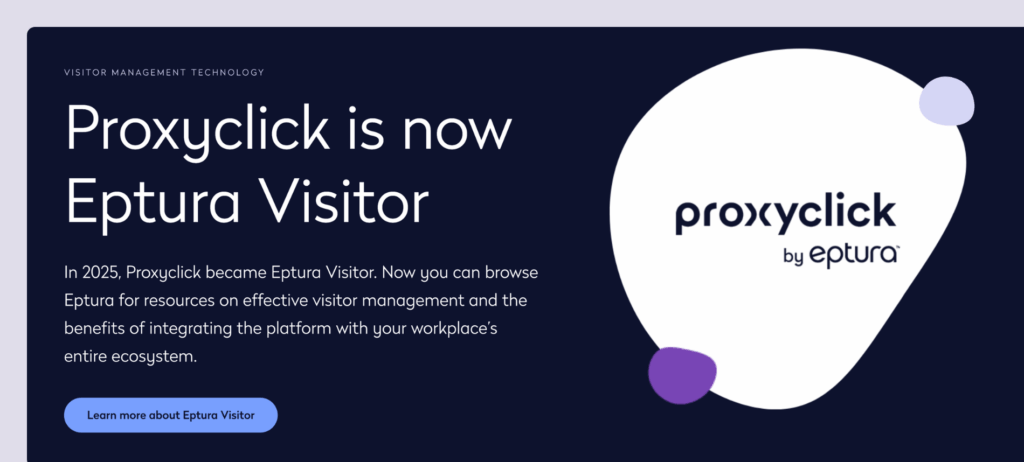
Proxyclick has been a fixture in visitor management since the mid-2000s. In January 2022, Condeco acquired Proxyclick. Later that year, Condeco merged with iOffice + SpaceIQ to form Eptura — and in 2025, Proxyclick officially became Eptura Visitor.
Nowadays, Eptura Visitor is a cloud-based visitor management system built for large organizations with complex compliance requirements. What sets it apart is the visual workflow builder: you can create condition-based access rules, approval gates, and custom visitor flows without writing code. The Proxyclick visitor management platform connects with your existing systems to manage visitor access, protect your building, and simplify the entire entry process.
Proxyclick core features
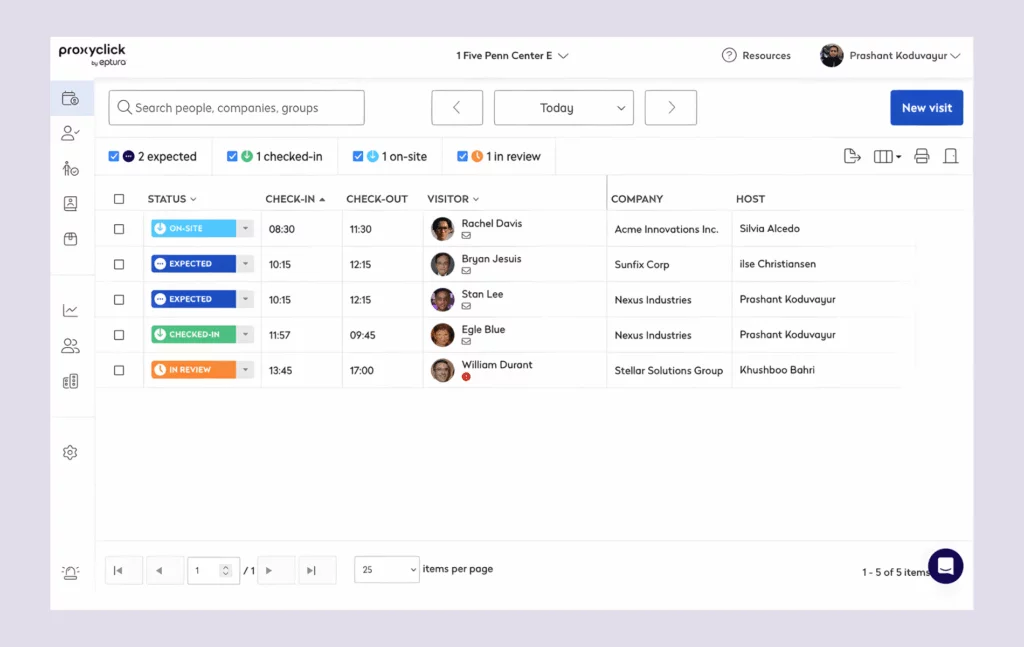
The platform delivers a detailed feature set for global enterprises, with tools designed to improve security and efficiency:
Check-in and registration: Visitors can complete pre-registration through calendar integrations with meeting details, then check in via iPad or Android kiosks using unique QR codes. Understanding the visitor management process helps reduce wait times and creates a professional impression at the front desk.

Customizable workflows: The visual workflow builder creates different paths for different visitor types. A contractor might watch a safety video and receive approval before getting access to specific areas of your building.
Access control integration: Proxyclick connects with physical access control systems to grant access through RFID cards, QR codes, or mobile credentials automatically. Choosing the best access control system enables visitors to move through your facilities without manual intervention.
Emergency management: Real-time visitor tracking feeds evacuation alerts and roll calls, giving you complete visibility into visitor movements across your premises.
Security and compliance: Watchlist screening, ID verification, and digital NDA signing happen during the check-in process, keeping visitor data secure while meeting GDPR requirements. Recent office security statistics show why protecting both visitor information and employee data matters.
Who Proxyclick is best for
Eptura claims that more than 40% of Fortune 500 companies use their visitor management solution. That tracks with the platform’s design philosophy. It’s built for:
- Large enterprises with complex compliance needs and multiple visitor types
- Multi-location global organizations requiring a consistent visitor management policy across the built environment
- Companies in regulated industries (pharma, government, finance) where data security matters
- Teams with sophisticated workflow requirements need visual configuration tools to manage visitor access
If your organization has simple visitor management needs, Proxyclick might feel like overkill. But if you need granular control over visitor movements and condition-based access rules, it delivers the benefits of enterprise-grade security.
What is Envoy Visitors?
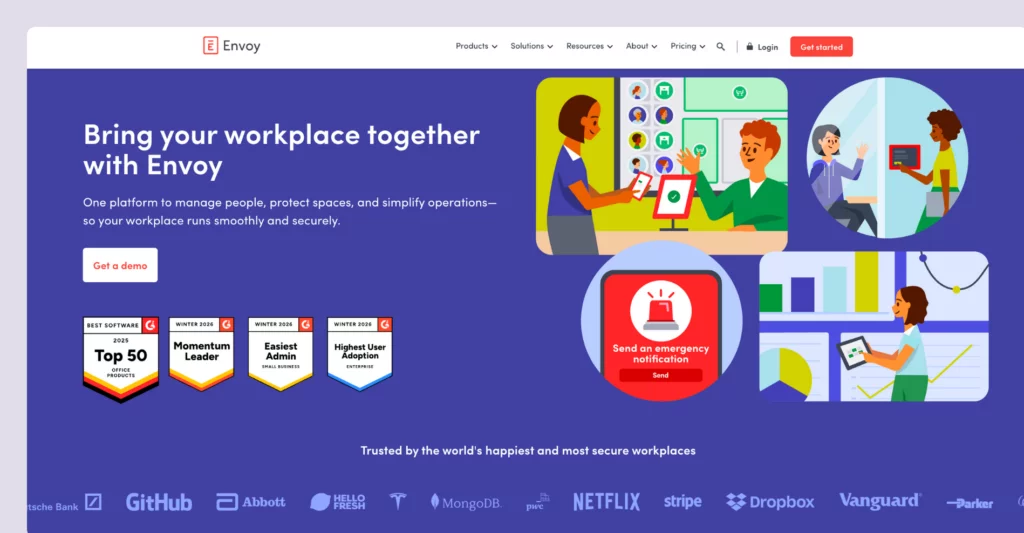
Envoy started as a visitor sign-in tool and evolved into a full workplace platform. Our detailed Envoy software review covers how the visitor management component maintains the company’s reputation for clean design and user-friendly experiences that streamline operations across your facilities.
The platform serves thousands of offices worldwide, including Slack, Pinterest, and Warby Parker. Where Proxyclick leads with workflow complexity, Envoy leads with brand image and visitor experience. You get a polished check-in flow, instant visitor notifications through Slack or Teams, and real-time insights via dashboards.
Envoy also offers something Proxyclick doesn’t: a free tier for basic visitor management that helps you manage guests without upfront operational costs.
Envoy Visitors core features
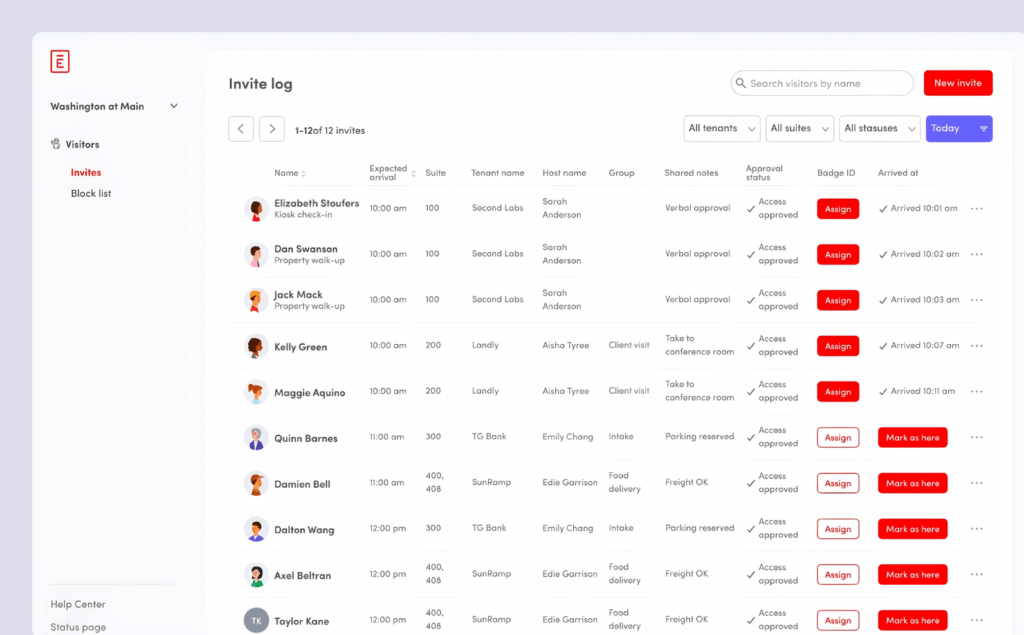
Envoy packs functionality into an approachable interface that helps you create a secure environment for employees and visitors:
Visitor registration: iPad kiosks handle self-service check-ins via QR codes or facial recognition. The Virtual Front Desk supports unstaffed lobbies; visitors arrive and interact with remote staff. Welcoming visitors the right way reduces wait times while maintaining a professional first impression.

Host notifications: Instant visitor notifications through SMS, email, Slack, or Microsoft Teams when guests arrive. Employees receive alerts the moment their visitors complete the check-in process.
Legal document signing: NDAs present during check-in. Visitors sign digitally, and documents are stored automatically, protecting important information and maintaining compliance.
Security features: ID scanning, blocklist and watchlist screening, and third-party background checks protect your premises and enhance security across your building.
Custom sign-in flows: Different visitor types experience different processes based on your configuration, with the flexibility to request specific details from each guest.
Analytics and reporting: Real-time occupancy data, visitor trends, and compliance reports provide the real-time insights you need to optimize your workplace operations.
Who Envoy Visitors is best for
Envoy works well for a broad range of organizations, but particularly shines for:
- Mid-market to enterprise companies seeking polished visitor experiences and seamless visitor management
- Companies with unstaffed or partially staffed lobbies needing Virtual Front Desk capabilities
- Teams already using Envoy’s broader workplace platform (desks, rooms, deliveries) to manage their environment
- Organizations want a free tier to get started before committing to paid services
Proxyclick vs Envoy: Feature-by-feature comparison
Both platforms deliver enterprise visitor management with tools to manage guests, protect your premises, and simplify the check-in process for efficiency. The differences are in how they approach each capability and integrate with your existing infrastructure.
Visitor check-in experience
Proxyclick: ★★★★★ — Polished, enterprise-grade, globally-minded design with deep customization for every visitor type. The platform supports unique QR codes and multiple entry options.
Envoy: ★★★★★ — Clean, modern, brand-focused interface that prioritizes simplicity and a seamless experience for all visitors and guests.
Badge printing
Proxyclick: ★★★★★ — High-quality customizable badges with photos and company branding to support your brand image and enhance security by identifying visitors.
Envoy: ★★★★☆ — Professional badges with photo capture for visitor ID verification.
Host notifications
Proxyclick: ★★★★★ — SMS, email, and app notifications with fast delivery. Employees receive instant alerts when visitors arrive.
Envoy: ★★★★★ — Native Slack and Teams integration adds workplace convenience. Hosts can contact visitors directly through the platform.
Security and compliance
Proxyclick: ★★★★★ — Watchlists, ID verification, GDPR tools, and deep access control integration to enhance security and protect visitor data.
Envoy: ★★★★★ — ID scanning, blocklists, background checks, and ITAR/OSHA support to ensure safety and compliance across your building.
Custom workflows
Proxyclick: ★★★★★ — Visual workflow builder is the standout feature for complex requirements. Create condition-based access rules for any visitor type.
Envoy: ★★★★☆ — Good flexibility but less powerful than Proxyclick’s builder for managing facilities with multiple entry points.
Access control integration
Proxyclick: ★★★★★ — Deep integrations with QR codes, RFID cards, and mobile credentials to grant access automatically.
Envoy: ★★★★★ — Strong integrations with major access control providers. The system can integrate with your existing systems and infrastructure.
Multi-language support
Proxyclick: ★★★★★ — 30+ languages for global deployments across the built environment.
Envoy: ★★★☆☆ — More limited language options, which may impact visitor experience for international guests.
Analytics and reporting
Proxyclick: ★★★★★ — Comprehensive visitor data and compliance reporting with real-time insights into visitor movements.
Envoy: ★★★★★ — Strong analytics dashboard provides details on visitor trends, occupancy, and workplace operations.
Proxyclick vs Envoy: Pricing comparison
Proxyclick (Eptura Visitor) pricing
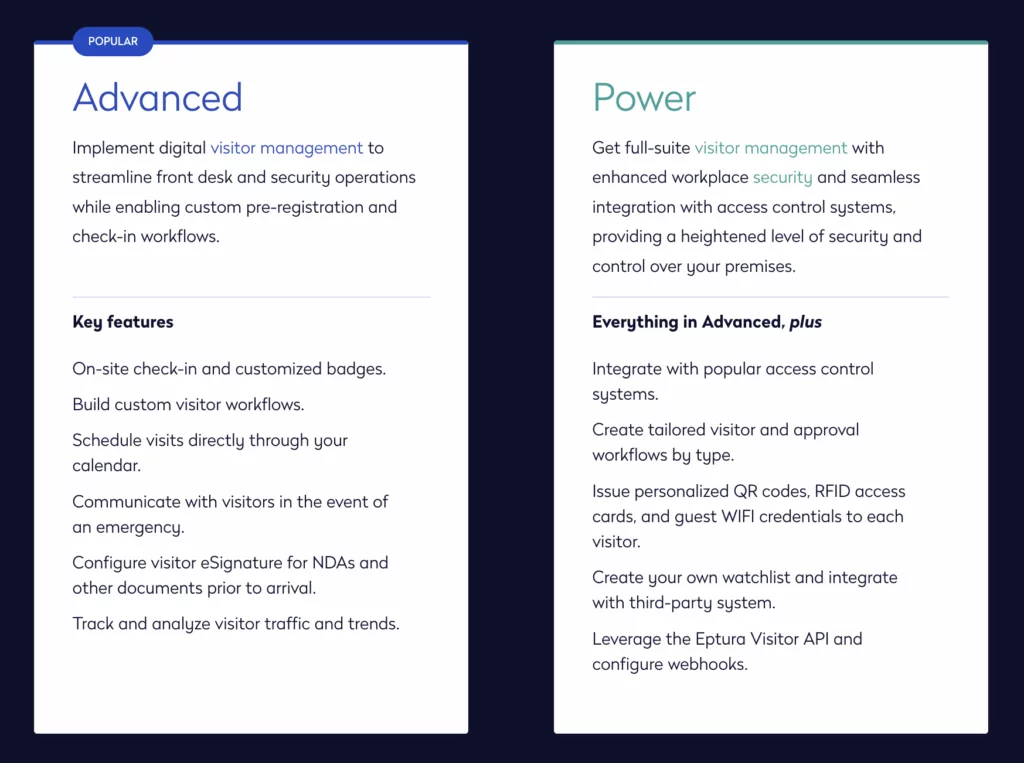
Proxyclick operates on a per-location pricing model with custom quotes. You will have to contact their team to request details on pricing for your specific facilities and requirements. No free plan exists, and minimum one-year agreements are standard.
Users frequently mention that pricing increased significantly after the Eptura acquisition; some report 60-100% increases over two years, which can impact operational costs significantly for organizations managing facilities across multiple buildings.
Envoy Visitors pricing
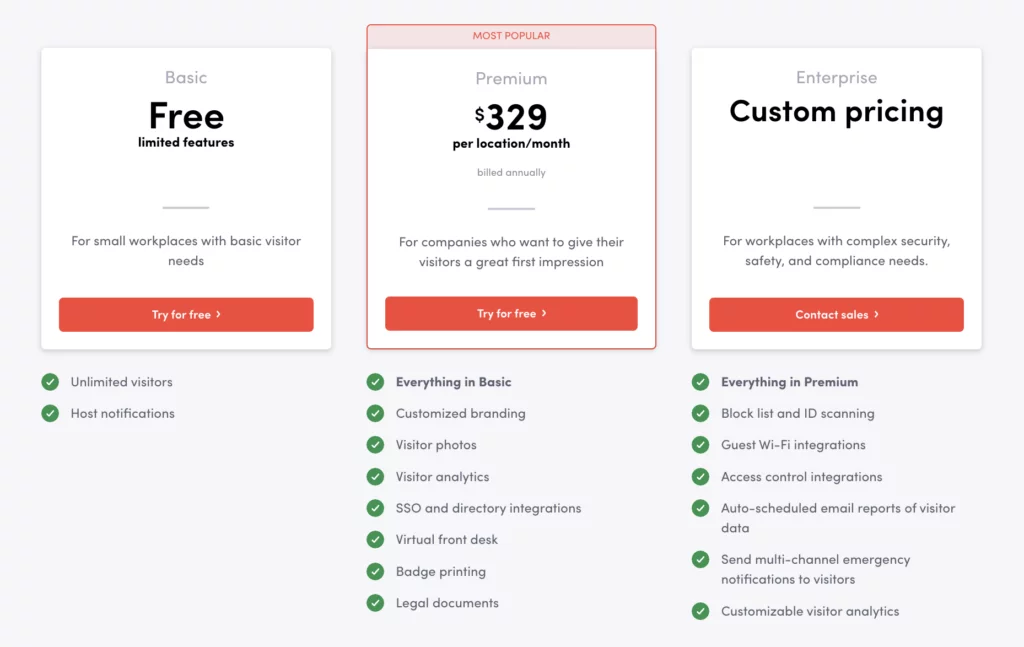
Envoy offers more transparent pricing with clear details on each tier. Understanding visitor management system price options makes it easier to budget for your needs:
- Free tier: Basic visitor sign-in and visitor notifications to get started
- Premium: $329/location/month — analytics with real-time insights, guest WiFi, advanced access control
- Enterprise: Custom pricing for organizations with complex security and compliance requirements
Value considerations
Both platforms charge per location, which adds up for multi-site organizations managing facilities across different buildings. Envoy’s free tier makes it accessible for testing before committing, allowing you to evaluate the visitor experience firsthand. Proxyclick’s enterprise focus means smaller organizations may find it overbuilt for their needs, though the efficiency gains and benefits may justify the investment for larger companies with complex workplace security requirements.
Proxyclick vs Envoy: User reviews and ratings
What users say about Proxyclick (Eptura Visitor)
The Proxyclick visitor management system earns a 4.7/5 rating on SaaSworthy with consistent praise for ease of use, professional appearance, and continuous innovation. Users appreciate how the platform helps streamline operations, create a secure environment for both employees and visitors, and manage visitor access efficiently across multiple buildings.
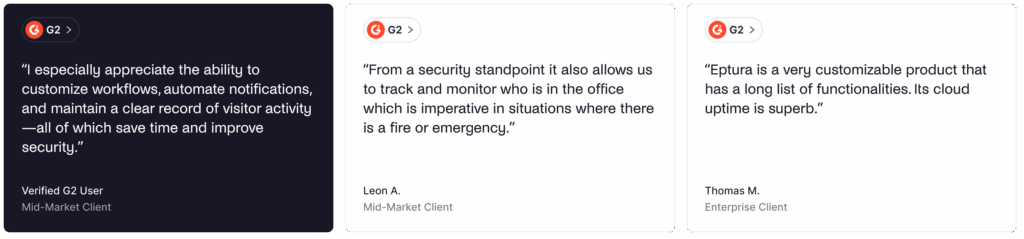
Common complaints focus on price increases after the Eptura acquisition and occasional printer configuration issues when setting up badge infrastructure at the front desk.
What users say about Envoy Visitors
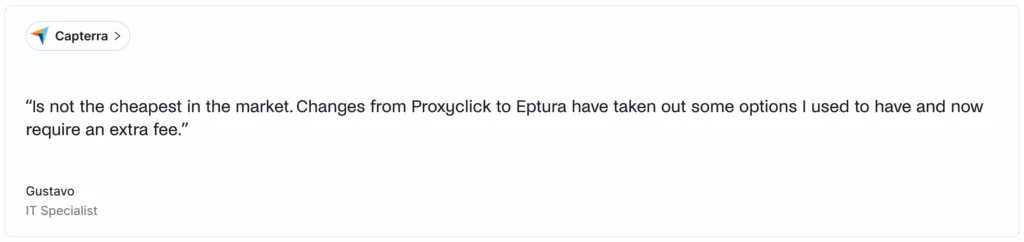
Envoy maintains a 4.6/5 rating on G2 and 4.8 on Capterra. Reviewers highlight the polished visitor experience, seamless integration with tools like Slack and Teams, and strong support services for implementation and ongoing operations.

Recurring criticisms include pricing and features locked behind higher tiers that limit access to important functionality.
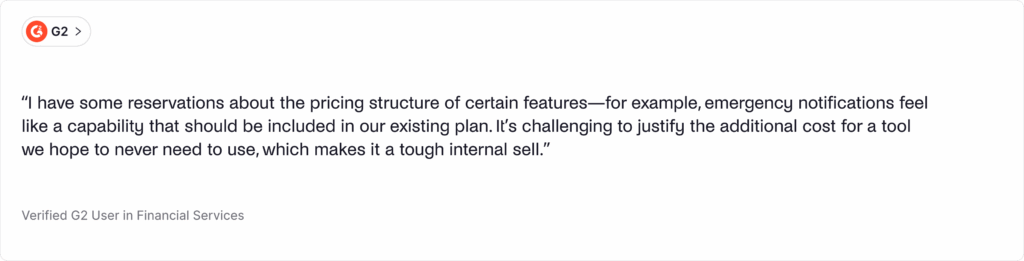
A Software Advice analysis of 428 reviews noted that 80% of Envoy reviewers work for organizations with 51 to 500 employees; companies where effective visitor management helps protect workplace security while supporting a professional brand image and making a strong impression on guests. On the downside, some users mentioned that the price is too high.
Proxyclick vs Envoy: Pros and cons
Proxyclick (Eptura Visitor) pros and cons
🟢 Pros:
- Visual workflow builder for sophisticated flows
- 30+ languages to enable visitors globally
- Deep access control system integrations to grant access securely
- Comprehensive compliance features to protect visitor data and manage visitor access
- Part of the broader Eptura platform (browse Eptura for additional workplace tools)
- Strong customer support service
🔴 Cons:
- Higher price point impacts operational costs
- No free plan to test before committing
- May be overkill for smaller organizations
- Learning curve for new users
- Minimum one-year contracts
- Badge printer configuration can be tricky during initial setup
Envoy Visitors pros and cons
🟢 Pros:
- Advanced security features enhance security across your building and premises
- Virtual Front Desk for unstaffed lobbies
- Free plan available
- 100+ app integrations with existing systems and infrastructure
- Broader workplace platform
- Strong analytics for real-time insights into visitor data
🔴 Cons:
- Premium features locked behind higher tiers
- Per-location pricing is expensive at scale
- iPad-only kiosks limit hardware flexibility
- Limited multi-language support compared to Proxyclick
- Some setup friction during the initial configuration of the visitor management system
Best alternatives to Proxyclick vs Envoy
Archie
For organizations wanting seamless visitor management without enterprise complexity, Archie offers a compelling middle ground.
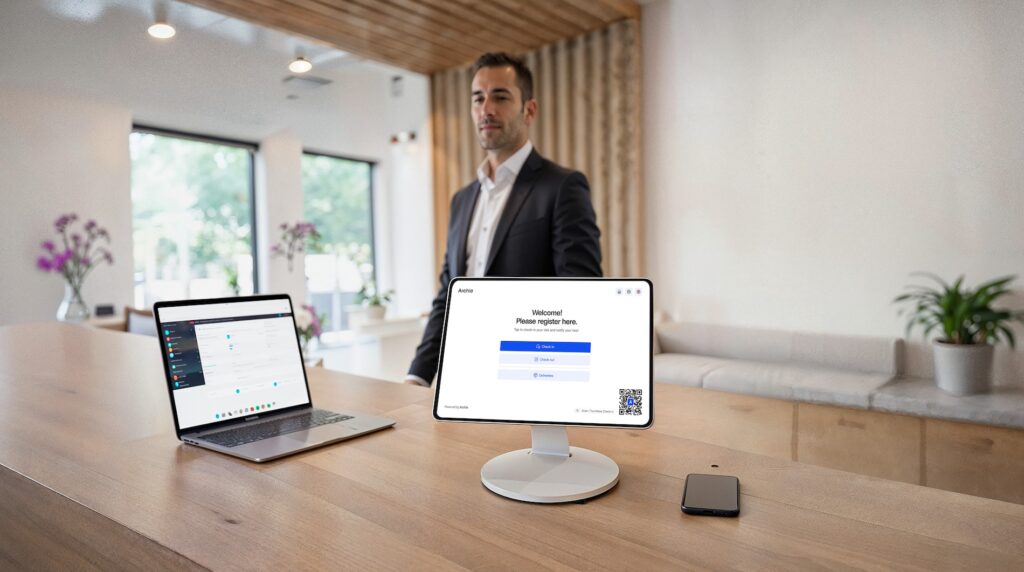
The platform combines its visitor management system with desk booking software and meeting room booking software to manage your entire workplace environment. Features include custom check-in flows, contactless check-ins via QR codes, e-signatures to protect important information and visitor data, badge printing, visitor notifications, and real-time visitor logs. It integrates with existing systems and access control infrastructure to enable visitors to move through your facilities securely while maintaining safety and compliance.
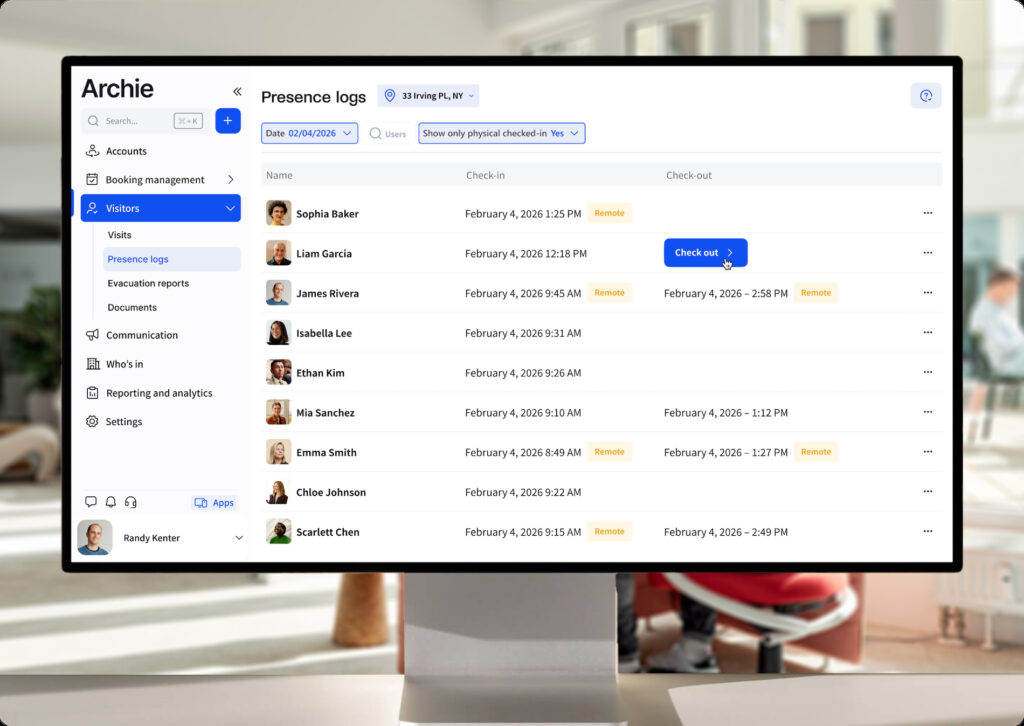
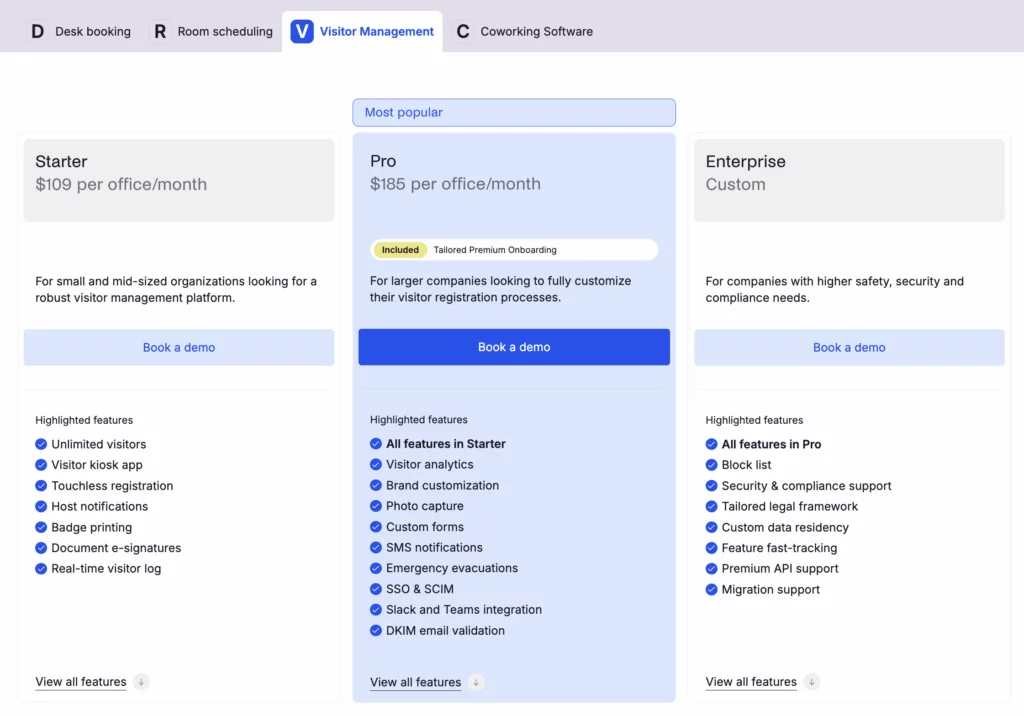
Starting at $109/month per location for visitor management, Archie costs less than comparable tiers while delivering the features most organizations need to streamline the front desk and enhance security. G2 reviewers have rated it the #1 easiest-to-use visitor management system. It works particularly well for mid-sized companies that don’t need enterprise-level complexity but want tools that create a seamless experience for every guest.
Other visitor management alternatives
- SwipedOn provides budget-friendly visitor and employee management with a focus on simplicity and efficiency. Good for organizations that need basic check-ins without complex workflows.
- The Receptionist for iPad targets small to mid-sized businesses wanting straightforward visitor management to manage guests and improve workplace safety at a reasonable cost.
- iLobby/VisitorOS focuses on security-first visitor management for enterprise environments where data security, compliance, and protecting your premises are paramount.
💡 Check out our guide to the best visitor management software to see how Archie compares to Envoy, Proxyclick, and other alternatives.
Archie vs Proxyclick vs Envoy: which should you choose?
Choose Archie if...
You want strong visitor management without the heavy enterprise setup. Archie is a good fit if pricing transparency matters, you want visitor check-in to work alongside desk and room booking, and you need a platform that is quick to roll out. It is especially useful for mid-sized and growing teams that want solid security and admin controls, without paying for a lot of features they will not use.
Choose Proxyclick (Eptura Visitor) if...
You need deep enterprise customization and strict compliance. Eptura Visitor is a strong choice if you require complex workflows with a visual builder, multi-language support for global sites, and advanced access control integrations. It is best for large, regulated organizations with multiple locations, especially if you already use other Eptura products and want visitor management tied into a wider workplace ecosystem.
Choose Envoy Visitors if...
You want a popular, polished visitor experience and the option to start with a free plan. Envoy is a good fit if front desk branding is important, you need a Virtual Front Desk for unstaffed lobbies, or you already use Envoy’s workplace tools.
Archie vs Proxyclick vs Envoy: Comparison table
Feature | Archie | Proxyclick | Envoy |
|---|---|---|---|
Best for | Mid-size to large offices | Large, regulated, multi-site enterprises | Large workplace teams |
G2 rating | 4.9/5 | 4.6/5 | 4.7/5 |
Free plan | Free trial | No | Yes (Basic) |
Starting price | $109/location/month | Custom pricing | $329 location/month |
Visitor management | Native | Via Greetly | Native |
Visual workflow builder | No | Yes | No |
Virtual front desk | No | No | Yes |
Pre-registration | Yes | Yes | Yes |
Badge printing | Yes | Yes | Yes |
Door access control integration | Included in all plans | Custom pricing | Custom pricing |
Emergency management | Included in Pro plan | Custom pricing | Custom pricing |
Visitor kiosk compatibility | iPad & Android | iPad & Android | iPad only |
Final verdict
Proxyclick (Eptura Visitor) is strongest when you need highly customizable workflows, global rollouts, and condition-based access rules, including support for 30+ languages. Envoy stands out for a polished interface, a free tier you can try before you commit, and its Virtual Front Desk for unstaffed lobbies. Both cover the core basics well, including pre-registration, badge printing, host notifications, and access control integrations (even though these features don’t come cheap).
That said, many teams do not actually need the cost and complexity that often comes with enterprise platforms. If you are comparing Proxyclick and Envoy alternatives, Archie gives you the features that matter most, with a simpler setup and pricing that is easier to justify.
Book a free demo and see how Archie can help with visitor management in your workplace.
Proxyclick vs Envoy FAQs
Proxyclick (Eptura Visitor) emphasizes workflow customization and multi-language support for global enterprises, while Envoy prioritizes a polished visitor experience and offers a free tier plus Virtual Front Desk capabilities. Both platforms serve enterprise visitor management needs, but Proxyclick offers deeper workflow configuration to manage visitor access, while Envoy provides broader workplace platform integration with existing systems.
Yes, both platforms integrate with major calendar systems, including Microsoft Outlook and Google Calendar, for visitor pre-registration with meeting details. For communication, Proxyclick offers SMS, email, and app notifications. Envoy adds native Slack and Microsoft Teams integration for visitor notifications, which many organizations find valuable for keeping employees informed when guests arrive.
Absolutely. The Proxyclick visitor management system was built specifically for enterprise environments where data security and compliance matter. The platform serves over 40% of Fortune 500 companies and handles complex compliance requirements, multi-location deployments, and sophisticated access control system integration. Its visual workflow builder and support for 30+ languages make it particularly suited for global operations across the built environment.
Yes. Envoy has evolved from a visitor sign-in tool into a complete workplace platform with services that streamline operations across your facilities. Beyond visitor management, Envoy offers desk booking, room scheduling, delivery management, and employee scheduling features.
Sources
- Competitor websites
- G2 & Capterra reviews
- Product research

Berenika Teter
Archie's Content Manager, fueled by filter coffee and a love for remote work. When she’s not writing about coworking spaces and hybrid workplaces, you can probably find her exploring one.