








Spacebring (formerly andcards) is an all-in-one coworking space management platform based in Europe. It’s well known for its exceptional support team, regular updates, and a rich set of features that make day-to-day operations easier for you, your team, and your members.
But how does it compare to other coworking management tools?
Let’s find out. Here’s what makes the platform stand out, and when you should consider Spacebring alternatives.
💡 TL;DR:
Spacebring is best for small to mid-sized coworking spaces that want all-in-one software with excellent support and fast setup. Many operators choose it for its easy-to-use interface, responsive support team, and a feature set that balances web and mobile experiences.
If you need more advanced automation workflows, native e-signature tools, or support hours that align better with North American time zones, it is worth considering Spacebring alternatives like Archie.
Spacebring software vs alternatives
What is Spacebring?
Spacebring started as andcards before rebranding in 2024. Headquartered in Poland, it has a strong presence across Europe as well as Asia and Australia.
While many coworking software solutions become increasingly complex over time, Spacebring deliberately focuses on delivering essential features well rather than overwhelming operators with endless options and configurations.
Today, Spacebring has one of the most user-friendly interfaces in the industry, backed by support that users consistently describe as “top-notch” and as a team that actually listens to its users and regularly rolls out updates based on their feedback.
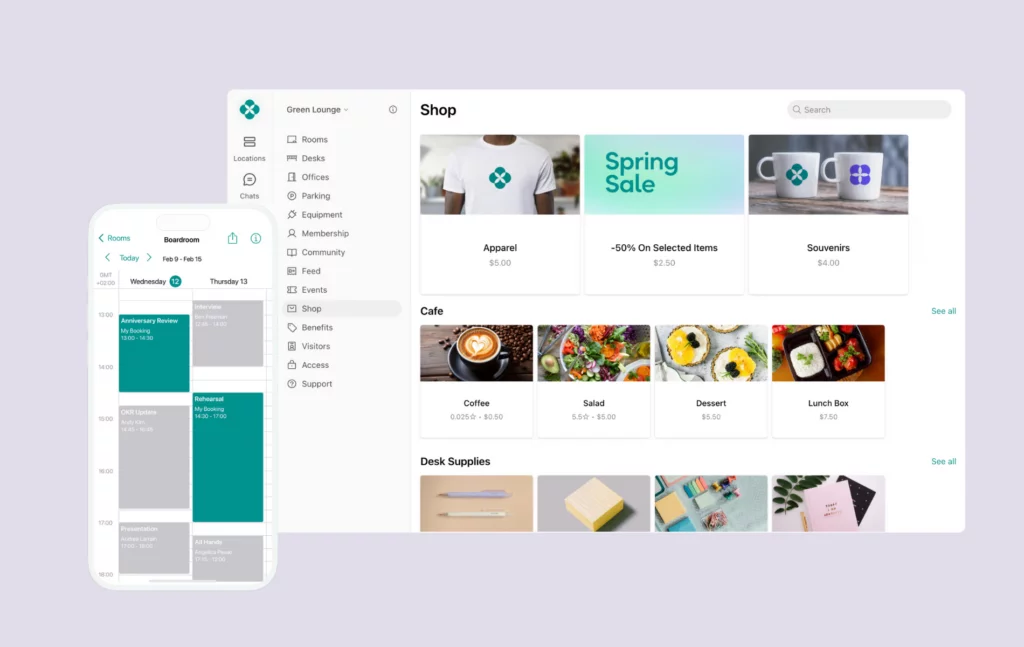
What you get with Spacebring
- Full web and mobile experience: Comprehensive web portal plus iOS and Android apps for members, non-members, and admins.
- Universal credits system: Members can get credit packs that they can use across all resources within the space
- Multi-language support: Interface available in multiple European languages (as well as Kazakh and Korean), ideal for European and Asian operators.
- Membership management: Plans, built-in contracts, invoices, and member profiles.
- Automated billing: Recurring charges, built-in discounts, and a dynamic pricing system based on current occupancy trends.
- Community features: Member directory, messaging, event management, and community feed.
- Access control integrations: Native integrations with Kisi, Salto, and other systems.
- CRM tools: Member communications and lifecycle management.
- Analytics: Booking reports, revenue tracking, occupancy data.
- Resource booking: Meeting rooms, desks, as well as parking spots and equipment.
- White-label options: Custom branding for member portal.
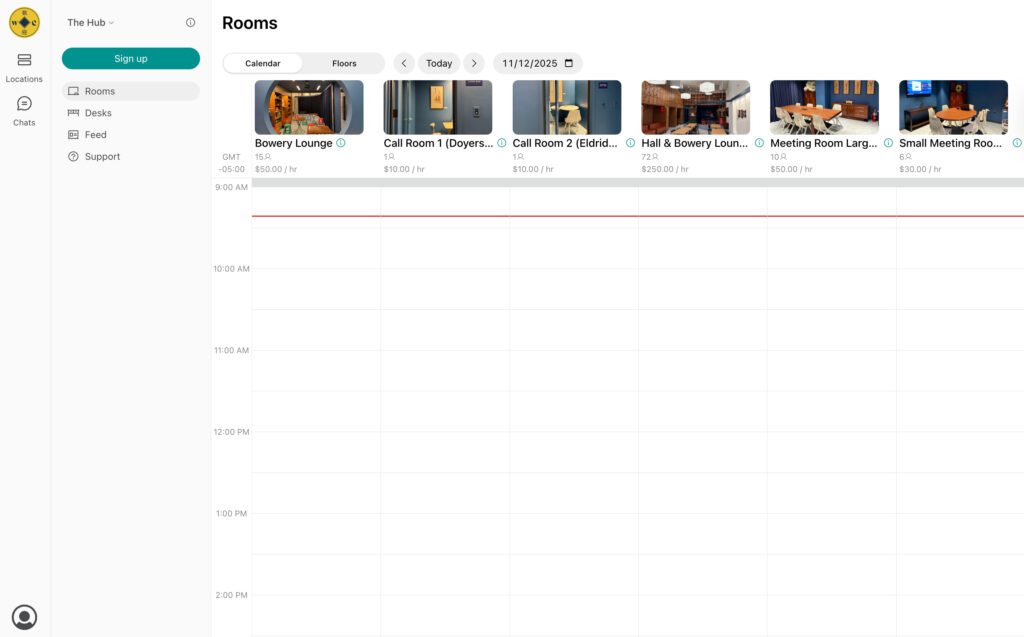
Spacebring pricing
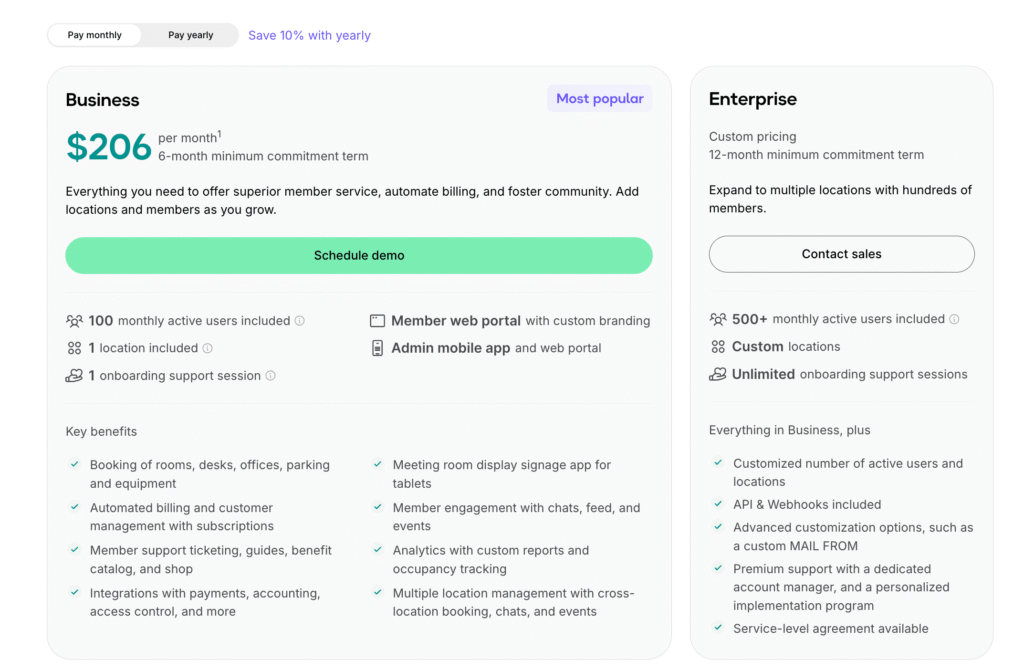
Spacebring keeps its pricing simple:
- Business: From $186/month (when billed annually) or $206 with month-to-month billing, but there’s a 6-month minimum commitment term. It includes: 100 monthly active users, 1 location, 1 onboarding support session, a member web portal with custom branding, an admin mobile app, and a web portal.
- Enterprise: Custom pricing, 12-month minimum commitment term. It is designed for teams managing multiple locations and hundreds of members. It includes: 500+ monthly active users, a custom number of locations, and unlimited onboarding support sessions.
An active user is someone with a personal or company subscription, booking, or payment within the billing period. There are also some add-ons you might want to consider:
- Member mobile app: $118/month for the first location, plus $89/month for every additional location
- Visitor reception: $59/month/location
- Floor plans: $30/month/location + one-time setup fee
- API & Webhooks: $30/month/location
Exact prices in USD can vary slightly, since Spacebring uses EUR as its main currency.
What’s great about Spacebring
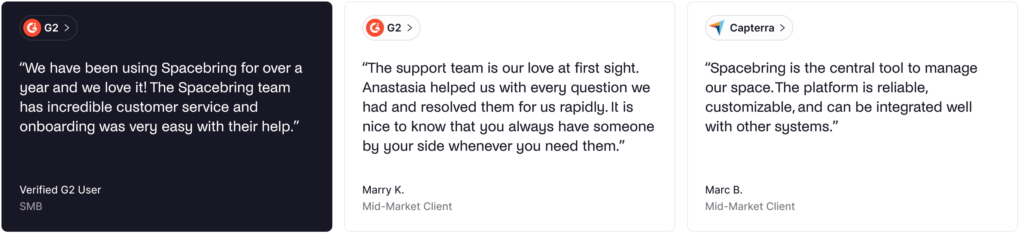
🟢 Ease of use. Operators consistently praise Spacebring for having an easy-to-use UI that both members and admins find straightforward. Some highlights include: “We’ve only just started using the updated platform, but everything’s so much tidier, easier to navigate, and feels really well thought-out.” and “Our coworking community loves the ease of using the app to schedule room booking, reach out for support and get important updates. As an admin, I have love the seamless payment process of monthly invoices.”
🟢 Exceptional customer support. One thing that was consistent across pretty much all of the reviews is that the support team is “top-notch” with average response times around 3 minutes on live chat. Spacebring also offers phone support as an add-on, something that you won’t usually find on most software. Reviewers said: “The support team is our love at first sight. Anastasia helped us with every question we had and resolved them for us rapidly.” with one Capterra review mentioning: “The sales and support team are very available and reactive. Also the software answers exactly what we’re looking for”.
🟢 Continuous product improvement. Spacebring’s team is highly responsive to customer feedback, with users reporting that requested features often appear in the next update. One review on G2 mentions this for manual refunds: “We recently asked the support team whether it was possible to manually refund a transaction, and we were impressed when the feature was actually launched instead of being lost in the usual “coming soon” limbo.”
🟢 Fast onboarding and setup. Spacebring can be implemented in hours rather than weeks. One G2 user actually had everything set up in less than a day: “We literally had everything on board in less than one day.”
🟢 All-in-one simplicity. Users love that Spacebring covers bookings, billing, and community in one app, eliminating the need for multiple tools. Many reviews come from spaces that switched from more complex platforms and found Spacebring “Most attentive support, most compelling demo, best functions and price/value ratio”.
What could be improved
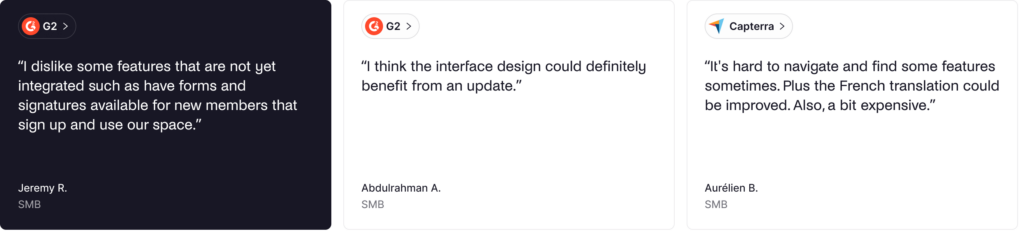
🔴 Limited features in some areas. While Spacebring covers most of the features you’ll need, some reviews pointed out that they wanted a few extra features: “I dislike some features that are not yet integrated such as have forms and signatures available for new members that sign up and use our space”.
🔴 Pricing can be higher than expected for small teams. A couple of small operators felt the price was a bit high for their current size. One small operator on Capterra said: “The pricing is a little high for my small-business; but I feel like it is worth the investment even at this stage in the business.”
🔴 Support hours challenge for North America. Being EU-based, Spacebring’s support goes until 5pm Eastern Time. West Coast North American operators might find real-time support less available during their business hours.
🔴 Some design challenges. While most users find the interface easy, some reviews mention that “I think the interface design could definitely benefit from an update”.
🔴 A few localization complaints. Spacebring offers a multi-language UI, which some reviews have some complaints about. In particular, one operator based in South Korea said: “Korean language translation in the App UI (Some are translated weirdly)”, while a French operator mentioned: “Plus the French translation could be improved”.
💡 Bottom line: Spacebring is an excellent choice for small to mid-sized coworking spaces that want straightforward software with outstanding support. Even when there are some complaints, the team quickly implements updates to add new features or fix bugs. If you need more advanced automation, native e-signatures, or North American-aligned support hours, Spacebring may not be the best fit.
Luckily, there are several strong Spacebring alternatives to consider.
What's the best alternative to Spacebring?
For most mid-sized coworking spaces and growing operators, Archie is the best alternative to Spacebring.
It provides the same user-friendly approach and comprehensive feature set, while adding native e-signature tools and more affordable pricing for basic features. Archie also offers support hours that work well for both North American and European operators.
While Spacebring offers great simplicity and fast response support, Archie delivers a complete platform with features like visitor management and e-signatures included, rather than requiring add-ons or integrations.
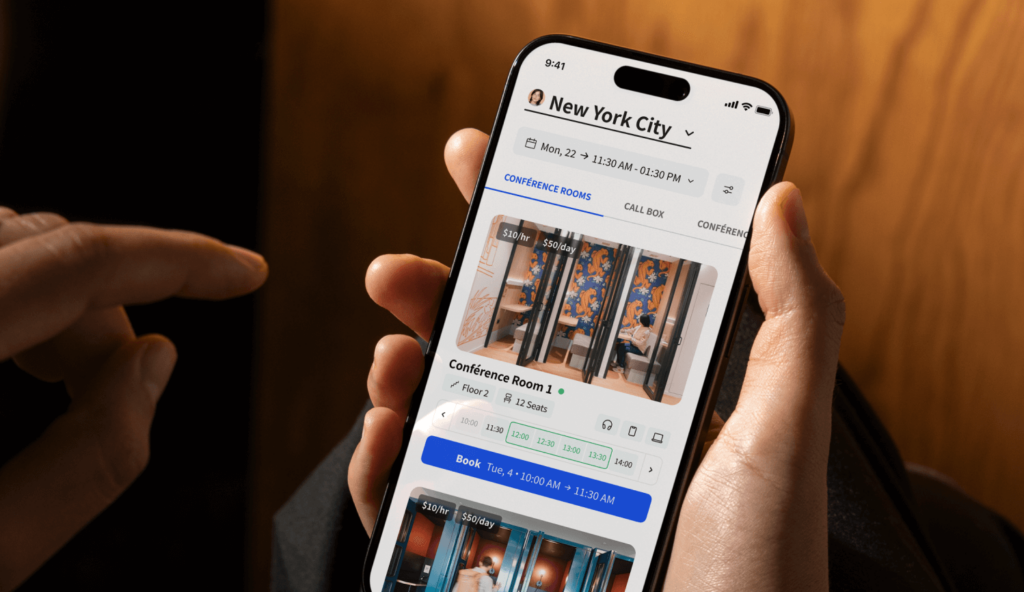
Spacebring alternative #1: Archie
Archie Coworking is an all-in-one coworking space management platform that offers all the core features you’d expect. Membership management, space booking, billing automation, and visitor management are all included in one system for both web and mobile.
On top of that, Archie delivers a modern member experience while including most features in its main plans, so you don’t have to pay extra for add-ons like visitor management or e-signatures. It is best for operators who want powerful core features without unnecessary complexity, which is exactly what most mid-sized spaces and multi-location operators are looking for.

What you get with Archie Coworking
- Cross-platform member experience: iOS and Android apps plus a full-featured web portal for members who prefer desktop.
- Automated billing: Recurring invoice reminders and automated payments with custom billing terms and multiple payment methods and providers.
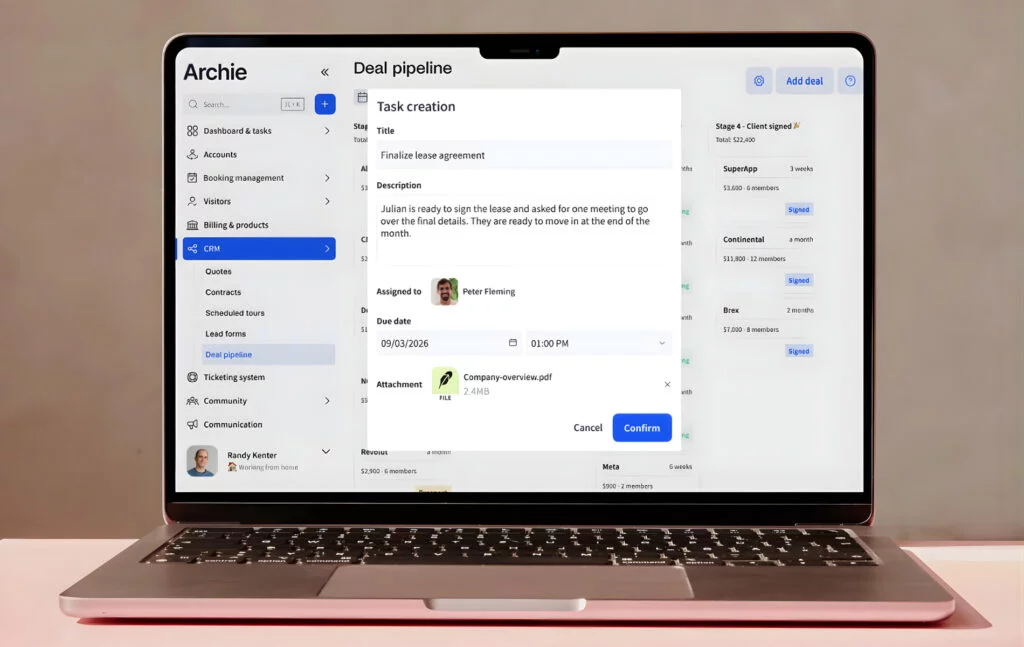
- Built-in e-signatures: Native digital signature tools for membership contracts and agreements, no third-party integrations required.
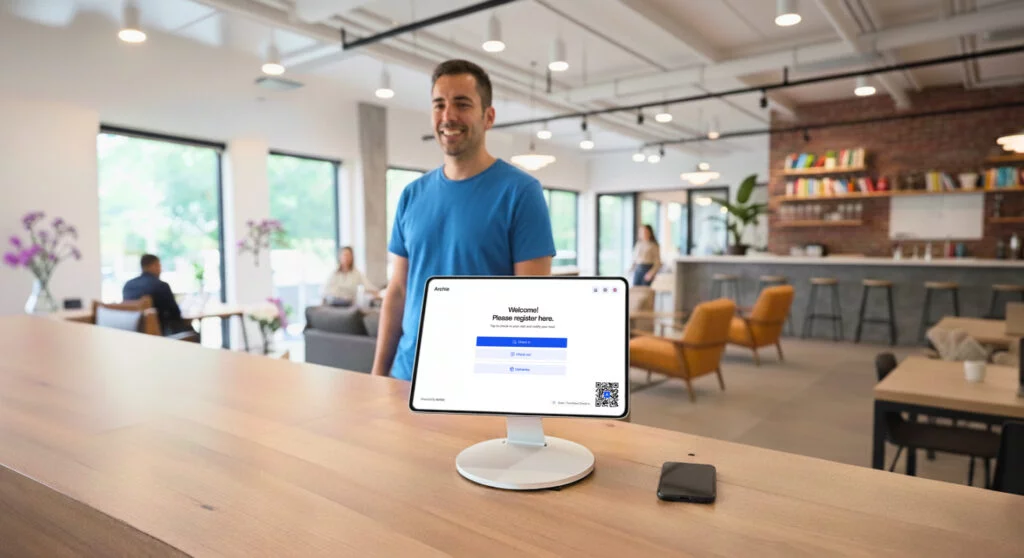
- Visitor management: Pre-registration, QR check-in, badge printing, host notifications, and visitor logs included in the Pro plan.
- Community features: Custom profiles, community feed, member directory, and chats, as well as perks and discounts.
- Coworking CRM: Day passes, custom plans, and lifecycle management.
- White-label domains: Custom URLs for member portals included in the Pro plan, with full brand removal available. A white-label mobile app is an add-on.
- Analytics and reporting: Revenue reports, occupancy analytics, who’s on site, booking patterns, and member insights.
- Space booking: Meeting rooms and desks can be booked from the calendar, the interactive floor plans, or via third-party integrations.
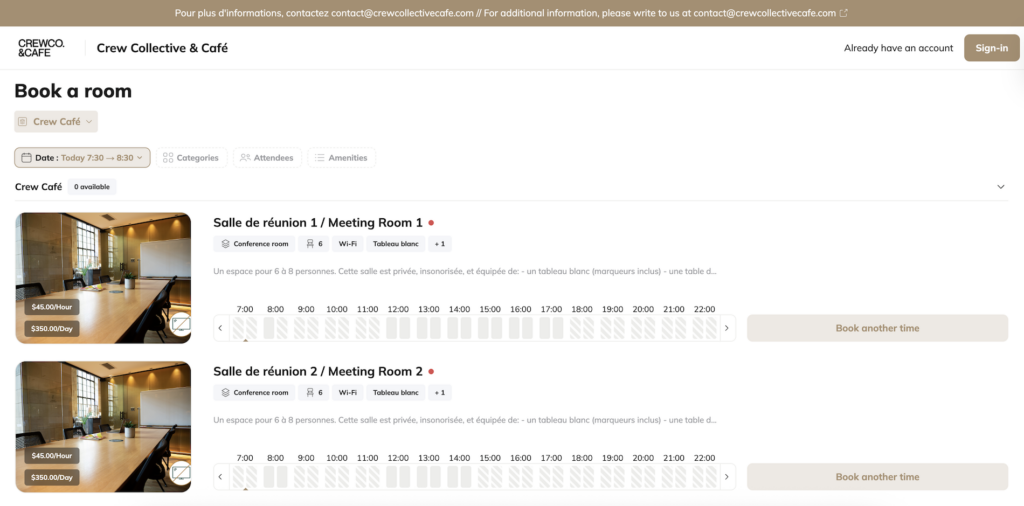
How much does Archie cost?
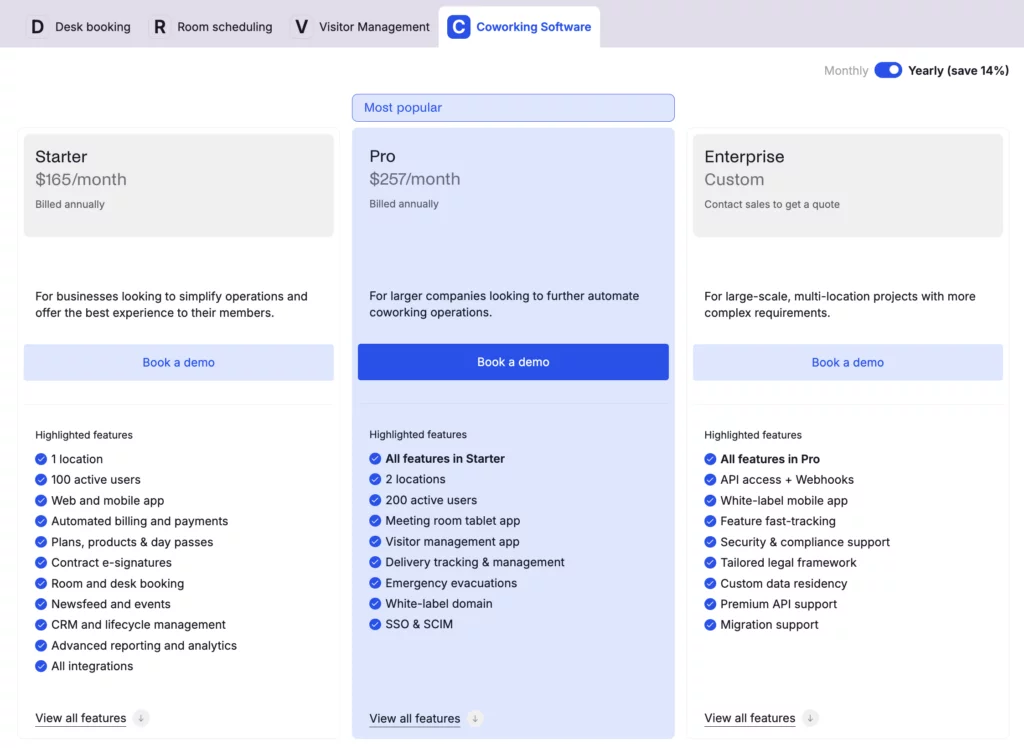
Archie Coworking has two main pricing plans. If billed annually, these cost:
- Starter: $165/month
- Pro: $257/month
- Enterprise: Custom pricing
Starter has all the core features you’ll need and allows for 1 location with up to 100 members, while Pro comes with extras, like a white-label domain and visitor management, and allows for up to 2 locations with up to 200 members.
Additional location costs start at $90/month, and each additional 50 members costs $50/month.
An active user is someone who books something (like a desk, meeting room, or private office) or is on a subscription plan. Visitors and event attendees do not count, so you only pay for people who actually use the platform. If the same person is added to multiple locations, they still count as just one user.
Who’s Archie best for?
Archie is best for mid-sized coworking spaces and growing operators who want powerful features with Spacebring-level ease of use. It is a great choice if you need built-in e-signatures for contracts and comprehensive visitor management without extra integrations or add-ons.
Archie Coworking limitations
While Archie is highly intuitive, it may not be quite as simple as Spacebring for very small spaces. If you prioritize the fastest possible support response times and phone support availability, Spacebring’s exceptional customer service (averaging ~3 minute chat responses) may be better for you as well.
Also, Spacebring’s multi-language support is stronger for European operators who need interface translations beyond English, and the EU-based setup provides better timezone alignment for European markets.
Spacebring alternative #2: Optix
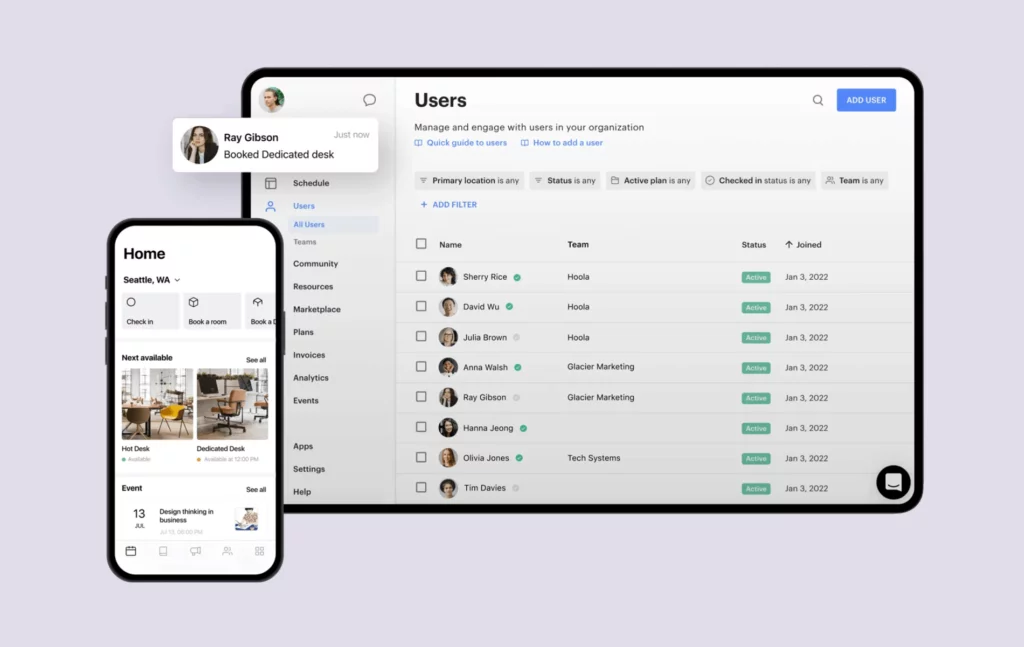
Optix was started by ShareDesk in 2015. It’s one of the first coworking platforms that was built with a mobile-first approach. The platform was amongst the first to focus on mobile apps for coworking members and is delivering a great member experience to this day.
It’s designed for operators who want a complete solution that handles bookings, billing, member management, and community engagement through a modern UI, while maintaining its mobile-first focus.
What you get with Optix
- Mobile-first member app: Polished iOS and Android apps for members to book spaces, pay invoices, and become part of the community.
- White-label mobile app: Custom-branded apps for iOS and Android with your logo and colors.
- Workflow automation: Visual automation builder for member onboarding, offboarding, and reminders (and all the boring operations that take up half your day).
- Membership management: Plans, contracts, renewals, and member profiles.
- Automated billing: Recurring invoices, payment processing via Stripe, usage-based charges.
- CRM and communications: Member directory, messaging, announcements, and email campaigns.
- Community features: Event management, member directory, community feed, and perks.
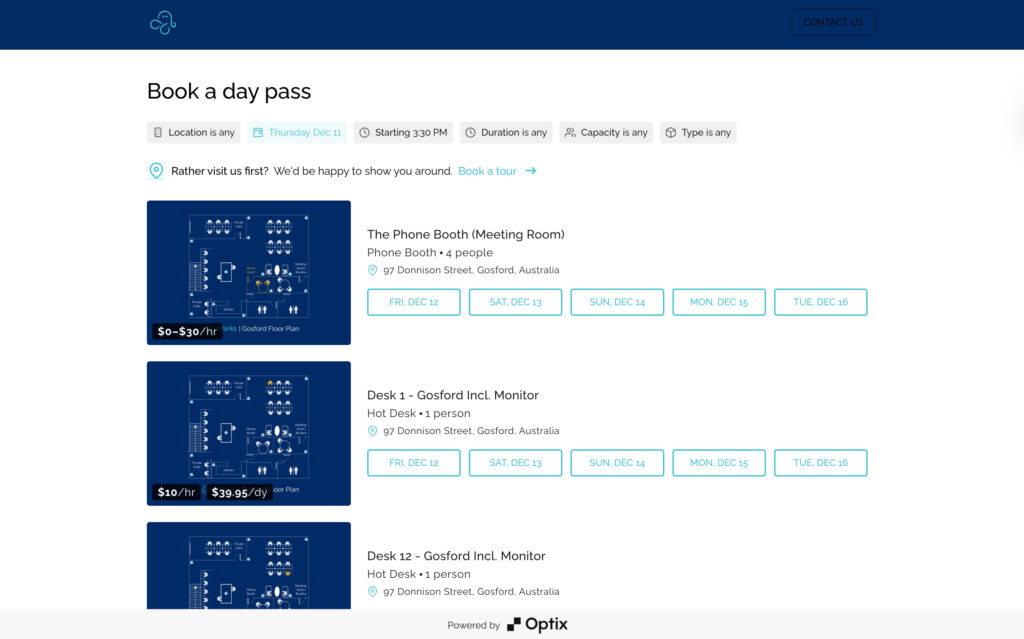
- Visitor management: Guest pre-registration and check-in workflows.
- Analytics and reporting: Occupancy reports, revenue tracking, check-in heatmaps.
- Resource booking: Desks, meeting rooms, shared spaces, and any other resource you have, with real-time availability.
How much does Optix cost?
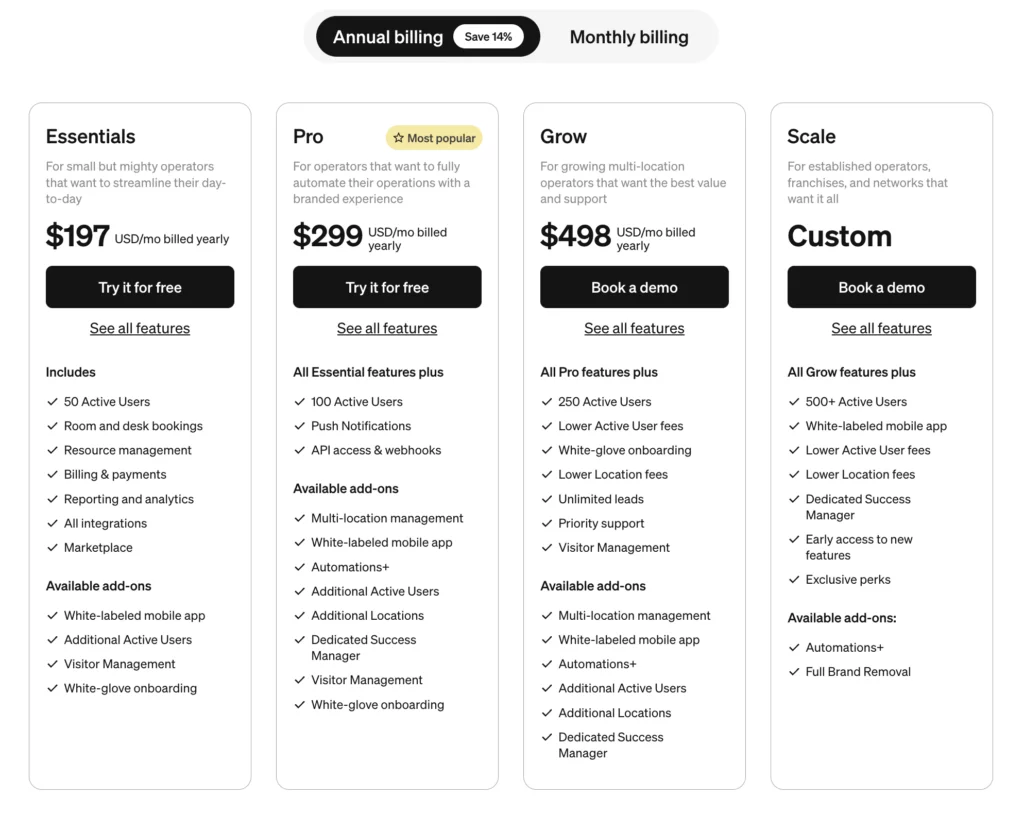
Optix offers four main pricing tiers: Essentials, Pro, Grow, and Scale. All plans include core features like resource booking, analytics, member management and engagement, mobile apps, automated billing, and basic support.
- Essentials: $197/month when billed annually (50 users + 1 location included)
- Pro: $299/month when billed annually (100 users + 1 location included)
- Grow: $498/month when billed annually (250 users + 1 location included)
- Scale: Custom pricing
Optix does not clearly define what an “active user” means in its pricing language, so you may need to confirm the exact rule with their team (especially if you are comparing costs across tools).
The platform has a few add-ons, as well. The Essentials and Pro plans, for example, visitor management costs an extra $42/month, while it’s included in Grow and Scale. Other features, like the white-label app, additional payment gateways, and premium automation workflows, are charged extra.
Who’s Optix best for?
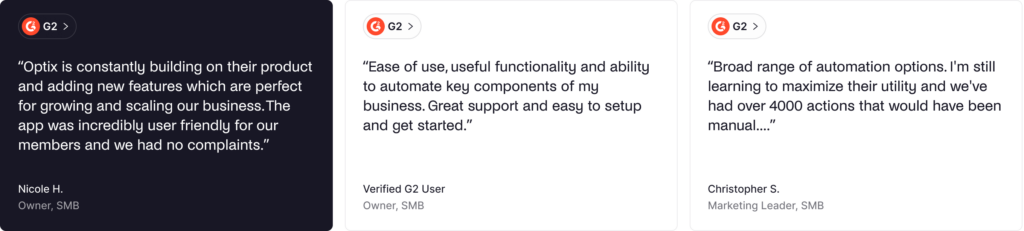
Optix is best for mid-sized coworking spaces that prioritize mobile member experience and want powerful automation capabilities. It’s the right choice if you want the most polished mobile app in the industry, need visual workflow automation, or want to publish custom-branded apps in app stores.
Optix’s support hours are perfect for US and Canadian operators, though support response times may not match Spacebring’s exceptional ~3 minute average and lack phone support options.
Optix limitations
The mobile-first approach means the web member portal is more limited than platforms like Spacebring or Archie. Members who prefer booking spaces from laptops may find the web experience limited.
Many advanced features require paid add-ons, which can make total costs higher than the base price suggests. Native integrations are more limited compared to some competitors, with many connections requiring Zapier rather than direct integrations.
Spacebring alternative #3: Nexudus
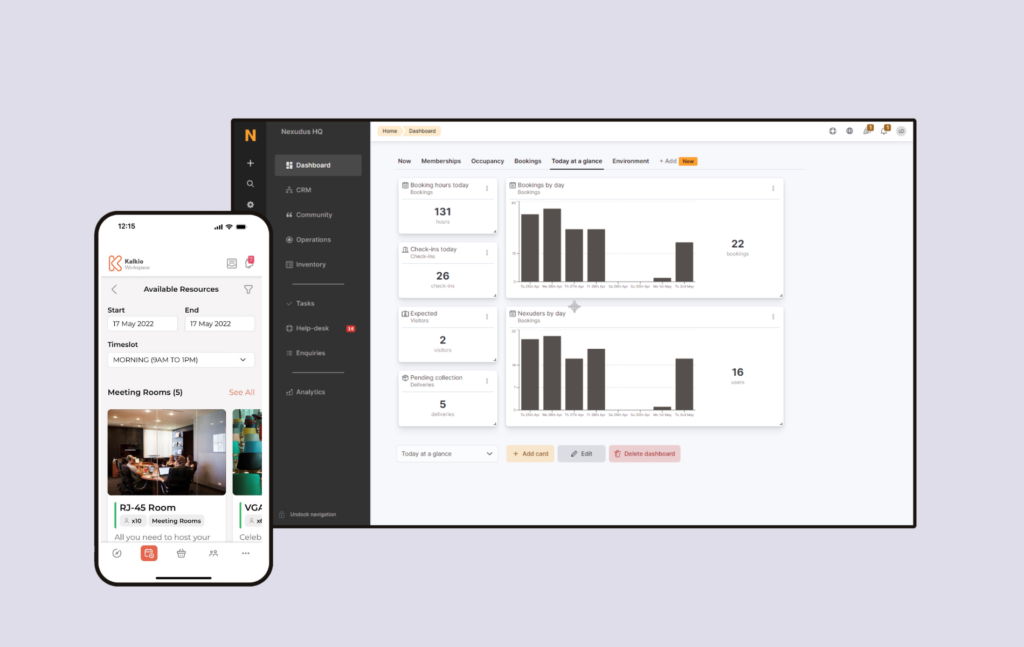
Nexudus is one of the most well-known coworking management platforms. It was one of the first truly all-in-one tools and offers a very comprehensive feature set with deep customization options.
Today, Nexudus is used by thousands of coworking spaces around the world. It gives operators a lot of depth and flexibility and has steadily added new features and integrations to support almost every coworking use case.
What you get with Nexudus
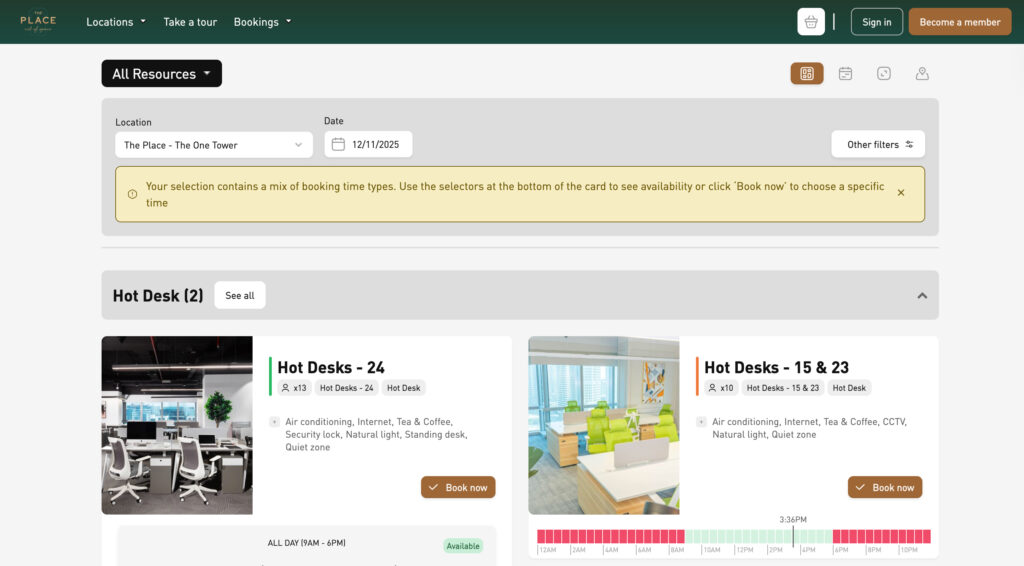
- Advanced membership management: Complex plan structures, contracts, renewals, credits, passes, and memberships.
- Automated billing: Recurring charges, usage-based billing, and invoicing.
- Built-in CRM and email marketing: Member communications, newsletter campaigns, and marketing automation.
- White-label member portal and apps: Custom-branded web portal and iOS/Android apps.
- Native integrations: Direct integrations including accounting, access control, communication tools, and business systems.
- Community platform: Built-in social network features, events, and member directory.
- Visitor management: Guest registration and check-in workflows.
- Native point-of-sale: Built-in POS for café or retail operations.
- Multi-location management: Centralized management for multi-location operations.
- Advanced analytics: Detailed reports, forecasting, and business intelligence tools.
- Comprehensive resource booking system: Meeting rooms, desks, and pretty much any bookable resource.
How much does Nexudus cost?
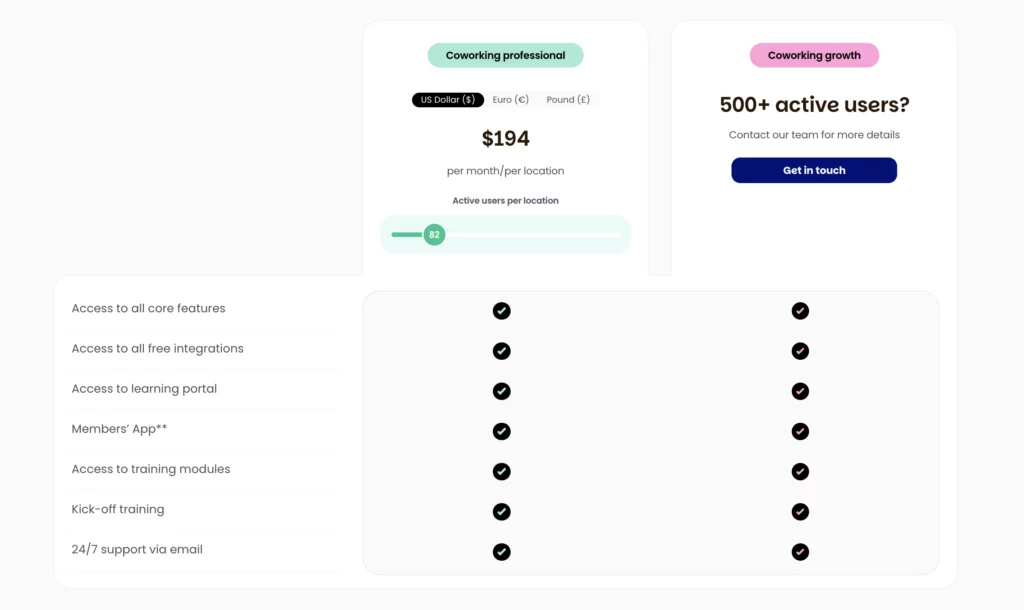
Nexudus offers a base pricing plan that scales based on the number of active members.
The base price is $150 per month per location for up to 80 active users. For Nexudus, active users are those with a current membership or who have been invoiced or made a booking in the last 30 days. Other contacts stay in your CRM at no cost.
Some of the add-ons include:
- White-label mobile app: $150/month for up to 5 locations (+ Apple developer account at $99/year to publish the iOS app).
- Explore Pro analytics: $100/month + $25/month per location for advanced dashboards.
- Nexudus Academy training: $150/month for one location + $25/month per additional location (3-month minimum).
Who's Nexudus best for?
Nexudus is best suited for established coworking operators who need the most features and deep customization. It’s the right choice if you need every possible capability, want extensive native integrations, require custom plan structures and billing arrangements, or operate at enterprise scale.
The platform suits large operations that can invest time in learning and configuration. If you need built-in email marketing, custom web portal design, or detailed analytics beyond basic dashboards, Nexudus provides these out of the box.
Nexudus limitations
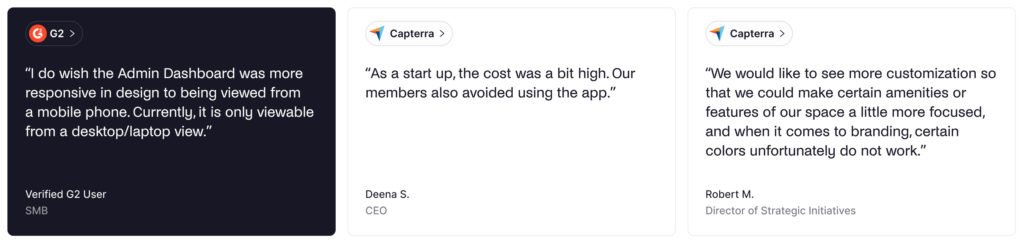
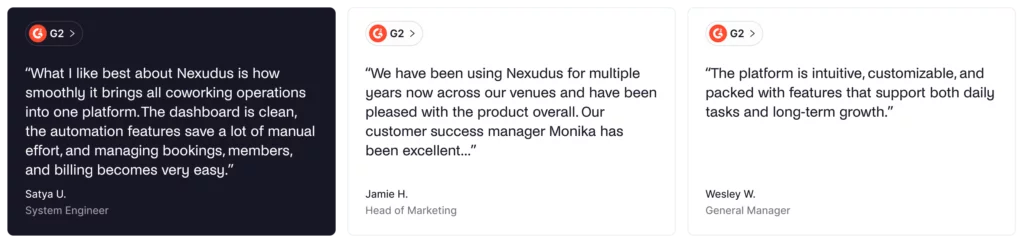
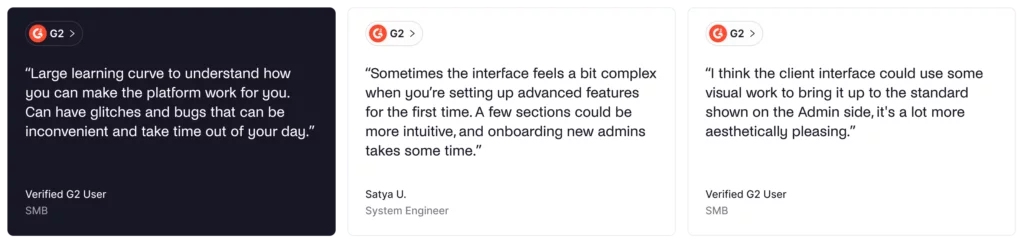
The platform has a steep learning curve, in contrast to Spacebring’s user-friendly approach. Setup and onboarding typically require weeks and often involve paid implementation services, where other platforms get the same done for free and within days.
The interface feels more traditional and less polished compared to Spacebring’s modern design. Navigation can be confusing with many features buried in long menus, and training staff takes significant time.
Spacebring alternative #4: OfficeRnD
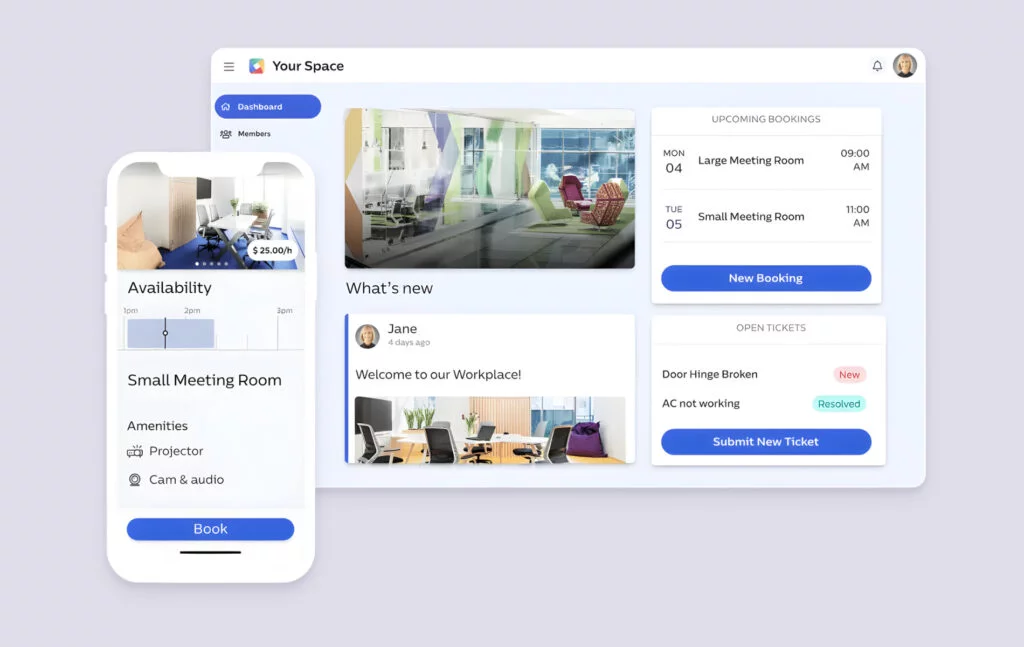
OfficeRnD Flex is an all-in-one, enterprise-level coworking management platform. The platform has grown to serve spaces globally and is particularly strong with complex billing scenarios and corporate accounts. Most of the features cater to larger operators, landlords with flex space, and spaces that work extensively with corporate clients and team accounts.
What you get with OfficeRnD
- Complex membership management: Individual and team accounts, corporate billing, syncing with your accounting tools.
- Advanced billing: Recurring charges, usage tracking, proration, complex invoicing scenarios.
- CRM and lead management: Member profiles, lead tracking, sales pipeline.
- Access control integrations: Native connections to Kisi, Salto KS, and other systems.
- Multi-location management: Designed to support multi-location operations.
- Advanced analytics: Revenue reports, occupancy analytics, forecasting.
- API access: RESTful API for custom integrations.
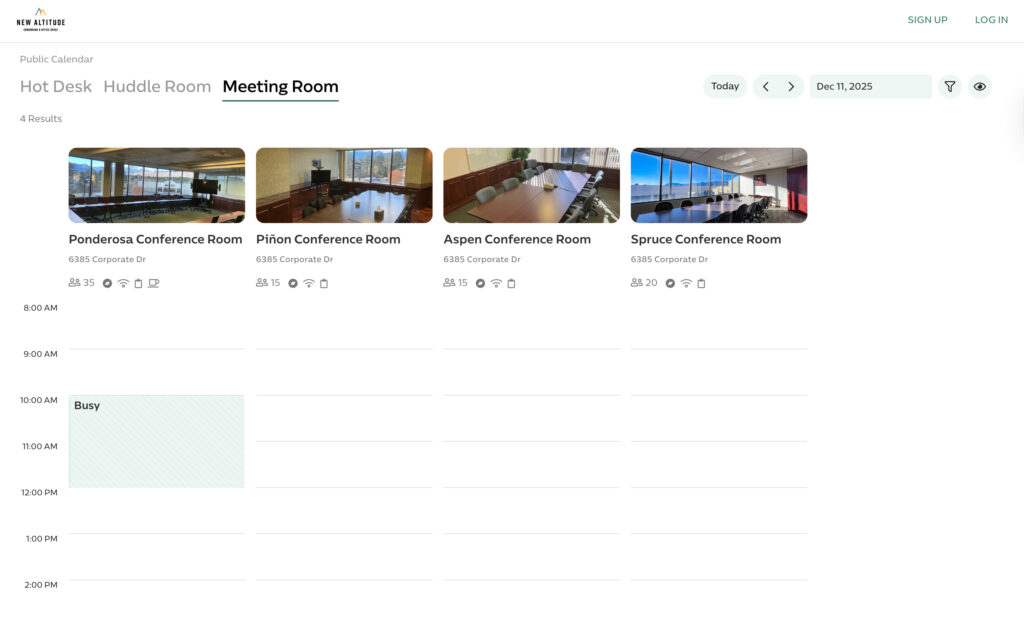
- Space booking and management: Meeting rooms, desks, private offices, shared spaces, and any other resources, like phone booths.
- White-label member portal and apps: Branded web portal and mobile apps.
How much does OfficeRnD cost?
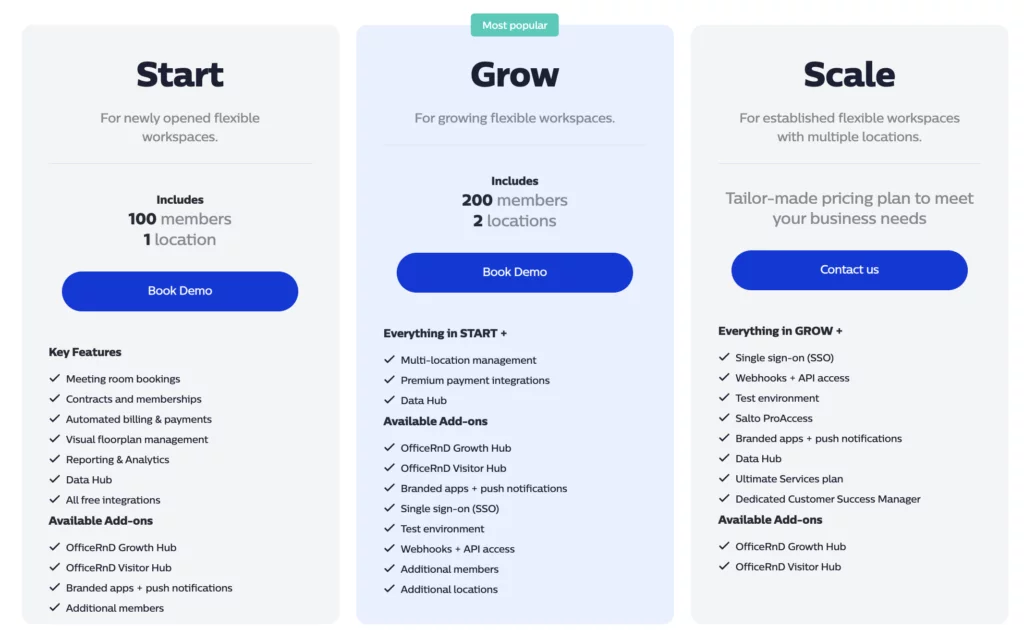
OfficeRnD used to list its pricing publicly. Plans started at around $165/month for a single location with 100 members. Today, OfficeRnD uses custom pricing, so it is harder to know what you will pay without contacting them directly.
Who’s OfficeRnD best for?
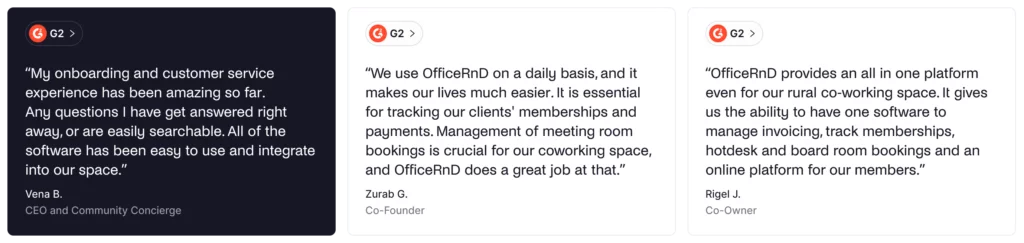
OfficeRnD Flex is best for established coworking operators, spaces that work extensively with corporate clients, and complex billing scenarios. Where Spacebring focuses on straightforward operations for small to mid-sized spaces, OfficeRnD provides enterprise-level capabilities for corporate spaces.
If you manage multiple locations, need detailed financial reporting for landlord partnerships, or work with many corporate accounts requiring sophisticated billing, OfficeRnD handles these scenarios well.
OfficeRnd limitations
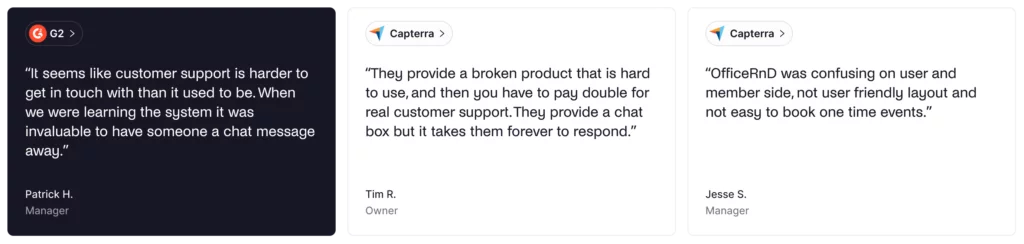
The platform requires significant setup time and onboarding effort, which stands in sharp contrast to Spacebring’s fast implementation. Implementation typically takes weeks, often with paid professional services. The user interface is more “enterprise-like” and less intuitive than Spacebring’s modern design.
Customer support primarily uses ticket/email systems with slow response times, according to user reviews. Training staff takes more time due to the complexity of the interface, and daily operations require more clicks through menus compared to Spacebring’s streamlined approach.
Other alternatives to Spacebring
If none of the options above fit your needs, here are other coworking space management tools worth considering:
- Cobot: Budget-friendly option with solid core features, good for smaller spaces with straightforward needs.
- Essensys: Enterprise coworking platform designed for flexible office operators and landlords with flex space.
- Coworks: Modern platform focused on community engagement and member experience.
Which Spacebring alternative should you choose?
There are many Spacebring alternatives to choose from. But, besides the price and features, what are some other things you should think about?
✅ Support priorities. Consider whether you need phone support and ultra-fast response times. Spacebring excels here; most alternatives rely on email/chat only.
✅ Multi-language requirements. Check whether you need interface translations. Spacebring offers strong multi-language support; most alternatives are primarily English.
✅ Add-ons. When budgeting, consider all costs, including required add-ons. Spacebring base price is competitive, but features like visitor management and white-label apps cost extra.
✅ Integrations. List your must-have integrations. Nexudus has tons of native integrations, while Spacebring might rely on Zapier for the ones you need.
✅ Client portal. Look at the member portal from a customer’s point of view. Is it simple to book, pay, and navigate, and can you brand it without paying for upgrades?
✅ White-label. Decide whether you need custom domains, branded mobile apps, or a full app store presence.
Why Archie is usually the best all-around pick
- Balanced mobile and web experience. Archie provides quality mobile apps and a full-featured web member portal, giving members a choice in how they access your space.
- Predictable and transparent pricing. Clear per-location pricing makes budgeting straightforward. No hidden add-on fees for essential features.
- Fast deployment. Get operational quickly without lengthy implementation projects. Most spaces are live within days, not weeks or months.
- Advanced features without add-ons. Built-in e-signatures, visitor management in the Pro tier, and native coworking integrations mean fewer surprise costs as you scale.
Quick head-to-heads
- Archie vs Spacebring: Both offer balanced mobile/web experiences with straightforward pricing. Spacebring better suits to European operators needing multi-language support. Archie provides stronger North American support, native e-signatures, and includes visitor management in the Pro tier.
- Archie vs Optix: Both provide comprehensive coworking management features, but Archie includes more in base pricing (visitor management, e-signatures, full brand removal) and provides a more visually appealing web member portal.
- Archie vs Nexudus: Nexudus offers the most features and configurability, but requires a longer implementation and a steeper learning curve. Archie delivers core features with significantly better usability and faster deployment.
- Archie vs OfficeRnD: OfficeRnD might handle very large coworking operations and complex billing scenarios better, but Archie provides similar core features with easier implementation and more transparent pricing.
💡 Worried about switching coworking software? Archie’s team can handle the heavy lifting for you. We can move your floor plans, resources, member data, and help connect your existing tools so everything keeps running smoothly.
Sources
- Spacebring feature & pricing pages
- Demo videos
- G2 & Capterra profiles
- Archie’s product research

Alexios Georgakopoulos
Archie’s Content Writer, coffee fiend, and resident Gen Zer who hates working in offices but loves writing about them. When he is not deep in hybrid work and coworking topics, he is obsessing over a new hobby that will probably last about a day.