








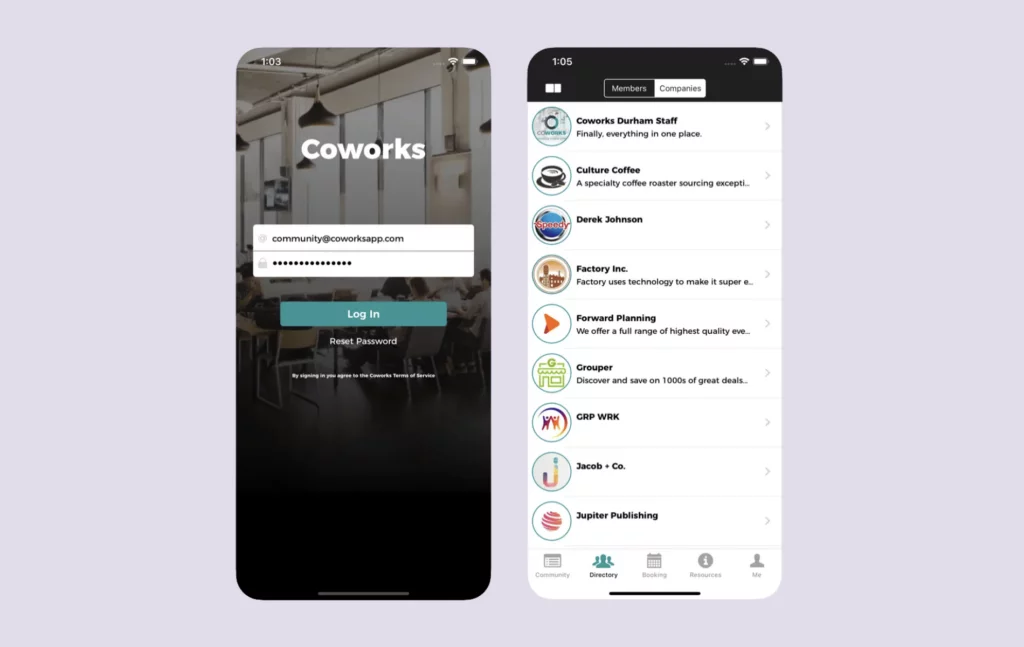
Coworks is a community-first coworking software. It has a simple interface, a member-friendly mobile app, and a strong focus on engagement and communication instead of deep, complex operations. That makes it a solid option for newer independent spaces and niche shared workspaces.
But how does it compare to the top coworking management platforms?
In this guide, we’ll cover what the software does well, where it can feel limited, and when it makes sense to look at Coworks alternatives.
💡 TL;DR:
Coworks is a good fit for community-driven spaces that want something easy to use, with simple tools for member engagement and day-to-day operations. It’s especially useful if you care more about community features than advanced automation.
If you need automated billing included in the base plan, built-in e-signatures, more complete visitor management, deeper analytics, or you plan to scale to multiple locations, it’s worth looking at Coworks alternatives like Archie.
Coworks software vs alternatives
What is Coworks?
Coworks software started in 2018. The founders felt that most coworking software was built for more traditional spaces, so they set out to create something with a stronger community feel. The idea was simple: help spaces connect members, run events, and build a real community hub, not just manage bookings.
Because of that focus, nowadays Coworks is also popular with incubators, makerspaces, social clubs, and other niche shared spaces where member engagement matters as much as booking desks. Overall, the platform leans into simplicity and community features, rather than trying to match the complexity of enterprise tools.
What you get with Coworks
- Mobile Coworks app: iOS and Android apps focusing on community engagement and simple bookings.
- Event management: Create and promote community events, track RSVPs.
- Community features: Member directory, announcements via SMS and push notifications.
- Membership management: Plans, member profiles, and signup forms.
- Automated billing: Recurring membership invoices and payment processing.
- Front desk and meeting room apps: Check-in tablet app for reception and display apps for room availability.
- Lead database: Intuitive tools to turn leads into members.
- Day pass management: Handle drop-in visitors.
- Basic analytics: Occupancy tracking and resource utilization reports.
- Passport feature: Enable members to use multiple locations or partner spaces.
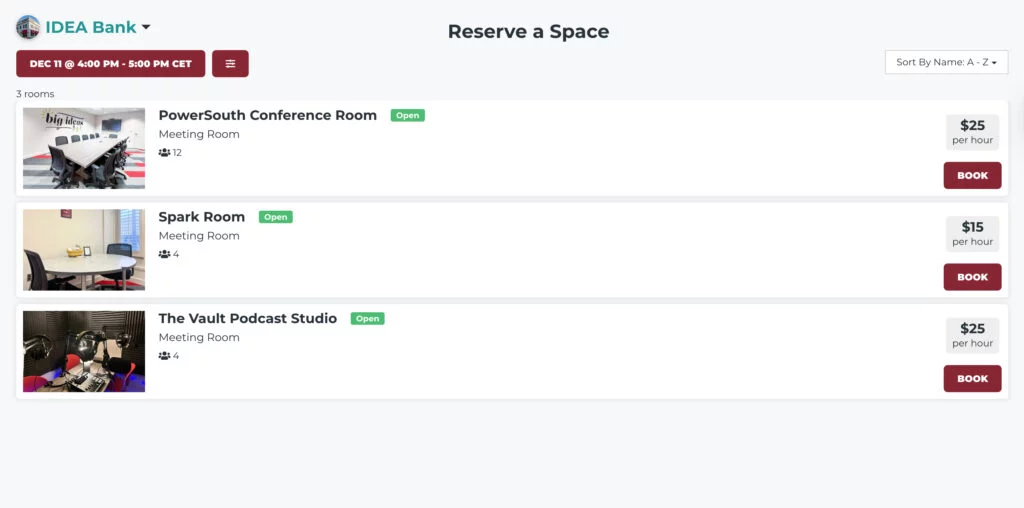
- Booking system: Meeting rooms and equipment reservations with calendar integration.
- Guest bookings: Allow non-members to book spaces.
Coworks pricing
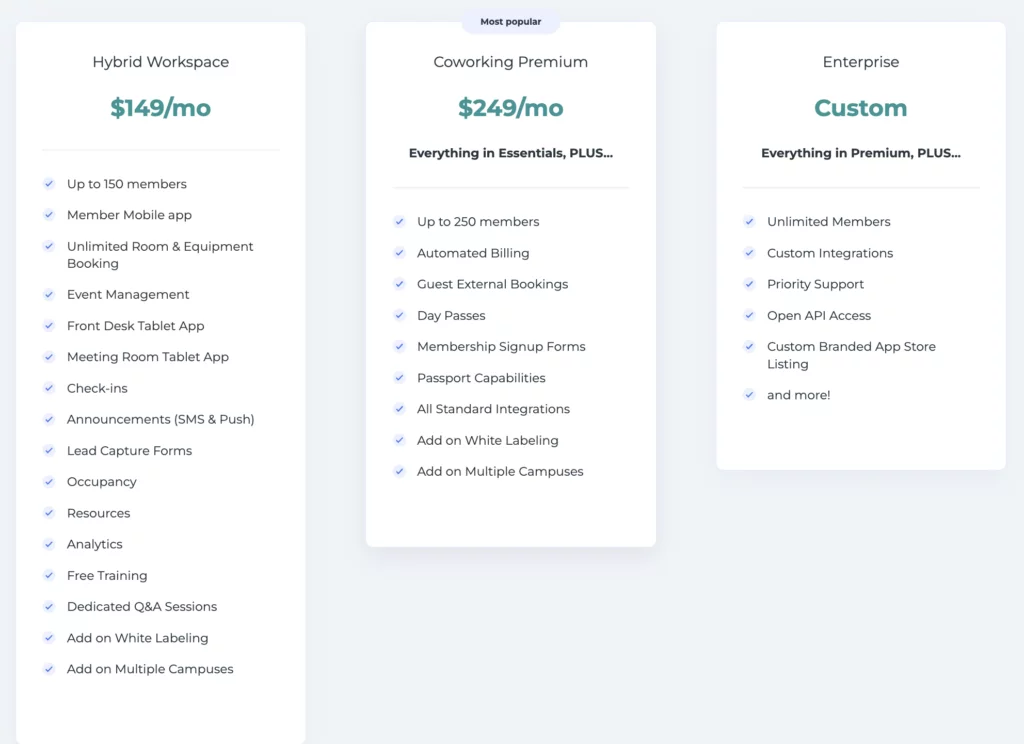
Coworks offers three pricing tiers:
- Hybrid Workspace: $149/month (annual) or $199/month (monthly, up to 150 members)
- Coworking Premium: $249/month (annual) or $299/month (monthly, up to 250 members)
- Enterprise: Custom pricing (unlimited members)
The Hybrid Workspace plan includes up to 150 members and core features like the member mobile app, unlimited bookings, event management, front-desk and room tablets, check-ins, announcements, lead capture, and basic analytics. White-labeling and multi-location support are available as paid add-ons.
The Premium plan increases the member limit to 250 and adds automated billing, guest bookings, day pass management, membership signup forms, and the Passport feature for multi-location access. All standard integrations are included.
The Enterprise tier provides unlimited members, open API access, custom integrations, priority support, and custom branded app store listings.
What’s great about Coworks
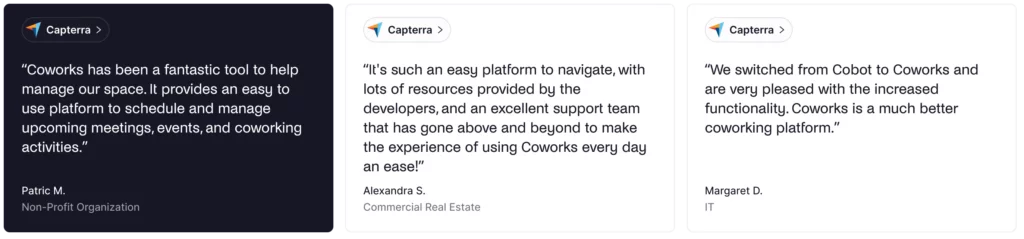
🟢 Easy to use: Users highlight that Coworks is easy to learn and navigate for both staff and members. One operator on Capterra said, “Coworks has been a fantastic tool to help manage our space. It provides an easy-to-use platform to schedule and manage upcoming meetings, events, and coworking activities.”
🟢 Great customer support: There aren’t many Coworks reviews in general, but most of them praise Coworks’ customer support. One reviewer said: “It’s such an easy platform to navigate, with lots of resources provided by the developers, and an excellent support team that has gone above and beyond to make the experience of using Coworks every day an ease!”
🟢 Solid core functionality: The features Coworks provides often receive positive mentions as well. One reviewer, who switched from Cobot to Coworks, said: “We switched from Cobot to Coworks and are very pleased with the increased functionality. Coworks is a much better coworking platform.”
What could be improved
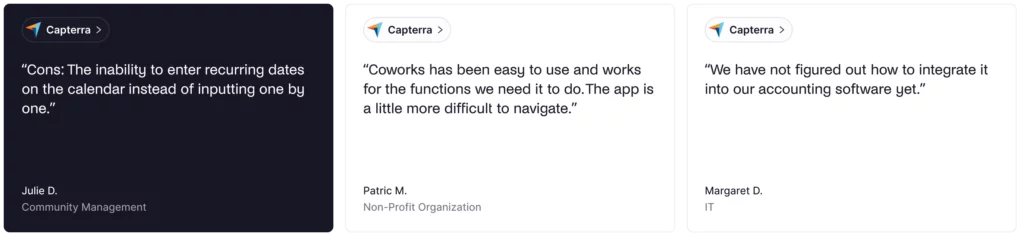
🔴 Integration limitations: The list of native Coworks integrations can feel limiting. For example, one review noted: “We have not figured out how to integrate it into our accounting software yet.”
🔴 Missing advanced features: Coworks covers the basics well, but some users point out gaps that matter more as you grow. This includes things like built-in contract e-signatures, deeper reporting and analytics, and more flexible calendar options. One reviewer called out the lack of recurring bookings: “The inability to enter recurring dates on the calendar instead of inputting one by one.”
💡 Bottom line: Coworks is a good choice for small, community-driven coworking spaces that prioritize member engagement and want straightforward coworking software. If you need billing automation at lower price points, built-in e-signatures, comprehensive visitor management, detailed analytics, or plan to scale to multiple locations with advanced features, Coworks may not be the best fit.
Luckily, there are several strong Coworks alternatives to consider.
What's the best alternative to Coworks?
For most mid-sized or growing spaces, Archie is a strong alternative to Coworks. It keeps the experience user-friendly, while adding features Coworks often lacks, like automated billing (included in lower tiers), built-in e-signatures, robust visitor and emergency management, and more advanced analytics.
Coworks is great for small, community-first spaces that want to keep things simple. Archie is a better fit when you need both community tools and the day-to-day operational features that help you scale and grow revenue.
Coworks alternative #1: Archie
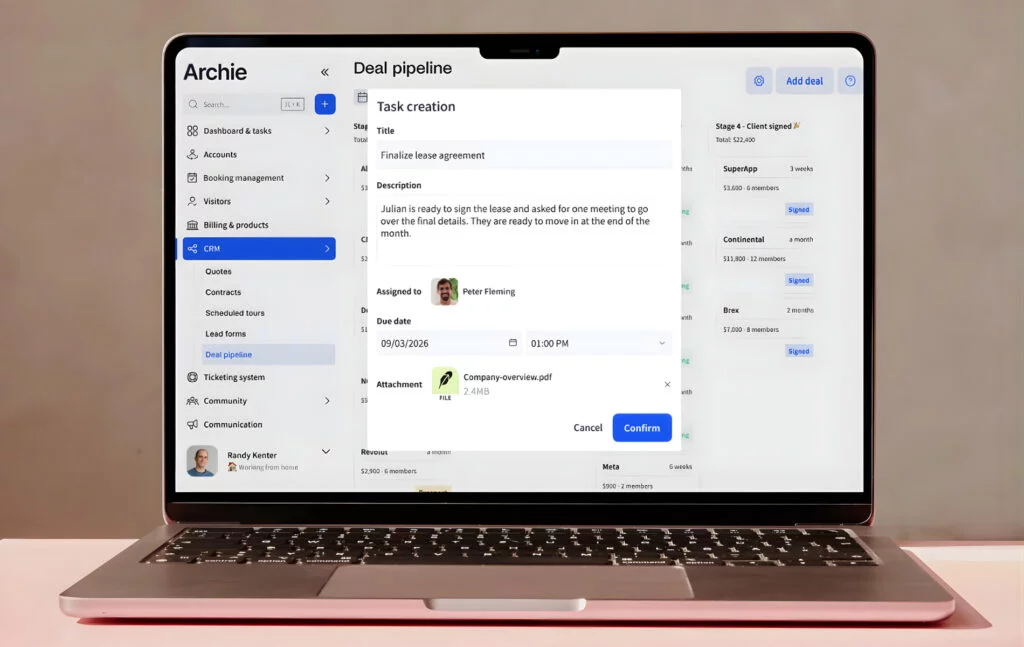
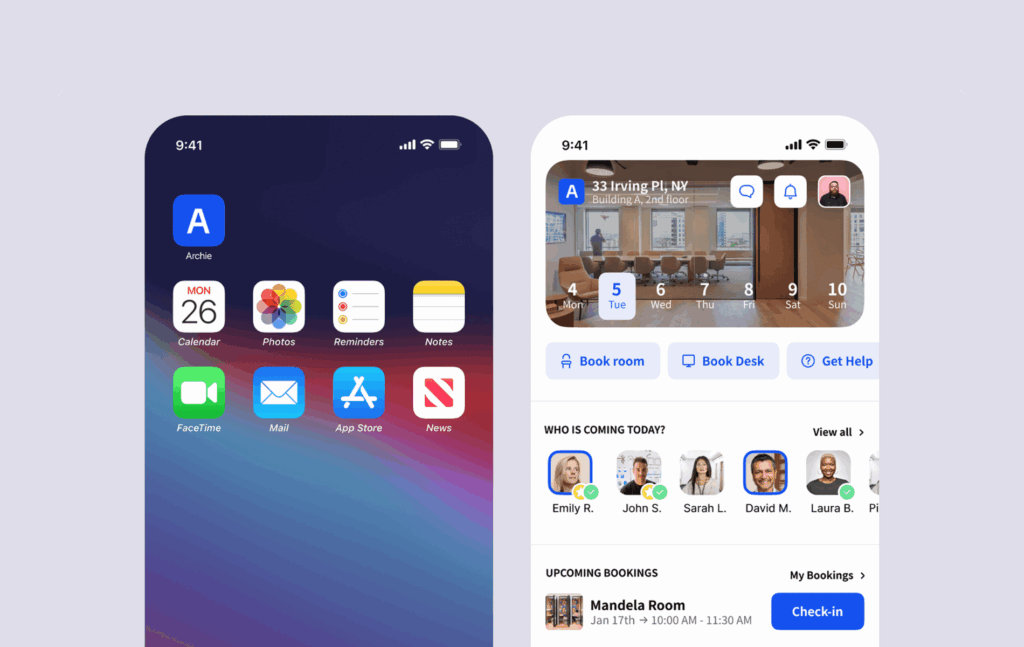
Archie Coworking is an all-in-one coworking space management platform with the core features you’d expect. It covers membership management, space booking, billing automation, and visitor management in one system across web and mobile.
It also delivers a modern member experience, with most features included in the main plans, so you do not have to pay extra for essentials like visitor management or e-signatures. Archie is a strong fit for mid-sized and multi-location operators who want a complete platform that is powerful, but still easy to use.
What you get with Archie Coworking
- Cross-platform member experience: iOS and Android apps plus a full-featured web portal for members who prefer desktop.
- Automated billing: Recurring invoice reminders and automated payments with custom billing terms and multiple payment methods and providers.
- Built-in e-signatures: Native digital signature tools for membership contracts and agreements, no third-party integrations required.
- Visitor management: Pre-registration, QR check-in, badge printing, host notifications, and visitor logs included in the Pro plan.
- Community features: Custom profiles, community feed, member directory, and chats, as well as perks and discounts.
- Coworking CRM: Day passes, custom plans, and lifecycle management.
- White-label domains: Custom URLs for member portals included in the Pro plan, with full brand removal available. A white-label mobile app is an add-on.
- Analytics and reporting: Revenue reports, occupancy analytics, who’s on site, booking patterns, and member insights.
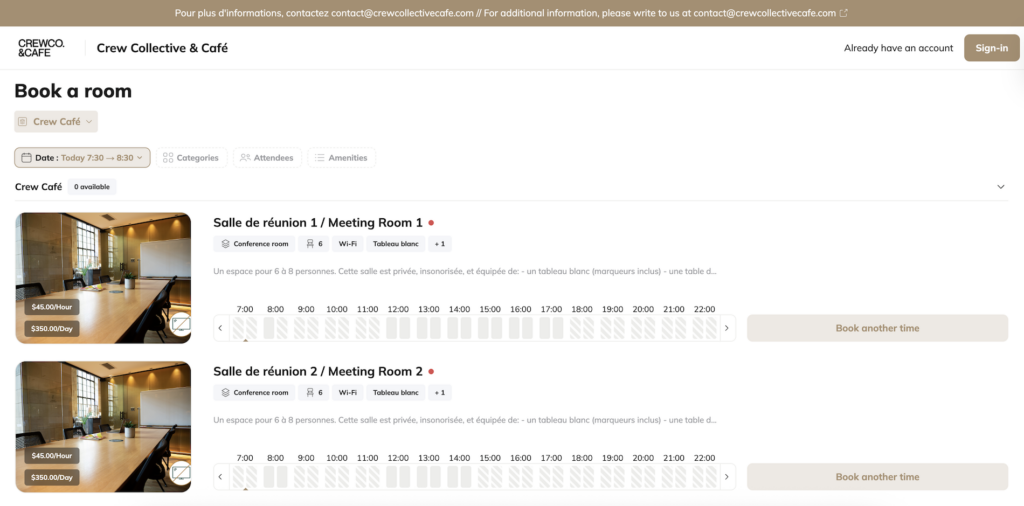
- Space booking: Meeting rooms and desks can be booked from the calendar, the interactive floor plans, or via third-party integrations.
How much does Archie cost?
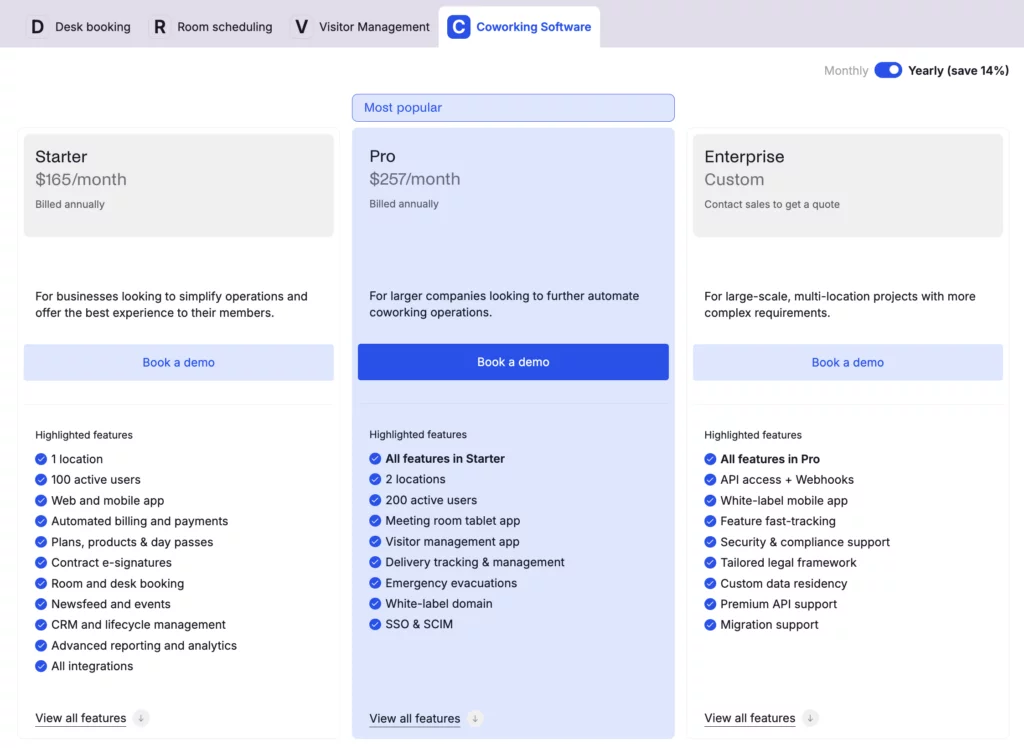
Archie Coworking has two main pricing plans. If billed annually, these cost:
- Starter: $165/month
- Pro: $257/month
- Enterprise: Custom pricing
Starter includes all the core features and supports 1 location with up to 100 active users. Pro adds extras like a white-label domain and visitor management, and supports up to 2 locations with up to 200 users. Extra locations start at $90/month, and each additional 50 users costs $50/month.
An active user is someone who books something (like a desk, meeting room, or private office) or is on a subscription plan. Visitors and event attendees do not count toward your user total, so you only pay for people who actually use the platform to book. And if the same person is added across multiple locations, they still count as one user.
Who’s Archie best for?
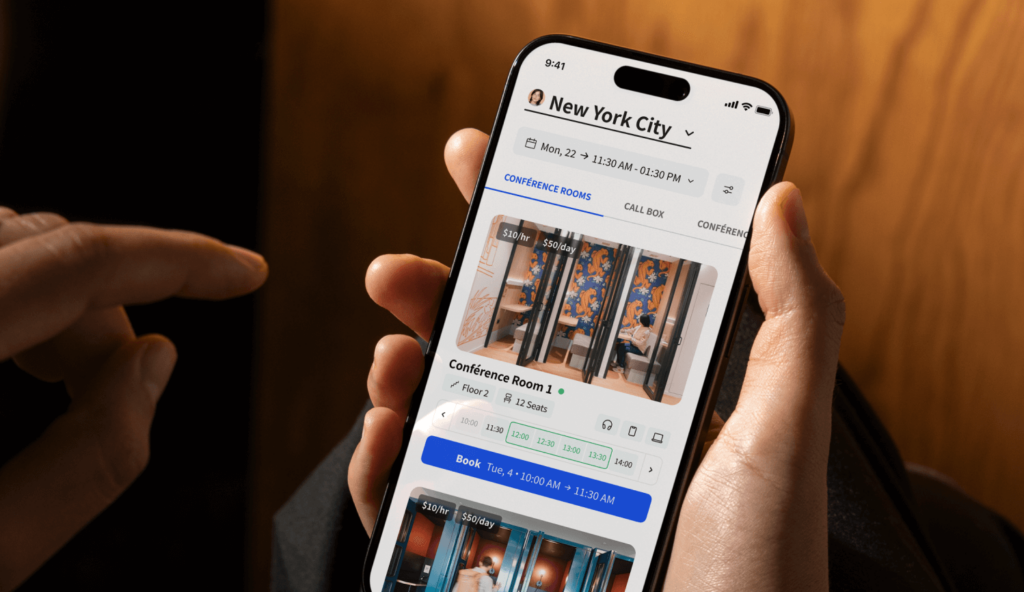
Archie is best for mid-sized coworking spaces and growing operators that need both community tools and strong day-to-day operations. It combines automated billing and contracts with easy visitor management and detailed analytics. If your space needs more than just member engagement and simple bookings, Archie is a solid fit.
It also includes built-in e-signatures, dependency bookings (for example, booking desks inside zones), and a more full-featured CRM than Coworks.
Archie Coworking limitations
Archie is powerful, but it can feel like more than you need if you only want basic bookings and simple community features. If you run a small makerspace or social club and want the simplest possible setup, Coworks may feel like a better match.
Archie’s pricing starts at the same point as Coworks’ base tier ($149/month), but if you do not need billing automation, visitor management, or multi-location features, Coworks’ entry plan may be enough.
Coworks alternative #2: Optix
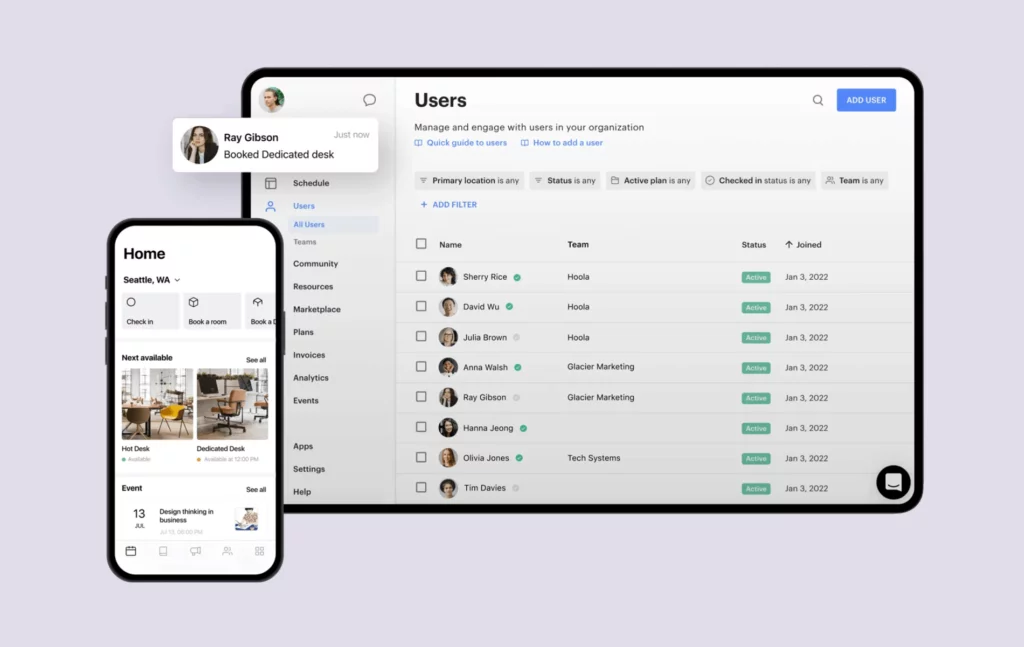
Optix was started by ShareDesk in 2015. It was one of the first coworking platforms built with a mobile-first approach, focusing early on member mobile apps and a smooth member experience.
It is designed for operators who want an all-in-one system for bookings, billing, member management, and community engagement, delivered through a modern interface while keeping mobile at the center.
What you get with Optix
- Mobile app: Polished iOS and Android apps for members to book spaces, pay invoices, and become part of the community.
- White-label options: Custom-branded apps for iOS and Android with your logo and colors.
- Workflow automation: Visual automation builder for member onboarding, offboarding, and reminders (and all the boring operations that take up half your day).
- Membership management: Plans, contracts, renewals, and member profiles.
- Automated billing: Recurring invoices, payment processing via Stripe, usage-based charges.
- CRM and communications: Member directory, messaging, announcements, and email campaigns.
- Community features: Event management, member directory, community feed, and perks.
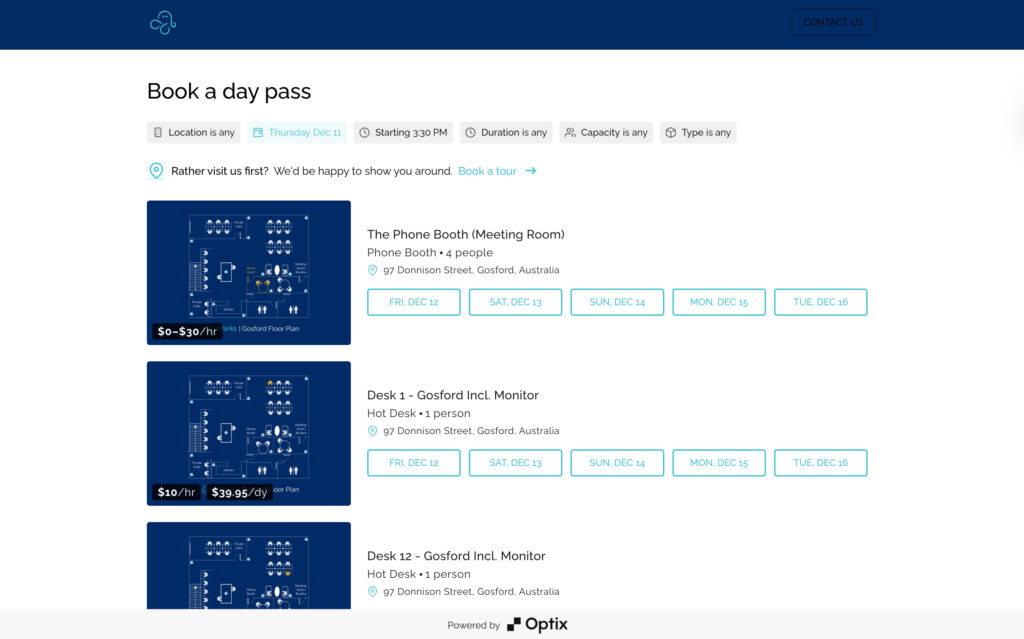
- Visitor management: Guest pre-registration and check-in workflows.
- Analytics and reporting: Occupancy reports, revenue tracking, check-in heatmaps.
- Resource booking: Desks, meeting rooms, shared spaces, and any other resource you have, with real-time availability.
How much does Optix cost?
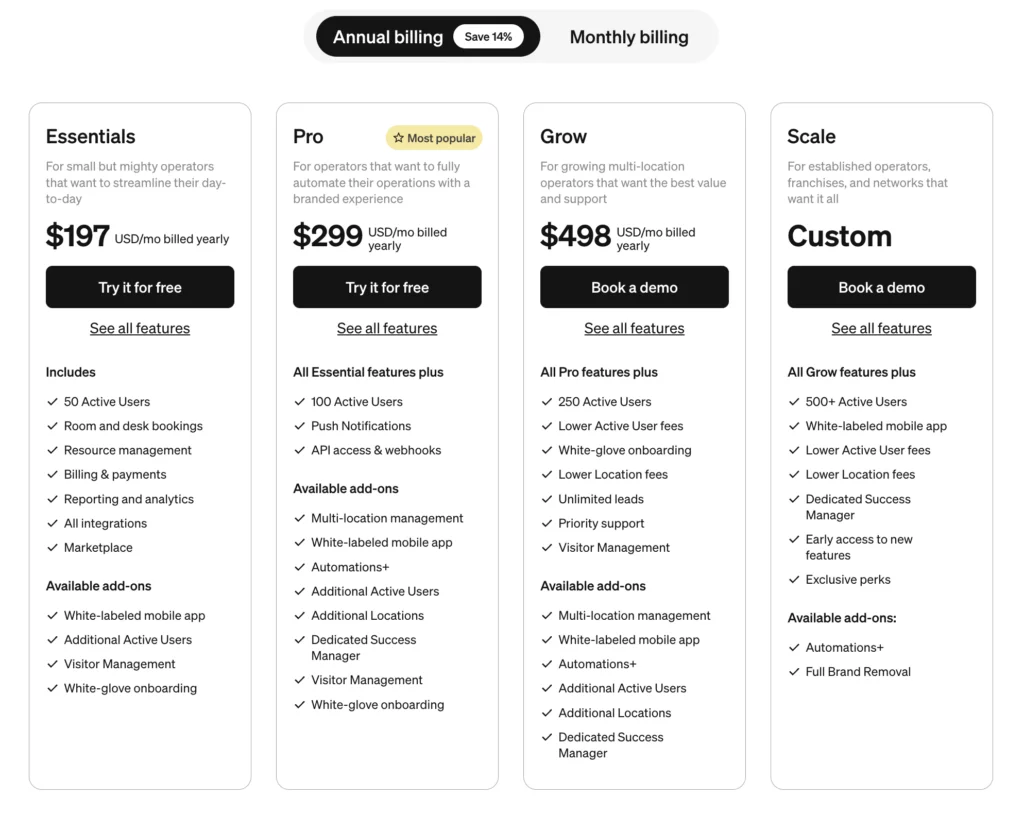
Optix offers four main pricing tiers: Essentials, Pro, Grow, and Scale. All plans include core features like resource booking, analytics, member management and engagement, mobile apps, automated billing, and basic support.
- Essentials: $197/month when billed annually (50 users + 1 location included)
- Pro: $299/month when billed annually (100 users + 1 location included)
- Grow: $498/month when billed annually (250 users + 1 location included)
- Scale: Custom pricing
Optix doesn’t really explain what an ‘active user’ means, though.
The platform also has a few add-ons. For the Essentials and Pro plans, for example, visitor management costs an extra $42/month, while it’s included in Grow and Scale. Other features, like the white-label app, additional payment gateways, and premium automation workflows, are charged extra.
Who’s Optix best for?
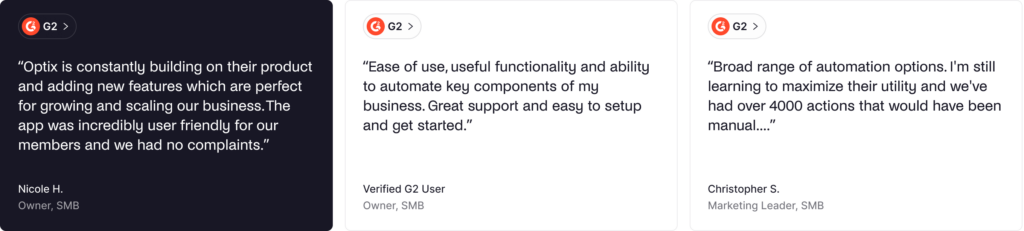
Optix is best for mid-sized coworking spaces that want a top-tier mobile member experience and strong automation. Its visual workflow builder is especially useful for tech-savvy teams that want to cut down on manual work, like onboarding steps, reminders, and routine admin tasks. The mobile app experience is one of Optix’s biggest strengths. And while Coworks is clean and easy to use, some reviews suggest Optix feels a bit more polished overall.
Optix limitations
Many advanced features in Optix are paid add-ons, which can push the total cost up. Coworks also charges extra for things like white-labeling, but Optix’s add-on model applies to more features overall.
And if you only want the basics, Optix may feel heavier than Coworks. It is not always the best fit if you mainly need simple community tools and straightforward bookings, without automation.
Coworks alternative #3: Spacebring
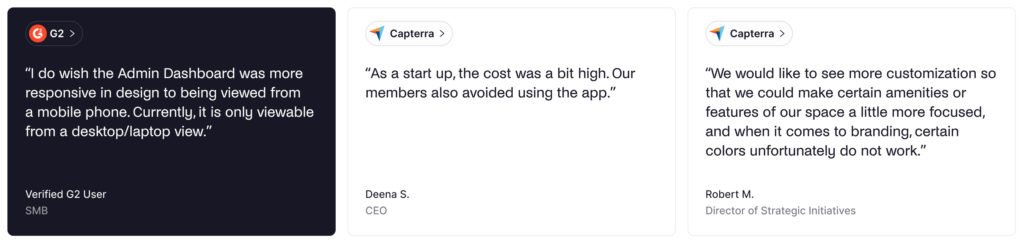
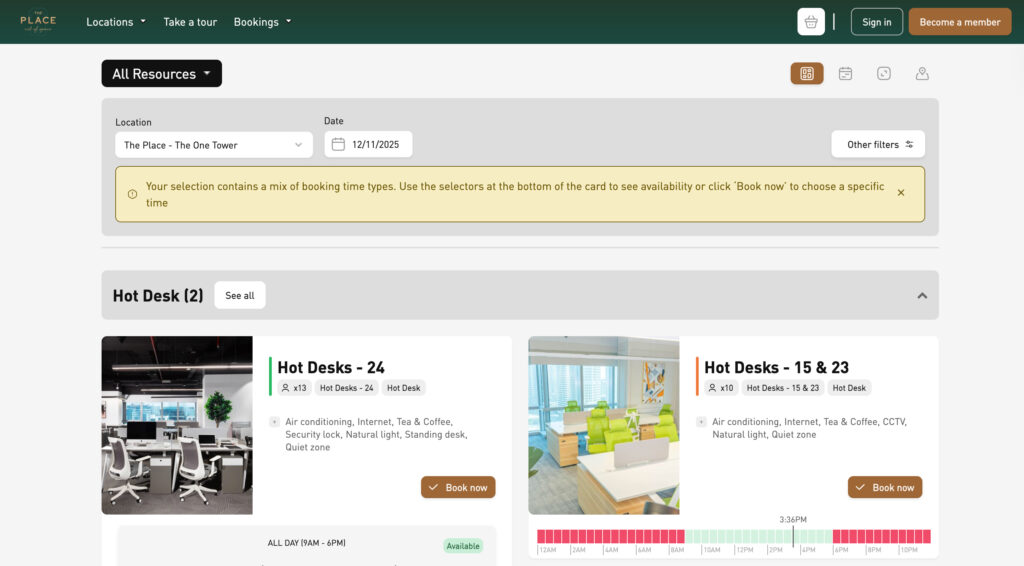
Spacebring is a coworking management platform that puts a lot of emphasis on member experience and engagement. It is especially popular outside North America, particularly in Europe, thanks to its strong multi-language support and user-friendly interface.
At the same time, Spacebring covers the full range of coworking operations, including bookings, billing, CRM, and community tools. It also includes a custom domain and a white-label member portal across all pricing plans.
What you get with Spacebring
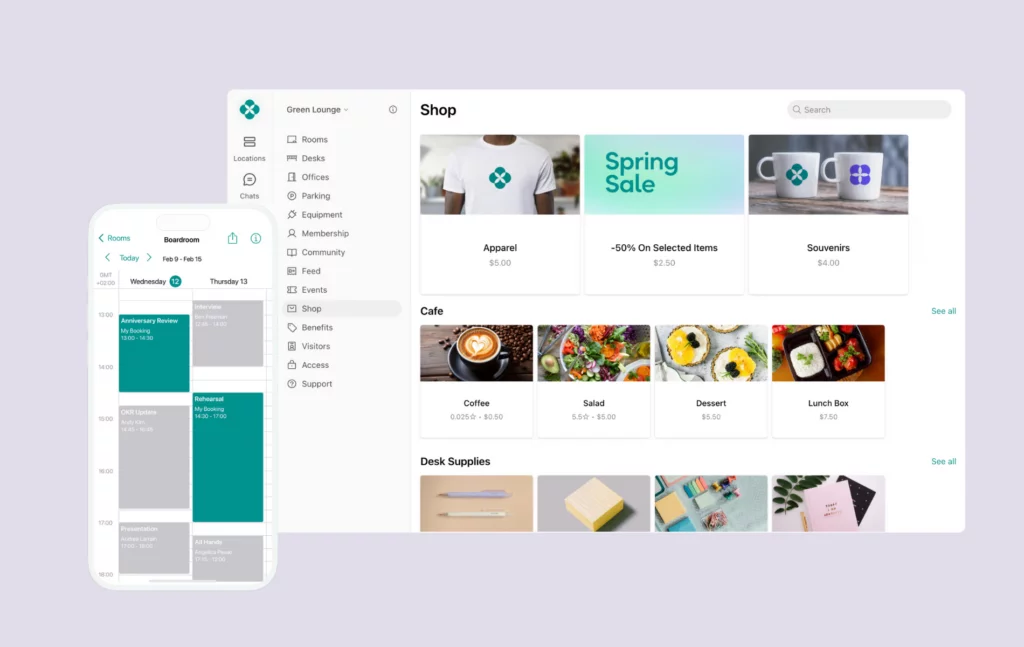
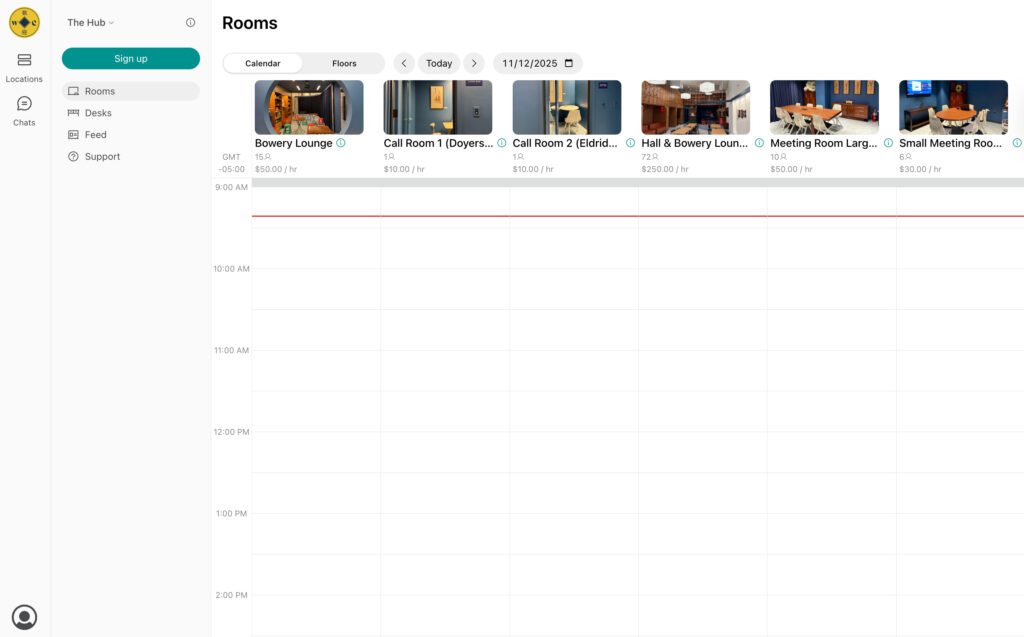
- Full web and mobile experience: Comprehensive web portal for members plus iOS and Android apps.
- Multi-language support: Interface available in multiple languages.
- Membership management: Plans, contracts, invoices, and member profiles.
- Automated billing: Recurring charges, built-in discounts, and contracts.
- Community features: Member directory, messaging, event management, and community feed.
- Access control integrations: Native integrations with Kisi, Salto, and other systems.
- CRM tools: Member communications and lifecycle management.
- Analytics: Booking reports, revenue tracking, occupancy data.
- Resource booking: Meeting rooms, desks, as well as parking and equipment.
- White-label options: Custom branding for member portal.
How much does Spacebring cost?
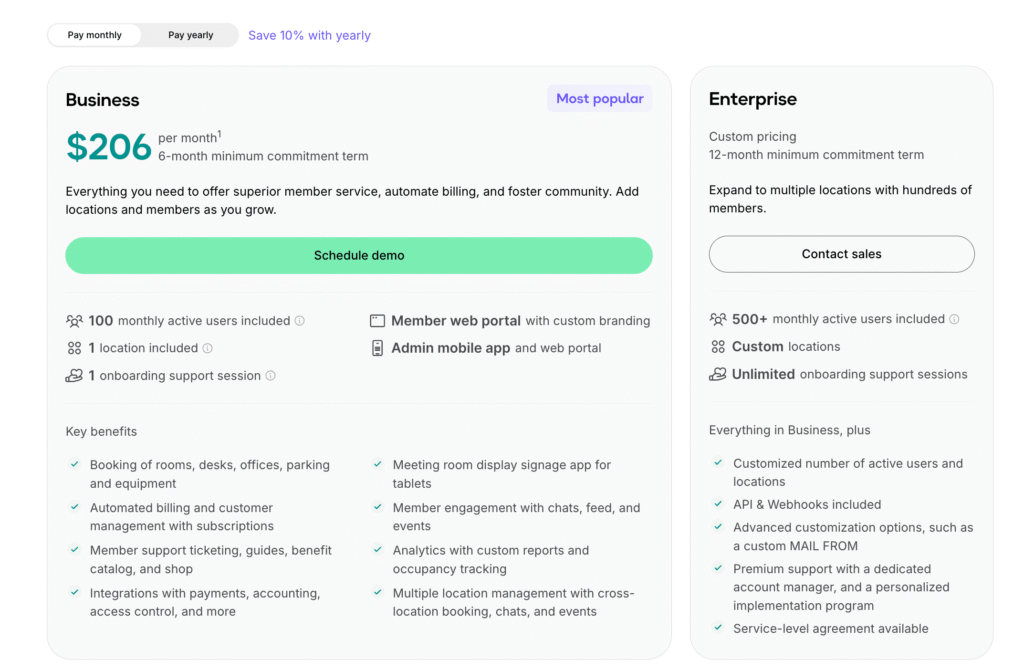
There are two plans to choose from:
- Business: $186/month (annual) or $206/month (monthly), with a 6-month minimum. Includes 100 active users, 1 location, 1 onboarding session, a branded member portal, and an admin app + web portal.
- Enterprise: Custom pricing with a 12-month minimum, designed for multi-location operators. Includes 500+ active users, custom locations, and unlimited onboarding.
Active users are counted if they have a subscription, booking, or payment during the billing period. Common add-ons: member mobile app, visitor reception, floor plans, and API/webhooks (priced per location). USD amounts can vary a bit because Spacebring’s main currency is EUR.
Who’s Spacebring best for?
Spacebring is best for small to mid-sized coworking spaces that want straightforward software with great support and fast setup. It offers a balanced all-in-one platform with automated billing, strong booking features, and built-in community tools.
Thanks to its multilingual interface, Spacebring is a stronger fit for European operators and international markets than Coworks, which is mainly English-first. And for EU-based teams, Spacebring’s support hours often align better with local time zones than Coworks’ US-based team.
Spacebring limitations
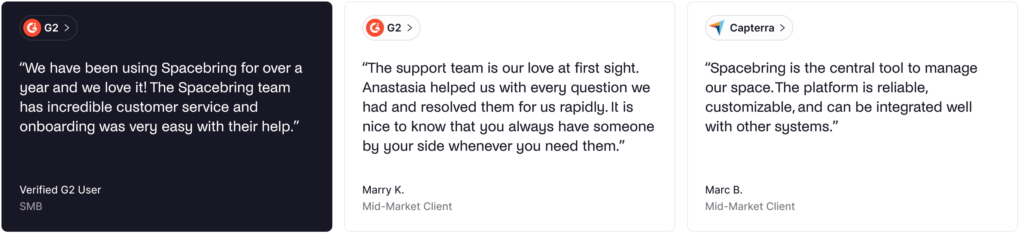
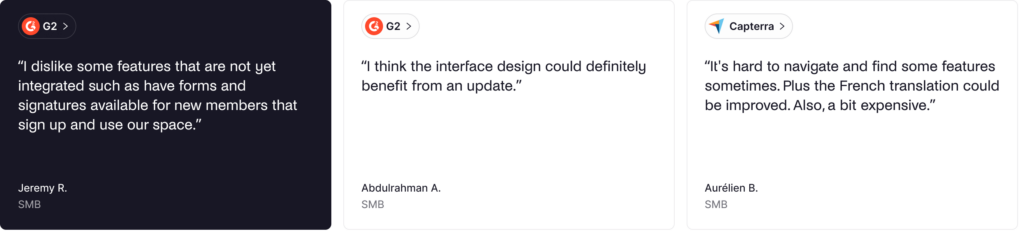
Even though the interface is generally seen as easy to use, a small number of reviews mention that some members can find the app harder to navigate. Since Coworks is also known for simplicity, this is not a major differentiator.
Spacebring can also feel like “too much” if you are just starting out, both in feature depth and price. If your main focus is basic member engagement and keeping costs low, Coworks’ lighter approach and cheaper entry plan may be a better match.
Coworks alternative #4: Nexudus
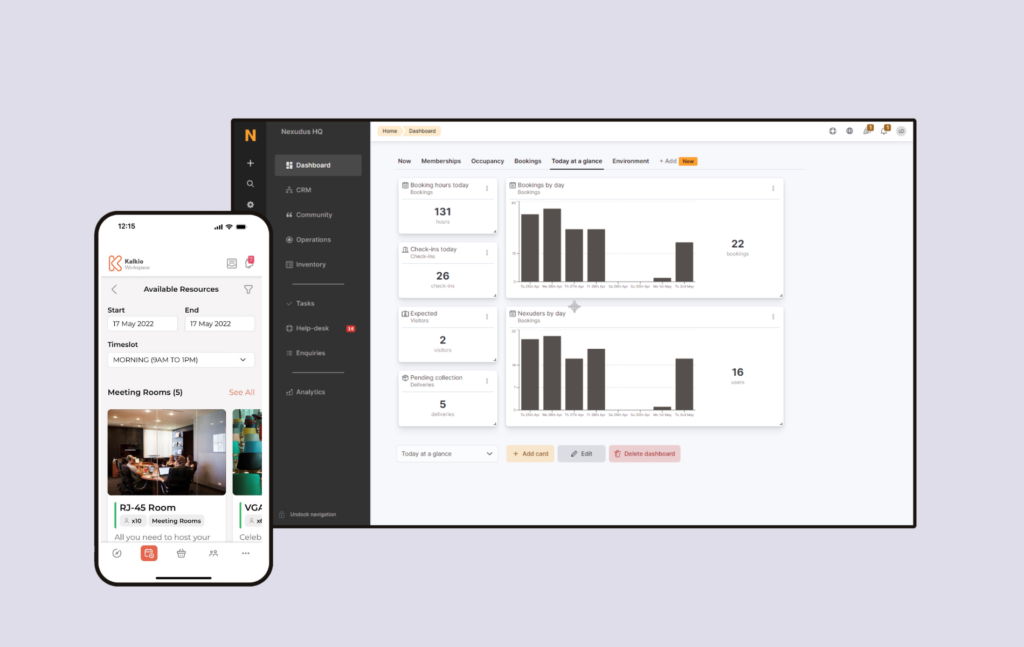
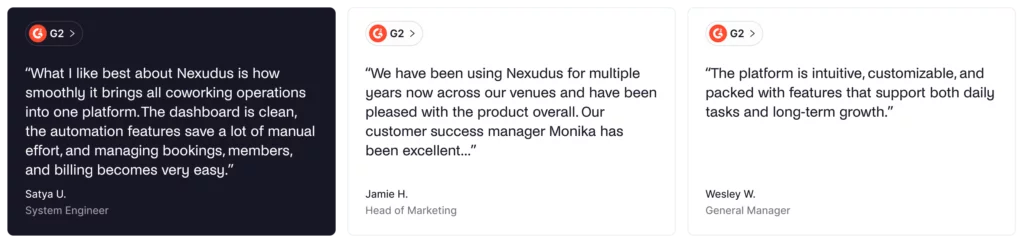
Nexudus was one of the first truly all-in-one tools with a very comprehensive feature set and deep customization options.
Today, Nexudus is used by thousands of coworking spaces around the world. It gives operators a lot of depth and flexibility and has steadily added new features and integrations to support almost every coworking use case.
What you get with Nexudus
- Advanced membership management: Complex plan structures, contracts, renewals, credits, passes, and memberships.
- Automated billing: Recurring charges, usage-based billing, and invoicing.
- Built-in CRM and email marketing: Member communications, newsletter campaigns, and marketing automation.
- White-label member portal and apps: Custom-branded web portal and iOS/Android apps.
- Native integrations: Direct integrations including accounting, access control, and communication tools.
- Community platform: Built-in social network features, events, and member directory.
- Visitor management: Guest registration and check-in workflows.
- Native point-of-sale: Built-in POS for café or retail operations.
- Multi-location management: Centralized management for multi-location operations.
- Advanced analytics: Detailed reports, forecasting, and business intelligence tools.
- Comprehensive resource booking system: Meeting rooms, desks, and pretty much any bookable resource.
How much does Nexudus cost?
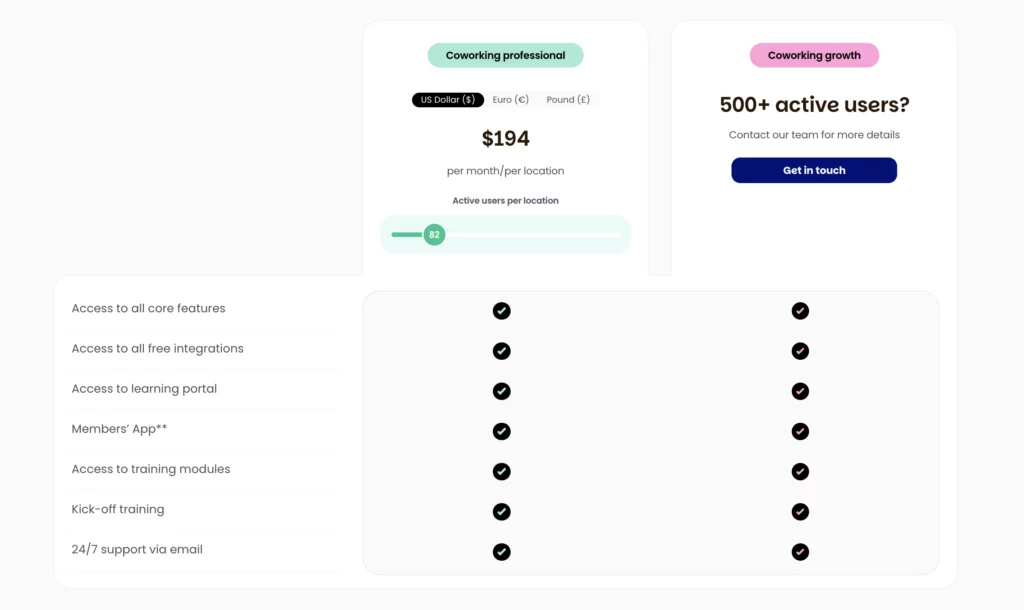
Nexudus offers a base pricing plan that scales based on the number of active members.
The base price is $150 per month per location for up to 80 active users. For Nexudus, active users are those with a current membership or who have been invoiced or made a booking in the last 30 days. Other contacts stay in your CRM at no cost.
Some of the add-ons include:
- White-label mobile app: $150/month for up to 5 locations (+ Apple developer account at $99/year to publish the iOS app).
- Explore Pro analytics: $100/month + $25/month per location for advanced dashboards.
- Nexudus Academy training: $150/month for one location + $25/month per additional location (3-month minimum).
Who's Nexudus best for?
Nexudus is a strong fit if you need deeper analytics, custom membership plans, more complex billing scenarios, or lots of native integrations. It’s best for established coworking operators and larger networks that need more features and deeper customization than Coworks provides. It suits teams that can invest time in setup, training, and ongoing configuration.
Nexudus limitations
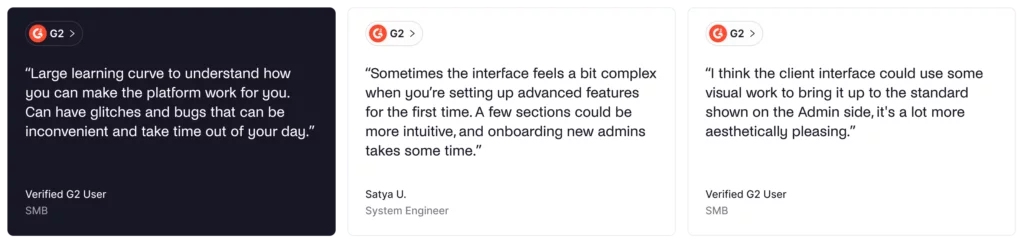
Nexudus has a steep learning curve compared to Coworks. The interface can feel more traditional, and training staff often takes longer than with simpler, more modern tools.
Features can also be buried in menus. While Coworks may not have every advanced capability, it is usually much easier to learn and use day to day. For small spaces or community-focused setups like makerspaces and social clubs, Nexudus can feel overwhelming and more complex than necessary.
Coworks alternative #5: OfficeRnD
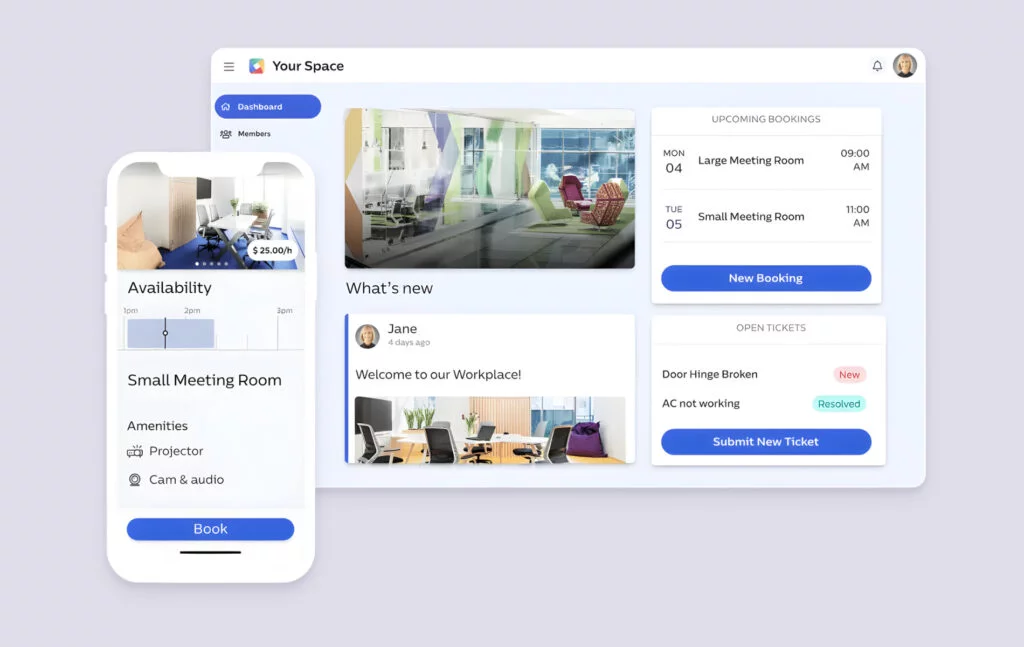
OfficeRnD Flex is an all-in-one, enterprise-level coworking management platform. The platform has grown to serve spaces globally and is particularly strong with complex billing scenarios and corporate accounts. Most of the features cater to larger operators, landlords with flex space, and spaces that work extensively with corporate clients and team accounts.
What you get with OfficeRnD
- Complex membership management: Individual and team accounts, corporate billing, integrations with accounting tools.
- Advanced billing: Recurring charges, usage tracking, proration, and complex invoicing scenarios.
- CRM and lead management: Member profiles, lead tracking, sales pipeline.
- Access control integrations: Native connections to Kisi, Salto KS, and other access control systems.
- Advanced analytics: Revenue reports, occupancy analytics, forecasting.
- API access: RESTful API for custom integrations.
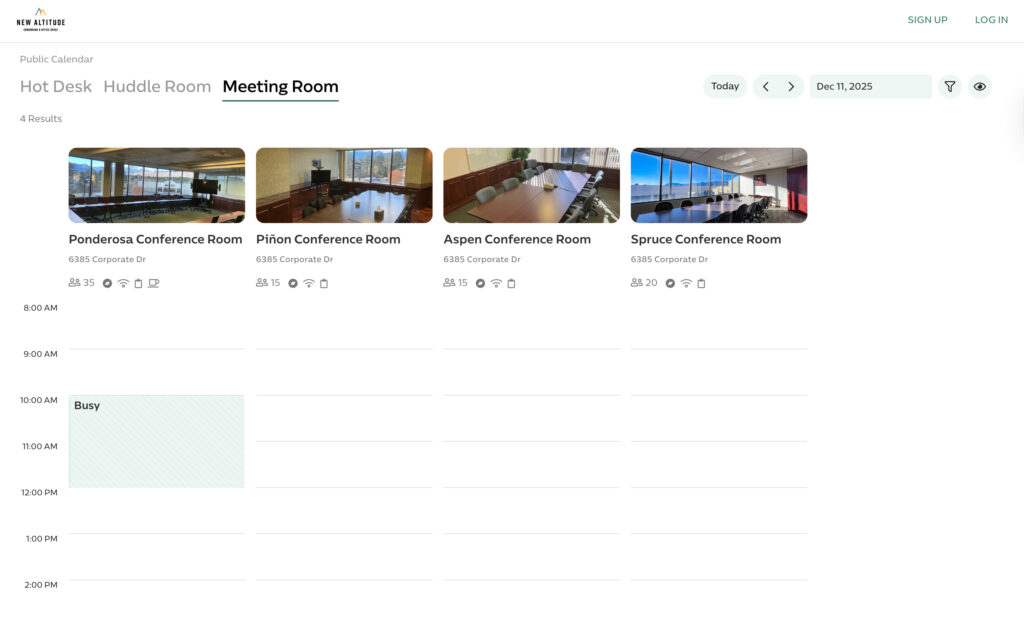
- Space booking and management: Meeting rooms, desks, private offices, shared spaces, and any other resources, like phone booths.
- White-label member portal and apps: Custom-branded web portal and mobile apps.
How much does OfficeRnD cost?
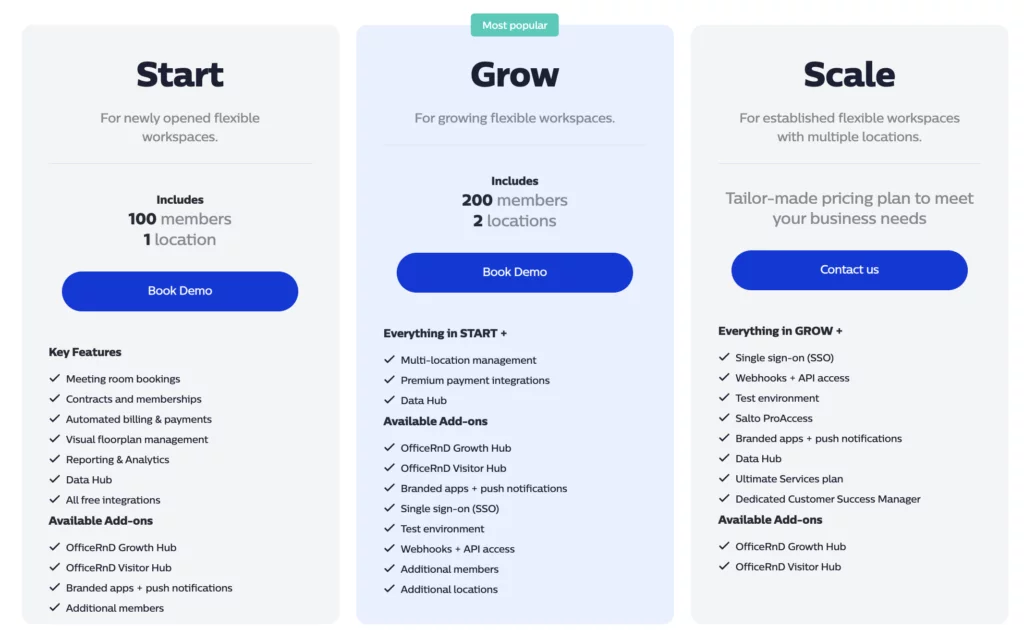
OfficeRnD used to list its pricing publicly. Plans started at around $165/month for a single location with 100 members. Today, OfficeRnD uses custom pricing, so it is harder to know what you will pay without contacting them directly.
Who’s OfficeRnD best for?
OfficeRnD is best for established coworking operators, landlords with flex space, and spaces that work heavily with corporate clients that need complex billing and team account management. It offers enterprise-level tools for things like multi-entity billing, hierarchy, and detailed financial reporting, which Coworks does not really cover.
OfficeRnd limitations
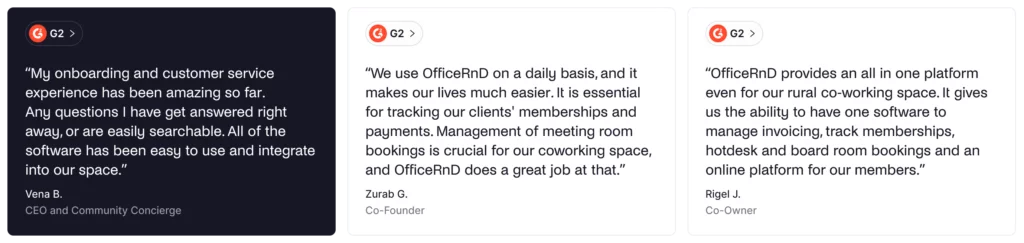
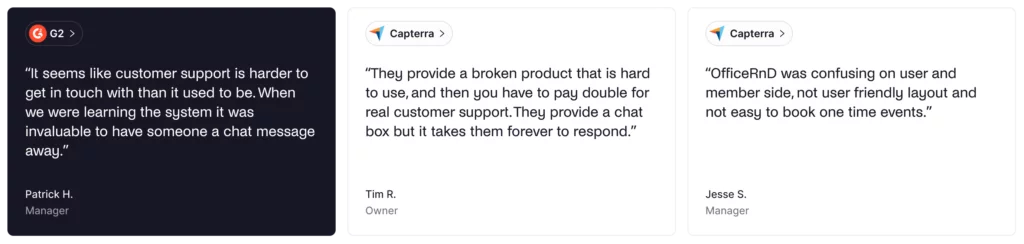
OfficeRnD usually takes more time to set up and onboard than Coworks. The interface also feels more “enterprise” and can be less intuitive day to day. Coworks may be lighter on advanced features, but it is typically faster to learn and easier to use.
For small, community-focused spaces, OfficeRnD can be more than you need. If you run an incubator, makerspace, or social club and mainly care about simple bookings and community engagement, the extra complexity may not be worth it.
Other alternatives to Coworks
If none of the options above fit your needs, here are other coworking space management tools worth considering:
- Cobot: Budget-friendly option with solid core features, good for smaller spaces with straightforward needs.
- Essensys: Enterprise coworking platform designed for flexible office operators and landlords with flex space.
- Proximity: Combines access control and Wi-Fi management with the standard tools you’d expect in coworking software.
Which Coworks alternative should you choose?
There are several solid Coworks alternatives to consider. To choose the best one for your space, think about:
✅ Feature depth. Determine whether you need basic community tools (Coworks) or comprehensive operational features (Archie, OfficeRnD, Nexudus). Most growing spaces might need a bit more than what Coworks offers.
✅ Billing automation requirements. Check when automated billing is included. Archie includes it for $165/month, while Coworks requires upgrading to Premium for $249/month.
✅ Add-ons. When budgeting, consider all costs, including required add-ons. Coworks’ base price is competitive, but features like automated billing and white-label apps cost extra.
✅ Integrations. List your must-have integrations. Nexudus, in particular, offers a large library of native integrations, while other platforms may rely more on Zapier for less common tools in a coworking tech stack.
✅ Analytics and reporting depth. Evaluate how detailed your reporting needs to be. Coworks covers the basics; alternatives like Archie, OfficeRnD, and Nexudus offer more comprehensive analytics.
✅ Client portal. It shapes first impressions, so make sure to check the UI, booking and payment steps, and whether branding and customization cost extra.
✅ White-label options. Decide whether you need custom domains, branded mobile apps, or a full app store presence.
Why Archie is usually the best all-around pick
- Comprehensive feature set. Archie includes automated billing, e-signatures, visitor management, coworking CRM, and dependency booking, providing the operational depth needed to scale efficiently.
- Predictable and transparent pricing. Clear per-location pricing makes budgeting straightforward. No hidden add-on fees for the essential features.
- Fast deployment. Get operational quickly without lengthy implementation projects. Most spaces are live within days, not weeks or months.
- Strong for multi-location operators. Centralized management with location-specific control makes it easy to run multiple spaces efficiently.
- Advanced features without add-ons. Built-in e-signatures, visitor management in the Pro tier, and native coworking integrations mean fewer surprise costs as you scale.
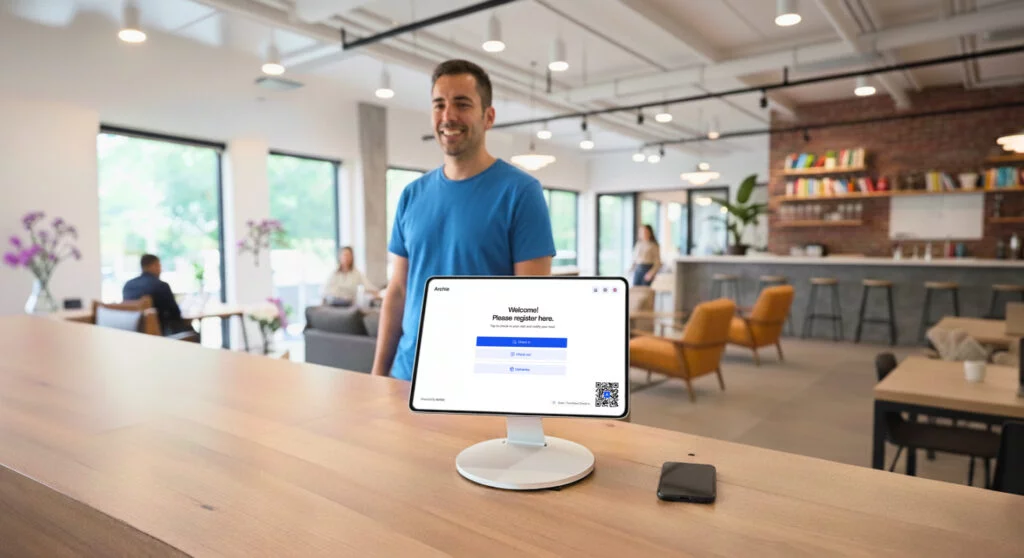
Quick head-to-heads
- Archie vs Coworks: Both are easy to use, but Archie goes further on operations. It includes automated billing at lower tiers, built-in e-signatures, visitor management, a stronger CRM, and dependency bookings.
- Archie vs Optix: Both cover core coworking needs, but Archie includes more in the base price (such as visitor management and e-signatures) and offers a web portal for members in addition to the mobile app.
- Archie vs Spacebring: Both offer a good balance of mobile and web with simple pricing. Spacebring is a better fit if you need multi-language support. Archie is a better fit if you want stronger North American support, built-in e-signatures, and visitor management included in the Pro plan.
- Archie vs OfficeRnD: OfficeRnD might handle very large coworking operations and complex billing scenarios better, but Archie provides similar core features with easier implementation and more transparent pricing.
- Archie vs Nexudus: Nexudus offers the most features and configurability, but requires a longer implementation and a steeper learning curve. Archie delivers core features with better usability and faster deployment.
💡 Worried about changing your coworking software? Archie’s team can handle the heavy lifting for you. We can move your floor plans, resources, member data, and help connect your existing tools so everything keeps running smoothly.
Coworks FAQ
Coworks is a community-focused coworking space management platform designed for independent spaces, incubators, makerspaces, and social clubs. It handles member mobile apps, space booking, event management, community features, and basic membership management.
Yes, Coworks offers iOS and Android mobile apps for members to book spaces, view events, access the member directory, and receive announcements. The mobile app is central to Coworks’ member experience, focusing on community engagement and simple bookings.
Coworks offers some standard integrations and supports Zapier for connecting to third-party tools. All basic integrations are included in its Premium plan, and you can explore custom integrations with the Enterprise plan.
Sources
- Competitor feature & pricing pages
- Demo videos
- G2 & Capterra profiles
- Archie’s product research

Alexios Georgakopoulos
Archie’s Content Writer, coffee fiend, and resident Gen Zer who hates working in offices but loves writing about them. When he is not deep in hybrid work and coworking topics, he is obsessing over a new hobby that will probably last about a day.