






Most workplaces fall apart when nobody knows where to sit, and that is exactly the chaos desk booking software is designed to prevent. Without a simple way to reserve seats, you often get the worst of both worlds: crowded areas on busy days, empty desks on quiet days, and teams that start avoiding the office because it feels unpredictable.
And this is not just a small-company problem. During return-to-office pushes, even large employers have run into desk shortages and messy seating setups. Reports have described JPMorgan staff in London arriving early just to secure a desk, and HSBC facing a large desk shortfall as it plans office moves and higher attendance. Amazon, on the other hand, delayed full return-to-office timelines in some cities because there was not enough space. So, here’s what can be done about all that.
💡 What you’ll learn from this guide:
- What desk booking software is, and how it supports hot desking and flexible seating arrangements
- The biggest problems desk booking solves, like peak-day overcrowding, double bookings, and no-shows
- How hot desk booking works for employees and admins, including maps, time slots, and booking rules
- How to choose the right hot desk booking software for your team, including pricing models, reviews, and rollout effort
- The latest trends shaping desk booking tools
- Why Archie is one of the best hot desk booking systems out there
Desk booking software guide
What is desk booking software?
Desk booking software (also called a hot desk booking system) is a workplace tool that lets employees reserve a desk when they need one, instead of having a permanently assigned seat.
“Desk booking” is a pretty broad term, though. It describes a mix of different ways people claim a workspace, depending on the team, the space, and how often people come in:
Types of desk booking
- Desk hoteling is when employees book a desk ahead of time for a set period, often longer than a single day. This works well for people who come in a few days in a row, like part-time, remote, or traveling employees.
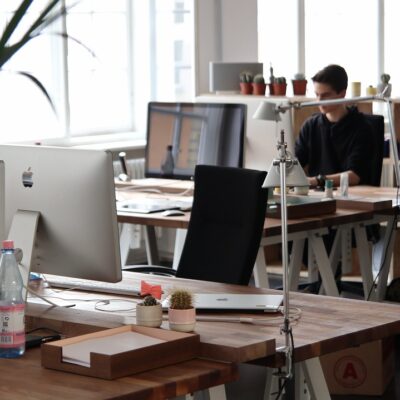
- Hot desking is a more flexible setup where desks are not assigned to anyone. People choose where to sit when they arrive.
- Seat assignments is the traditional setup where each employee has a permanent desk.
Top desk booking systems support all these types of desk booking: People can make recurring desk resrervations, see which desks are available in real time, and book a desk in advance or right before they arrive.
Is desk booking software the same as room booking software?
Not exactly, but they’re closely related.
- Desk booking software is built for reserving individual workspaces (like hot desks or assigned desks).
- Room booking software is built for reserving shared spaces (like meeting rooms, phone booths, or conference rooms).
They usually solve the same core problem (making sure people can reserve space without clashes), but they handle features, integrations, and smaller details a little differently.
For example, with hot desking, companies often need team neighborhoods, check-ins, attendance, desk rules, and “who’s sitting where.” When booking rooms, you’re going to look at things like capacity limits, equipment details, catering/services, setup time, and calendar invites.
Can desk booking software be used for meeting rooms?
Many workplace platforms offer both in one system, so you can book a desk and a meeting room from the same app, often with the same floor plan and the same rules.
That said, not every desk booking tool supports rooms well. Some desk tools are for desk sharing only, and some “room booking” features are basic (for example, no buffer times, no equipment info, or weak calendar syncing).
What industries use desk booking software?
You’ll find desk booking software anywhere people share desks, work on rotating team schedules, or need a simple way to manage who sits where:
Desk booking for enterprise offices
Large companies use desk booking to keep employee attendance organized across multiple teams, floors, and locations. It helps prevent overcrowding, supports team seating, and gives workplace teams data to plan space and staffing, especially when hybrid work models or RTO plans are involved.
Desk booking for startups and scale-ups
Startups use desk reservation systems when they’re growing fast or trying to stay flexible in a smaller office. It makes it easy to share desks, avoid daily “where do I sit?” confusion, and adapt as the team changes.
Desk booking for universities and education
Universities use desk booking for shared staff offices, admin desks, labs, libraries, and study workstations. It reduces conflicts, helps manage limited space, and supports departments with changing schedules throughout the week.
Desk booking for healthcare admin offices
Healthcare organizations often use desk booking solutions for non-clinical teams, like HR, finance, IT, scheduling, and billing. It keeps shared desks organized and helps managers understand who is on-site, without affecting patient-facing areas.
Desk booking for government and public sector
Government teams use desk booking to support structured policies and compliance needs, like permissions, booking rules, and reporting. It also helps with transparency, space planning, and knowing who is in the building on any given day.
Desk booking for coworking spaces
Coworking operators use coworking booking systems to manage hot desks and dedicated desks, as well as day passes and shared areas without constant front-desk help. Members can book from their phone, and the team gets a clear view of availability, peak days, and desk usage.
Desk booking for multi-tenant buildings and flex office providers
In multi-tenant buildings, desk booking supports shared amenities search and bookable work areas across tenants. Building teams can manage access and availability, while real estate owners get usage data to understand demand and plan improvements.
What is desk booking software used for?
When it comes to its purpose and importance, desk booking software helps different workplaces run smoothly when people come in on different days.
Here are the main problems it helps solve:
✅ People can’t find a desk. When employees arrive and everything looks taken, it creates stress and wastes time. Desk booking lets people secure a spot before they show up.
✅ The office gets too crowded on busy days. Some days are quiet, and other days feel packed. A desk booking system helps manage those peak days by showing real availability and supporting capacity limits if needed.
✅ Double bookings and desk conflicts. Without a clear system, two people can think they have the same desk. Booking rules and real-time availability help prevent overlaps.
✅ People book desks and don’t show up. No-shows are common. Many desk booking tools include check-ins and auto-release, so unused desks go back into the pool.
✅ You need to know who’s in the office. Teams often need a clear view of who is on-site for planning, collaboration, and safety. Desk booking data can support attendance tracking and “who’s in” visibility.
✅ The tool isn’t being used. Adoption is a real challenge. The best platforms make booking quick and easy, with mobile access, clear floor plans, and reminders that fit into daily routines.
✅ You want to reduce office space using real data. Over time, booking reports show how many desks you truly need and when you need them. That can help you cut wasted space, lower costs, and design the office around how people actually use it.
These problems are more common than they sound. During the remote-heavy years, a lot of companies reduced office space or changed layouts. Now that more people are coming in again, some offices simply do not have enough desks on the busiest days. That can hurt morale and productivity because people waste time hunting for seats, end up in noisy overflow areas, and feel annoyed before the workday even starts.
You can see this in a few high-profile return-to-office stories, including JPMorgan, HSBC, Amazon, or AT&T.
Desk booking software benefits for hybrid work and beyond
- Space optimization and cost savings: Usage reports show which desks and zones are popular (and which are not), so you can adjust layouts and plan office space with real data.
- Less seat hunting: People book a desk ahead of time, so they are not walking around looking for somewhere to sit.
- Smoother peak days: Real-time availability and capacity limits help prevent overcrowding on busy office days.
- Fewer desk conflicts: One shared desk system reduces double bookings and awkward “is this desk taken?” moments.
- Better desk usage: Check-ins and auto-release free up desks when someone does not show up.
- Improved employee experience: Teams can book a desk, see who is on-site, and where people are sitting, which helps with planning and collaboration.
In short, desk booking software offers clear benefits for hybrid work by giving people a simple way to reserve desks directly before they arrive. This improves workspace management because teams can reduce seat hunting, prevent double bookings, and handle busy days more smoothly.
How does hot desk booking software work
Hot desk booking software is pretty simple from the employee side, and quite powerful on the admin side:
For employees
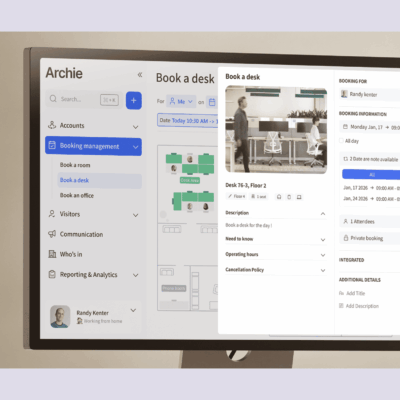
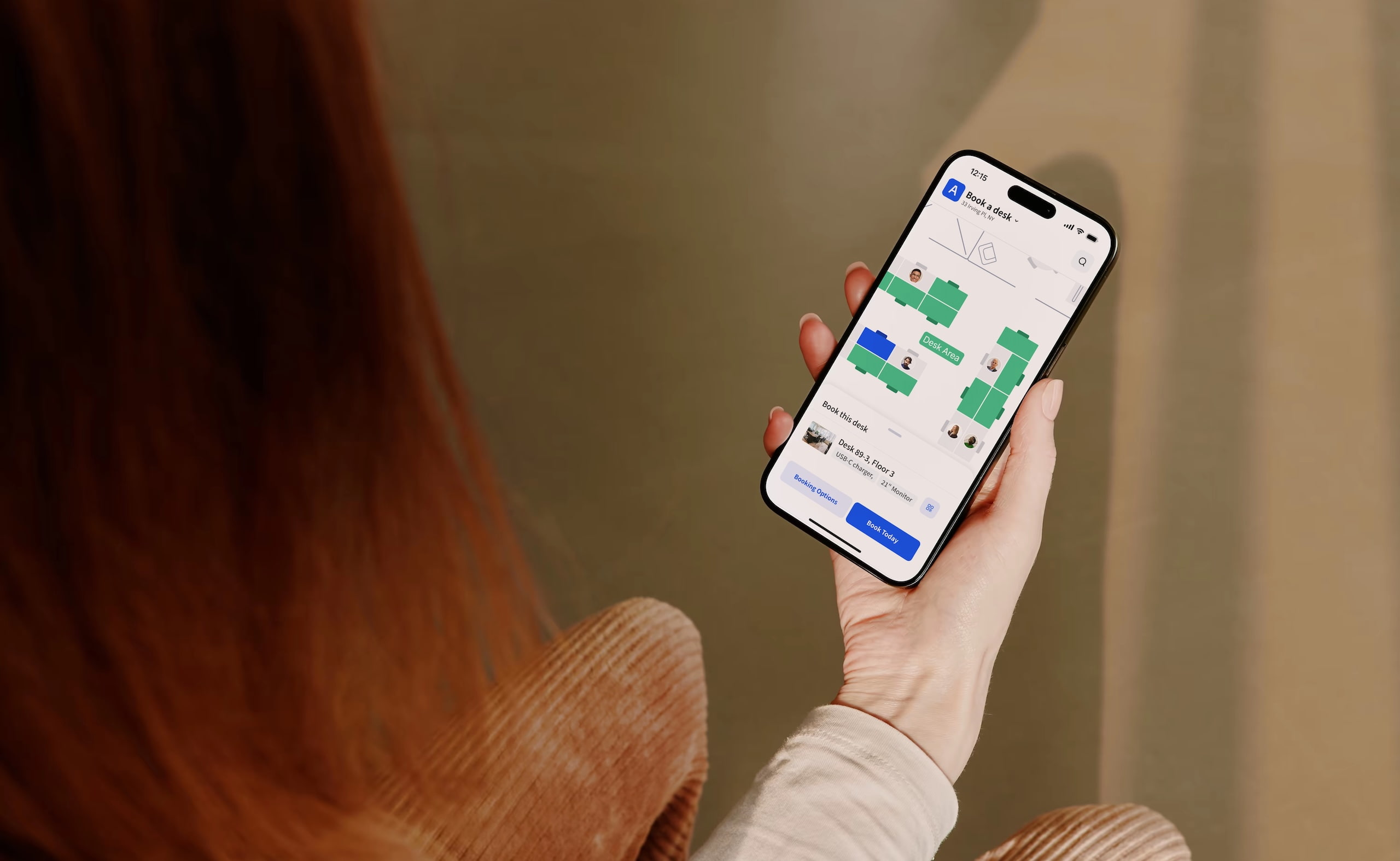
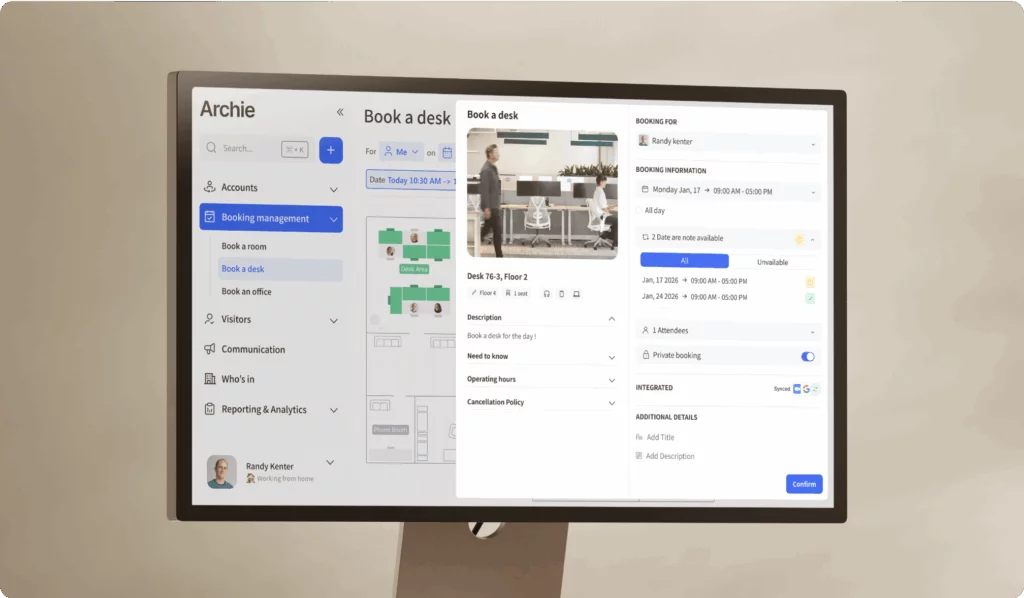
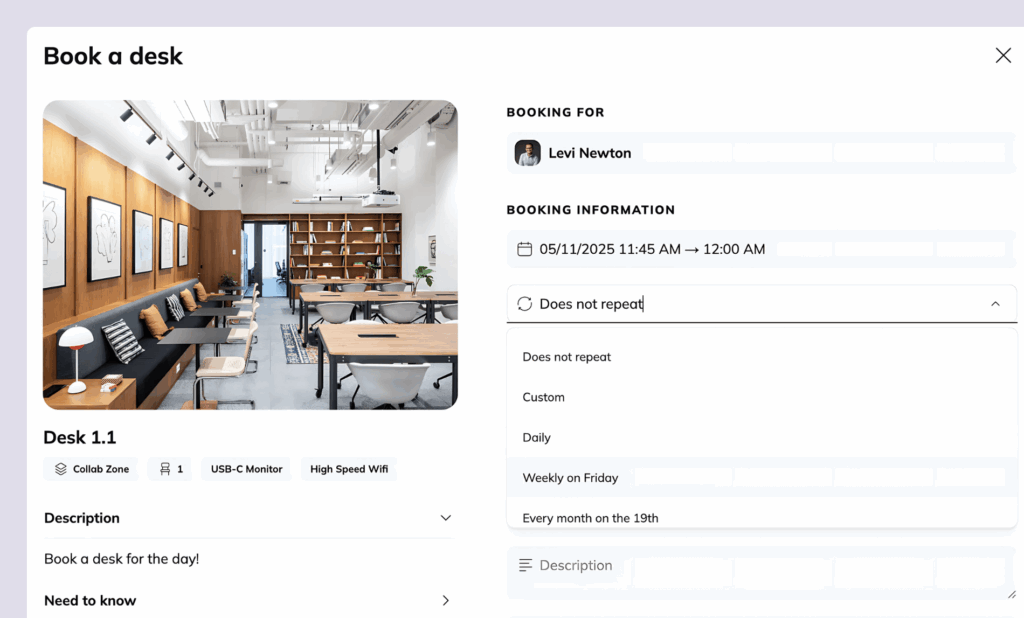
You open a desk booking app or website and pick a desk that’s available. Most tools let you choose in two easy ways:
- A calendar view (pick a day and time)
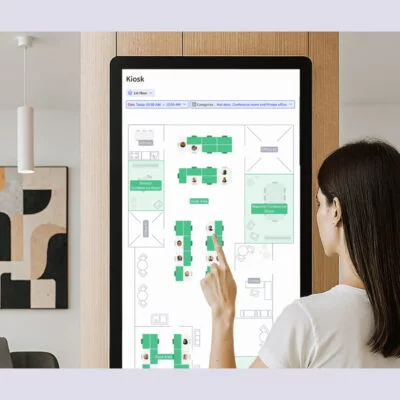
- An interactive office map (click on a desk right on the floor plan)
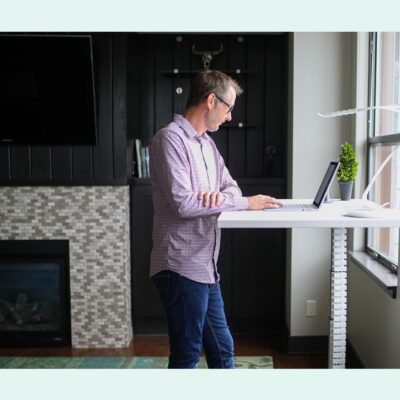
You can also filter by specific desk amenities and what you need, like a sit-stand desk, a quiet area, or a desk in your team zone or “neighborhood”.
Then you book using time slots, like 9–12 or 1–5, or you reserve the whole day. If you usually come in on the same days each week, some hot desk booking systems like Archie let you set recurring bookings, so you don’t have to repeat the same steps every time.
Once you’ve booked, you can see who else is coming in, and confirm, change, or cancel your booking in a few clicks.
For admins and workplace managers
Admins can set the rules that keep things fair and organized. For example:
- how far in advance can people book
- maximum booking length (like a half day or full day)
- cancellation rules and cut-off times
- who can book specific areas (team zones, departments, visitors)
- what happens if someone books a desk but doesn’t show up
Managers can also book desks for their team, which is helpful for team days or when people need to sit together.
Behind the scenes
The software updates the desk availability right away, so two people can’t book the same desk at the same time. It also keeps a record of usage, which helps workplace teams understand what’s really happening in the office. It also means that over time, you can use this data to track desk occupancy (how often desks are used), see booking patterns and busy days, and spot desks or zones that rarely get used.
Most popular hot desking applications for modern offices (examples)
“Most popular hot desking applications” can mean different things depending on your office size and setup:
Software | Starting price | Best for | G2 rating | Our score |
|---|---|---|---|---|
Archie | $2.80/desk/month | Best overall for mid-sized and large offices | 4.9/5 | 9.15/10 |
deskbird | $3.75/user/month | Small to mid-sized teams wanting social features | 4.5/5 | 8.26/10 |
OfficeSpace | Custom quote | Enterprises wanting space planning and move management | 4.7/5 | 7.95/10 |
Kadence | Custom quote | Large teams with bigger budgets needing AI features | 4.5/5 | 7.94/10 |
Envoy | $60/resource/year (+ fee) | Large, security-conscious organizations | 4.4/5 | 7.93/10 |
Officely | $2.50/user/month | Small, Slack-first hybrid teams | 4.6/5 | 7.88/10 |
Robin | Custom quote | Enterprises (500+ employees) | 4.5/5 | 7.88/10 |
Skedda | $99/month (15 spaces) | Small to mid-sized organizations with complex booking rules | 4.8/5 | 7.65/10 |
💡 For more options and selection criteria, check out our best desk booking software comparison.
Key hot desk booking system features
Modern desk booking software offers a robust set of key features for you and your teams. Use this as a quick checklist when you’re comparing desk booking tools:
Desk booking experience
These features make booking fast, clear, and easy enough that people actually use it.
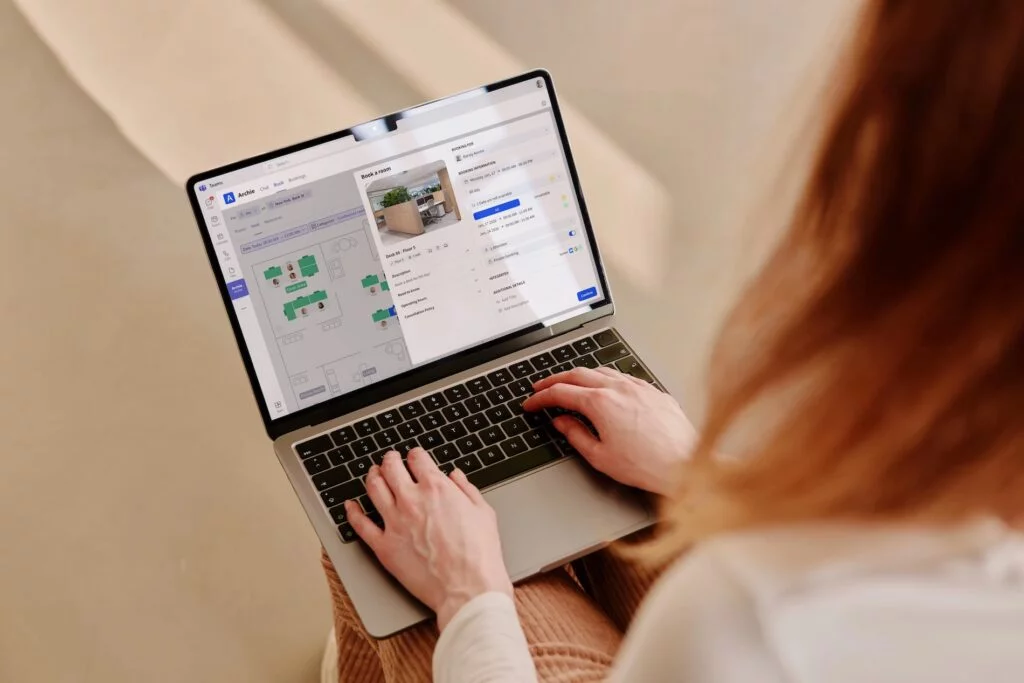
- Fast booking on mobile and desktop (a few clicks, no learning curve)
- Real-time desk availability, so people can instantly see what’s free
- Interactive office seating plan and a simple list view (both are useful)
- Desk filters for needs like quiet zone, sit-stand desk, team area, or location
- Calendar-friendly booking (works smoothly with Google Calendar or Outlook)
Desk booking types and flexibility
Offices rarely use just one seating style. A good tool should support different ways of working as schedules and teams change.
- Supports different setups: hot desks, desk hoteling, neighborhoods/zones, assigned seating
- Time slots (half-day or hourly) plus full-day booking
- Option for recurring bookings (same days each week)
Admin rules and controls
They help workplace admins keep bookings fair and predictable, especially on busy days or in shared team areas.
- Set how far in advance people can book
- Limits on booking length and booking frequency (if needed)
- Rules for who can book which areas
- Clear cancellation rules and cut-off times
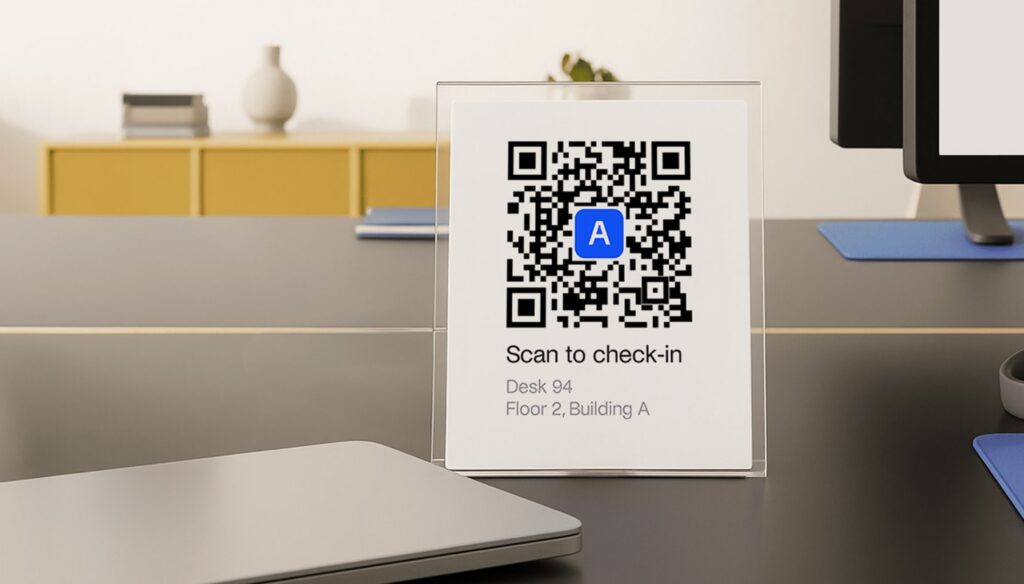
- No-show protection, like check-ins and auto-release desks if someone doesn’t show up
Employee visibility
These desk booking features are all about helping teams coordinate and helping workplace teams know who is on-site without chasing updates in chat.
- See who’s coming in on a given day
- See where teammates are sitting (so people can sit together)
- Simple “people finder” or directory view
- Admin view of who is on-site right now
Reporting and space insights
These features turn booking activity into real planning data, so you can spot patterns and make smarter office space decisions.
- Occupancy reports by desk, zone, day, and time
- Trends that show your busiest days and most-used areas
- Flags for desks or zones that are rarely used
- Easy exports for sharing and planning
Integrations and access
The best tools fit into what you already use, and they make login and permissions simple for both IT and workplace admins.
- Works with tools your team already uses: Google Workspace, Slack, Microsoft 365 (mostly Microsoft Teams & Outlook)
- SSO for secure, easy login (especially for larger teams)
- Clean admin permissions (so managers and admins can do what they need)
How to choose the right desk booking software
Desk hoteling tools can look almost identical at first glance, but the small details start to matter a lot once people are booking desks every day.
Start by getting clear on what you actually need. Are you only trying to solve desk booking, or do you also want room booking, visitor sign-in, and workplace reports? Some tools do one thing really well, while others try to cover everything in one platform. If you only need desk hoteling right now, make sure you are not paying for extras you will never use. At the same time, it’s worth thinking a little ahead, so you do not end up outgrowing the tool in six to twelve months.
Then think about how quickly you need to roll it out and how much support you want. Some tools are quick to set up and can go live in days with minimal help. Others need onboarding calls, training, and a longer implementation. Neither approach is automatically better. What matters is choosing the one that matches your timeline and your team’s capacity to manage desk booking setup.
Next, look closely at pricing, because this is where tools can be very different. We’re going to discuss this in more detail in the next section, but at this stage, it definitely helps to check whether pricing is clearly published or hidden behind a demo and a quote. Transparent pricing makes comparisons much simpler and reduces surprises later.
Finally, read real user reviews before you decide. Sites like G2 and Capterra often reveal the day-to-day stuff you do not see on sales pages, like how easy the desk booking app is to use, how reliable it is, and how responsive support is when something goes wrong. Try to look for repeating themes across many reviews, not just one great or bad comment.
How much does desk booking software cost
Desk booking software pricing usually comes down to a few dollars per desk or per user each month, often around $3 to $8 (and sometimes more, depending on the plan). When you compare desk booking tools, you’ll usually see one of these three pricing approaches:
Per desk (or “per space”) pricing
You pay for the desks (and sometimes rooms) you make bookable, not the number of employees who might log in. For example:
- Archie starts at $2.80 per desk per month (with a $159/month minimum).
- Skedda prices by “spaces” in tiers (for example, $99 to $199 per month).
Per user pricing
You pay for each employee (or active user) on the platform. For example:
- deskbird is around $3.75 to $4.75 per user per month
- Officely is around $2.50 to $3.50 per user per month
Quote-based, enterprise pricing
Some tools do not publish pricing. You book a demo and get a custom quote based on your size, locations, and the modules you need. This is common for enterprise platforms like Robin or OfficeSpace, but it makes comparisons harder and usually means a longer buying process.
Here’s a simple example of how pricing can look per month (USD) for an office with 100 desks and 200 employees:

How to implement desk booking software
Before touching desk booking tools, you need alignment on a few basics. You’re going to need one clear decision maker, up-to-date floor plans (including capacities and any special areas like quiet zones), and simple headcount info by team and location, including which days people usually come in.
If you’re planning to implement one (or you already have it in place), it also helps to have your hybrid policy handy, plus have an agreement on how you’ll measure success (for example: utilization targets, fewer desk issues, and employee satisfaction).
Once that groundwork is in place, move step by step from idea to a live system people actually use:
- Audit your space and the real demand for desks
- Choose your seating model
- Set a few simple rules that make bookings predictable
- Configure your desk booking system
- Run a pilot for a few weeks
- Roll out gradually, measure impact, and keep tuning
Here’s how.
#1 Audit your space and the real demand for desks
Walk the office, count seats by zone, and note which areas are naturally popular and which are usually empty. Pair that with whatever attendance data you have: which teams come in most often, and on which days.
If you don’t have good data yet, a quick internal survey can be enough to estimate demand and understand what people need (quiet desks, team zones, sit-stand desks, and so on). This step helps you choose a realistic desk-to-employee ratio and avoid promising desk availability that isn’t there.
#2 Choose your office seating model
Decide which areas will be true hot desking vs desk hoteling (that people can book in advance, often for repeat days), and which desks need to stay assigned. Many offices end up with a mix.
For example, you might keep assigned desks for roles that must be on-site, offer hoteling for people who come in on the same days each week, and leave the rest as hot desks for everyone else. If teams care about sitting together, it’s also a good time to add neighborhoods or zones, so people can book near their team instead of ending up scattered around the office. Quiet zones can help too, especially if you have work that needs focus and fewer interruptions.
#3 Set a few simple rules that make bookings predictable
Decide how far in advance people can book, and whether you want time slots (like morning and afternoon) or full-day bookings only. Add a clear cancellation cutoff so desks do not stay blocked all day when plans change.
No-shows are another big one, so choose a grace period and decide what happens if someone does not check in. Many teams use auto-release after a set time, so the desk becomes available again. Finally, define who can book restricted areas, like team neighborhoods, quiet zones, or special equipment desks.
#4 Configure your desk booking system
Load your floor plans, label desks clearly, and build zones that make sense, like team areas, focus zones, and collaboration areas. Then apply your booking rules, permissions, and any approvals for restricted spaces.
Turn on check-ins if you want no-show protection, and make sure auto-release is set up if you plan to use it. Finally, connect calendars so people see their desk booking alongside their meetings, and connect your identity system so access is managed by roles instead of manual lists.
#5 Run a pilot for a few weeks
Pick one floor or a few teams that represent different work styles, like one team that comes in a lot and one that comes in occasionally. Give them simple guidance and one place to share feedback.
During the pilot, track a few basics: how many bookings you get, how often people no-show, how many support tickets come in, and which rules cause confusion.
When the pilot looks stable, roll out in waves instead of doing a big-bang launch.
#6 Roll out gradually, measure impact, and keep tuning
Finally, focus on adoption like it’s part of the project, not an afterthought. A one-page guide that explains “how the office works now” can prevent a lot of confusion. Short walkthroughs, live or recorded, help people build the habit quickly.
Try to keep the system feeling fair and predictable, so it does not feel like a daily competition for desks. Features like maps, favorite desks, and seeing where teammates are sitting make booking feel easier and less stressful.
After launch, keep a visible feedback loop. If a rule is confusing, fix it. If you cannot change something, explain why. When people see that the process is responsive, they are much more likely to stick with it.
Desk booking software challenges and considerations
Desk booking tools are usually easy to buy, but not always easy to roll out well. Most implementation problems come down to habits, expectations, and office rules, not the software itself.
- Adoption is the biggest hurdle. If booking takes too many clicks, feels unfair, or does not match how people actually work, employees will bypass it. Keep the booking flow simple, explain the “why,” and make the tool the single source of truth.
- Rules can feel restrictive if they are overdone. It is tempting to add lots of limits and exceptions, but too many rules can confuse people and create more support tickets. Start with a few basics (booking window, time slots, cancellation cutoff, and no-show policy), then adjust based on real usage.
- Your floor plans and desk data need to be accurate. If desks are mislabeled, zones are unclear, or the map does not match reality, trust breaks quickly. Before launch, clean up desk names, neighborhoods, equipment tags, and capacities, and make sure the layout reflects the office as it is today.
- No-shows can make desk availability look worse than it is. If people book desks “just in case,” the office can look full while seats sit empty. A clear check-in policy and auto-release window help keep desk availability honest and improve fairness.
- Pricing can change as you scale. Costs behave very differently depending on whether pricing is per user, per desk, per space tier, or quote-based. Before you commit, model what happens if headcount grows, you add locations, or you expand to booking rooms and other office resources.
- Integrations and access control matter more than you think. Calendar sync, Slack or Teams, and SSO can make or break adoption. Decide early what the must-have integrations are, who will manage desk boteling permissions, and how you will handle contractors, visitors, or shared accounts.
But, as mentioned above, a simple way to de-risk rollout is to run a short pilot with a few teams, fix the biggest pain points, and then roll out in waves instead of launching everywhere at once.
How to calculate ROI from desk booking software
To calculate ROI from desk booking software, start by adding up what you will spend in a year. Include the subscription cost (per desk or per user), any one-time setup or implementation fees, and the internal time it takes your team to manage the system. That gives you your yearly cost.
Next, estimate what you will save in a year. The biggest savings usually come from space usage. If desk booking data helps you reduce the number of desks, consolidate floors, or downsize at lease renewal, you can translate that into real savings by multiplying the space you can give up by your yearly rent and building costs. If you cannot downsize yet, you can still count avoided real estate costs, like delaying the need to rent more space.
Then add the smaller but still meaningful savings, like lower cleaning and utilities, fewer support tickets, and less time wasted. Time savings can include workplace teams spending less time handling seating issues, and employees spending less time searching for a desk.
Finally, plug it into the simple formula.
desk booking software ROI = (yearly savings − yearly cost) ÷ yearly cost
💡 Quick example:
- Total year 1 cost (software + setup) is $6,360
- You save 4 admin hours/week at $40/hour = $8,320/year
- You save $5,000/year in cleaning and ops
- Total savings = $13,320/year
- Desk booking software ROI = (13,320 − 6,360) ÷ 6,360 ≈ 109%
- Payback ≈ 6 months
Current market trends and statistics for desk booking software
- Hot desk booking software is growing because office attendance is still uneven, with crowded “peak days” and quiet days in between, so companies need a smoother way for desk sharing and avoiding daily desk chaos.
- Hybrid work stats show that flexible models are still a big driver. One example: in the UK, 85% of job posts that mention hybrid require at least two in-office days.
- Offices are getting busier overall, but not evenly. Kastle’s 10-city barometer recently hit a post-pandemic high of 56.3% average weekly occupancy, and CBRE highlights the “Tuesday effect,” with about 73% saying Tuesday is the busiest day.
- Market size estimates vary depending on what counts as “desk booking”. One market snapshot estimates the desk booking software market at about $163.9M in 2025, growing to about $181.2M in 2026, and about $286.1M by 2032.
- If you look at the bigger “workplace management” umbrella that desk booking often sits inside, the numbers are much larger. For example, Grand View Research estimates the global Integrated Workplace Management Platform market at $4.21B in 2022, growing to $11.46B by 2030.
- Product expectations are shifting from “just booking” to “office experience + planning,” with more focus on maps, wayfinding, teammate visibility, and desk analytics to support space decisions. When leaders want to right-size space, they need reliable usage data, not guesses.
- Employee experience is also pushing demand. JLL’s global research notes that office attendance has gained value, but 38% of employees say office experiences must improve to meet expectations around flexibility and wellbeing.
- Finally, buying requirements are getting stricter. More teams expect strong integrations (Google or Outlook calendars, Slack or Microsoft Teams), plus enterprise identity and security basics like SSO and role-based access.
Choose a hot desk booking system that can grow with you
As mentioned, desk booking tools can look similar on paper, so it’s worth running a real trial with a few teams before you decide. In the trial, focus on the everyday aspects that drive adoption: how fast someone can book a desk on mobile, how clear the map is, whether office neighborhoods and booking rules are easy to understand, and whether the reports show the metrics you care about (like usage, peak days, and no-shows).
It also helps to look closely at pricing early, so you understand how costs will change as you add more desks, rooms, locations, or advanced features.
If you want a system that’s simple to use, quick to roll out, and easy to budget for, Archie can be a good fit for many modern offices:
- Clear, predictable pricing: Archie charges per desk (not per employee). Pricing starts at $2.80 per desk per month, with a $159/month minimum.
- Quick to get live: Many teams can set it up and start booking in days, depending on how complex your floor plans and policies are.
- Often better value when headcount grows: In hybrid offices, you often have more employees than desks. With per-user pricing, costs can rise as headcount increases. With per-desk pricing, your cost stays tied to the number of desks you manage.
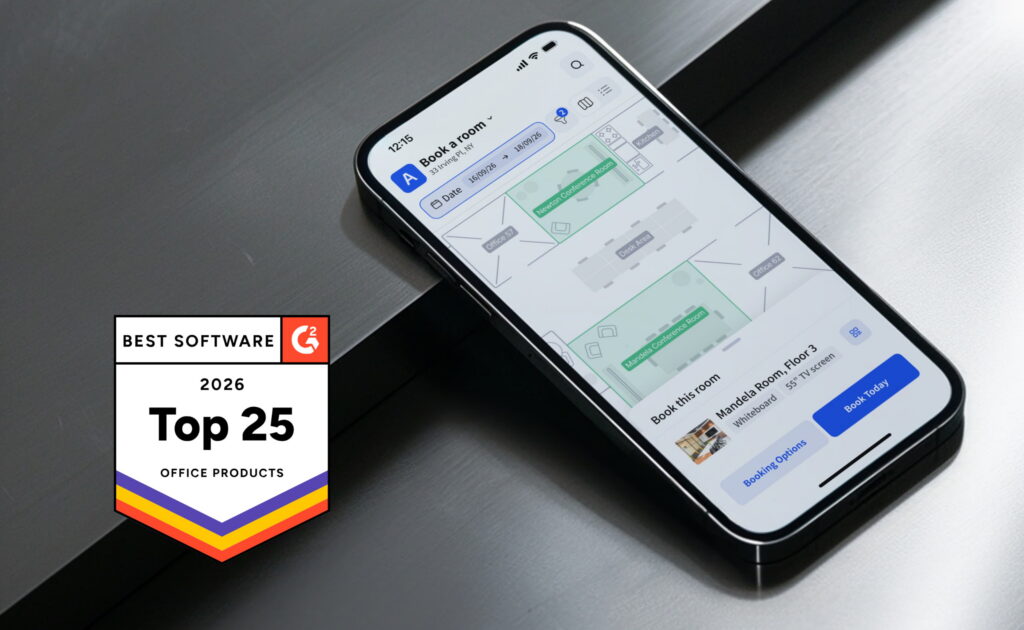
- Strong user feedback: Archie is rated 4.9/5 on Capterra (based on published reviews), and G2 also lists it at 4.9/5 in desk booking roundups. It’s also been named one of G2’s Best Office Management Software for the second year in a row.
Desk booking software FAQ
Desk booking software replaces ad‑hoc seat hunting with guaranteed office reservations, clear rules, and visibility into who will be in on a given day. It also produces reliable usage data, which you can’t get from informal sign‑in sheets or unstructured hot desking, so space and policy decisions become evidence-based instead of anecdotal.
Plan a light review every quarter to check if rules still match demand patterns, then run a deeper assessment annually or after major org changes. Use a combination of occupancy analytics and employee feedback to decide whether to adjust booking windows, team neighborhoods, or desk-to-employee ratios.
If people rarely struggle to find seats, a simple shared calendar or map may be enough at first. Once you see recurring conflicts, peak days, or multiple locations, moving to a dedicated desk booking tool prevents friction from scaling and gives early visibility into when you’ll outgrow your current space.
Treat resistance as a signal that something isn’t working; often the rules feel unfair, or the interface is confusing. Combine clear, consistent expectations from managers with rapid fixes to genuine pain points, and back it up by making the system the single source of truth for seating rather than allowing parallel workarounds.
Sensors and check-in points can validate occupancy data and automatically release desks, improving accuracy and fairness. Clear signage and self-service desk booking kiosks reduce confusion for people who arrive without a reservation, while still nudging them into the official booking flow.
Sources
- Archie product research
- Competitor websites and product documentation
- Indeed, Hiring Lab Tracker
- Kastle Systems, 10-city Back to Work Barometer
- Research and Markets, Desk Booking Software Market: Global Forecast 2026–2032
- Grand View Research, Integrated Workplace Management System Market (2023–2030)
- JLL, 2025 Workforce Preference Barometer

Berenika Teter
Archie's Content Manager, fueled by filter coffee and a love for remote work. When she’s not writing about coworking spaces and hybrid workplaces, you can probably find her exploring one.