







If you’ve ever checked in at a front desk, signed a visitor book, or worn a temporary badge, you’ve already used a basic version of visitor management software (VMS). But today’s visitor management systems are much smarter than that.
The tricky part is choosing one. There are 30+ vendors out there, plus lots of “best visitor management software” lists that don’t explain how they made their picks.
This guide covers everything you need to know about office visitor management software, along with our top VMS picks for managing visitors. I looked at features, demo experience, pricing, real customer feedback, third-party integrations, customization options, and how well each tool scales as you grow.
💡 What you’ll learn:
- How to compare the top visitor management vendors in 2026
- Why Archie is the best visitor management system for offices
- Which platforms are best for different use cases, from small reception desks to multi-site, security-heavy organizations
- How to choose the right system for your office, without getting stuck in endless “best software” lists that lack clear evaluation criteria
Guide to the best visitor management software
What are the best visitor management systems in 2026?
The best visitor management software depends on your team size, security needs, and budget. Here are the top options to consider:
- Archie: Best for mid-sized and large offices that want visitor check-in, desk and room booking, and workplace analytics in one place.
- Envoy: For enterprises that need advanced visitor screening and don’t mind premium pricing.
- The Receptionist: For small to mid-sized offices that want a simple iPad check-in kiosk and do not need a full “workplace platform” around it.
- VisitorOS: For security-heavy workplaces like corporate, industrial, or government sites that want a ready-to-use hardware and software setup.
- Kastle: For security-heavy organizations that want one vendor to handle access control, visitor management, and video surveillance across many sites.
- Greetly: For small to mid-sized teams that want an affordable, branded iPad check-in that feels like a virtual receptionist.
- SwipedOn: For budget-friendly organizations that want a simple, reliable visitor system.
- Eptura Visitor: For large, regulated, multi-site organizations that are happy to roll out a heavier enterprise platform.
- Lobbytrack: For smaller organizations that want a flexible, cross-platform visitor system with room to grow.
Archie is the best visitor management system for offices. And yes, you might be wondering if this is biased. I get it. I did the research, and based on user reviews and hands-on product research, Archie genuinely stands out. Here’s why.
Software | Best for | Visitor kiosk app | Access control integrations | Starting price | G2 rating | Our score |
|---|---|---|---|---|---|---|
Archie | Mid-sized and larger offices | iPad, Android | Included in the Pro plan | From $109/month | 4.9/5 | 9.3/10 |
Envoy Visitors | Enterprise offices with stronger security and compliance needs | iPad only | Custom pricing | Approx. $362/month | 4.7/5 | 8.5/10 |
The Receptionist for iPad | Small to mid-sized reception desks | iPad only | No native integration | From $60/month | 4.8/5 | 8.3/10 |
VisitorOS | Security-heavy workplaces | iPad only | SecurityOS module | From $199/month | 4.7/5 | 8.3/10 |
Kastle | Multi-tenant buildings | iPad, Android | Included in the feature set | Custom pricing | 4.6/5 | 8.1/10 |
Greetly | Small to mid-sized teams | iPad, Android | No native integration | From $99/month | 4.8/5 | 8.0/10 |
SwipedOn | Budget-friendly offices | iPad, Android | No native integration | From $55/month | 4.8/5 | 7.9/10 |
Eptura Visitor | Large multi-site, regulated organizations | iPad, Android | Included | Custom pricing | 4.6/5 | 7.9/10 |
Lobbytrack | Schools, SMBs | iPad, Android | Included in custom plan | From $50/month | 4.6/5 | 7.8/10 |
Best visitor management software for workplaces compared
To put this list together, I looked at a few key factors:
- Core features: I focused on visitor management systems that cover the essentials like pre-registration, self check-in, host notifications, visitor logs, and badge printing.
- Ease of use: The best visitor management software is quick to set up and simple for both admins and visitors, with no long training needed.
- Integrations: I gave extra points to office visitor management systems that connect easily with popular office tools like Slack, Teams, Outlook, Google Calendar, Wi-Fi, and access control systems.
- Pricing and value: Cost matters. I compared starting prices, free trials, and what you actually get for your money.
- Customer feedback: User reviews and ratings helped me understand how each system performs in the real world, from visitor experience to customer support.
Based on these factors, I picked tools that stand out for different types of offices, budgets, and needs:
#1 Archie
🏆 Best visitor management software for mid-sized and large offices that want visitor check-in, desk and room booking, and workplace analytics in one place.
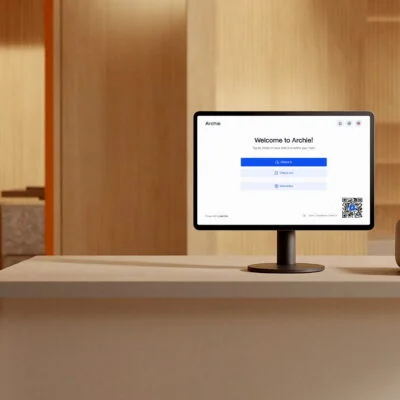
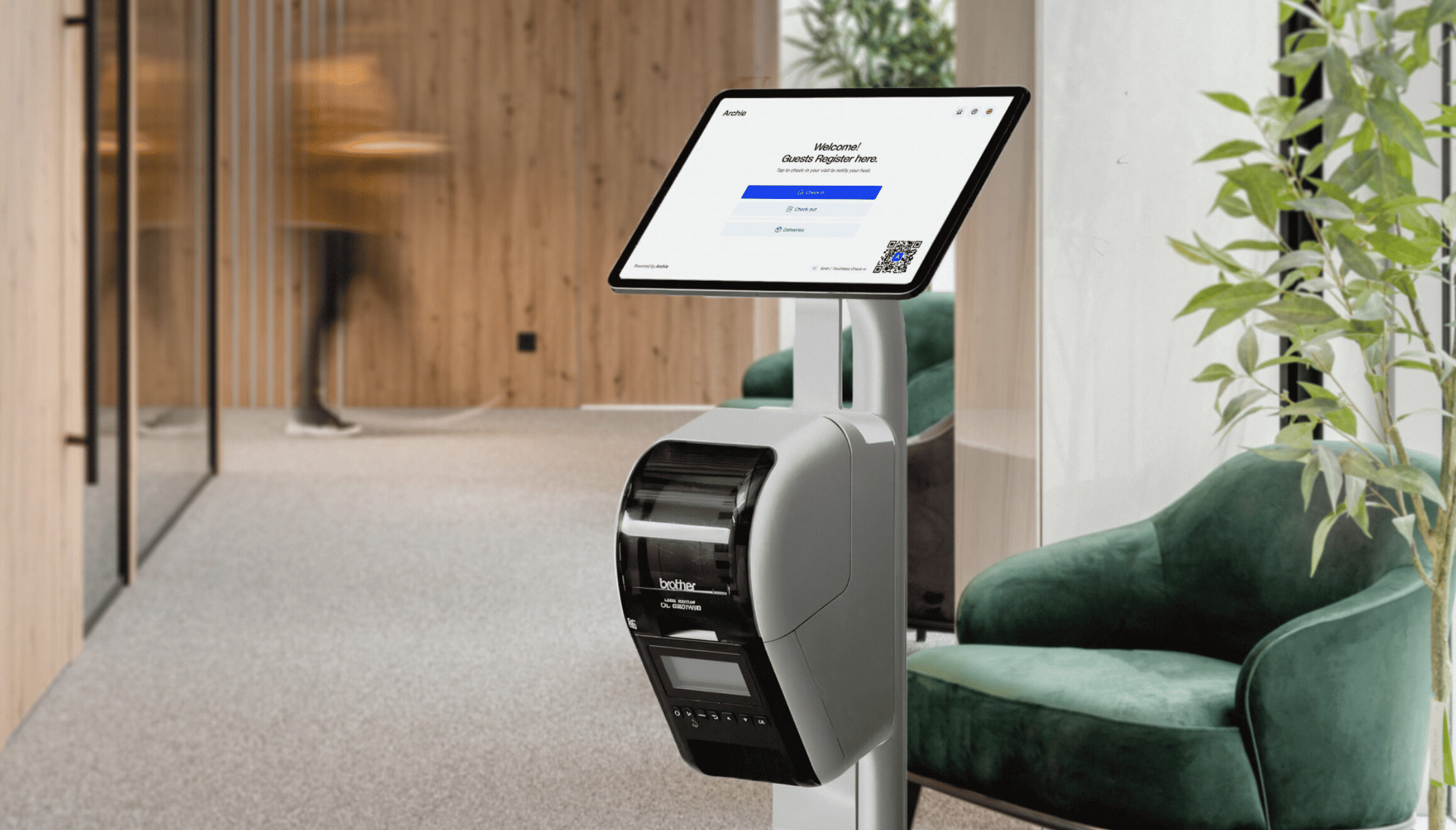
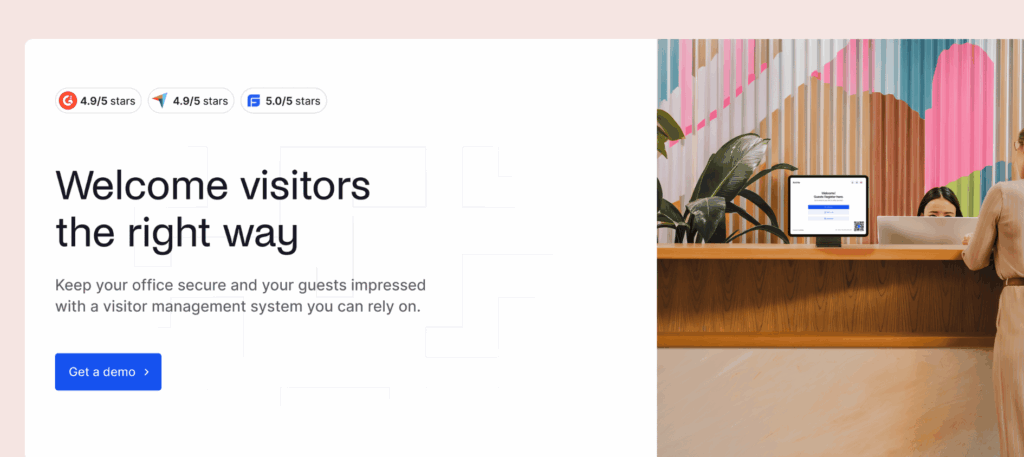
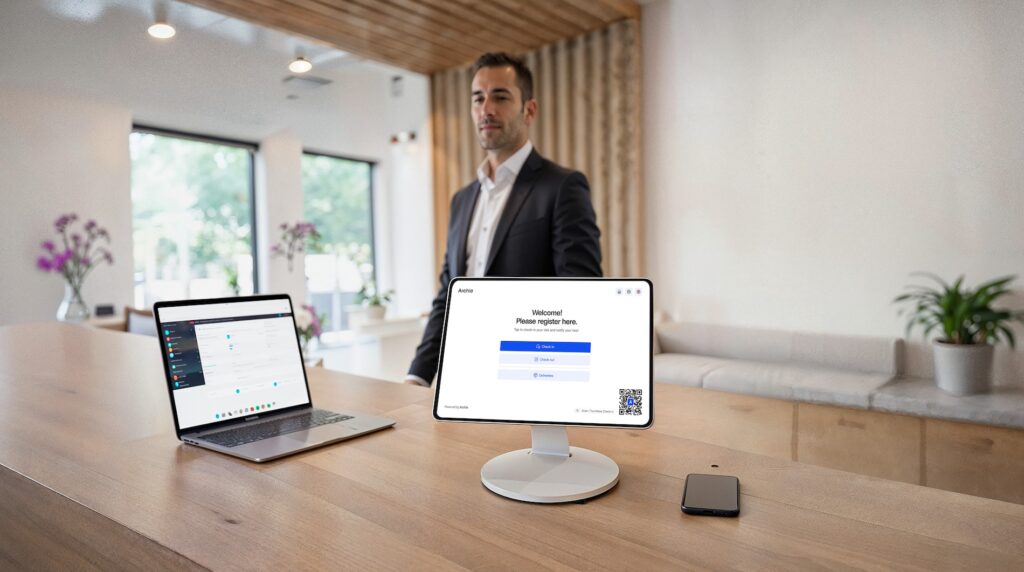
Archie is more than just an office visitor management system: it’s a complete workspace management platform designed to simplify and improve every aspect of the employee and visitor experience. From the moment a guest registers to when they leave, Archie makes the process smooth for everyone involved.
Core visitor management features
- Guest registration: Allow guests to register ahead of time, making check-ins faster and reducing wait times.
- Contactless QR code check-in: Archie provides a modern, touchless check-in option with QR codes.
- Detailed visitor logs: Maintain comprehensive records of all visitors to boost security and traceability.
- Instant host notifications: Automatically notify hosts when their guests check in.
- Easy integrations: Connect Archie with tools like access control systems, Wi-Fi, and SSO.
- Visitor badges & photos: Print badges for easy identification.
- Digital forms & e-signatures: Collect NDAs, policies, and custom questions right in the flow, no paper needed.
- Custom visitor flows: Set different steps for contractors, interviewees, VIPs, and deliveries.
- Emergency alerts & roll calls: Notify everyone on site during drills or incidents and track who’s marked safe.
- Deliveries handling: Log packages and automatically notify recipients to pick them up.
- Custom branding & UI control: Customize check-in screens, badges, emails, and messages to match your brand.
Pricing overview
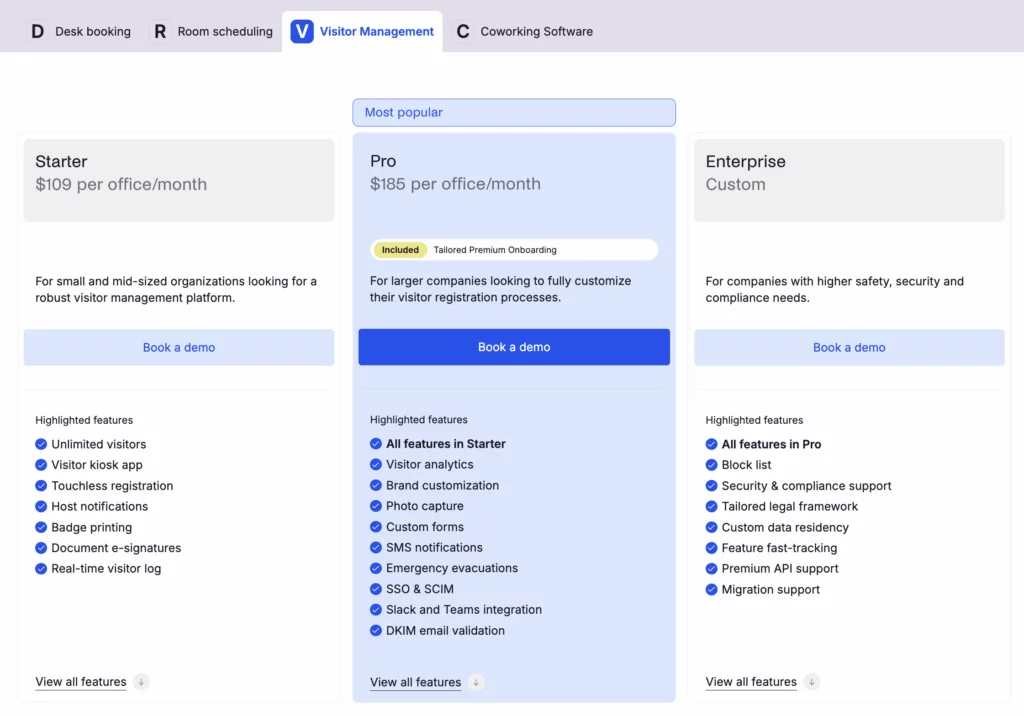
Pricing starts at $109 per location per month. All plans include unlimited check-ins, with the pricing plans being as follows:
- Starter: $109/month per office
- Pro: $185/month per office (includes SSO and SCIM)
- Enterprise: Custom pricing
There’s also a free trial, and you can book a demo to see Archie in action. While the guest management system can be sold separately, it integrates seamlessly with the rest of Archie’s solutions for hybrid offices.
Pros & cons
➕ User experience: Archie’s interface is simple to set up and easy to use, so new users can get started quickly. Plus, customer support is known for being responsive and helpful in case you need anything.
➕ Customization: You can personalize Archie to match your brand, from the visitor management app interface to emails and notifications.
➖ Not ideal for smaller teams: Archie’s automated visitor management system shines when used alongside the hybrid workplace tools, making it a great fit for medium-sized and growing teams. For smaller offices or teams, it might not be the best option since the pricing becomes more cost-effective as you add more resources and users (something that isn’t true for most workplace management solutions).
#2 Envoy
🏆 For enterprises that need advanced visitor screening and don’t mind premium pricing.
Envoy is a robust visitor tracking system designed for enterprise-level companies. It focuses on providing a safe, efficient, and flexible check-in process, making it an excellent choice for businesses prioritizing security and workplace safety.
Core visitor management features
- Touchless sign-in: Allows visitors to check in using their mobile devices without physical contact.
- Easy integration with communication tools: Envoy integrates with tools like Slack, enabling instant notifications and efficient communication between hosts and visitors.
- Visitor logs and analytics: Detailed visitor data, including patterns and duration of stay.
- Advanced security features: Includes watchlist alerts and photo capture, adding an extra layer of protection to ensure that only authorized individuals gain access.
Pricing overview
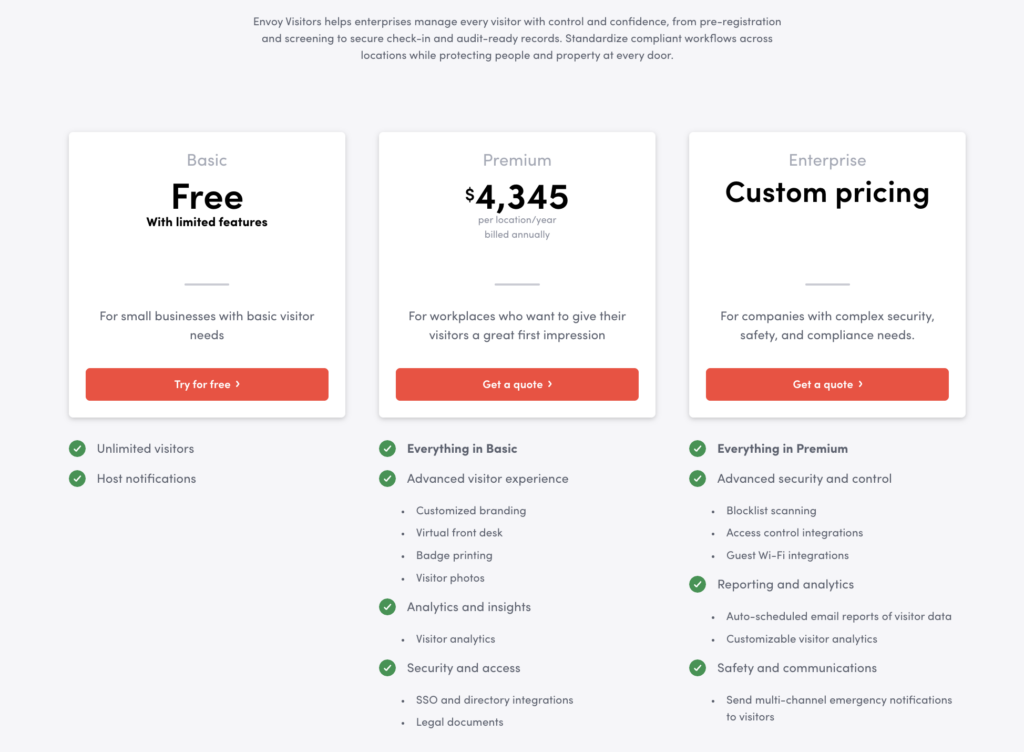
Envoy Visitors pricing is per location, with three main tiers:
- Basic (Free): Limited features, 1 location, and up to 50 employees in the directory.
- Premium ($4,345/location/year, billed annually): Branding, Virtual Front Desk, badges, photos, legal documents, and analytics (about $362/month when averaged out).
- Enterprise (Custom): Premium + advanced security and compliance features like blocklist scanning, access control, and Wi-Fi integrations, scheduled reports, customizable analytics, and emergency notifications.
Pros & cons
➕ Office security features: Envoy prioritizes safety with tools like touchless check-ins, visitor screenings, and advanced security alerts.
➕ Free plan: For smaller workplaces with basic visitor management needs, a simple visitor check-in software with host notifications is available for free. Even if you need more than that, this option also allows you to test the dashboard and basic use cases before you commit.
➖ Cost: Envoy’s enterprise-grade functionality is reflected in its pricing, which can be an issue for smaller businesses that often turn to Envoy alternatives.
#3 The Receptionist
🏆 For small to mid-sized offices that want a simple iPad check-in kiosk and do not need a full “workplace platform” around it.
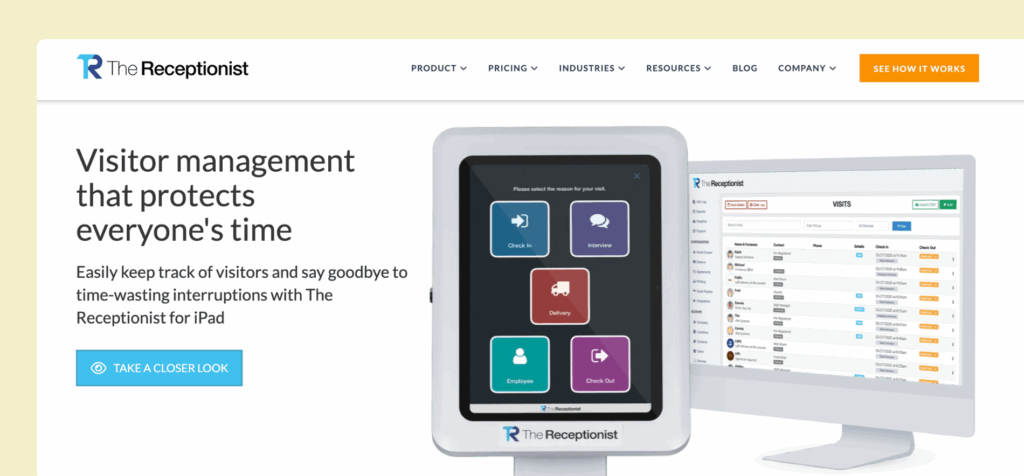
The Receptionist for iPad is a visitor management system built for simplicity and reliability. It runs only on iPads and focuses on doing the core jobs really well: check-ins, badges, host notifications, and basic compliance. One of its standout features is two-way messaging between visitors and hosts.
One thing to keep in mind: The Receptionist is now part of Sign In App. They’ve shared plans to bring the products closer together over time, including features like desk booking and appointment scheduling. Until then, we’ll focus on The Receptionist as it exists today.
Core visitor management features
- iPad kiosk: A purpose-built iPad app for visitor self check-in.
- Two-way messaging: Hosts can reply to check-in alerts, and their responses show on the kiosk for the visitor.
- Custom workflows: Button-based flows for guests, interviews, deliveries, contractors, and employees.
- Badges and photos: Print custom visitor badges and include photos for extra security.
- Employee PINs: Let staff check in and out with a PIN for basic presence tracking.
Pricing overview
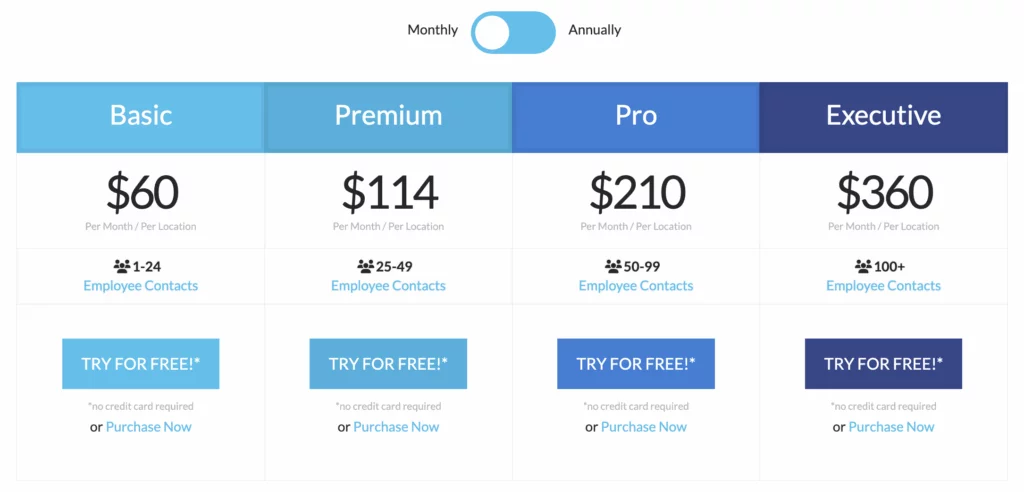
The Receptionist charges per location, with pricing based on how many employees receive visitors. All software features are included on every tier:
- Basic: $60/month for 1–24 employees
- Premium: $114/month for 25–49 employees
- Pro: $210/month for 50–99 employees
- Executive: $360/month for 100+ employees
SSO is available as a paid add-on.
Pros & cons
➕ Two-way messaging: When a guest checks in, the host gets a notification and can reply right away. The reply shows on the kiosk screen, so visitors know exactly what to do next.
➕ Quick rollout and friendly support: Many reviews mention that The Receptionist is very easy to set up and most teams are up and running within a few days. Customers also often highlight how responsive and helpful the support team is.
➖ Limited for security-heavy use cases. SSO costs extra, access control integrations often need custom API work, and there is no built-in ID scanning or watchlist screening. For offices with strict security or compliance needs, these gaps can be a drawback compared with more advanced The Receptionist alternatives.
#4 VisitorOS (formerly iLobby)
🏆 For security-heavy workplaces like corporate, industrial, or government sites that want a ready-to-use hardware and software setup.
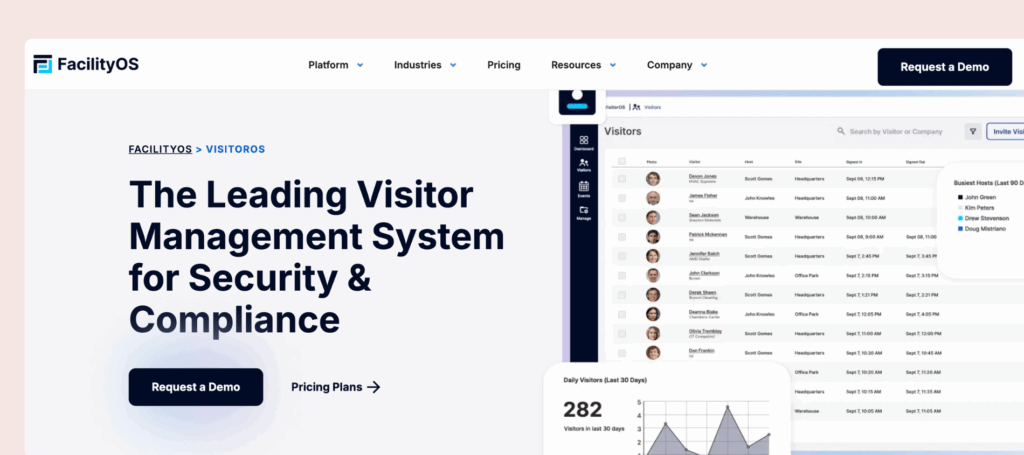
VisitorOS (formerly known as iLobby, part of the FacilityOS suite) is a visitor management system designed to make workplaces more secure and organized. It helps businesses manage guest check-ins, print visitor badges, screen visitors, and keep detailed visitor records. It’s handy for companies that need strong security and compliance features.
Core visitor management features
- Ready-to-use visitor management software and hardware: The visitor management system comes with pre-loaded and pre-configured hardware and software, so no long setup time is required.
- Pre-registration and notifications: Visitors can pre-register before they arrive, and hosts receive instant alerts when guests check in.
- Customization: You can adjust VisitorOS to match your security requirements and front desk procedures.
- Live analytics: Track visitor activity in real-time and monitor who’s on-site.
Pricing overview
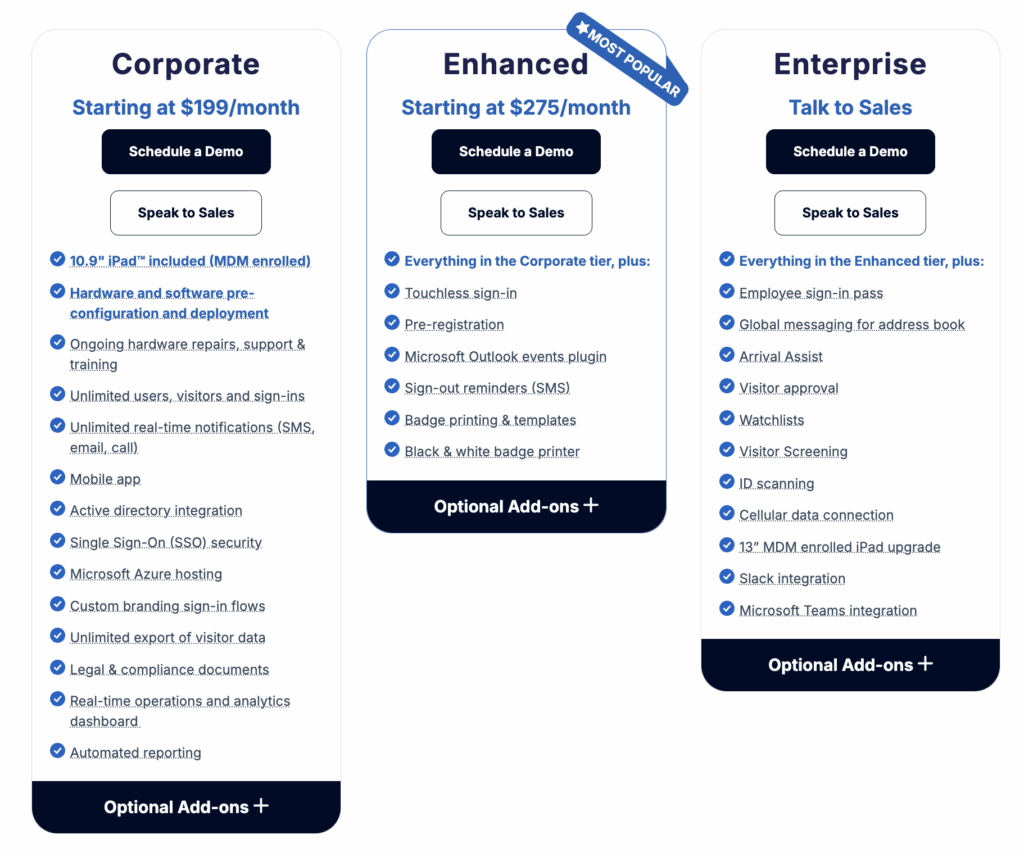
The Corporate Plan starts at $199/month and includes everything to get started: a 10.9″ iPad with Mobile Device Management (MDM), an anti-theft mount, and pre-configured hardware and software for easy setup. It supports unlimited users and sign-ins and offers features like SMS, email, or call notifications, a mobile app, Active Directory integration, SSO, and secure hosting on Microsoft Azure.
For added features like touchless sign-in, pre-registration, or visitor badge printing, plans start at $275/month. Ongoing support, including hardware repairs and training, is also included to keep things running smoothly.
Pros & cons
➕ Enterprise-grade compliance and security: Reviewers like the flexible workflows, ID scanning, watchlist screening, and compliance features that support regulated industries.
➕ Turnkey deployment: Because VisitorOS ships managed iPads that are already set up, you can start using the system on day one. You do not have to source, configure, or maintain your own hardware, which many reviewers appreciate.
➖ Higher price point: With pricing starting around 199 USD per month, including managed hardware, it is less budget-friendly than VisitorOS alternatives that let you bring your own devices.
#5 Kastle
🏆 For security-heavy organizations that want one vendor to handle access control, visitor management, and video surveillance across many sites.
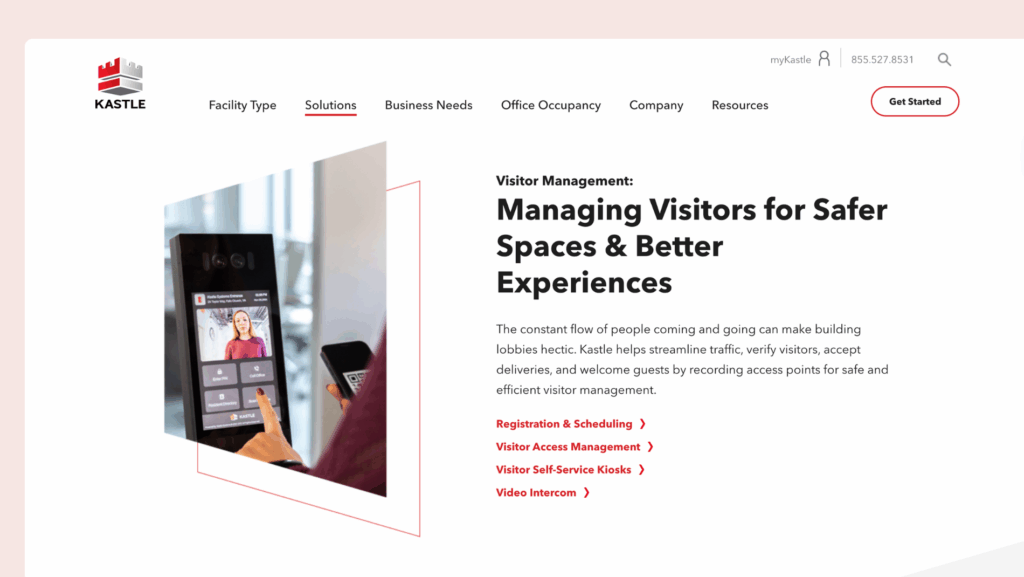
Kastle is a visitor management and building security platform that sits inside a broader managed security stack. Instead of being “just” a front desk app, it connects visitor check-in with access control, video, and identity management, so guests only reach the areas they are allowed to enter.
Core visitor management features
- Calendar-based invites: Schedule visitors directly from Outlook or Google Calendar.
- Automatic QR access codes: Before the meeting, visitors receive an email with a QR code that works as a temporary credential for the right day, time, and areas.
- Access control integration: Visitor data flows into Kastle’s access control system, so you can control which doors visitors can open, for how long, and keep a full audit trail.
- Vendor PIN codes and delivery handling: Issue unique PINs to delivery drivers and service vendors.
- Video intercom: Visitors can call up to tenants or reception for visual verification before entry, which ties into the same access system.
Pricing overview
Kastle does not publish pricing for its visitor management and access solutions. You need to contact their sales team for a quote based on the number of locations and doors, mix of services (visitor management, access control, video, monitoring, and so on), as well as hardware and installation needs.
Pros & cons
➕ Easy to use for staff and tenants: Many reviewers say Kastle is simple to use day to day. Admins like the clear portal for managing schedules and doors, and tenants/residents find the keyless access (cards, fobs, mobile app) very convenient.
➕ Strong security with reliable support: Users praise Kastle for making buildings feel safer and for the reliability of the system. A lot of reviews highlight how fast and helpful the support team is when there is an issue.
➖ Feels more like legacy software: The tech stack is older and less polished than the modern, cloud-first solutions mentioned above. However, it offers a lot of customization and configuration options, and the broader platform can be attractive for certain enterprise setups.
#6 Greetly
🏆 For small to mid-sized teams that want an affordable, branded iPad check-in that feels like a virtual receptionist.
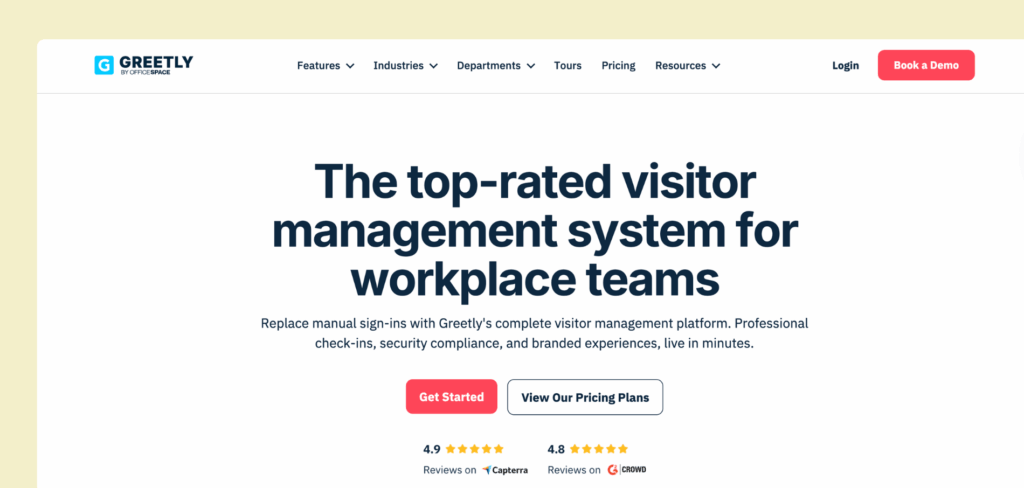
Greetly is a visitor management system that helps businesses handle check-ins quickly and easily. It offers features like touchless sign-ins, visitor badges, and notifications to hosts.
Core visitor management features
- Instant notifications: Hosts are notified the moment a guest completes their check-in.
- Customizable visitor experience: Customize everything from the check-in process to the branding visitors see.
- Visitor badges: For added security, Greetly prints visitor badges instantly, displaying their name, photo, and key details.
- Third-party integrations: Greetly integrates with corporate messaging apps, customer management systems, and internal databases.
Pricing overview
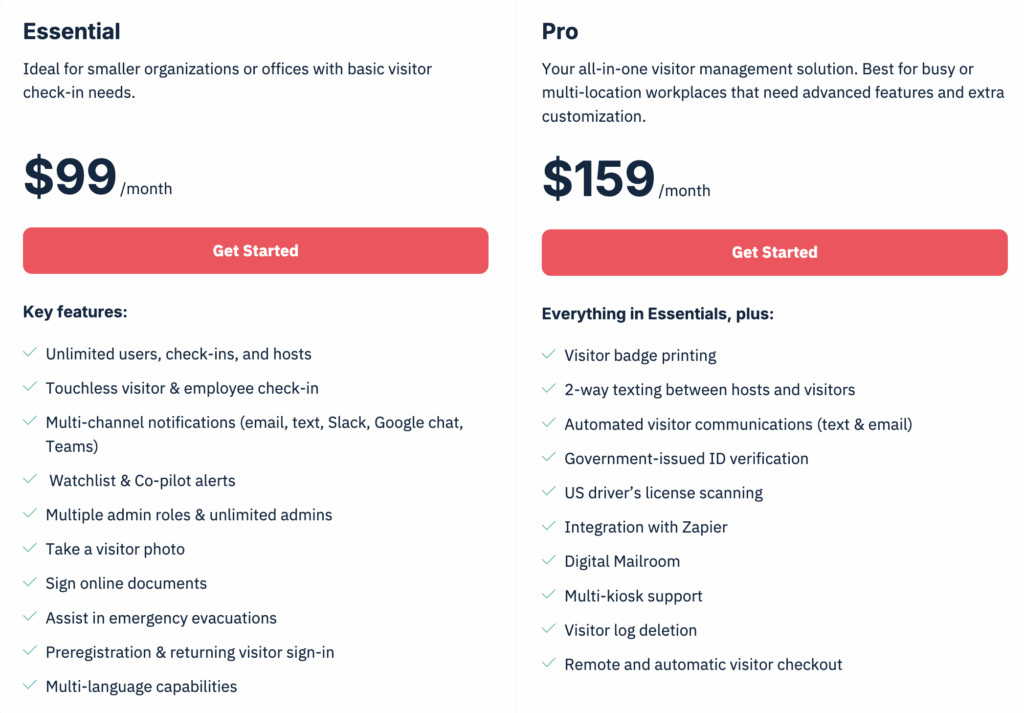
All plans include unlimited users, check-ins, and notifications:
- Essential Plan: $99/month (billed annually), perfect for businesses needing a simple, reliable check-in system.
- Pro Plan: $159/month (billed annually), adds advanced features like badge printing, two-way texting, and ID scanning.
Pros & cons
➕ User-friendly: Greetly is easy to set up and use, with many users highlighting its intuitive interface.
➕ Customizable: The platform allows extensive customization, enabling you to tailor check-in workflows and branding to your specific needs.
➖ Limited platform availability: Currently, Greetly operates solely on iPad devices, which may limit accessibility for some users who might want to consider other Greetly alternatives running on Android devices.
#7 SwipedOn
🏆 For budget-friendly offices that want a simple, reliable visitor system.
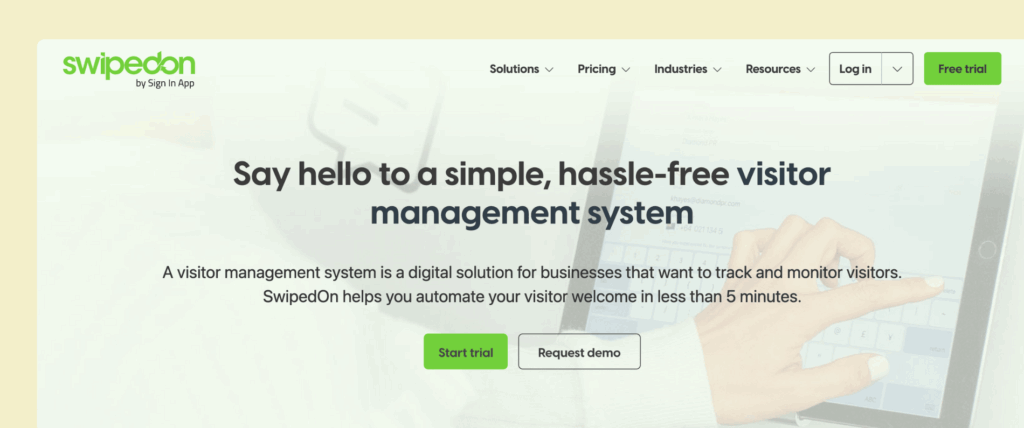
SwipedOn is a simple, user-friendly visitor management system that helps businesses handle guest check-ins, sign-ins, and visitor tracking efficiently, with features like contactless sign-in, visitor badges, and health screening.
Core visitor management features
- Visitor pre-registration: Make sure visitors are ready before they arrive by registering them in advance.
- Digital agreements: Let visitors sign essential documents like NDAs electronically and keep a digital copy on file for your records.
- Entry approvals: Decide who can enter your premises by approving or denying access based on their responses to specific questions or using random checks.
- Custom visitor categories: Organize visitors into categories to personalize their experience.
- Customizable branding: Show off your brand by adding your logo, colors, and images. You can even set up a static background or a slideshow for a more engaging visitor experience.
Pricing overview
SwipedOn offers three visitor management pricing plans:
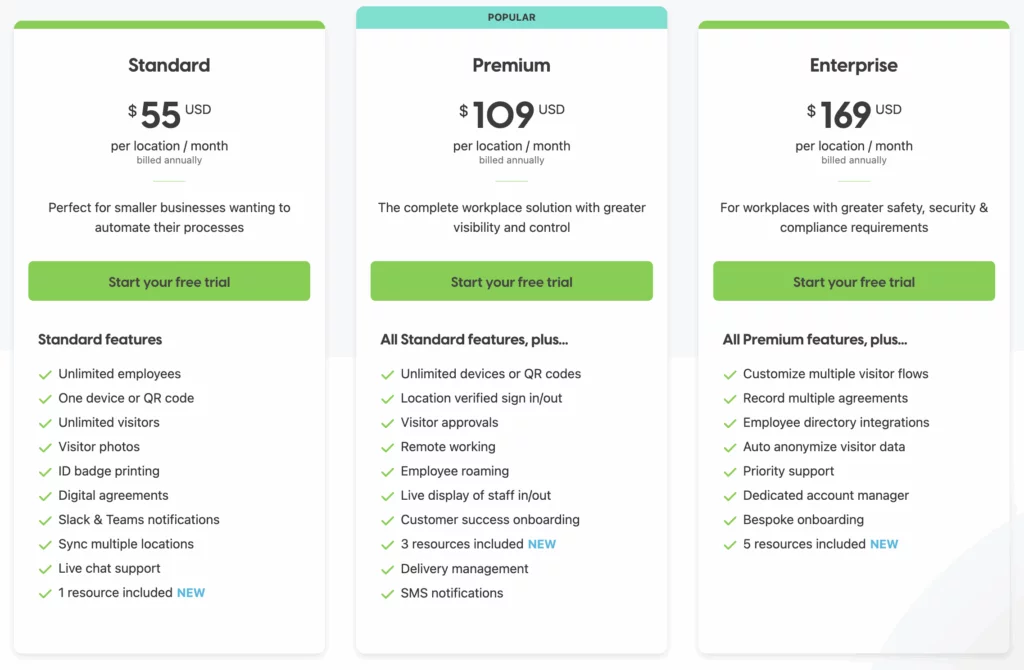
- Standard Plan ($55/location/month, billed annually): Ideal for small businesses, it includes unlimited employees and visitors, one device or QR code, visitor photos, badge printing, digital agreements, and Slack/Teams notifications.
- Premium Plan ($109/location/month, billed annually): Perfect for businesses needing more control, with unlimited devices, visitor approvals, remote work support, delivery management, and SMS notifications.
- Enterprise Plan ($169/location/month, billed annually): Designed for stricter safety and compliance needs, it adds customizable visitor flows, employee directory integration, data anonymization, priority support, and a dedicated account manager.
Some features, like delivery management and visitor pre-boarding, are available as add-ons, which can sometimes prompt people to look for SwipedOn alternatives.
Pros & cons
➕ Responsive customer support: SwipedOn’s customer support is highly praised for its responsiveness and effectiveness.
➕ User-friendly for admins: Users appreciate its intuitive interface, making it easy to set up and use without extensive training. However…
➖ Pricing structure: While SwipedOn’s plans are affordable, key features like SMS alerts, desk booking, or visitor pre-registration cost extra. Those add-ons can add up fast across multiple offices.
#8 Eptura Visitor
🏆 For large, regulated, multi-site organisations that are happy to roll out a heavier enterprise platform.
Eptura Visitor (formerly Proxyclick) is an enterprise visitor management system built for corporate offices and campus-style sites. It focuses on flexible workflows, a visual workflow builder, and deep integrations with access control systems.
Core visitor management features
- Self-service check-in: iPad and Android kiosks with pre-registration, QR codes, and branded flows.
- Visual workflow builder: Design custom check-in steps in a drag-and-drop editor.
- Host notifications: Alerts by email, SMS, Slack, and Microsoft Teams.
- Watchlist screening: Check visitors against internal and external watchlists.
- ID verification: ID Match for validating identity before granting access.
- Multi-entrance support: Map several lobbies and entrances to the same site.
Pricing overview
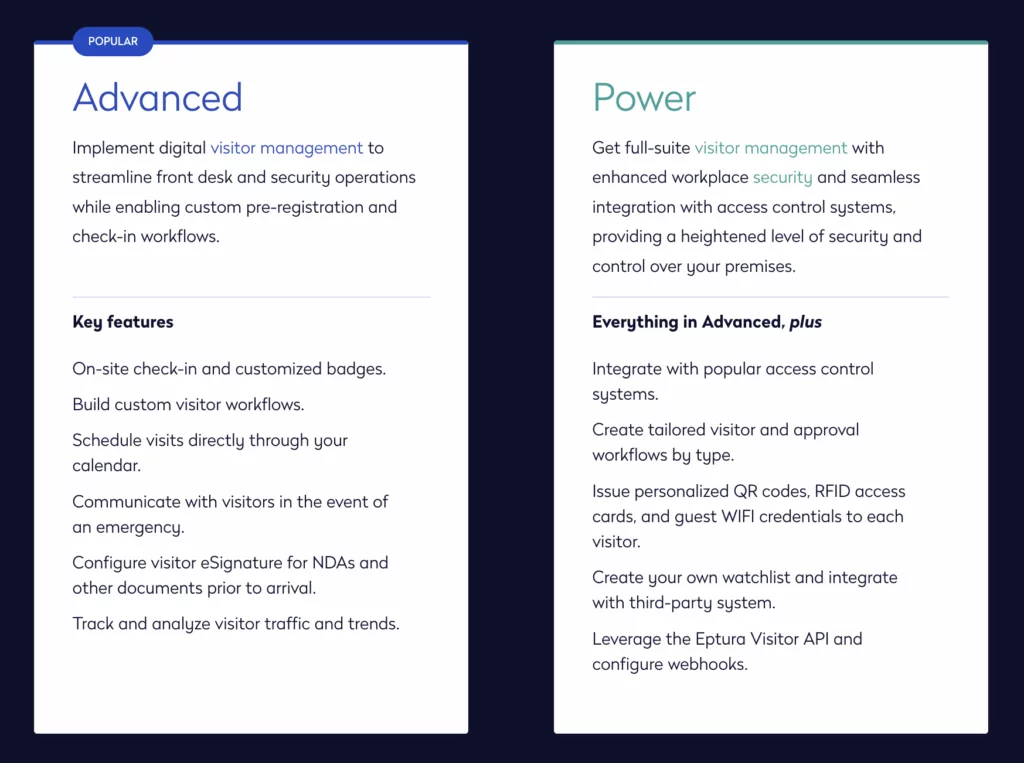
Eptura Visitor has two main plans: Advanced and Power. Prices are not listed publicly, so you need to speak with sales for a quote. There can also be separate implementation fees, depending on your setup and integrations.
Pros & cons
➕ Flexible, enterprise-ready workflows: Reviewers like that you can create tailored flows for different visitor types, such as guests, contractors, and deliveries.
➕ Strong security and compliance features: Watchlist screening, ID checks, emergency alerts, access control integrations, and detailed audit logs all help raise the security bar and support compliance in regulated industries. You will see similar features in some alternatives, but Eptura Visitor / Proxyclick is still one of the stronger options in this area.
➖ Time to value and overall cost: Product research and estimates suggest a longer pre-sales and implementation cycle, which can slow things down if you are trying to fix front desk issues quickly. On top of that, pricing is quote-based. Rough estimates put Eptura Visitor at around 7,500 USD per year for a base setup, plus implementation fees, which often makes companies consider Eptura Visitor alternatives.
#9 Lobbytrack
🏆 For smaller organisations that want a flexible, cross-platform visitor system with room to grow.
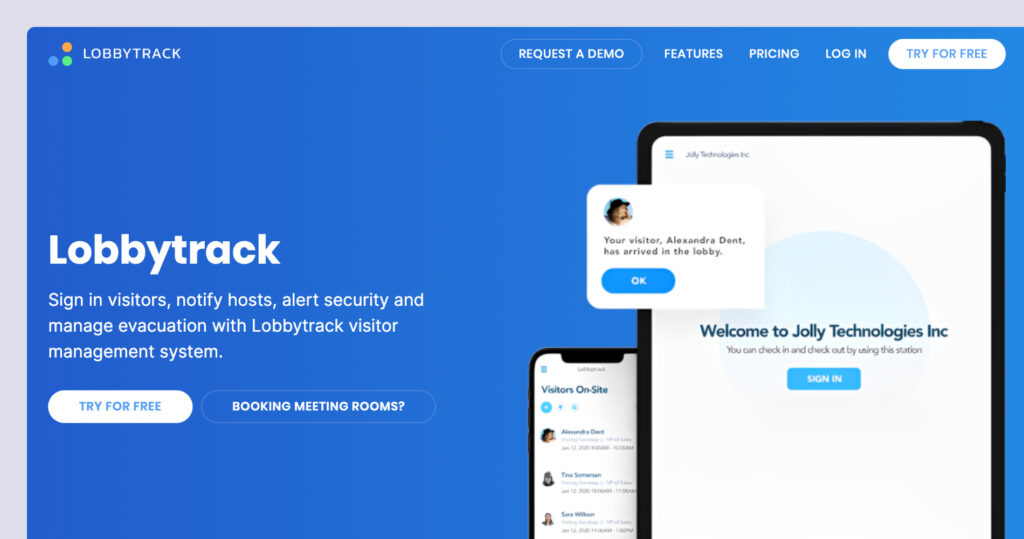
Lobbytrack is a visitor management system that supports iOS, Android, and Windows kiosks, and offers separate apps for reception staff, employees, and security guards. On top of basic check-ins, Lobbytrack includes ID scanning, watchlist screening, queue management, and evacuation tools.
Core visitor management features
- Role-based apps: Separate apps for reception, employees, and guards so each role sees what they need.
- ID scanning: Scan drivers’ licences and passports for identity checks, useful when you have regular contractors or drivers on site.
- Badge printing: Create custom badges with photos and visit details.
- Host notifications: Send alerts by email, SMS, or in-app notifications.
- Queue management: Keep busy lobbies organised by managing visitor queues.
Pricing overview
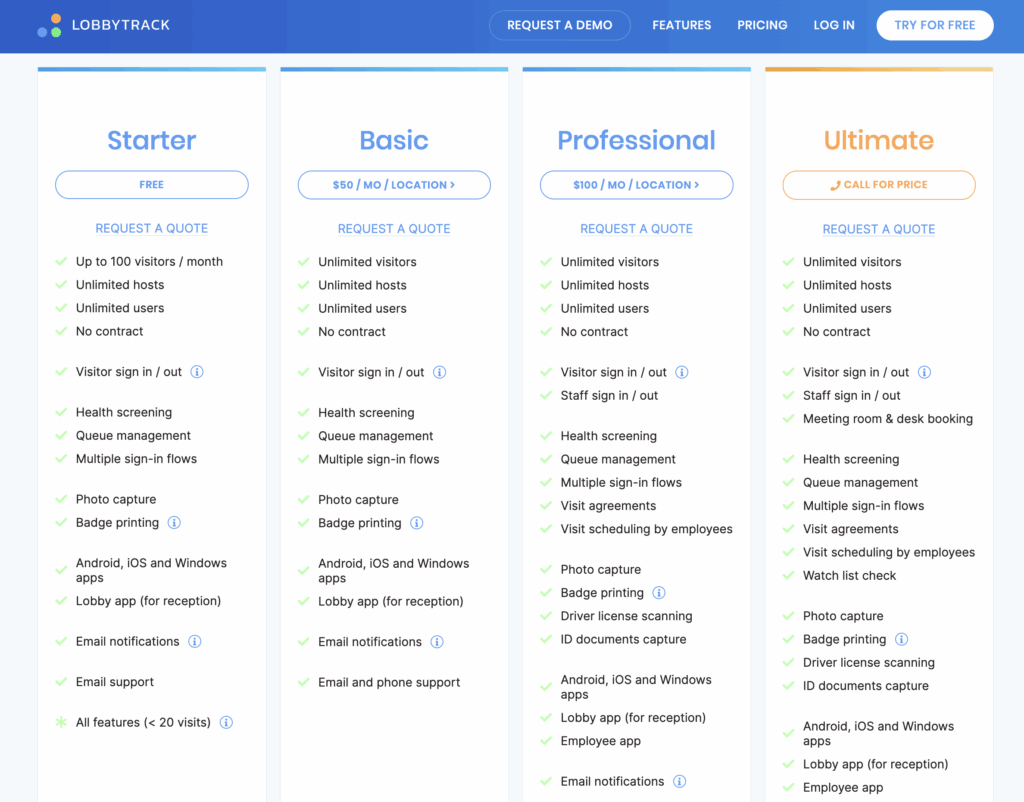
Lobbytrack uses tiered pricing based on features and scale. All plans include unlimited hosts and core visitor management features:
- Starter: Free (limited features, 1 location)
- Basic: 50 USD per month per location
- Professional: 100 USD per month per location
- Enterprise: Custom pricing
Advanced options like ID scanning, watchlists, and evacuation tools are available on the higher tiers.
Pros & cons
➕ Quick to roll out and simple for visitors: Teams like Lobbytrack because it is fast to deploy and easy to use at the front desk. Reviewers say the kiosk screens are clear, the check-in flow feels straightforward for visitors, and hosts get timely email alerts when guests arrive.
➕ Good security options: Security and operations teams call out practical safeguards. ID capture and watchlist checks are available, and some enterprise users highlight the live link with access control to issue temporary cards and automatically turn them off at sign-out or after a set time.
➖ Admin UI feels dated, and some flows are clunky: Some reviewers mention stability and UX issues. A few note that the system can occasionally disconnect or need a restart, and parts of the admin and desktop experience feel dated or awkward to use.
More visitor management systems to choose from
- Vizitor: User-friendly visitor tracking system with customizable branding options.
- VisitUs: A touchless visitor check-in system with emergency evacuation tools.
- Verkada Guest: Integrates with security cameras for enhanced monitoring and visitor tracking.
- Teamgo: Focused on visitor screening and compliance management.
- LobbyGuard: Security-focused visitor management app with background checks and badge printing capabilities.
- Visitly: Simplified visitor management with pre-registration options.
- Eden: Secure visitor & office management software.
What makes a good visitor management system
The benefits of office visitor management systems are pretty straightforward — a visitor management solution improves security and permissions management. The system keeps a detailed visitor log of who enters the building, when they arrive, and how long they stay. It can issue visitor badges, work alongside access control systems, and limit where visitors can go inside the building. That means only authorized guests can access specific areas, helping you protect both people and sensitive spaces.
Visitor management systems also save everyone time and make scheduling visits easier by automating the visitor management process. Pre-registration and self-check-in mean visitors don’t have to wait around, and your front desk staff can focus on other tasks. The system tracks visit times and schedules, making it easier to plan ahead, monitor trends, and manage your workplace more efficiently.
All of this is made possible by key visitor management system features:
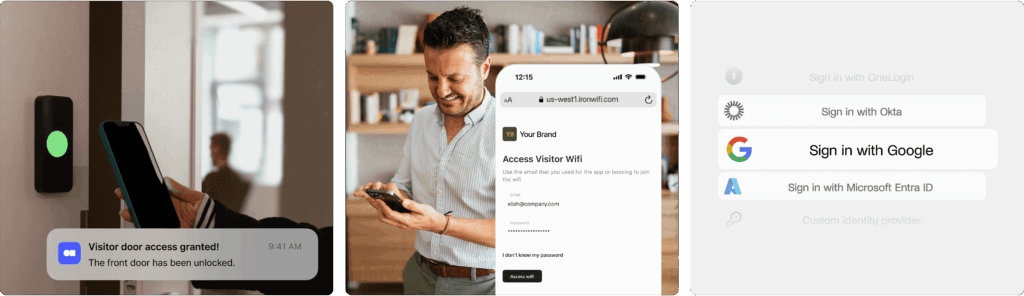
Third-party integrations
These allow the system to connect with the tools your business already uses — like access control systems, Wi-Fi, calendar apps, communication tools, and even CRM or HR platforms.
Pre-registration
Letting hosts register visitors in advance saves time and helps everything run more smoothly. Visitors can get directions, safety info, and even fill out forms before they arrive.
Flexible check-in options
Look for a system that supports a self-service kiosk, tablets, or phones — as well as manual check-in for walk-in visitors. The more options, the better for different visitor types.
Instant host notifications
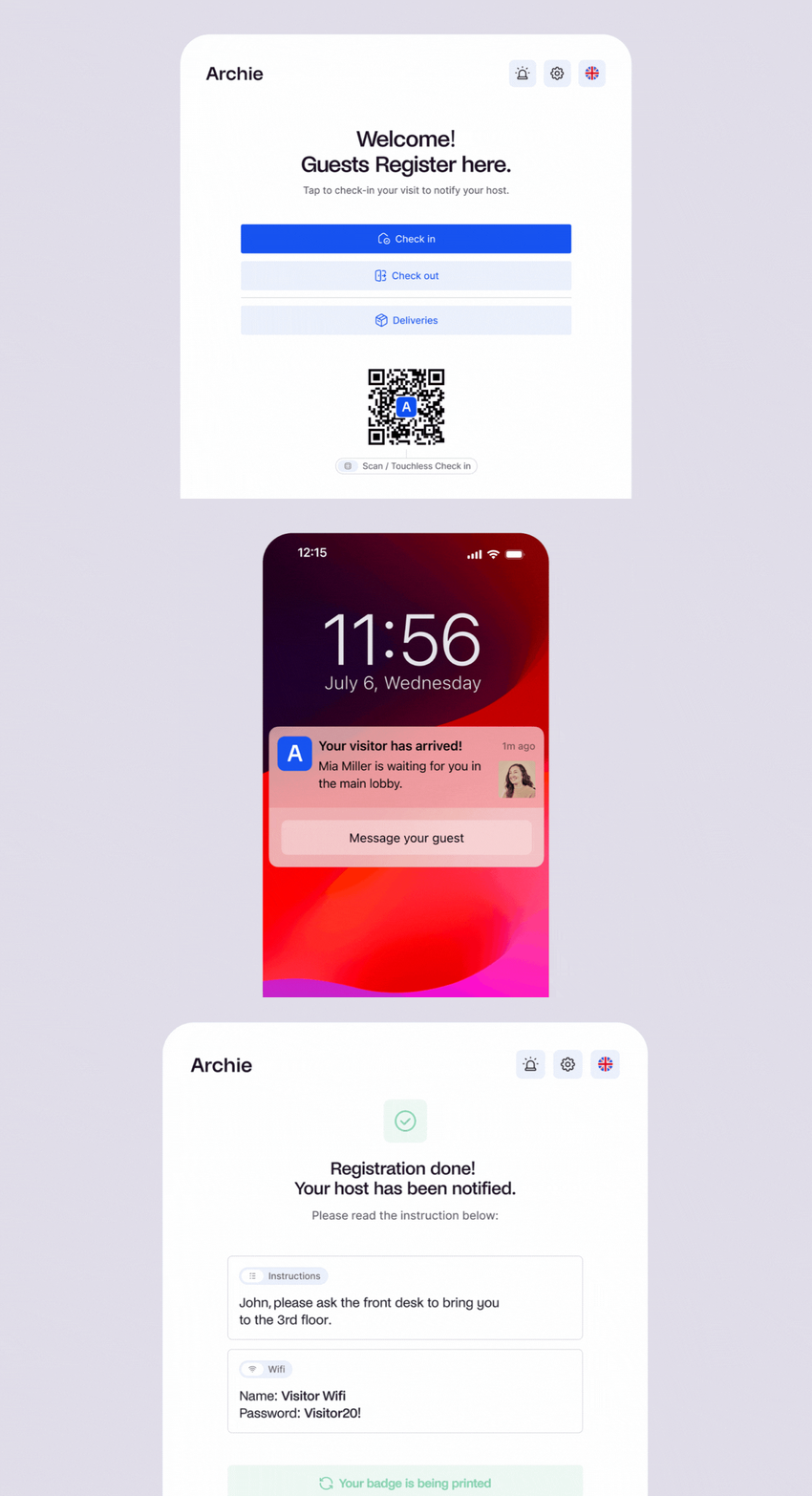
As soon as a guest checks in, the system should automatically alert their host via email, SMS, or app notification so there’s no guesswork or waiting around.
Visitor log and reporting
The system should keep a detailed, time-stamped record of all check-ins and check-outs. This log helps with security, audits, and understanding visitor patterns.
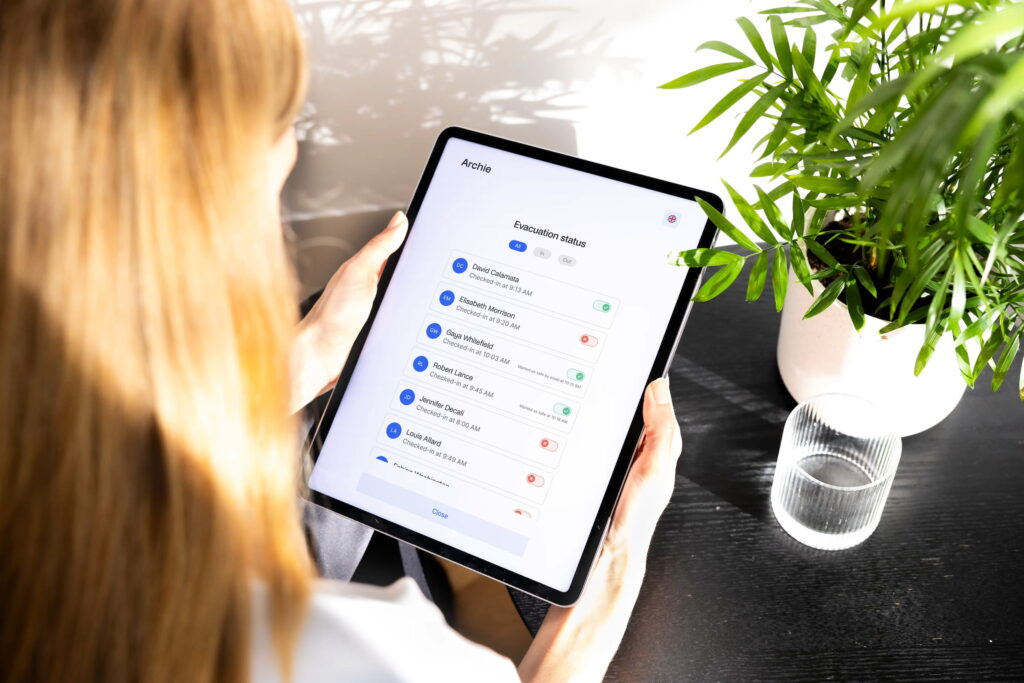
Emergency notifications & evacuation support
Look for a system that includes emergency notifications, which can instantly alert all visitors and employees if there’s a fire, lockdown, or other urgent situation. These alerts can be sent via SMS, email, or even push notifications, helping everyone stay informed and respond quickly.
Deliveries handling
Some VMS platforms can also manage package deliveries — sending notifications to employees when something arrives for them. It’s a great bonus for busy front desks.
Customization options
Every company is different. It’s helpful if the VMS lets you customize things like sign-in screens, forms, visitor badges, and messages so it feels like a seamless part of your brand.
How to choose the right visitor management software
1. Understand your needs and requirements
To pick a visitor management system that fits your needs without hidden fees or surprises, ask yourself:
- How many visitors do I usually get?
- Who are my visitors (e.g., clients, delivery drivers, job applicants)?
- Do I need different check-in steps for different types of visitors?
- Should I track visitors during their visit or screen them before they arrive?
- Do I need visitor badges?
- Would it be helpful to send emergency alerts or messages to visitors?
- Do visitors need to sign documents like NDAs?
- Is the pricing clear, and can the visitor management system grow with my business?
- Think about how much time and money (if any) can I spend on setup & training?
- What tools, like Slack or door access systems, should the visitor management system work with?
- Can I adjust the visitor management software to fit how my workplace operates now?
2. Evaluate pricing plans thoroughly
Depending on the features you need, visitor management systems cost between $29 and $350+ per location each month. They can be sold as standalone tools or add-ons to hybrid office solutions.
When looking into pricing plans, check what’s included. Some lower-cost plans may not have features like workplace analytics or badge printing, which might only be available in higher-priced plans.
For example, VisitorOS includes SSO in its standard plan but only offers badge printing in its Premium plan. Envoy requires Premium or Enterprise plans for features like analytics and integrations, which can increase costs. Compare plans carefully to find the best one for your needs.
3. Research user reviews
Review testimonials and case studies to see how other businesses benefit from the visitor management system. Check review sites like G2, Capterra, or SaaSworthy for more insights on reliability, ease of use, and customer support. A responsive and helpful support team is essential if the system has a steeper learning curve.
4. Try before you commit
Most visitor management systems offer live demos and free trials. These opportunities let you test the features, evaluate usability, and get a feel for the company’s customer support. Use them to see the platforms in action and make sure they fit your needs before choosing your favorite. You’ve got this!
Why Archie is the best visitor management software
- Strong security without a pile of add-ons. Archie gives you custom visitor flows, e-signatures, and built-in document management for NDAs and policies, plus access control integrations, SSO, SCIM, host approvals, and evacuation tools. Most of this is included in the core platform, so you are not juggling extra apps or one-off quotes.
- Works with the hardware you already own. Archie runs on both iPad and Android, so you can reuse existing tablets, standardize across locations, or mix devices where it makes sense, and keep hardware costs under control.
- Easy for admins, even at scale. A clean interface and automated visitor workflows keep front-desk work light. As you add more locations and visitors, the system stays manageable for small teams.
- Predictable pricing and quick rollout. Plans are modular and per location with unlimited visitors, which makes budgeting simple. Migration support and responsive customer service help you get live faster.
- One platform, less friction. Archie handles visitors, desks, rooms, occupancy, and safety in a single product. That means fewer vendors to manage, one shared data model, and smoother workflows from invite to check-in, workspace booking, and check-out.
Quick head-to-heads
Archie vs Envoy: Envoy is a strong option for high-security visitor management, but costs can rise quickly, and it is iPad-only. Archie supports both iPad and Android, with strong security, automations, and a more balanced total cost.
Archie vs The Receptionist: The Receptionist is great if you want a simple, reliable iPad check-in kiosk with strong basics like host notifications, badges, and two-way messaging. Archie is the stronger pick when you need more advanced visitor flows, built-in forms and e-signatures, deeper integrations (like access control and SSO), and a platform that also covers desk and room booking.
Archie vs VisitorOS: VisitorOS is ideal for security-focused workplaces that want a ready-to-use hardware and software bundle, including managed devices and strong compliance features like ID scanning and screening. Archie is usually a better match if you want to use your own devices, keep setup lightweight, and still get powerful visitor management plus workplace tools like desks, rooms, and on-site visibility.
Archie vs Kastle: Kastle is built for security-heavy, multi-site organizations that want one vendor for visitor management, access control, and video surveillance. Archie is a better fit if you want a modern visitor system that is fast to roll out and works alongside desks, rooms, and workplace analytics, without committing to a full managed security stack.
Archie vs Greetly: Greetly is a good pick for branding and straightforward pricing. Archie is a better fit if you want more workplace features, deeper integrations, and enterprise-level controls.
Archie vs SwipedOn: SwipedOn is simple and affordable for the basics. Archie adds more flexibility and depth, including stronger customization, analytics, access control options, SSO/SCIM, and broader space management for mid-sized and larger teams.
Archie vs Eptura Visitor: Eptura Visitor is designed for large, regulated enterprises that need complex workflows, a visual workflow builder, and deep access control integrations, and are okay with a heavier rollout and quote-based pricing. Archie is typically easier to deploy and manage day to day, while still offering strong security features, customizable visitor flows, and a more all-in-one workplace setup for teams that want to move faster.
Archie vs Lobbytrack: Archie brings visitors, desks, and rooms together in one platform, with built-in document and form workflows. Lobbytrack is solid, but many advanced features sit in the top tier, and some tasks are spread across separate apps.
Sources
- Review sites (G2, Capterra)
- Archie’s product research
- Competitor website analysis

Berenika Teter
Archie's Content Manager, fueled by filter coffee and a love for remote work. When she’s not writing about coworking spaces and hybrid workplaces, you can probably find her exploring one.