



















- What you’ll learn
- What space management software does
- Which tools stand out for offices, hybrid teams, and coworking spaces
- Where each tool works best, from Archie to OfficeSpace, Nexudus, Robin, Envoy, and Skedda
- Why Archie is the best space management software for most teams
This best space management software list is based on real user feedback and hands-on research, not sponsored rankings. I looked at verified reviews on G2 and Capterra, along with public product documentation, to understand how each tool actually performs day-to-day. Keep reading to find out more about the selection criteria.
Best space management software (shortlist)
- Archie: Best space management software for mid-sized and large hybrid offices and coworking spaces.
- OfficeSpace: Strong office space management features on a bigger budget.
- Nexudus: Good for advanced coworking features on a higher budget.
- Robin: Great for desk and room booking with a per-user pricing model.
- Envoy: Strong security focus with per-user pricing.
- Skedda: Comprehensive booking features for offices, coworking spaces, and venues.
- Optix: Good for mobile-first coworking experiences.
- OfficeRnD: Comprehensive coworking management features with a more hands-on setup process.
- Property Automate: Managing coworking spaces and shared offices inside larger multi-tenant or mixed-use properties.
What is space management software?
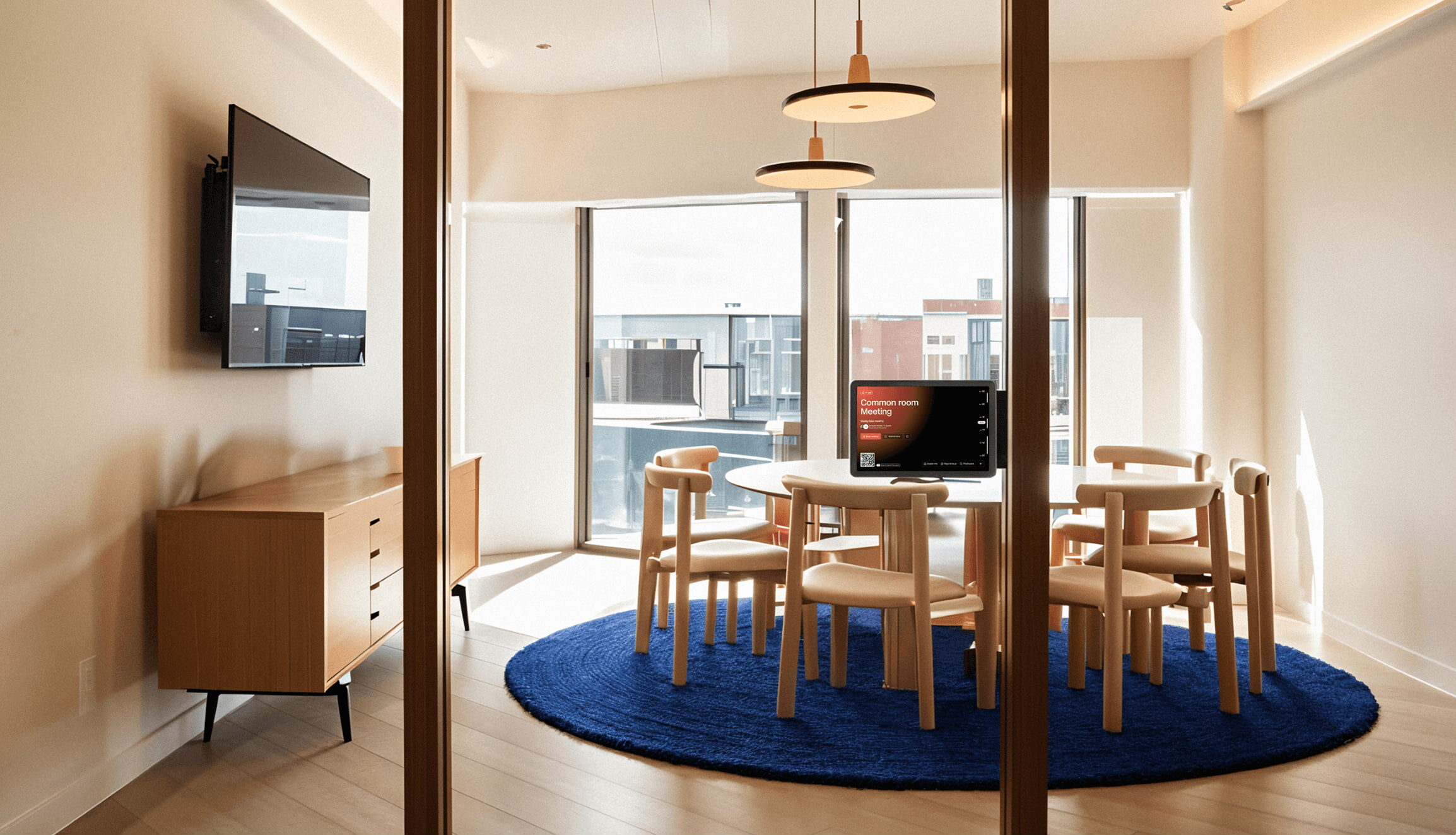
Space management software helps you keep your workspaces organized and used well. It’s especially helpful for hybrid teams, coworking spaces, and traditional offices that want to make it easy for people to find and book desks, meeting rooms, and other shared spaces when they need them.
Use cases for space management software
- Coworking spaces: Helps manage shared workspaces, member bookings, and day-to-day operations. If you want tools built for coworking, check out our guide to coworking space software ➟
- Hybrid workplaces: Makes it easy to book desks, plan office days, and see who’s coming in. For hybrid-focused tools, check out our guide to hybrid workspace management software ➟
- Traditional offices: Office space management software gives teams better control over office seating plans, meeting rooms, and overall space usage.
- Education campuses: Lets students and staff book classrooms, labs, and study rooms, so you avoid double bookings and confusion.
- Healthcare facilities: Helps schedule offices, training rooms, and shared clinical spaces. It can also support visitor registration and tracking.
- Government buildings: Supports office and meeting room reservations, access control, and compliance needs.
- Corporate real estate: Shows how space is used across locations and helps improve layouts to reduce wasted space and save money.
Selection criteria for the best office space management software
When you search for the “best” office space management software, you usually end up with long lists that do not explain much. It is often unclear what those rankings are actually based on. Is it reviews, personal opinion, paid placements, or something else? The same goes for AI answers.
To find the best office space management software, I researched and rated the tools based on user reviews on G2, Capterra, and product documentation, with an average score calculated across the following categories:
- Ease of use (20%) – How user-friendly the platform is, based on customer reviews and overall interface design.
- Features & functionality (25%) – The range and effectiveness of features (such as desk booking, room reservations, visitor management, and workplace analytics).
- Pricing & value for money (20%) – The cost of the software compared to the features it offers, including whether pricing is per user or per resource.
- Scalability & flexibility (15%) – How well the software adapts to growing teams, office expansions, hybrid work policies, or coworking space operations.
- Customer support & reliability (20%) – User feedback on the responsiveness of customer support, software stability, and overall satisfaction.
The goal was not to crown a single “winner,” but to show how these tools differ in practice and where each one makes sense. This is still a personal evaluation, though.
And yes, you might be wondering if this is biased. Fair question. I did the homework and looked closely at feedback, features, and pricing across the market. Based on that, Archie genuinely stands out, and here’s why.
#1 Archie
🏆 Rating: 9/10
Archie is the best space management software that works for both offices and coworking spaces. A lot of space management tools do one of these really well and treat the other as an add-on. Archie is built to handle both use cases properly, with full features for day-to-day office operations and full coworking workflows in the same platform.
In one place, you can book desks, reserve meeting rooms, check in visitors, and track space usage with clear reporting. And unlike many workplace tools that charge per employee, Archie uses resource-based pricing (for example, per desk or per room). That usually makes budgeting easier for flexible setups, especially when you have more people than desks and workspaces are shared.
Core space management features
- Book desks & meeting rooms: Reserve workspaces in advance or set up recurring bookings. Those who need a fixed desk can also get assigned one.
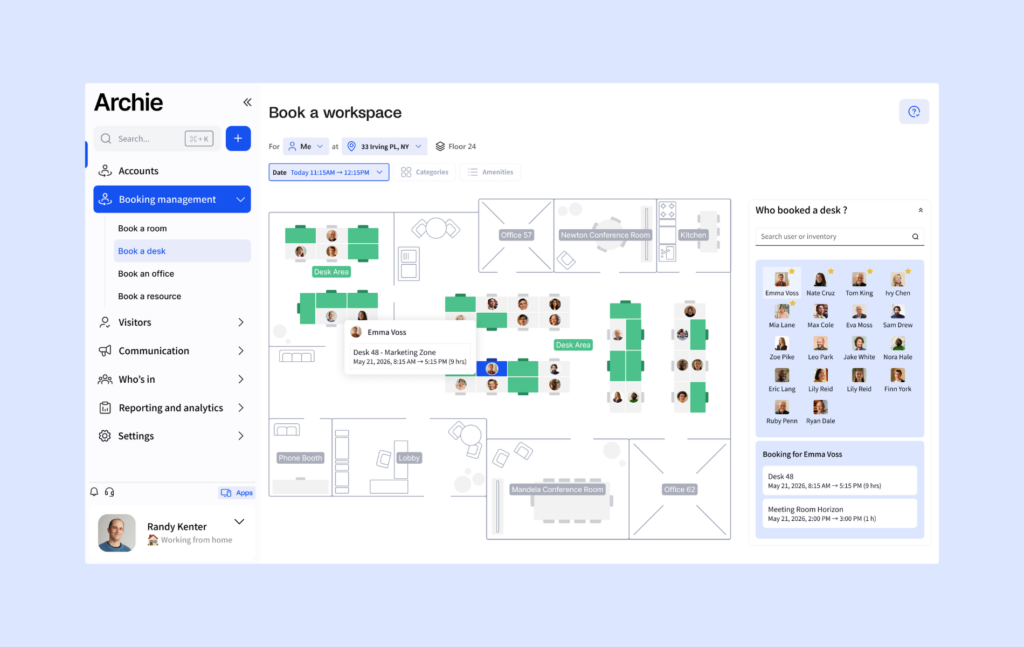
- Check out interactive floor plans: Check a digital office map to find and book available desks or meeting rooms easily.
- Find coworkers: Archie helps people locate where their coworkers are sitting and track who’s in the office that day.
- Create team zones: You can set up dedicated areas for teams to work together while still offering flexible seating options.
- Check-in guests: Visitors can be preregistered and checked in using a QR code, which makes the process fast and secure while keeping a digital visitor log.
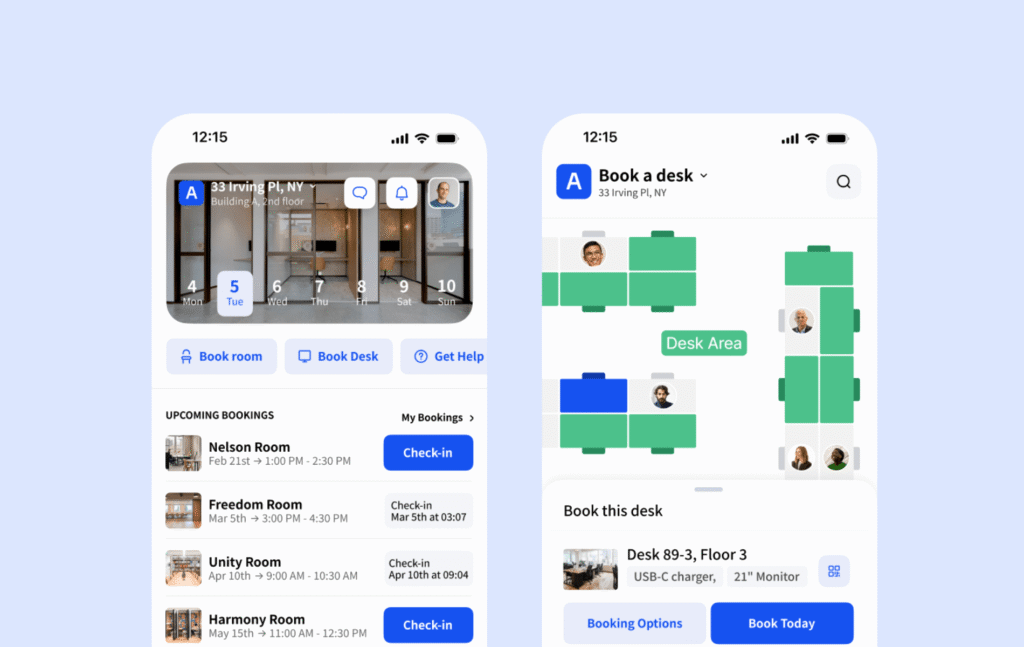
- Access the booking features via mobile phones: Using the Archie mobile app, employees can manage desk and room reservations directly from their phones.
- Track space usage: Detailed occupancy reports show which desks and meeting rooms are used the most, helping you make the best use of your office space.
- Support multi-tenant bookings: Let multiple companies share the same workplace while controlling which rooms, desks, and resources each company can see and book.
Pricing overview
- For office teams, Archie starts at $2.8 per desk and $8 per room (minimum $159/month). Visitor management is an add-on module priced separately.
- For coworking spaces, Archie starts at $165/month for up to 100 active members. Archie apps (Mobile, Rooms, and Kiosk) are included at no extra cost. Custom-branded white-label coworking apps for iOS and Android start at $90/month.

Why I picked Archie
I picked Archie because it sits in a rare middle ground. Many tools in this space are either heavy enterprise platforms that take time to learn, or very lightweight tools that only cover bookings. Archie is a smart workspace technology platform that handles desk and room booking, visitor check-ins, analytics, and admin rules in one system, without feeling overly complex. It also works well for both offices and coworking spaces, which is not something most tools manage equally well. On top of that, pricing is clear and predictable, which makes it easier to budget.
Pros & cons based on user reviews
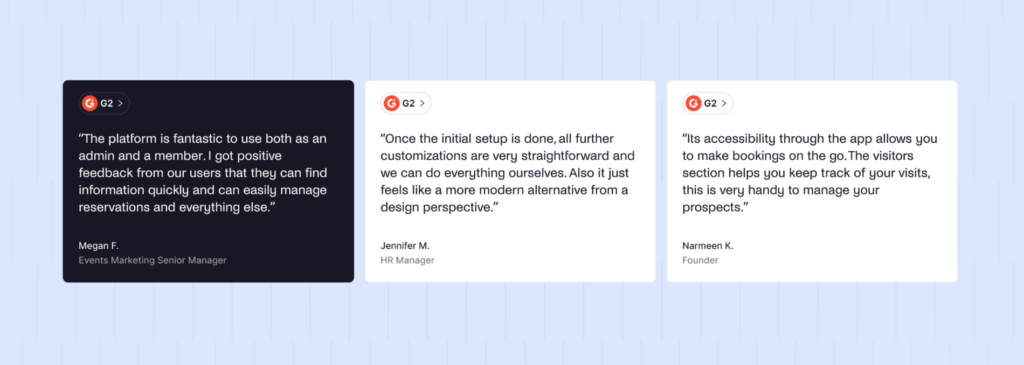
➕ Easy to learn and quick to roll out. Teams usually need little training and can get going fast.
➕ Strong admin controls. You get rules, approvals, buffers, zones, restrictions, and role-based permissions.
➕ Integrates nicely with popular tools. Works with Google Calendar, Microsoft 365, Slack, and other everyday workplace tools.
➕ Predictable pricing. For offices, resource-based pricing (per desk/room) can scale better than per-user pricing when people share spaces. Coworking plans are transparent and affordable, too.
➕ Good web + mobile experience. Works well for people booking from a computer or from their phone.
➖ Not the “heaviest” enterprise reporting tool. If you need very advanced custom dashboards and super complex reporting, some bigger platforms may go deeper.
➖ May be more than a tiny space needs. Very small offices or small community spaces might not need the full setup.
➖ Floor plans are 2D only. Clear and interactive, but no 3D view.
#2 OfficeSpace
🏆 Rating: 8.5/10
OfficeSpace is a powerful office space management tool that is great for companies looking for a high-end solution. However, its pricing is on the higher side, making it a better fit for businesses with bigger budgets.
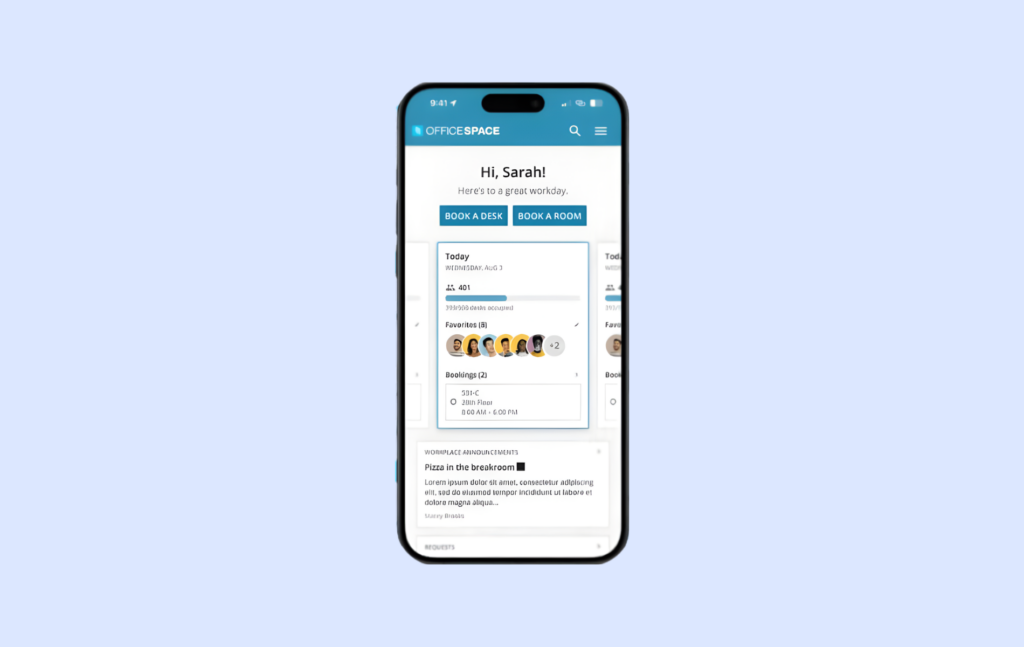
Core space management features
- Book meeting rooms: Your employees can schedule meeting rooms in advance or on the spot.
- Assign desks with flexibility: You can give employees permanent desks or allow them to book shared desks as needed.
- Manage visitors easily: A check-in system helps track office visitors and improves workplace security.
- Keep track of office deliveries: Employees get notified when packages arrive, and deliveries are recorded to prevent lost parcels.
- Get data on office usage: OfficeSpace provides detailed reports on how desks, meeting rooms, and other office spaces are being used, helping businesses optimize layouts.
Pricing overview
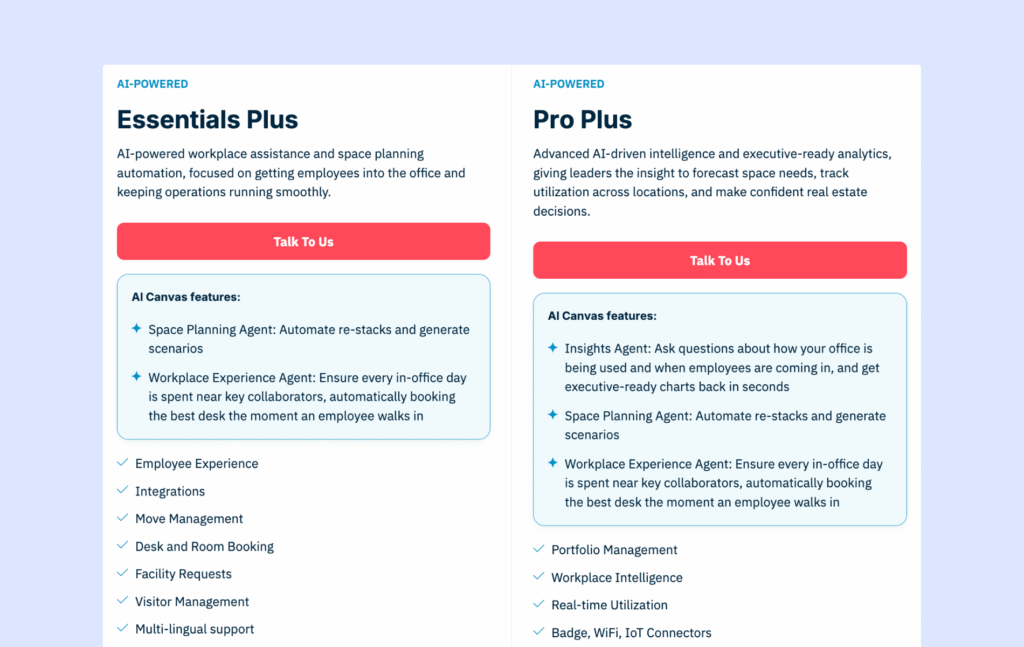
OfficeSpace offers two products, with two pricing plans each: Workplace and Asset Management. Workplace is the main product for teams managing desk booking, room booking, visitor management, space planning, and workplace analytics. Asset Management is a separate product for tracking assets, maintenance, warranties, and work orders.
OfficeSpace does not publish pricing for either product. For Workplace, pricing is based on a custom quote and usually depends on your feature package, platform fee, number of synced employees, and any extra employees or add-ons you need.
In the past, product research suggested that OfficeSpace pricing started at around $60 per user per year, with possible extra costs for setup and floor plans, plus an implementation period of around 35 days.
Why I picked OfficeSpace
I included OfficeSpace because it’s one of the most “enterprise-ready” platforms in this space. A lot of workplace tools focus mainly on desk and room booking. OfficeSpace goes further, with strong space planning, move management, and tools built for teams managing multiple locations and constant change. It’s a common short-list option for real estate and workplace teams.
Pros & cons based on user reviews
➕ Enterprise-level feature depth. Beyond desks and rooms, you also get things like asset tracking, facility requests, and deeper workplace reporting.
➕ Excellent for space planning and moves. Built for reorgs, move projects, and large office portfolios.
➕ Frequent product updates. New features ship often, so the platform keeps evolving.
➕ Dedicated enterprise support. Structured onboarding, project managers, and 24/7 support can be a big plus for large rollouts.
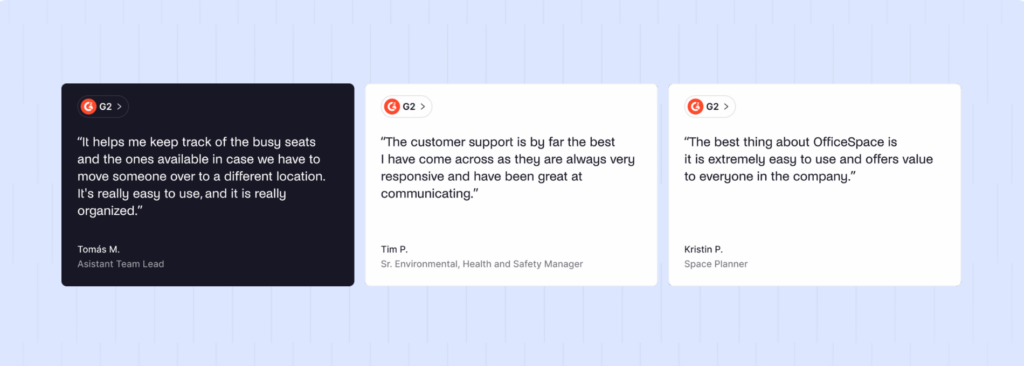
➖ High cost. Compared to most OfficeSpace alternatives, pricing feels premium, and there can be extra fees for setup and floor plan work.
➖ Heavier, more complex UI. Some users find it bulky, especially for advanced admin work and on mobile.
➖ Limited self-serve floor plan changes. Updating layouts can require help from OfficeSpace, which can slow down day-to-day changes.
#3 Nexudus
🏆 Rating: 8.5/10
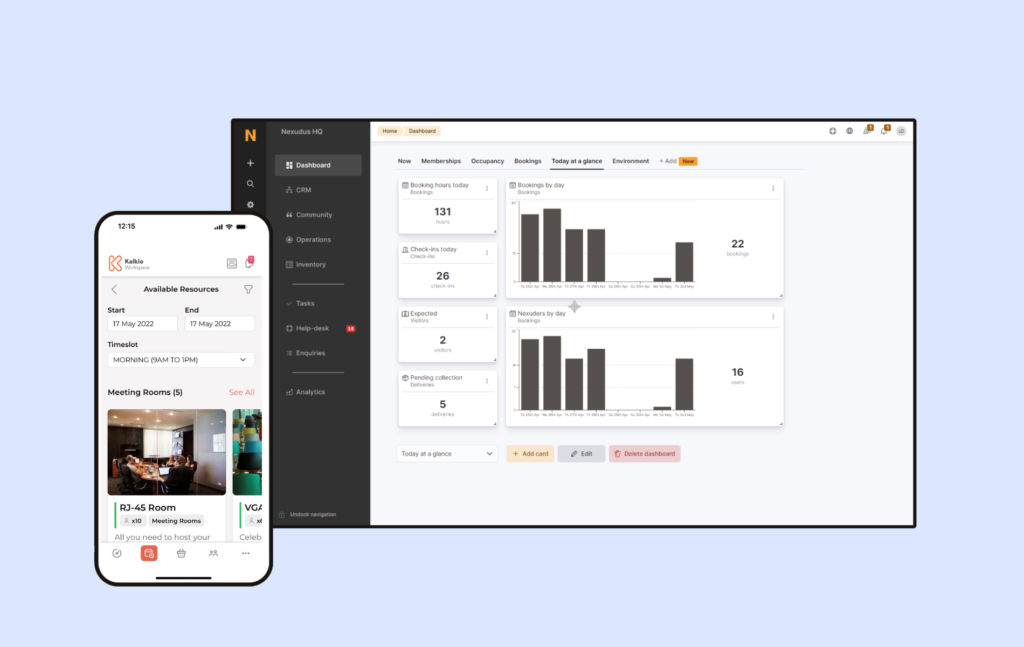
Nexudus is a strong space management choice for large coworking operations that need lots of customization, automation, and detailed reports. Because it does so much, though, it can take time to learn and set up.
Core space management features
- Space bookings: Coworking space members can reserve rooms and resources, with helpful third-party integrations.
- Member management: Nexudus keeps member profiles, contracts, and access in one place.
- Billing and payments: You can automate invoices, subscriptions, and payment processing.
- Member portal and app: Let members handle bookings and payments themselves.
- CRM and marketing: Track leads and stay in touch with your community.
Pricing overview
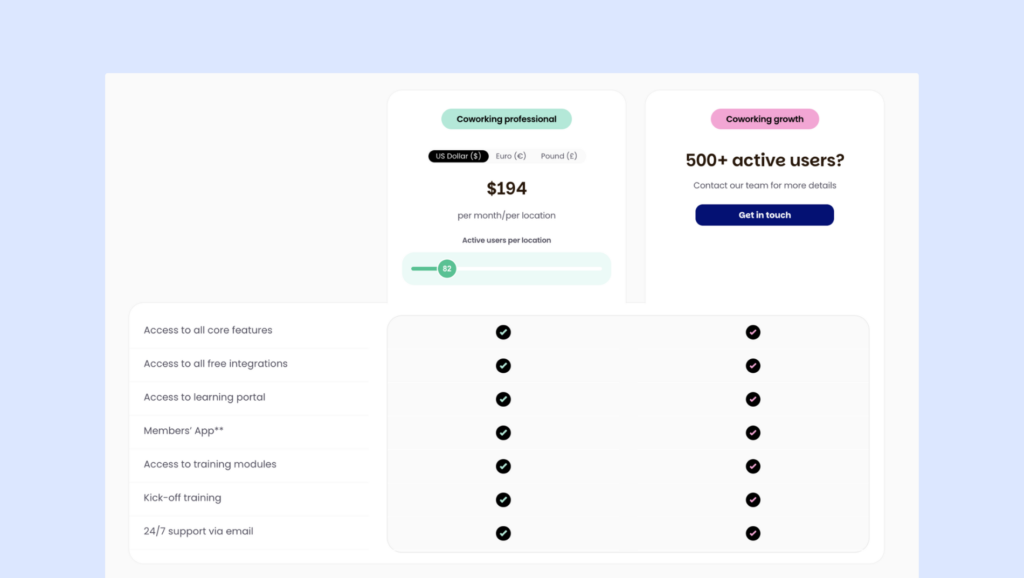
Nexudus starts from $150/month per location for up to 80 users.
Why I picked Nexudus
I included Nexudus because it’s one of the most well-known and long-standing coworking platforms. Many operators use it for years because it covers a lot in one system and offers deep customization. It’s also often the benchmark people compare newer coworking tools against, so it makes sense to include it in any serious review.
Pros & cons based on user reviews
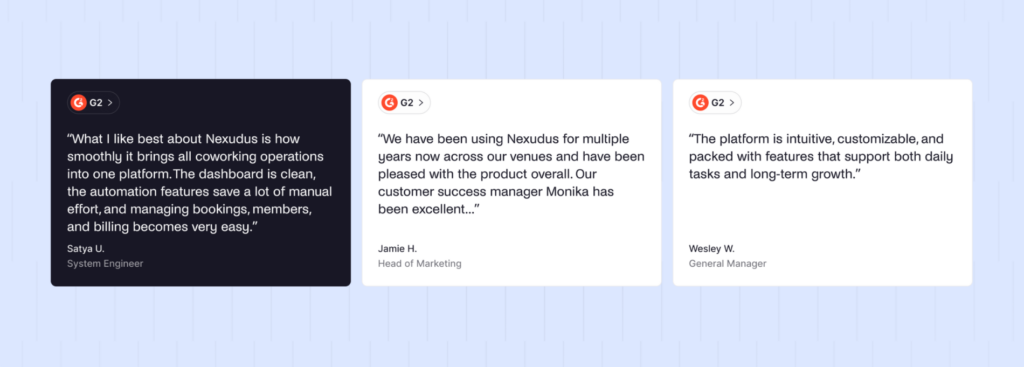
➕ Very broad feature set. Nexudus covers a lot of coworking needs in one platform, which is why many spaces stick with it long term.
➕ Strong customization options. You can go far beyond basic branding by customizing the member portal with HTML and CSS.
➕ Good reporting. Reporting is stronger than many other coworking tools, especially with the Explore Pro module (which costs extra).
➕ Lots of integrations. With 80+ native integrations, it connects well with many common coworking systems.
➖ Steep learning curve. It can take time to learn, especially if you want something simple and quick to set up.
➖ Admin UI feels dated in places. Some parts of the interface feel less modern than newer tools, and navigation takes getting used to.
➖ Longer setup. Because it is so configurable, implementation can involve more manual work and take longer to complete.

#4 Robin
🏆 Rating: 8.3/10
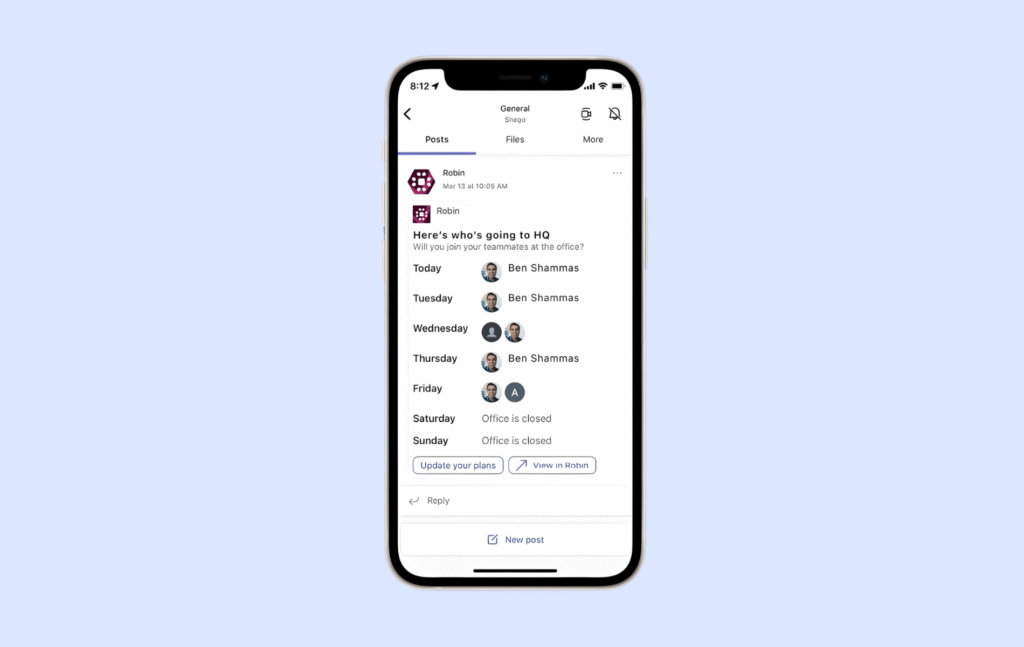
Robin began as a basic tool for booking meeting rooms and has since turned into a full workplace platform. Teams now use it to reserve desks and rooms, check who plans to be in the office, manage visitors, and track how different spaces are used. It is mostly geared toward larger organizations, often those with 500 or more employees.
Core space management features
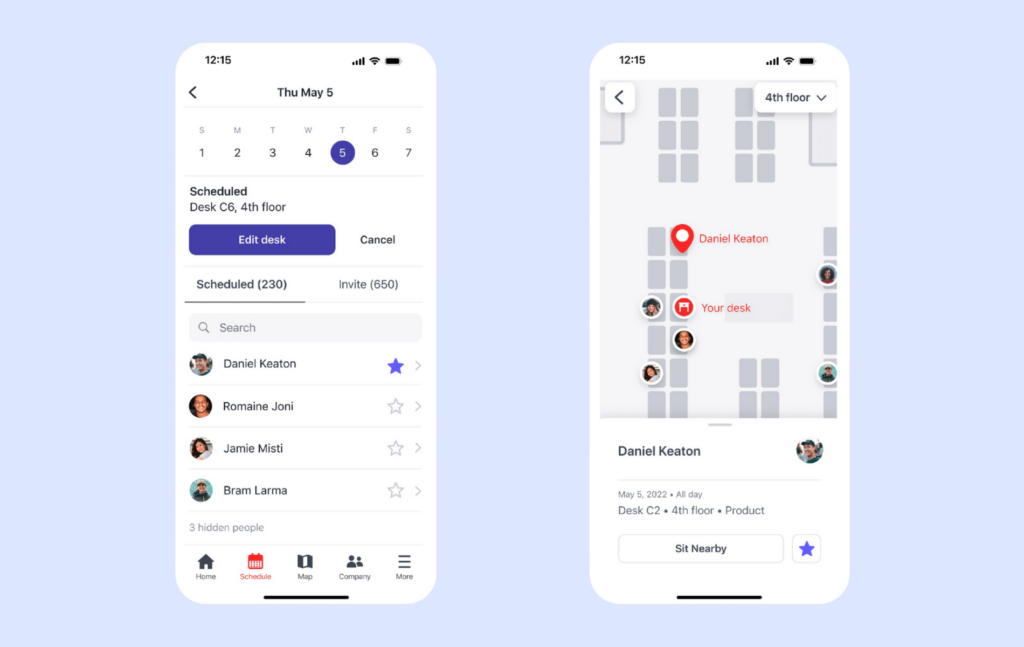
- Book meeting rooms: Employees can book a meeting room with just one click or check in when they arrive.
- Reserve desks: Robin suggests the best desk based on an employee’s past bookings and preferences.
- See live office maps: Employees can see a real-time office map to find open desks and meeting rooms easily.
- Manage employee check-ins: Robin supports QR codes, WiFi-based auto check-ins, and access control systems integration.
- Analyze office space usage: It tracks office occupancy, busiest times, and space efficiency to help you optimize your space usage.
Pricing overview
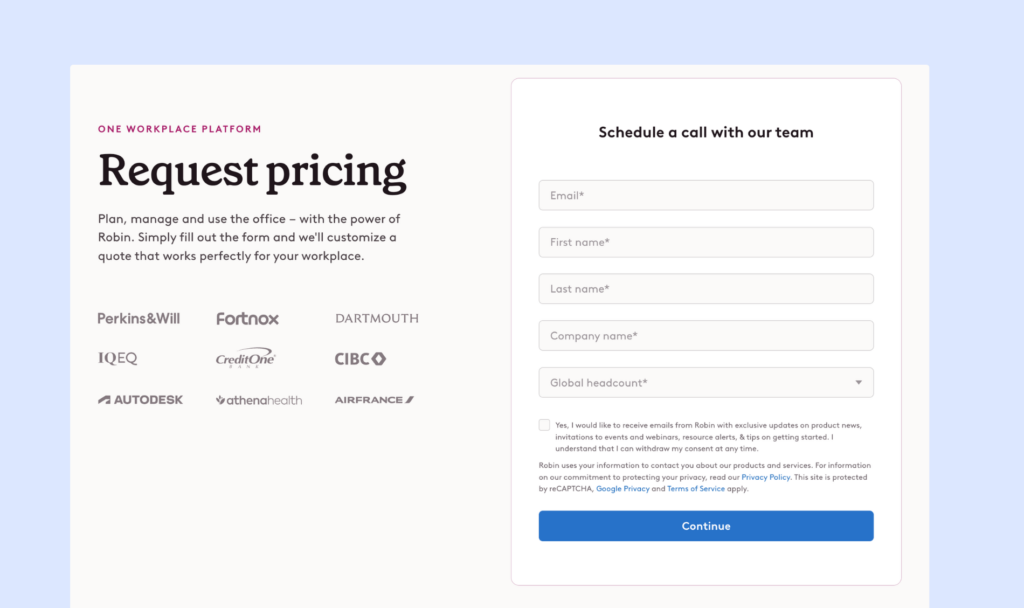
Since Robin does not publish detailed pricing on its website, you need to contact their sales team to get a quote. They do provide a 14-day free trial, so you can explore the platform and its key features before making a decision.
Why I picked Robin
I included Robin because it’s one of the more well-known workplace platforms in the enterprise space. It goes beyond basic desk booking with deeper analytics, lots of integrations, and extra employee experience features. Even though it’s not the right fit for every team, it’s a common option that many larger organizations compare against.
Pros & cons based on user reviews
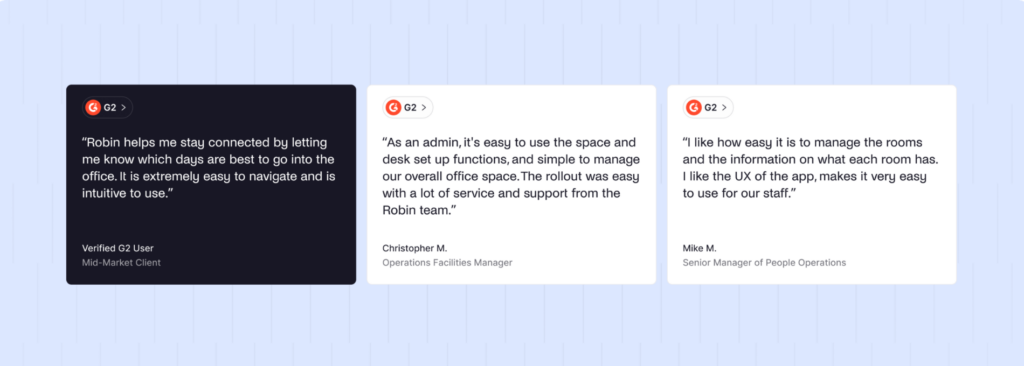
➕ Enterprise-level feature depth. Covers desks, rooms, visitor support, and strong admin controls.
➕ Polished employee experience. Interactive maps and wayfinding help people find and book spaces quickly.
➕ Strong integrations. Works with Google Workspace, Microsoft 365, Slack, Teams, access control systems, and sensor partners.
➕ Deep analytics. Combines booking data with signals like access control and occupancy for detailed space insights.
➕ Employee feedback tools. Built-in surveys and satisfaction tracking help measure how people feel about the office.
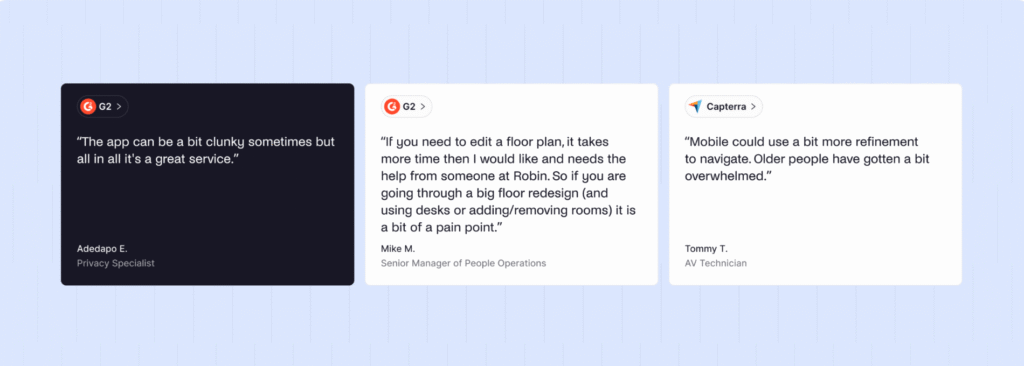
➖ Higher cost and custom pricing. Harder to budget or compare to Robin alternatives without talking to sales first.
➖ Steeper learning curve. Admins often need more time to learn and configure everything.
➖ Floor plan updates can be slower. Bigger map changes may take more effort or require support.
➖ Small bugs show up in reviews. Some users mention minor glitches or UI inconsistencies.
➖ Support feedback is mixed. A few reviewers say response times can be slower than expected.
#5 Envoy
🏆 Rating: 8.2/10
Envoy helps companies organize their hybrid workplaces while keeping security a priority. Employees can easily book desks and meeting rooms, visitors can check in smoothly, and deliveries are tracked — all in one system.
Core space management features
- Book desks & meeting rooms: Employees can quickly reserve a workspace before coming in, or whenever they need one.
- Keep the office safe: Features like visitor check-ins, capacity limits, and emergency alerts help you improve office security.
- Track deliveries: Employees get notified when their packages arrive, so no parcel gets lost.
- See how your office is used: Detailed reports show which areas are busy and which are underused.
- Integrate with other tools: Envoy works smoothly with popular workplace tools like Microsoft 365 or Slack.
Pricing overview
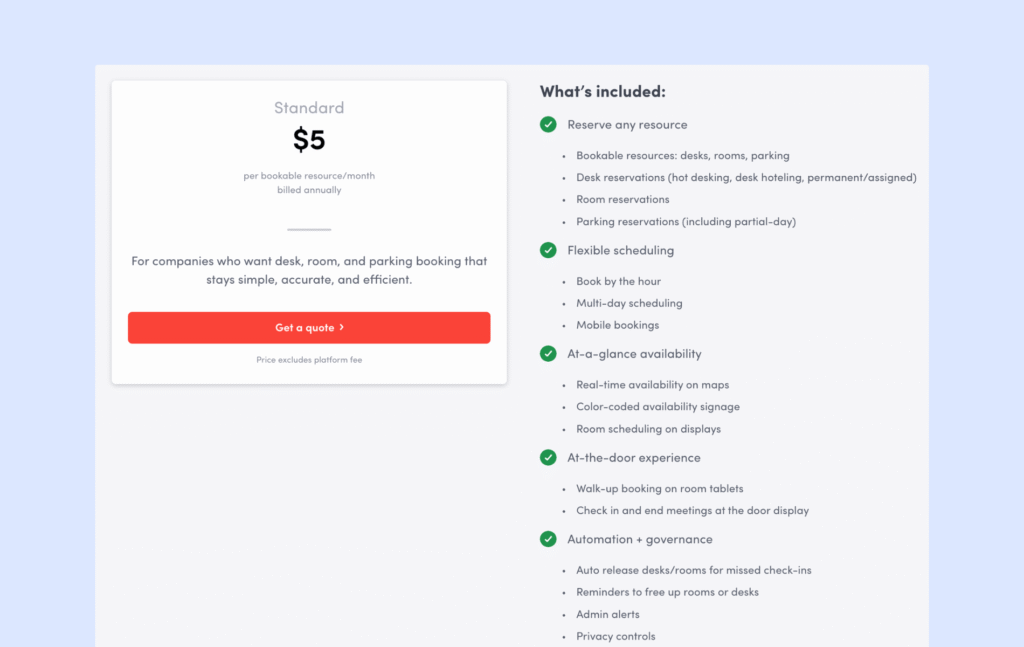
Pricing starts at $5 per bookable resource a month (billed annually) + platform fees. Visitor management is sold separately.
Why I picked Envoy
I included Envoy because it’s one of the best-known tools for visitor management, and it shows up on a lot of workplace shortlists. Many companies consider it when they want a more secure front desk experience, plus desk and room booking in the same system.
Pros & cons based on user reviews
➕ Easy for employees and front desk teams. Clean interface and quick to learn.
➕ Strong integrations. Works well with Outlook, Google Calendar, Slack, Microsoft Teams, and many access control systems.
➕ Strong focus on security and compliance. A good match for regulated industries and workplaces with stricter requirements.
➖ Can get expensive. Compared to some of the Envoy alternatives, the pricing can get expensive, depending on the size of your workplace and the features you need.
➖ Recurring bookings feel limited. No simple “book this desk every Tuesday” option, and room buffer times are not a straightforward built-in setting.
#6 Skedda
🏆 Rating: 8/10
Skedda is a simple space management tool that helps teams book and manage desks, meeting rooms, and other shared office spaces. In October 2024, Skedda also launched Allbooked by Skedda, a separate product made for community venues that mostly serve external guests or members. Think places like sports facilities, creative studios, and event spaces.
Core space management features
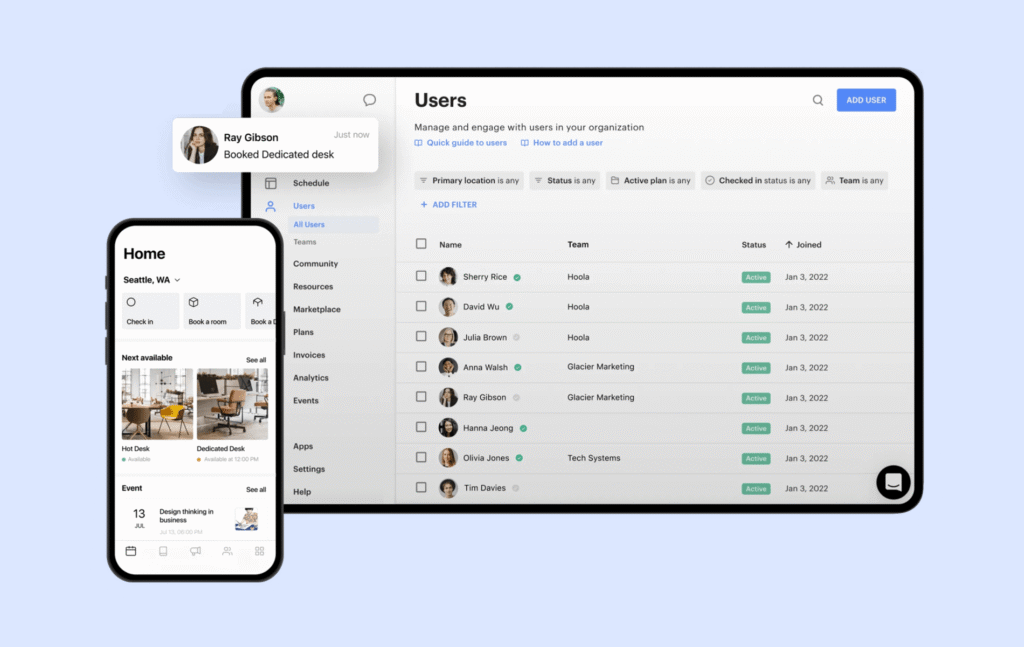
- Book desks and rooms: Employees can quickly reserve a desk or meeting room with a simple drag-and-drop system.
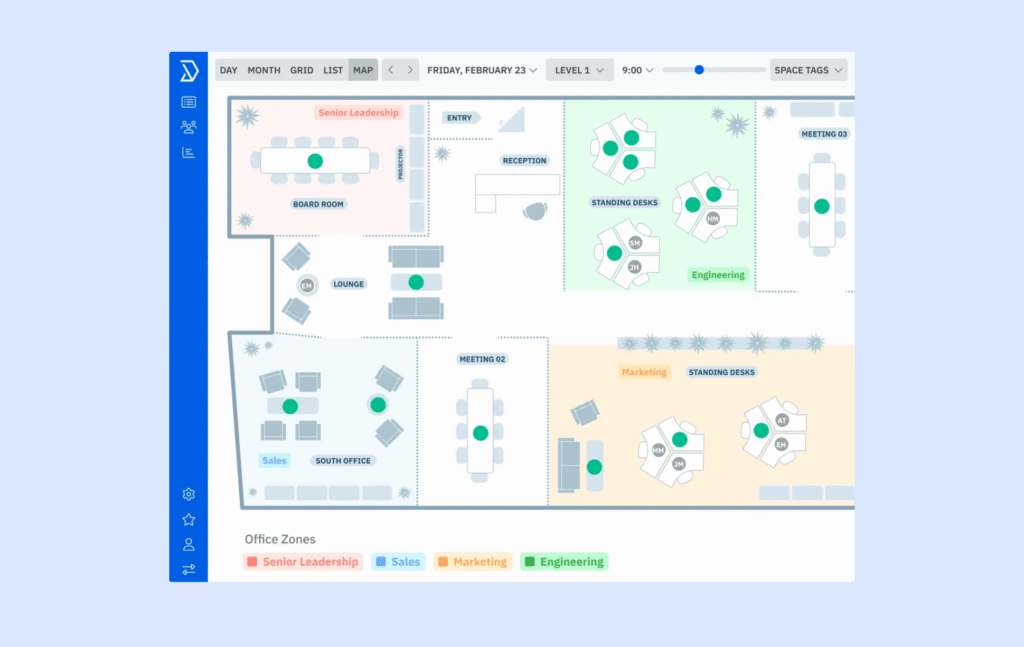
- Access interactive office maps: A visual layout helps employees see which spaces are available and where they want to work.
- Set custom booking rules: Set time limits, cancellation policies, and other rules to organize office space.
- Create team zones: Assign specific areas for teams so they can collaborate while still having flexible seating.
- Connect with other tools: Skedda integrates with other tools like Slack, Kisi, and Google Workspace to make office management even smoother.
Pricing overview
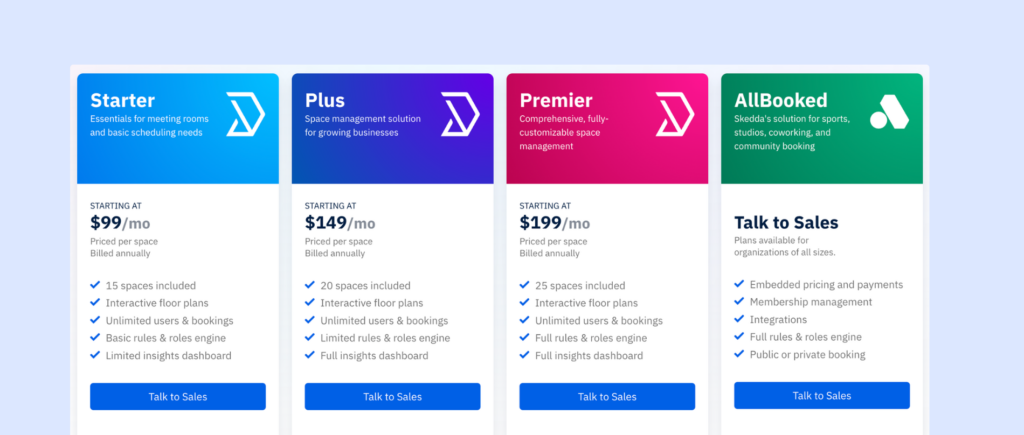
Skedda starts at $99/month for up to 15 spaces. Higher plans and a free trial are available.
Why I picked Skedda
Skedda Workplace comes up a lot when teams want something simple that just works. It’s often one of the first tools people try when moving away from spreadsheets or email-based bookings. But it’s also a tool where pricing and limits start to matter as soon as you grow. That mix makes Skedda interesting to review.
Pros & cons based on user reviews
➕ Easy to learn and roll out. Clean interface and quick adoption with little training.
➕ Solid desk booking. Covers the basics well and reduces manual admin work.
➕ Flexible booking rules. Good controls for booking windows, buffers, and repeat bookings.
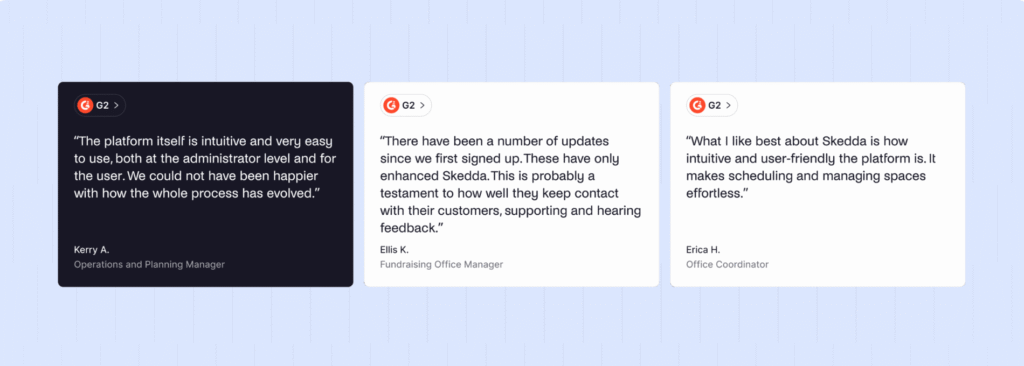
➖ Costs can jump as you scale. Every bookable item counts as a “space,” so adding desks, lockers, or parking can push you into higher tiers fast.
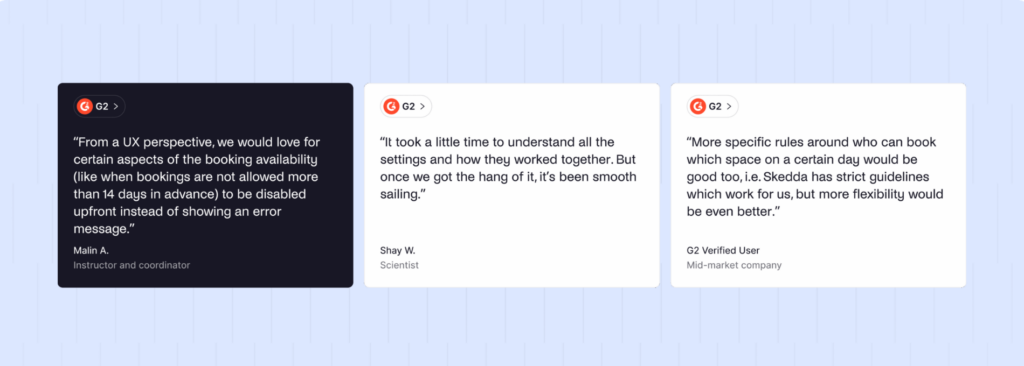
➖ Feature limits on lower plans. Useful everyday features are often locked behind higher tiers.
➖ Advanced admin work feels less polished. More complex setups and configurations can be clunky.
#7 Optix
🏆 Rating: 8/10
Optix has a clean, modern look and a powerful mobile app for coworking space admins and members. It’s easy to use, and the support team is responsive. The main drawback is that some admin tasks work best on a desktop, and there aren’t as many direct integrations as some competitors.
Core space management features
- Booking system: Members can book desks, meeting rooms, and other resources in a few taps.
- Invoicing & payments: Billing is automated, and you can accept payments through popular providers like Stripe.
- Integrations: Optix connects with tools such as Slack and door access systems, and you can use Zapier to build more connections if you need them.
- Reporting & analytics: You get clear dashboards to track revenue, space usage, and other key metrics, which helps you make better decisions about pricing and layout.
- Mobile app: Members can book on the go, update their profiles, and interact with your community from a well-designed mobile app.
Pricing overview
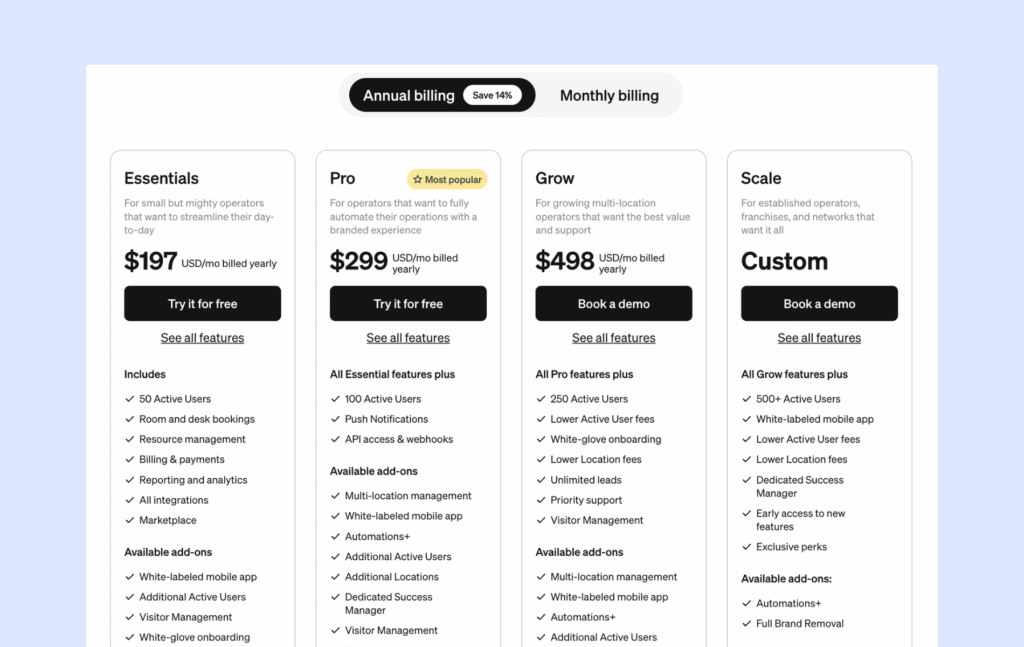
Optix starts at $197/month for one coworking location and up to 50 active users (annual billing).
Why I picked Optix
I included Optix because it’s one of the most “member-first” coworking platforms out there. A lot of coworking tools are built around an admin dashboard, with the member experience added later. Optix flips that. It puts the mobile app at the center, which is exactly why so many spaces like it, and also why some teams end up looking for alternatives.
Pros & cons based on user reviews
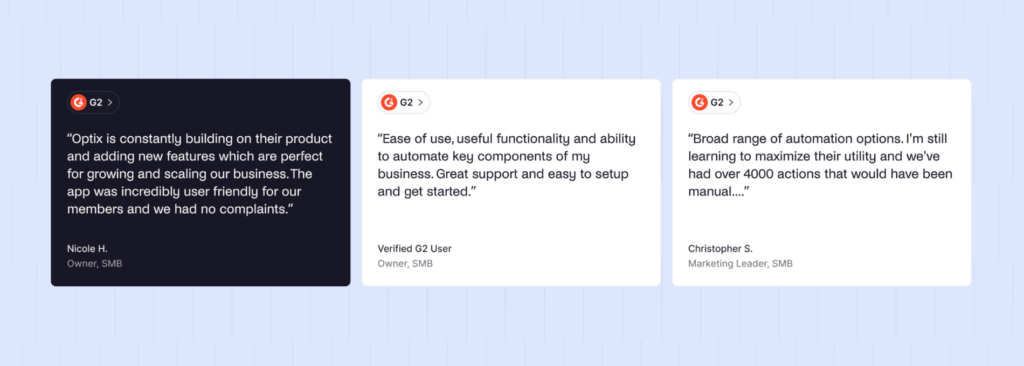
➕ Great mobile experience. Members often say the app feels modern and easy to use, so adoption is usually smooth.
➕ Strong automation. Automations help teams save time on reminders, onboarding steps, and repetitive tasks.
➕ Helpful onboarding and support. Reviews frequently praise the team for being fast and hands-on during setup.
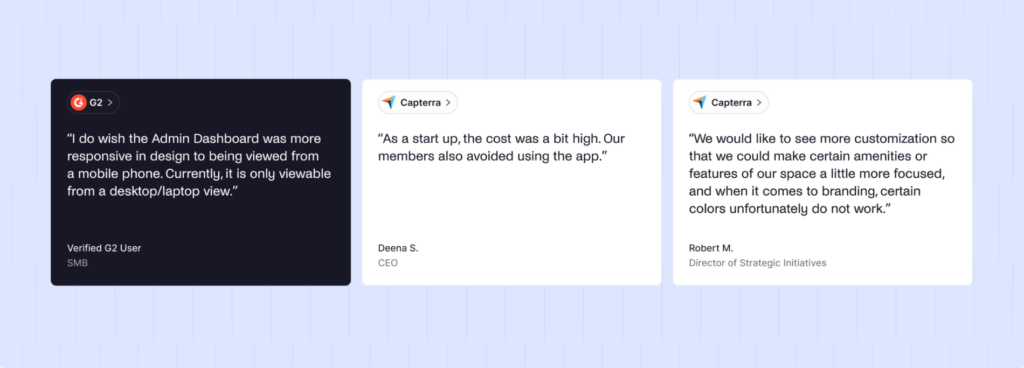
➖ Web experience can feel lighter. Because the product is built around the mobile app, members who prefer desktop apps will be disappointed. Admins, on the other hand, work from a web dashboard, not a full-featured admin mobile app.
➖ Add-ons can raise the real cost. Pricing can climb once you start adding paid extras, so the total may be higher than the starting tier suggests.
#8 OfficeRnD
🏆 Rating: 8/10
OfficeRnD has two different products: OfficeRnD Flex (built for coworking and flexible spaces) and OfficeRnD Workplace (built for office and hybrid workplace management). Both are powerful, but setup usually takes a bit more time and there’s a learning curve.
Core space management features
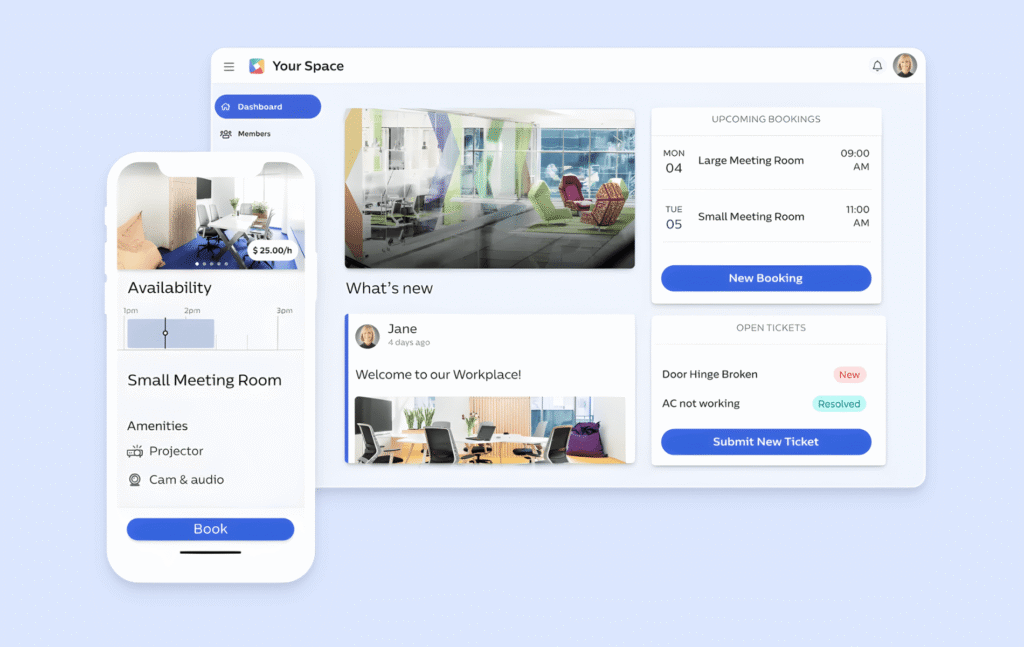
- Space booking: Members can reserve hot desks, meeting rooms, or other resources.
- Reporting & analytics: Get insights into how your space is being used, from desk and room occupancy to financial performance and member behavior.
- Integrations: OfficeRnD connects with accounting software, access control systems, marketing platforms, and more.
- Mobile app: Members can manage their profiles, book resources, pay invoices, and even engage with the community from their phones.
- Billing & invoicing: OfficeRnD takes care of recurring invoices, deposits, and discounts automatically.
Pricing overview
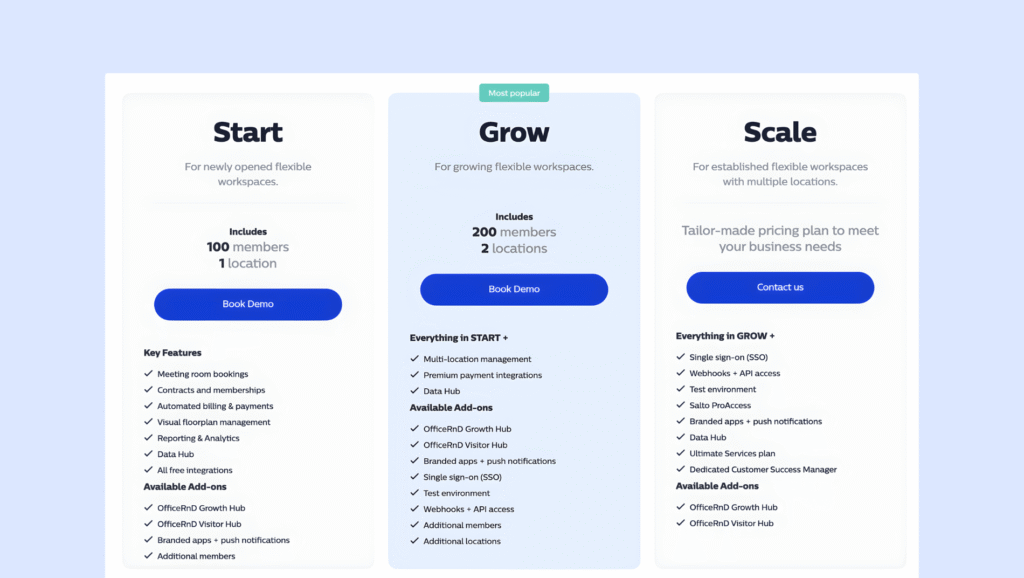
- OfficeRnD Flex uses custom pricing, so the total cost depends on your setup. In the past, OfficeRnD listed public tiers starting around $165/month for a single location with 100 members, but nowadays, you need to contact the team for a quote.
- OfficeRnD Workplace starts from $99/month for up to 150 users.
Why I picked OfficeRnD
I included OfficeRnD because it’s one of the best-known names in coworking software. Even with two product lines, OfficeRnD is still mostly known for its coworking roots, and Flex is the one you will see on most coworking operator shortlists.
Pros & cons based on user reviews
➕ Truly all-in-one for advanced coworking. Covers the full coworking lifecycle in one platform, so you can run more of your operation in one place.
➕ More structure as you grow. The hub setup can help keep things organized as your team, locations, and workflows expand.
➕ Strong support. Reviews often praise the team for being responsive during onboarding and day-to-day troubleshooting.
➕ Solid reporting and analytics. Usually stronger than many other coworking tools, which becomes more important as you scale.
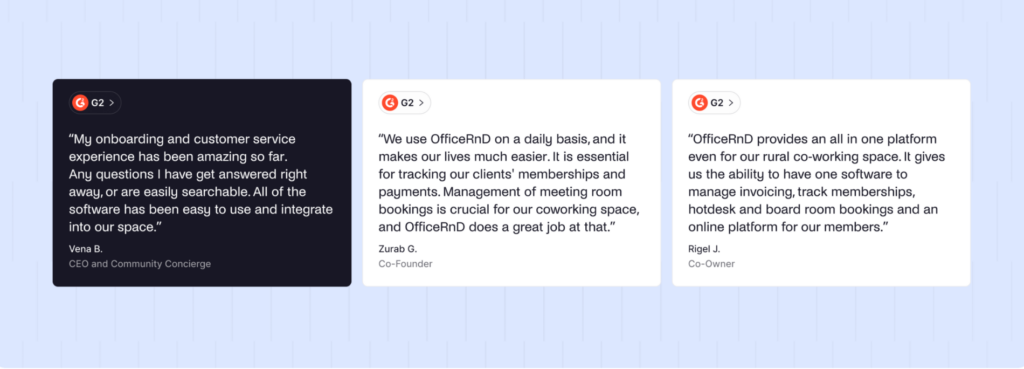
➖ Onboarding can take time. Setup can feel challenging, especially if you are not very technical.
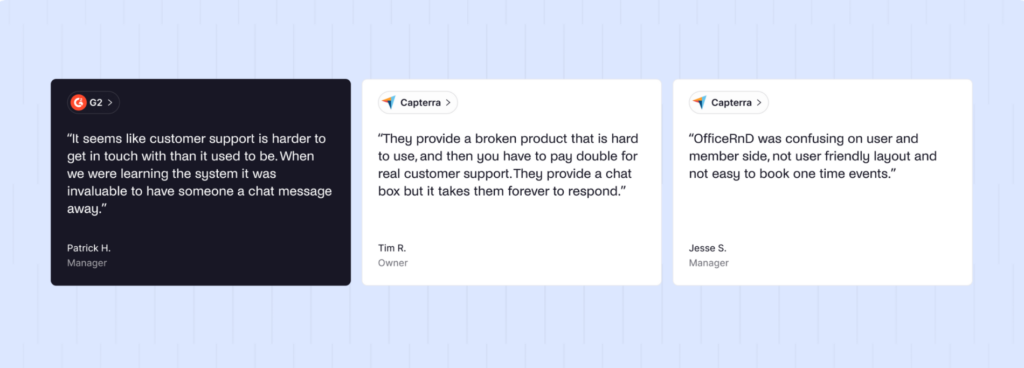
➖ Less transparent pricing. For coworking spaces, it’s often quote-based, and add-ons can raise the total cost if you need extra modules, premium support, visitor management, sales tools, or certain integrations.
➖ Can feel heavy for smaller spaces. If your needs are simple, the platform can be more complex than you actually want day to day, especially compared to some of the OfficeRnD alternatives.
#9 Property Automate
🏆 Rating: 7.9/10
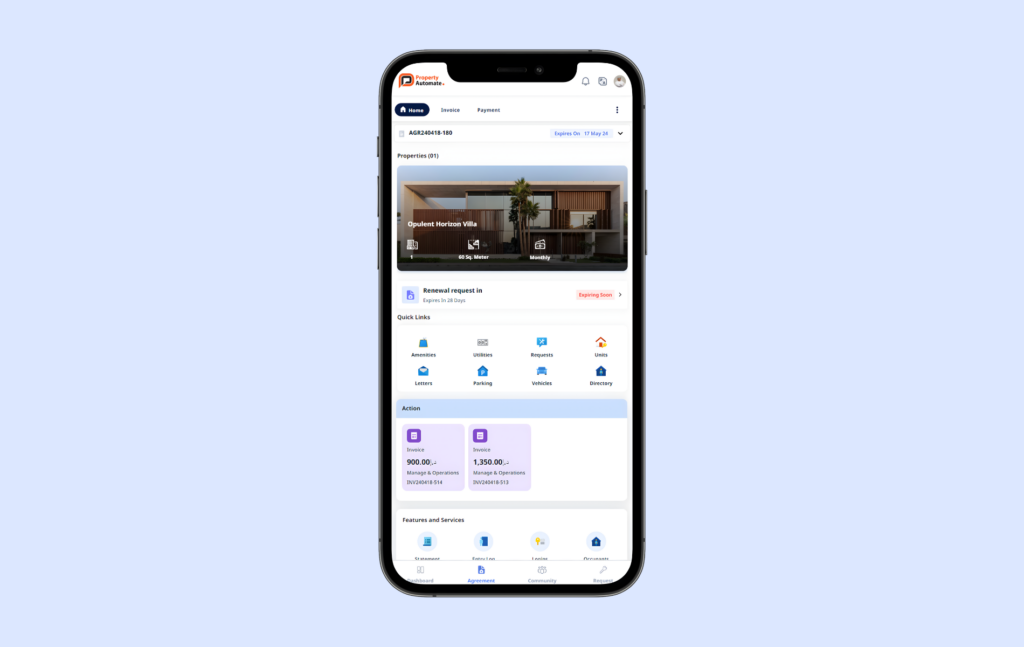
Property Automate is a flexible space and property management platform built mainly for mixed-use buildings, business centers, and coworking spaces that operate inside larger commercial properties. It combines coworking-style bookings and member management with more traditional property management workflows like leases, tenants, and billing.
Core space management features
- Workspace CRM & member management: Manage member profiles, short-term memberships, and day-to-day member operations in one place.
- Contracts management: Handle complex transactions, including wallet management for member charges and credits.
- Visitor passes + parking: Issue visitor passes with QR codes, assign parking spots, and send announcements to keep occupants informed.
- Parcel and pick-up control: Track deliveries, manage pick-up permissions, and reduce lost-package issues.
- Inventory management: Track maintenance inventory so teams can complete work orders faster and avoid surprises.
Pricing overview
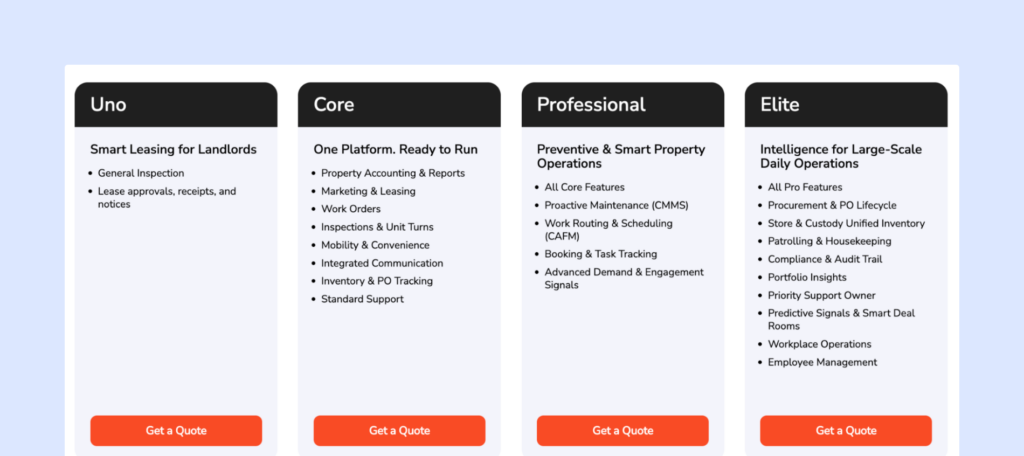
Property Automate does not publish public pricing. Costs are based on your setup, number of locations, and the modules you need. You’ll need to contact their sales team for a custom quote.
Why I picked Property Automate
I included Property Automate because it fills a gap between classic coworking software and full property management systems. If you operate business centers, serviced offices, or coworking spaces inside larger commercial buildings, this kind of setup can make sense. It is not as lightweight as booking-first tools, but it gives you more control over tenants, billing, and property-level operations.
Pros & cons based on feedback
➕ Strong fit for mixed-use and multi-tenant buildings. Handles coworking, offices, and property workflows in one platform.
➕ Flexible billing setup. Useful if you charge for rent, services, add-ons, and shared resources together.
➕ Scales across locations. Designed for operators managing multiple buildings or portfolios.
➖ May feel too heavy for simple workspace bookings. If you mainly need basic desk and meeting room reservations, the extra property and operations features can be more than you need day to day.
➖ Pricing is quote-based. Because plans are not published, custom quotes make it harder to compare quickly with the alternatives.
➖ Harder to validate with fresh third-party feedback. There are not many recent reviews on major review sites, so it can be tougher to confirm the user experience.
More office space management software options
#10 Tactic – Modular workplace management platform for desk booking, visitor management, workplace operations, and office planning.
#11 Officely – Desk booking inside Slack or Microsoft Teams, built for quick adoption.
#12 Eden – All-in-one workplace platform for desk booking, visitors, maintenance requests, and safety workflows.
#13 YAROOMS – Workspace management for desks, meeting rooms, and visitor check-ins, with compliance-friendly options.
#14 Kadence – Workplace coordination and booking platform for hybrid teams, with a strong Microsoft Teams experience.
#15 deskbird – Simple, modern desk and room booking tool, designed to be mobile-friendly.
#16 Eptura – Enterprise office reservation system with advanced analytics, and space planning.
#17 Spacewell – Workspace optimization tools with desk and meeting room booking plus space insights.
#18 HybridHero – HR + workplace tool that combines hybrid schedules with desk and room booking.
#19 Clearooms – Easy desk and meeting room booking for flexible offices and smaller teams.
#20 MyDesk – Basic desk booking and hybrid schedules in a simple setup.
#21 Meetio – Desk and room booking that plugs into your office calendars.
#22 Zynq – Desk and meeting room booking built for straightforward office reservations.
#23 Nibol – Desk and room booking with office usage tracking and reporting.
#24 Flydesk – Desk booking and office resource management, with a simple user experience.
#25 Ronspot – Desk booking built specifically for hybrid offices and flexible seating.
#26 Cloudbooking – Desk and room booking platform for offices and shared workplaces.
#27 Poppulo – Workplace app that includes desk and room booking, with a focus on employee communications.
#28 Tidaro – Workspace booking for desks and rooms, aimed at hybrid office setups.
#29 Smartway2 – Enterprise booking and scheduling for desks and rooms, with stronger analytics.
#30 UnSpot– Workspace management tool with built-in office usage analytics.
#31 AgilQuest – Office booking and space management software with usage analytics and reporting.
#32 FMS:Workplace – Workplace system that combines software (and often hardware) for scheduling and space optimization.
#33 WorkInSync – Desk and room booking for hybrid teams, plus workplace coordination features.
#34 Othership – Desk and space booking focused on helping teams coordinate office days.
#35 Joan – Best known for elegant hardware paired with the room display software.
Benefits and features of the best office space management software
- It helps people book desks and meeting rooms, plan which days they will come in, and see where coworkers are sitting. That makes it much easier to coordinate office days and avoid showing up to a full (or half-empty) office.
- It can also cut down on wasted space. Reminders and quick check-ins help people keep their bookings, and some tools can automatically free up a desk if no one checks in. That means fewer “ghost bookings,” fewer empty seats, and better use of the space you already have.
- For workplace managers and admins, these space management tools add control and visibility. You can see what is getting used, what is not, and how things change over time. That data helps you make smarter decisions about layouts, capacity, and costs.
- Many platforms also support visitor check-in and on-site visibility, so it is easier to welcome guests, know who is in the building, and keep things secure.
All of this is powered by a few core features:
Multiple booking methods make space reservations easier
A good space management tool lets people easily reserve desks, meeting rooms, phone booths, or even parking spots. Bookings can usually be made from different devices like your computer, phone, or even within apps like Slack, Google Calendar, Microsoft Teams, or Outlook.

Check-ins and reminders track attendance
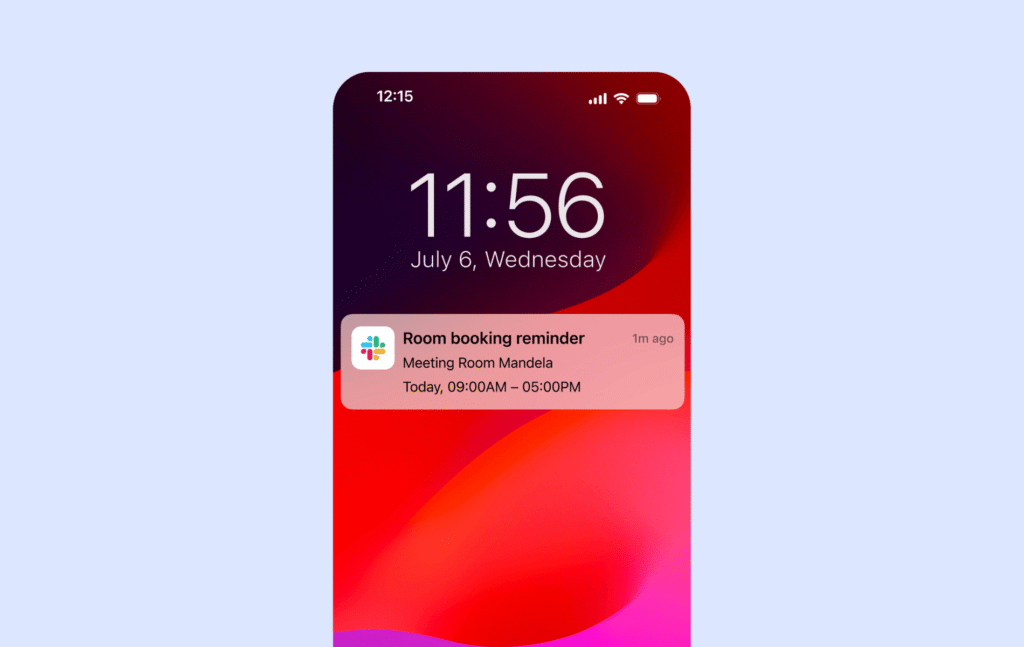
To make sure people actually use what they book, the space management software sends gentle reminders before the reservation. It also lets users check in (with a tap on their phone, a QR code scan, or through Slack). This helps reduce no-shows and gives admins clear records of who was actually onsite.
Custom rules that make the space work for your team
The best space management software lets you assign desks to specific people or teams, restrict who can book certain rooms, and even add buffer times between bookings if needed. You should be able to set up the system to match how your space really works, not the other way around.
Analytics and reporting to understand space usage
Your space management tool should give you useful data, like which rooms are booked the most, what days are busiest, or how often desks are used. This helps you make smart decisions: rearranging layouts, reducing unused space, or even planning for a smaller (or bigger) office if needed.
How to choose office space management software
Here’s a simple guide to help you choose the best office space management software:
1. Think about your needs
Office space management tools have a lot of built-in capabilities or add-ons if needed. To figure out what’s the best choice for your space, ask yourself (and your team, too!):
- Do you need to manage desks, meeting rooms, or both? Think about what spaces in your office need organizing. Some tools focus on just room reservations or desk booking, while others handle everything that hybrid offices or coworking spaces might need.
- Is visitor management important? If your office gets frequent guests — clients, job candidates, or partners — a visitor check-in system can make entry smooth and secure. Some platforms include visitor management, while others offer it as an add-on.
- Do you want to track how your space is used? Workplace analytics can show you which desks or rooms are popular, which are underused, and whether you have enough space for your team.
- What integrations are you going to take advantage of? If your team relies on Slack, Microsoft Teams, or Google Calendar, look for a system that integrates smoothly so bookings and schedules stay organized in one place.
2. Consider ease of use
Make sure to check how intuitive the web and mobile apps are. Both people booking desks and managers tracking space usage should find the space management software easy to use. If a system is too complicated, people might avoid using it, so investing in one makes no sense.
3. Check pricing & scalability
Pricing can vary based on how office space management software charges — some tools charge per user, which can become expensive as your team grows. Others charge per resource, like desks or meeting rooms, making it more cost-effective for companies with more employees than office space. Watch out for hidden costs, like setup fees or extra charges for analytics or visitor check-ins. The space management software should be able to scale with your business as it grows.
4. Read customer reviews
Before choosing office space software, take a moment to see what real users say about it on websites like G2 or Capterra. Even if a platform seems to have great features, it might as well have bugs, a confusing interface, or slow customer support.
5. Test before you commit
Most office space management tools offer free trials or demos. It’s a good opportunity to check if the software fits your office needs and get feedback from employees who will use the system every day before you commit to a specific office management software. Once you’re at it, you might want to give Archie a try.
6.Try the best space management software
Archie plugs into tools you already rely on, like Outlook, Google Calendar, Microsoft Teams, Slack, and access control systems, which keeps space bookings and check-ins smooth.
Its hybrid office features show who’s coming in, what’s available in real time, and let you set team “neighborhoods” so people can sit together on busy days. For coworking spaces, Archie also covers memberships, branded portals, events, invoicing, and visitor management, so member experience and back-office ops live in one place. All of this sits behind a clean, easy interface that most people can pick up with little to no training.
Quick head-to-heads
Archie vs OfficeSpace: OfficeSpace is built for big enterprises doing heavy space planning and move management. Archie is usually more affordable, easier to roll out and run day to day, and it’s a better fit if you want straightforward booking, visitors, and space insights without the “real estate operations” overhead.
Archie vs Nexudus: Nexudus is a deep coworking platform with lots of customization and integrations, but it can take longer to learn and set up. Archie is typically simpler and faster to adopt, while still giving you full coworking workflows plus strong office space management in one system.
Archie vs Robin: Robin is a broad enterprise workplace suite with advanced analytics and employee experience extras, but it’s often pricier and quote-based. Archie is usually quicker to launch, simpler to manage, and easier to budget for with clear pricing.
Archie vs Envoy: Envoy shines most in visitor management and security-focused front desk workflows, with office space booking as an add-on. Archie is more balanced across desk booking, rooms, and visitors, and its pricing is often easier for teams to plan around.
Archie vs Skedda: Skedda is great for simple booking and flexible rules, but tier limits can get tight as you add more bookable spaces. Archie’s per-desk and per-room approach is often more predictable as your office footprint grows.
Archie vs Optix: Optix is mobile-first and strong on automations for member experiences. Archie is usually a better fit if you want a more even web + mobile experience and stronger admin controls for both offices and coworking.
Archie vs OfficeRnD: OfficeRnD Flex is a powerful all-in-one for advanced coworking operations, but setup can be more involved, and pricing is often quote-based with add-ons. Archie is typically easier to roll out and operate, while still covering coworking plus office space management in one platform.
- Key sources