








Running an office? You’ve probably seen the same problems pop up again and again. Everyone shows up on the same days, desks run out, meeting rooms get booked twice, and people still waste time trying to figure out where their team is sitting.
If you’re looking for a solution, you probably know by now that good office space management software helps bring order to all of that. And two tools that come up a lot are OfficeSpace and Robin.
Both are popular workplace platforms, but they are built with different priorities in mind. In this guide, I’ll walk through what each one does well, where each can fall short, and which type of organization each one fits best. By the end, you’ll know which option makes the most sense for your workplace, and whether an alternative like Archie could be a better fit (spoiler: it often is).
OfficeSpace vs Robin comparison guide
What is OfficeSpace software?
OfficeSpace is a workplace management solution that launched back in 2006 and has grown into an all-in-one platform for organizations with complex facility needs. According to company reports, OfficeSpace now serves over 1,800 organizations worldwide, with a particular focus on enterprise clients managing multiple locations and large real estate portfolios.
OfficeSpace is a pioneer of the space management software industry. While other software might give you a desk booking tool and call it a day, OfficeSpace offers deep capabilities for space planning and move management.
OfficeSpace core features
The OfficeSpace platform covers a lot of ground with intuitive tools designed for facilities and real estate teams. Here are the capabilities that matter most:
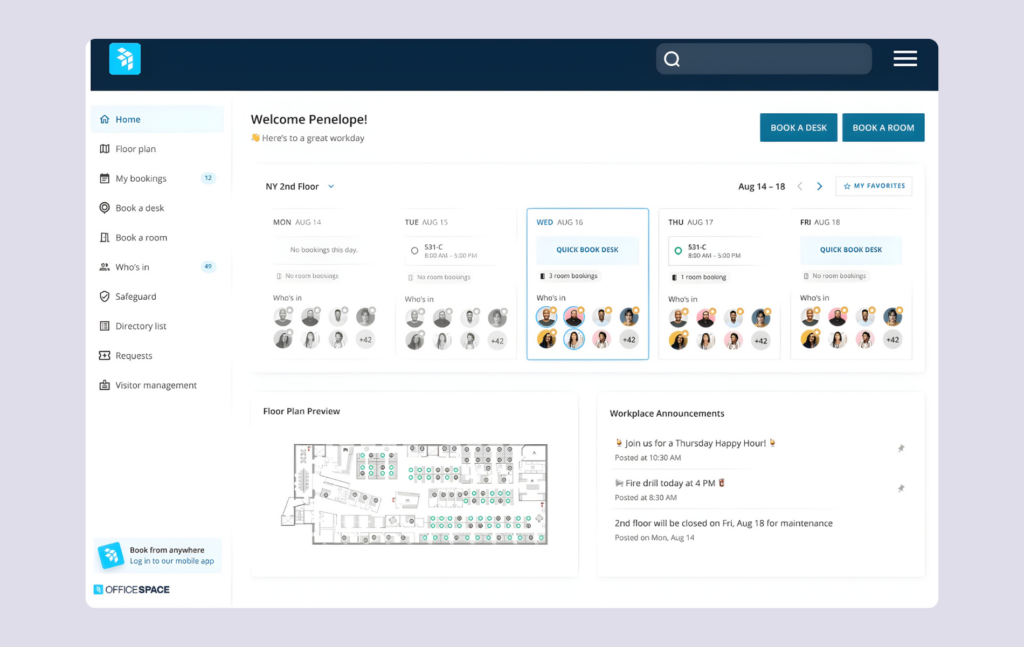
Space planning and management: This is where OfficeSpace shines. Block and stack planning lets you visualize how departments are distributed across floors and buildings. Scenario planning lets you test “what-if” models before committing to changes. The new AI Canvas feature can create layouts based on actual utilization data from sensors and badge systems, helping real estate teams make sense of how space performs.
Desk booking and hot desking: Employees can book desks and reserve workstations via web, mobile app, Microsoft Teams, or Slack. The platform supports both assigned seating and flexible hot desking arrangements, giving users multiple ways to manage their week.
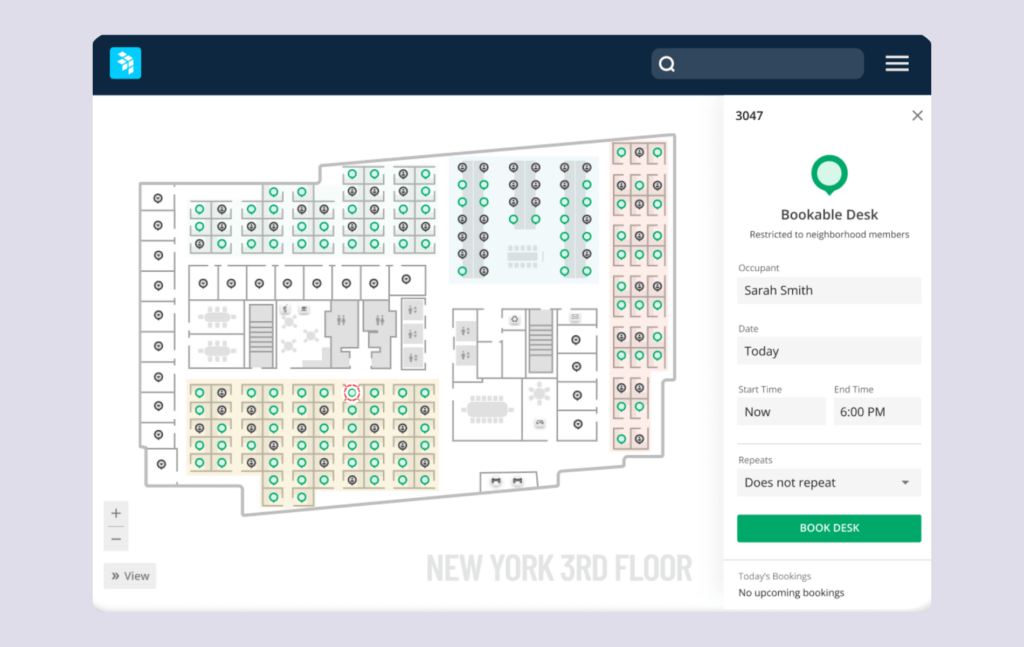
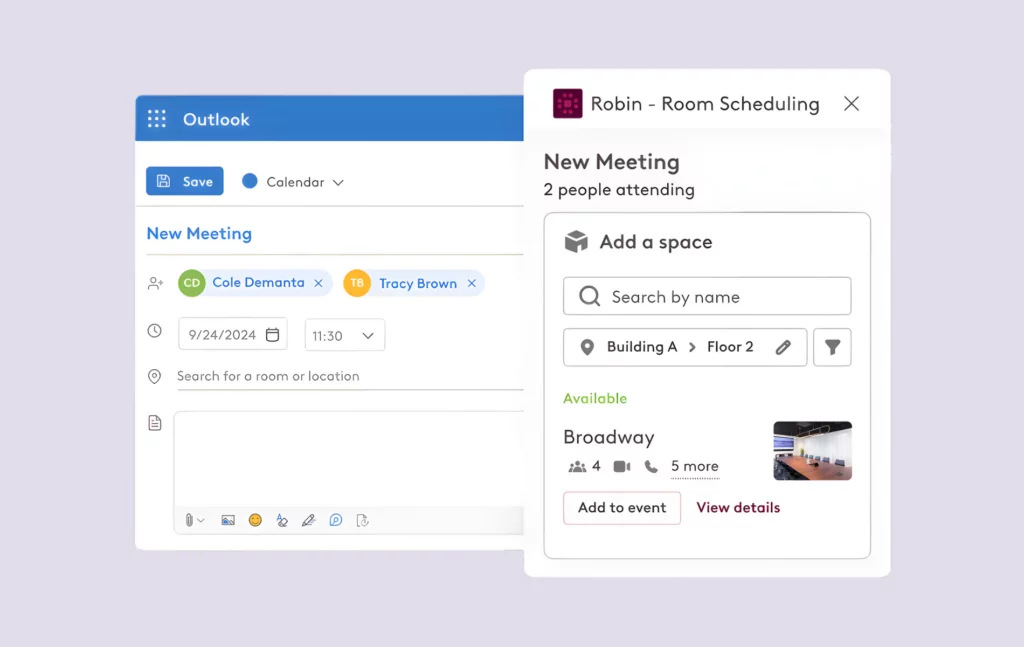
Room booking and scheduling: Reserve meeting rooms with calendar integrations for Google Workspace and Microsoft 365. The system can display room availability on digital signage, helping teams connect and find resources quickly.
Move management: Coordinate employee relocations and office moves at scale with automated workflows. According to G2 reviews, one enterprise user reported saving over 200 planning hours in their first year using these tools; a speed that matters when you’re managing large facilities.
Workplace analytics and intelligence: Pull data from WiFi, badge systems, and sensors to understand actual capacity and utilization. OfficeSpace offers portfolio-level reporting with insights that help real estate teams track how locations perform and make decisions faster. Understanding office occupancy is critical for optimizing your space.
Asset management and tracking: OfficeSpace Assets lets you track IT equipment, furniture, and other workplace assets across locations with automated maintenance workflows. This gives facilities teams visibility into critical resources and helps them manage equipment lifecycle and services.
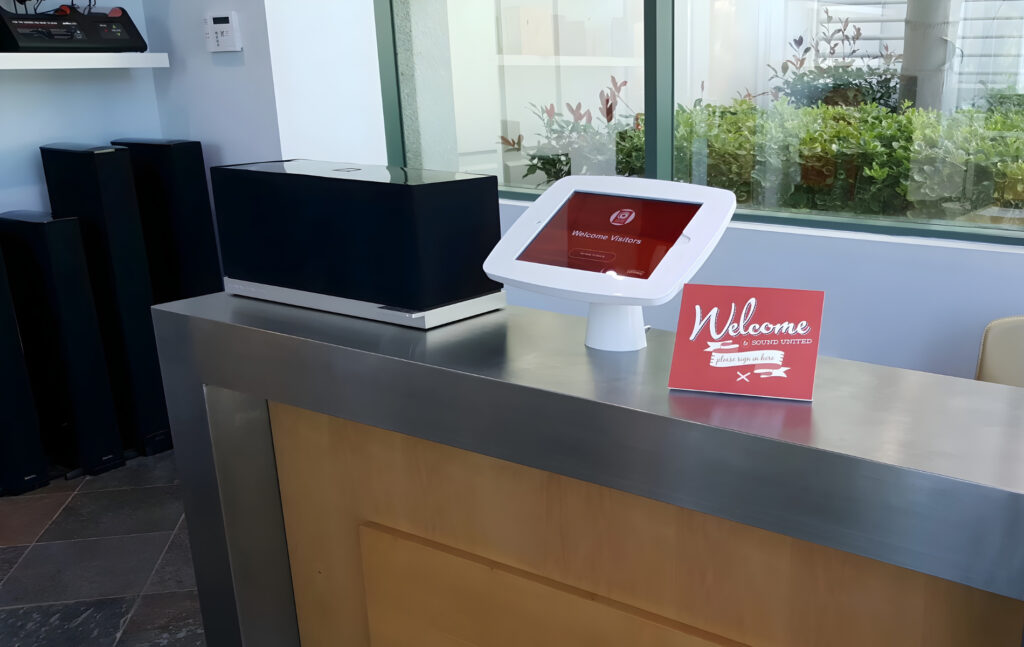
Visitor management: Handled through Greetly integration, it provides check-in functionality with host notifications via phone, text, Slack, or email. Users can learn the system quickly and support their front desk operations. If you’re evaluating more options, our best visitor management software guide covers more Greetly alternatives.
Who OfficeSpace is best for
OfficeSpace makes the most sense for organizations with complex operational needs who have decided they need serious workplace intelligence:
- Enterprise and large organizations with 300+ employees across multiple locations
- Multi-location facilities teams who need to manage space and track utilization at scale
- Companies dealing with frequent moves and reorganizations that rely on data to plan
- Real estate teams focused on portfolio optimization and reducing real estate costs
- Organizations needing advanced space planning tools with AI-powered recommendations
What is Robin?
Robin has been around since 2014, building what they call “the workplace management platform that puts people before places.” While OfficeSpace emphasizes space optimization for real estate portfolios, Robin focuses on making the day-to-day workplace experience of coming to the office as smooth as possible for employees.
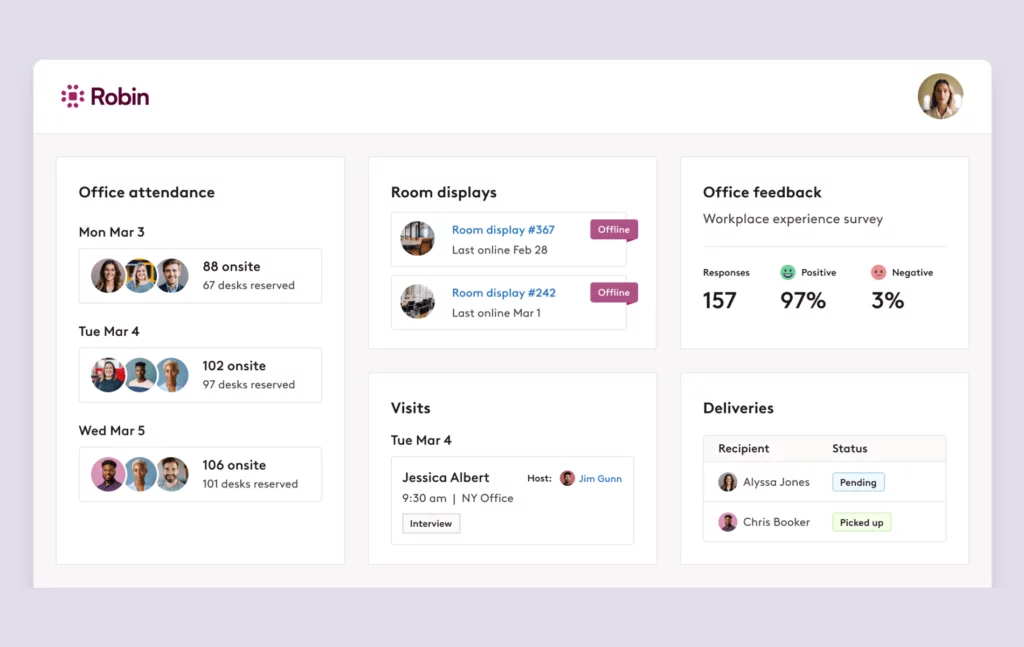
The platform handles desk booking, room booking, visitor management, and workplace analytics; all designed to help hybrid teams coordinate their in-office days each week. Robin’s strength is in its user experience and intuitive tools. Reviews on Capterra consistently mention how easy the software is to adopt, with one IT professional noting they “rolled out Robin with an email about the basics” and didn’t hear a single complaint from users afterward.
Robin core features
Desk booking and hot desking: This is Robin’s bread and butter. Employees can book desks through the web, mobile, or directly within Microsoft Teams. Interactive floor maps show availability in real-time, and the system supports filtering by amenities so users can find desks near specific equipment or colleagues on their teams.
Room booking with physical displays: Beyond calendar-based booking, Robin offers integration with tablets and digital signage outside rooms. These displays show real-time availability and let people reserve on the spot, giving everyone visibility into resources. Our best meeting room booking software guide compares this feature across platforms.
Employee experience: Robin offers office feedback surveys, announcements, and push notifications for things like closures or maintenance, and “office activities” for sharing events like welcomes, celebrations, or classes to make in-person days feel more worthwhile.
Workplace analytics: The platform tracks over 100 workplace KPIs related to space utilization, giving teams insights into booking patterns, capacity trends, and peak usage times throughout the week.
Hybrid work scheduling: See who’s planning to be in the office on which days. This helps teams coordinate in-office days and connect for in-person collaboration without a lot of back-and-forth. Understanding hybrid workplace statistics can help you set policies that work.
Visitor management: Handle the entire visitor management process with guest check-ins, host notifications, and digital logs. The services support a professional environment for welcoming visitors.

Who Robin is best for
Robin targets a specific segment of the industry:
- Mid-market to enterprise organizations with 500+ employees
- Hybrid-first companies where helping teams coordinate in-office days is a priority
- Organizations that prioritize workplace experience and ease of adoption for users
- Teams that want physical room displays and status boards in their office environment
- Companies where desk and room booking UX matters more than deep space planning
OfficeSpace vs Robin: Feature-by-feature comparison
Space planning and management
OfficeSpace: ★★★★★ This is OfficeSpace’s home turf. Block and stack planning, scenario modeling, and the new AI Canvas for automated layout optimization give facilities teams serious horsepower for complex space decisions. OfficeSpace offers the tools real estate teams need to plan and perform at scale.
Robin: ★★★☆☆ Robin offers basic space planning, but this isn’t their focus. If you’re managing complex relocations or need to model multiple scenarios and layouts, you’ll find Robin’s tools limited.
Desk booking and hot desking
OfficeSpace: ★★★★☆ Solid desk booking with good integrations. Employees can book desks via web, mobile, Slack, or Microsoft Teams. Works well as part of the broader platform, though it’s not the standout feature.
Robin: ★★★★★ Robin built their reputation on desk booking. The UX is clean, the interactive maps are intuitive, and adoption tends to be quick. Users specifically praise how easy it is to reserve desks near teammates and filter by amenities.
Room scheduling
OfficeSpace: ★★★★☆ Good calendar integrations with Google and Microsoft. Room booking works well within the one platform environment, letting teams reserve rooms and manage resources efficiently.
Robin: ★★★★★ Robin matches OfficeSpace on the basics (think tablet displays, calendar sync, and real-time availability), but stands out with its native Logitech integration. This partnership means Robin works smoothly with Logitech video conferencing hardware, making it a strong choice for organizations that have already invested in Logitech meeting room equipment. Implementing meeting room no-show protection can help prevent ghost bookings regardless of which platform you choose.
Workplace analytics
OfficeSpace: ★★★★★ Deep analytics with AI-powered insights. Integrates badge and sensor data for accurate utilization metrics. Portfolio-level reporting helps real estate teams track performance, understand capacity, and make data-driven decisions about their space.
Robin: ★★★★☆ Strong analytics with 100+ KPIs and good hybrid work insights. Sufficient for most teams’ needs for tracking utilization and workflows, though not as deep as OfficeSpace for complex portfolio analysis.
Move management
OfficeSpace: ★★★★★ Comprehensive move workflows designed for large-scale relocations. One enterprise client reported saving over 200 hours annually on move planning alone; critical speed for facilities teams managing constant change.
Robin: ★★☆☆☆ Limited capabilities here. Move management isn’t a core focus, so organizations that rely on frequent relocations will need to look elsewhere or manage with disconnected tools.
Mobile app experience
Both platforms offer mobile apps for iOS and Android. OfficeSpace’s app emphasizes wayfinding and announcements alongside booking, helping employees connect and navigate the office environment. Robin’s app is praised for its clean interface and quick booking flow. Neither platform disappoints here, though Robin users tend to be slightly more enthusiastic about the day-to-day mobile experience.
Integration ecosystem
Both platforms connect with the tools office teams rely on each week:
- Calendar integrations: Google Calendar, Microsoft Outlook.
- Communication tools: Slack and Microsoft Teams.
- Authentication: SSO and directory integrations, including Okta.
- Sensors and badges: OfficeSpace has deeper integrations with building systems for utilization data and workplace intelligence.
OfficeSpace vs Robin: Pricing comparison
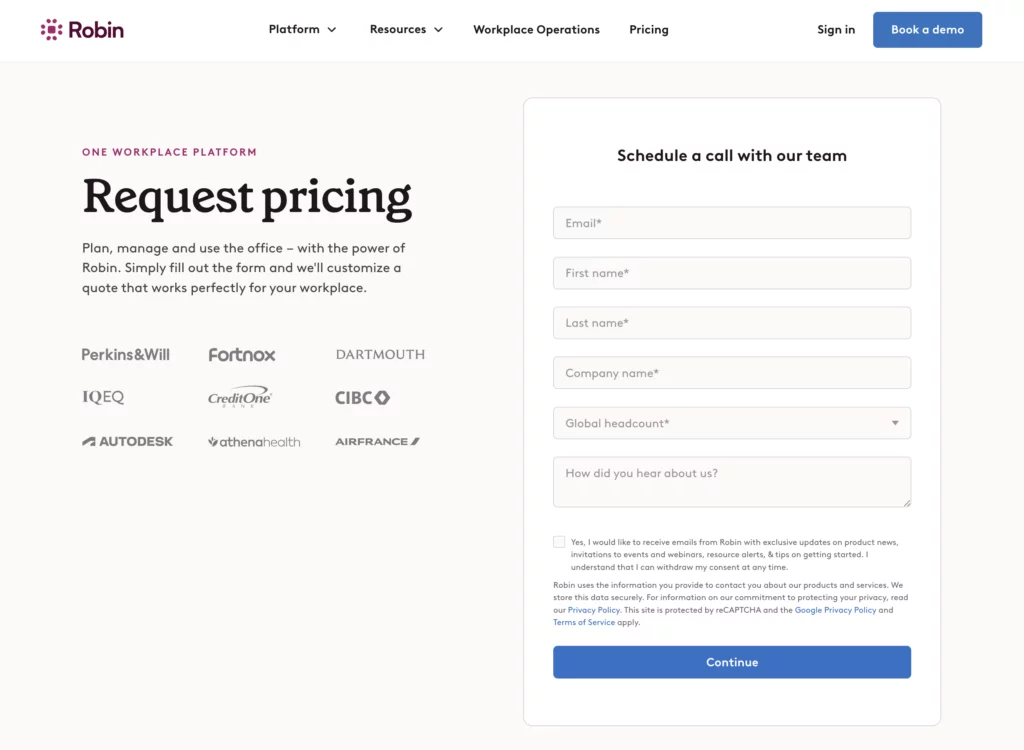
Neither platform publishes detailed pricing publicly, which means you’ll need to schedule a demo and go through sales processes to get exact quotes.
💡 In case you’re curious, I’ve put together detailed resources on how room booking system costs and desk booking software pricing work across the market.
Still, here’s what I’ve gathered from reviews and industry data:
OfficeSpace pricing
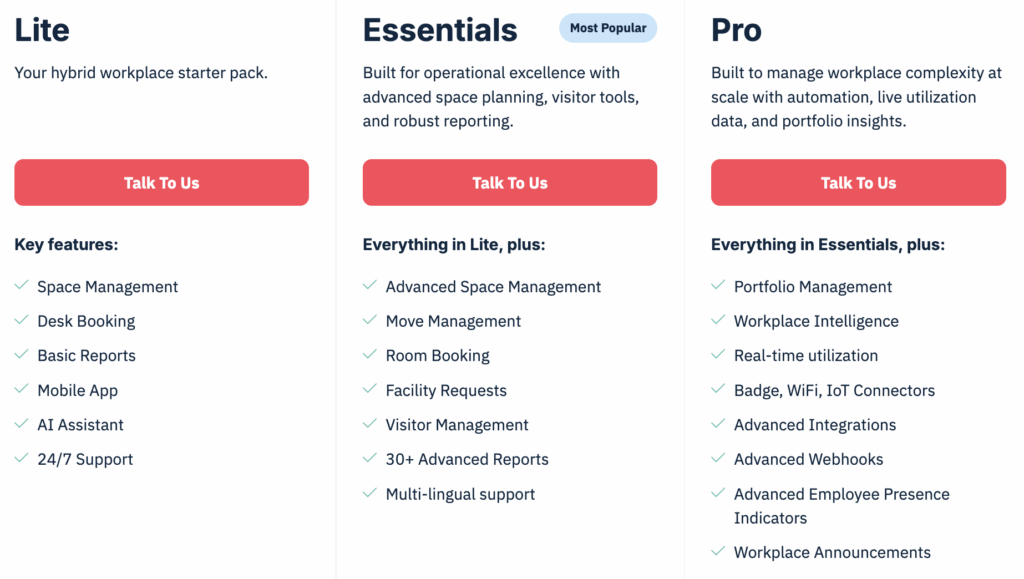
OfficeSpace offers multiple tiers (Lite, Essential, and Pro plans) with AI add-ons available for new features like AI Canvas. Based on industry data from Vendr, the average annual cost is approximately $22,000 (or $60 per user annually), with pricing ranging significantly based on organization size and features. Custom enterprise pricing is standard for larger organizations with complex needs.
Robin pricing
Robin uses custom pricing designed for organizations with 500+ employees. Product research suggests many companies start at around $5,000 per year, about $40-45 per desk or $70 per user annually.
Value considerations
Here’s something worth thinking about: the total cost of ownership goes beyond the subscription fee. Investing in the right workplace management tools now can pay dividends in employee productivity and real estate optimization.
For OfficeSpace, the ROI often comes from space consolidation. According to client testimonials on G2, one enterprise client reported $13.5 million in construction cost prevention by using utilization data to delay unnecessary renovations; they could track capacity and perform analysis that informed their roadmap. For Robin, the value tends to show up in employee adoption rates and time saved on booking logistics.
OfficeSpace vs Robin: User reviews and ratings
What users say about OfficeSpace
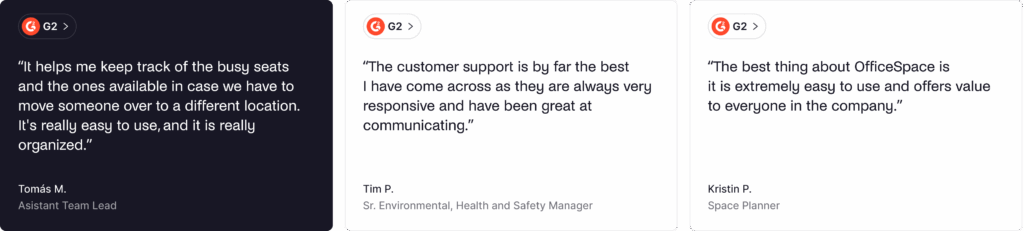
Reviews consistently praise the platform’s depth and the responsiveness of support teams.
🟢 Common praise:
- Powerful analytics, workplace intelligence, and space planning tools
- Excellent customer support with fast response times
- Continuous new features and roadmap additions based on user feedback
- Easy multi-site management across locations
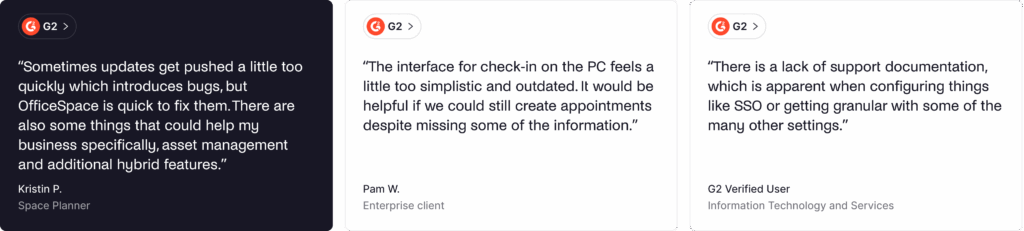
🔴 Common complaints:
- Higher price point puts it out of reach for smaller teams and organizations
- Visitor management via third-party integration (Greetly) rather than native
- Learning curve for users trying to utilize the full suite of features
What users say about Robin
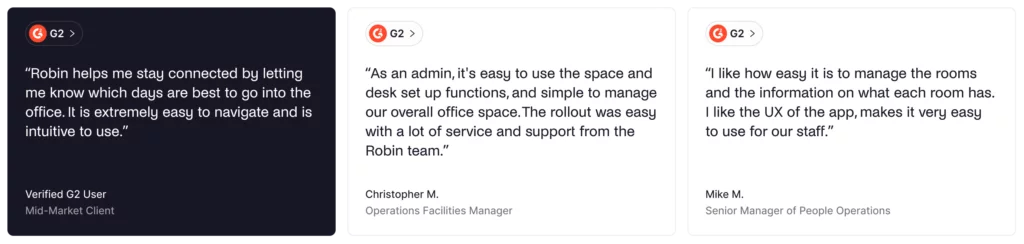
Robin received Best Ease of Use badges in 2025 across multiple categories on Capterra. The platform has a 4.7 average ease-of-use rating, slightly above the industry average.
🟢 Common praise:
- An intuitive interface that employees can learn quickly with minimal training
- Seamless integration with Google and Microsoft calendars
- Interactive floor plans and layouts that users actually use
- Room displays add real value for managing meetings and resources
🔴 Common complaints:
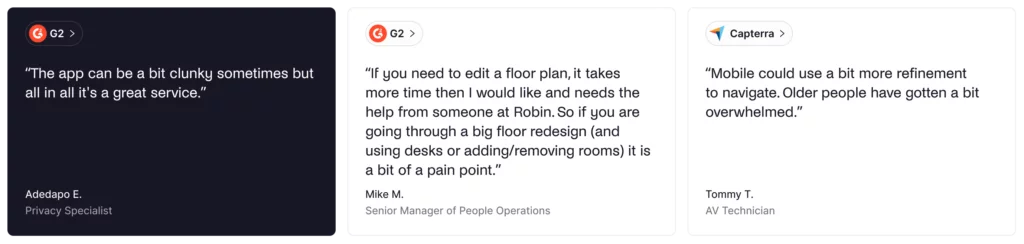
- Initial setup can be slow and time-consuming for complex office environments
- Floor plan edits require Robin’s support rather than self-service
- Occasional hiccups with booking confirmations are reported in reviews
- Designed for 500+ employees, which excludes smaller organizations
OfficeSpace vs Robin: Pros and cons
OfficeSpace pros and cons
🟢 Pros:
- Best-in-class space planning and move management for facilities teams
- Powerful AI Canvas for layout optimization
- Deep workplace analytics and portfolio insights with real utilization data
- Strong asset management capabilities to track equipment and maintenance
- Excellent enterprise scalability for large organizations
🔴 Cons:
- Higher price point is better suited for enterprise budgets
- May be a bit more than teams with simpler needs require
- Visitor management through Greetly integration (not native services)
- Learning curve for users to utilize the full suite
Robin pros and cons
🟢 Pros:
- Excellent desk and room booking UX with intuitive tools
- Strong hybrid work features to help teams coordinate in-office days
- Intuitive workplace experience with quick adoption by employees
- Good workplace analytics with 100+ KPIs
- Physical room displays are a genuine differentiator in the industry
🔴 Cons:
- Space planning not as robust as OfficeSpace software
- Limited move management capabilities
- Designed for 500+ employees (won’t suit smaller organizations)
- Floor plan and layout edits require Robin support
Best alternatives to Robin vs OfficeSpace
Both OfficeSpace and Robin target the enterprise market, which leaves a gap for organizations of different sizes and with different needs. Here are some alternatives worth considering if you’re looking for something with transparent, less enterprise pricing:
Archie
Archie takes a different approach to pricing and complexity. Instead of quote-based or per-user pricing, Archie keeps pricing public and charges per desk or room. This is often easier to budget for in hybrid offices where not everyone comes in every day.
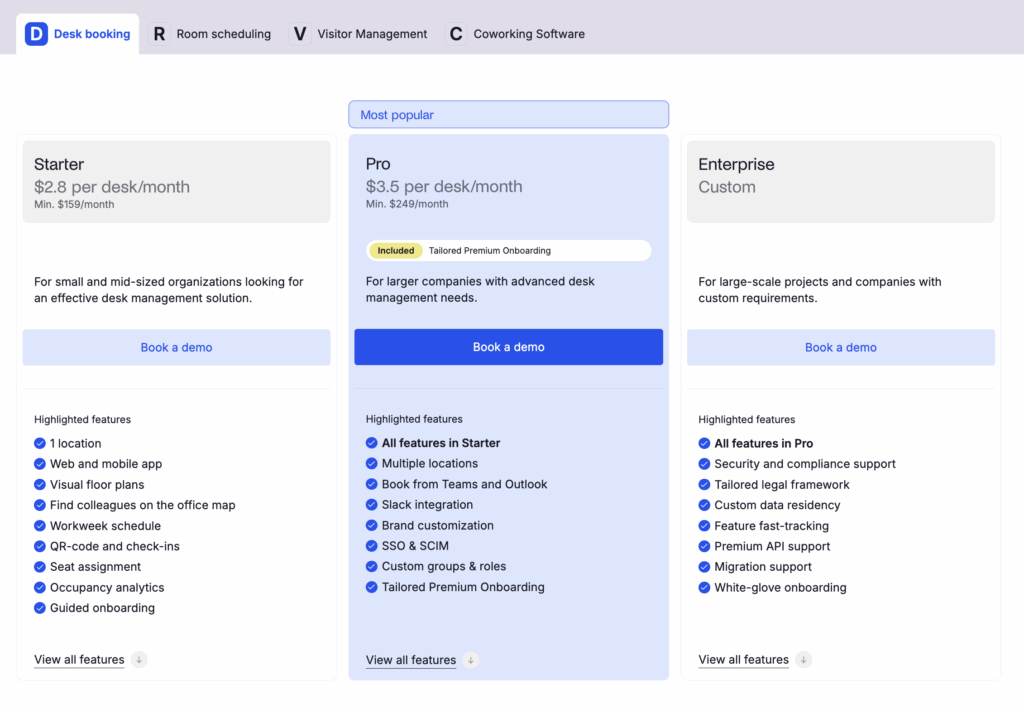
The platform covers desk booking, meeting room booking, and visitor management with a clean, modern interface. Rated 4.9 on G2 and Capterra based on user reviews, Archie focuses on doing the fundamentals well: interactive floor plans and layouts, check-in with auto-release for no-shows, “who’s in” visibility so teams can connect, and integrations with Microsoft Teams, Slack, and Google Workspace.
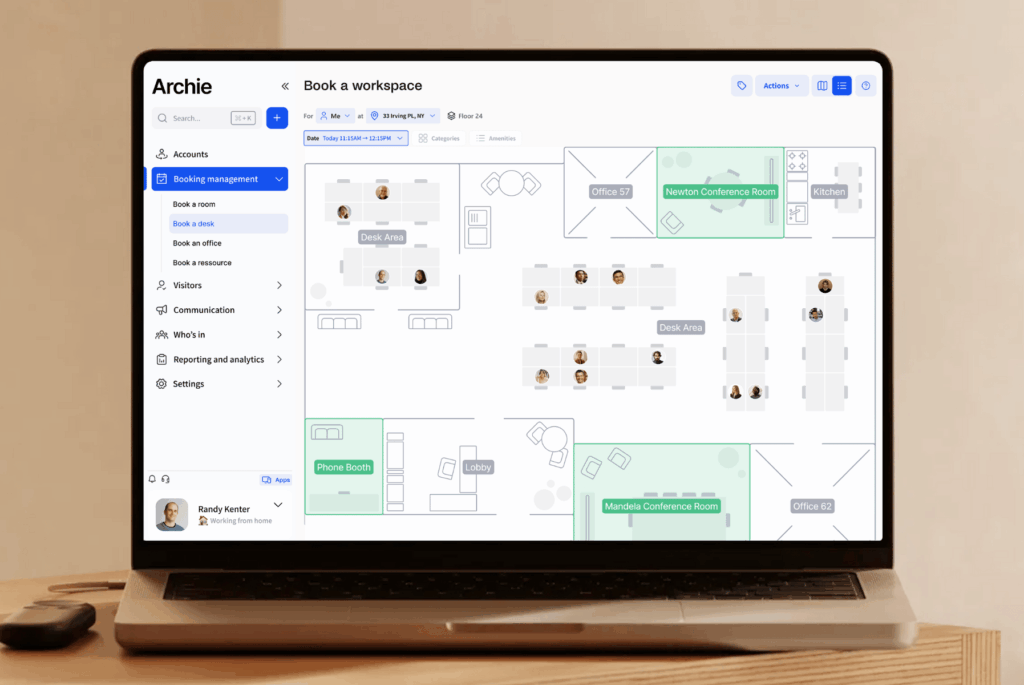
Archie makes the most sense for hybrid companies and mid-sized offices that need straightforward workplace management without enterprise-grade space planning complexity. If your primary goal is helping employees book desks, coordinate in-office days, and manage visitors, rather than optimizing large real estate portfolios, Archie offers a more focused solution at a more accessible price point.
Other alternatives to Robin vs OfficeSpace
- Skedda: Focused booking and scheduling software. Works well for organizations that need straightforward resource management without broader workplace features. Here’s how Skedda compares to Robin.
- Envoy: Strong visitor management with workplace features. A good choice if visitor experience is your primary concern and desk booking services are secondary.
- Deskbird: European-based desk booking solution with good hybrid work features and compliance focus for organizations that rely on data privacy.
💡 For a detailed overview of Robin alternatives and competitors to OfficeSpace, check out our dedicated guides.
Archie vs OfficeSpace vs Robin: which should you choose?
Choose Archie if...
- You want straightforward desk and room booking without enterprise complexity
- Resource-based pricing (per desk/room) makes more sense than per-user or high custom quotes
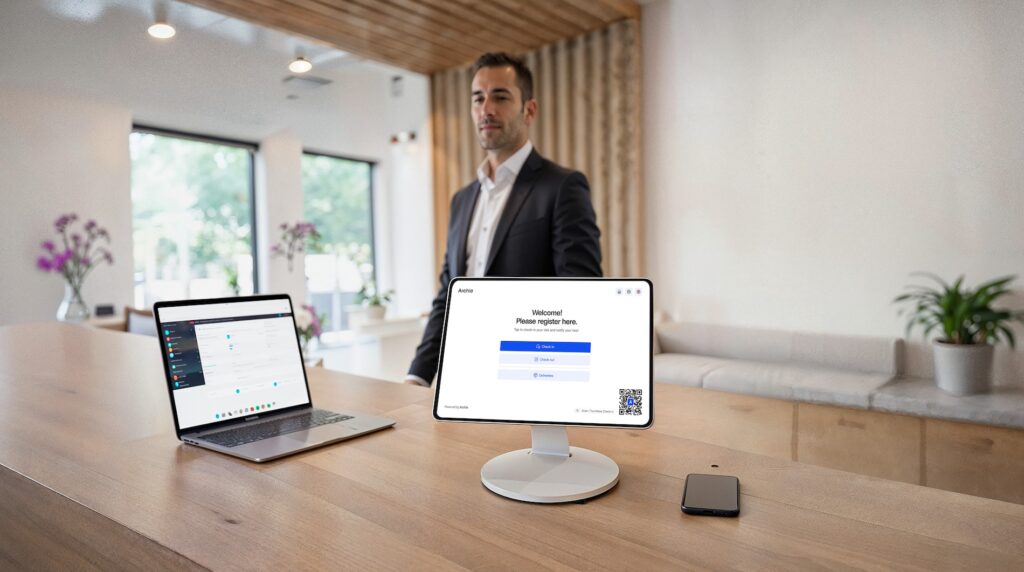
- Modern visitor management with kiosk check-in is important
- You’re a mid-sized company or hybrid enterprise with practical needs
- You prioritize a clean interface and quick team adoption
Choose OfficeSpace if...
- Space planning and move management are critical to your operations
- You manage large real estate portfolios across multiple locations
- You need advanced scenario planning and AI-powered layouts
- Asset management and tracking equipment across locations matters
- You’re an enterprise with complex facilities and the budget to match
Choose Robin if...
- Desk and room booking experience is your top priority
- You’re focused on enabling hybrid teams to coordinate in-office days
- Employee adoption and ease of use matter more than deep analytics
- You want physical room displays and status boards in your office
- You have 500+ employees and value quick onboarding
Archie vs OfficeSpace vs Robin: Comparison table
Feature | Archie | OfficeSpace | Robin |
|---|---|---|---|
Best for | Mid-size to large offices | Enterprises | Hybrid workplaces at enterprise scale |
Desk booking | ★★★★★ | ★★★★☆ | ★★★★★ |
Room booking | ★★★★★ | ★★★★☆ | ★★★★★ |
Space planning | ★★★☆☆ | ★★★★★ | ★★★☆☆ |
Visitor management | Native | Via Greetly | Native |
Pricing model | Per resource + per location | Custom pricing | Custom pricing |
G2 rating | |||
Final verdict
OfficeSpace and Robin are both capable platforms, but they serve different masters. OfficeSpace software works well if you need sophisticated space planning, move management, and portfolio-level analytics. Robin, on the other hand, can be a good option for organizations that want extra “employee experience” features, like surveys and feedback, on top of booking.
For organizations that find themselves somewhere in the middle, needing solid workplace management without enterprise complexity or enterprise pricing, Archie offers a compelling third option.
Archie vs OfficeSpace: Archie is usually faster to roll out and easier to run day to day. OfficeSpace is great for deep space planning, move management, and big portfolio work. Archie focuses more on making booking and office operations smooth, with strong rules, clear space insights, and fewer “heavy enterprise” layers.
Archie vs Robin: Archie covers the same core needs (desks, rooms, office visibility), but it is often easier to budget for and simpler to launch. Robin tends to be more enterprise-focused and is quote-based. Archie keeps pricing public and uses resource-based pricing (per desk or room), which can be more predictable when people share desks.
See it for yourself.
OfficeSpace vs Robin FAQs
OfficeSpace software focuses on enterprise-grade space planning, move management, and real estate portfolio optimization with deep workplace intelligence. Robin prioritizes desk and room booking UX with strong hybrid work coordination features for employees.
Robin was built with hybrid coordination front and center. Its “who’s in” view and fast desk booking flow make it easy for teams to plan in-office days and see where others are sitting. OfficeSpace focuses more on space optimization at scale. It offers deeper analytics and planning tools that help large organizations adjust layouts based on usage patterns, but it usually comes with a steeper learning curve and more setup. Archie sits somewhere in between and is often the most practical option for many hybrid offices.
Reportedly, Robin’s starting price is slightly lower than OfficeSpace, but it’s still expensive. However, actual costs depend heavily on organization size and features. Both use custom pricing.
OfficeSpace is significantly stronger for space planning. Features like block and stack planning, scenario modeling, and AI Canvas for automated layouts give facilities teams serious tools for optimizing space, tracking capacity, and managing real estate portfolios. Robin’s space planning capabilities are more basic and designed for simpler use cases.
Sources
- Competitor websites
- G2 & Capterra reviews
- Product research
- Vendr.com pricing estimates

Berenika Teter
Archie's Content Manager, fueled by filter coffee and a love for remote work. When she’s not writing about coworking spaces and hybrid workplaces, you can probably find her exploring one.