



















- What you’ll learn
- What coworking software actually includes (and which features matter most)
- How to choose the right features based on your space and revenue model
- Whether AI-powered features are worth it
- A practical feature checklist for first-time coworking space owners
When I first started looking into coworking software, I’ll be honest… it all felt a bit overwhelming. Every platform seemed to promise everything, and it wasn’t always clear what actually mattered day to day.
Over time, I realized that most coworking spaces don’t need more tools (especially AI-powered ones); they just need the right features. The kind that quietly handle the repetitive tasks, give you clear visibility into what’s happening in your space, and make things easier for both your team and your members.
In this guide, I’ll walk you through the essential coworking software features I’ve found to make the biggest difference.
What coworking software typically covers
Essential coworking software features usually include automated billing and invoicing, desk and meeting room booking, member management, and access control integrations. On top of that, many platforms also include a CRM to track leads, simple community-building features to keep members engaged, and analytics to help you understand how your space is being used.
The best coworking space management platforms unify these modules into a single dashboard, so your team doesn’t toggle between six different logins every morning. Which brings us to the next point:
What features should I look for in coworking software?
The easiest way to figure out what coworking software features you need is by looking at how your space makes money. Once you map out the main revenue streams, it becomes much clearer which coworking software features actually matter.
For example:
- Membership-based spaces usually need strong plan management, recurring billing, and credit-based booking.
- If you’re running a day-pass or hot-desking model, real-time desk availability, self-service check-ins, and flexible payments become much more important.
- Meeting rooms and event spaces rely more on scheduling tools with buffer times, add-ons like catering or AV, and calendar integrations.
- And if you offer virtual offices, you’ll likely care more about mail handling, registered addresses, and visitor notifications.
Thinking about it this way helps avoid paying for features I’ll never use, while making sure I don’t miss anything critical. That said, most coworking platforms today cover the basics pretty well in their core plans. So in many cases, it’s less about whether a feature exists and more about how easy and reliable it is to use in everyday operations.
Here’s which coworking software features matter for most coworking space operators:
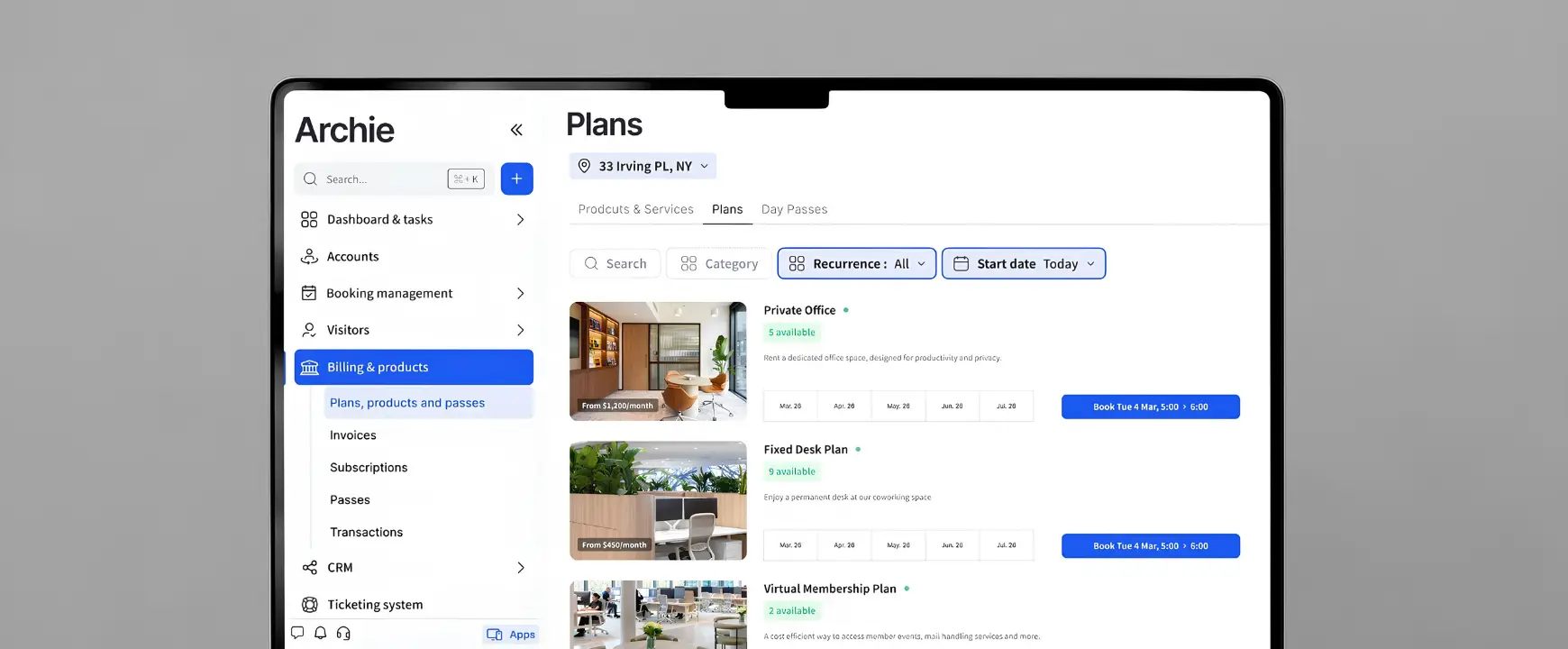
Resource booking and space management
A coworking booking system for desks, rooms, and equipment is really the core of any coworking tool. It’s the feature people use every single day, so it needs to feel simple and fast.
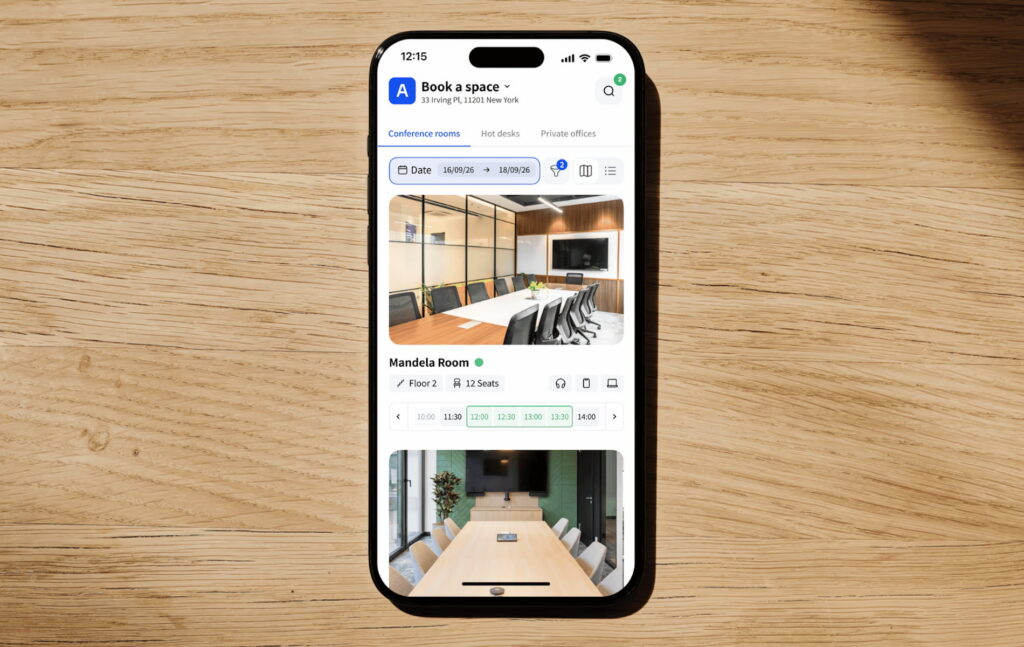
Members should be able to book anything they want from wherever they are, whether that’s a web portal, a mobile app, or even a kiosk in the space. The best systems show real-time availability and often include interactive floor plans, so people can quickly find the right spot.
On the admin side, I’ve found it’s just as important to have clear rules in place. Things like who can book what, how far in advance, and how long bookings can last. Small details like filters for capacity or equipment, QR check-ins, or automatic buffers between bookings can make a big difference in how smoothly everything runs.
Community and member experience
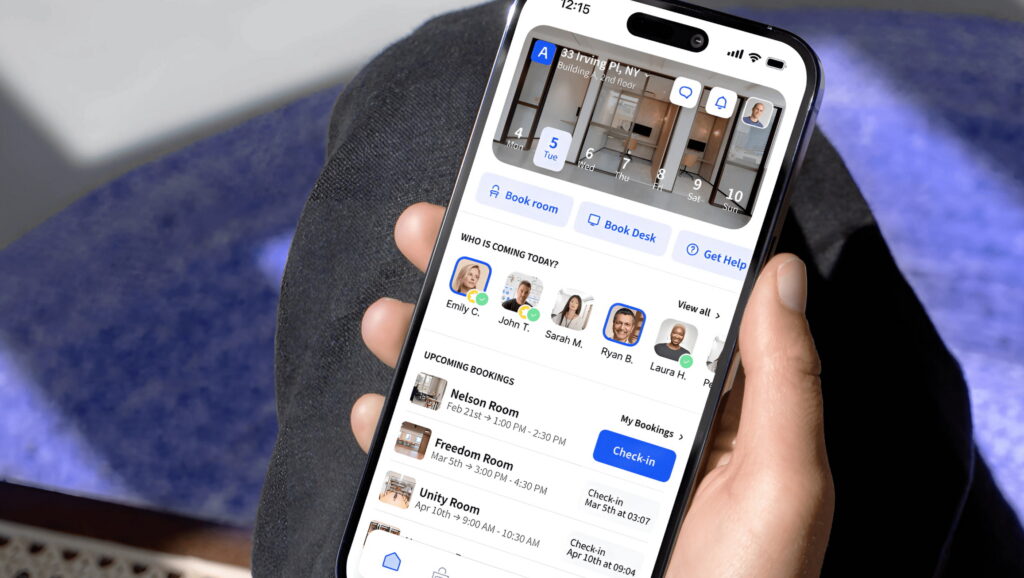
Coworking isn’t just about space; it’s also (even more so) about people. So I always look for member experience tools that help build a sense of community, even in simple ways.
Things like a member directory, announcements, events, or basic messaging can go a long way. Even small features like a newsfeed or group discussions can reduce email back-and-forth and make the space feel more connected.
It doesn’t need to be overly complex. Just having a central place where members can stay informed and interact already makes a noticeable difference.
Sales, growth, and daily operations
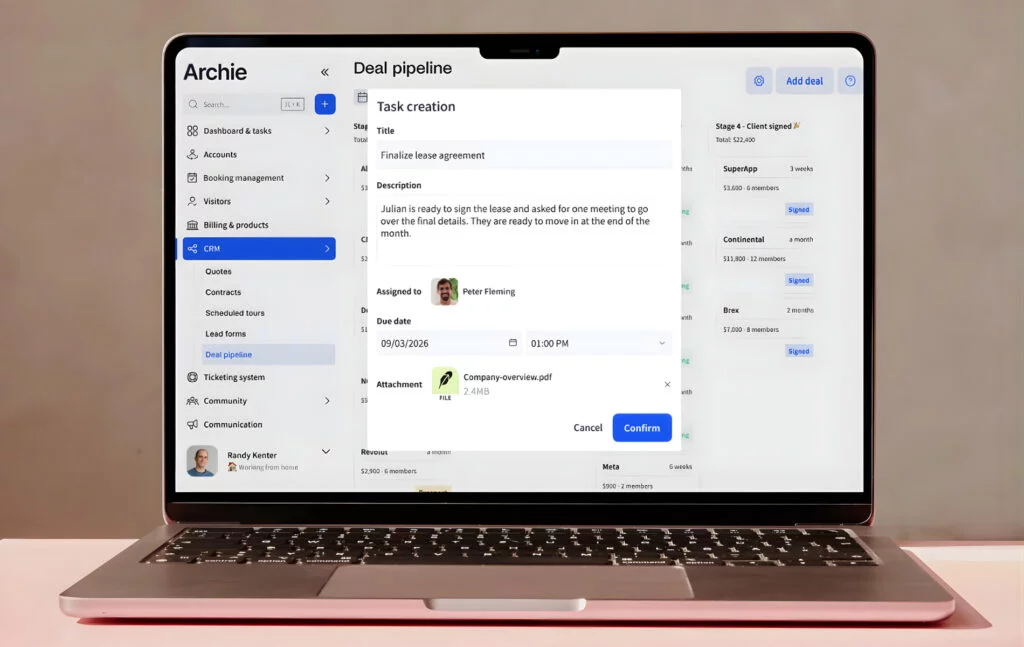
If I want the software to support growth, not just daily coworking operations, then built-in sales tools are a big plus. Many platforms like Archie include a simple coworking CRM where I can track leads, schedule tours, send quotes, and manage contracts. It makes it much easier to move someone from “just interested” to an active member without switching between different tools.
I also look for flexibility here. Being able to create custom resource types like parking spots or lockers, set different admin roles, or collect specific information during sign-up can save a lot of manual work later on.
Payments, billing, and invoicing
Coworking billing is usually where things get messy, so this part really matters.
Good coworking software takes care of recurring invoices, supports common payment methods, and handles real-life situations like upgrades, credits, or refunds without extra effort. I’ve also found that member self-service is a big win. When people can update their payment details or download invoices on their own, it saves a lot of back-and-forth.
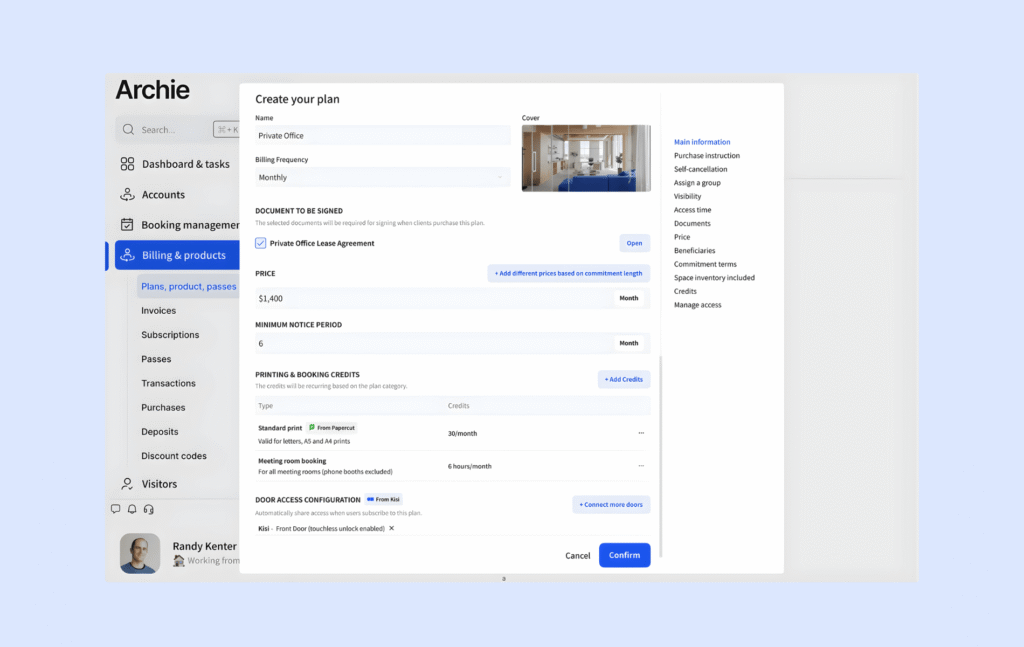
If you’re already using accounting tools, coworking integrations with platforms like QuickBooks or Xero can make everything much smoother. Speaking of…
Integrations and your coworking tech stack
Coworking software doesn’t exist in isolation, so integrations matter more than you’d expect.
The best space management tools create an integrated coworking tech stack with apps like Google or Microsoft calendars, Slack for notifications, WiFi systems, printers, and access control for doors. Having an open API or support for platforms like Zapier also gives you a lot more flexibility as your space grows.
What this also means in practice is a much smoother experience for both you and your members. To give you an example, here’s how it can look day to day if you’re using Archie’s coworking software and its integrations:
- A potential member finds your coworking space website and books a tour. That lead is automatically tracked in your CRM, so nothing falls through the cracks.
- After visiting, they sign up and buy a membership online using your coworking software, with payments handled through your integrated payment system. Signing the agreement is quick and easy with built-in e-signatures.
- On their first day, they walk in and unlock the door using their phone, thanks to your access control integration. No keys, no front desk needed.
- Before arriving, they book a desk in just a few clicks. Later, they invite a guest to a meeting and register them in advance through the visitor system.
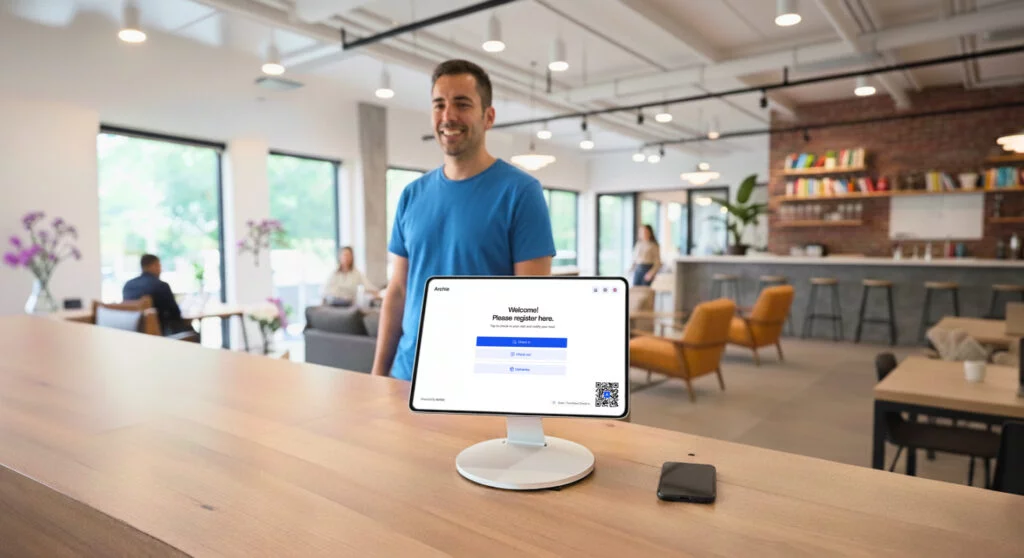
- They schedule a meeting room directly from their calendar, and when their guest arrives, they check in using a QR code at the kiosk. The host gets notified instantly and can greet them right away.
- If they need to print something, it just works, and any costs are automatically added to their account.
- Later in the day, they check the community feed to see what’s happening in the space, maybe an event or a meetup they can join.
When everything is connected like this, it doesn’t just save time. It makes the whole experience feel simple and seamless for members, while quietly reducing a lot of manual work on your side.
Visitor management and front desk tools
If your space gets a lot of guests, visitor management software for coworking can make a big difference to daily operations.
I usually look for features like pre-registration, easy check-in options, and automatic notifications to hosts when someone arrives. Some tools also include visitor badges, photos, and digital logs, which help with both organization and security.
In busier spaces, extras like delivery tracking or emergency workflows can also be really helpful.
Analytics and reporting
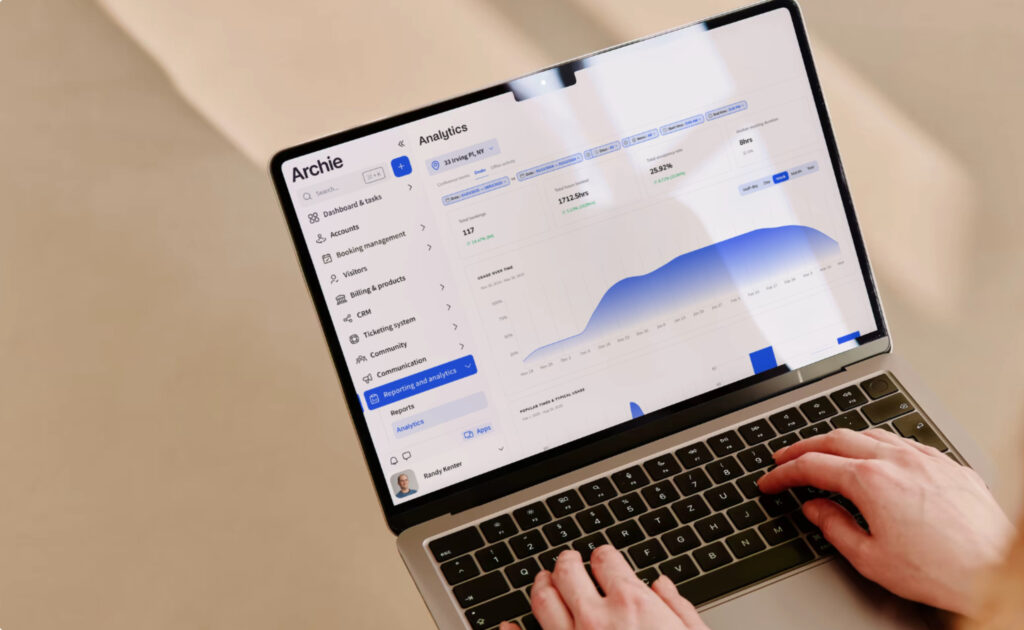
Good coworking analytics can show you coworking KPIs like occupancy rates, peak usage times, booking trends, and which resources are underused. That kind of insight helps you adjust pricing, optimize space, and plan ahead more confidently.
It’s even better when reports are easy to export and share with the team.
Branding and white-label apps
Finally, there’s the member experience from a branding point of view.
A white-label coworking app means your members see your brand everywhere, including in the App Store or Google Play. That’s usually an add-on, but it creates a much more polished experience.
Some platforms offer lighter branding instead, where you can customize colors and logos inside the app, even if the app itself is still under the provider’s name. That’s often included in standard plans and works well for many spaces.
Either way, the goal is the same. Members should be able to book, pay, check in, and stay connected in one place, while everything feels consistent with your brand.
AI-powered coworking software features: are they really useful?
Yes, some AI features in coworking software can be useful. But unlike popular coworking software automations offered by most tools, not all AI features are equally valuable, and not all are ready for real-world use.
Right now, the strongest use cases seem to be things like answering common support questions, replying to leads faster, spotting trends in usage data, or flagging security issues. In those areas, AI can save time and help teams move faster.
But, where I’d be a bit more cautious is when AI is treated like a magic selling point rather than a practical tool. A chatbot is not helpful if your knowledge base is messy. An AI sales agent is not helpful if it gives the wrong pricing or overpromises. And dynamic pricing sounds exciting, but it can easily create confusion or frustration if members feel prices are constantly shifting for no clear reason.
That is really the big theme here: AI is only as useful as the data, rules, and supervision behind it. So my honest take is this: AI-powered features are useful when they make a specific workflow faster, clearer, or easier to manage. They are much less useful when they are vague, hard to control, or added just to make the product sound more modern.
That’s why I’d treat AI as a useful layer, not a reason on its own to choose a platform.
In other words, I wouldn’t pick coworking software just because it has an AI assistant, AI sales agent, or AI analytics tool. I’d look at whether that feature actually saves admin time, improves the member experience, or helps the team make better decisions. If it does, great. If it just sounds impressive on the website, it’s probably not worth much in practice.
Essential coworking software features for a first-time space owner
Core operations (your day-to-day basics)
✅ Easy scheduling for hot desks, dedicated desks, meeting rooms, and event spaces
✅ Membership management (sign-ups, plans, renewals)
✅ Automated billing and invoicing (recurring payments)
✅ Payment integrations (cards, direct debit, etc.)
✅ Access control (app, keycards, or smart locks)
✅ Visitor check-in system (for guests and deliveries)
Member experience (what your members actually use)
✅ Member portal or mobile app (book, pay, manage account)
✅ Member directory with profiles
✅ Messaging or simple communication tools
✅ Newsfeed or announcements
✅ Event calendar with RSVPs
Billing and payments (where things often break)
✅ Automated recurring invoices
✅ Flexible pricing (memberships, day passes, credits)
✅ Support for refunds, discounts, and upgrades
✅ Integration with accounting tools like QuickBooks or Xero
✅ Member self-service (update payment details, download invoices)
Sales and growth (filling your space)
✅ CRM to track leads and inquiries
✅ Tour booking and scheduling
✅ Quotes, contracts, and e-signatures
✅ Simple onboarding flow for new members
Access and security
✅ Door access via app or integrations
✅ Visitor registration and host notifications
✅ Visitor logs for tracking who’s on-site
✅ Optional: delivery handling or mail tracking
Integrations (so everything works together)
✅ Payment gateways
✅ Access control systems
✅ Printer access
✅ Calendar sync (Google / Microsoft)
✅ Communication tools like Slack
✅ API or automation tools like Zapier
Analytics and reporting (to make better decisions)
✅ Occupancy and desk/room usage
✅ Booking trends and peak times
✅ Revenue tracking
✅ Basic reports you can export
Top coworking software solutions
When you start comparing coworking tools, you’ll quickly notice that a few platforms consistently come up: like Archie, Nexudus, Coworks, OfficeRnD, or Cobot.
They all cover the essential coworking software features — think booking, billing, memberships, and operations. But what really matters is how well they handle real-life workflows, and how they hold up as your space grows.
What’s interesting is that this category is growing fast. Coworking statistics and estimates suggest the coworking management software market went from around $1.7B in 2024 to $1.94B in 2025, and could reach over $3B by 2029.
A few trends are driving that shift:
- Members expect more self-service, like booking, paying, checking in, and inviting guests without contacting the front desk
- Analytics is becoming more practical, helping operators understand what actually drives revenue and usage
- AI is starting to show up, but the most useful features are still simple ones that save time, like replying to common questions or spotting patterns in data
At the same time, coworking operators are still dealing with mixed performance. Average occupancy sits around 68%, and while more than half of coworking spaces are profitable, a noticeable share still isn’t.
That context matters, because most operators don’t buy software just for features. They buy it to protect margins, save time, and run leaner operations. Are you?
Where Archie stands out
Among the main platforms, Archie tends to stand out for one simple reason: it brings everything together in a way that’s easy to manage. For most coworking operators, especially mid-sized and larger spaces, that balance matters more than having the longest feature list.
Coworking software pricing is one of the biggest differences. With Archie, it’s straightforward and transparent, so you know what to expect upfront.
On the member side, everything works smoothly across web, iOS, and Android. On the admin side, you get advanced booking workflows, community tools, built-in e-signatures, coworking analytics, and billing integrations.
What I like is that the full member journey is covered in one place. From discovering your space, booking a tour, signing up, reserving a desk, inviting guests, and attending events, everything flows through the same system. That’s what really reduces admin work over time.
If you’re choosing the right platform for your space right now, start by mapping how your space works:
- How do members sign up?
- How do they book desks or rooms?
- How do you handle billing, visitors, and renewals?
Then check your must-have integrations, like payments, accounting tools, calendars, access control, and communication tools. If possible, use free trials — give your team and a few members simple tasks and see where things feel easy or confusing. That usually tells you more than any demo. See it for yourself:
Coworking software features FAQs
Coworking software features that make a real difference in reducing administrative workload are:
- Automated billing and recurring invoices
- Self-service booking for desks and rooms
- Member portals where people can update their own details
- Visitor pre-registration and check-in
- Lead tracking and onboarding workflows
The goal is simple: reduce manual tasks and avoid constant back-and-forth emails.
Look for coworking software features like member directory, messaging, events, and announcements. A simple, well-designed member app can make a big difference here, too. It should be easy for members to discover what’s happening, connect with others, and feel part of something.
At the same time, don’t ignore the basics. Booking, billing, and onboarding new members still need to run smoothly in the background. The best setup is one where operations are automated, so your team can spend more time actually engaging with members.
Not necessarily. AI is becoming more common, but it’s not something you need on day one. The most useful applications right now are simple ones, like replying to common questions, following up with leads, or highlighting usage trends. But not every AI feature is automatically valuable. A lot depends on how well it is implemented.
If the system is pulling from outdated FAQs, messy operational data, or unclear pricing rules, the results can be wrong or misleading. And when AI touches things like billing, access control, or pricing, mistakes can create real problems for both operators and members.