




















- What you’ll learn
- What Yardi Kube is best at (and what makes it different)
- The most common reasons operators look for Yardi Kube alternatives
- The best Yardi Kube alternatives for different setups
- Why Archie is the best Yardi Kube alternative
I think Yardi Kube is a strong platform, especially if you want coworking operations and “building-style” systems in one place. It is not just bookings and billing. Yardi also leans into Wi-Fi and IT management, plus deeper reporting and portfolio workflows.
That said, Yardi Kube is not always the best fit for every coworking operator. Some teams want simpler pricing, a faster rollout, or a more coworking-first experience for members. Others like the idea of IT management, but do not want an enterprise-style setup or quote-based buying process.
In this guide, I’ll explain when Yardi Kube makes sense, why some teams look for alternatives, and which coworking management tools are worth shortlisting.
About Yardi Kube
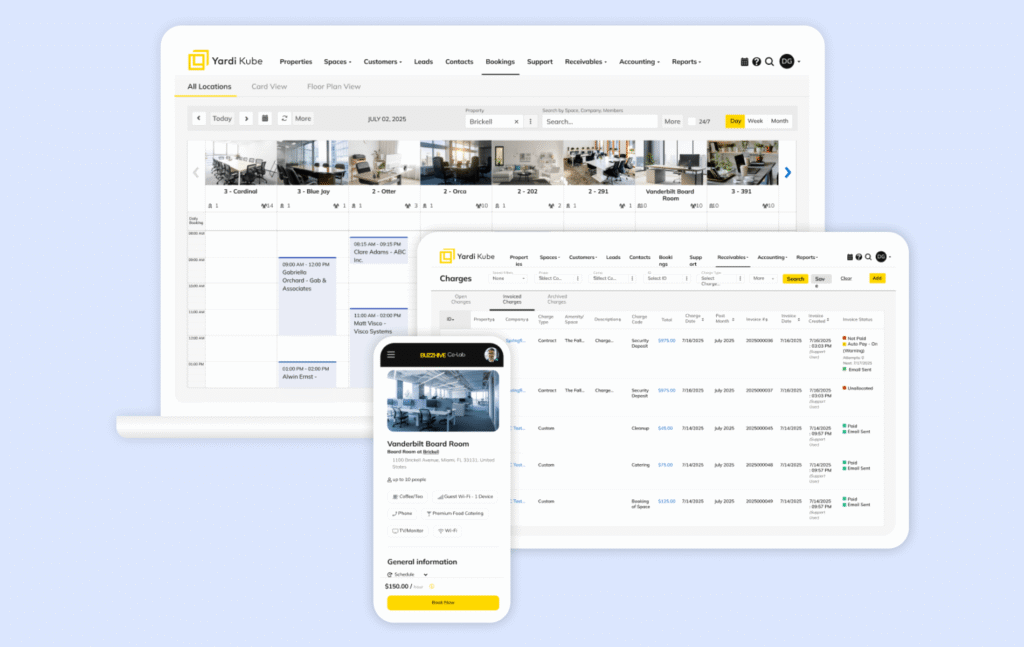
Yardi Kube is a flex space and coworking platform built for enterprise-level operators, especially landlords and building owners who already use (or want to use) the wider Yardi ecosystem. The big idea is “one connected stack” where coworking operations sit close to property and finance workflows.
It can be a strong fit for portfolio teams because Yardi positions Kube to connect things like space management, billing, and IT under one umbrella, with deeper accounting links through tools like Yardi Voyager.
What it does best
Yardi Kube works best when you want coworking operations tied closely to real estate and finance workflows, and you are okay with an enterprise-style rollout. You’ll usually like Yardi Kube if you:
- run a larger coworking or flex space brand, or manage space across a portfolio
- want coworking operations connected to accounting and property systems
- like the idea of IT and Wi-Fi management living inside the same ecosystem (without the need to lean on coworking software integrations)
- have a team that can handle a more structured implementation process
Key features & differentiators
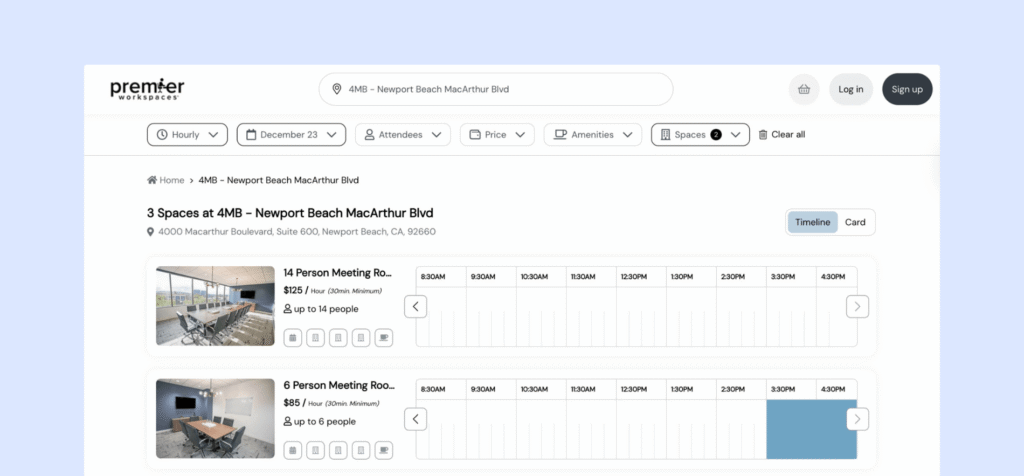
- Space and resource management: Yardi Kube supports desk and room booking, real-time availability, and interactive floor plans, with member-facing tools to book and pay.
- Member contracts and day-to-day operations: It’s designed to support onboarding and contract workflows alongside bookings, billing, and member management.
- Automated billing and enterprise financials: Kube automates billing and payments, and it’s positioned to integrate with Yardi’s accounting stack. If you use Yardi Voyager, Yardi highlights a single database setup that reduces sync issues and supports real-time posting.
- IT and Wi-Fi management: This is one of the most unique parts of Yardi Kube. Yardi markets centralized Wi-Fi control, bandwidth management, analytics, and remote troubleshooting.
- Integrations and ecosystem fit: Kube is built to fit inside a wider Yardi setup and also offers integrations and API options, depending on your modules and plan.
Pros and cons from user reviews
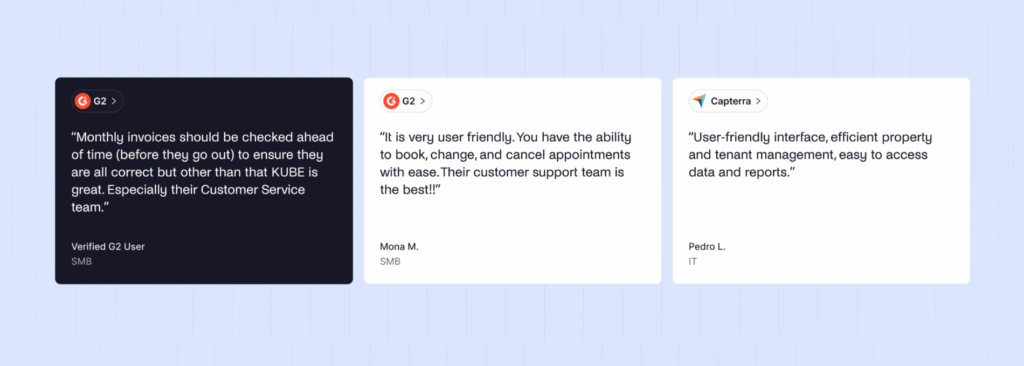
Yardi Kube has fewer public reviews than some coworking-only tools, but there are a few consistent themes:
🟢 Wide scope, especially for enterprise needs. Reviewers and product listings often frame Kube as a broad platform that covers more than just bookings and billing, including IT management.
🟢 Support can be a bright spot. Capterra’s category ratings show customer service scoring higher than ease of use, and reviewers often mention support as helpful when they do leave feedback.
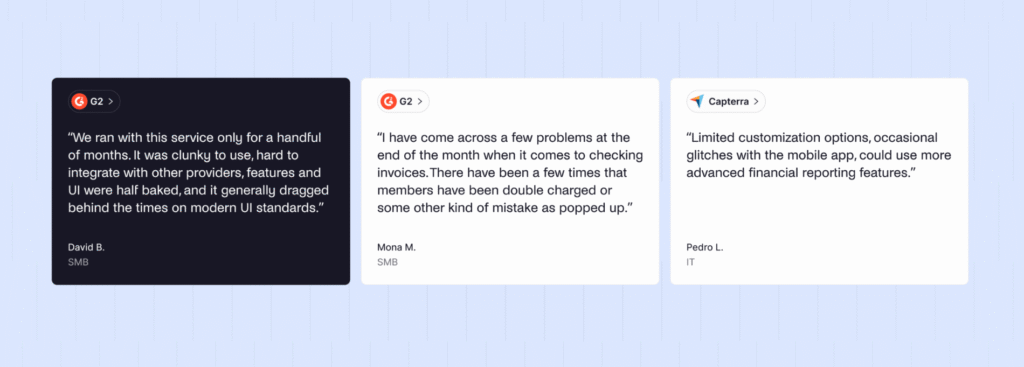
🔴 Can feel heavy and complex. On G2, “complexity” shows up as a common complaint, with feedback that it can be frustrating to use and harder to work with than lighter tools.
🔴 Integration and API limitations come up. Some reviews call out limited integrations or API capability, which matters if you rely on a larger coworking tech stack outside Yardi.
🔴 Review volume is small. Capterra shows a limited number of reviews, so it’s worth validating fit in a demo, especially if your workflows are unique.
Pricing snapshot
Yardi Kube pricing can be confusing.
For starters, quote-based pricing is common: Review sites often show “contact vendor” pricing, which usually means the total depends on your modules and setup.
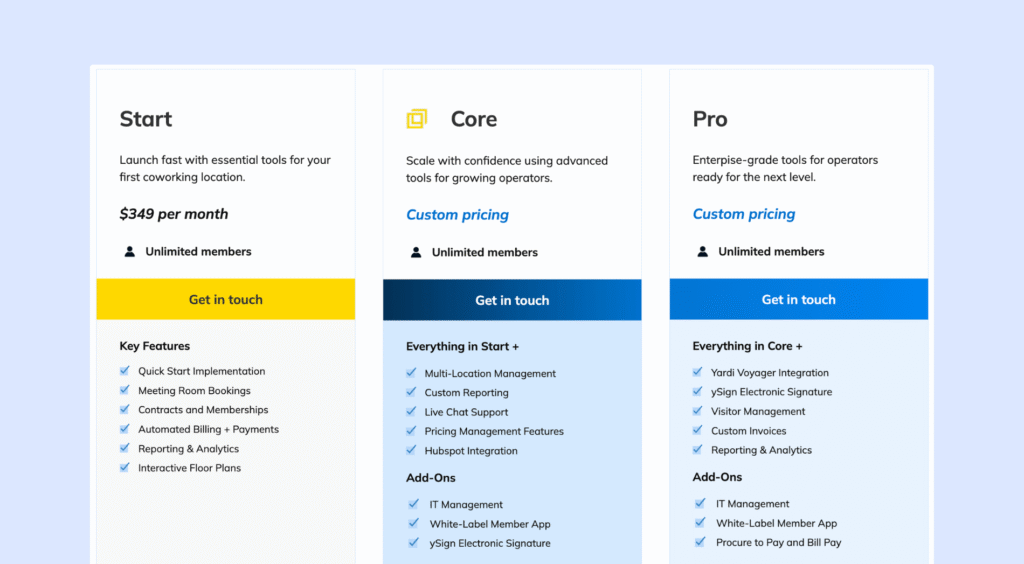
But, not too long ago (around March 2026), Yardi introduced a “Start” package price. This is the entry plan for getting your first location live that includes the core coworking basics like meeting room bookings, contracts and memberships, automated billing and payments, reporting & analytics, and interactive floor plans. It also comes with a “quick start” style implementation.
Yardi Kube now seems to use “unlimited members” pricing, with plans that mainly change based on how advanced your operation is and which modules you need. The final cost can still vary a lot depending on whether you need things like IT management, a white-label app, e-signatures, visitor tools, and deeper finance integrations.
💡 Bottom line: Yardi Kube is a strong choice for enterprise operators and landlord-backed portfolios that want coworking tied into a larger property and finance stack. If you’re a smaller team looking for a lighter setup, simpler pricing, or a more coworking-first feel, that’s usually when Yardi Kube alternatives start to make more sense.
Why some coworking operators look for Yardi Kube alternatives
Here are the most common reasons operators start comparing Yardi Kube alternatives:
They want clearer (and more affordable) pricing upfront
Yardi Kube often involves custom quotes and module-based pricing. That’s normal in enterprise software, but it can be frustrating if you just want a quick answer to, “What will this cost me this year?”
The recently added starting plan is much more expensive than other coworking space management tools.
They want a more coworking-first product
Yardi Kube makes a lot of sense when coworking needs to connect closely to property and finance workflows. But some teams do not need that. They want software that feels built around the coworking business itself, like:
- selling memberships and day passes smoothly
- making booking simple for members
- helping with onboarding and renewals
- supporting community, events, and updates
- giving staff a clean, easy admin experience
This is where more coworking-first tools (like Archie, Spacebring, or Optix) often feel like a better day-to-day fit.
They want a simpler setup and faster go-live
Yardi Kube can be a big system. That’s great if you have an ops team, IT help, and time for a full rollout. But if your team is small, you may not want implementation to turn into a long project.
A lot of operators switch because they want to get live quickly, train staff faster, and spend less time managing the system behind the scenes.
They don’t need (or want) IT and Wi-Fi management inside the platform
One of Yardi Kube’s unique features is IT and Wi-Fi management. Some operators love that. Others already have this covered through a managed IT provider, their building, or existing tools.
If you don’t plan to use those capabilities, Yardi Kube can start to feel like more of a platform than you need.
They want more flexibility in the member experience
Some reviews mention limits around customization and UI friction. For certain brands, the member experience is a big part of what they sell. If the portal or app doesn’t feel as modern or flexible as they want, that alone can justify looking at alternatives.
If you don’t plan to use those capabilities, Yardi Kube can start to feel like more of a platform than you need.
They rely on a different tech stack
Yardi Kube is strongest when it’s part of a wider Yardi setup. If your team uses different tools for accounting, CRM, access control, or reporting, you’ll probably care a lot about integrations and API options. When teams feel limited there, they start exploring platforms that fit more easily into their existing stack.
Top 5 Yardi Kube alternatives to consider
Tool | Best for | Strengths | Watch-outs | Starting price | G2 rating |
|---|---|---|---|---|---|
Archie | Mid-size + growing operators | Modern UI, fast rollout, clear pricing, built-in e-signatures | Less “enterprise” reporting | $165/month | 4.9/5 |
Optix | Mobile-first + automation | Strong member app, workflow automation builder, good comms tools | Add-ons can add up, lighter desktop experience | $197/month | 4.8/5 |
Spacebring | Small to mid spaces | Easy to use, standout support, credits, multi-language | Add-ons (mobile app, visitors, floor plans, API), support hours | $186/month | 4.8/5 |
OfficeRnD Flex | Complex ops at scale | Multi-site workflows, deeper reporting, hub structure | Quote-based, more setup, add-ons | Custom quote | 4.6/5 |
Nexudus | Maximum flexibility | Deep configuration, portal code control, broad integrations | Steeper learning curve, heavier setup, add-ons | $150/month | 4.3/5 |
#1 Yardi Kube alternative: Archie
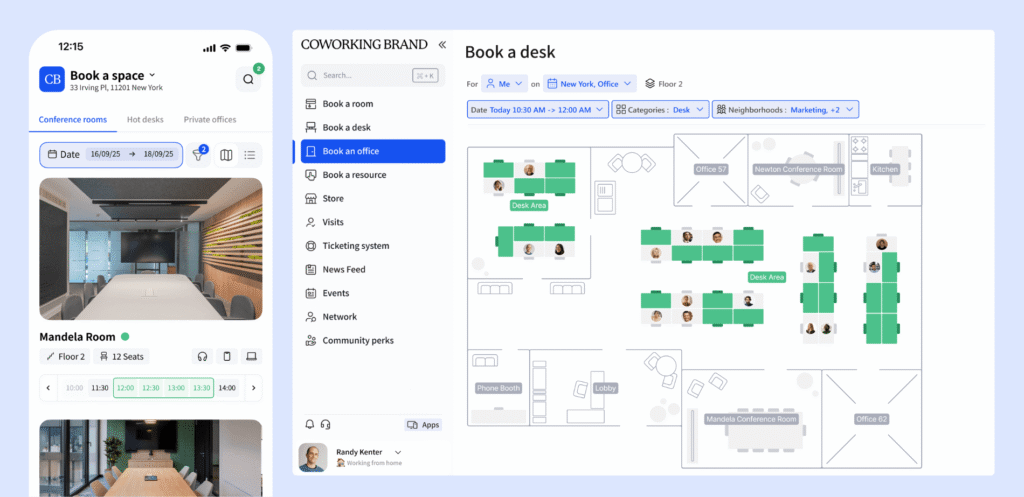
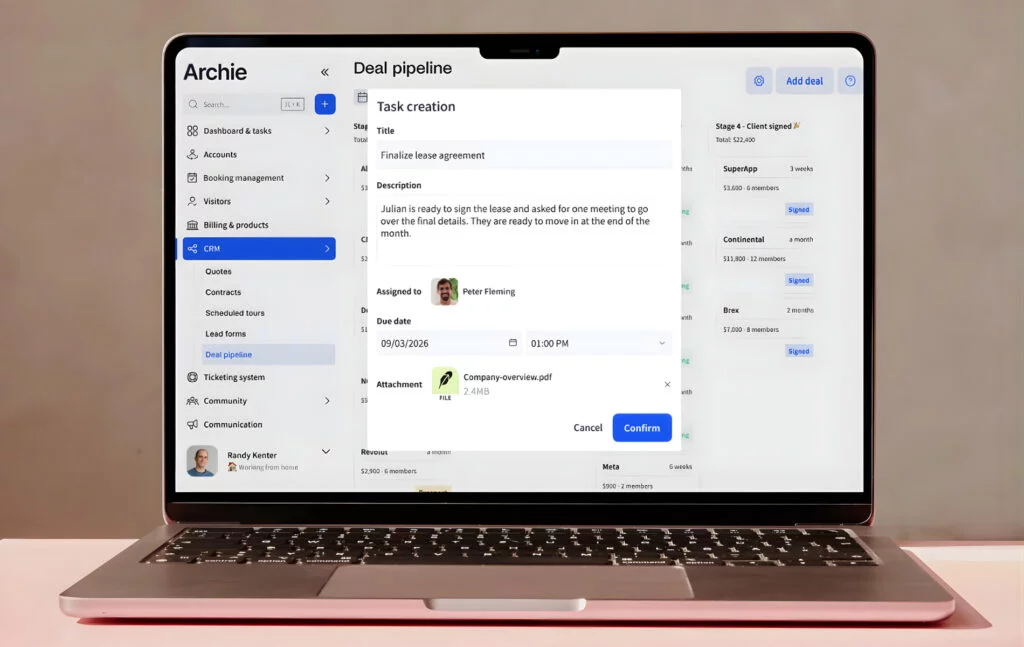
Archie is a coworking software solution built for operators who want a modern member experience, fast rollout, and pricing that is easy to budget for. It covers the core coworking workflows in one place, like bookings, memberships, billing, visitor flows, community, and reporting.
Compared to Yardi Kube, Archie is less “portfolio and property stack” and more “coworking-first.” It is designed to be easier to adopt for day-to-day teams, without an enterprise-style setup process.
What it does best
Archie works best when you want a system that feels modern and simple to run, even as your space grows. You’ll usually like Archie if you:
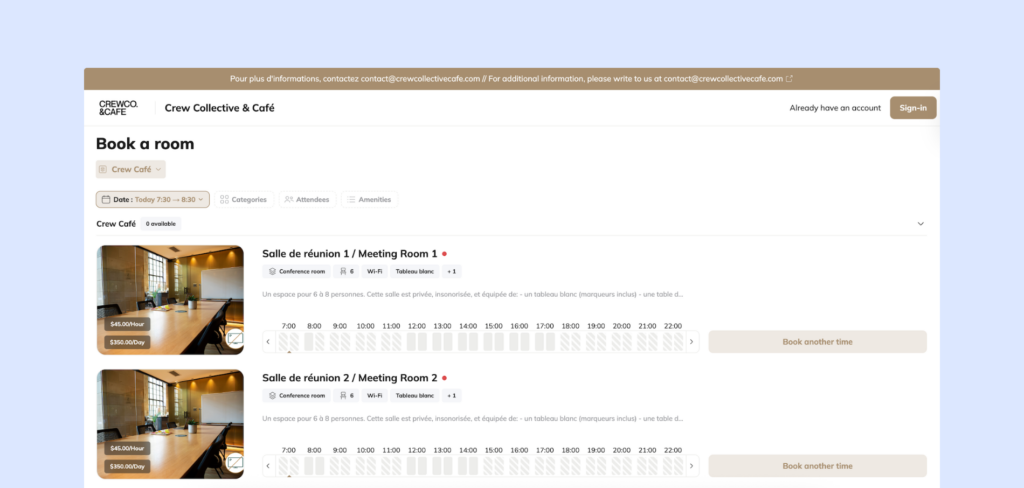
- want a smooth member experience across web and mobile
- want to roll out quickly without a heavy implementation
- prefer clear pricing that scales predictably as you add members or locations
- run a mid-sized space (or a multi-location brand) and want one platform for ops
- want built-in tools like e-signatures and visitor workflows, without stitching together extra systems
Key features & differentiators
- Bookings and space management: Archie supports desk and meeting room booking with calendar integrations, interactive floor plans, and simple booking rules. It also supports dependency bookings, which helps with zones and rules-based setups.
- Memberships, billing, and payments: Archie automates coworking tasks like recurring invoices, reminders, and payments. It is built for memberships, day passes, and custom plans, without constant manual cleanup.
- Visitor and delivery management: In the Pro plan, Archie includes visitor and delivery workflows like pre-registration, QR check-in, badge printing, host notifications, and visitor logs.
- Built-in e-signatures: This is a big differentiator. You can create agreements, send them, and collect signatures inside the platform, instead of relying on a separate e-sign tool.
- Community tools and coworking CRM: Archie includes profiles, directories, a feed, chats, perks, and discounts, plus a coworking CRM for lifecycle tracking.
- Integrations and tech stack flexibility: Yardi Kube is strongest when you want everything inside the Yardi ecosystem, including IT and Wi-Fi management. Archie takes a different approach. It focuses on core coworking operations, then connects to the tools you already use through integrations, Zapier, and an open API.
Pros and cons from user reviews
🟢 Easier to learn and use. Teams often say Archie feels intuitive, which means less training and fewer “how do I do this?” questions.
🟢 Faster rollout. Archie is usually quicker to implement than enterprise platforms, especially if you want to go live without a long project.
🟢 Strong member experience. The web and mobile experience tends to feel polished, which helps adoption.
🟢 Predictable pricing. Many operators like that budgeting is straightforward, with fewer must-have add-ons.
🔴 Not built for full property and IT management. If you need Wi-Fi and device management inside your coworking platform, or you want coworking deeply tied into a larger property stack, Yardi Kube will usually be a better match.
🔴 Less “heavy duty” for extreme enterprise reporting. If you need very advanced dashboards and highly custom reporting for a large portfolio, you may want a more enterprise-focused system.
Pricing snapshot
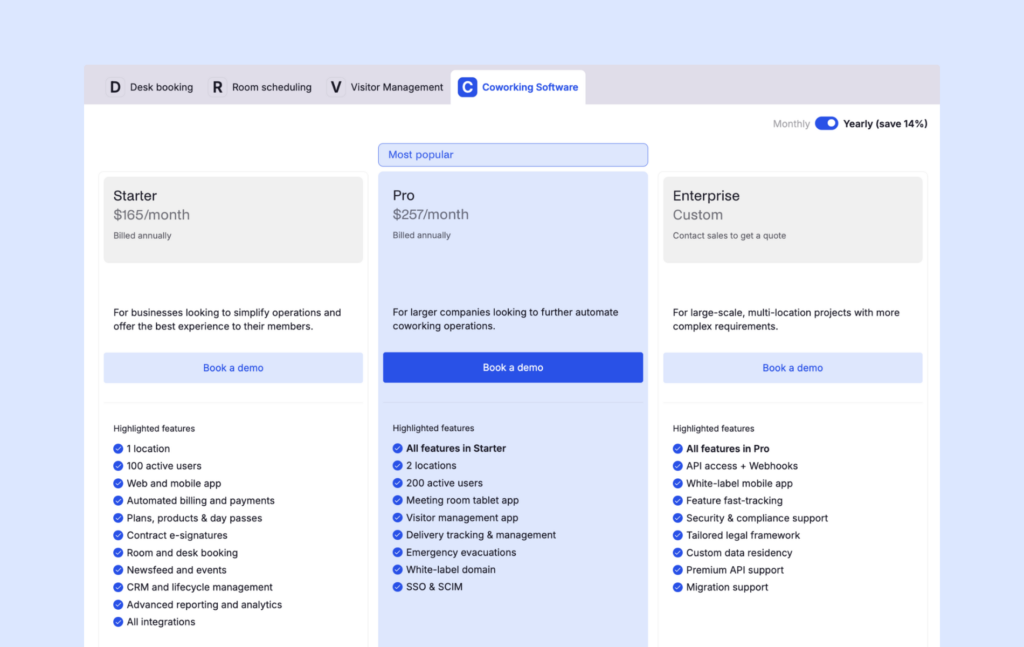
Archie uses tiers based on locations and active members:
- Starter: $165/month (1 location, up to 100 active members)
- Pro: $257/month (up to 2 locations, up to 200 active members, plus extras like a white-label domain and visitor management)
- Enterprise: custom pricing
An active user is someone who books a resource or is on a subscription plan. Visitors and event attendees do not count, and the same person across multiple locations still counts once.
💡 Bottom line: Archie is a strong Yardi Kube alternative if you want a modern coworking platform that is easier to roll out, easier for members to use, and easier to budget for. If you are a landlord or enterprise portfolio team that wants coworking deeply connected to the Yardi ecosystem, including IT and Wi-Fi management, Yardi Kube will usually fit better. If you want coworking-first operations with a polished experience and fewer moving parts, Archie is often the better choice.
#2 Yardi Kube alternative: Optix
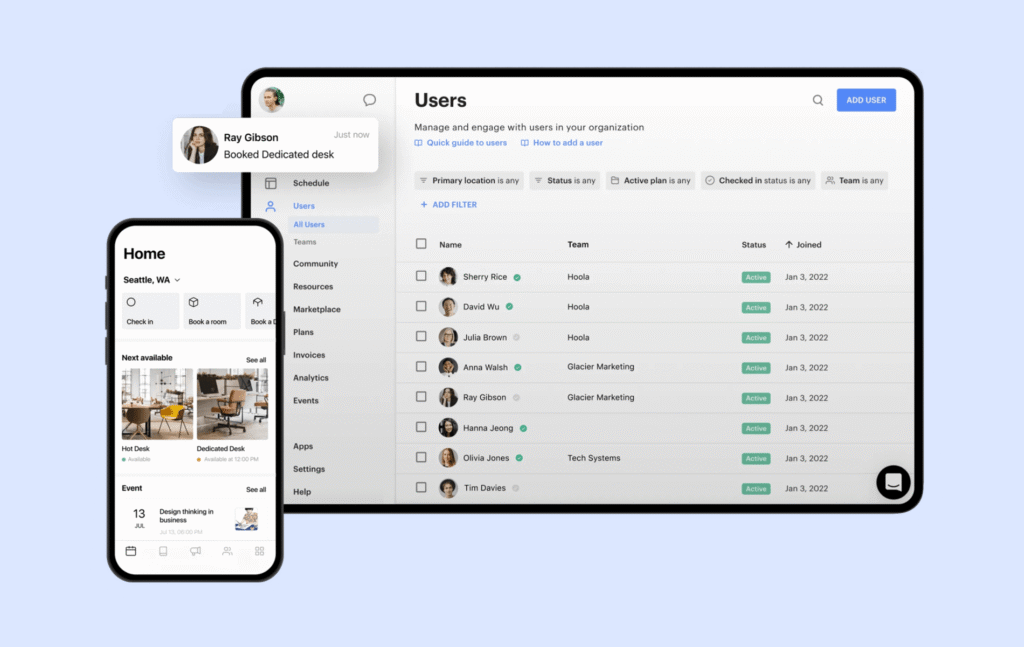
Optix is a coworking management platform known for its mobile-first member experience. It started under ShareDesk in 2015 and helped set the standard for modern coworking member apps. Today, it’s popular with mid-sized spaces that want a polished app, strong member communication, and workflow automation.
Compared to Yardi Kube, Optix is much more focused on the member experience and day-to-day coworking workflows, not property-level finance systems or IT/Wi-Fi management.
What it does best
Optix works best when you want members to do most things on their phone, and you want your team to save time through automation. You’ll usually like Optix if you:
- want a modern member app that people actually enjoy using
- want to automate onboarding, reminders, and routine admin work
- run a mid-sized space and care a lot about adoption and experience
- do not need coworking software tied deeply into a landlord finance stack
Key features & differentiators
- Mobile-first member app (iOS + Android): Members can book desks and rooms, view invoices, and get updates from their phone.
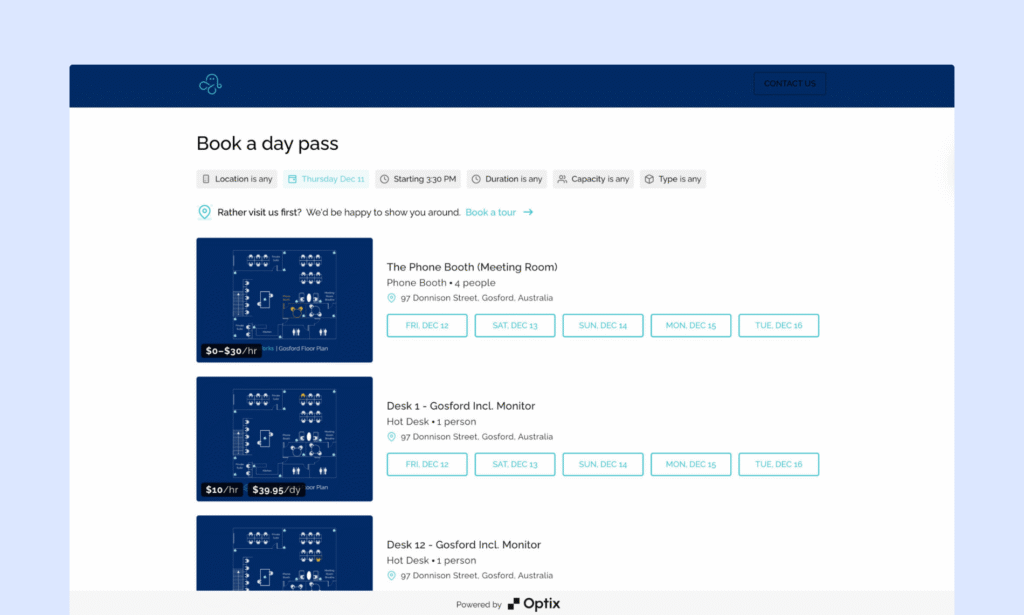
- Bookings and resource management: Optix supports bookings for desks, rooms, and other resources.
- Memberships and billing: It supports plans, contracts, renewals, and recurring invoices. Optix also supports Stripe payments and usage-based charges, which are helpful if you charge for add-ons or consumption.
- CRM and communication tools: Optix includes a directory, messaging, announcements, and email campaigns, which help keep member communications in one place.
- Community tools: Events, a feed, and perks help spaces build engagement, not just manage bookings.
- Visual workflow automation builder: This is one of the biggest reasons teams choose Optix. The workflow builder helps automate onboarding steps, reminders, and routine processes. It can save real time, but it is usually priced as an add-on, so it’s worth budgeting for early.
Pros and cons from user reviews
🟢 Strong mobile experience. Reviews often praise how modern and easy the member app feels, which helps adoption.
🟢 Automation saves time. Teams like automating reminders, onboarding, and repetitive admin work.
🟢 Helpful onboarding and support. Many users describe the team as responsive during setup.
🔴 Not a “property stack” platform. If you need deep portfolio finance workflows or IT/Wi-Fi management inside the same system, Yardi Kube will usually fit better.
🔴 Add-ons can raise the total. Automations, visitor tools, branding, and extra locations can push the real monthly cost above the entry tier.
🔴 Web experience can feel lighter. Because Optix is built around the member app, members who prefer desktop will find the web experience less complete.
Pricing snapshot
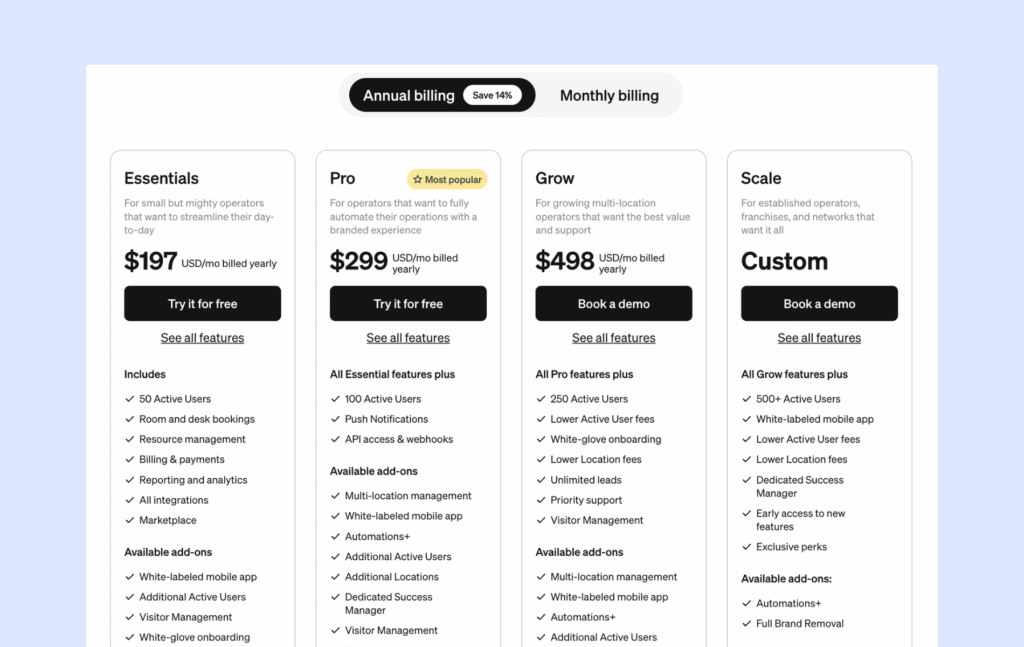
Optix pricing is tiered, mainly based on user limits and one location:
- Essentials: $197/month (up to 50 users, 1 location)
- Pro: $299/month (up to 100 users, 1 location)
- Grow: $498/month (up to 250 users, 1 location)
- Scale: custom pricing
Optix does not clearly define “active user” in its public pricing language, so it’s worth confirming what counts as a billable user. Automations+, visitor management, extra locations, and branding upgrades are common extras that affect your real price.
💡 Bottom line: Optix is a strong Yardi Kube alternative if you want a modern, mobile-first coworking platform with automation that saves your team time. If your priority is tying coworking into a landlord or enterprise property-and-finance ecosystem (and you want IT/Wi-Fi management inside the same stack), Yardi Kube will usually be the better match. Also, here’s how Optix vs Archie compare.
#3 Yardi Kube alternative: Spacebring
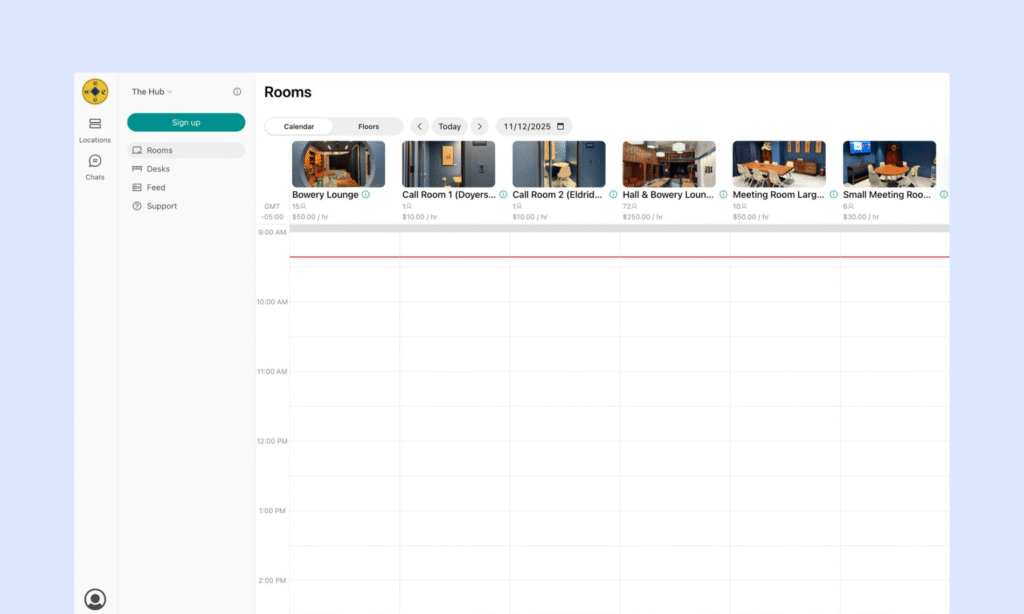
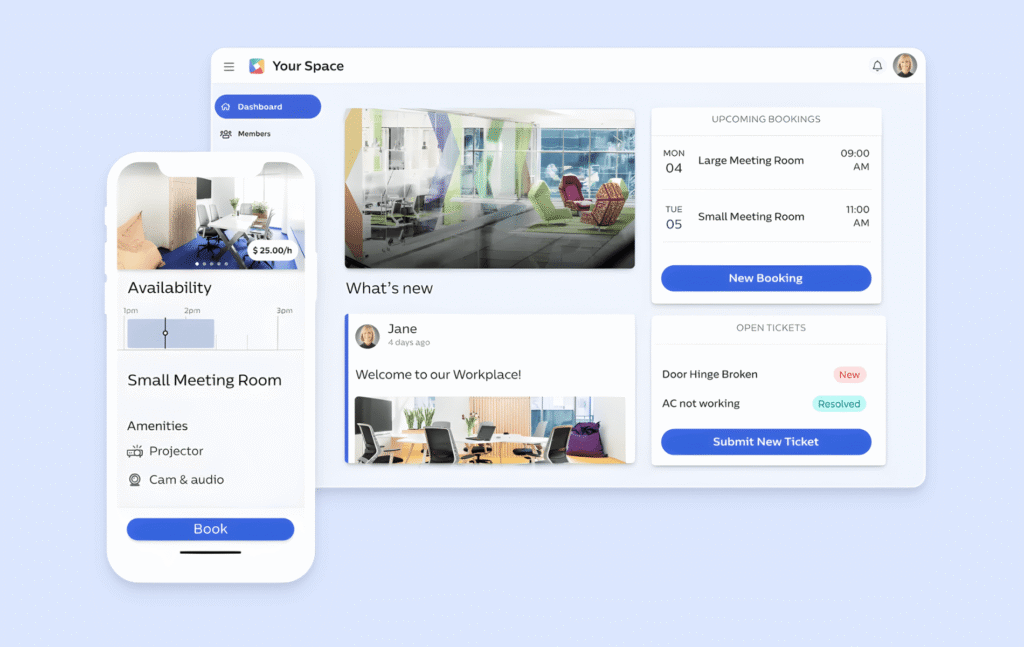
Spacebring (formerly andcards) is a coworking management platform built for small to mid-sized spaces that want something easy to use, modern, and well-supported. It covers the core coworking workflows (memberships, bookings, billing, community) with a full web and mobile experience.
Compared to Yardi Kube, Spacebring is much less of an “enterprise portfolio stack” and much more “simple coworking operations with a great member experience.” It is especially appealing if you do not need property-level workflows or IT/Wi-Fi management inside the same system.
What it does best
Spacebring works best when you want a clean, member-friendly platform with fast setup and standout support. You’ll usually like Spacebring if you:
- run one location (or a small number of locations)
- care a lot about fast, helpful support (including multi-language support)
- want a modern portal and mobile experience without an enterprise rollout
Key features & differentiators
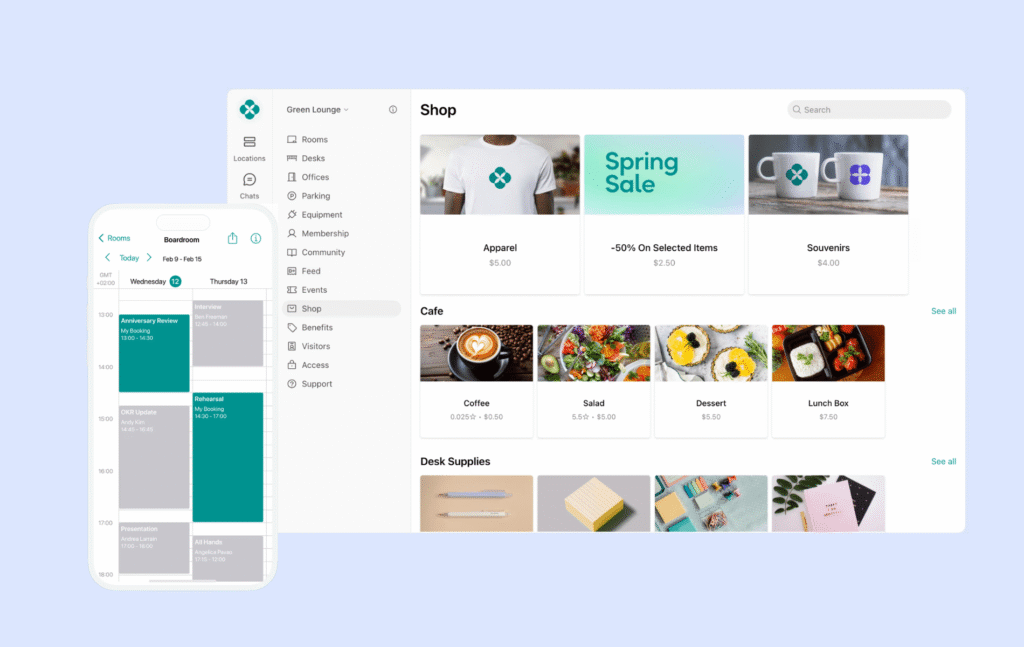
- Web + mobile member experience: Spacebring includes a member portal plus iOS and Android apps, so members can book, pay, and stay connected from any device.
- Bookings and resource management: It supports bookings for desks, rooms, parking, and equipment.
- Memberships and billing: Spacebring supports plans, contracts, invoices, recurring billing, discounts, and even dynamic pricing options. It also includes a universal credits system, which is useful if you sell credit packs for meeting rooms, desks, or other resources.
- Community tools: It includes a directory, messaging, events, and a community feed.
- CRM and lifecycle tools: Spacebring has lightweight CRM-style tools for member communication and lifecycle management, which can be enough for many small to mid-sized teams.
- Analytics: It offers reporting for bookings, revenue, and occupancy, so you can see usage trends without digging through spreadsheets.
Pros and cons from user reviews
🟢 Excellent support. Fast, helpful live chat comes up again and again, and Spacebring is known for acting on feedback.
🟢 Quick rollout. It tends to be easier to implement than enterprise platforms, which matters if your team is small.
🟢 Easy to use. Teams often say both admins and members can get comfortable using it, although some reviews mention that it takes time.
🔴 Add-ons can raise the total cost. Features like floor plans, visitor reception, and API/webhooks are often extra.
🔴 Not built for portfolio-style workflows. If you need property-level reporting, deep finance integration, or IT/Wi-Fi management inside the same platform, Yardi Kube will usually be a better match.
🔴 Multi-location at enterprise scale is not the main focus. Spacebring can support multi-site setups, but very large deployments may prefer more enterprise-heavy tools.
Pricing snapshot
Spacebring offers two main tiers:
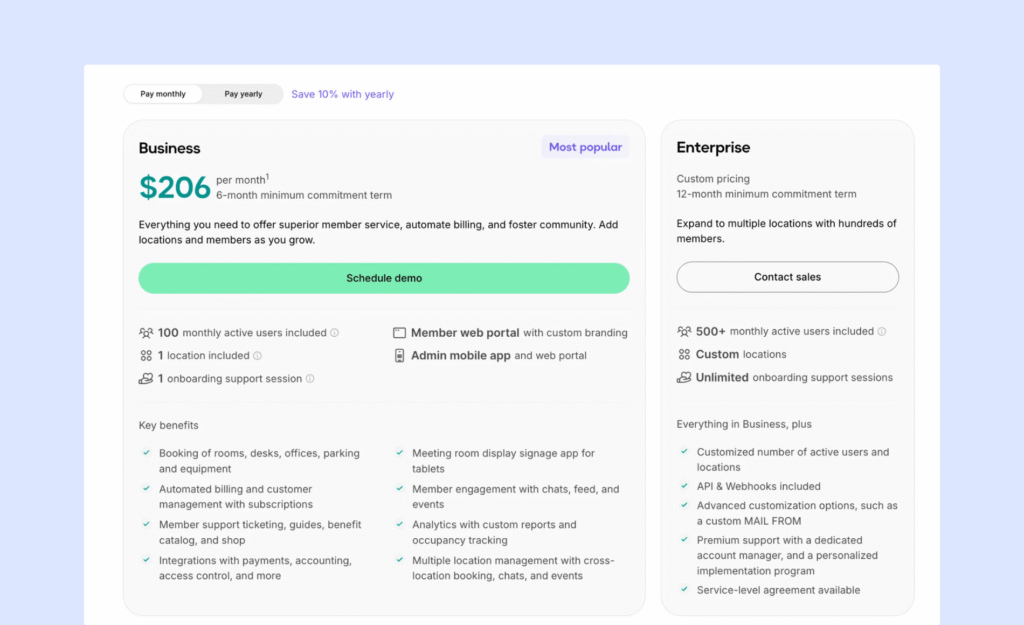
- Business: $186/month billed annually (or $206/month billed monthly), with a 6-month minimum. Includes 100 monthly active users, 1 location, 1 onboarding session, a custom-branded member portal, plus an admin app and web portal.
- Enterprise: custom pricing (12-month minimum). Includes 500+ monthly active users, custom locations, and unlimited onboarding.
An active user is anyone who has a subscription, booking, or payment in the billing period. This matters if you have lots of occasional users or day-pass traffic. Member mobile app, visitor reception, floor plans, and API/webhooks are common add-ons, so price out your “real setup” early.
One more thing to note is that prices shown in USD can vary slightly since Spacebring uses EUR as its main currency.
💡 Bottom line: Spacebring is a strong Yardi Kube alternative if you want a modern coworking platform that is easy to roll out, easy to use, and backed by standout support. If you are a landlord or enterprise portfolio team that needs coworking tied into the wider Yardi ecosystem (including IT/Wi-Fi management and deeper property finance workflows), Yardi Kube will usually fit better.
#4 Yardi Kube alternative: OfficeRnD
OfficeRnD Flex is a coworking management platform built for operators running more complex setups. It’s often used by established coworking brands and flex space operators that need deeper workflows, multi-location support, and stronger reporting as they scale.
Compared to Yardi Kube, OfficeRnD Flex is still “enterprise-ready,” but it’s more coworking-first. It focuses on running flexible workspace operations (memberships, bookings, billing, sales) without being as tightly tied to a landlord’s property and accounting stack.
What it does best
OfficeRnD Flex works best when you want serious coworking operations at scale, but you do not need the full Yardi ecosystem around property finance and IT/Wi-Fi management. You’ll usually like OfficeRnD Flex if you:
- run multiple locations (or plan to grow into a multi-site brand)
- need more advanced workflows than basic bookings and billing
- care about deeper reporting and dashboards
- like the hub-based structure that keeps features organized
- are okay with a more hands-on setup and quote-based pricing
Key features & differentiators
- Membership management: OfficeRnD supports memberships for individuals and companies, contracts, and a member portal.
- Billing and invoicing: It supports recurring charges, one-off fees, and automated billing workflows. This is useful if you have lots of plan types, add-ons, and billing scenarios.
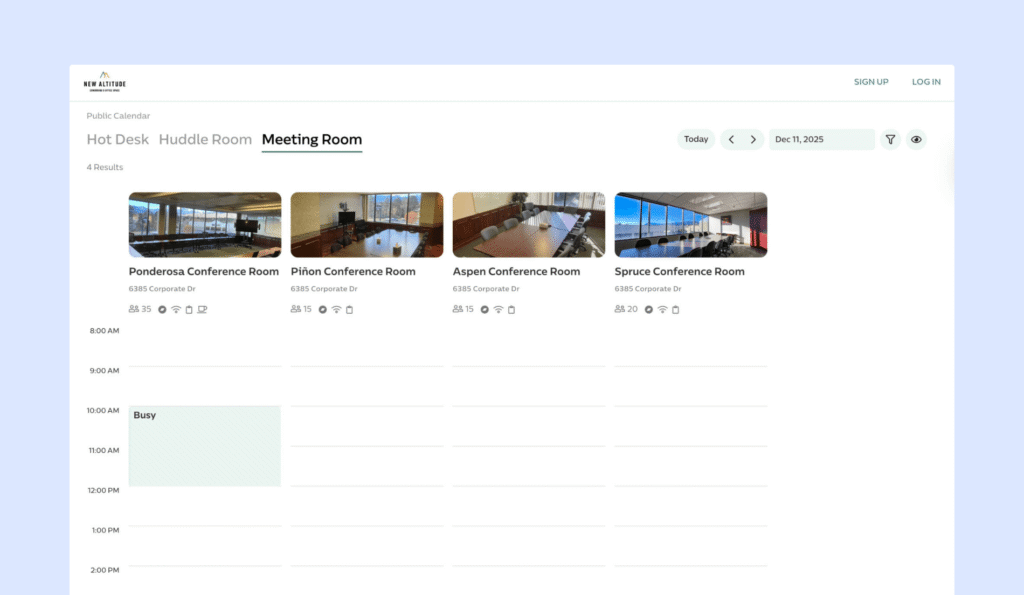
- Resource booking: OfficeRnD covers booking for desks, rooms, offices, and other resources. Members can self-serve while you keep control through rules and policies.
- Multi-location management: Flex is built with larger coworking brands and multi-site operators in mind, with tools for managing multiple locations under one system.
- Reporting and analytics: Reporting tends to be one of OfficeRnD’s strengths as you scale. It’s built for deeper dashboards and operational insight than lighter tools.
- Integrations and API: OfficeRnD supports integrations across payments, accounting, access control, Wi-Fi, CRM, and productivity tools, plus API options for custom workflows.
Pros and cons from user reviews
🟢 Strong for complex coworking operations. Reviews often describe OfficeRnD as a true all-in-one platform for established operators.
🟢 Hub structure helps keep things organized. Users often like that the product feels structured as features expand.
🟢 Stronger reporting for growing teams. Dashboards and analytics tend to be a highlight.
🟢 Helpful support. Many users describe the team as responsive during setup and troubleshooting.
🔴 Setup takes time. Onboarding can be more involved, especially if your workflows are complex or your team is not very technical.
🔴 Pricing is usually quote-based. This makes it harder to budget upfront, and add-ons can raise the total cost.
🔴 Can feel heavy for small spaces. If your operation is simple, OfficeRnD can feel like more features than you need.
Pricing snapshot
OfficeRnD Flex is custom-priced, and the total depends on your locations, member volume, and which hubs or add-ons you need. Confirm which hubs are included and which are extra. Growth Hub, for example, adds a self-serve purchase flow to your website. Great for online sales, but double-check whether there’s a commission or per-purchase fee.
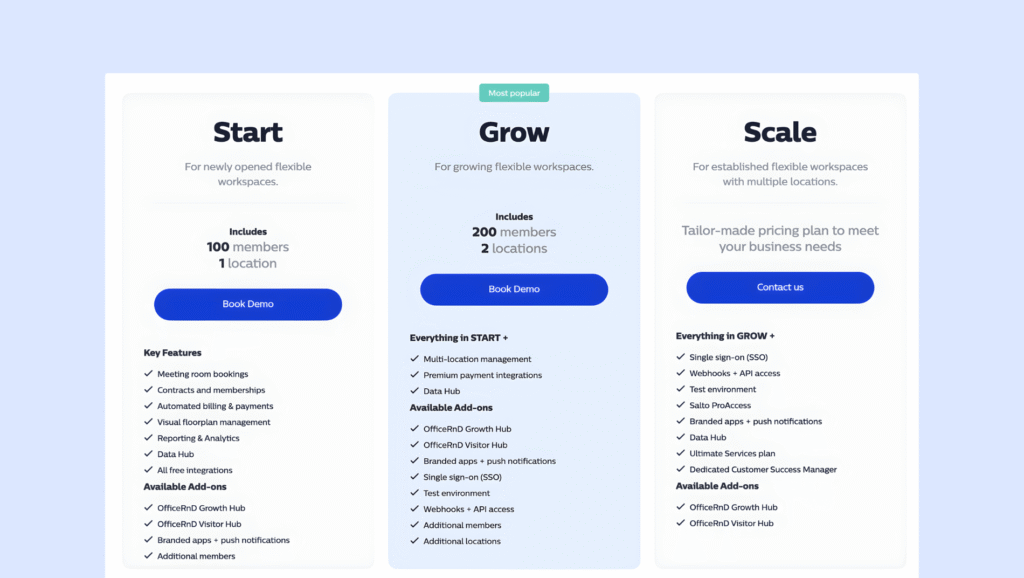
💡 Bottom line: OfficeRnD Flex is a strong Yardi Kube alternative if you need advanced coworking workflows, multi-location support, and deeper reporting, but you do not need coworking to live inside the full Yardi property-and-finance ecosystem. If you are a landlord portfolio team that wants coworking deeply tied to property accounting and IT/Wi-Fi management, Yardi Kube may still be the better match.
On the other hand, if you want something lightweight, reasonably priced, and quick to implement, an OfficeRnD alternative may be a better fit. Here’s how Archie and OfficeRnD compare.
#5 Yardi Kube alternative: Nexudus
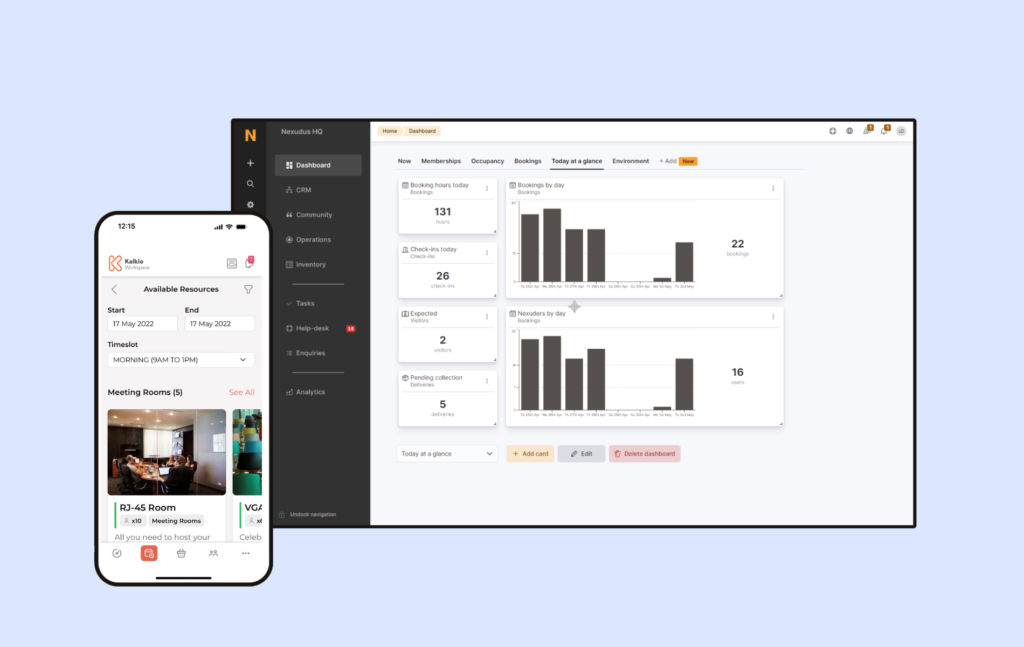
Nexudus is an all-in-one coworking management platform known for breadth and flexibility. It brings together bookings, memberships, billing, a member portal/app, community tools, and reporting in one system.
Compared to Yardi Kube, Nexudus is more coworking-first and less “landlord ecosystem.” It’s a common alternative when teams want a powerful platform for coworking operations, but they do not need property-stack finance workflows or IT/Wi-Fi management inside the same product.
What it does best
Nexudus works best when you want a “big toolbox” coworking platform with lots of configuration options. You’ll usually like Nexudus if you:
- run a large coworking space, or multiple locations
- have complex billing, pricing, or membership rules
- want deep control over the member portal and workflows
- need a wide set of integrations and strong reporting options
- have the time (or team) to set it up properly
Key features & differentiators
- Bookings and space management: Nexudus supports desk and meeting room bookings, booking rules, and resource management for things like offices and other bookable resources.
- Memberships, billing, and payments: Nexudus handles recurring billing, invoices, payments, add-ons, and more advanced pricing setups than simpler tools.
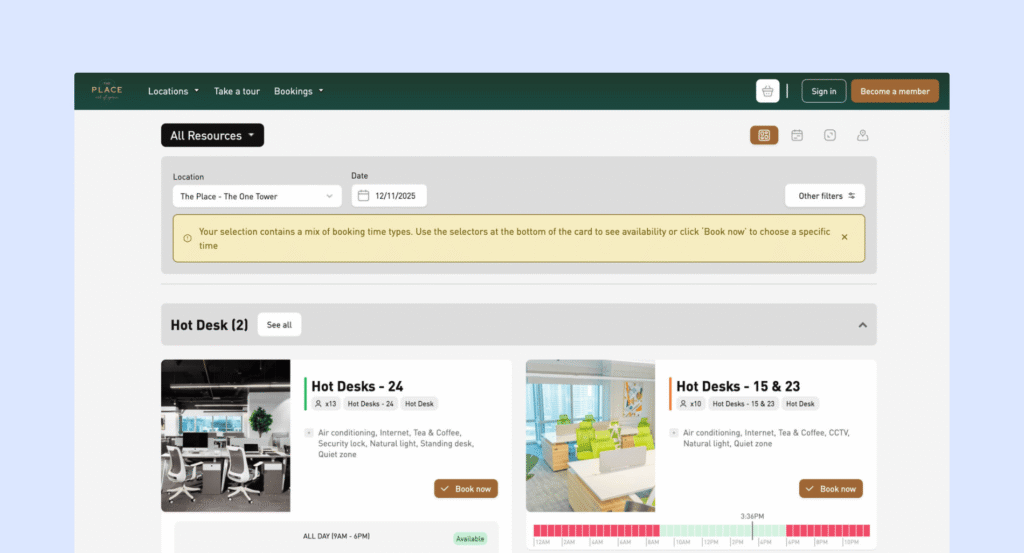
- Member portal + community features: Nexudus includes a member portal and member app (Passport), plus community tools like directories, updates, events, and messaging-style features depending on your setup.
- CRM and sales tracking: It has built-in CRM tools for leads, tours, tasks, and follow-ups, which help operators track the full lifecycle inside one platform.
- Reporting and analytics: It includes a wide range of reports, plus optional advanced analytics modules if you want deeper dashboards.
- Customization: Nexudus stands out for portal customization. If you have technical resources, you can customize the member portal at a deeper level than most coworking platforms.
Pros and cons from user reviews
🟢 Replaces multiple tools. Many operators like having billing, bookings, member workflows, and community features together in one platform.
🟢 Very flexible. Reviews often highlight how much you can configure, especially if you have complex memberships or multi-site operations.
🟢 Portal customization is a standout. Nexudus is one of the few coworking tools that can offer deeper portal control for brands that care about that experience.
🟢 Scales well. Operators running larger operations often say Nexudus can keep up as they grow.
🔴 Steep learning curve. The flexibility comes with complexity, and it can take time to learn and configure well.
🔴 Setup can be time-consuming. Many teams treat implementation like a project, especially if they want things set up perfectly.
🔴 Interface feels dated in places. Some users wish parts of the UI were more modern and intuitive.
Pricing snapshot
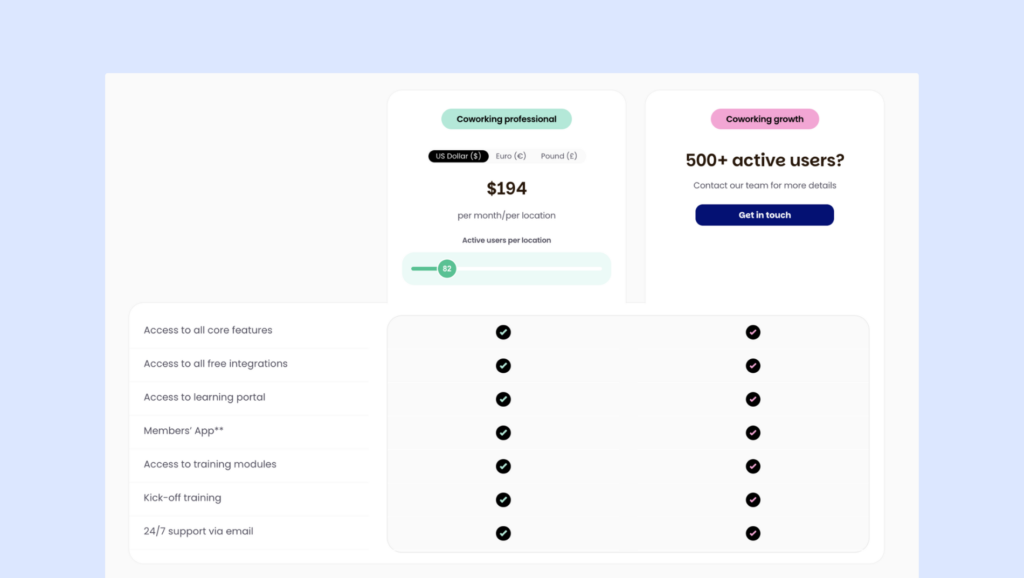
Nexudus pricing is typically per location, and it scales with active users per location. The starting point is listed as $150/month per location, then increases as you grow.
Nexudus tends to count active users broadly (for example, people with a membership or people invoiced or booking recently), which can affect the total cost if you have lots of occasional users.
💡 Bottom line: Nexudus is a strong Yardi Kube alternative if you want a powerful coworking-first platform with deep flexibility and portal customization, and you do not need coworking tied into a landlord property-and-finance ecosystem. If your top priority is a fully connected Yardi stack (including IT/Wi-Fi management and portfolio finance workflows), Yardi Kube will usually fit better.
On the contrary, if you need something easier to implement and use, you should also look at Nexudus alternatives. For example, here’s how Nexudus and Archie compare.
Yardi Kube vs alternatives: Key factors for comparison
Yardi Kube is not “just coworking software.” It’s built for enterprise-style operations, especially when coworking needs to connect to property, finance, and building workflows. So when you compare Yardi Kube to alternatives, the biggest question is this:
Do you want a full landlord-style ecosystem, or a coworking-first platform that’s easier to run day to day?
Here are the key factors to compare.
Your org type: operator vs landlord/portfolio team
Start with who you are.
- If you’re a landlord, building owner, or portfolio team, Yardi Kube may fit well because it’s designed to plug into broader property and finance systems.
- If you’re a coworking operator focused on member experience and speed, you may prefer a coworking-first tool that is lighter and faster to roll out.
How “connected” you need the Yardi ecosystem to be
Yardi Kube shines when you want coworking tied tightly to the rest of Yardi. If you already run Yardi tools, that connection can be a real advantage.
If you don’t use Yardi tools (and don’t plan to), compare how easy it is to work with your existing stack. Some alternatives are designed to connect to lots of tools through integrations, Zapier, and APIs.
Billing and financial workflows
All platforms can handle recurring billing, but the style is different:
- Yardi Kube is often chosen for stronger enterprise finance alignment (especially when finance teams want everything centralized).
- Many alternatives focus more on coworking-style billing (memberships, credits, day passes, add-ons) with simpler setup and clearer pricing rules.
IT and Wi-Fi management
This is a big differentiator. Yardi Kube includes IT and Wi-Fi management options, which is uncommon in coworking software.
If you already have an IT provider or building-managed Wi-Fi, you may not need this at all. In that case, a coworking-first platform might be a better match.
On that note, make a list of your must-have systems: accounting, payments, access control, calendars, CRM, support tools, automation tools. Then compare which integrations are native, what requires add-ons, whether the API is available and usable, and whether Zapier-style connections are supported.
If your stack is outside Yardi, integrations are one of the biggest decision points.
Pricing transparency and how costs scale
Yardi Kube offers a published “Start” plan, but higher tiers and modules are quote-based. Alternatives range from simple tiered pricing to quote-based enterprise models, too.
When comparing, don’t just ask “what’s the monthly fee?” Ask:
- what modules are included vs extra
- what happens when you add locations
- what happens when your member volume grows
- whether key features (visitor tools, e-signatures, white-label apps, IT tools) are included or as add-ons
💡 A platform that looks cheaper at first can be more expensive once you add what you actually need. Here’s a full guide to coworking software pricing models.
What’s the best alternative to Yardi Kube?
For most coworking operators, Archie is the best Yardi Kube alternative.
Yardi Kube is a strong platform when you want coworking tied closely to a landlord or enterprise stack, especially if you’re already in the Yardi ecosystem. But a lot of coworking teams don’t need that level of “property platform” complexity day to day. They need a system that helps them sell memberships, manage bookings, bill correctly, and give members a smooth experience without a long rollout.

Why Archie is the best all-around choice for coworking management
- It’s coworking-first, not property-first. Archie is built around how coworking teams actually run the business: memberships, bookings, billing, on-site experience, and member communication. You’re not buying a platform designed mainly for portfolio or landlord workflows.
- It’s easier to roll out and easier to learn. Many operators choose Archie because it’s faster to implement and more intuitive for staff and members. Less training usually means fewer support requests and less day-to-day admin friction.
- Members get a modern experience on web and mobile. Archie is strong across devices, which helps adoption. Members can book desks and rooms, manage plans, and get updates without needing the front desk involved.
- More “operator essentials” are built in. Archie includes built-in e-signatures for agreements and visitor tools in Pro. That can reduce the number of extra tools you need to stitch together as you grow.
- Pricing is clearer and easier to budget for. Yardi Kube pricing can become quote and module-driven at higher tiers. Archie’s pricing tends to be more predictable as you add locations and members, which makes budgeting simpler.
💡 If you’re worried about switching coworking platforms, Archie’s team can help with migration, including moving key data and helping connect the tools you already use.
- Key sources