



















Nexudus’ coworking software has been around for over thirteen years. There are pros and cons to this: for one, it covers a lot of scope, but for another, that scope requires a decent amount of setup and management.
Your coworking space needs software that’s flexible and robust, but also friendly. By that, I mean something that members like using and find easy, and that admins can adjust behind the scenes without a training manual.
The budget is usually a big decider here, too. So let’s get into the most viable alternatives for their scope (and in each listing I’ll examine price, too):
- Archie is the best Nexudus alternative as it offers a similar depth but is consistently reviewed the highest for usability.
- Coworks is a lighter, community-first platform for spaces where events and member connections matter most.
- Optix is mobile-first and automation-heavy, built for teams who want members living in an app rather than a browser.
- Spacebring can be for small-to-mid spaces that want an easy rollout.
- OfficeRnD Flex can handle a lot of complexity, for multi-location operators who need advanced workflows.
To address the obvious – I’m writing on behalf of Archie. However, I examine and present the above Nexudus alternatives with an honest assessment of who they are best for. Read through to find out which category your space fits into (and therefore which option is going to be best for you.
1. Archie
Archie is a workplace and coworking management platform built to run the same core operations as Nexudus — bookings, memberships, billing, CRM, visitor flow, community, and reporting — without requiring a training session to use any of them.
Relevant for those seeking a more intuitive experience: Archie Coworking won Capterra’s Best Ease of Use in 2026.
Archie is best for mid-size to large operations. If you’re adding members or adding members, you want a platform that scales without needing a dedicated admin to babysit it. If you’re comparing Archie to Nexudus specifically because your team is drowning in setup complexity, Archie is built for exactly that complaint.
Key features of Archie
Archie works best when you want a platform that feels modern and easy to run day to day.
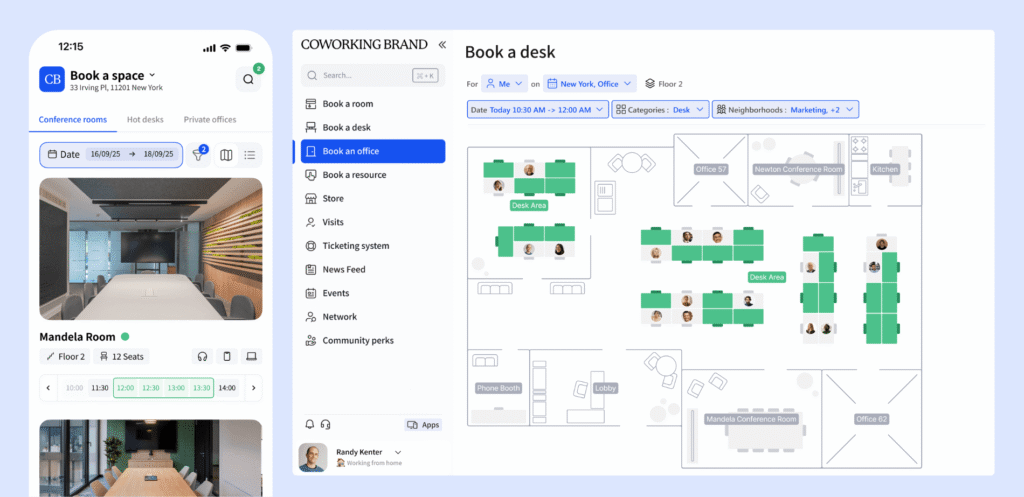
- Desk and meeting room booking with interactive floor plans for a smooth booking experience. Nexudus offers floor-plan booking too, but the interface asks more of the person using it.
- Automated membership and billing. Recurring invoices, prorations, and plan changes run on automations without manual intervention. Nexudus can do this, but it takes more configuration up front to get there.
- Visitor management with QR check-in and badge printing. Nexudus handles visitors too, though the workflow is less streamlined out of the box.
- Community tools — member profiles, a directory, a feed, and chat built into the core product.
- CRM lets you track leads to members. Archie’s CRM follows logic, where some reviewers comment on Nexudus CRM’s unnecessary complexities.
- Practical analytics on occupancy, revenue, and booking patterns — enough to run a space well, without needing a separate paid analytics tier to see it.
- Built-in e-signatures for contracts and membership agreements, so closing a new member doesn’t require a third tool.
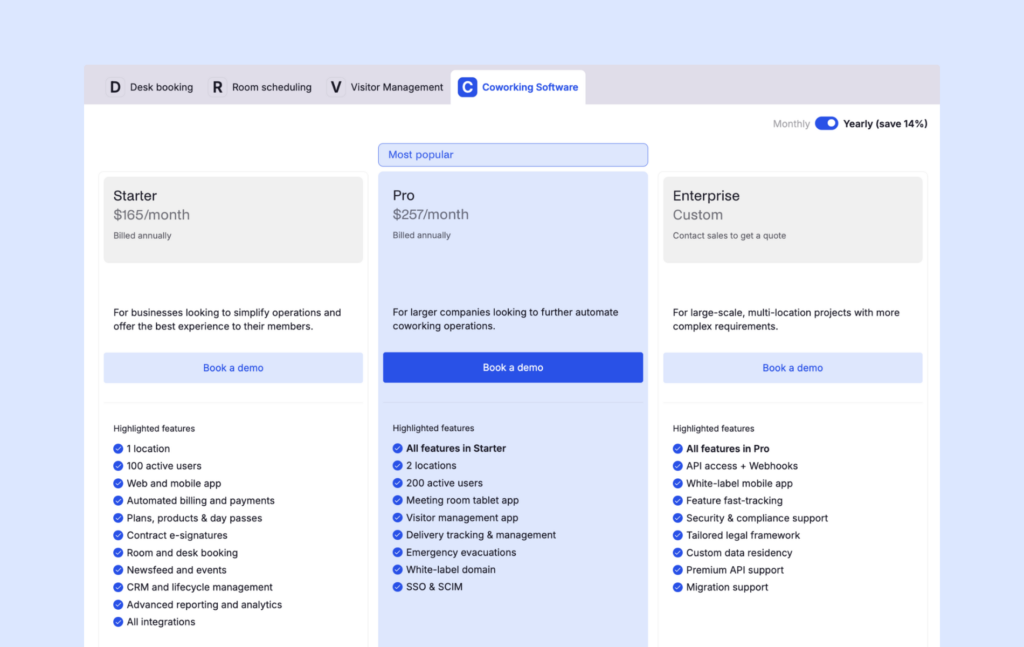
How much does Archie cost?
- Starter: $165/month — 1 location, up to 100 active members
- Pro: $257/month — up to 2 locations, up to 200 active members
- Enterprise: custom pricing for larger portfolios
Active users are people booking resources or holding a subscription — visitors and event attendees don’t count against your total in Archie pricing, which matters if your space runs a busy events calendar.
Extra locations run $90/month; additional members cost $50/month per block of 50.
A white-label mobile app adds $90/month per location.
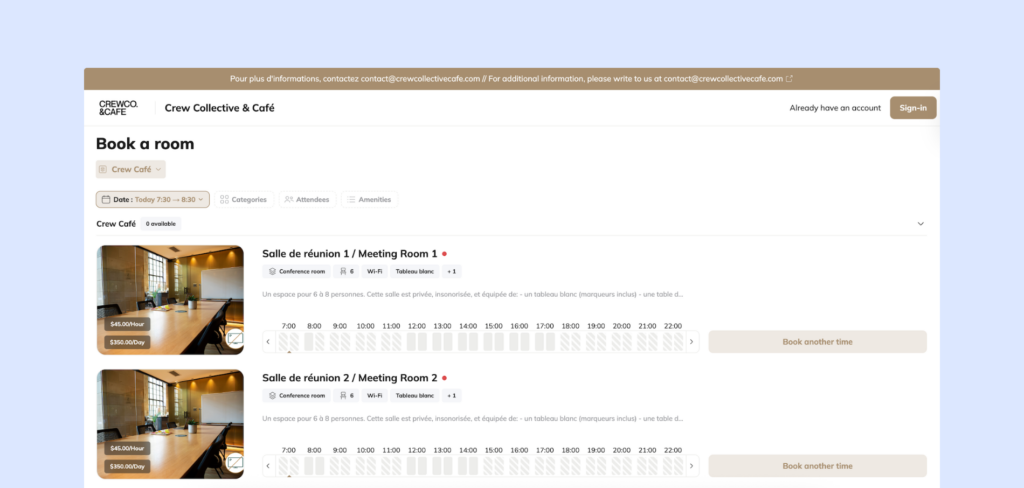
Pros and cons of Archie
Pros:
- Modern, award-winning interface that consistently cuts onboarding time for both staff and members
- Fast implementation
- Transparent, predictable pricing with fewer add-ons than Nexudus’s tiered extras
- Strong experience across web and mobile
Cons:
- Reporting and dashboards are practical, but teams that want Nexudus-level report customization may find Archie more streamlined
- Very small, single-desk operations may find some features more than they currently need
Archie scores 4.9/5 on G2. The recurring theme across Archie reviews is how easy it is to use. Coworking spaces are glad their members have an intuitive way to explore the space, reserve their spaces, and connect. Archie’s multiple awards on G2 and Capterra in recent years back this up.
2. Coworks
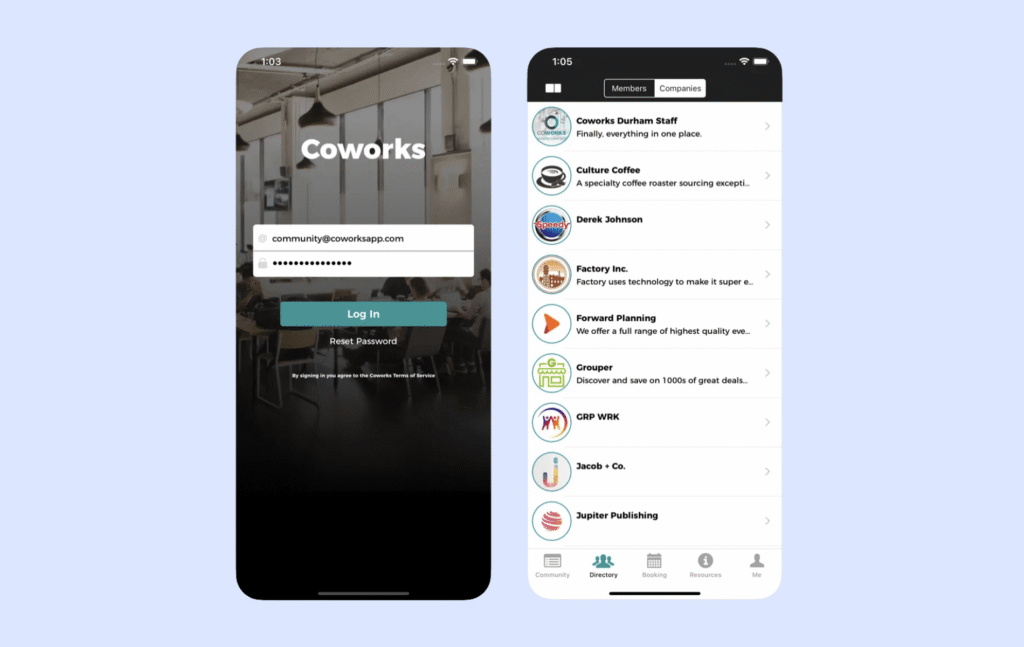
Coworks is built around the idea that a coworking space is a community first and a booking system second. It’s a lighter platform than Nexudus, so if you’re a space where connection and events run at the core of your value, Coworks may hit the mark for you.
This is also true if you want something simple to run and don’t need an extensive integration stack. Extensive customization and configuration doesn’t tend to be Coworks’ wheelhouse.
Key features of Coworks
- Event management with RSVPs, a member directory, and SMS/push notifications. This is Coworks’s strongest differentiator and where it genuinely outpaces Nexudus’s community tools.
- Membership plans, profiles, and signup forms for straightforward onboarding
- Automated recurring billing and day pass handling
- Mobile-first apps for iOS and Android
- A front desk check-in tablet app and meeting room displays
- A “Passport” feature for members who need access across multiple locations or partner spaces
How much does Coworks cost?
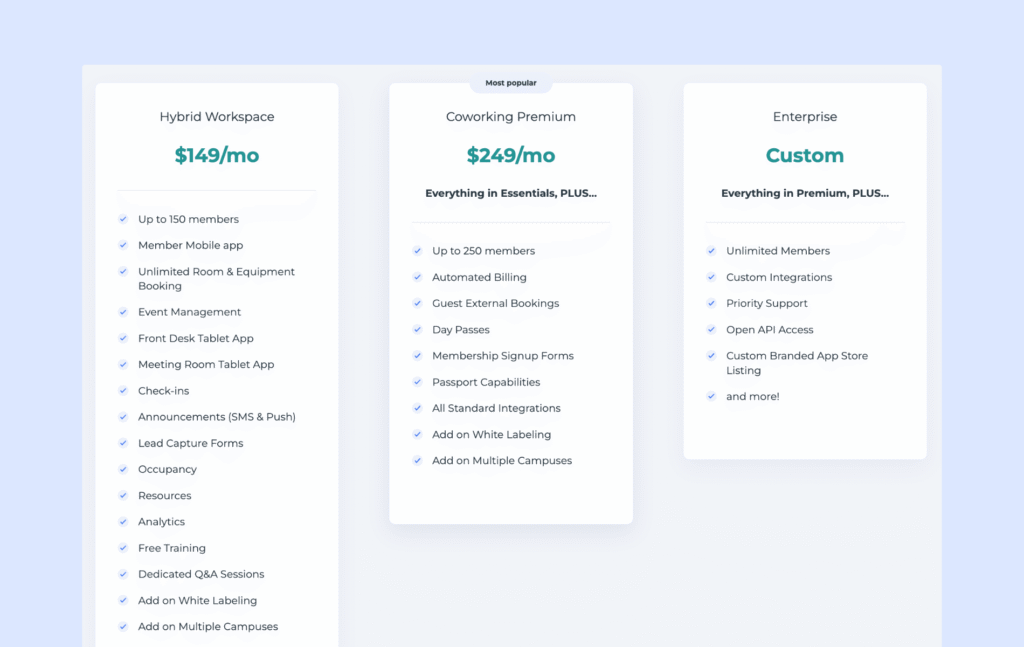
- Hybrid Workspace: $149/month annual (or $199/month monthly) — up to 150 members
- Coworking Premium: $249/month annual (or $299/month monthly) — up to 250 members
- Enterprise: custom pricing
White-labeling and multi-location support are both paid add-ons.
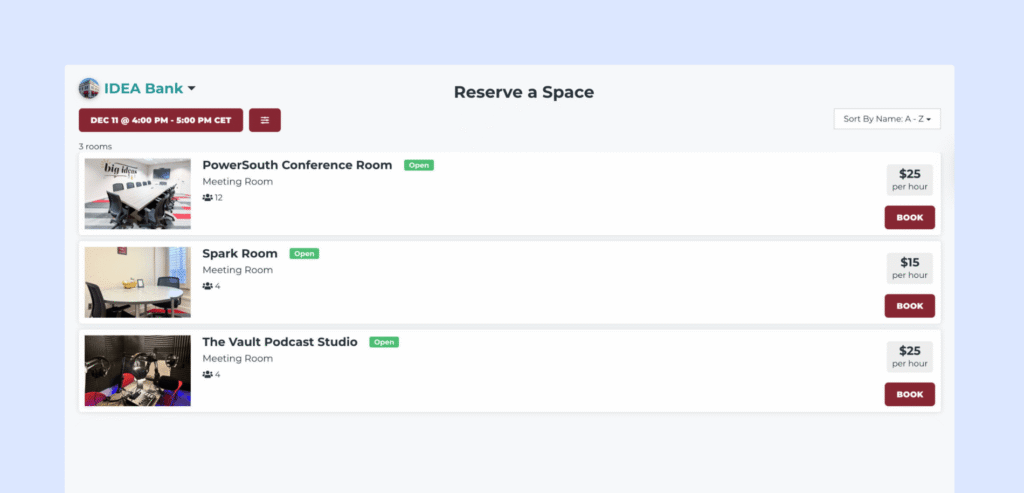
Pros and cons of Coworks
Pros:
- Easy to adopt without the platform feeling overwhelming
- Very strong community layer: RSVPs, messaging, and feed all feel native
- Simple enough that support requests stay low once it’s set up
Cons:
- Integrations are limited compared to Nexudus and most others on this list, which caps how large a tech stack you can build around it
- No built-in e-signatures, and analytics are lighter than growth-focused Coworks alternatives
To be honest, there’s a smaller body of reviews to reference for Coworks. That said, the feedback that exists is generally positive.
3. Optix
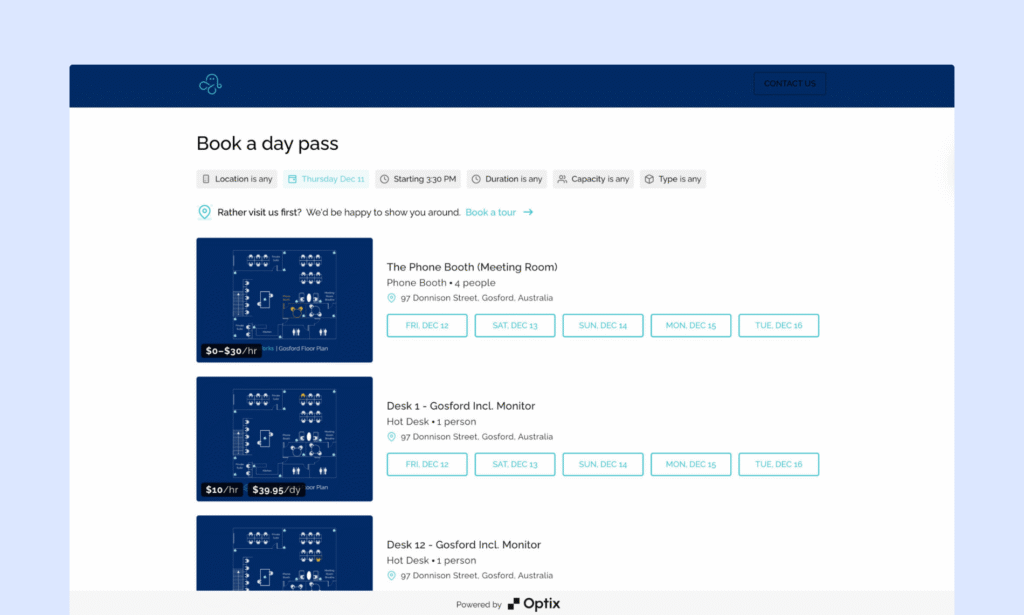
Optix grew out of ShareDesk in 2015 and leans toward automation and a mobile-first experience.
It’s a good option for operators who want to set up in-depth workflows to relieve their team from manual work. Size-wise, it tends to fit mid-sized spaces who are comfortable budgeting for add-ons and extra automations as needed.
Key features of Optix
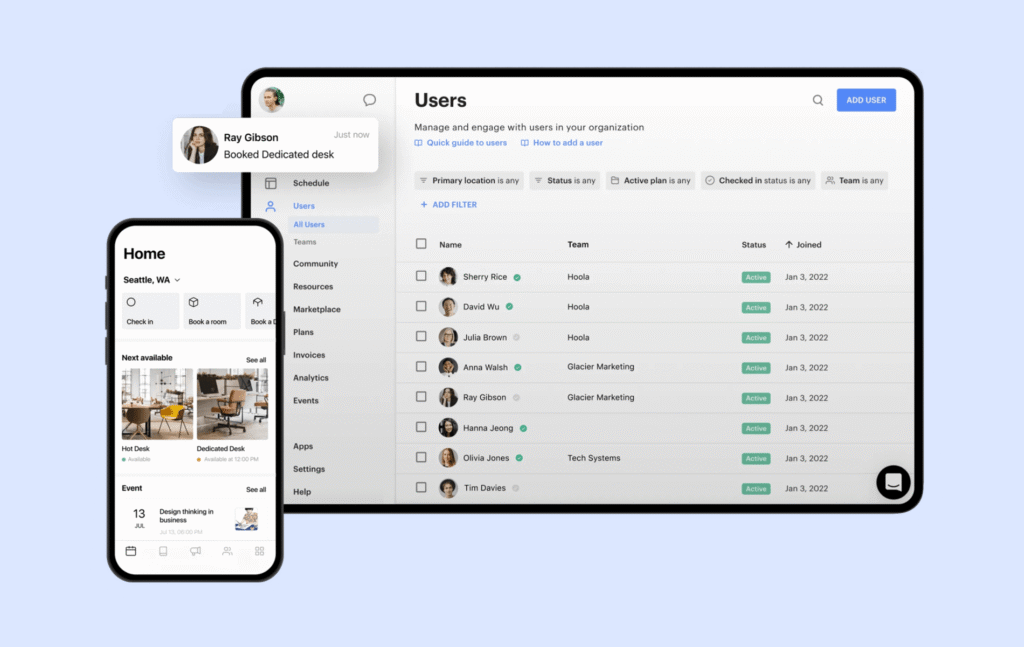
- Mobile-first design across iOS and Android as the primary way members interact with the space — a different philosophy than Nexudus, which still treats the web portal as the center of gravity
- A visual workflow automation builder that sets it apart from most others on this list. For teams trying to cut down repetitive admin tasks, you’ll not find a similar match at Nexudus
- Simplistic desk and meeting room booking design
- Membership plans, contracts, renewals, and usage-based billing
- Directory, messaging, announcements, and email campaigns
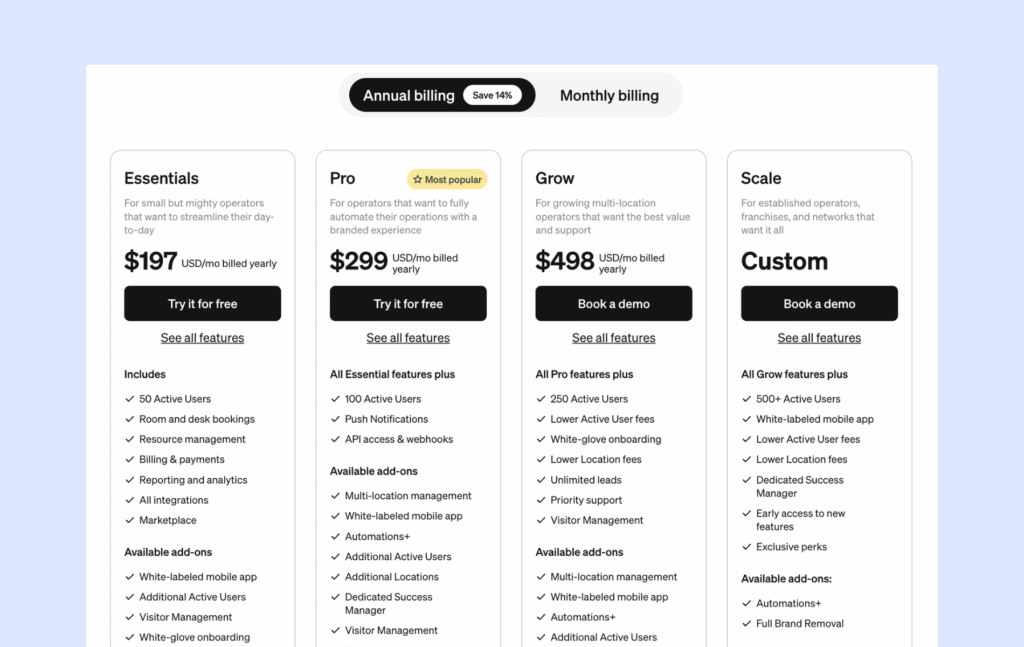
How much does Optix cost?
Pros:
- The mobile app draws consistent praise as “modern and easy,” with strong member adoption as a result
- Automation genuinely reduces repetitive admin work once it’s configured
- Onboarding support is responsive and hands-on
Cons:
- Web experience feels secondary to mobile, which is a problem if your admin team lives on a desktop all day
- Add-ons make the real monthly cost harder to pin down than the base price suggests
Users commend the mobile experience in almost every positive review — it’s the reason people choose Optix over more web-centric platforms like Nexudus. The tradeoff shows up on pricing and slight customization blockers, where reviewers are noticeably less enthusiastic.
Pros and cons of Optix
Pros:
- The mobile app draws consistent praise as “modern and easy,” with strong member adoption as a result
- Automation genuinely reduces repetitive admin work once it’s configured
- Onboarding support is responsive and hands-on
Cons:
- Web experience feels secondary to mobile, which is a problem if your admin team lives on a desktop all day
- Add-ons make the real monthly cost harder to pin down than the base price suggests
Users commend the mobile experience in almost every positive review — it’s the reason people choose Optix over more web-centric platforms like Nexudus. The tradeoff shows up on pricing and slight customization blockers, where reviewers are noticeably less enthusiastic. When comparing Archie vs Optix, the benefits largely come down to the fuller web-and-mobile experience.
4. Spacebring
Spacebring (formerly andcards) positions itself on ease of implementation and support quality. It’s the platform I’d point to if you’re based in Europe, for its multilingual UI and strong support across languages.
Small to mid-sized spaces tend to enjoy Spacebring for its modern system. There’s no enterprise-level complexity, and they put a real premium on responsive, multilingual support during and after rollout.
Key features of Spacebring
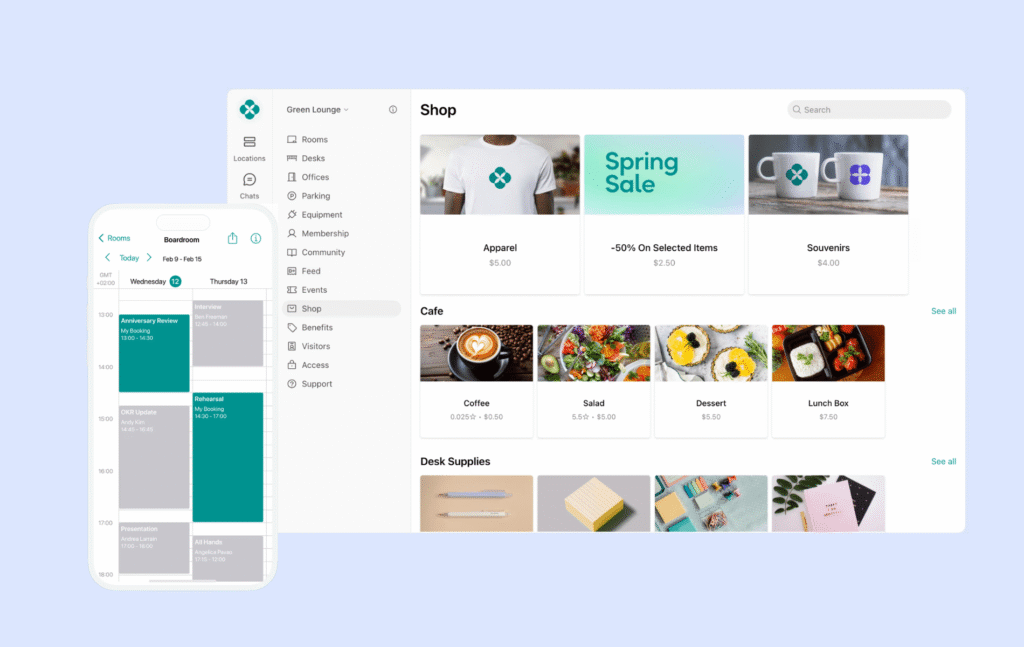
- A full web portal plus native iOS and Android apps
- Membership plans, contracts, invoices, recurring billing, and discounts
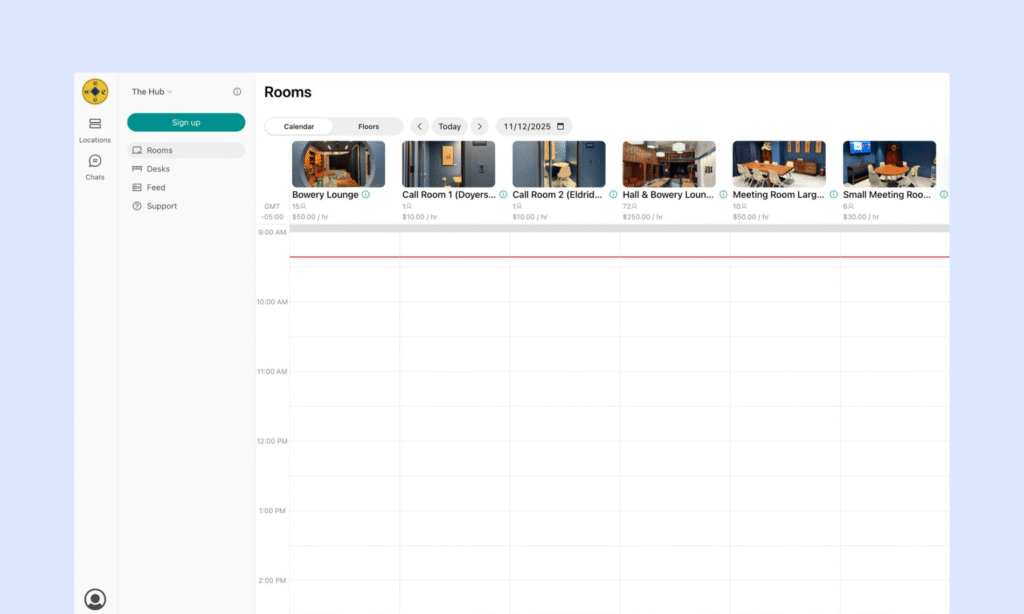
- Booking for meeting rooms, desks, parking, and equipment
- Member directory, messaging, events, and a community feed
- A basic CRM for lifecycle management — lighter than Archie’s or Nexudus’s, but functional
- Standout customer support, including live chat, phone support, and dedicated account managers — this is the feature you won’t find to the same extent anywhere else
How much does Spacebring cost?
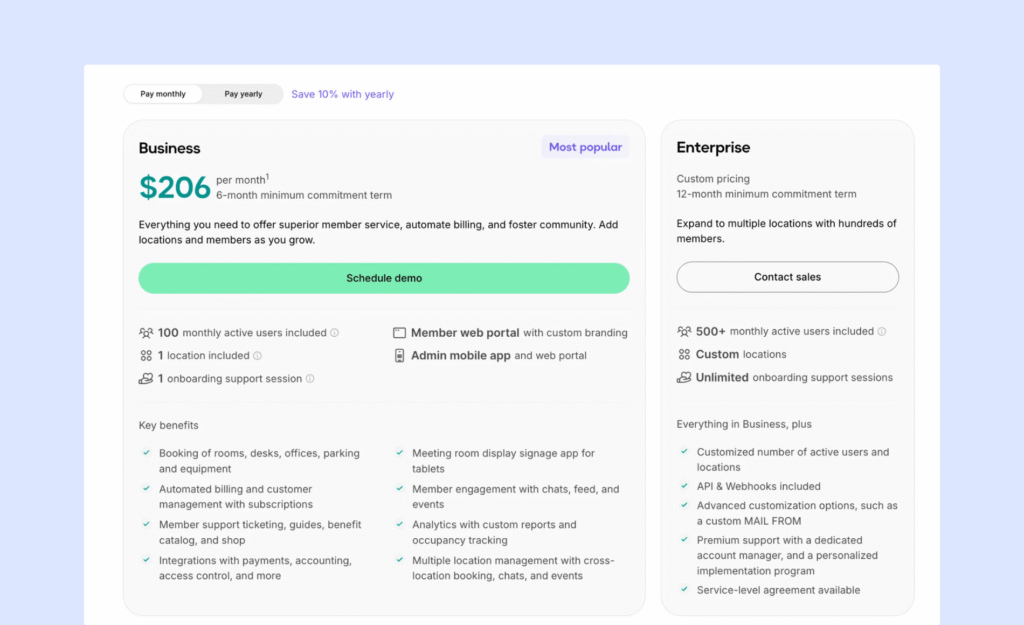
- Business: $186/month billed annually ($206/month monthly), 6-month minimum — includes 100 monthly active users, 1 location
- Enterprise: custom pricing, 12-month minimum
A number of features that come standard elsewhere are paid add-ons here: the member mobile app ($118/month for the first location, $89/month for each additional one), visitor reception ($59/location/month), floor plans ($30/location/month plus a setup fee), and API/webhook access ($30/location/month).
Spacebring’s pricing tends to be favorable if you’re a smaller space looking for a basic tier. However, Archie offers a fuller product for a similar price, especially if you’re adding members or locations.
Pros and cons of Spacebring
Pros:
- Easy adoption for both staff and members, with minimal ramp-up time
- European support quality is the standout — “top-notch” response times come up in reviews
- Feature shipping is fast
Cons:
- Add-ons for floor plans, visitor system, and e-signatures raise the effective cost above the sticker price
- Support availability narrows during North American evening hours
- Advanced onboarding and signing workflows have gaps compared to more full-featured platforms like Nexudus or Archie
When you parse through user feedback, support is the word that shows up over and over. Where Nexudus reviewers single out one particularly good support rep as a bright spot in an otherwise complicated system, Spacebring reviewers describe the whole support experience that way.
5. OfficeRnD
OfficeRnD Flex is the platform on this list that surpasses Nexudus in enterprise ambition. It’s built for operators managing complex coworking operations at scale, with the reporting depth and workflow flexibility that implies. If you’re leaving Nexudus because it’s too complex, OfficeRnD probably isn’t your answer. If you’re leaving because you’ve outgrown it and need even more structure, it might be.
Who it’s best for: our OfficeRnD review signaled multi-location operators who need advanced workflows, deeper reporting and dashboards, and are comfortable with upgrading to extra hubs for the full package.
Key features of OfficeRnD Flex
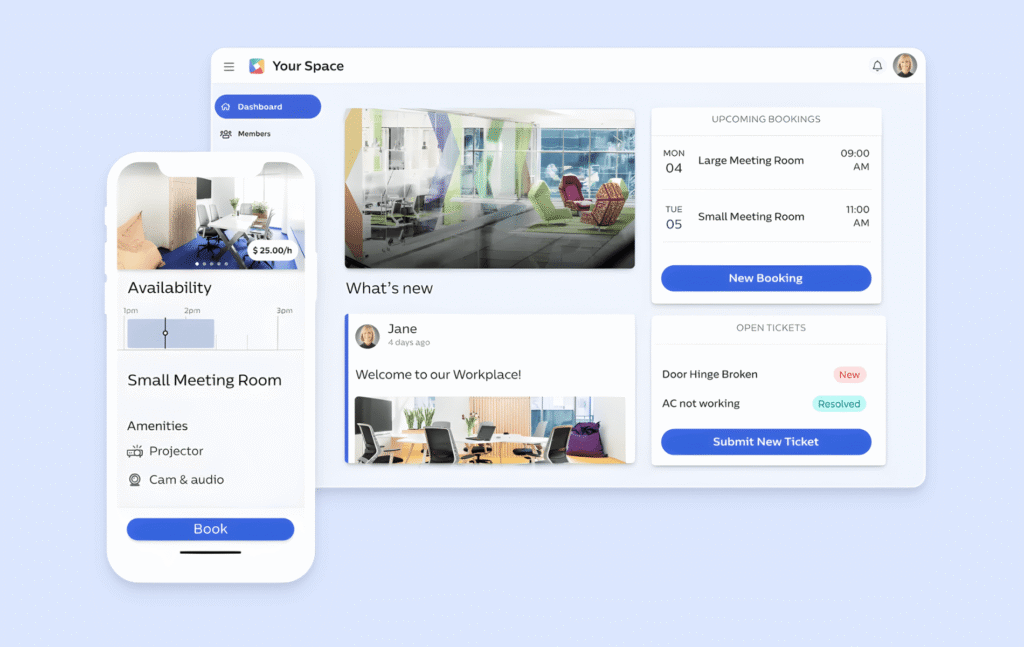
- Individual and company memberships with granular permissions
- Recurring charges, one-off fees, and automated billing workflows
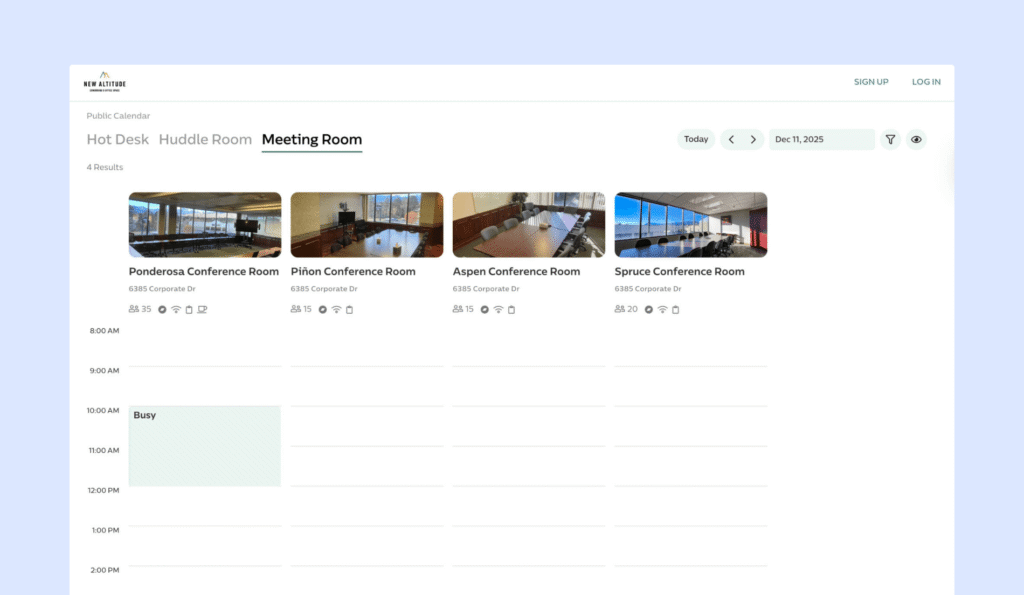
- Booking across desks, meeting rooms, offices, and other bookable resources
- Multi-location management genuinely built for larger, distributed brands — a real strength against Nexudus at scale
- Advanced reporting and detailed operational dashboards
- Integrations across payments, accounting, access control, and a CRM that adheres to revenue growth with more data than Nexudus provides
- API support for teams building custom workflows on top
How much does OfficeRnD Flex cost?
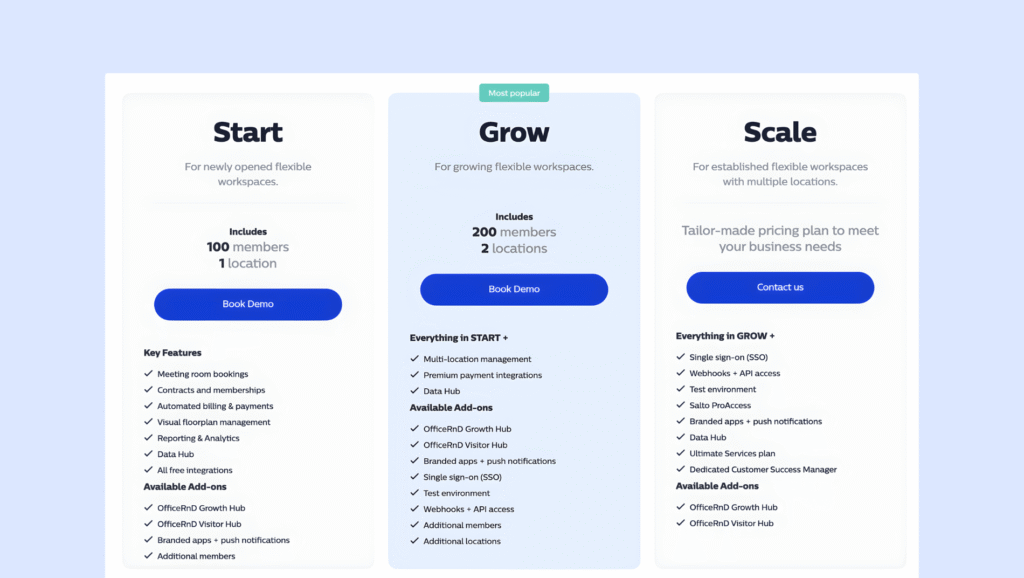
OfficeRnD’s pricing has evolved several times in 2026, with the introduction of the newer Growth and AI Hubs. The core offering is split across three tiers, while Hubs and branded apps are purchased separately:
Start — $185/month annually: 100 members, 1 location
Grow — $289/month annually: 200 members, 2 locations
Scale — custom pricing
E-signatures are also charged per signature rather than included in the base plan. Compared with Nexudus, where more functionality is packaged into the core offering, OfficeRnD’s headline price gives less indication of the total cost you’ll actually pay. The Hubs can add meaningful functionality, but their value depends on whether you know upfront that you’ll use them and they will bring value. Comparing Archie vs OfficeRnD, the argument is usability over depth at cost.
Pros and cons of OfficeRnD Flex
Pros:
- Described by users as a genuine end-to-end platform covering the full coworking lifecycle
- The hub structure keeps large, feature-heavy systems organized as they grow
- Reporting strength
Cons:
- Onboarding is more involved and can be difficult without in-house technical resources
- Add-on hubs (Visitor, Growth, premium support) can push total cost up substantially
- Smaller operations will likely find it more platform than they need — the same complaint that sends people away from Nexudus in the first place
What reviews say: the phrase “true end-to-end platform” comes up often, usually from larger, multi-site operators. It’s a strong fit at scale and an awkward one below it.
What is Nexudus?
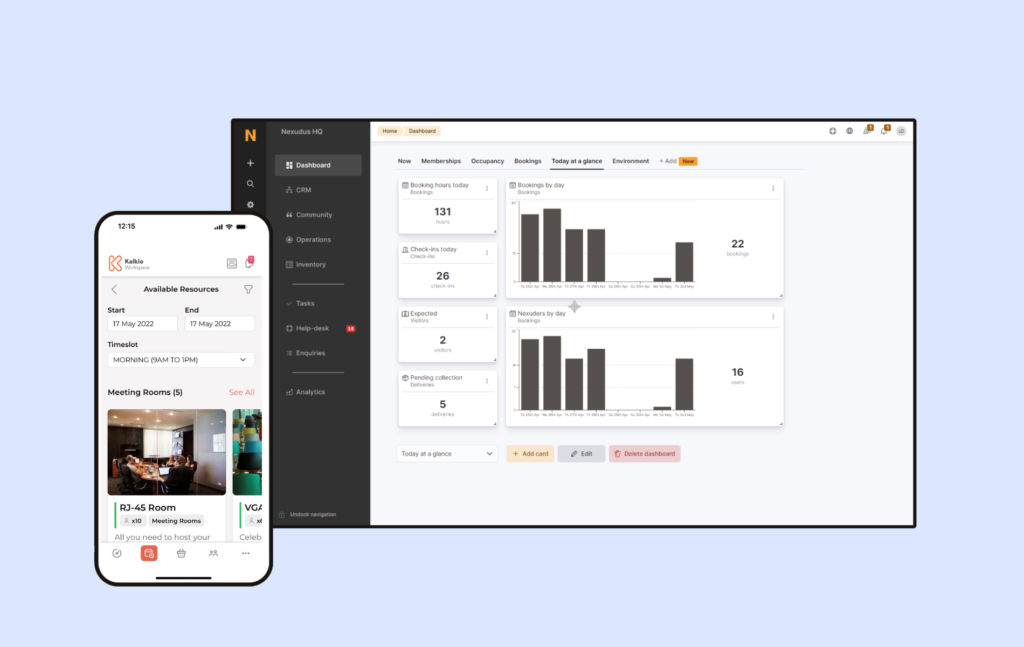
Nexudus is an all-in-one coworking and flexible workspace management platform, founded in 2012. It handles the full operational stack: bookings, memberships, billing, a built-in CRM, a community portal, and reporting, with a deep level of customization (including direct HTML and CSS access to the member portal).
A Nexudus review shows it’s designed for operators who need more than the basics: multi-location businesses, and teams who want to build a fully branded, custom member experience. Its core capabilities include:
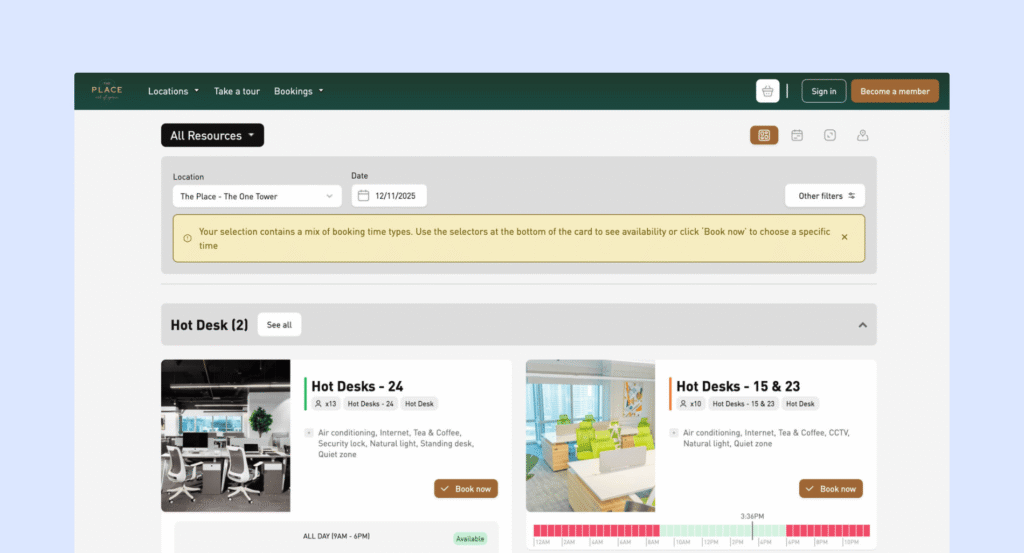
- Desk and room bookings with floor plans and automation,
- Membership and payment processing,
- A CRM with opportunities and task tracking, community features including events and a member app (Passport)
- Over 100 built-in reports plus a paid analytics add-on, and portal customization deep enough to let a developer effectively rebuild the front end.
Why do companies look for Nexudus alternatives?
If you’re a Nexudus customer yearning for floor plans that are easy to adjust, members who don’t find the app too complicated, and integrations that work first time, I get it. If you’re paying for depth, you need it to deliver. Some common gripes among Nexudus users found on G2 and Capterra, and from customers who have switched already:
- New staff need meaningful training time before they’re comfortable running day-to-day operations on Nexudus, and teams with regular turnover pay that training cost again and again.
- Operators switching want the member-facing app to look and feel as good as the back end. Yet the client-facing interface lags behind the admin side.
- Some reviewers report integrations that weren’t fully tested before launch, and the CRM has glitches.
- Add-on pricing adds up in ways that aren’t obvious upfront. White-labeling, advanced analytics, training, and select integrations are all separate line items.
Nexudus has been around for a long time, but as you can see above, other vendors have caught up in functionality.
If your team is spending too much time managing the platform, it might be time to switch. You’ll have an easier experience elsewhere, and a more modern platform means the setup time won’t be comparable to your Nexudus configuration woes.
How do you choose the right Nexudus alternative?
Ask yourself the following questions before signing up for demos: (i) Which features are ‘must haves’? (ii) How fast are you growing/plan to grow?
This will at least narrow down the list, and give you a better frame for your budget comparisons.
A few more considerations that will make for an easy decision:
- If you have one location and seek a lighter platform, head to Coworks and Spacebring.
- If a professional modern experience is what you seek for your staff and members, look at Archie. Managing visitors, membership tiers, and multiple locations is made very intuitive for a price that beats competitors on equivalent levels.
- If metrics and analytics have to support complex reporting, and you have the budget to scale alongside, OfficeRnD is likely your favorite.
Which is the best Nexudus alternative for growing coworking operators?
For most operators switching off Nexudus, Archie is the strongest fit. It covers the same operational ground — bookings, billing, memberships, visitor management, community, and reporting — without the setup and training overhead that sends people looking for alternatives in the first place, and its pricing scales in a way you can actually predict before you sign.
Archie fits best for:
- Operators adding locations or scaling membership counts who need pricing and onboarding that scale predictably alongside them
- Teams without a dedicated technical admin, who need a platform a new hire can run within days
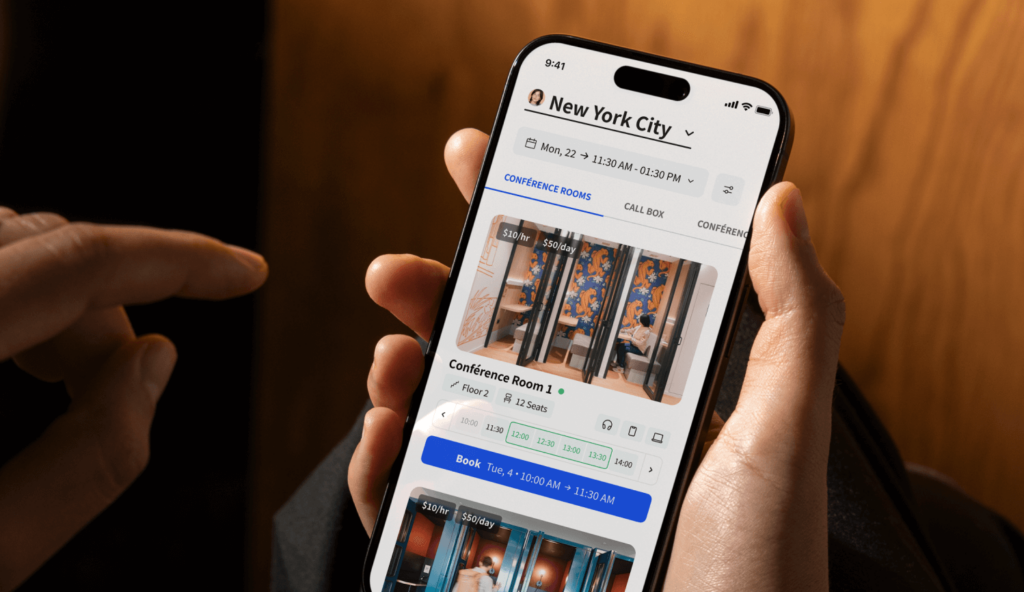
- Spaces that want a genuinely good member-facing app, not just a functional admin backend
Why do companies choose Archie as a Nexudus alternative?
Archie’s software directly fills the gaps that customers find missing in Nexudus. The platform is so intuitive there’s almost no learning curve:
- New staff and new members both get a system they can use without a manual.
- Built-in e-signatures, visitor management, and white-label domain reduces your add-on cost.
- CRM tracks your pipeline and membership plans logically.
Any adjustments or customizations are less complicated in Archie. This means fewer support tickets, faster staff onboarding, and an easier way to scale.
Archie | Nexudus | |
|---|---|---|
Core capabilities | Bookings, billing, memberships, visitor flow, CRM, community, e-signatures | Same categories, with deeper portal-level customization |
Pricing approach | Published tiers, predictable add-on costs | Base plan plus multiple à la carte add-ons (white-label app, analytics, training) |
Usability | Built for fast onboarding with minimal training | Powerful, but reviewers consistently cite a steep learning curve |
Integrations | Open API and Zapier support | Wider native integration library, though some carry extra fees |
Scalability | Predictable per-location, per-member pricing as you grow | Scales well operationally, but cost and complexity grow together |
Support | Included, responsive support across plans | Strong when it's good, per multiple reviews — but inconsistent |
Ideal customer | Growing operators who need speed and clarity | Larger or highly customized operations with technical resources |
I always advise those considering a software switch to head to G2 and Capterra for user feedback. In general, Nexudus users like having a flexible tool that adapts to the different cases and needs of each company. What they dislike is how complex the interface is, and how long it takes new staff to understand the platform.
Conversely, Archie’s users love how straightforward and reliable it is. Negatives include the fact that the app is occasionally evolving, and learning on-the-go is required.
For a score-level Archie vs Nexudus comparison:
Archie rating | Nexudus rating | |
|---|---|---|
G2 | 4.9/5 | 4.2/5 |
Capterra | 4.8/5 | 3.7/5 |
How do you migrate from Nexudus to Archie?
Migrating off Nexudus is a structured project, but the Archie team is here to help make it smoother than you would expect.
- Audit your current setup.
- Map your workflows to Archie’s structure.
- Migrate and verify data.
- Familiarize your staff with a soft launch.
- Go live and monitor closely.
- Optimize post-launch.
Many switches are made easier with data sharing and integration links. Please get in touch if you have any questions about Archie and want to know more about others who have made the switch.
- Key sources