



















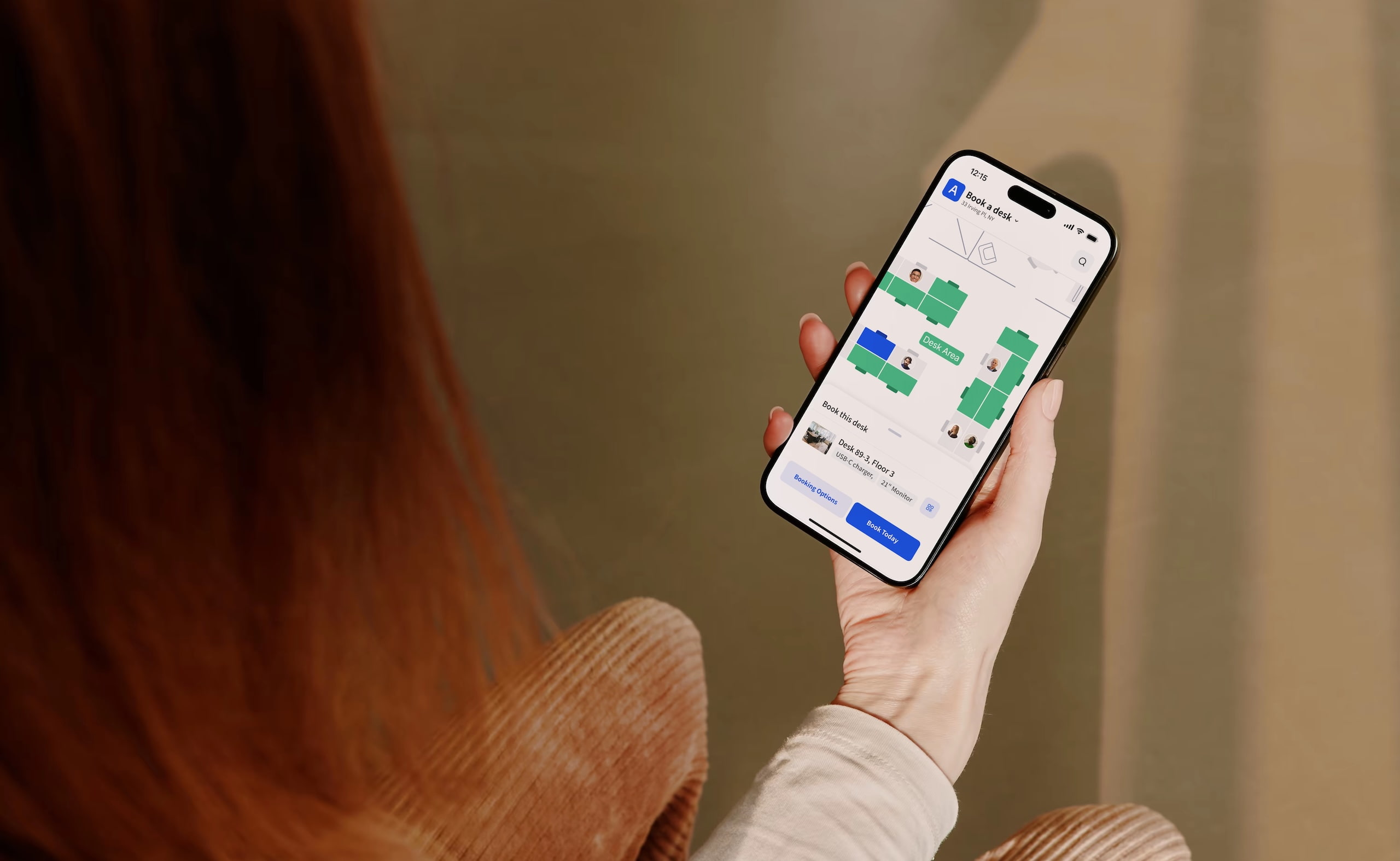
- What you’ll learn
- What desk booking software does and why it matters
- Which desk booking tools stand out in 2026
- How the top desk booking platforms compare
- Why Archie is the best desk booking software
Desk booking software (also called desk reservation software, hot desking software, or desk hoteling solution) helps people reserve a desk before they come into the office, or right when they arrive.
It doesn’t sound like a big deal at first, but it actually solves a real, everyday problem in offices where not everyone has an assigned seat (which is pretty common nowadays).
Think about it. When more companies pushed return to office plans, too many people started showing up on the same days, there were not enough desks, and lots of confusion. Some employees even reported coming in early just to grab a seat, and several large companies faced complaints when space felt tight or the rules were unclear.
Hot desk booking software helps fix that: it shows what is available in real time, and gives admins clear control over booking rules and capacity. That is also why there are now 40+ desk booking tools.
Since we know this space well at Archie, I reviewed pretty much all of these tools and narrowed the list down to the best desk booking software for 2026. Some products didn’t make the final list because they felt overly complex, had limited desk booking functionality, had pretty low reviews, or were built for very specific use cases rather than today’s workplaces.
And yes, you might be wondering if this is biased. I did the homework, and based on user reviews and what the tools actually offer, Archie genuinely stands out. Here’s why.
Top 6 desk booking tools
- Best desk booking software overall: Archie
Best fit for mid-sized and large offices that want an easy booking experience plus strong admin controls. Pricing is per desk, so it stays predictable as headcount changes. - Best affordable per-user option: deskbird
Great for small to mid-sized teams that want a modern UI and quick setup. Pricing is per user, though, so costs rise as more employees use it. - Best for Slack and Teams-first teams: Officely
A lightweight option that lets people book desks right inside Slack or Microsoft Teams. Great for simple needs, but not as deep on analytics and advanced admin tools. - Best for simple setup with strong booking rules: Skedda
Good for offices, universities, and straightforward setups. Pricing is tiered by number of spaces, which can cause price jumps as you add desks or other bookable items. - Best for desks + parking with a very lightweight rollout: Dibsido
Strong if parking is a real problem and you want something quick to deploy. Pricing is mainly per user, and admin customization is more limited than the bigger platforms. - Best enterprise platform: Robin
Built for large, complex workplaces with deep analytics and automation. Pricing is quote-based and usually starts around enterprise levels.
Why trust this review
For this review, I looked at each platform through a practical lens: would employees actually use it, and would admins actually enjoy managing it?
To build the final ranking, I combined a couple of sources of information: real customer feedback from G2 and Capterra; and product research using vendor websites, documentation, pricing pages, and demos.
- Side note
Software changes quickly, so pricing and features may change after publication. Always double-check the vendor’s website before making a decision!
Methodology: How I ranked the tools
Each platform was scored across five weighted categories:
- Ease of use (20%): Employee adoption is one of the biggest reasons desk booking projects succeed or fail. I looked at how easy it is for employees to book desks, find coworkers, check in, navigate office maps, and manage bookings from mobile devices. I also considered the admin experience, since workplace teams spend a lot of time managing floor plans, booking policies, permissions, and reporting.
- Desk booking features (25%): Not every desk booking platform offers the same capabilities. I looked at desk booking features like interactive floor plans, recurring bookings, no-show protection, coworker visibility, neighborhood seating, and occupancy analytics, to see how well those features work in practice, not just whether they appear on a marketing page.
- Pricing and value (20%): Some tools charge per employee, while others charge per desk, room, or workspace. That distinction can have a major impact on cost, especially for hybrid offices where multiple employees share the same desks. I considered pricing transparency, starting costs (along with implementation fees), free trials, and long-term scalability of the pricing model.
- Flexibility and scalability (15%): A desk booking tool may work perfectly for a 50-person office, but struggle when the company grows. I looked at multi-location support, booking rules and permissions, integrations, and reporting capabilities.
- Customer support and reliability (20%): Support quality can be surprisingly important once a platform is rolled out. I reviewed customer feedback on the onboarding experience, implementation support, response times, issue resolution, platform reliability, bugs, and syncing issues.
Here’s the verdict:
Platform | Best for | Key features | Pricing (annual billing) |
|---|---|---|---|
Archie | Best desk booking software overall | Desk booking, room booking, interactive floor plans, coworker visibility, QR check-ins, visitor management, analytics | $159 monthly minimum |
deskbird | Employee adoption and hybrid work coordination | Desk booking, office schedules, social office feed, coworker visibility | From €2.75/user/month |
Officely | Slack-first teams | Desk booking inside Slack, office attendance tracking, coworker visibility | From $2.50/user/month |
Skedda | Advanced booking rules and permissions | Desk booking, interactive maps, booking rules, approvals, restrictions, space management | From $99/month (15 spaces) |
Dibsido | Desk and parking reservations | Desk booking, parking booking, hybrid schedules, carpooling support | From $1.90 per user/month |
Robin | Large enterprises and workplace analytics | Desk & room booking, workplace analytics, office maps, wayfinding, automation | Custom pricing |
elia | Simple visual desk booking | Interactive floor plans, coworker visibility, desk booking, office coordination | From $199 per user/month |
OfficeSpace | Enterprise workplace and real estate teams | Desk booking, move management, space planning, workplace analytics, asset management, AI planning tools | Custom pricing |
Kadence | Hybrid work coordination and workplace planning | Desk & room booking, visitor management, floor plans, AI-powered SpaceOps, analytics | Custom pricing |
Eden | Modular workplace management | Desk booking, hourly reservations, floor plans, coworker coordination | From $2.25/desk/month |
Tactic | All-in-one workplace operations | Desk booking, room booking, workplace requests, AI assistant, floor plans | From $3 per workspace/month |
YAROOMS | Microsoft-first organizations | Desk & room booking, QR check-ins, colleague finder, visitor management, analytics, Yarvis AI assistant | From $99/month for 10 users |
Envoy | Visitor management and workplace operations | Visitor management, desk booking, room booking, workplace maps, deliveries, compliance features | From $5 per bookable resource/month + platform fee |
1. Archie: Best desk booking software overall
Archie Desks is (truly) my top pick for mid-sized and larger offices that want their desk booking software to feel easy for employees, while still giving admins enough control behind the scenes.
Some desk booking tools are powerful, but they feel too complicated. Others are simple at first, but they don’t offer enough control once your office grows. Archie sits nicely in the middle.
One feature I really like is the Work Week view. Instead of guessing who will be in the office, employees can quickly see when teammates are coming in and book a desk near them. It’s a small feature, but it makes office days feel much easier to plan.
For admins, Archie gives you plenty of control without making things feel overwhelming. You can set up team zones, booking rules, recurring bookings, assigned desks, QR code check-ins, no-show protection, and occupancy analytics.
The pricing model is also a big plus. Archie charges per desk, not per user. So if you have 500 employees sharing 100 desks, you pay for the desks, not every employee. For hybrid offices, that can make costs much easier to predict.
Archie also works well if you want more than desk booking later. You can add room booking, visitor management, and workplace analytics in the same platform.
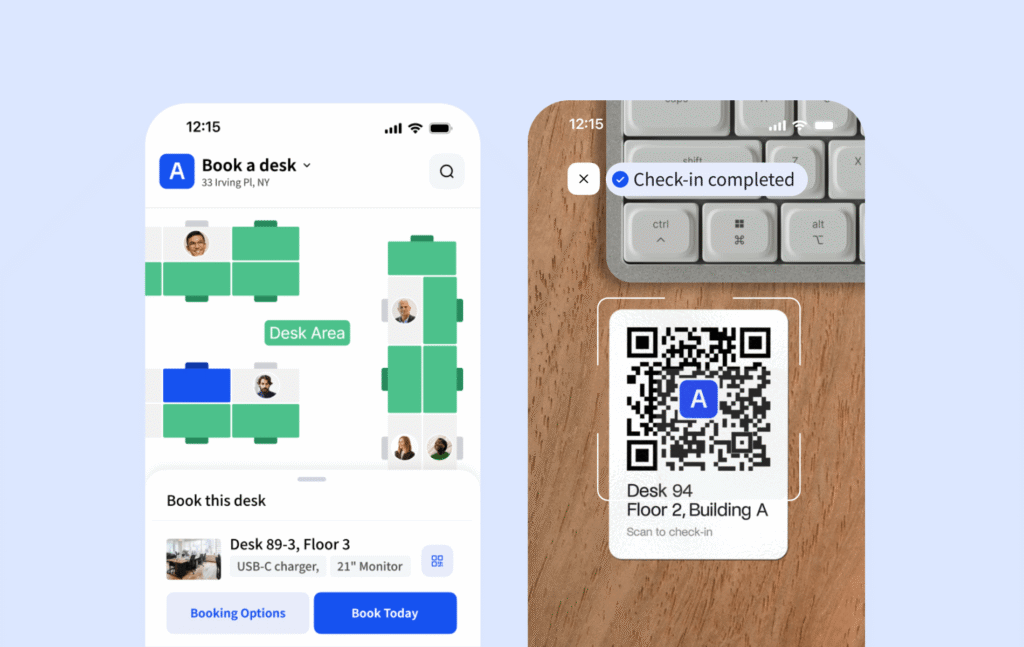
Core desk booking features
- Real-time desk availability. See which desks are free or booked right now, so users never double-book or guess.
- Interactive floor plans. Visual office maps that show desks, rooms, and people, making it easy to pick the right spot.
- Web & mobile booking. Book desks from a browser or mobile app, whether you are at your desk or on the move.
- Multi-tenant booking. Let multiple companies share the same office while controlling which desks, zones, and resources each company can see and book.
- Recurring bookings. Set repeat reservations for regular office days, instead of booking each time.
- Seat assignment (assigned + flexible desks). Support both permanent desks and shared hot desks in the same office.
- Colleague lookup. Find where coworkers are sitting and when they plan to be in the office.
- Team schedule view. See team-level attendance and planned office days at a glance.
- Desk check-in (QR & app). Users confirm they arrived by scanning a QR code or checking in from the app.
- No-show protection. Automatically release desks if no one checks in, so space is not wasted.
- Reminders & notifications. Send booking and check-in reminders by email, push, Slack, or Teams.
- Amenity & equipment filters. Filter desks by screens, docks, accessibility, or other features.
- Hybrid scheduling (hot desking & desk hoteling). Support on-the-spot bookings and advance reservations.
- Desk occupancy analytics. Track which desks are used most and when the office is busiest.
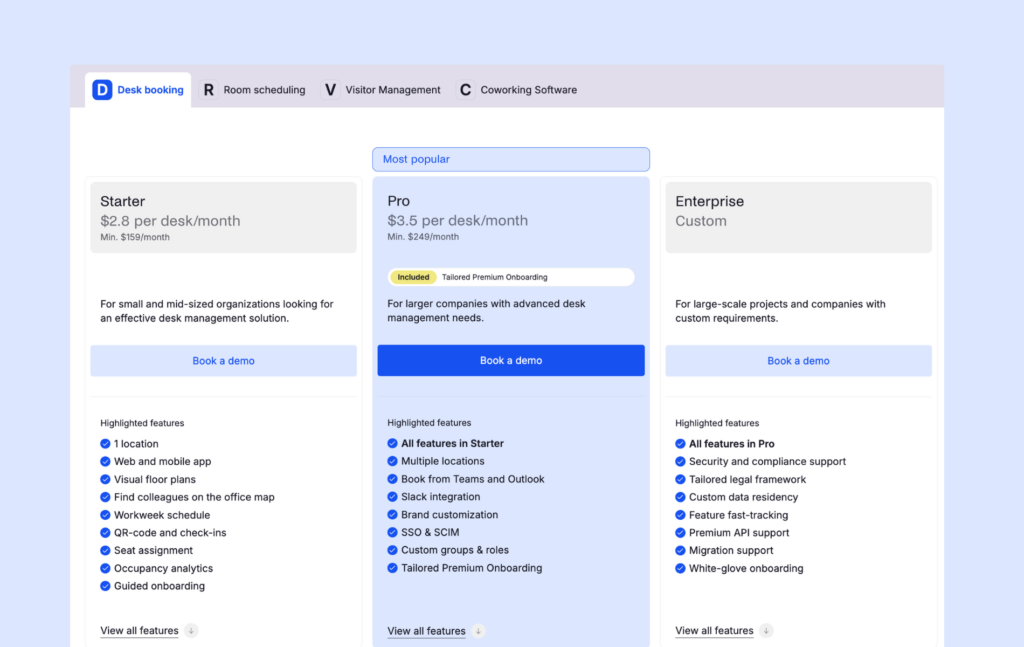
Pricing overview
Archie charges per space, not per user. So your cost is based on how many desks you make bookable, which is often easier to budget for when headcount changes.
- Starter:Minimum $159/month, best for small and mid-sized teams that want the essentials: 1 location, web + mobile booking, floor plans, colleague map, workweek schedule, check-ins, seat assignments, and basic occupancy analytics.
- Pro (most popular): $3.50 per desk/month (minimum $249/month), best for bigger teams or multi-site offices. Adds multiple locations, booking from Teams and Outlook, Slack, branding, SSO + SCIM, custom roles and groups, plus premium onboarding.
- Enterprise: Custom pricing, for large rollouts with extra needs like security and compliance support, custom data residency, premium API help, migrations, and white-glove onboarding.
As you upgrade, you keep the same smooth booking experience, but you get more admin controls, more integrations, and stronger IT and security support.
Pros & cons based on reviews and common feedback
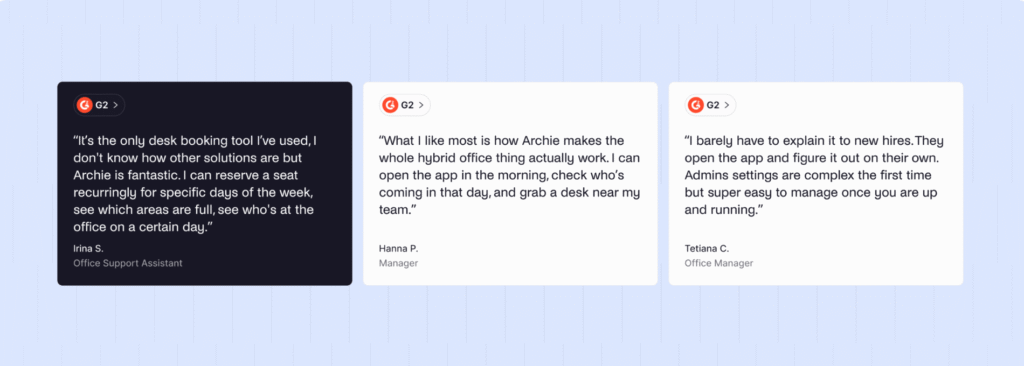
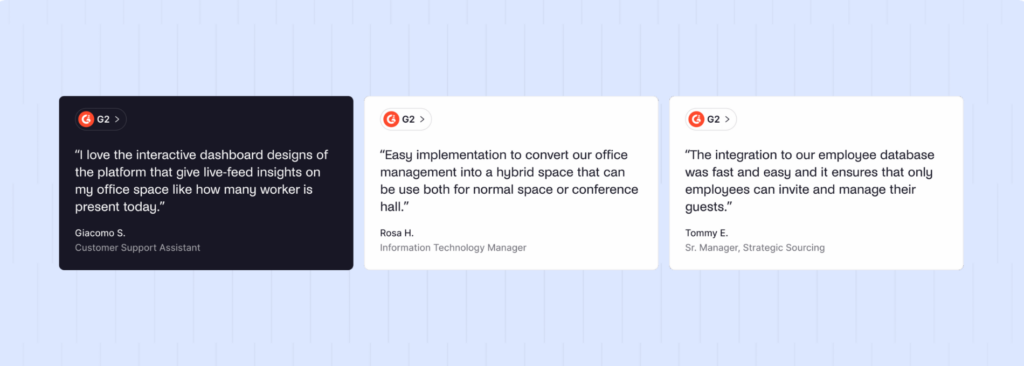
🟢 Easy desk booking experience. Employees can book desks in just a few clicks from web or mobile. Interactive floor plans make it easy to see what’s available and pick the right spot. That simplicity shows in user feedback, too. Archie is currently the highest-rated desk booking tool on G2.
🟢 Strong admin controls. Good support for booking rules, recurring reservations, approvals, buffers, restrictions, zones, and role-based permissions.
🟢 Helpful features for reducing “ghost bookings”. Check-ins and auto-release options help free up unused desks and keep availability accurate.
🟢 Works well with popular workplace tools. Integrates with calendars and collaboration tools (like Google Calendar, Microsoft 365, or Slack), so bookings fit into existing workflows.
🟢 Great for hybrid offices. Features like workweek schedules, employee lookup, team visibility, and clear booking rules make it a great fit for hybrid and flexible work setups. Plus, Archie uses resource-based pricing, which is easier to control as headcount grows, especially when people share desks.
🔴 Not the best fit for small offices. Archie is built with growing teams in mind. The Starter plan starts at one location with a minimum monthly fee, so very small offices may feel it is more than they need. In general, Archie’s pricing makes more sense when you are managing a bigger set of desks or you have more users than bookable spaces.
🔴 Floor plans are 2D only. You get clear, interactive maps, but there is no 3D view.
🔴 Best value when you use more than desk booking. If you only need a very basic desk booking tool for a tiny office, a simpler solution can be cheaper.
Best for: Archie is the strongest overall option if you want desk booking software that employees will actually use. It feels simple, looks modern, and gives admins enough control to manage a growing hybrid office. The mix of mobile booking, interactive floor plans, coworker visibility, QR check-ins, and per-desk pricing makes it one of the most practical options for mid-sized and larger teams.
2. deskbird: Great for simple, social desk booking
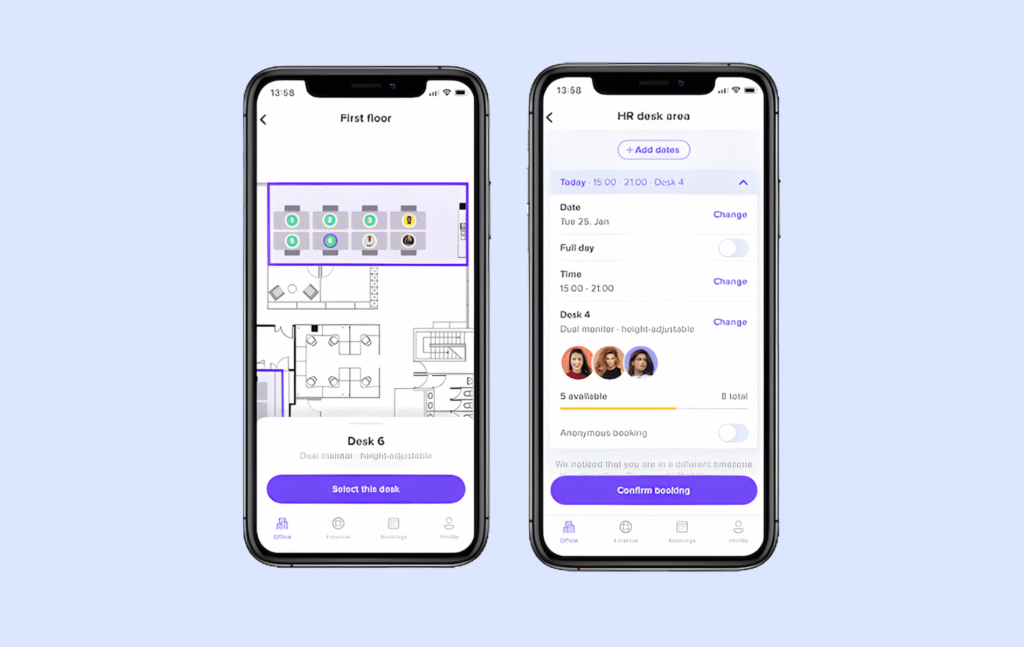
deskbird is a pretty modern desk booking tool that feels built around employee adoption. The interface is easy to understand, and the product puts a lot of focus on helping teams plan office days together, not just reserving desks.
That’s what I like most about it. deskbird does not treat desk booking as only a facilities or admin task. It also tries to answer the employee side of the question: “Who else is coming in, and is it worth going to the office today?”
Features like coworker visibility, office events, and the social office feed make the office feel more coordinated. Employees can see who plans to be in, follow teammates, and plan their own office days around the people they actually want to work with. For hybrid teams, that can make a real difference, because coming into the office often depends on whether the right people will be there too.
The booking experience also feels simple. Employees can book desks from the app, check their schedule, and coordinate with coworkers without much training. That kind of low-friction experience is important because even a good desk booking system can fail if people do not use it consistently.
That said, deskbird uses per-user pricing, which is worth thinking about carefully. It can work well for smaller teams, especially if most employees use the office regularly. But in larger hybrid workplaces, where many employees only come in once or twice a week, paying for every user can become expensive quickly.
Core desk booking features
- Interactive floor plans. See the office layout and who is sitting where, directly on a visual map.
- Book multiple days. Reserve desks several days in advance instead of booking day by day.
- Team booking. Book desks for your colleagues or your whole team in one action.
- Automated check-ins. Employees are checked in automatically when they arrive at the office, or they can scan a QR code at the desk to confirm attendance.
- No-show handling (via automatic check-in rules). Helps prevent desks from being booked but left unused.
- Resource filtering. Filter desks by equipment or features, like monitors or EV chargers.
- Access restrictions. Limit or prioritize access to specific areas or desks.
- Priority access rules. Give some teams earlier booking rights than others.
- Shared and restricted zones. Create areas that are open to everyone or only to certain groups.
- Suggested spaces (AI recommendations). Get desk suggestions based on past behavior and colleagues.
- Office events visibility. See workplace events that may affect attendance.
- Social office feed. View who is coming in today and see office activity and events in one feed.
- Office analytics. Track desk usage, attendance, and occupancy.
Pricing overview
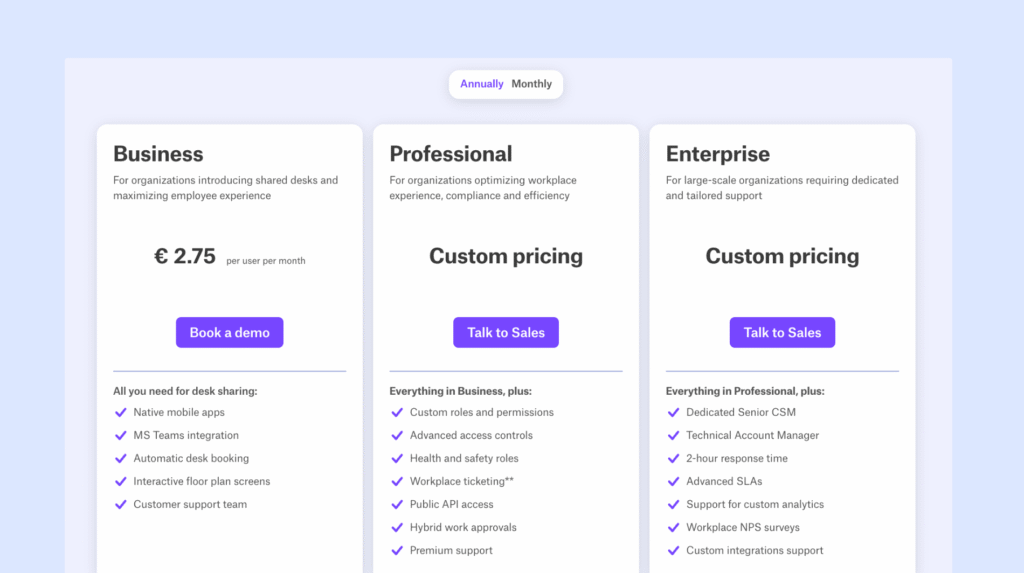
💡 April 2026 update: deskbird has simplified its pricing, moving away from its previous free and tiered plans. It still uses a per-user pricing model, so you pay for each employee rather than for desks or rooms:
- The Business plan starts at €2.75 (~$3.75) per user/month (annual billing) and covers the essentials, including desk booking, mobile apps, and floor plans.
More advanced features sit behind custom-priced Professional and Enterprise plans, and several key capabilities (like visitor management or meeting room tools) are available as paid add-ons.
Pros & cons based on reviews and common feedback
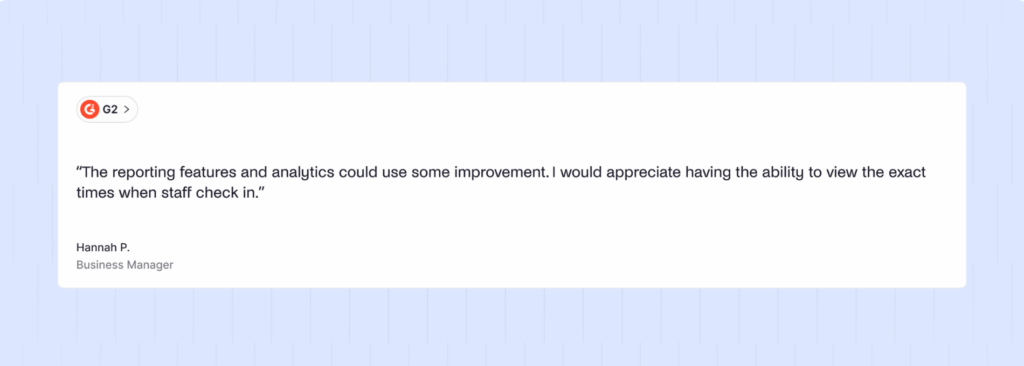
🟢 Very easy to use. The interface is clear, modern, and intuitive. Most users need little to no training.
🟢 Strong collaboration focus. Features like seeing who is in the office, Social Office Feed, and office events make it easier for teams to plan in-person days together.
🟢 Good integrations. Works well with Slack, Microsoft Teams, Outlook, and many other tools, so booking fits into existing workflows.
🟢 Helpful customer support. Onboarding and ongoing support are often praised as responsive and easy to work with.
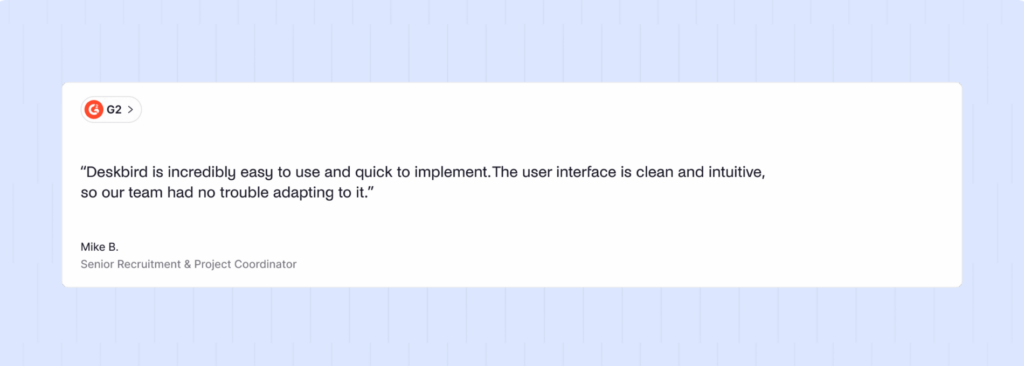
🔴 Limited analytics and reporting. Usage insights are fairly basic. Teams that need detailed space utilization data may find this restrictive.
🔴 Occasional reliability issues. Some users report bugs and syncing problems, especially with calendar integrations.
🔴 Pricing scales per user. Costs can grow quickly in large or hybrid organizations where many users are licensed but not always on-site.
Best for: deskbird is a strong choice for teams that care a lot about easy adoption, clean design, and social coordination. But if your company is growing fast or has far more employees than desks, a resource-based pricing model offered by deskbird alternatives may be easier to control long-term.
3. Officely: Best for Slack-first teams
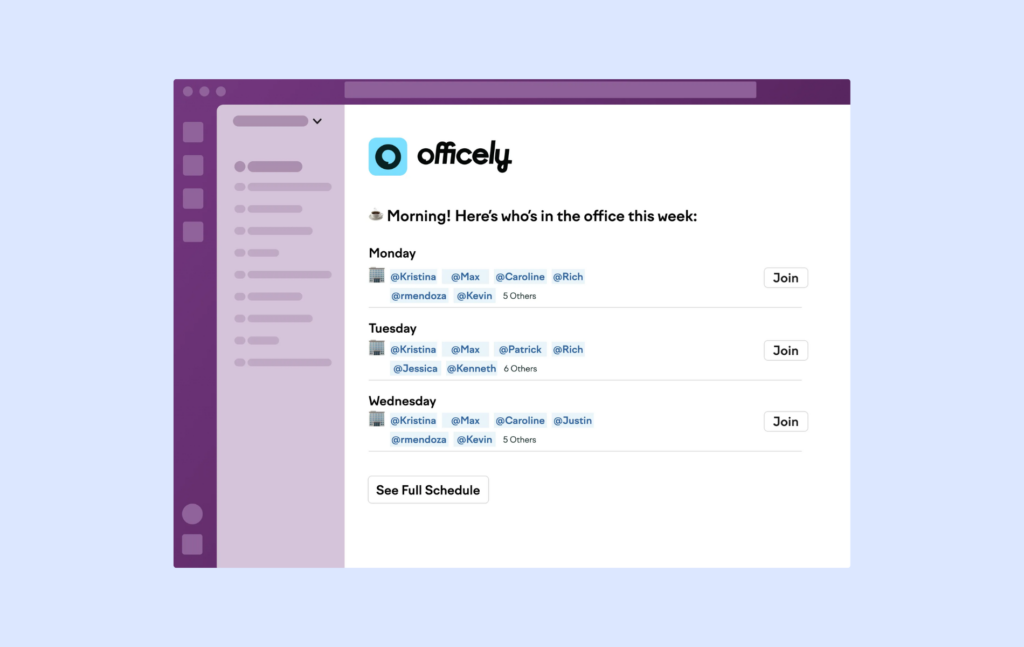
Officely takes a different approach from most desk booking tools. Instead of asking employees to learn yet another workplace app, it brings desk booking directly into Slack and Microsoft Teams.
I think that’s a smart idea, especially for smaller teams. If your employees already spend most of their day in Slack, booking a desk becomes part of their normal workflow rather than something they have to remember to do in a separate system. That can make adoption much easier, which is often one of the biggest challenges with workplace software.
The platform focuses on keeping things simple. Employees can book desks, see who plans to be in the office, coordinate office days, and manage reservations without leaving the tools they already use every day. For companies that want a lightweight solution with minimal training, that’s a real advantage.
That simplicity does come with some tradeoffs, though. Officely is intentionally lightweight, so it doesn’t offer the same level of functionality as broader workplace platforms. You won’t find advanced interactive floor plans, visitor management, detailed occupancy analytics, complex booking policies, or the deeper workplace management features available in tools like Archie, Robin, or Skedda.
Core desk booking features
- Book desks in Slack & Teams. Employees reserve desks directly inside Slack or Microsoft Teams, with no extra app to learn.
- Desk neighborhoods (team zones). Group desks by teams or areas like “Quiet Zone” so the right people sit together.
- Assigned and flexible desks. Keep permanent desks fixed, while sharing flexible ones.
- Check-ins with auto-release. Employees check in when they arrive. If they do not, the desk is freed automatically.
- Colleague visibility. See who is coming into the office and where they are sitting.
- Team booking. Book desks for coworkers or the whole team in one go.
- Multi-day bookings. Reserve desks for several days ahead.
- Desk and resource filtering. Find the right desk by team, location, floor, or amenities.
- Office attendance insights. Track who comes in, how often, and on which days.
- Office visibility & working statuses. See remote, in-office, traveling, or away statuses in Slack and Teams.
- Notifications for team activity. Alerts when favorite coworkers book or cancel.
Pricing overview
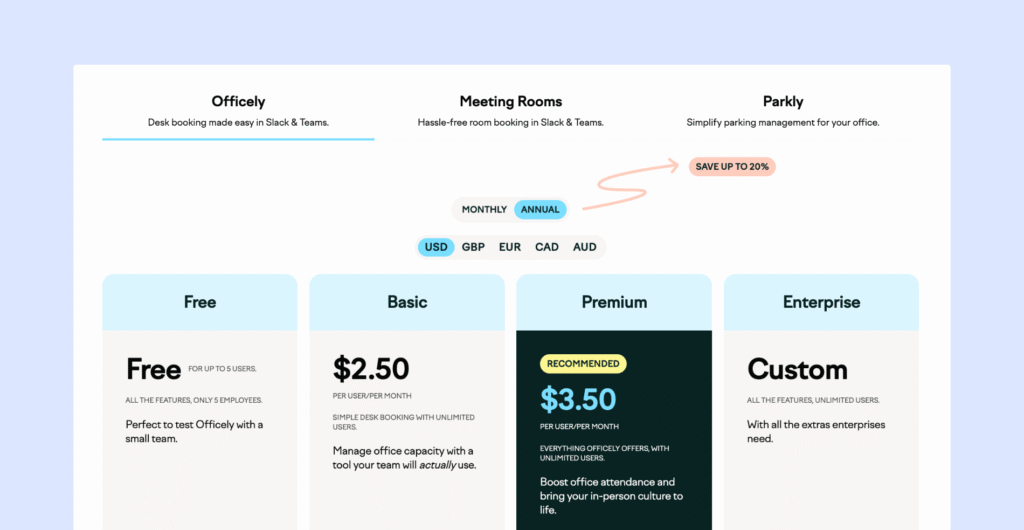
Officely charges per user, and all plans include desk booking inside Slack and Teams:
- Free: For up to 5 users, a good way to test desk booking with a small team.
- Basic: $2.50 per user/month, simple desk booking with unlimited users and core office visibility features.
- Premium: $3.50 per user/month, includes all Officely features, plus advanced insights and coordination tools to boost office attendance.
- Enterprise: Custom pricing for large organizations that need extra security, support, and custom setup.
Pros & cons based on reviews and common feedback
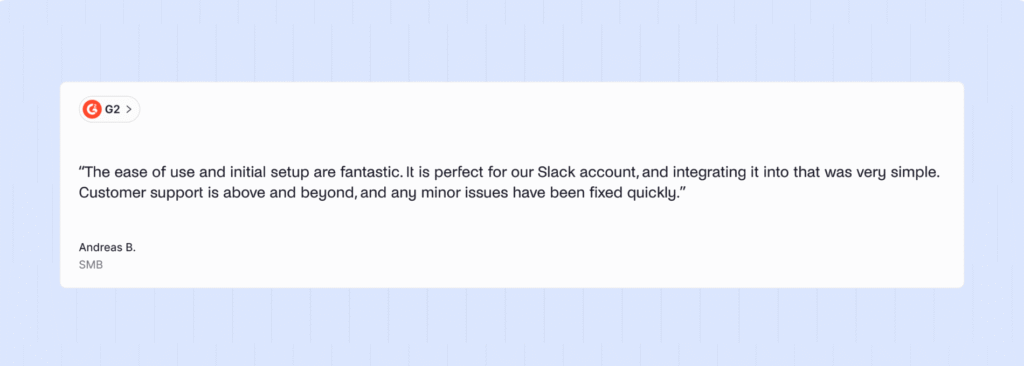
🟢 Very easy to set up and use. Reviews often mention that implementation is quick and the product feels intuitive right away.
🟢 Fits naturally into Slack. For teams using Slack, desk booking becomes part of the normal daily workflow, which usually helps adoption.
🟢 Helpful, responsive support. Many users call out the support team as a standout, especially during onboarding.
🟢 Good value for small teams. The starting price makes it accessible for smaller companies that want simple desk booking without extra overhead.
🔴 Limited analytics. You get basic visibility, but not deep space usage reporting or advanced workplace insights.
🔴 Feature limits as needs grow. For larger or more complex teams, the platform can feel too lightweight.
🔴 Microsoft Teams version is less functional. Some features available in Slack are not available in Teams, including things like office chat, some calendar integrations, and check-ins.
Best for: Officely is a great option for really simple desk booking inside Slack. If your main goal is getting employees to actually book desks and coordinate office days, it does that very well. But, if you need a broader workplace platform, you will likely outgrow it.
4. Skedda: Good for booking rules and flexible spaces
Skedda is a strong option if your office needs more control over how spaces are booked and managed.
What really stands out is its rules engine. You can create detailed booking policies around who can book certain spaces, how far in advance reservations can be made, booking limits, cancellation windows, access permissions, and much more. That level of flexibility makes Skedda a good fit for organizations where not everyone has the same access rights or where space usage needs to follow specific rules.
I can see why it’s popular not only with offices, but also with universities, makerspaces, labs, and other shared facilities that have more complex booking requirements.
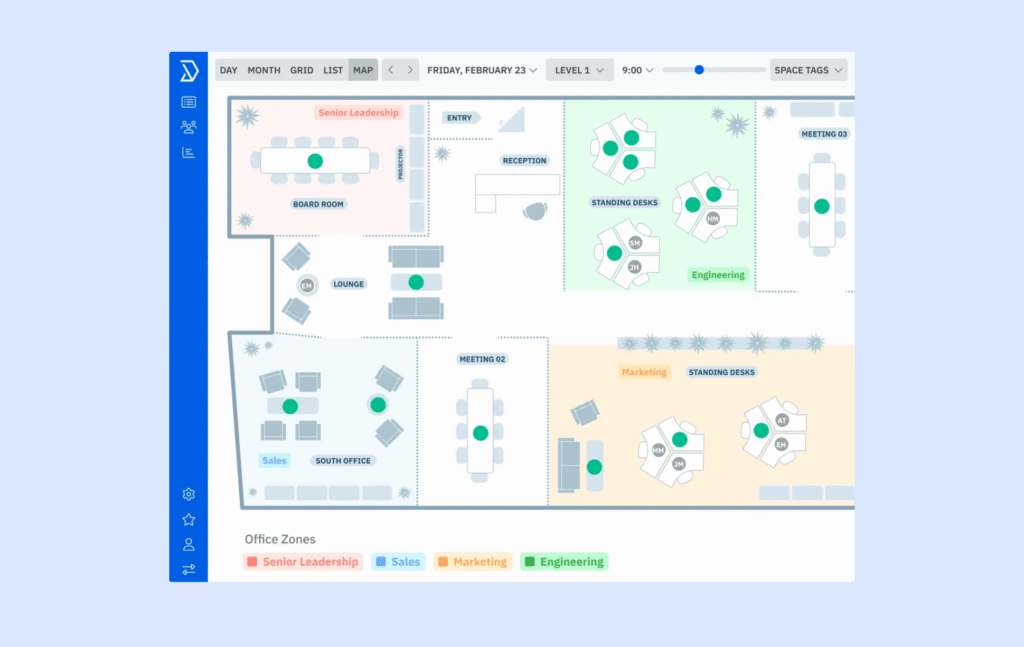
From an employee’s perspective, the booking experience is generally straightforward. Employees can reserve desks and spaces from interactive floor plans, see availability in real time, and manage bookings without much difficulty.
Compared to some newer workplace platforms, though, Skedda feels a bit more focused on administration and policy management than employee experience. Tools like Archie or deskbird put more emphasis on coworker visibility, hybrid work coordination, and helping employees decide when to come into the office.
Core desk booking features
- Interactive floor plans. Visual office maps that show desks and who is sitting where.
- Neighborhoods (team zones). Group desks by teams or areas so colleagues can sit together.
- Multi-device booking. Book from desktop, mobile, or directly in tools like Microsoft Teams via available integrations.
- Check-in policies. Users must confirm arrival, helping free up unused desks.
- Automatic release of no-shows. Unused desk bookings can be cleared automatically.
- Booking rules engine. Control how desks can be booked, including booking conditions, windows, access and visibility rules, custom fields, and cancellation policies.
- Assigned desks. Set permanent desks and show them on the floor plan.
- Amenity and equipment requests. Capture extra needs during booking.
- Utilization and occupancy insights. See which desks and areas are used most.
Pricing overview
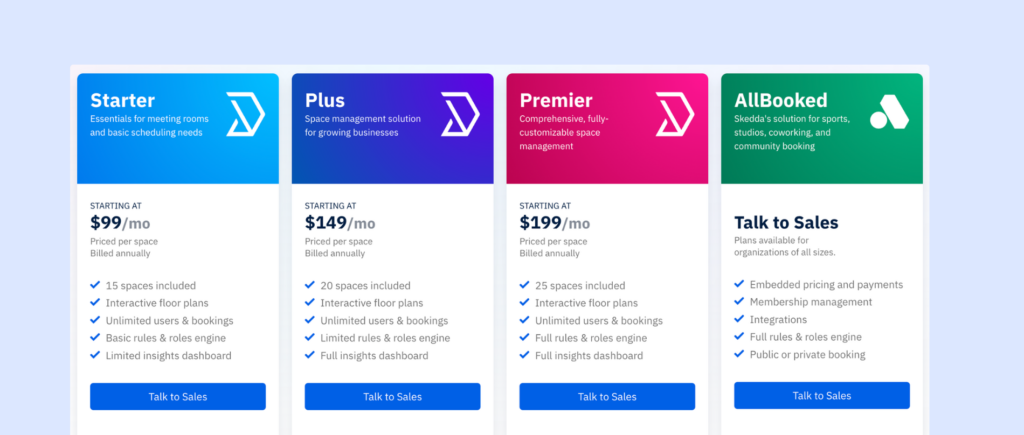
Skedda prices per space (desk or resource), with unlimited users:
- Starter: From $99/month (billed annually, 15 spaces included), good for basic desk booking and simple scheduling. Includes interactive floor plans, unlimited users and bookings, basic rules, and limited analytics.
- Plus: From $149/month (billed annually, 20 spaces included), for growing teams that need more control and better insights. Includes full analytics and a broader rules engine.
- Premier: From $199/month (billed annually, 25 spaces included), for organizations that need full customization and advanced space management. Includes the complete rules engine, full analytics, and deeper configuration options.
Pros & cons based on reviews and common feedback
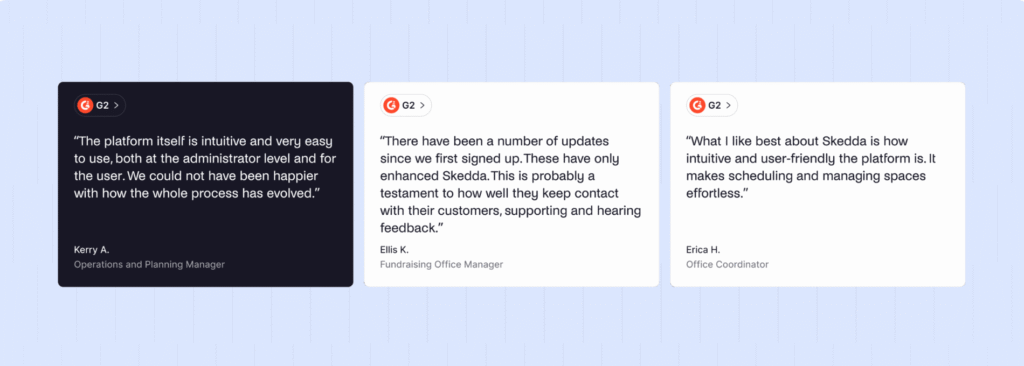
🟢 Easy to learn and roll out. The interface is clean and intuitive, so teams usually adopt it quickly with little training.
🟢 Strong desk booking experience. For basic desk reservations, it covers the essentials well and saves admins a lot of manual work.
🟢 Flexible rules engine. Skedda’s booking rules are strong for many common use cases, especially when you need basic controls like booking windows, buffers, and repeat bookings.
🔴 Pricing jumps as you scale. Because every bookable item counts as a “space,” costs can climb quickly. Adding parking spots, lockers, or even a few extra desks can push you into the next tier sooner than expected.
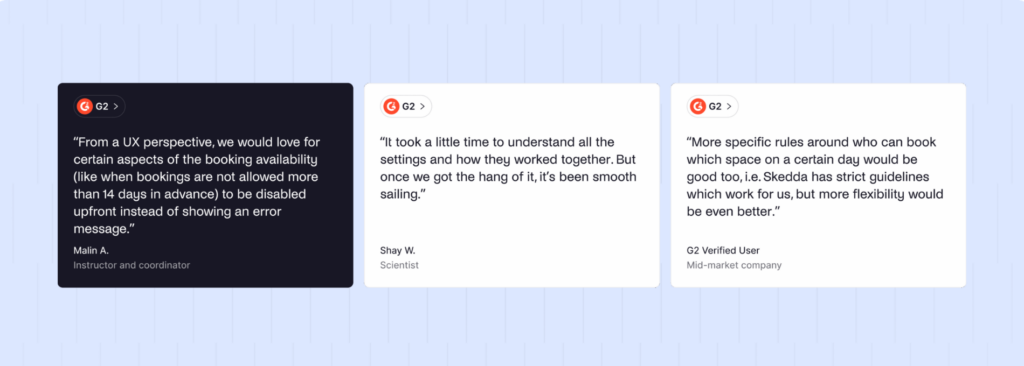
🔴 Feature limits on lower tiers. A lot of practical “day-to-day” features are locked behind higher plans, which can make the entry tiers feel restrictive for growing offices.
🔴 Some rough edges for advanced admin work. The user experience is generally good, but more complex configuration and admin tasks can feel less polished.
Best for: Skedda is more focused on making sure the right people can access the right spaces under the right conditions, so it’s a good choice if rules and flexibility matter most to you. If you are growing quickly and want more predictable pricing, compare it carefully with Skedda alternatives.
5. Dibsido: Great for desks and parking booking
Dibsido is one of the simpler tools on this list, and honestly, that is part of its appeal.
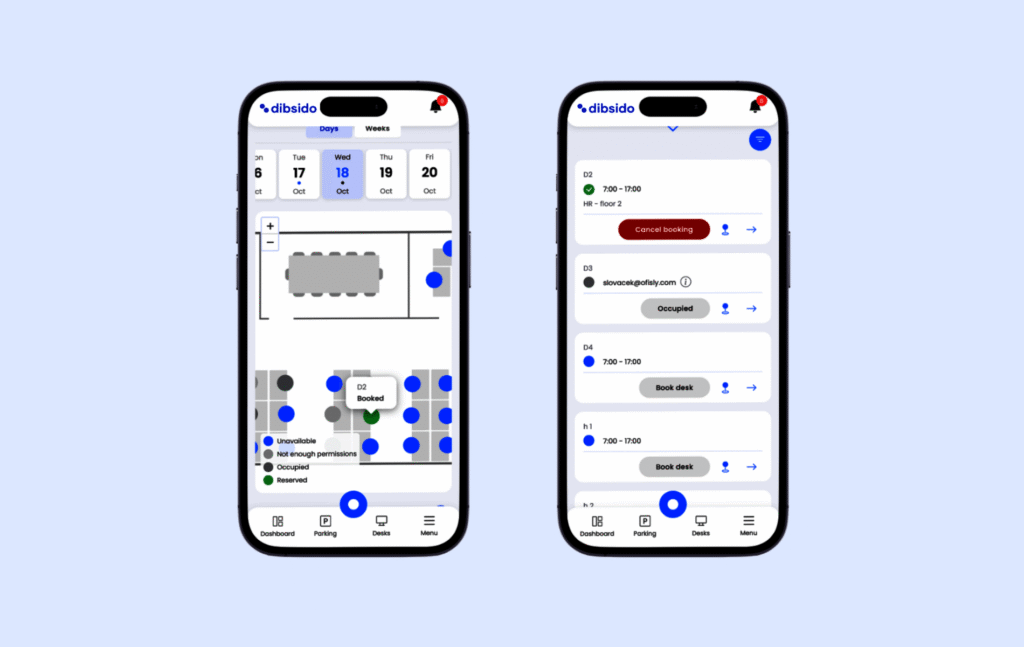
I can see it working well for smaller teams that want something quick, clear, and easy to roll out. Employees can book desks, manage hybrid schedules, and reserve parking spots without much training. The whole experience feels lightweight, which is useful if you do not want a complicated workplace platform.
The parking feature is what makes Dibsido stand out most to me. Many desk booking tools either skip parking or treat it like an extra add-on. Dibsido puts it much closer to the center of the product, with parking reservations, availability management, and carpooling support.
That can be a real advantage if parking is a common pain point in your office. If employees are constantly competing for limited spots, managing desks and parking in one place can make office days feel much smoother.
The tradeoff is that Dibsido may feel too light as your needs grow. If you need advanced analytics, detailed admin rules, visitor management, or support for multiple locations, you may eventually outgrow it.
Core desk booking features
- One-click desk booking. Reserve a desk in seconds, with a very simple user experience.
- Interactive floor maps. Book directly from a visual office map and easily find your way to the desk.
- Auto-cancellation for no-shows. If someone does not check in, the desk is released automatically.
- Desk allocation (fixed + flexible seating arrangements). Employees can free up their assigned desk when working remotely, turning it into a hot desk.
- Team schedule view. See who is in the office, remote, or out of office.
- User groups & access control. Control who can book specific desks or areas.
- Office analytics & reports. Track desk usage, peak days, and attendance trends.
Pricing overview
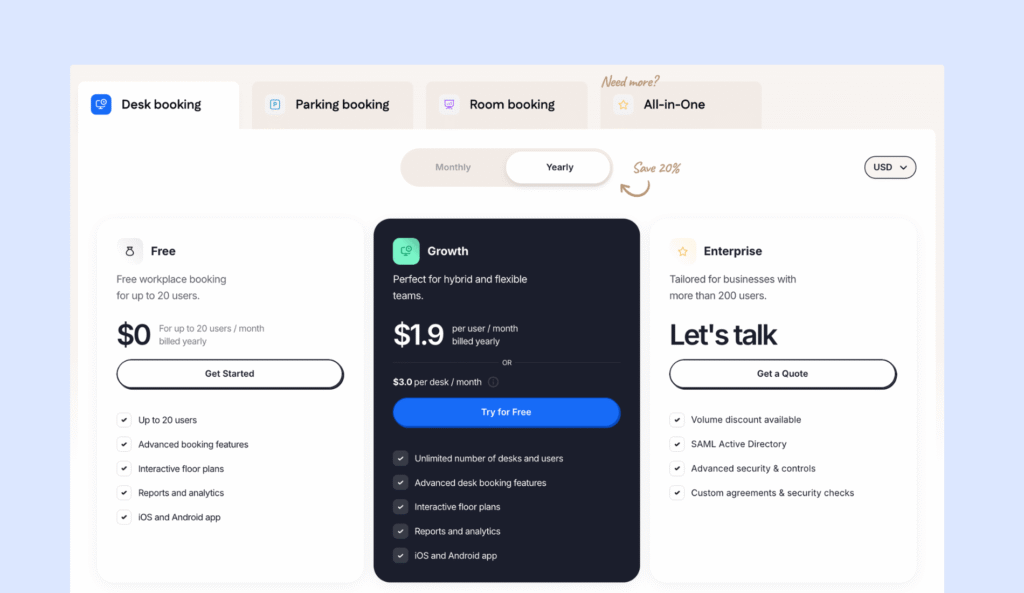
Dibsido prices mainly per user, with unlimited desks on paid plans:
- Free: For up to 20 users, includes desk booking, floor plans, analytics, and mobile apps. Good for small teams getting started.
- Growth: $1.90 per user/month (billed yearly), best for hybrid teams that need full desk booking features and reporting, includes unlimited desks, advanced booking rules, analytics, and mobile apps.
- Enterprise: Custom pricing, for organizations with 200+ users that need advanced security and custom agreements.
Pros & cons based on reviews and common feedback
🟢 Very easy to set up and use. The product is built for quick rollout and fast adoption. Reviews often highlight the “no training needed” feel.
🟢 Strong parking support (with fairness controls). Includes parking management with options like monthly limits, which helps prevent the same people from always grabbing spots.
🟢 Supports multiple languages. Works on iOS and Android, and supports many languages, which helps with distributed teams.
🟢 Free plan for small teams. A freemium option for up to 20 users makes it easy to test without commitment.
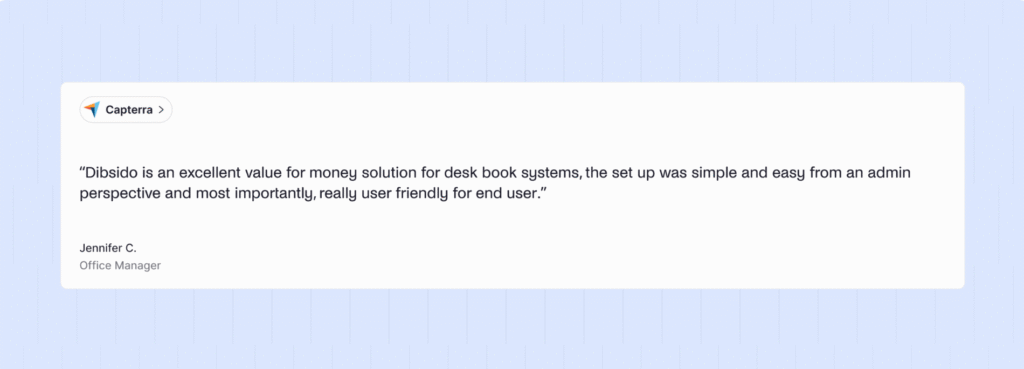
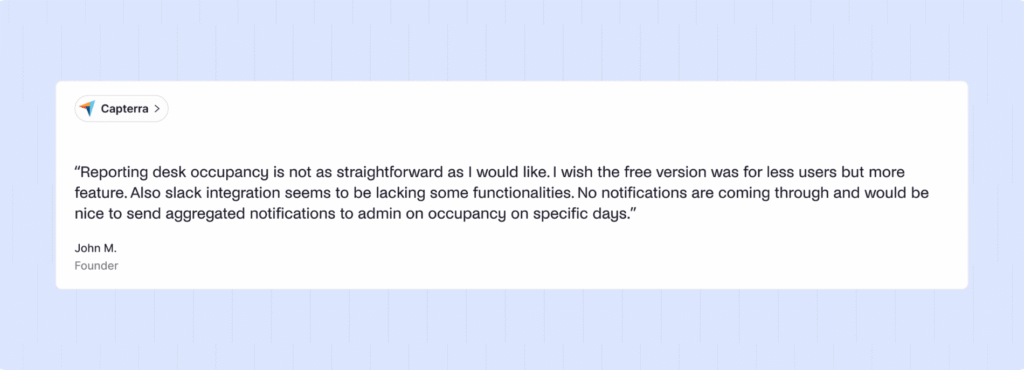
🔴 Admin customization is more limited than advanced tools. If you need complex policies, detailed permissions, or lots of rule tuning, it may feel too lightweight.
🔴 Not the best fit for visitor-heavy offices. If visitor management is important (check-ins, logs, badges, workflows), you’ll likely want something more complete.
Best for: Dibsido is a strong pick if you want simple desk booking and parking management. If you need deeper analytics, visitor management, or multi-location controls, a broader platform may be a better fit.
6. Robin: Best for large enterprise workplaces
Robin is built for bigger companies, usually teams with 500+ employees, that need more than basic desk booking.
What I like about Robin is that it feels like a mature workplace management platform. It started as a room scheduling tool, but today it covers a much wider set of workplace needs, including desk booking, room booking, visitor management, office maps, wayfinding, automation, analytics, and integrations.
The strongest part, in my opinion, is the analytics. If you manage a large workplace, you need more than a list of desk reservations. You need to understand which spaces are actually being used, which days are busiest, where demand is highest, and whether your hybrid policy is working. Robin brings together data from bookings, access control, and occupancy tools to give workplace teams that bigger picture.
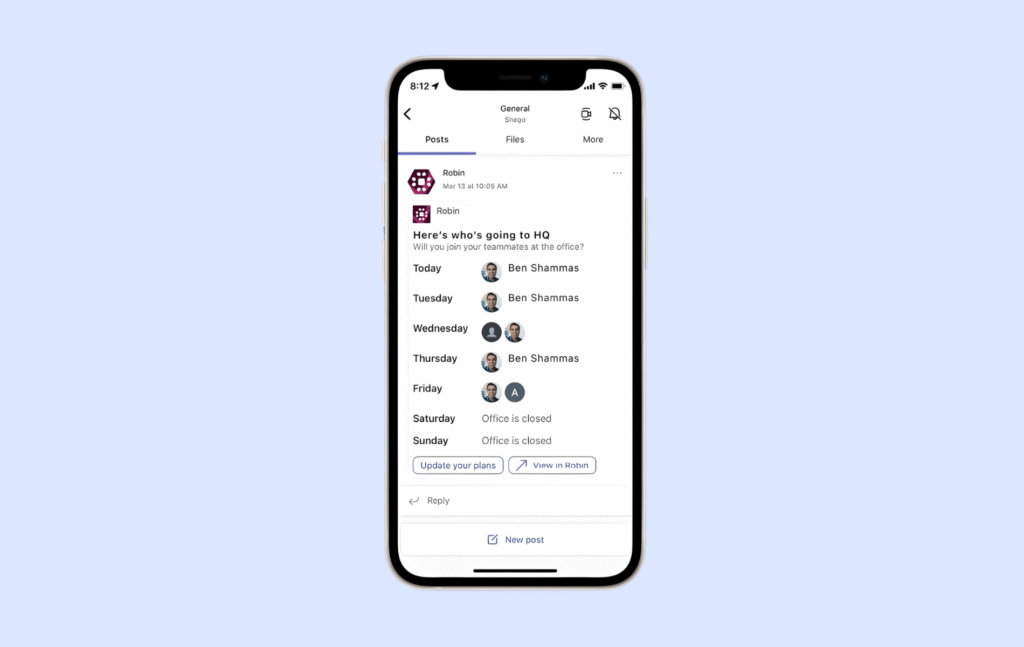
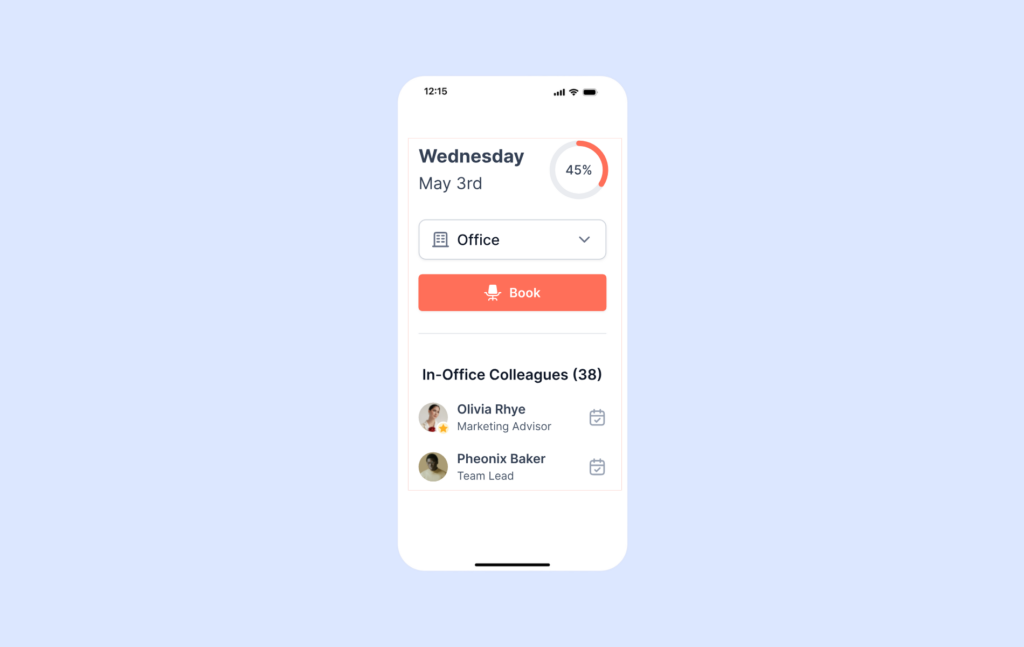
I also like that Robin puts a lot of thought into employee experience. Employees can book desks and rooms, see when coworkers are coming in, find spaces on office maps, and get reminders about office days. For larger companies, that matters because even small points of friction can become big problems when hundreds or thousands of people use the same system.
Robin also leans into automation. It can help with things like auto-booking desks based on employee preferences, suggesting rooms based on meeting needs, and releasing unused meeting rooms when no one checks in. Those features can be very useful in large offices where space is in high demand.
At the same time, Robin may be more than smaller teams need. It is clearly built for enterprise-style workplaces, so there are more settings, more workflows, and more implementation steps to think through. Some users also mention that floor plan changes can take extra time and may require help from Robin’s team.
Pricing is another thing to watch. Robin uses custom pricing, so it is hard to know the total cost without speaking to sales. It is also generally positioned as a premium platform, which makes sense for large companies, but may feel too expensive for smaller hybrid teams.
Core desk booking features
- Desk booking (hot desking + assigned desks). Let people book flexible desks, while also supporting assigned seating where needed.
- Priority booking. Give certain teams or groups earlier access to popular desks and areas.
- Automatic booking. Robin can automatically reserve desks (and other resources) based on patterns and who is coming in.
- AI space suggestions. Recommends desks, parking, and other resources based on past booking behavior.
- Custom resources. Create bookable resources like lab equipment, studios, or anything else your workplace needs.
- QR codes and NFC check-ins. Enable quick, ad hoc check-ins using QR or NFC tags on desks and spaces.
- Wayfinding and digital signage. Help employees and visitors navigate the office with digital signage.
- WYSIWYG map editor. Edit office maps in a visual “drag and drop” style to manage layouts and resources.
- Custom reports and data exports. Create reports and export data for planning and decision-making.
Pricing overview
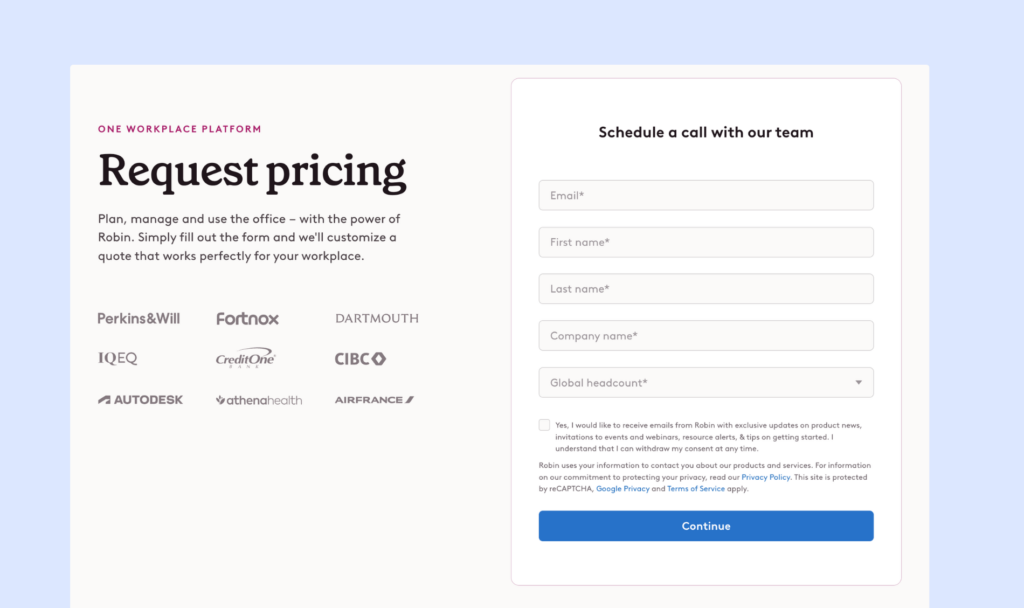
Robin uses custom, quote-based pricing, which matches its focus on large enterprise organizations. There are no public plans or fixed tiers. Instead, you contact sales and get a price based on your company size, number of locations, and the features you need.
Pricing often starts around $5,000 per year and can increase with per-user licensing and add-ons, especially for advanced analytics. This model makes sense for big companies with complex needs and bigger budgets, but it can feel expensive or hard to compare for smaller teams. Robin does offer a free trial and special pricing for universities, which helps some organizations test the platform before committing.
Pros & cons based on reviews and common feedback
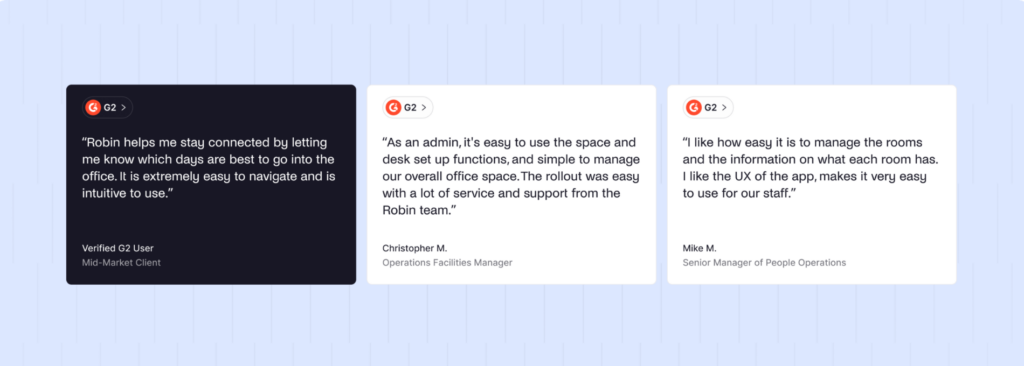
🟢 Enterprise-level feature depth. Robin offers a wide set of workplace tools, including desk and room booking, visitor support, and strong admin controls that help larger offices stay organized.
🟢 Strong employee experience. The UI is usually seen as polished and easy to use once people get familiar with it. Things like wayfinding and booking from interactive maps help employees find spaces quickly.
🟢 Strong integrations. Robin connects with tools big companies rely on, including Google Workspace, Microsoft 365, Slack, Teams, access control systems, and sensor partners.
🟢 Deep workplace analytics. It pulls from bookings, access control, and occupancy signals to give detailed insight into how space is used, which helps with planning and real estate decisions.
🟢 Unique employee feedback tools. Built-in surveys and satisfaction tracking help workplace teams measure how people feel about the office, not just how often they use it.
🔴 Higher cost and less transparent pricing. Robin typically uses custom pricing, so it’s harder to compare options quickly or budget without talking to sales.
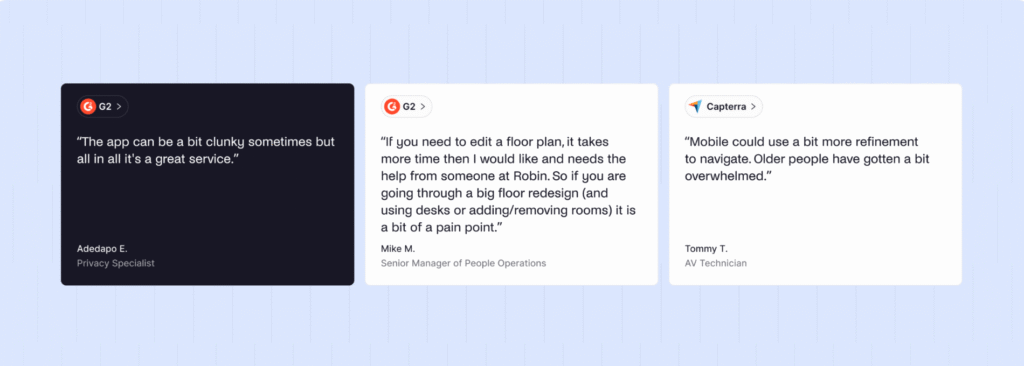
🔴 Steeper learning curve. Because Robin includes so many features and settings, admins often need more time to learn the system and configure it properly.
🔴 Floor plan updates can be slow. Editing office maps and reconfiguring spaces can take more effort than expected, and some teams report needing support for larger changes.
🔴 Small bugs and UI inconsistencies show up in reviews. Some users mention minor glitches, settings that don’t behave as expected, or dashboards that feel slightly off at times.
🔴 Support responsiveness can be mixed. A few reviewers say support response times are slower than they’d expect, especially given Robin’s premium positioning.
Best for: If you are managing a large company with complex workplace needs, Robin can make a lot of sense. But if you are a smaller hybrid team that mainly needs simple desk booking, it may feel heavier and more expensive than necessary, especially when you compare Robin to other alternatives (like Robin vs Archie, or Skedda vs Robin).
7. elia: Good for simple visual desk management
elia is a visual desk booking tool, and that is what I like most about it.
It does not try to feel like a huge enterprise workplace platform. Instead, it focuses on the basics: helping employees book desks, see who is coming in, and understand where people are sitting in the office.
The visual side is probably elia’s biggest strength. Employees can book desks from interactive floor plans instead of scrolling through a long list of desk names. That makes the experience easier, especially in offices where people do not come in every day and may not remember where every desk or zone is located.
I also like that elia seems easy to adopt. It feels like the kind of tool employees can understand quickly without much training. For smaller or mid-sized teams, that can be more valuable than having a very long feature list.
The tradeoff is that elia is not as deep as some larger workplace platforms. It has fewer integrations, and the mobile app may not feel quite as polished as the desktop experience. So if your team needs advanced reporting, lots of third-party connections, or more complex workplace workflows, elia may start to feel limited over time.
Core desk booking features
- Interactive floor plans. Employees book desks directly from a visual office map, making it easy to see what’s available and where teammates sit.
- Desk booking with filters. Find the right desk quickly using filters like location or desk type.
- Groups and neighborhoods. Create team zones or restricted areas so the right people sit together and sensitive spaces stay controlled.
- Custom booking rules. Set policies that match how your office works and automate desk booking logic.
- Colleague invitations. Invite coworkers to come into the office on the same day with one click.
- Third-party desk bookings. Allow users or admins to book desks on behalf of others, so everyone has a spot ready.
- Desk booking analytics. See how desks are used over time, spot trends, and understand demand without guessing.
- Hybrid collaboration dashboard. Get a clear view of who’s coming in and how teams are using the office.
Pricing overview
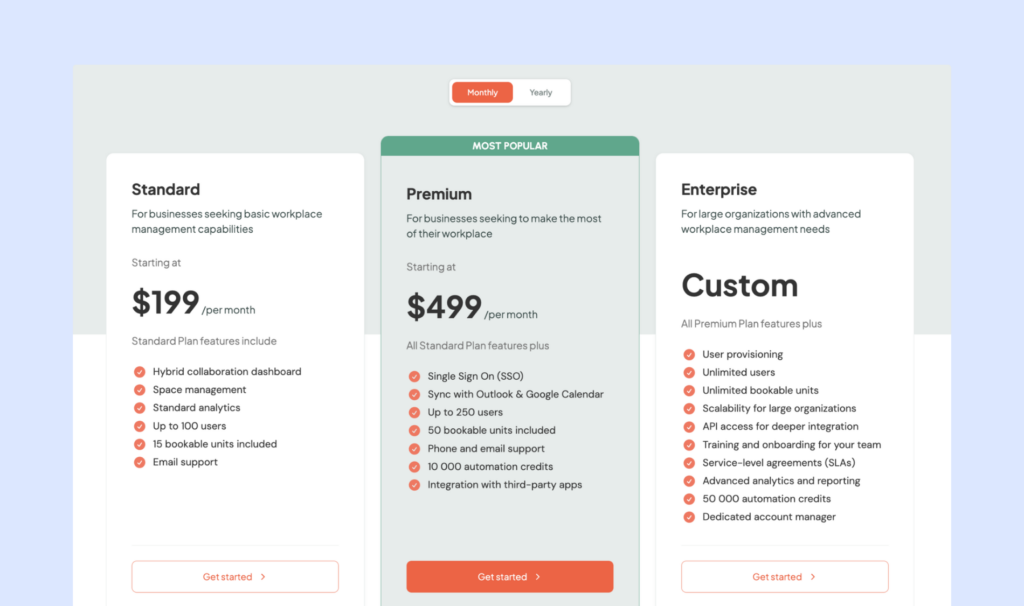
elia uses simple monthly pricing based on how many users you have and how many spaces you want to make bookable (desks, rooms, and more):
- Standard (from $199/month): Up to 100 users and 15 bookable units, plus basic analytics and email support.
- Premium (from $499/month): Up to 250 users and 50 bookable units, with SSO, Outlook, and Google Calendar sync, third-party integrations, 10,000 automation credits, and phone support.
- Enterprise (custom): Unlimited users and units, with advanced reporting, API access, user provisioning, SLAs, and a dedicated account manager.
Pros & cons based on reviews and common feedback
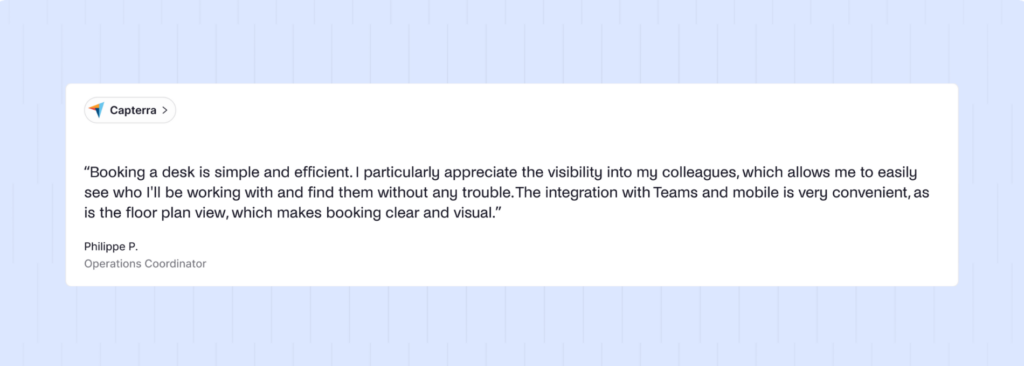
🟢 Very easy to use. Users consistently say elia is intuitive, clear, and quick to learn. Many teams report that employees adopted it right away, with little or no training.
🟢 Interactive floor plans that actually help. The visual floor plan comes up in almost every review. People like being able to see the real office layout, pick a desk visually, and find colleagues easily.
🟢 Great visibility into who’s in the office. Seeing where coworkers are sitting and who plans to be in the office helps teams coordinate better and avoid unnecessary trips. Reviewers often mention that this improves collaboration and makes hybrid work smoother.
🔴 Mobile app could use a bit more polish. Most people seem happy with the mobile app, but a few reviews mention that it feels a little less smooth than the desktop version. Some features also seem easier to use on desktop. It is not a dealbreaker, but it comes up now and then.
🔴 Status and scheduling options feel a bit limited. A few reviewers would like more choices than just “office” and “remote.” They mention options like vacation, sick leave, or offsite days, so schedules match real life more closely.
🔴 Limited integrations compared to bigger platforms. elia supports the essentials, but it does not connect with as many third-party tools as larger, enterprise-focused options. If your workplace relies on lots of apps, this can feel limiting.
🔴 Most reviews are in French. Worth keeping in mind when you read feedback, since a lot of the most recent Capterra reviews come from French-speaking users. Currently, there’s no feedback on G2.
Best for: elia is a strong pick if you want a simple, visual desk booking tool that people will actually use, with helpful support and an easy rollout. If you need lots of integrations, detailed scheduling statuses, or a more “enterprise-style” platform, you may want to compare it with broader workplace management tools.
8. OfficeSpace: Best for complex space management
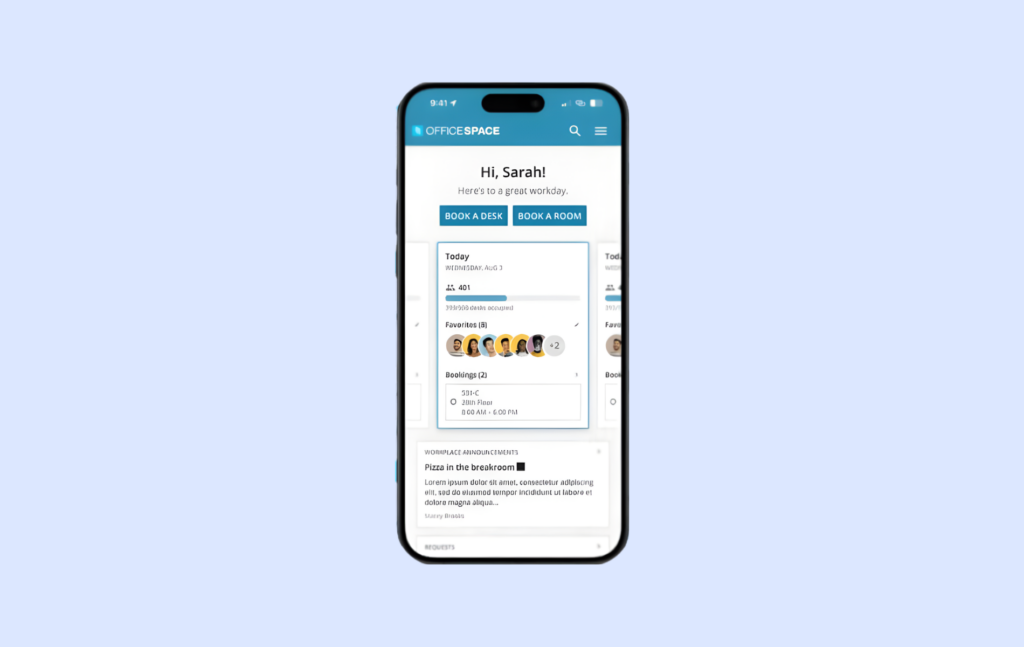
OfficeSpace goes far beyond basic desk booking. I’d describe it more as a full workplace management platform for large enterprise teams, especially companies that manage several offices, frequent moves, floor plan changes, assets, and long-term space planning.
This is where OfficeSpace stands out. It is not just helping employees book a desk for Tuesday. It is helping workplace, facilities, and real estate teams understand how their office portfolio is being used and plan bigger changes over time.
For example, OfficeSpace includes tools for block and stack planning, scenario planning, move management, asset tracking, facility requests, workplace analytics, and desk and room booking. That can be very useful if your team is constantly reorganizing departments, updating floor plans, managing multiple buildings, or making real estate decisions based on space usage data.
I also like that OfficeSpace connects desk booking with presence data from things like badges, sensors, and Wi-Fi. That helps companies understand whether booked spaces are actually being used, not just reserved. For large organizations, that kind of data can be really valuable.
On the flip side, OfficeSpace may be more than many teams need. Because it is built for enterprise use, it can feel heavier, more expensive, and slower to roll out than simpler desk booking tools. Pricing is not public, there is no free trial, and implementation can take time. Some users also mention that the interface can feel a bit complex, especially for advanced admin work or mobile use.
Core desk booking features
- Hot desking & desk hoteling. Support both on-the-spot desk booking and advance reservations.
- Assigned seating. Give certain employees a permanent desk, while keeping others flexible.
- Reverse hoteling. Allow fixed-desk users to release their desks when working remotely.
- Interactive floor plans. See live desk availability and navigate the office using visual maps.
- Smart search. Find available desks and see upcoming reservations, including where friends are sitting.
- Amenities filtering. Search desks by equipment or features needed for the day.
- Automatic check-ins (badges, Wi-Fi, sensors). Confirm attendance automatically and free up unused desks.
- No-show protection. Release desks if no one checks in, so space is not wasted.
- Team and role-based access. Sync permissions from Active Directory to manage desk booking rights.
- Utilization analytics & heat maps. Track desk usage, peak days, and attendance trends.
Pricing overview
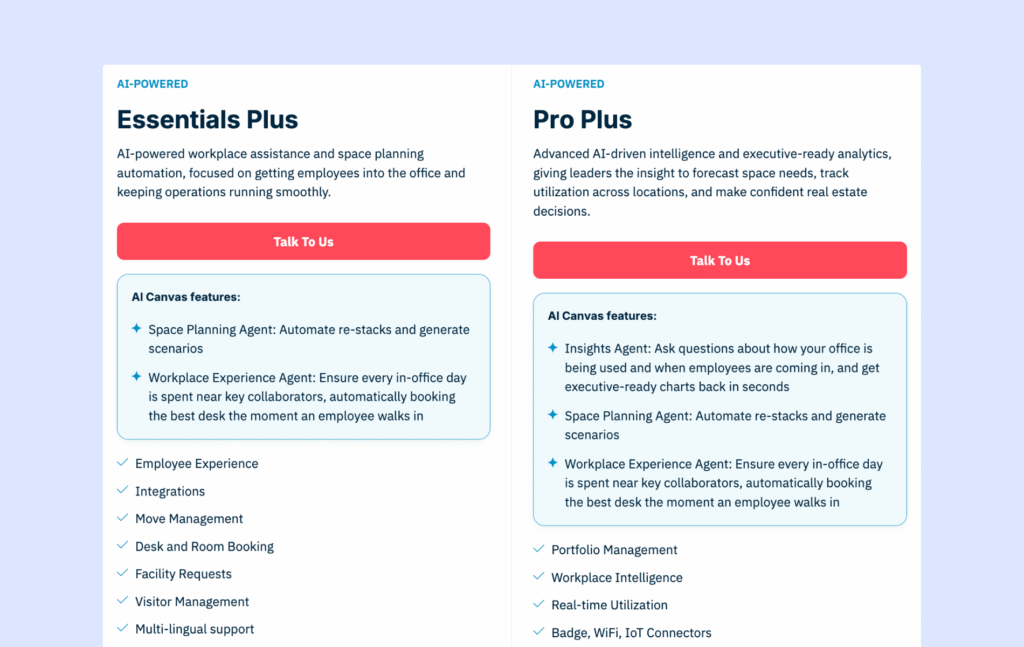
💡 May 2026 update: OfficeSpace now separates pricing by product area:
- For its main workplace platform, plans include Essentials Plus and Pro Plus, covering tools like desk and room booking, visitor management, move management, analytics, facility requests, AI space planning, and integrations.
- For asset management, Essentials covers basics like asset lists, warranty tracking, depreciation, and reports. Pro adds work orders, preventive maintenance, and more advanced reporting.
One thing didn’t change, though: OfficeSpace still does not publish fixed prices. Pricing is quote-based, with a platform fee, included synced employees, and extra costs for additional employees or advanced features.
It’s also worth noting that OfficeSpace is built for larger workplace and real estate teams, so costs are likely on the higher end (product research suggests that it used to start at $60 per user annually). There’s no free trial, and rollout can take time: OfficeSpace advertises around 35 days, while some sources like G2 suggest closer to 2 months.
Pros & cons based on reviews and common feedback
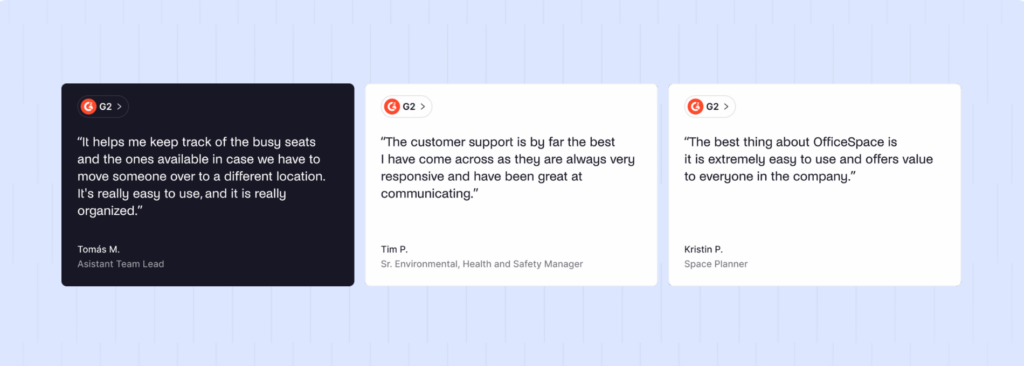
🟢 Enterprise-grade feature depth. In addition to desk and room booking, you get asset tracking, facility requests, and detailed workplace intelligence.
🟢 Very strong space planning and move management. OfficeSpace is designed for real estate and workplace teams that manage frequent moves, reorgs, and large office portfolios.
🟢 Fast product development. New features are released quite often, and the platform continues to evolve.
🟢 Dedicated enterprise support. Large customers benefit from formal onboarding, project managers, and 24/7 support.
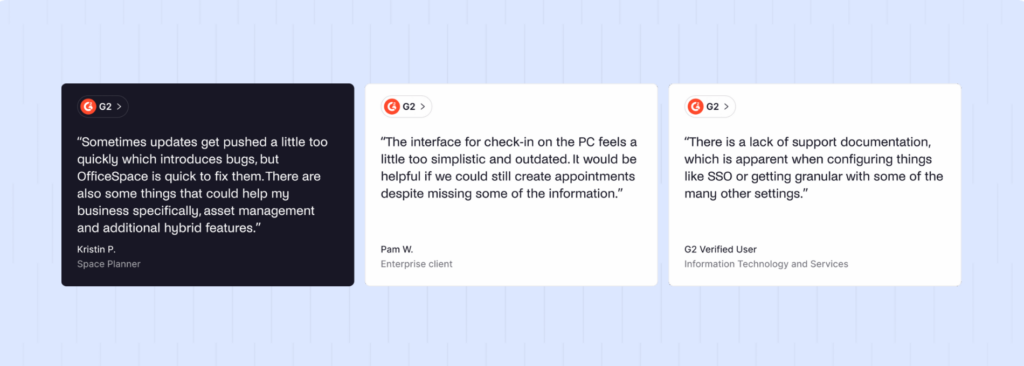
🔴 High cost. Pricing is on the premium end, with additional setup and floor plan fees. This can be hard to justify for simpler office needs.
🔴 Heavier and more complex interface. Some users find the platform bulky, especially for advanced admin tasks and mobile use.
🔴 Limited self-service for floor plan changes. Updating layouts often requires help from OfficeSpace, which can slow down day-to-day operations.
Best for: OfficeSpace is a strong fit for large companies with complex workplace and real estate needs. But if your main goal is to make desk booking simple for employees, improve hybrid office adoption, and keep pricing easier to predict, a lighter OfficeSpace alternative will probably make more sense.
9. Kadence: Good for AI-assisted desk booking with a higher price tag
Kadence has changed quite a bit from being “just” a desk booking tool.
Today, I’d describe it more as a workplace management platform for teams that want to understand and improve how their office is used. Desk booking is still part of it, but Kadence now puts a lot more focus on space planning, office attendance, team coordination, and AI.
The biggest shift is SpaceOps, Kadence’s AI-powered space planning tool. From what I can see, it’s designed more for workplace leaders than everyday employees. It helps teams look at real office data, test different layout options, plan team neighborhoods, and make changes faster without relying on spreadsheets or long planning cycles.
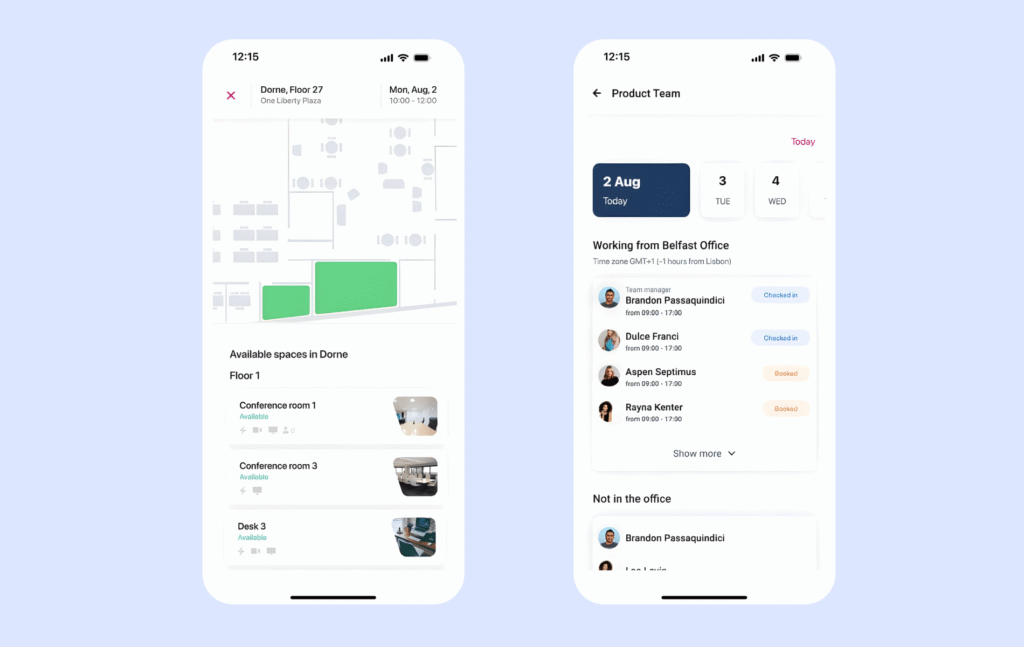
At the employee level, Kadence still covers the basics well. People can book desks and meeting rooms, use visual floor plans, see where coworkers are sitting, and coordinate office days. I like that because hybrid work is not just about reserving a desk. It’s also about making the office feel worth the commute.
That said, Kadence now feels more enterprise-focused than before. If you only need simple desk booking, it may be more than you need. Pricing is also custom, so it’s hard to know the cost upfront without talking to sales.
Core desk booking features
- Interactive floor plans. See desks and rooms on a live office map, so it’s easy to pick the right spot.
- Live office floor map. Check desk availability in real time and see where teammates are sitting.
- Office neighborhoods (team zones). Assign teams to specific areas on certain days, so people can sit together.
- Dynamic neighborhoods. Change team zones based on the day or schedule, not just a fixed setup.
- Smart booking suggestions. Get suggestions to book a desk near coworkers when they plan to come in.
- Notifications when teammates are coming in. Get alerted when colleagues are heading to the office, so you can coordinate.
- Cancellation alerts. Get notified when someone cancels, so you can adjust plans and avoid wasted commutes.
- Office analytics and utilization insights. See which areas are popular, track usage trends, and measure how well hybrid policies are working.
Pricing overview
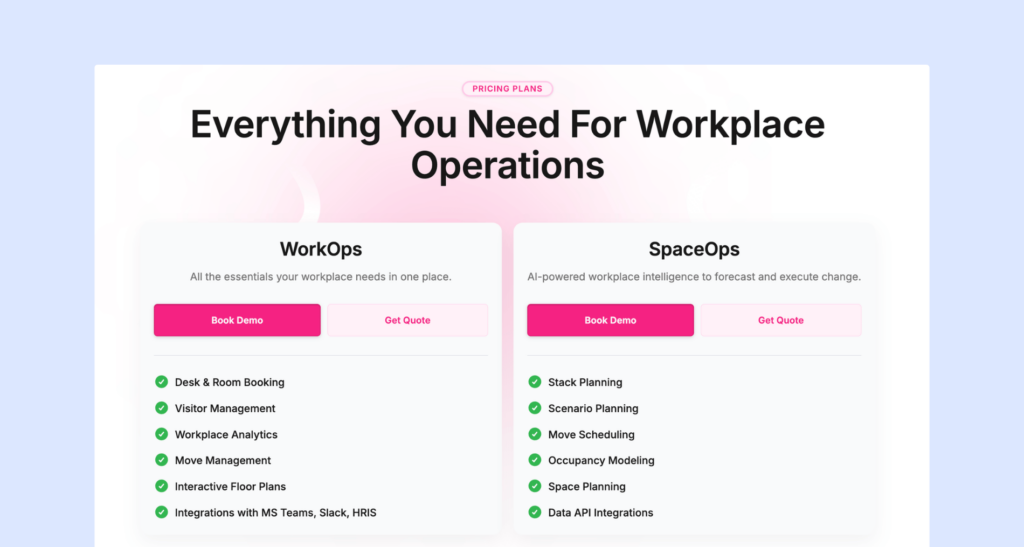
💡 May 2026 update: Kadence recently simplified its pricing into two plans:
- WorkOps includes the main workplace features most teams need, such as desk and room booking, visitor management, workplace analytics, floor plans, mobile apps, and Microsoft Teams and Slack integrations.
- SpaceOps is the more advanced plan. It adds AI-powered tools for space planning, occupancy modeling, move management, and scenario planning. This plan is mainly built for workplace, facilities, and real estate teams.
Kadence no longer lists public prices on its website. In the past, pricing was reported to start around $4 per user per month, but today you need to contact sales for a quote.
One useful detail is that Kadence uses active user billing, which means you only pay for people who make a booking in a given month. That can be fairer than charging for every employee, especially in hybrid offices.
A few more things to watch: contracts are annual, plans are billed yearly, and floor plan upload/setup costs $250 per floor.
Pros & cons based on reviews and common feedback
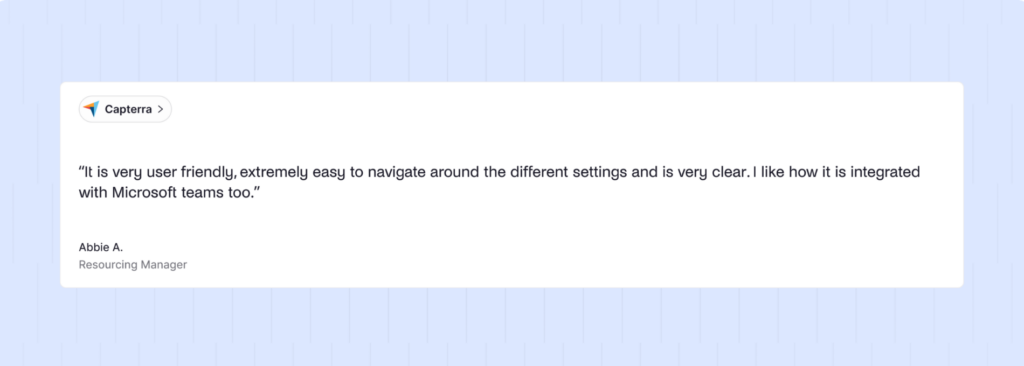
🟢 Easy for employees to use. Reviews often say Kadence feels intuitive and simple to navigate, even for non-technical users.
🟢 Strong Microsoft Teams experience. The Teams integration is a big plus, since people can book desks in the tools they already use.
🟢 Responsive customer support. Many customers mention fast replies and helpful support when something breaks or needs troubleshooting.
🔴 Occasional booking glitches during high demand. Some users mention that when lots of people book at the same time, they may get “already booked” conflicts and need to pick another desk.
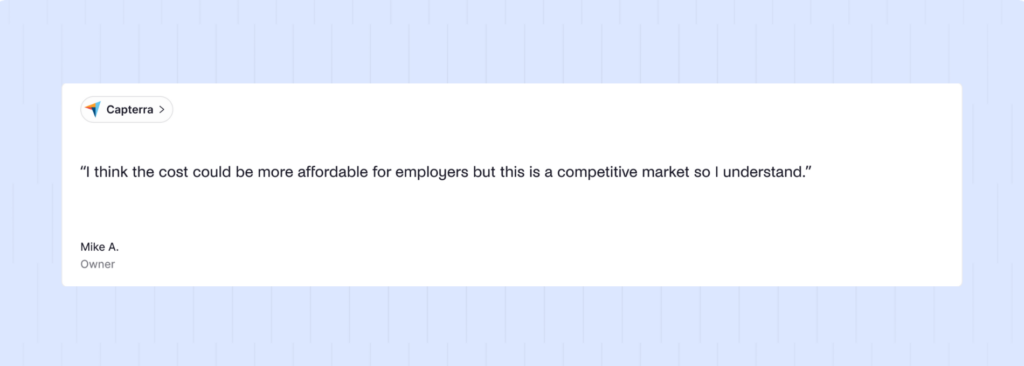
🔴 Can be expensive for smaller teams. The pricing can feel steep if you only need desk booking and basic admin controls.
🔴 Not many recent reviews. A smaller volume of up-to-date reviews can make it harder to confirm how well everything is working today.
Best for: Kadence is a strong option for companies that want desk booking plus deeper workplace planning. But if you’re a smaller team looking for a simple, predictable, easy-to-price tool, I’d compare it carefully with other options.
10. Eden: Great for workplaces that want to start small
Eden is a good option if you want to build your workplace setup piece by piece instead of buying one big all-in-one platform from the start.
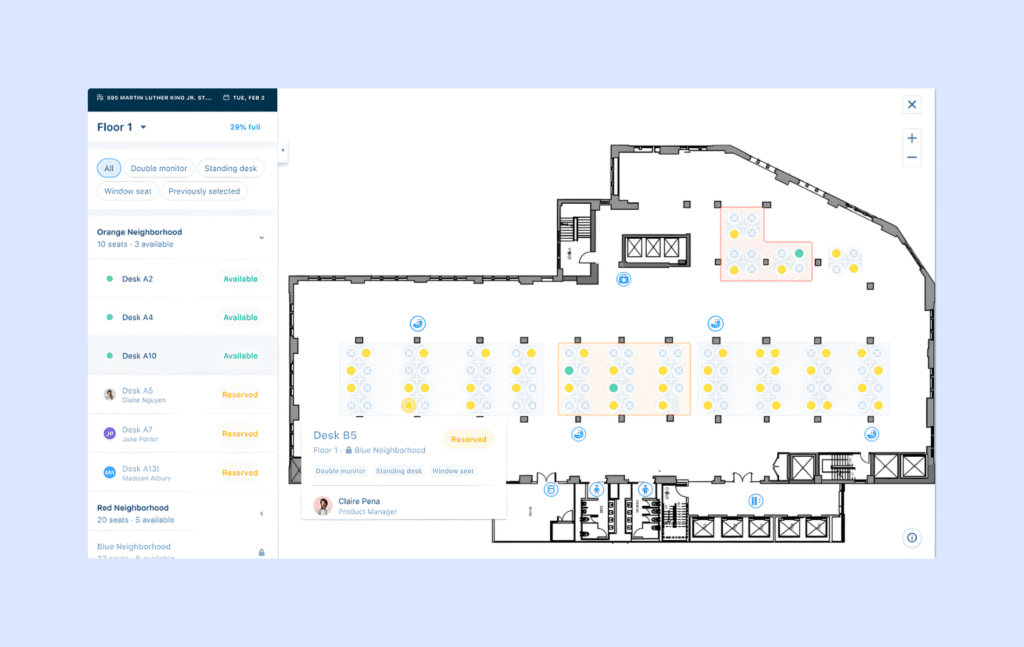
What I like about Eden is that the desk booking experience seems pretty solid for employees. People can book from interactive floor plans, search for coworkers, follow teammates, and get notified about their bookings. The mobile app also mirrors the desktop experience, which helps keep things consistent.
One feature that stands out to me is hourly desk booking. Not every team needs a desk for the full day. If employees come in for a few hours, split their day between home and the office, or rotate through shared spaces, hourly booking can make the office feel more flexible and reduce wasted desk time.
Eden also includes useful desk booking basics like neighborhoods, assigned desks, amenity filters, coworker coordination, and no-show auto-release. So while it may not feel as broad as some larger workplace platforms, it covers the core needs well.
The main thing I would watch is pricing. Eden charges per desk, but desks are sold in bundles of 25. That means the cost can jump if your desk count does not fit neatly into those packages. For example, if you need 26 desks, you may end up paying for 50. Some integrations, like SSO or directory sync, may also cost extra, so it is worth checking the full price before deciding.
I’d also expect the admin side to take a little more time to get used to. The employee experience looks clean, but managing floor plans and settings may feel less polished than the booking flow itself.
Core desk booking features
- Hot desk booking. Employees pick the desk they want each day.
- Desk hoteling. Reserve desks ahead of time, from minutes to weeks in advance.
- Hourly desk booking. Book a desk only for the hours you need, then free it up for others.
- Interactive floor plan. Employees can see the office layout and choose desks based on where they are.
- Office neighborhoods (team zones). Create areas for specific teams so people can sit near coworkers.
- Assigned and permanent desks. Mark desks as permanently assigned, while keeping others bookable.
- Admin desk assignments. Admins can assign desks to employees for the day or permanently.
- Desk amenities and filters. Tag desks with features (like monitors) so employees can filter and book the right setup.
- Colleague search and visibility. See where colleagues are sitting on the floor map to coordinate better.
- Follow coworkers + notifications. Follow teammates and get notified about their upcoming desk reservations.
- Desk analytics. Track occupancy trends to plan space and make smarter real estate decisions.
Pricing overview
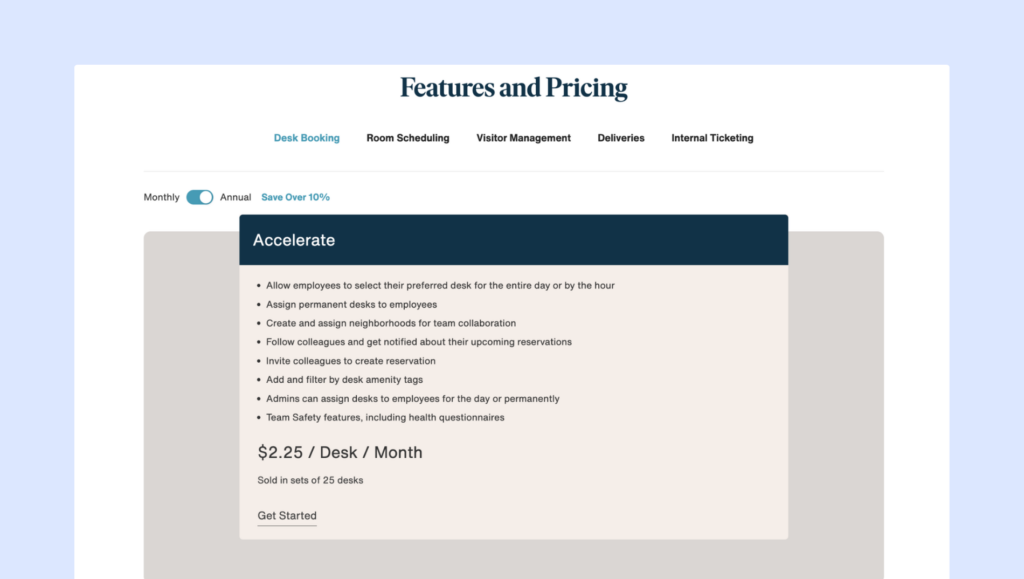
Eden charges per desk. There’s only one plan available:
- Desk Booking plan (Accelerate): $2.25 per desk/month, sold in sets of 25. It covers the core desk booking basics like hourly or full-day bookings, neighborhoods and desk assignments, amenity filters, coworker coordination (follow and invite), and no-show auto-release.
Because desks come in bundles, your price can jump fast. If you need 26 desks, you may end up paying for 50. Also, some integrations (like SSO and directory sync) are listed as “contact us,” which often means extra cost depending on your setup.
Pros & cons based on reviews and common feedback
🟢 Simple, easy-to-learn UI. Reviews often say employees can start using Eden with little or no training.
🟢 Modular platform (pick what you need). If you want desks now and visitors later, Eden’s “add modules” approach can be convenient.
🟢 Receptive to feedback. Some customers say Eden listens closely and makes improvements based on user requests.
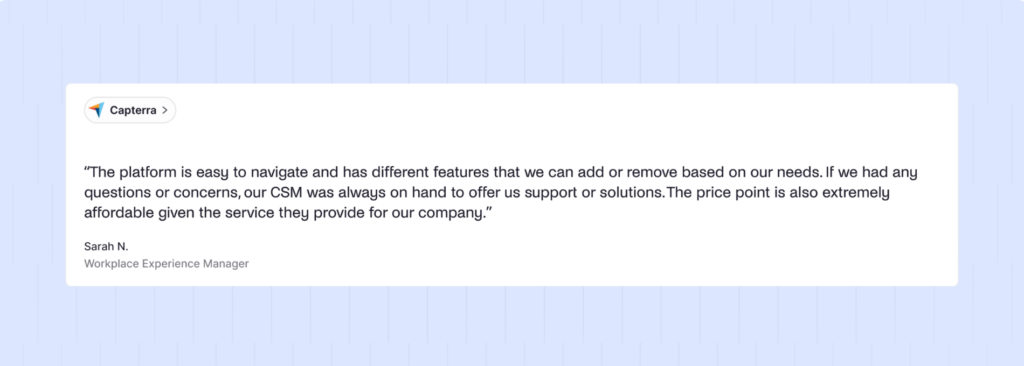
🔴 Pricing can scale faster than expected. Desk booking is sold in batches of 25 desks, so costs can jump as you grow or change layouts.
🔴 Not many recent reviews. With most recent reviews being from 2024, it’s harder to get a clear picture of the current experience.
🔴 Occasional bugs and syncing issues. Some users mention glitches across mobile and desktop, plus occasional syncing problems between them.
Best for: Eden is a good choice if you want modular workplace tools, hourly desk booking, and a decent employee experience. But if the bundle pricing does not match your desk count, another option may be easier to manage long term.
11. Tactic: Good for bigger teams that want AI features
Tactic covers quite a lot: desks, rooms, visitor management, workplace requests, and AI-powered booking support. So if your company wants several workplace tools in one place, Tactic may be worth looking at.
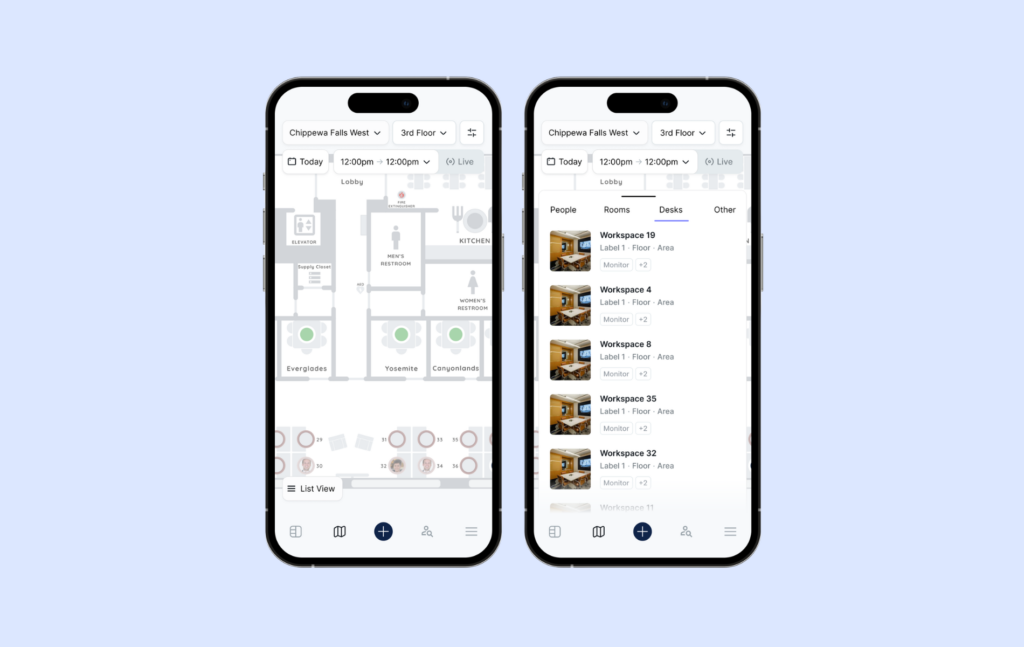
The desk booking experience includes a lot of the features you would expect: interactive maps, recurring bookings, desk filters, team visibility, multiple check-in options, and no-show protection. Employees can find desks by location, amenities, coworker proximity, or workspace type, which makes it easier to choose the right spot for the day.
The AI assistant, Tessa, is probably the feature that stands out most. In theory, employees can ask for a desk that matches what they need, like a standing desk near their team, instead of manually searching through every option. That could make booking faster, especially in larger offices with many desks and floors.
I also like that Tactic supports several check-in methods, including mobile, QR code, Slack, Teams, and Wi-Fi depending on the plan. That gives companies more flexibility in how they confirm attendance and reduce ghost bookings.
The main thing I’d watch is pricing complexity and reliability of the app. Some users mention slow loading or occasional booking glitches, especially when lots of people are using the platform at once. That may not be a dealbreaker, but it is worth testing carefully during a trial or demo.
Core desk booking features
- Interactive floor maps. Employees book from a visual map, so it’s easy to see where desks are and what’s available.
- Neighborhoods and zones. Create zones for departments so teams can sit together.
- Recurring bookings. Reserve the same desk on a repeating schedule.
- Desk filters and amenities. Filter by things like standing desks, dual monitors, or other perks.
- Smart search. Search by desk, floor, location, coworker, or workspace type to find the right spot fast.
- Team visibility. See who is coming in and when, so office days are easier to plan.
- Book near coworkers. Quickly sit near your team or favorite coworkers.
- Tessa AI assistant. Ask Tessa for a desk that fits your needs (like “standing desk near my team tomorrow”), and book from the suggestion.
- Desk check-in options. Check in via mobile, QR code, Slack, Teams, or Wi-Fi (plan-dependent).
- Auto-release for no-shows. Free up desks automatically when people do not check in.
- Reminders and nudges. Send reminders so bookings stay accurate and desks do not sit unused.
- Analytics and reporting. Track attendance and desk usage patterns without spreadsheets.
Pricing overview
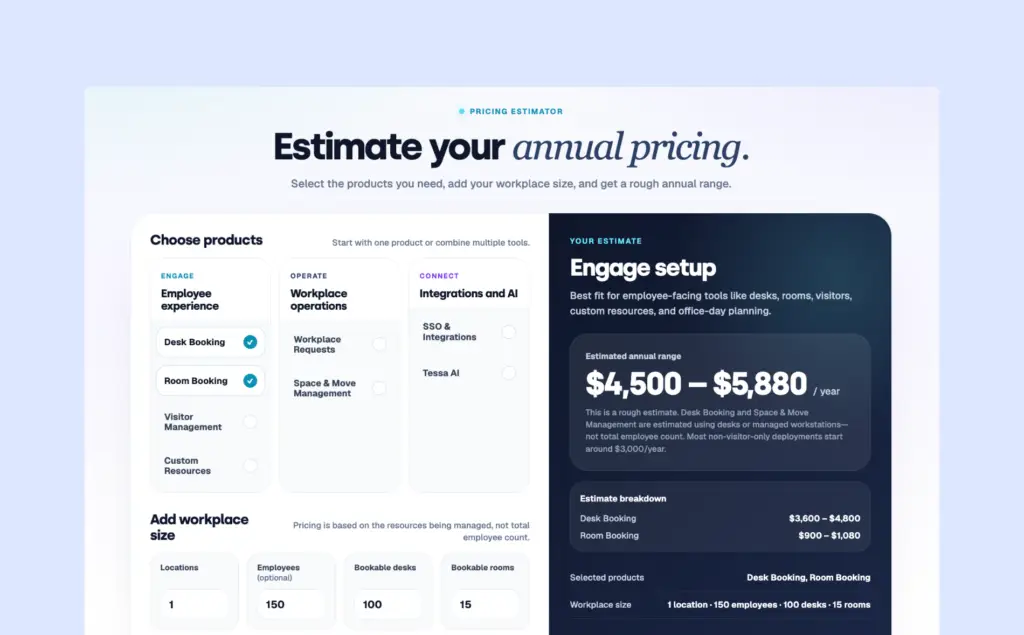
💡July 2026 Update: Tactic has replaced its fixed Core, Pro, and Enterprise plans with a more flexible pricing model. Instead of choosing a tier, you pick the products you need (such as Desk Booking, Room Booking, Visitor Management, Workplace Requests, or Space Management) and add more later if your needs grow.
Pricing depends on your setup, including the number of desks, rooms, and other resources you manage, as well as your locations, integrations, and onboarding requirements. Tactic offers an online pricing estimator to give you a rough annual cost, but you’ll still need to contact sales for an exact quote.
Pros & cons based on reviews and common feedback
🟢 Easy to use for employees. Reviews often say desk and room booking feels simple and intuitive, which helps adoption.
🟢 Clean, modern interface. Users like the overall experience and the way spaces are presented visually.
🟢 Strong customer support. Support gets frequent praise for being fast and helpful when teams need answers.
🟢 Good fit for structured rollouts. Hands-on onboarding and an enterprise-style implementation approach can be a plus for large teams.
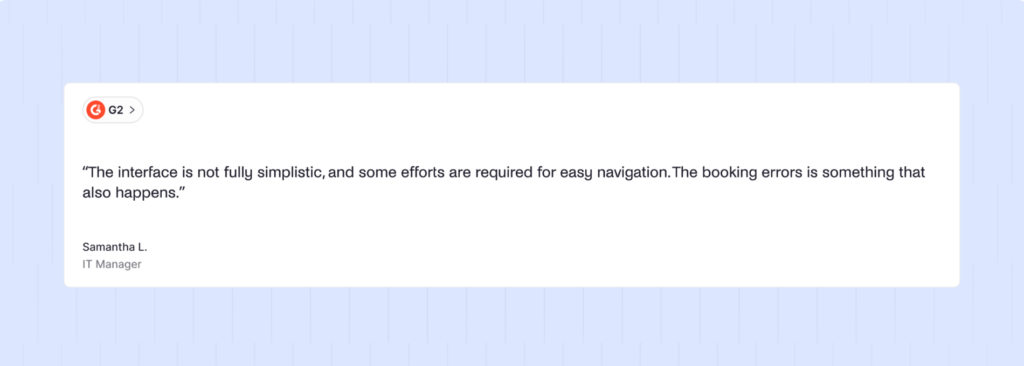
🔴 Performance can be inconsistent. Some users report slow load times, particularly when handling lots of data or in busy environments.
🔴 Occasional booking and availability glitches. A few reviews mention inaccurate availability displays or misbookings, plus a mobile experience that can feel less smooth than desktop.
Best for: Tactic is a solid choice for bigger teams that want desk booking, room booking, visitors, requests, and AI features in one platform. But if your main priority is a very simple, fast, and lightweight desk booking experience, it may feel like more than you need.
12. YAROOMS: Good for Microsoft-first bookings
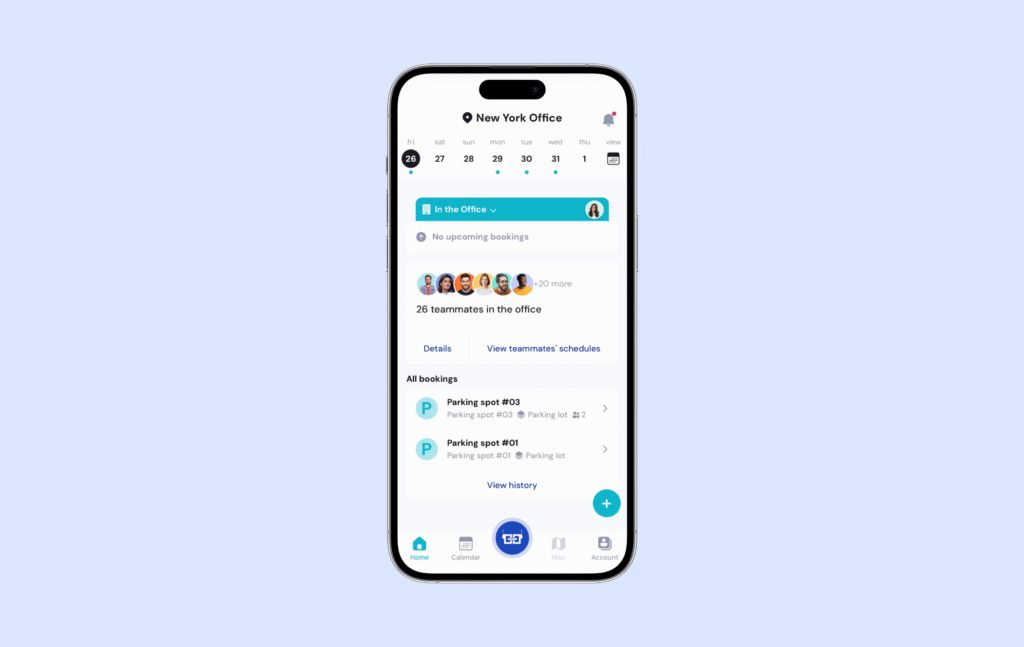
YAROOMS is a good option to consider if your company uses Microsoft Teams and Outlook heavily. YAROOMS connects well with those tools, so employees can book spaces, check availability, and manage office days without jumping between too many systems.
Plus, YAROOMS’ AI workplace assistant, Yarvis, works inside Microsoft Teams and email, too. It can help with desk and room bookings, visitor setup, team scheduling, check-ins, and workplace requests through simple, natural language.
For example, instead of opening the booking system, an employee could ask Yarvis to find a room, reserve desks for a team visit, or prepare for a client meeting. That makes YAROOMS feel more like a workplace coordination tool than just a booking platform.
The main thing I’d watch is pricing. YAROOMS charges per user, so costs can climb as your team grows. This may be fine if most employees use the office regularly, but it can get expensive in hybrid workplaces where many people only come in occasionally.
I’d also test the mobile experience carefully. YAROOMS has improved its app, but some users still find certain tasks smoother on desktop.
Core desk booking features
- Colleague finder. See who plans to be in the office and where they’re sitting.
- Interactive office map. View available hot desks on a floor plan and book right from the map.
- Desk amenities filtering. Filter desks by features like extra monitors, adjustable chairs, or printer access.
- Easy check-in options. Check in using the mobile app, a digital desk sign, or a quick QR code scan.
- Hot desking, hoteling, and assigned seating. Support flexible desks, advance reservations, or permanent desks for certain people.
- Capacity limits. Set occupancy limits by area, floor, or building. Once full, the system blocks new bookings.
- No-show prevention. Automatically free up desks when someone does not check in on time.
- Emergency roles. Help ensure trained staff (like First Aid or Fire Safety) are on-site when needed.
- Desk utilization reporting. Track how often desks are booked, who is using them, and what booking patterns look like.
Pricing overview
YAROOMS pricing is based on how many users and locations you need. If you pay yearly, you get a discount.
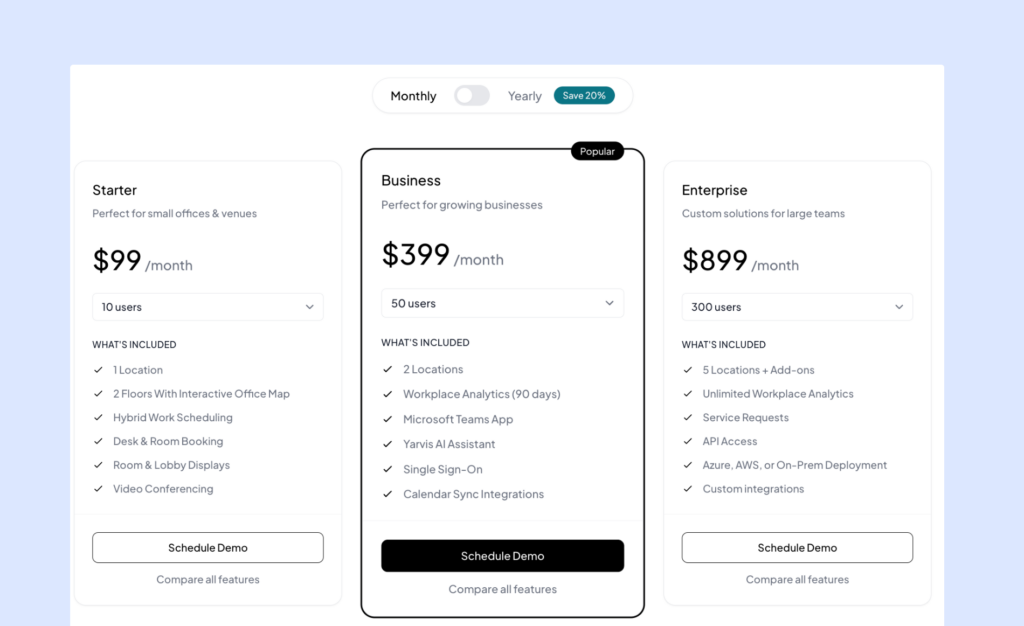
- Starter ($99/month, 10 users): Good for small offices. Includes 1 location, up to 2 floors with an interactive map, hybrid scheduling, desk and room booking, and common meeting integrations (Teams, Google Meet, Zoom).
- Business ($399/month, 50 users): For growing teams. Adds a second location, 90 days of workplace analytics, the Microsoft Teams app, Yarvis AI, SSO, and calendar sync (Outlook and Google Calendar).
- Enterprise ($899/month, 300 users): For larger orgs. Includes up to 5 locations, unlimited analytics, service requests, API access, more deployment options (cloud or on-prem), and custom integrations.
Pros & cons based on reviews and common feedback
🟢 Easy to use for employees. Many teams say it feels intuitive, so adoption is usually smooth.
🟢 Strong integrations. Booking from tools like Microsoft Teams (and other common workplace apps) helps reduce friction and avoid double bookings.
🟢 Helpful support. Reviews often mention fast, effective onboarding help and responsive troubleshooting.
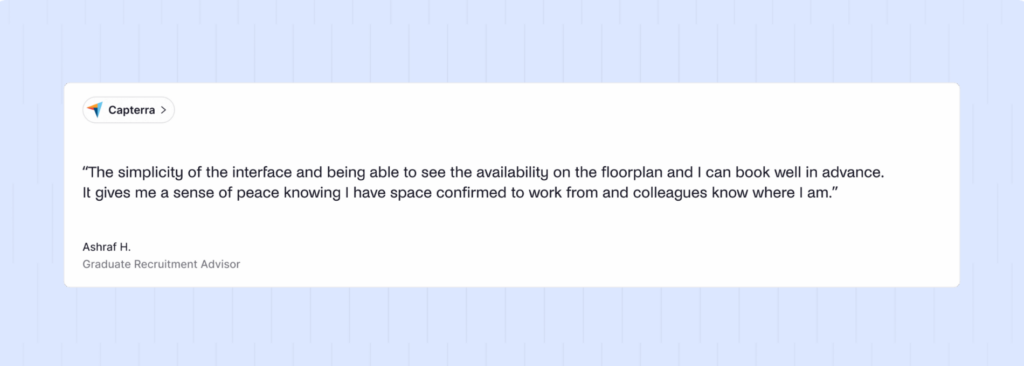
🔴 Per-user pricing can get expensive as you grow. If you have lots of employees who only come in occasionally, the cost can add up fast compared to pricing that’s based on desks and rooms.
🔴 Mobile experience is mixed. Some users say the mobile app is not as smooth or full-featured as desktop for certain tasks.
🔴 Some features still feel a bit rough around the edges. People sometimes want more detail on maps (like clearer equipment indicators), and a few mention quirks with calendar behavior in Outlook.
Best for: YAROOMS is a reliable workplace booking platform, especially for Microsoft-first teams. But if you want more predictable pricing for a hybrid team, or if mobile booking is your top priority, it’s worth comparing YAROOMS with a few alternatives.
13. Envoy: Solid option when visitor management comes first
Envoy is one of the best-known workplace platforms, and I’d say visitor management is still where it feels strongest.
It started with visitor check-ins, and you can still see that in the product. Envoy Visitors feels polished and professional. Guests can pre-register, check in with a QR code or iPad kiosk, sign documents, get badges, and notify their host automatically. For companies that care a lot about front desk experience, security, and compliance, Envoy is clearly a strong option.
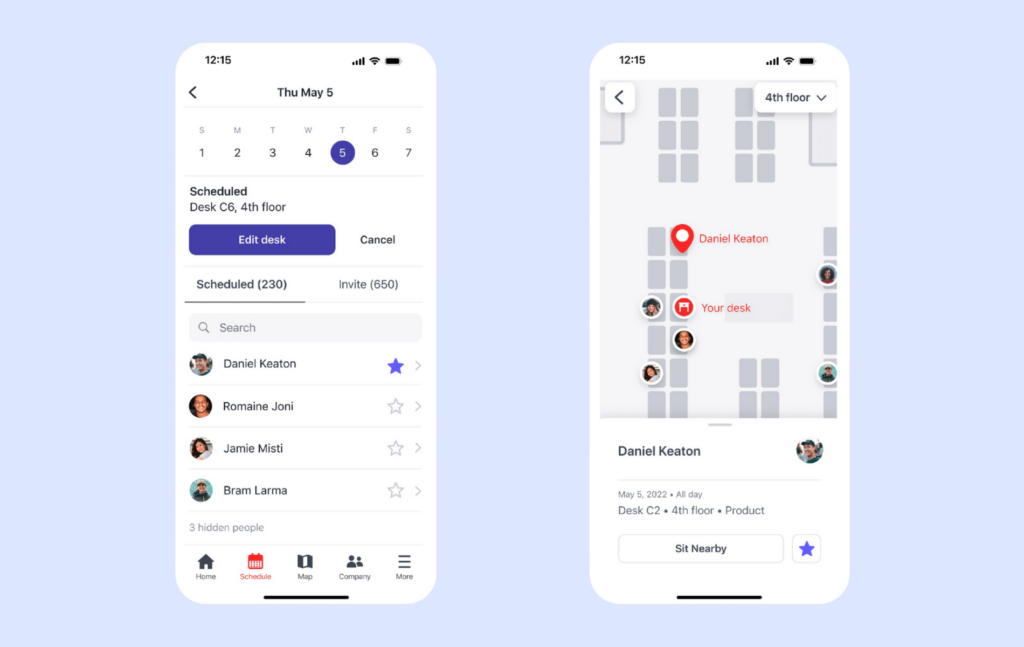
The workplace booking side is solid too. Employees can book desks, reserve rooms, use workspace maps, check in from mobile, schedule multiple office days, and see where teammates are sitting.
Envoy also has strong integrations. It connects with tools like Outlook, Google Workspace, Slack, Microsoft Teams, access control, Wi-Fi, HR, and IT systems. For larger companies with security requirements, that can be a big plus because Envoy can connect the physical office with the tools employees and admins already use.
I still see Envoy as a visitor management platform first and a desk booking platform second. The desk booking features are useful, but compared to dedicated desk booking tools, they can feel more like part of a broader workplace suite than the main focus.
I’d also watch the booking depth. Envoy supports multi-day bookings and remembers previous desk preferences, but it does not offer the same kind of true recurring desk booking rules that some dedicated platforms provide. Room buffer times may also need to be handled through calendar settings rather than directly inside Envoy.
Core desk booking features
- Hot desk booking. Let employees pick any available desk when they come in.
- Desk hoteling. Reserve desks in advance by the hour, day, or week.
- Permanent desk assignments. Give specific employees a dedicated seat they always use.
- Neighborhoods. Create team areas so coworkers can sit together more easily.
- Auto-seat teammates near each other. Helps place coworkers close by to make in-office collaboration easier.
- Workspace maps. Interactive maps that show where desks are and help employees find their spot.
- Multi-day scheduling. Book several in-office days at once.
- Delegated desk booking. Admins (or assistants) can book desks on behalf of others.
- Desk check-in on mobile. Confirm attendance from the mobile app so bookings stay accurate.
- Unused desk protection. Helps free up desks that were booked but not actually used.
- Desk utilization analytics. Track desk usage trends to optimize layouts and reduce wasted space.
Pricing overview
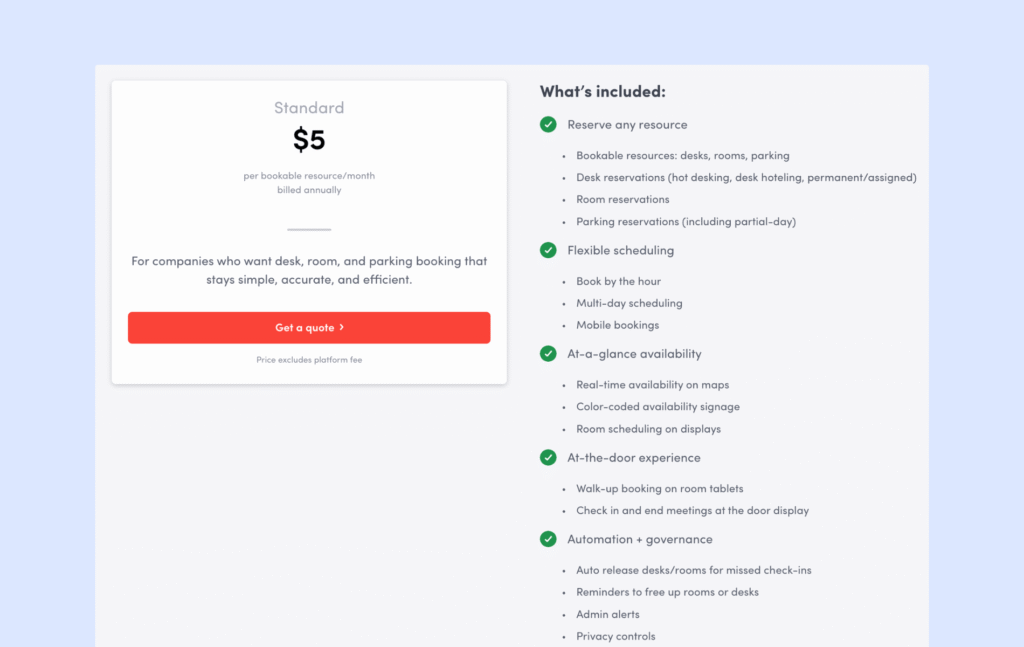
Envoy Reservations covers desk, room, and parking bookings, and it’s priced per resource, billed yearly.
The Standard plan costs $5 per bookable resource per month, but keep in mind there’s also a platform fee, so your real cost depends on how many resources and locations you manage.
Pros & cons based on reviews and common feedback
🟢 Clean and intuitive user experience. Both employees and front desk teams find the apps easy to use, with very little training needed.
🟢 Strong integrations. Works well with Outlook, Google Calendar, Slack, Teams, and many access control systems.
🟢 Enterprise-grade security and compliance. Well-suited for regulated industries and companies with strict security requirements.
🔴 Pricing can get expensive. Envoy is one of the more expensive tools on the market.
🔴 Limited recurring booking logic. There is no true “book this desk every Tuesday” rule, and room buffer times are not available as a simple native setting.
Best for: Envoy is a strong choice for larger, security-conscious companies that want office reservations along with visitor management. If desk booking is the main thing you need, Envoy alternatives (like Archie vs Envoy or Envoy vs Robin) are likely to give you more value.
(Even) More desk booking software options to choose from
- DeskFlex: Desks, rooms, and parking management in complex hybrid environments.
- HubStar Connect (formerly Smartway2): Desk and room booking with analytics and integrations.
- UnSpot: Hybrid office desk booking with space analytics.
- Clearooms: Simple hot desking for flexible workplaces.
- Tribeloo: Hot desking and hybrid scheduling to help teams coordinate office days.
- Othership: Desk booking focused on hybrid collaboration and coordination.
- Hybo: Desk and workspace reservation software for hybrid work.
- Matrix Booking: Desk booking with mobile and web apps and interactive floor plans.
- FMS:Workplace: Workplace scheduling with optional hardware for space optimization.
- WorkInSync: Desk and meeting room booking for hybrid workplaces.
- Nibol: Desk and room booking for hybrid teams, with coworking-style options.
- Whatspot: Booking for desks, rooms, and parking.
- OfficeRnD: Desk booking for hybrid offices and coworking spaces.
- Eptura Engage (formerly Condeco): Enterprise desk and room booking by Eptura.
- Zynq: Hybrid scheduling with desk and room booking.
- AgilQuest: Desk and room reservations with usage analytics.
- Meetio: Room and desk booking with calendar integrations.
- GoBright: Desk and room booking, visitor tools, and workspace analytics.
- MyDesk: Simple desk booking for hybrid schedules.
- Zapfloor: Desk booking plus contracts and billing for coworking spaces.
- Spacewell: Desk booking and office optimization with IoT options.
- Spaceti: Desk booking with occupancy monitoring and navigation.
- Deskfound: Slack-based desk booking for quick reservations.
- Flydesk: Hybrid workplace management with desk booking.
- Ronspot: Desk booking built for hybrid offices.
- Cloudbooking: Desk booking system for hybrid teams.
- HybridHero: HR and workplace management with hybrid scheduling.
- Poppulo: Workplace app that includes desk booking features.
- Joan: Workplace tools for booking desks and rooms, plus resources and visitors.
- Mapiq: Workplace experience platform for desk booking and space management.
- Tidaro: Hybrid workplace tool with desk booking.
- PULT: Desk booking and workplace management in one platform.
- Desk.ly: Desk booking that integrates into common office tools.
- Seatti: Desk booking and scheduling for hybrid teams.
- Floor Plan Mapper: Office seating plans with desk booking.
💡 Here’s an in-depth guide to desk booking software, so you can understand the basics and choose the right tool.
How to choose the right desk hoteling software
If you are short on time, here’s how I’d narrow it down:
- Best desk booking software overall: Archie
- Best for simple social booking: deskbird
- Best for Slack-first teams: Officely
- Best for advanced booking rules: Skedda
- Best for desk and parking booking: Dibsido
- Best for large enterprises with custom pricing: Robin, OfficeSpace, Kadence
The thing is, desk booking tools can look very similar at first. Most of them offer desk reservations, floor plans, check-ins, and some kind of analytics. But once your team starts using the tool every day, the small differences matter a lot.
1. Start with your real needs
Before comparing features, I’d start with the actual problem you’re trying to solve. Do you only need employees to book desks? Or do you also need room booking, visitor sign-in, workplace analytics, parking, or advanced office rules?
Some tools are great at one specific job. Others are full workplace platforms. Neither is wrong, but you do not want to pay for a huge platform if you only need simple desk booking.
At the same time, think about what you may need in a year. If your office is growing, it may be worth choosing a tool that can grow with you.
Which brings us to the next point:
2. Check the pricing model carefully
This is one of the biggest things I’d watch. Some tools charge per user, which means you pay for every employee, even if they only come in once a week. Others charge per desk or resource, which means you pay for the spaces you actually manage.
For hybrid teams, resource-based pricing is often easier to control because you may have 300 employees sharing 100 desks.
Also, check whether pricing is public or quote-based. Transparent pricing makes it much easier to compare options and avoid surprises.
3. Think about setup time and support
Ask yourself how quickly you need to go live. Some desk booking tools are simple enough to set up quickly. Others need demos, onboarding calls, floor plan setup, integrations, and a longer rollout. That is not always a bad thing, especially for larger companies. But it is something to plan for.
I’d also pay close attention to support reviews. A helpful support team can make a big difference during setup.
4. Look at how employees will actually use it
This is where many companies go wrong. They compare feature lists, but forget to ask whether employees will actually enjoy using the tool.
A good desk booking tool should make it easy to book a desk quickly, find coworkers, check in without friction, use floor plans, change or cancel bookings, and use the tool from mobile, Slack, Teams, or calendar apps.
If the tool feels annoying, adoption will suffer.
5. Read real user reviews
Finally, I’d check reviews on sites like G2 and Capterra.
Sales pages tell you what the product is supposed to do. Reviews often show what it feels like in real life. Look for patterns. If one person complains about support, it may be a one-off. If many people mention the same issue, it is worth taking seriously.
Final checklist
This is where many companies go wrong. They compare feature lists, but forget to ask wh
Before choosing a desk hoteling tool, ask:
- Can employees book a desk quickly without training?
- Does it work well on mobile?
- Does it support the booking styles we need, like daily, weekly, recurring, or on-demand bookings?
- Can people see who’s in the office and where coworkers are sitting?
- Are the floor plans easy to use and updated in real time?
- Does it include check-ins and auto-release for no-shows?
- Can admins set booking rules, zones, permissions, and custom policies?
- Does it integrate with our existing tools, like Slack, Teams, Outlook, Google Calendar, or HR systems?
- Does it give us the analytics we need to understand space usage?
- Is the pricing clear, scalable, and aligned with how our team uses the office?
- Can the platform grow with us if we add more desks, locations, or workplace features?
- Does it meet our security and privacy requirements?
- How long will setup and onboarding take?
- Do real users mention strong support and reliable performance?
My biggest advice: don’t choose based on features alone. Choose the tool your employees will still use once the launch excitement wears off.
Archie is likely to be one of the stronger options you’ll come across anyway.
ether employees will actually enjoy using the tool.
A good desk booking tool should make it easy to book a desk quickly, find coworkers, check in without friction, use floor plans, change or cancel bookings, and use the tool from mobile, Slack, Teams, or calendar apps.
If the tool feels annoying, adoption will suffer.
Key features to look for in a desk booking system
Apart from multiple desk booking options (duh), the best desk booking software has a lot of features to offer:
Easy desk reservations
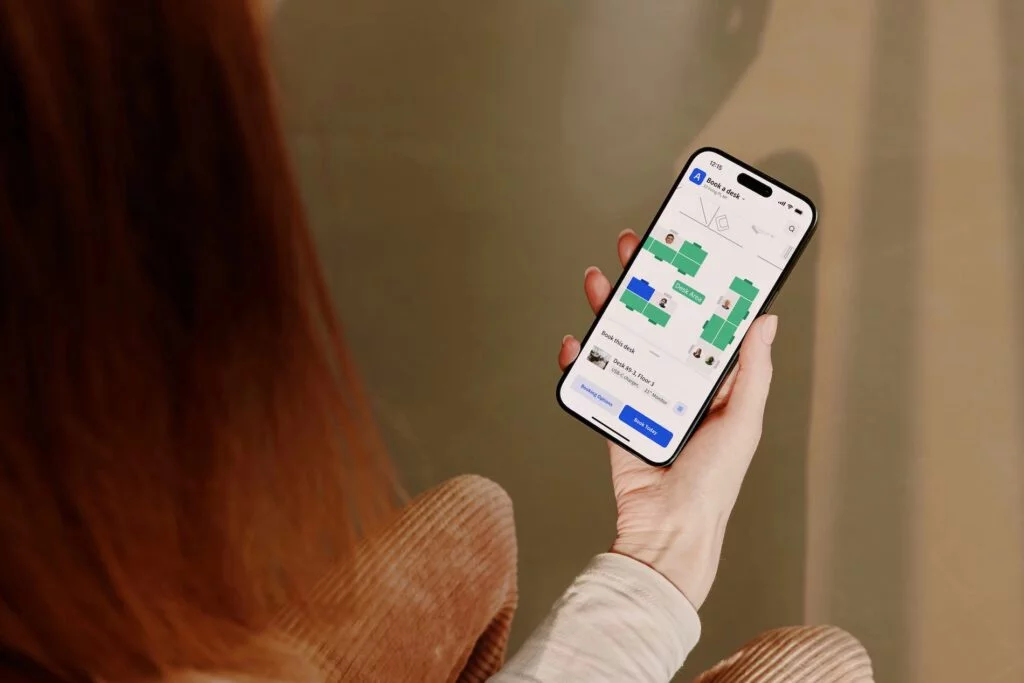
Employees should be able to book desks in just a few clicks, whether they’re using a phone, a computer, or even their calendars. A good desk booking system shows which desks are free in real time and lets users choose from a map or a list. They can filter by location, date, or what they need (like a quiet corner or a standing desk). Bookings update instantly, so there are no double bookings, and everything stays synced with work calendars like Google or Outlook.
Recurring desk bookings and rules
If someone comes into the office on the same days every week, they can set up a recurring booking, so there’s no need to reserve the same desk over and over. Admins can also set rules, like how far in advance desks can be booked, who can book certain areas, and what happens if someone doesn’t show up. Some desk booking systems even release desks automatically if no one checks in.
Finding colleagues and employees easily
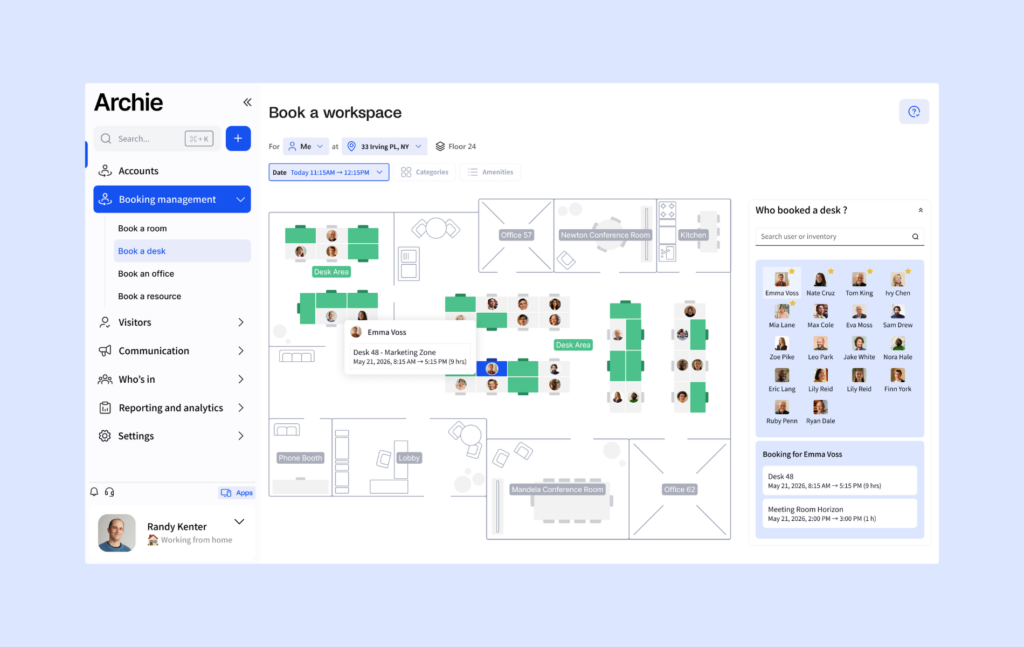
Many desk booking systems include a “people finder” so employees can see who’s in the office and where they’re sitting, so that they can book the workspace next to their colleagues. Some tools even send alerts when teammates plan to come in. As an admin, you can also check who’s in the office at all times.
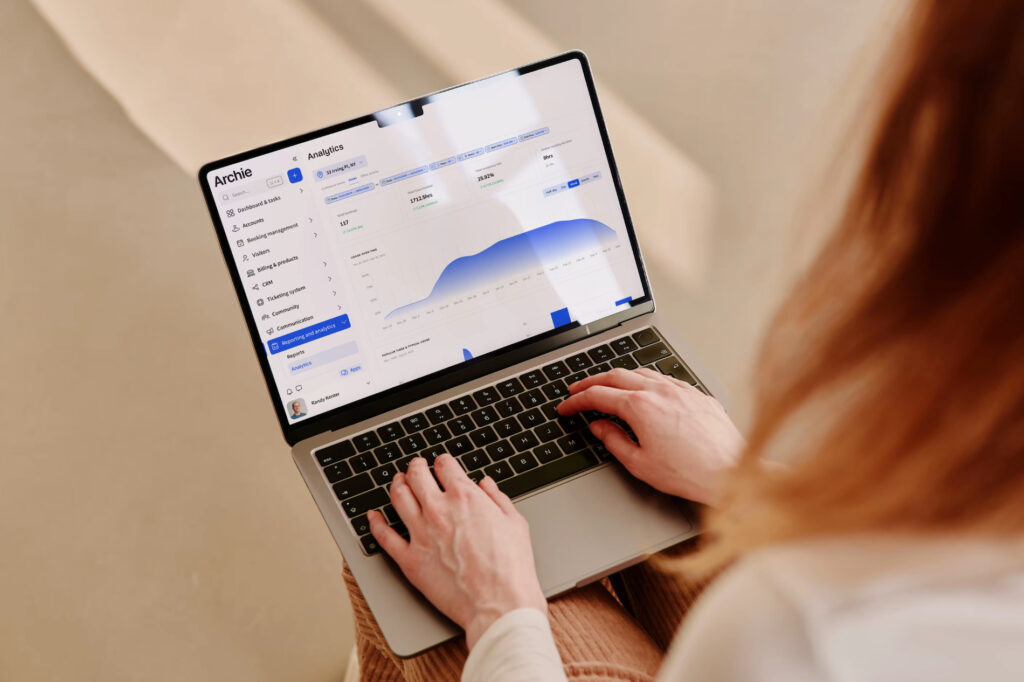
Reporting and office analytics
Desk booking tools often come with occupancy reports that show how desks are being used. This helps you figure out which workspaces are the most popular, what days are busiest, and which desks aren’t being used as much. You can also export the workplace data for sharing or record-keeping.
Third-party integrations
Look for desk booking software that works with the tools your team already knows, like Google Calendar, Slack, Microsoft Teams, or Outlook. These integrations make it easier to book desks without switching between apps. Also, features like Single Sign-On (SSO) make logging in fast and secure for your team.
Pricing models offered by desk booking systems
There are three common approaches:
- Per desk or “per space” pricing (resource-based). You pay for the desks (and sometimes rooms) you make bookable, not the number of employees who might log in. This is usually the easiest model to budget for in hybrid offices, because headcount can change without changing how many desks you actually manage. For example, Archie starts $159/month minimum, combining desks and rooms. Skedda prices by “spaces” in tiers (like $99 to $199/month), which can work well until you add more bookable items and hit the next tier.
- Per user pricing. You pay for each employee (or active user) on the platform. This can be affordable for small teams, but it often gets expensive as you grow, especially if you have lots of occasional office users who still need access. Examples: deskbird (around $3.75 to $4.75 per user/month), Officely ($2.50 to $3.50 per user/month).
- Quote-based, enterprise pricing. Some tools do not publish pricing. You book a demo and get a custom quote based on size, locations, and modules. This is common for enterprise platforms, but it makes comparisons harder and usually means a longer buying process. Examples: Robin vs OfficeSpace, or Kadence.
What usually changes the price (no matter the vendor)
- Locations and floors: Multi-site support often pushes you into higher tiers.
- Integrations: SSO, SCIM, directory sync, and deeper Teams or Slack workflows are sometimes only available in higher plans.
- Admin controls: Roles, approvals, advanced booking rules, and policy settings are often “paid upgrades.”
- Analytics: Basic usage is common, but deeper dashboards, longer history, or custom reports may cost extra.
- Add-on modules: Some platforms charge separately for visitors, requests, parking, or AI features.
Quick desk booking pricing comparison
Here’s an exemplary desk booking software pricing comparison for 100 desks and 200 employees, charged per month in US dollars:
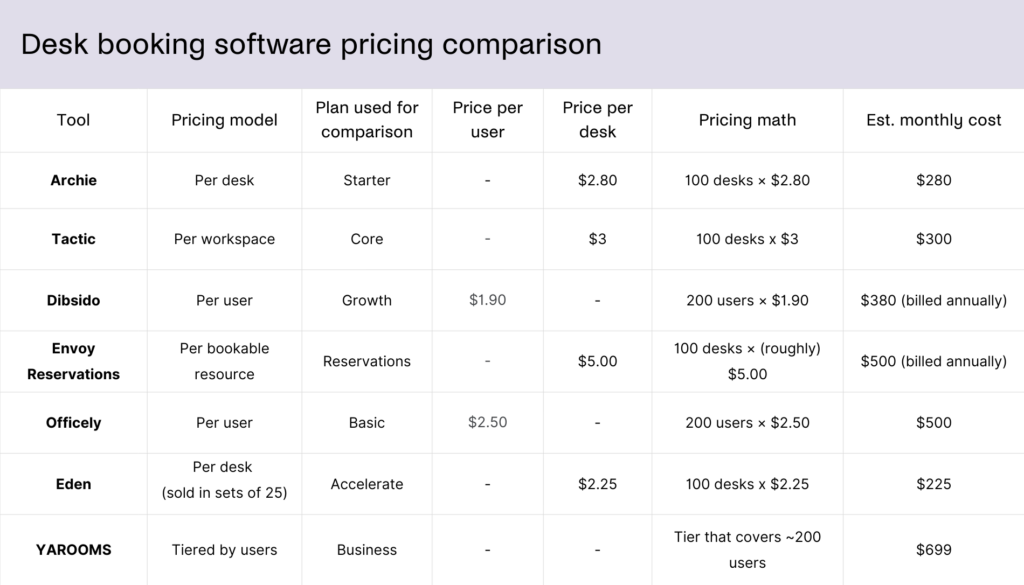
How does desk booking software work, exactly?
As an employee, you just open a desk booking app or website and pick an available workspace from the calendar or an interactive office map. You can choose a specific desk type, like a sit-stand desk, a quiet hot desk, or a collaboration spot in your team’s workspace or zone.
You can then book ahead for just a few hours or the whole day using time slots like 9–12 or 1–5. Some systems let you set recurring bookings if you come in on the same days each week, so you don’t have to keep reserving the same desk again and again. Once you’re at it, you can also check who else is coming into the office, and cancel, change, or confirm bookings easily.
As an admin or manager, you can do a bit more. For example, set rules for how far in advance desks can be booked, policies like maximum duration, lead time, and cancellation limits, who can use certain areas, and what happens if someone doesn’t show up. You can also book desks for your team, which is handy for team days or meetings.
Behind the scenes, desk booking software makes sure everything runs smoothly. It updates desk availability right away to avoid double bookings, but it also helps you see how your office is being used. Since it keeps a usage log, you can track desk occupancy rates, understand booking frequency, and spot desks that rarely get used.
Who uses desk booking software, and why?
Desk booking software is used by many different types of teams, but they all have the same basic problem: more people than desks, and no clear way to manage it.
Hybrid and flexible teams
This is the biggest group. When employees come in on different days, no one knows who will be in the office or whether there will be a desk available. Desk booking software lets people reserve a desk before they arrive, so there’s no guessing, no early arrivals just to “save a seat,” and no frustration.
Growing companies
As companies grow, fixed seating often stops making sense. Desk booking helps them use space more efficiently without constantly rearranging the office or adding more desks than they really need.
Companies downsizing their office
Many businesses reduced office space after moving to hybrid work, for example. Desk booking software helps them make sure the smaller office still works, even on busy days, by spreading demand and avoiding overcrowding.
Offices with shared resources
Some desks have special setups like dual monitors, standing desks, or accessibility features. Desk booking software lets employees filter and book the desk that fits their needs instead of settling for whatever is free.
Managers and workplace teams
Office and facilities teams use desk booking software to:
- See who is coming in and when
- Reduce no-shows and wasted space
- Understand which desks are actually used
- Plan layouts and policies based on real data
Without a booking system, they are often working blind.
Employees
From an employee’s point of view, it’s simple: I know I’ll have a desk when I arrive, I can sit near my team, and I don’t waste time searching for space.
What’s the best desk booking software?
If you want a desk booking system that is easy to use, easy to roll out, and easy to budget for, Archie is a strong pick for most modern offices.
- Clear, predictable pricing. Archie charges per desk, not per employee. Prices start around $2.80 per desk, with a $159/month minimum.
- Fast to set up. You do not need a long, painful rollout. Many teams can get Archie up and running in days, not weeks or months.
- Better value for mid-sized and large offices. Most offices nowadays have more people than desks because not everyone comes in every day. With per-user tools, costs can jump as headcount grows. With Archie, your price is tied to your space, so it usually stays more affordable and easier to control.
- Strong, recent user feedback. Archie has very high ratings (about 4.9/5 on G2 and Capterra) with lots of recent reviews, so you can see how it performs for real teams today.
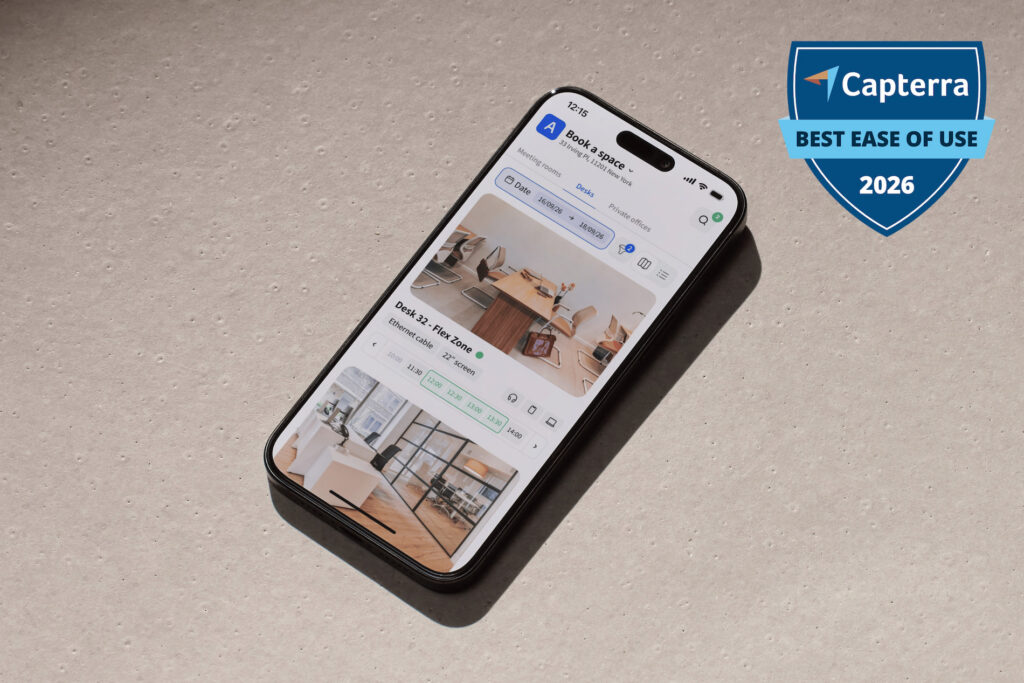
Quick head-to-heads
Archie vs deskbird: Archie charges per desk and room, while deskbird charges per user ($3.75 to $4.75 per user). Both cover the core booking experience, but Archie is often easier to budget for as headcount grows, and deskbird’s tiered plans can get pricey once you need more advanced features.
Archie vs Officely: Officely is great for simple desk booking inside Slack or Microsoft Teams ($2.50 to $4 per user). Archie starts at $159 per month and is a better fit if you want a more complete setup, like interactive floor plans and stronger analytics.
Archie vs Skedda: Skedda uses flat monthly tiers ($99 to $199 per month), and every bookable item counts toward your space limits. Archie charges per desk and per room ($2.80 per desk and $8 per room), which many teams find more predictable as they add spaces.
Archie vs Dibsido: Dibsido is a solid lightweight option if you mainly need desk booking plus parking and carpooling. Archie is a better match if you need deeper analytics, stronger admin controls, multiple locations, and visitor management.
Archie vs Robin: Robin is designed for large enterprises and adds employee experience features like surveys and satisfaction tracking, but pricing is usually high and quote-based. Archie is simpler to use, faster to launch, and more affordable, with transparent pricing from $159 per month.
Archie vs elia: elia is a clean, visual desk booking tool that is easy to adopt. Archie is often the better pick when you need more advanced controls, deeper analytics, and a broader set of workplace features, while still paying based on desks and rooms instead of employee count.
Archie vs OfficeSpace: OfficeSpace is built for enterprise space planning and move management. If you don’t need those advanced real estate workflows, want something faster to roll out, and usually more affordable, Archie is often the better fit.
Archie vs Kadence: Both are full workplace platforms, but Archie has clear, resource-based pricing, while Kadence uses quote-based pricing.
Archie vs Eden: Both let you buy desks, rooms, and visitors as separate modules. Eden can be cheaper for very small setups, but Archie is usually the better long-term pick because you can pay for the exact number of desks and rooms you manage.
Archie vs Tactic: Both support workplace management beyond desks, but Archie costs less.
Archie vs YAROOMS: YAROOMS can be a good deal for very small teams (for example, $99 per month for 10 users). Archie tends to work better for mid-sized offices because pricing is tied to desks and rooms, not employee count, which often scales better when people share workspaces.
Archie vs Envoy: Envoy is strong for visitor workflows and security-focused front desk setups, but pricing scales per active user, and key features can sit in higher tiers. Archie gives you desk booking, room scheduling, and visitor management with a pricing model that is usually easier to budget for.
- Key sources