



















- What you’ll learn
- What UnSpot does well, and where it can start to feel limiting
- How UnSpot’s pricing actually works (and why it can get confusing)
- The most common reasons teams start looking for UnSpot alternatives
- A breakdown of the top UnSpot alternatives
- Why Archie is the best UnSpot alternative out there
If you’re searching for UnSpot alternatives, there’s a good chance something is not quite working for you anymore. Maybe UnSpot covers the basics, but the pricing started to feel harder to justify as your team grew. Maybe you looked into visitor check-in and realized the feature is mentioned on the website, but it is still not very clear what you would actually pay for it. Or maybe the mobile experience just never really clicked, and people on your team quietly went back to Slack messages, spreadsheets, or asking around.
I do not think that is unusual at all. A lot of workplace tools look fine on paper, but the cracks start to show once more people begin using them, more spaces need managing, or the office setup gets more complicated.
So I went through five of the most talked-about UnSpot alternatives, checked pricing on their websites, read through G2 and Capterra reviews, and looked at what each tool actually seems best at in real life. Here’s the short version.
What is UnSpot?
Overview
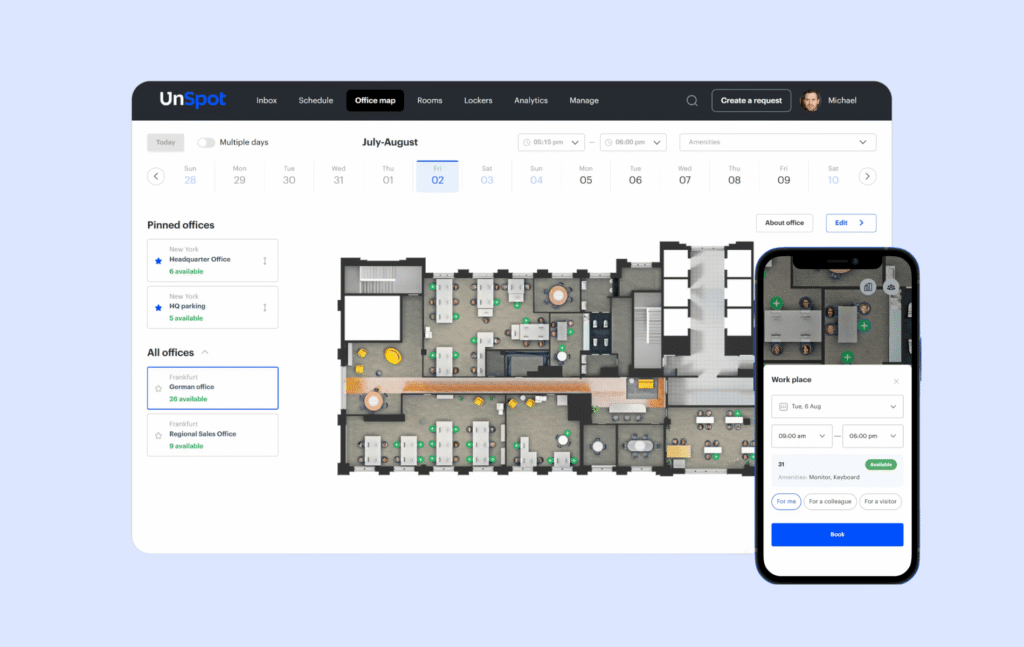
UnSpot is an office space management platform built for companies that need a simple way to manage desks, office schedules, and workspace analytics. At its core, it helps answer a few everyday questions: who’s coming into the office, where everyone is sitting, and how the space is actually being used.
From what I found, UnSpot seems to be especially popular with hybrid teams that want something easy to roll out and easy for employees to use. GetApp’s data shows that desk booking is the main use case for around 75% of reviewers, and a large share of those users come from the IT sector.
It also covers the workplace integrations most companies would expect, including Google Calendar, Microsoft 365, Slack, Outlook, and identity tools like Okta. So for many teams, it will fit into the tools they already use every day. That said, the integration side still looks a bit lighter than some competitors, and I could not find a clearly published public API in its main product materials. For companies that want deeper customization or more advanced office automation, that could be a limitation.
Overall, UnSpot looks like a strong fit for small to mid-sized companies, especially hybrid offices that want desk booking, office scheduling, and simple workplace analytics in one place. It also seems like a good match for teams that care a lot about ease of use and want a tool employees will actually adopt.
Where it may feel less convincing is for larger enterprises or more complex setups. If your company needs very advanced analytics, deeper customization, API access, or more sophisticated Microsoft Teams and Outlook workflows, UnSpot may start to feel a bit limiting. And the pricing can add another layer of confusion, since the company shows both per-user and per-resource models. I’ll get into that in more detail in a bit.
Key features
- Desk booking with interactive floor plans, desk amenities, and office seating.
- Meeting room booking with Google and Outlook calendar sync, room displays, and booking from mobile or desktop.
- Office scheduling and hybrid work planning — employees can set their office days, see who is coming in, and plan team days.
- Workspace analytics with office occupancy data, desk and meeting room usage insights, and space utilization reports.
- Mobile app and web app for booking desks, rooms, and checking office schedules from anywhere.
- Integrations with Slack, Microsoft Teams, Google Calendar, Outlook, Zoom, and Okta for identity management.
Pricing
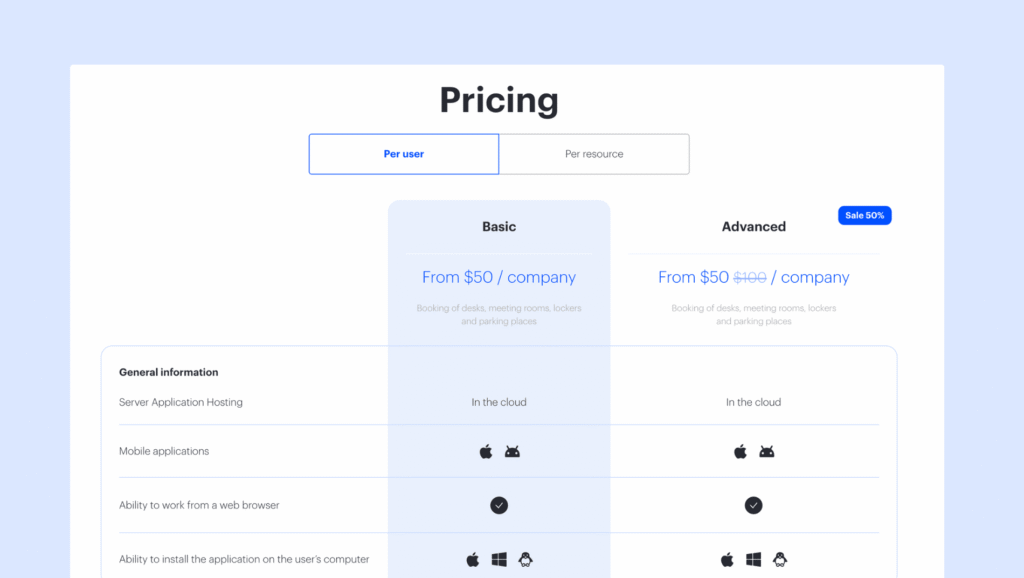
UnSpot’s pricing looks simple at first, but it takes a minute to understand because the company shows two different room & desk booking pricing models: per user and per resource.
On the per-user side, the Basic plan starts at $50 per company per month, and the Advanced plan is also currently listed at $50 per company per month — normally $100, with a 50% promotion running at the moment. I’ve seen the same discount a few times already, so it might be a recurring promotion.
On the per-resource side, pricing is around $10 per resource per month for desks, parking, or lockers, and around $30 per resource per month for meeting rooms.
In practice, UnSpot pricing makes the most sense if you first decide how you want to pay:
- If your company wants to pay based on employees using the system, the per-user model may feel more straightforward.
- If your company has fewer desks than employees and mainly cares about bookable spaces, the per-resource model may look more attractive at first.
The main drawback is that UnSpot’s public pricing can feel a little inconsistent depending on where you look. The official website uses a per-company framing, while G2 and Capterra show per-user monthly pricing. So if you’re comparing UnSpot with alternatives, it’s worth checking exactly which pricing model, which features, and which modules are included.
Why are people looking for UnSpot alternatives?
UnSpot is a solid desk booking and office scheduling tool, and most user reviews are positive. But when you read reviews and comparisons, a few common reasons come up:
🔴 Pricing can become confusing as you grow. UnSpot offers both per-user and per-resource pricing, which sounds flexible, but it can also make costs harder to predict. Some companies realize they need both desk booking and meeting room booking, which are priced separately on the resource model. Others notice that with per-user pricing, they are paying for employees who only come into the office a few times per week. For hybrid teams, this can make costs feel higher than expected.
🔴 Mobile app experience comes up in reviews. The platform works on mobile, but some reviewers mention slowdowns during busy times and say the office maps can be harder to use on a phone. If booking a desk or room from a phone is not fast and simple, employees sometimes stop using the system, and then office data becomes less reliable.
🔴 A few users also mention performance issues. These include booking updates not syncing fast enough across systems, occasional lag, and small interface issues that require refreshing the page. G2’s review summary also points to slow loading as a recurring complaint.
🔴 There are also some complaints around notifications and flexibility. One G2 reviewer said reminders can feel too frequent, and other reviews suggest some parts of the product still feel a bit unfinished or harder to customize than expected.
🔴 Some teams outgrow the platform. UnSpot is often a great fit for small and mid-sized hybrid teams. But as companies grow, add more locations, or need more complex workplace rules and reporting, they sometimes start comparing more advanced workplace management platforms.
None of these issues is catastrophic on its own. But stack two or three together, and it makes sense to look at UnSpot alternatives. Luckily, I know a few.
5 best UnSpot alternatives
- Archie is the best UnSpot alternative for most hybrid teams. It combines desk booking, meeting room booking, workplace analytics, and visitor management in one place, and it tends to be easier to roll out and easier for employees to actually use.
- Robin is built for larger enterprise teams with bigger budgets and more internal support. It goes much deeper into workplace analytics, meeting services, and long-term space planning, but it also comes with more complexity and a heavier rollout.
- Skedda is the best fit for teams with complicated booking policies. If you need quotas, approval flows, access rules, and stricter control over how different spaces are used, Skedda is probably the most configurable option here.
- YAROOMS is the interesting one if AI-assisted scheduling is a real priority. Yarvis helps employees coordinate office days and figure out when to come in, which can be genuinely useful for teams that struggle with planning in-office time.
- Officely is the simplest option for teams that live in Slack or Teams and do not want another standalone app. Its biggest strength is adoption. Because it works inside tools people already use every day, there is a better chance your team will actually keep using it.
1. Archie: best UnSpot alternative
Overview
Similar to UnSpot, Archie is a workplace management platform that brings together desk booking, meeting room booking, workplace analytics, and visitor management in one place. That is a big part of why it stands out as an UnSpot alternative. Some tools do desks well. Others do meeting rooms well. Others tack on visitor management later. Archie feels more complete from the start.
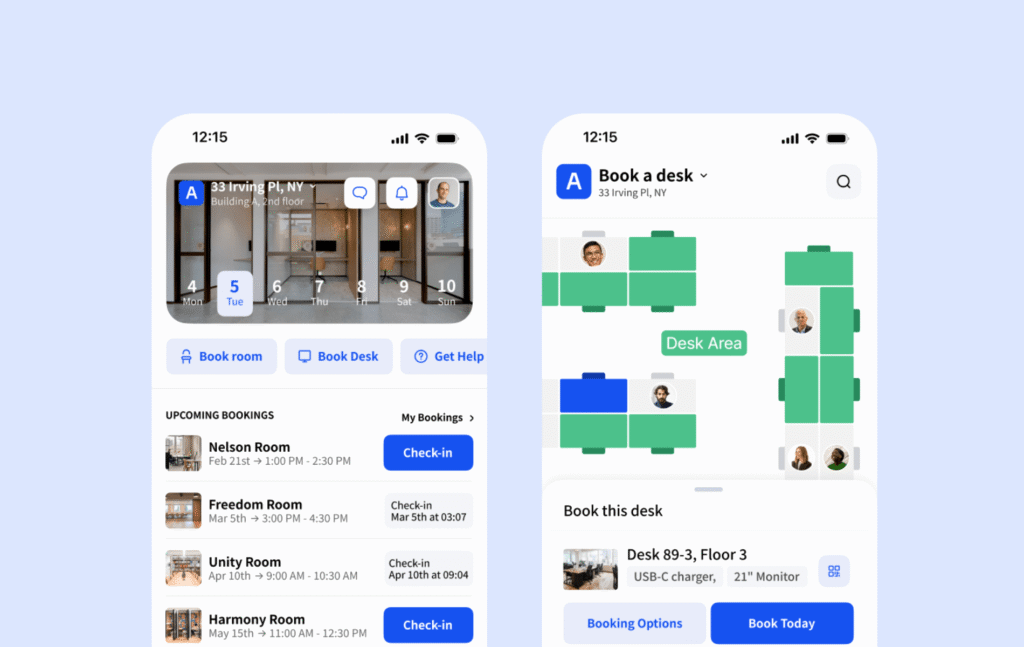
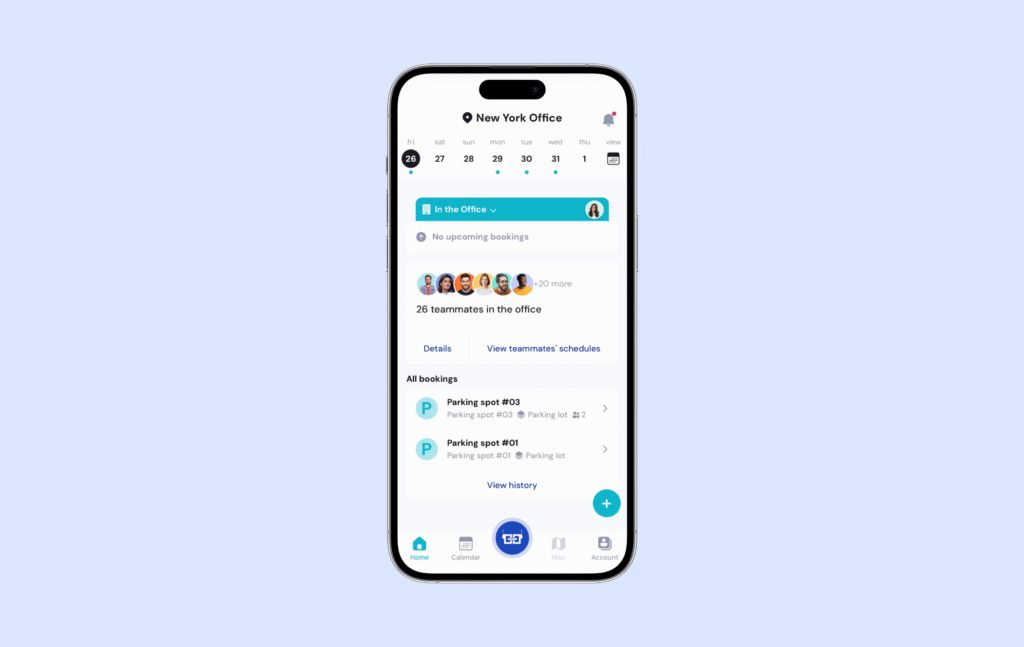
The desk booking experience is especially strong. Employees can browse interactive office maps, filter desks by amenities, and see which coworkers are coming into the office. That makes it easy to find the right spot and plan office days around team collaboration. The interface is also very easy to use, which matters more than most companies expect.
User reviews support that too. Archie consistently scores very highly for ease of use and support, and that comes up again and again when people compare it with more expensive or more complicated platforms. It also works across web, mobile, and Microsoft Teams, so employees can book space in whatever way feels most natural to them.
Key features
- Desk booking software with floor plans, amenity filters, and recurring reservations, so employees can find the right desk and sit near teammates.
- Meeting room booking system with Google and Outlook calendar sync, check-in, and auto-release for no-shows.
- Workplace analytics with occupancy tracking, office attendance data, and exportable reports.
- Single sign-on, SCIM, and open API included on all plans, instead of being locked behind enterprise pricing.
- Native integrations with Slack, Microsoft Teams, Outlook, Google Calendar, and access control systems like Kisi and Brivo.
- Visitor management system (priced separately) with unlimited visitors, a kiosk app, touchless registration, host notifications, badge printing, document e-signatures, and a real-time visitor log.
How it compares to UnSpot
The biggest difference is pricing.
Archie charges per desk and per room, not per user — and the per-resource prices are more affordable. That can make a very big difference in hybrid offices. If you have 200 employees sharing 80 desks, you are paying for 80 resources, not 200 user licenses. As the company grows, the cost stays tied to the number of spaces you manage rather than the number of people on payroll.
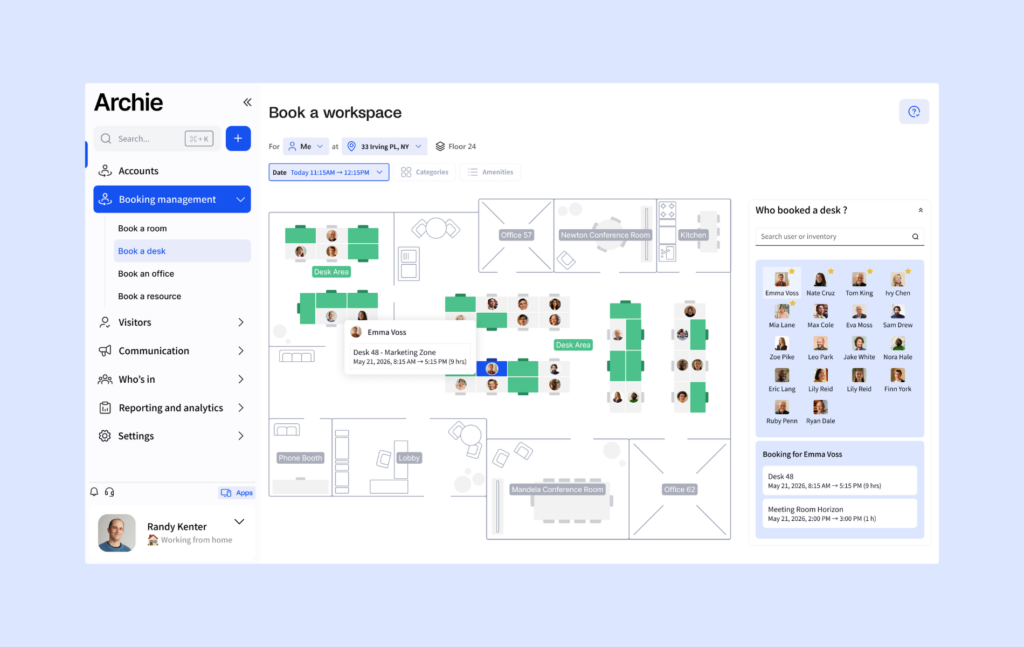
Another advantage is visitor management. Archie offers it as a dedicated product, which makes it a better fit for companies that need both workspace booking and front-desk workflows in the same platform. UnSpot does have a visitor management page on its site, but it is not clearly connected to a specific pricing tier, which makes budgeting less straightforward. Archie also gives teams more control over visitor check-in flows than many tools in a similar price range.
Pricing: UnSpot vs Archie
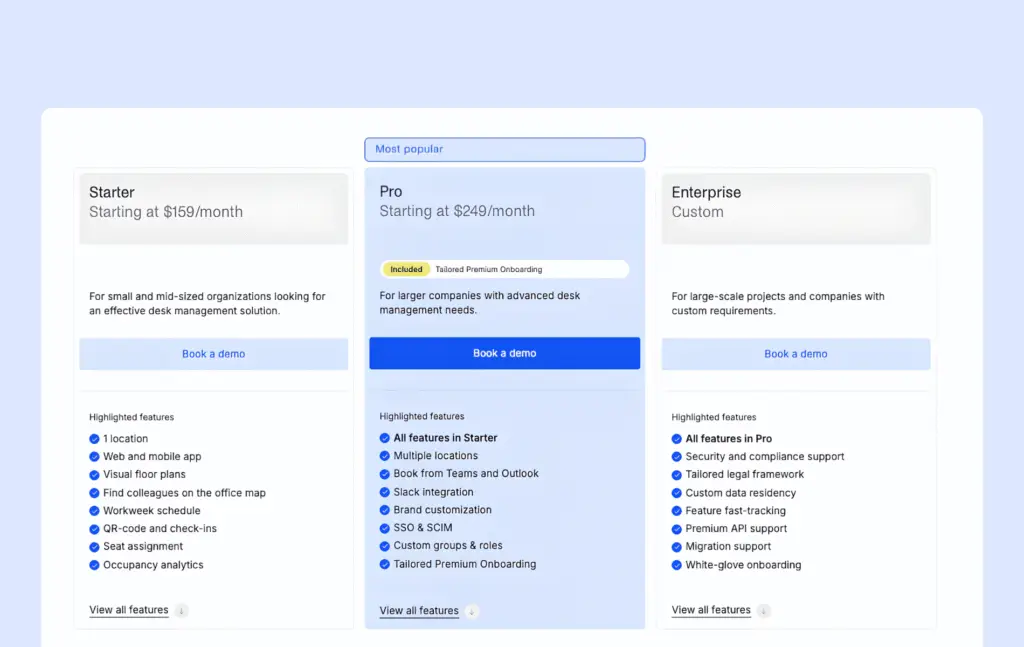
Archie starts at $159 per monthly. All plans include SSO, SCIM, open API, and unlimited users. Visitor management is priced separately, with the Starter plan at $109 per location per month and the Pro plan at $185 per location per month.
Both visitor pricing plans include unlimited visitors, a kiosk app, touchless registration, host notifications, badge printing, document e-signatures, and a real-time visitor log. The Pro plan adds visitor analytics, branding options, photo capture, custom forms, SMS notifications, and emergency evacuation workflows. There is also a 14-day free trial.
Compared with UnSpot’s per-user pricing, Archie is usually the more cost-effective option once you have more people than desks, which is often the whole reason companies move to hot desking in the first place.
2. Robin: best for larger organisations
Overview
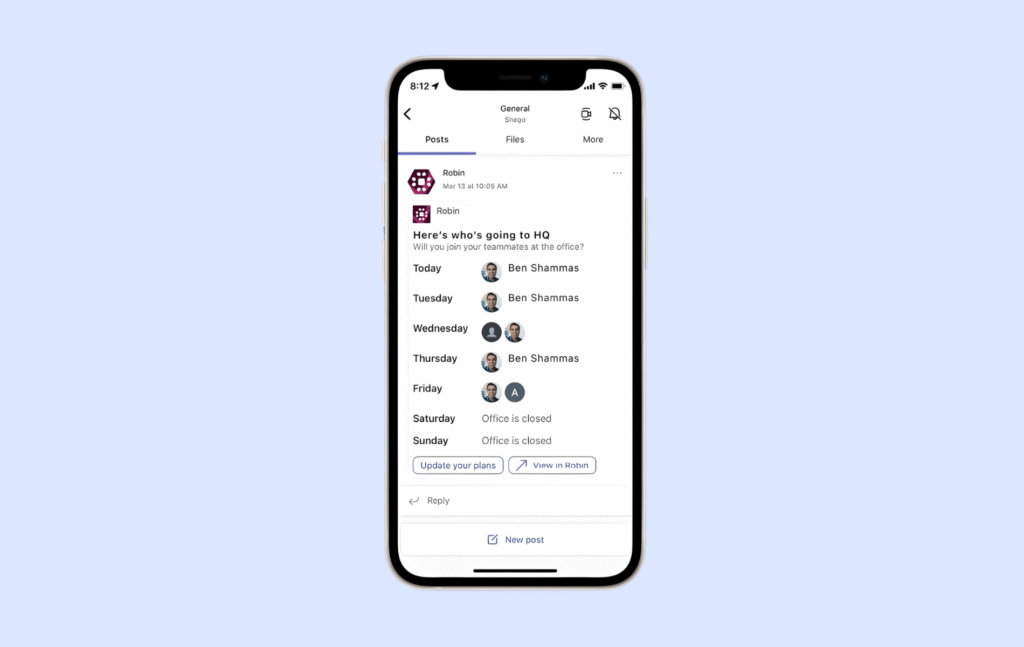
Robin is one of those platforms that feels clearly built for bigger companies. It has been around for a while, and you can see that in both good and not-so-good ways. On the plus side, it is a mature workplace platform with deeper room booking tools, stronger workplace analytics, and more advanced space planning features than most simpler tools in this category. If your company needs more than just desk booking, Robin can do a lot.
Where it really stands out is meeting room management. This is not just about reserving a room on a calendar. Robin also supports things like catering requests, AV support, and service workflows tied to meetings, which makes it much more useful for larger organisations managing lots of meeting spaces across multiple offices.
It also leans heavily into enterprise workplace planning. So if your team is thinking about utilization, forecasting, AI-powered planning, and long-term office strategy, Robin is much closer to that world than a lighter tool like UnSpot.
The downside is that all of that depth comes with more complexity. Robin is not the kind of product that feels light or simple. It usually takes longer to roll out, it is harder to budget for upfront, and some users mention that admin tasks like editing floor plans can take more effort than expected. For a large company with a dedicated workplace or facilities team, that may be completely fine. For a smaller team, it can start to feel like too much.
Key features
- Desk and room booking with interactive maps and live availability across workplaces and meeting spaces.
- Workplace analytics with advanced reporting, AI-driven planning tools, and data exports for deeper space planning.
- Meeting services such as catering requests, AV support, and workplace ticketing tied directly to office reservations.
- Visitor management as part of the broader platform, though often packaged as an added capability rather than the main focus.
How it compares to UnSpot
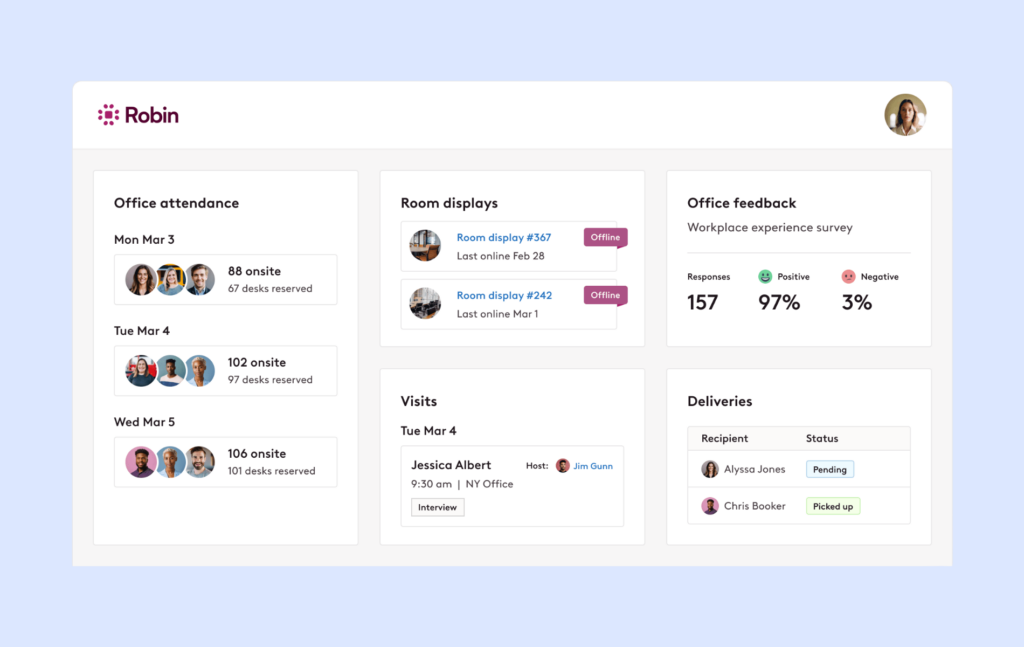
Compared with UnSpot, Robin gives you more depth, more enterprise features, and more flexibility for complex workplace operations. If you need advanced workplace analytics, deeper room management, and more support for large-scale office planning, Robin is clearly the stronger product. But that extra depth comes with a steeper learning curve, longer onboarding, and a higher price. For a large organisation with a facilities team, that may be worth it. For smaller companies, Robin alternatives are usually a better choice.
Pricing: Robin vs UnSpot
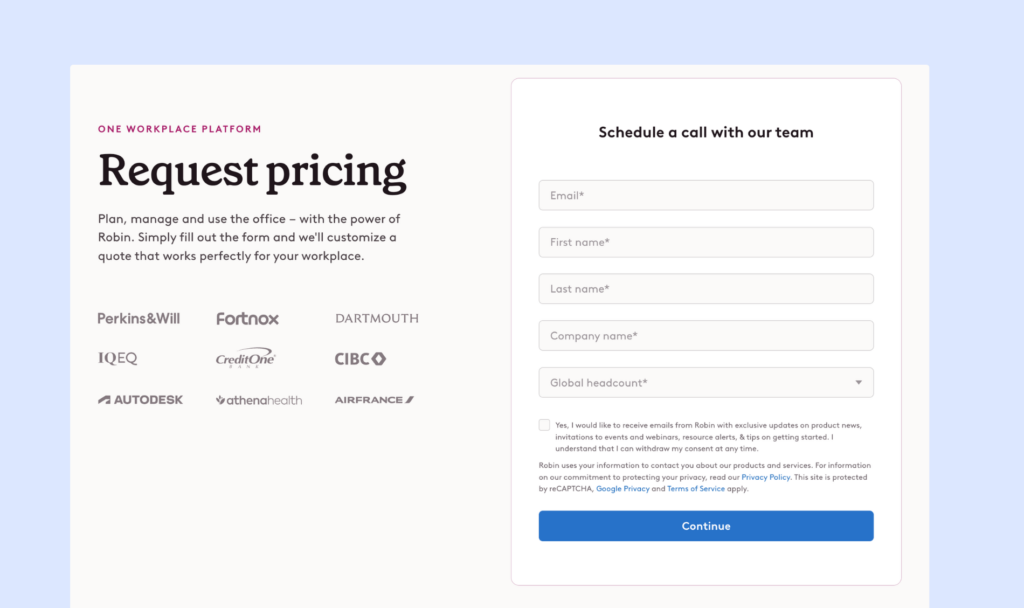
Robin’s desk and room booking pricing is custom and quote-based, so you will not find a public pricing page with standard plans.
That said, this is very much a premium product. If budget is a big part of your decision, that is one reason teams often compare Robin with more cost-effective alternatives like Archie.
3. Skedda: best for custom booking rules
Overview
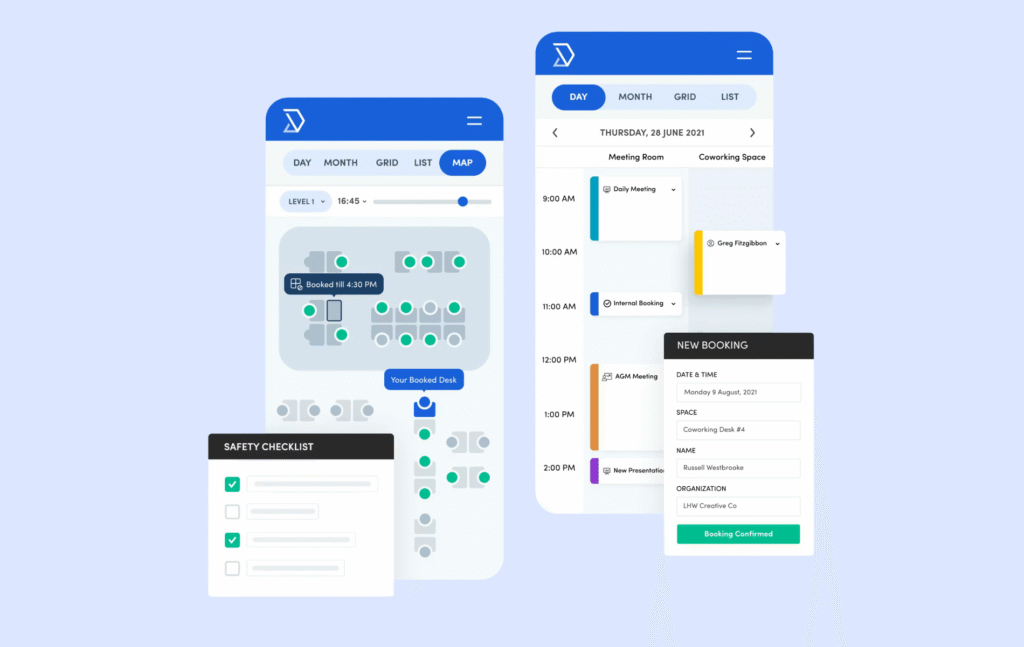
Skedda is the kind of tool people usually end up looking at when a simple booking system stops being enough. If your office has a lot of rules to manage, and you are tired of handling them manually, Skedda starts to make a lot of sense.
That is really where it stands out. It is built for workplaces where booking policies are a bit more complicated than usual. Maybe different teams have different desk quotas. Maybe some meeting rooms need manager approval. Maybe access changes depending on the type of space or the group using it. Skedda is very good at handling that kind of setup, and that is a big part of why it is popular with offices, universities, labs, studios, and other shared environments.
The part that is easy to underestimate is pricing. Skedda charges by bookable space, not by user, and every resource counts toward that total. That means desks, meeting rooms, lockers, and parking spots can all push you into a higher tier. So while the starting price may look reasonable at first, the monthly cost can climb faster than expected if you are managing lots of different resource types in one office.
Key features
- Desk and room booking with interactive floor plans and live availability across spaces.
- Highly configurable booking rules, including quotas, booking windows, booking conditions, and approval workflows.
- Per-group access controls, so different teams can have different permissions and limits.
- Workplace analytics with an insights dashboard for utilization patterns and booking trends.
- Integrations with Microsoft 365 and Google Workspace, plus mobile apps and tablet displays.
- Visitor management as a paid add-on.
How it compares to UnSpot
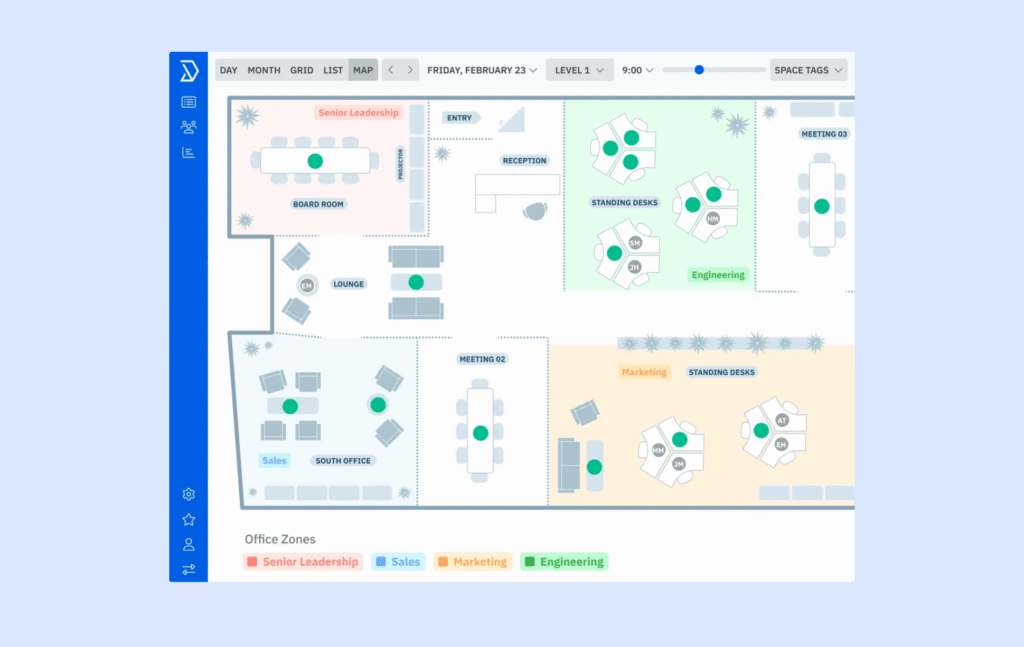
Compared with UnSpot, Skedda is much stronger when it comes to booking rules and policy control. If you need different quotas for different teams, approval flows for certain rooms, or more detailed access rules depending on the space, Skedda gives you a lot more flexibility. UnSpot can absolutely handle standard booking workflows, but it is not really built for the same level of rule depth and customization.
The tradeoff is that Skedda usually asks for a bit more work upfront. It is the kind of tool that works best when you already know your policies and want the software to enforce them properly. Once that setup is done, though, it can make day-to-day workspace management much easier. Its analytics are also solid for understanding how your spaces are being used, even if they do not go as deep into broader workplace planning.
Pricing: UnSpot vs Skedda
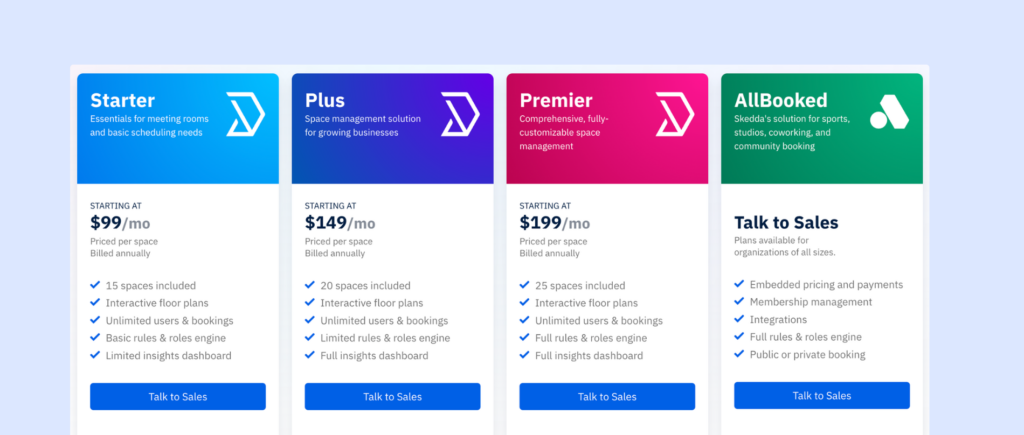
Skedda’s pricing is based on bookable spaces rather than users. So, let’s say you have 10 desks and 5 meeting rooms. You are already at the limit of the first plan. Add a few parking spots or lockers, and you could move into a higher tier pretty quickly, which makes people want to consider Skedda alternatives.
Still, its public plans start at $99 per month for Starter with 15 spaces included, $149 per month for Plus with 20 spaces included, and $199 per month for Premier with 25 spaces included, billed annually. Visitor management is an add-on, so it sits on top of the core platform cost.
4. YAROOMS: best for AI-assisted scheduling
Overview
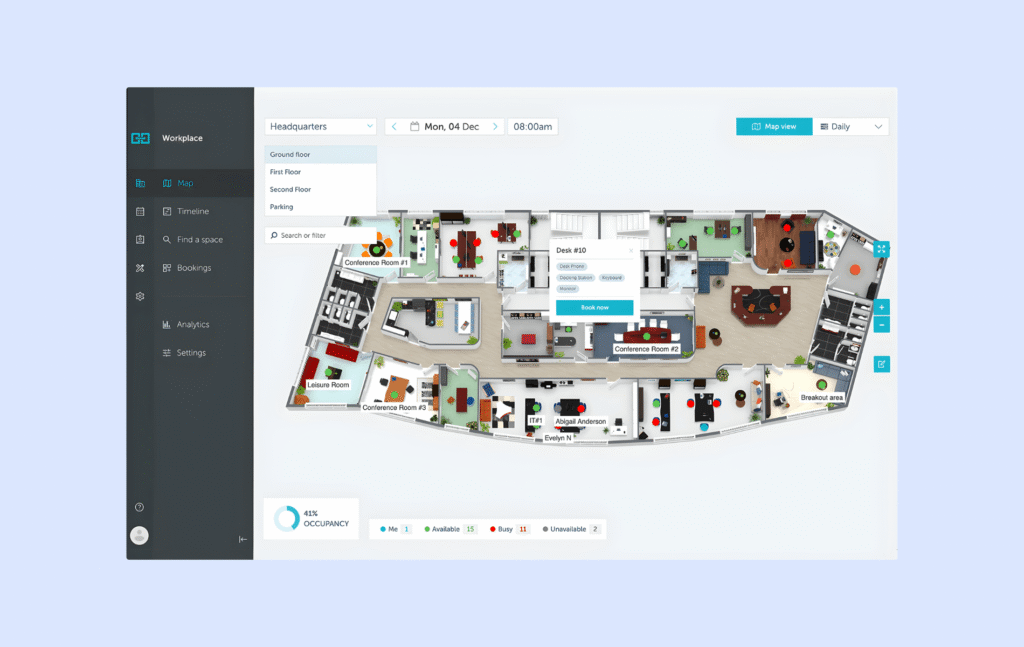
YAROOMS does the usual desk and meeting room booking well, but the thing that really helps it stand out is Yarvis, its AI workplace assistant. Yarvis works inside Microsoft Teams and email, and it helps employees figure out the best day to come into the office, coordinate with teammates, and book space without having to check everyone’s schedules manually. At first, that can sound a little gimmicky. But if your team spends too much time going back and forth trying to line up office days, it can be useful.
YAROOMS also feels stronger than many simpler tools when it comes to multi-site management. Its pricing tiers are clearly designed for companies growing across locations, with Starter covering one location, Business covering two, and Enterprise covering five or more. So if your company is expanding and wants one platform that can grow with it, that is a real plus.
The part worth watching more closely is pricing. YAROOMS uses tiered pricing based on users and plan limits, which can get expensive as your team grows. There are also a few smaller product limitations to keep in mind. Some users say they would like more detail in the maps, like clearer equipment indicators, and a few reviews mention quirks with calendar behavior in Outlook.
Key features
- Desk and room booking with interactive maps, with 2 floors on Starter and unlimited floors on higher plans.
- Yarvis AI assistant for work scheduling recommendations on Business and above.
- Multi-site management, with 1 location on Starter, 2 on Business, and 5+ on Enterprise.
- Visitor management as a separate add-on at $99 per location per month, with customization options and digital visitor logs.
- Microsoft Teams app for in-platform booking on Business and above, plus Google Calendar, Outlook, Zoom, and Teams integrations.
- Workplace analytics with 90-day retention on Business, unlimited analytics on Enterprise, plus data exports and API access on Enterprise.
How it compares to UnSpot — can you actually book desks with AI?
The clearest difference between YAROOMS and UnSpot is the AI layer. UnSpot covers desk booking, room booking, and workplace analytics, but it does not really have an equivalent to Yarvis. If your team struggles with coordinating office days, YAROOMS gives you something more proactive than a standard booking interface. It tries to reduce the usual back-and-forth by helping employees decide when to come in and what to book.
That said, whether you actually need AI for this depends on your team. For some companies, it will feel helpful. For others, it may feel like a nice extra rather than something essential. Booking a desk is usually not the hard part. The bigger question is whether your team really needs help coordinating office days at scale.
YAROOMS also feels a bit more mature for multi-location setups. Its plans, limits, and feature packaging are clearly designed around companies scaling across offices, while UnSpot feels more focused on straightforward workplace booking and scheduling for small to mid-sized teams.
Pricing: UnSpot vs YAROOMS
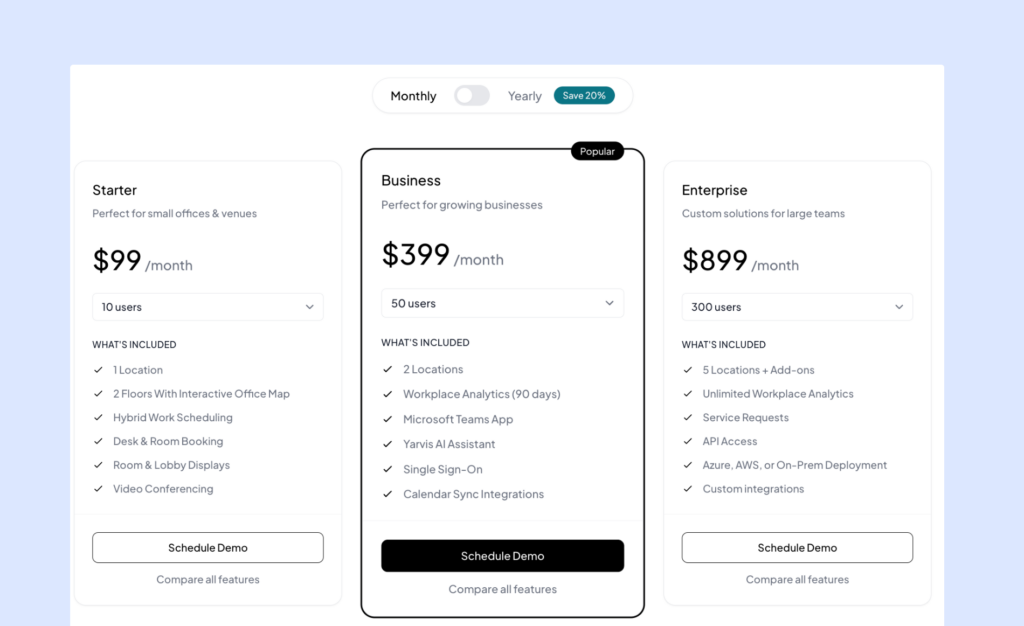
YAROOMS has three main public plans priced per-user: Starter is $99 per month, Business is $399 per month, and Enterprise is $899 per month.
Starter includes up to 20 users, 1 location, 2 floors, and 20 bookable spaces. Business includes up to 200 users, 2 locations, 150 bookable spaces, workplace analytics for 90 days, the Microsoft Teams app, Yarvis AI, and single sign-on. Enterprise includes unlimited users, 5+ locations, unlimited spaces, unlimited analytics, service requests, API access, and Azure, AWS, or on-prem deployment options.
Visitor management is priced separately at $99 per location per month.
5. Officely: best for Slack-first teams
Overview
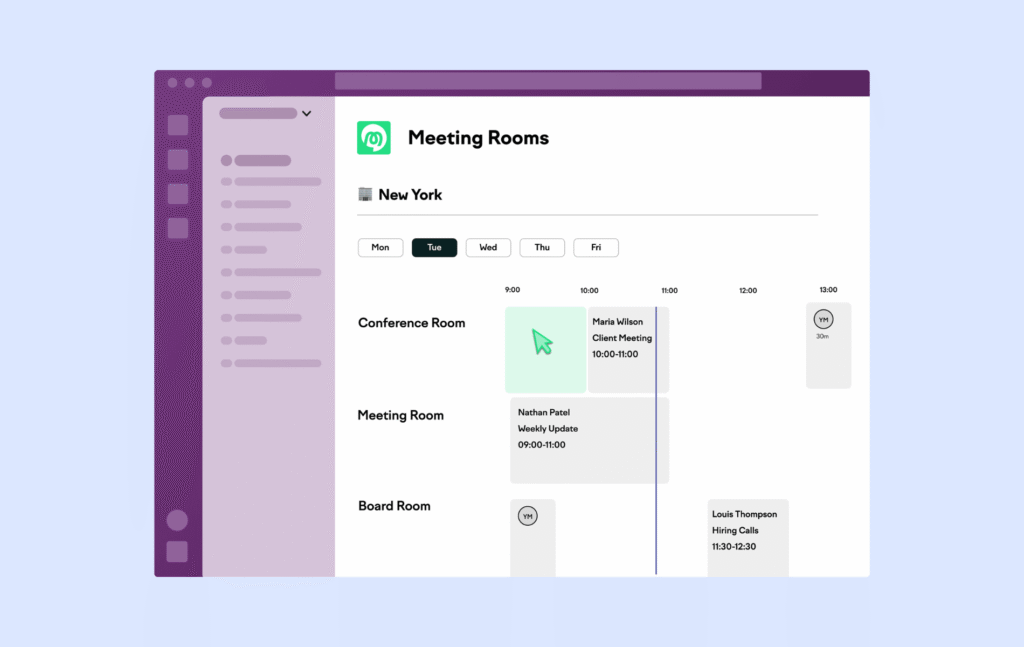
Officely takes a very different approach from most workplace tools on this list. Instead of asking employees to learn another standalone app, it lives inside Slack and Teams, so people can book desks, reserve meeting rooms, and see who is coming into the office from the same place they already use to chat with coworkers.
That sounds simple, but it matters a lot. For many companies, the biggest problem is not whether a tool has enough features. It is whether people will actually use it. Officely is clearly built around solving that adoption problem.
The tradeoff is that it is a lighter platform overall. Officely does not try to be a full workplace operations system. It is much more focused on making booking easy and getting people to actually use it. So if your company needs deeper analytics, visitor management, or more advanced workplace workflows, it may start to feel a bit limited compared with UnSpot.
Key features
- Desk booking directly inside Slack or Teams.
- Meeting room booking inside Slack, with one-click workflows and separate room pricing.
- Office attendance visibility, so employees can see who is planning to come in and coordinate with teammates more easily.
How it compares to UnSpot
Compared with UnSpot, Officely wins on simplicity and adoption. If your team ignores standalone workplace apps, putting desk booking right inside Slack or Teams removes a lot of the friction that usually gets in the way. That matters because many companies still struggle to get reliable usage data from reservation tools.
But the tradeoffs are real. Officely is not trying to be a more complete workplace management platform. It also feels strongest for companies that are already heavily invested in Slack, because that is where the product experience makes the most sense. If you need one platform for booking, visitor check-in, richer workplace analytics, and broader office operations, Officely will probably feel too narrow.
Pricing: UnSpot vs Officely
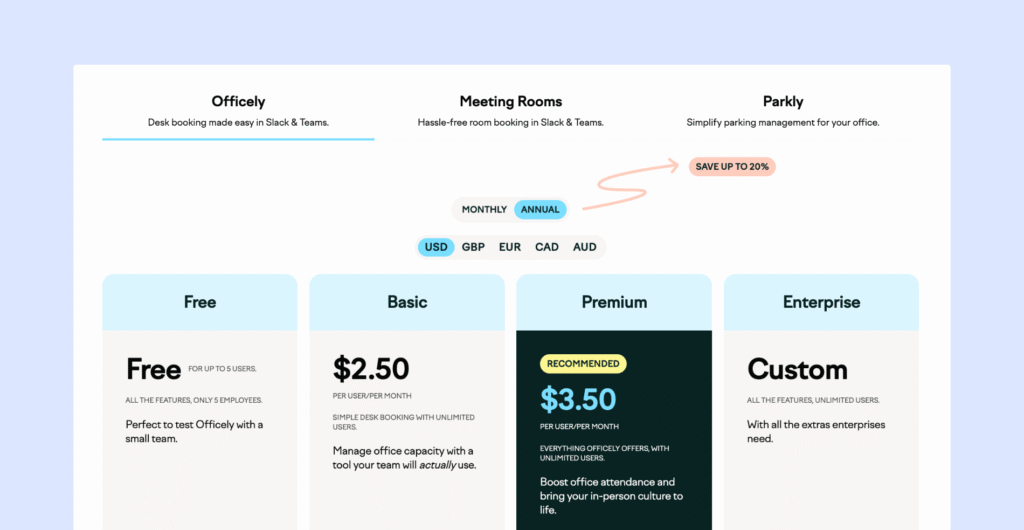
Officely has a free plan for up to 5 users. Its Basic plan starts at $2.50 per user per month, and Premium starts at $3.50 per user per month, with Enterprise pricing available on request. Meeting Rooms is priced separately at $12 per space per month, and parking management is also sold as its own add-on product. So while the core desk booking pricing is easy enough to understand, the total cost depends on which extra modules you need.
UnSpot alternatives at a glance
Feature | UnSpot | Archie | Robin | Skedda | YAROOMS | Officely |
|---|---|---|---|---|---|---|
Best for | Desk + room booking | All-in-one office ops | Enterprise workplaces | Rule-heavy setups | AI-assisted hybrid planning | Slack/Teams-first booking |
Watch-outs | Pricing can be confusing | Visitor mgmt costs extra | Premium pricing, longer rollout | Every space counts towards the limit | Lighter analytics, no visitor mgmt | User-based pricing can grow fast |
Desk booking | ✓ | ✓ | ✓ | ✓ | ✓ | ✓ |
Room booking | ✓ | ✓ | ✓ | ✓ | ✓ | |
Pricing model | Per user/per resource | Per resource | Custom quote | Per space | Tiered by users | Per user |
Visitor management | Unclear | Separate plan | Custom pricing | Add-on | Add-on | No |
How to choose the best UnSpot alternative
If I were choosing between these tools, I would not start by comparing every single feature in a spreadsheet. On paper, most of them can handle desk booking and meeting room scheduling just fine. The bigger differences usually show up somewhere else: how the pricing works, how useful the analytics really are, and whether the product fits the way your team already works day to day.
That last part matters more than people think. A tool your employees actually open every morning is usually more valuable than one with dozens of features nobody ends up using. Gensler’s 2024 workplace research found that in exceptional workplaces, 94% of employees have a choice in where they work within the office. That tells me the real goal is giving people an office experience that actually works for them.
Why Archie is the best UnSpot alternative
If I had to explain in simple terms why Archie is the strongest UnSpot alternative, I would put it like this: it covers more of the office in one platform, the pricing model makes more sense for hybrid teams, and it is one of the few tools people actually seem to enjoy using.
One of Archie’s biggest strengths is that it brings more of the actual office experience into one system. Employees can share when they are working from home or in the office, book desks and meeting rooms in seconds, and see where teammates are sitting on interactive office maps. That makes it much easier to plan office days, coordinate team time, and actually use the office space properly instead of guessing who will show up — and users definitely agree.
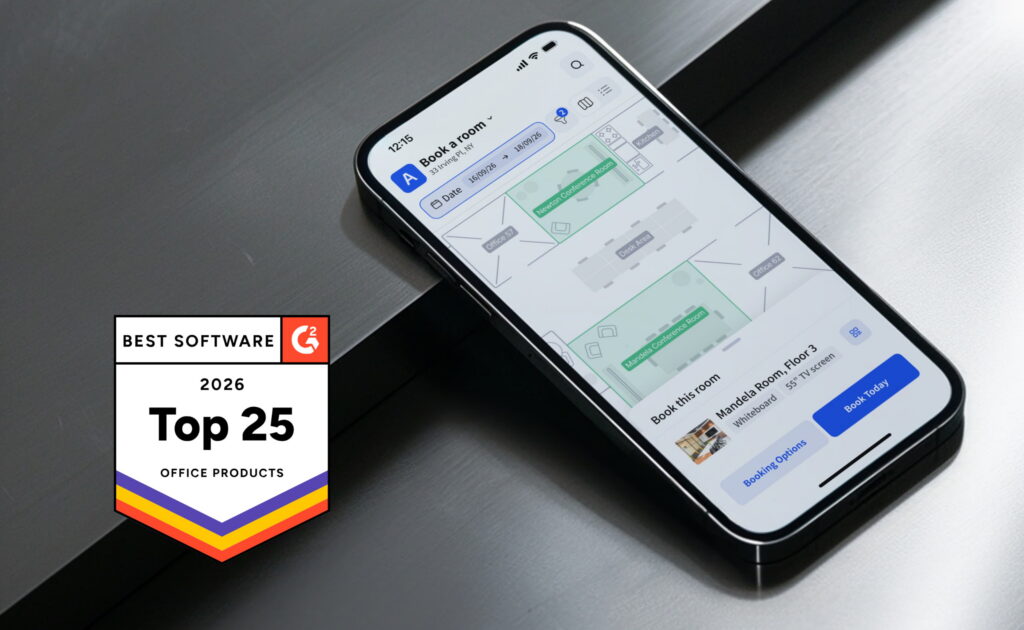
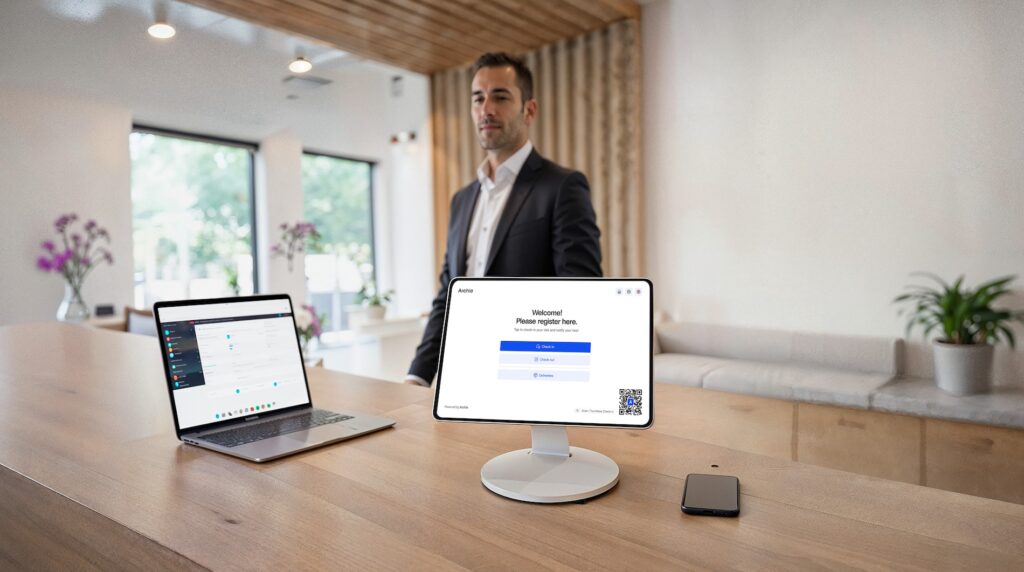
Archie also goes much further on the visitor side. If your office regularly has guests, deliveries, or front-desk workflows to manage, Archie includes visitor management features like visitor check-in, host notifications, badge printing, and digital forms. That is a pretty big difference compared to UnSpot, where visitor management exists on paper but is not very clearly tied to pricing or packaging.
Another big difference is pricing. Archie charges based on desks and rooms, not the number of employees. For hybrid teams where you might have more people than desks, that usually makes pricing easier to predict and often more affordable as the company grows. You are paying for the space you manage, not every employee who might come into the office occasionally.
If I had to summarize the difference very simply, I would say this:
- UnSpot is a good desk and room booking tool with analytics.
- Archie is a broader workplace platform that covers desks, rooms, visitors, and office coordination in one place.
And for most hybrid offices, that difference becomes more important over time as the company grows and the office gets more complex.
Quick head-to-heads
- Archie vs Robin: Robin is built more for large enterprises and puts a bigger focus on deep workplace analytics and long-term space planning. Archie is usually easier to roll out, easier to use, and has clearer, more predictable pricing.
- Archie vs Skedda: Skedda is very strong when it comes to rules and permissions. But its pricing can rise quickly because every desk, room, locker, or parking spot counts as a space. Archie’s pricing is tied to desks and rooms, which many teams find easier to understand as the office grows.
- Archie vs YAROOMS: YAROOMS can work well for smaller teams and companies managing multiple locations. Archie often makes more sense for mid-sized hybrid offices because pricing is based on bookable resources rather than total employee count.
- Archie vs Officely: Officely is great if your main goal is simple desk booking inside Slack or Teams, and you want something very lightweight. Archie is the better choice if you need a more complete platform that includes rooms, visitors, analytics, and more structured office management that still integrates with Slack & Microsoft 365.
- Key sources